Page 78 of 308
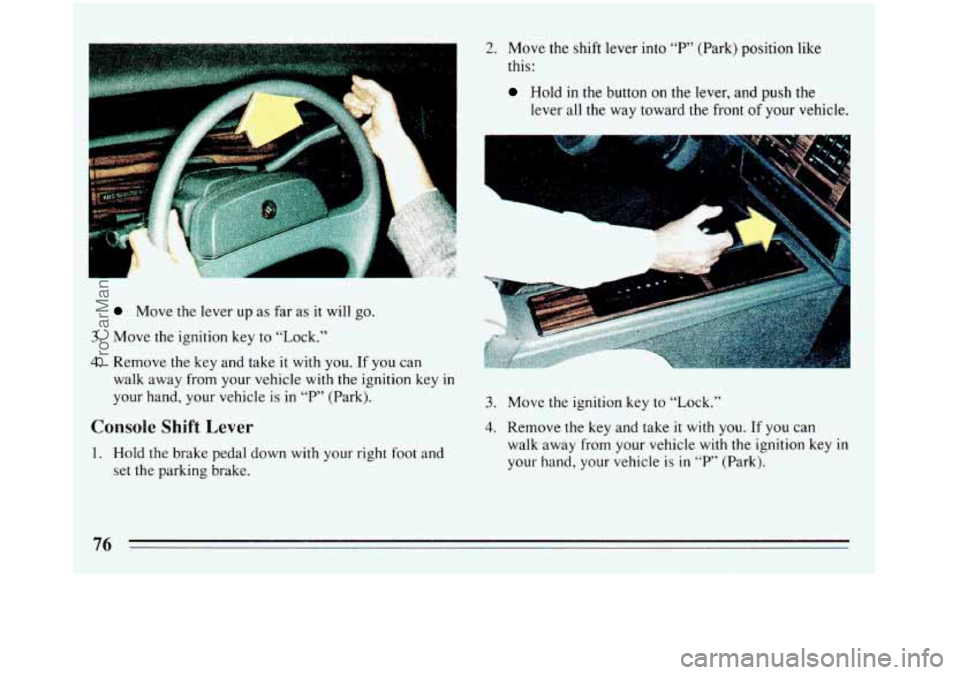
Move the lever up as far as it will go.
3. Move the ignition key to “Lock.”
4. Remove the key and take it with you. If you can
walk away from your vehicle with the ignition key in
your hand, your vehicle is in “P” (Park).
Console Shift Lever
1. Hold the brake pedal down with your right foot and
set the parking brake.
2. Move the shift lever into “P’ (Park) position like
this:
Hold in the button on the lever, and push the
lever all the way toward the front
of your vehicle.
-II
3. Move the ignition key to “Lock.”
4. Remove the key and take it with you. If you can
walk away from your vehicle with the ignition key
in
your hand, your vehicle is in “P’ (Park).
76
ProCarManuals.com
Page 81 of 308
f
-
CAUTION: (Continued)
It can be dangerous to get out of your vehicle if
the shift lever
is not fully in “P” (Park) with the
parking brake firmly set. Your vehicle can roll.
Don’t leave your vehicle when the engine is
running unless you have to. If you’ve left the
engine
running, the vehicle can move suddenly.
You or others could be injured. To be sure your
vehicle won’t move, even when you’re
on fairly
level ground, always set your parking brake and
-we the shift lever to “P” (Park)
Follow the proper steps to be sure your vehicle
won’t move. See “Shifting Into ‘P’ (Park)”
in the
Index,
If you are parking on a hill, or if you’re pulling a
iler, also see “Parking on Hills” or “Towing a
ailer”
in the Index.
Power Windows (Option)
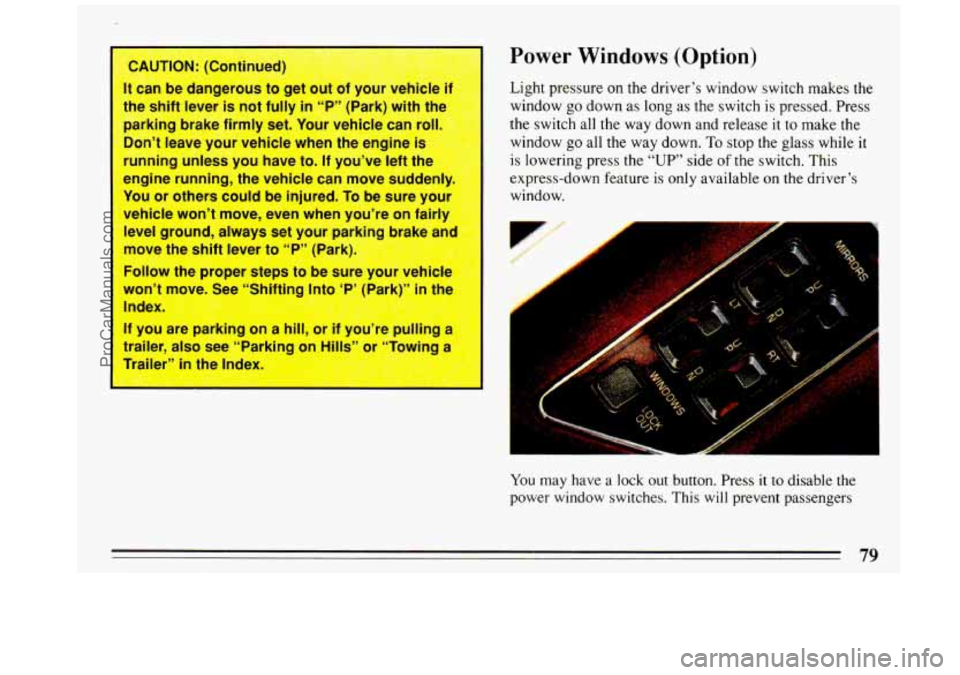
Light pressure on the driver’s window switch makes the
window go down as long as the switch is pressed. Press
the switch all the way down and release
it to make the
window go all the way down. To stop the glass while
it
is lowering press the “UP” side of the switch. This
express-down feature is only available
on the driver’s
window.
You may nave a lock out button. Press it to disable the
power window switches. This will prevent passengers
79
-
ProCarManuals.com
Page 82 of 308
from opening and closing the windows. The driver can
still control all the windows with the switch
in the locked
position. Press it again to enable the passenger window
switches.
Astroroof (Option)
The control is on the roof between the windshield and
the sunroof. The ignition switch must be in the
“RUN”
position for the sunroof to operate.
The sunshade can be opened by grasping the handle at
the front
of the shade and sliding it to the rear. It will
open automatically with the sliding glass panel. It must
be closed manually.
To open the glass to an angled venting position, press
and hold
the forward portion of the switch until it stops.
To close it, press and hold the rear portion of the switch
until it stops.
To open the sliding glass sunroof completely, press and
hold the rear portion of the switch.
To close the sunroof,
press
and hold the front portion of the switch until it
stops.
Horn
To sound the horn, press the center of the steering
wheel.
Tilt Wheel
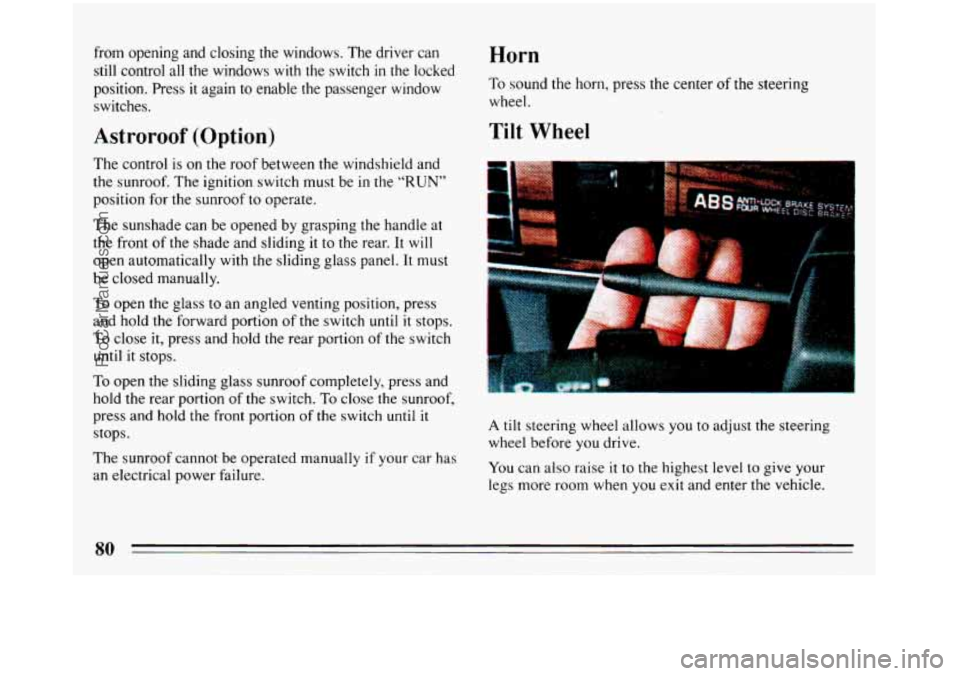
A tilt steering wheel allows you to adjust the steering
wheel before
you drive.
The sunroof cannot be operated manually
if your car has
an electrical power failure. You can also raise it to the highest level to give your
legs more room when you exit and enter the vehicle.
ProCarManuals.com
Page 83 of 308
To tilt the wheel, hold the steering wheel and pull the
lever. Move the steering wheel to a comfortable level,
then release the lever to lock the wheel in place.
The Turn Signal/Headlight Beam
Lever
TE
If
The lever on the left side of the steering column
includes your:
0 Turn Signal and Lane Change Indicator
0 Headlight High-Low Beam & Passing Signal
0
0
0
0
Flash-To-Pass Feature
Windshield Wipers
Windshield Washer
Cruise Control (Option)
Turn Signal and Lane Change
Indicator
The turn signal has two upward (for Right) and two
downward (for Left) positions. These positions allow
you to signal a turn or a lane change.
81
ProCarManuals.com
Page 87 of 308

Windshield Washer
At the top of the multifunction lever there’s a paddle
with the word
“PUSH” on it. To spray washer fluid on
the windshield, push
the paddle. Unless they are already
turned
on, the wipers will operate at low speed for
several sweeps,
then turn off.
A LHuTIO“
I 0 Driving without wa
dangerous.
A bad mud splash can blocl-
your vision. You could hit another vehicle
or go off thc )ad- Check VOUI I=rsher fluid
level often.
m In freezing weL..der, don‘t use your
until the windshield is warmed. Ot
the washer fluid
can form ice on th
windshield, blocking yovr vieinn
L
follow the man
adding water
Don’t mix water with ready-to-use was
fluid. Water can cause the solution to
freeze and damage your washer fluid t
and other parts of the washer system. Also,
water doesn’t clean as well as washer
when
it’s very cold. This allows for
Fill your washer fluid tank only 314 f
expansion, which could dama
it is completely full.
0 Don’t use radiator antifreeze in you
windshield washer.
It can da me v
washer system and paint.
85
ProCarManuals.com
Page 105 of 308

Anti-Lock Brake System Warning Light
(Option) anti-lock brakes. If the regular brake system warning
light is also on, see “Brake System Warning Light”
earlier
in this part.
With anti-lock, this light will go on unless you start your
engine and it will stay
on for three seconds. If the light
doesn’t come on, have it fixed
so it will be ready to
warn you
if there is a problem.
If the light stays on or comes on when you’re driving,
stop
as soon as possible and turn the key off. Then start
the engine to reset the system. If the light still stays on,
or comes
on again while you’re driving, your Buick
needs service. Unless the regular brake system warning
light is also
on, you will still have brakes, but not If
the anti-lock brake system warning light ever flashes,
your anti-lock brake system is still working but needs
.service as soon as possible.
Engine Coolant Temperature Gage
TEMP
This gage shows the engine
coolant temperature. If the
gage pointer moves into the
red area, your engine is too
hot
!
It means that your engine coolant has overheated. If you
have been operating your vehicle under normal driving
conditions, you should pull
off the road, stop your
vehicle and turn off the engine as soon as possible.
103
ProCarManuals.com
Page 111 of 308

@ Part 3 Comfort Controls And Audio Systems
~~
In this part you’ll find out how to operate the comfort control systems and audio systems offered with your Buick .
Be sure to read about the particular system supplied with your vehicle .
Part 3 includes:
Comfort Control System
............................................................ 110
Heater and Defroster
........................................................... 111
Airconditioner
............................................................... 111
RearWindowDefogger ........................................................ 113
Ventilation ................................................................... 112
AudioSystems
.................................................................... 113
SettingtheClock
.......................................................... 1.16,121
RadioControls
........................................................... 115, 119
Tape Player Controls ....................................................... 11 7, 121
CDPlayerControls
............................................................ 118
Understanding
Radio Reception .................................................. 113
Care of Cassette ‘hpe Player & l-hpes ............................................. 123
CareofCompactDiscs
......................................................... 124
Antennacare
................................................................ 124
109
ProCarManuals.com
Page 118 of 308

Scan
Press the SCAN button to hear each station for a few
seconds. Push it again
to stop scanning.
Pushbuttons
The five pushbuttons let you return to favorite stations.
To set the pushbuttons for up to ten stations (5 AM and
5 FM).
Tune in the desired station.
Press SET.
0 Within 5 seconds, push one of the pushbuttons.
Whenever you push that button again, the preset
station
will return.
Repeat these steps for each pushbutton.
Clock
To set the clock,
fore
Press SET. SET must be lit in VF display be
.adjusting the clock.
0 Within 5 seconds, push and hold the SCAN button
until the correct minute appears.
Push and hold the SEEK button until the correct
hour appears.
Bass
Press the (BAS +) side of the button to increase bass
tones and press the (BAS
-) side of the button to
decrease bass tones. Press the center of the control for
the preset bass setting.
Treble
Press the (TRB +) side of the button to increase treble
tones and press the
(TRB -) side of the button to
decrease treble tones. Press the center
of the control for
the preset treble setting.
To Play A Cassette
Your tape player is built to work best with tapes that are
30 to 45 minutes long on each side. Tapes longer than
that are
so thin they may not work well in this player.
116
ProCarManuals.com