Page 87 of 225
Audio System (Si, SR)
You can use any of three methods
to find radio stations on the
selected band: TUNE, SEEK, or
the Preset buttons.
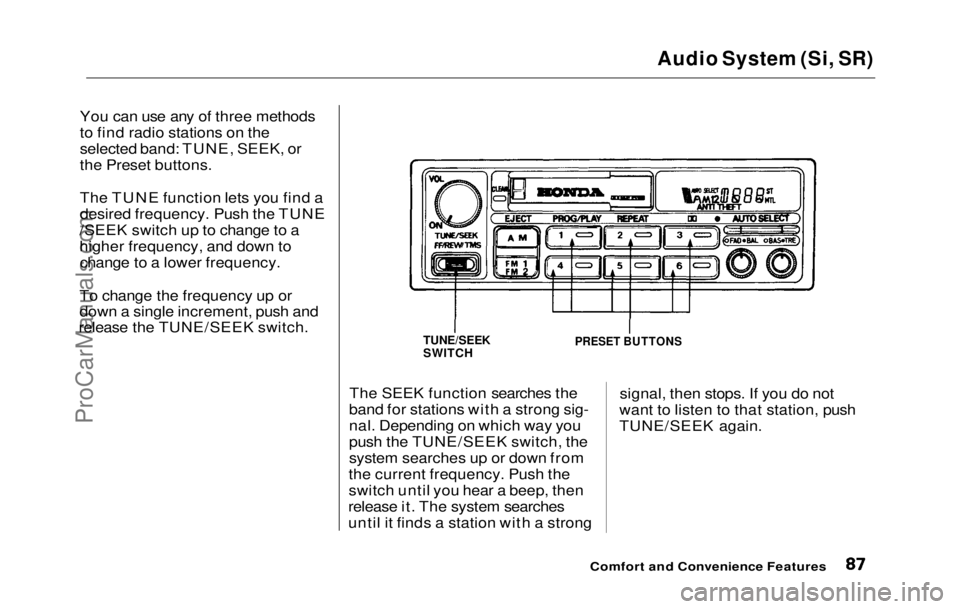
The TUNE function lets you find a
desired frequency. Push the TUNE
/SEEK switch up to change to a
higher frequency, and down to change to a lower frequency.
To change the frequency up or
down a single increment, push and
release the TUNE/SEEK switch.
The SEEK function searches the
band for stations with a strong sig-
nal. Depending on which way you
push the TUNE/SEEK switch, the
system searches up or down from
the current frequency. Push the
switch until you hear a beep, then
release it. The system searches
until it finds a station with a strong signal, then stops. If you do not
want to listen to that station, push
TUNE/SEEK again.
Comfort and Convenience Features
TUNE/SEEK
SWITCH
PRESET BUTTONSProCarManuals.comMain Menu Table of Contents s t
Page 88 of 225
Audio System (Si, SR)
Presetting
The preset buttons allow you to
store radio frequencies for later
selection. Each button will store
one frequency on the AM band, and
two on the FM band by pushing
FM1 and
FM2.
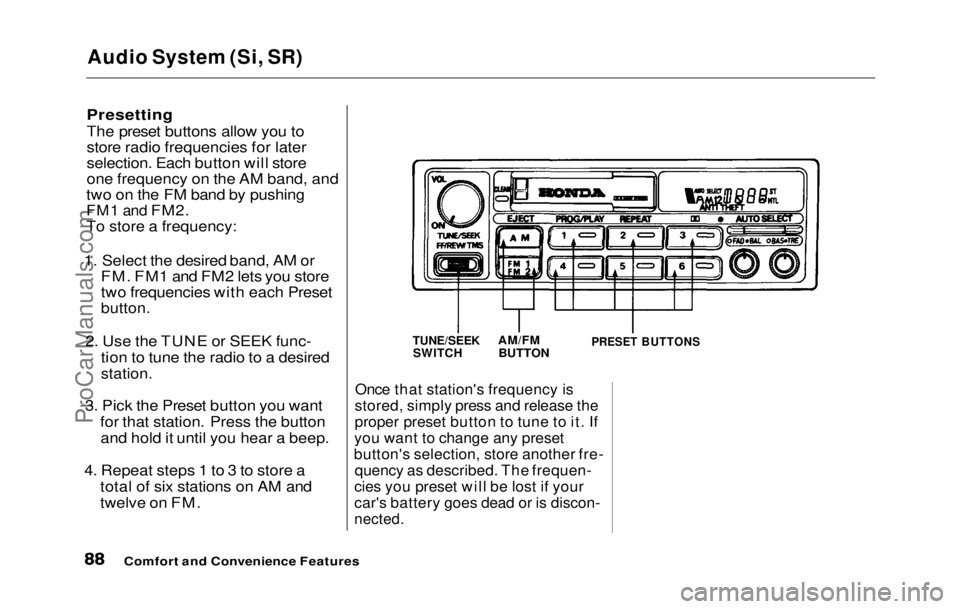
To store a frequency:
1. Select the desired band, AM or FM. FM1 and FM2 lets you store
two frequencies with each Preset
button.
2. Use the TUNE or SEEK func- tion to tune the radio to a desired
station.
3. Pick the Preset button you want for that station. Press the buttonand hold it until you hear a beep.
4. Repeat steps 1 to 3 to store a total of six stations on AM and
twelve on FM.
Once that station's frequency is
stored, simply press and release the
proper preset button to tune to it. If
you want to change any preset
button's selection, store another fre- quency as described. The frequen-
cies you preset will be lost if your
car's battery goes dead or is discon-
nected.
Comfort and Convenience Features
TUNE/SEEK
SWITCH
AM/FM
BUTTON
PRESET BUTTONSProCarManuals.comMain Menu Table of Contents s t
Page 89 of 225
Audio System (Si, SR)
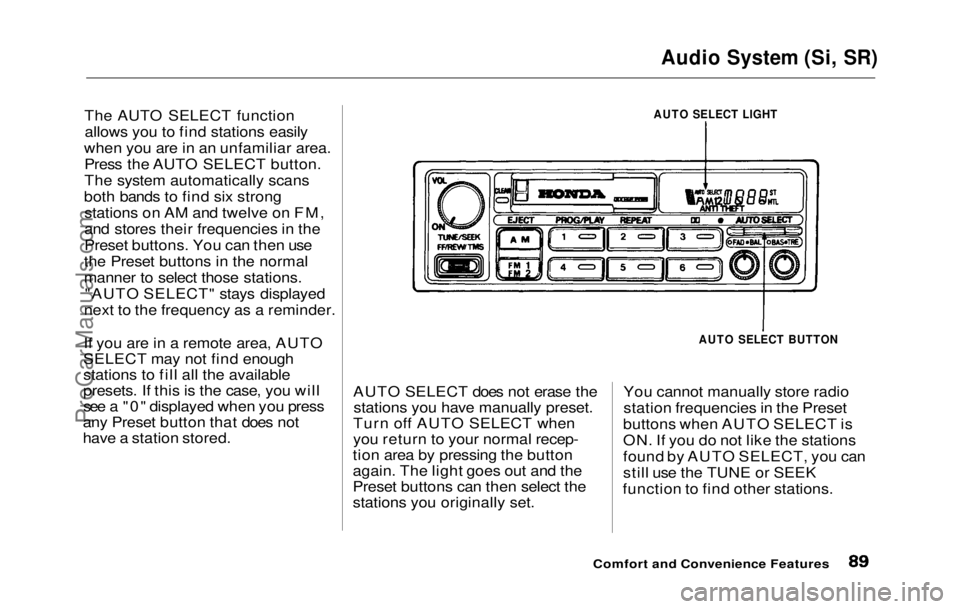
The AUTO SELECT function allows you to find stations easily
when you are in an unfamiliar area. Press the AUTO SELECT button.
The system automatically scans
both bands to find six strong stations on AM and twelve on FM,
and stores their frequencies in the
Preset buttons. You can then use
the Preset buttons in the normal
manner to select those stations. "AUTO SELECT" stays displayed
next to the frequency as a reminder.
If you are in a remote area, AUTO
SELECT may not find enough
stations to fill all the available
presets. If this is the case, you will
see a "0" displayed when you press
any Preset button that does not
have a station stored. AUTO SELECT does not erase the
stations you have manually preset.
Turn off AUTO SELECT when
you return to your normal recep-
tion area by pressing the button
again. The light goes out and the
Preset buttons can then select the
stations you originally set. You cannot manually store radio
station frequencies in the Preset
buttons when AUTO SELECT is
ON. If you do not like the stations
found by AUTO SELECT, you can
still use the TUNE or SEEK
function to find other stations.
Comfort and Convenience Features
AUTO SELECT LIGHT
AUTO SELECT BUTTONProCarManuals.comMain Menu Table of Contents s t
Page 90 of 225
Audio System (Si, SR)
Radio Frequencies
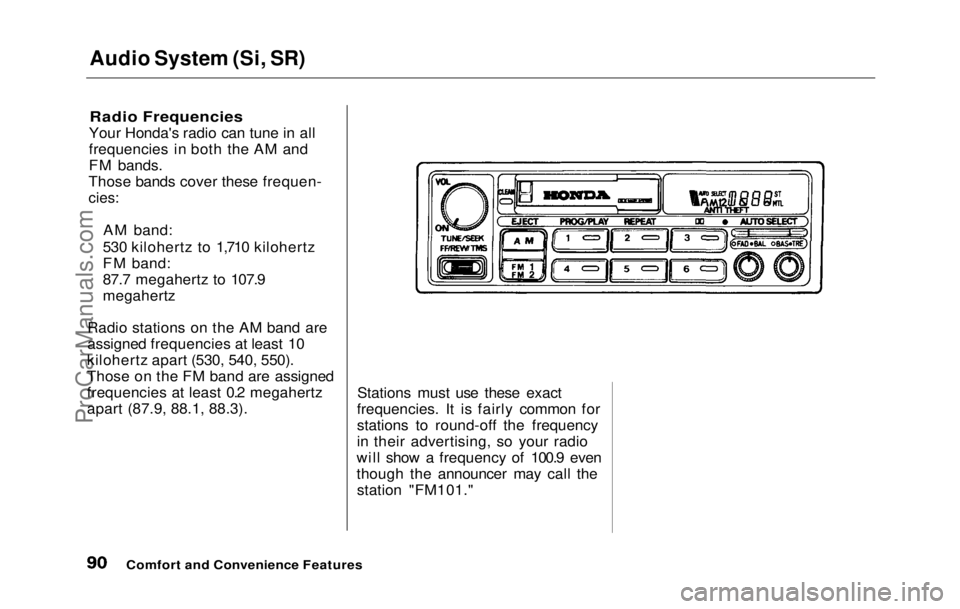
Your Honda's radio can tune in all
frequencies in both the AM and
FM bands.
Those bands cover these frequen-
cies:
AM band:
530 kilohertz to 1,710 kilohertz
FM band:
87.7 megahertz to 107.9
megahertz
Radio stations on the AM band are
assigned frequencies at least 10
kilohertz apart (530, 540, 550).
Those on the FM band are assigned
frequencies at least 0.2 megahertz
apart (87.9, 88.1, 88.3). Stations must use these exact
frequencies. It is fairly common for
stations to round-off the frequency
in their advertising, so your radio
will show a frequency of 100.9 even
though the announcer may call the station "FM101."
Comfort and Convenience FeaturesProCarManuals.comMain Menu Table of Contents s t
Page 91 of 225

Audio System (Si, SR)
Operating the Cassette Player
Turn the
system ON. Insert the
cassette into the slot with the tape
opening to the right. Push the cassette in most of the way. The
drive will pull it in the rest of the
way and begin to play. The or will light to show you
which side of the cassette is playing.
The indicates the side you
inserted facing upward is now
playing. To play the other side of
the tape, press the PROG/PLAY
button.
The system also has an Auto-
reverse feature. It will automati-
cally reverse direction when it
reaches the end of the cassette. If the cassette is a metal tape
(chromium-dioxide or CrO2), you
will see "MTL" displayed. The
system automatically adjusts for
the special frequency character-
istics of metal tape.
Dolby noise reduction turns on
when you insert a cassette. If the tape was not recorded with Dolby
"B" noise reduction, turn it off by
pressing the button.
To remove the cassette from the
drive, press the EJECT button. The
system automatically ejects the
cassette whenever you turn off the
system or the ignition switch.
Comfort and Convenience Features
ON/OFF/VOL KNOB
CASSETTE SLOT
TAPE DIRECTION
INDICATOR METAL
INDICATOR
EJECT
BUTTON PROG/PLAY
BUTTON DOLBY BUTTONProCarManuals.comMain Menu Table of Contents s t
Page 92 of 225
Audio System (Si, SR)
Cassette Search Functions
Once a cassette is playing, you can
use the FF, REW, TMS, or REPEAT function to look for
desired songs or passages.
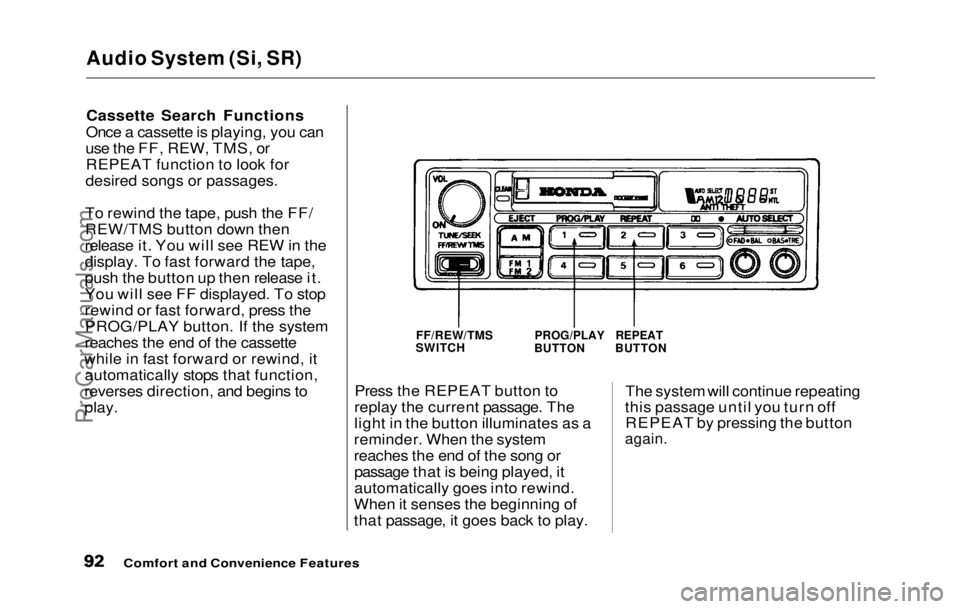
To rewind the tape, push the FF/
REW/TMS button down then
release it. You will see REW in the
display. To fast forward the tape,
push the button up then release it.
You will see FF displayed. To stop
rewind or fast forward, press the PROG/PLAY button. If the system
reaches the end of the cassette
while in fast forward or rewind, it automatically stops that function,
reverses direction, and begins to
play. Press the REPEAT button to
replay the current passage. The
light in the button illuminates as a
reminder. When the system
reaches the end of the song or passage that is being played, it
automatically goes into rewind.
When it senses the beginning of
that passage, it goes back to play. The system will continue repeating
this passage until you turn off REPEAT by pressing the button
again.
Comfort and Convenience Features
FF/REW/TMS
SWITCH
PROG/PLAY
BUTTON
REPEAT
BUTTONProCarManuals.comMain Menu Table of Contents s t
Page 93 of 225
Audio System (Si, SR)
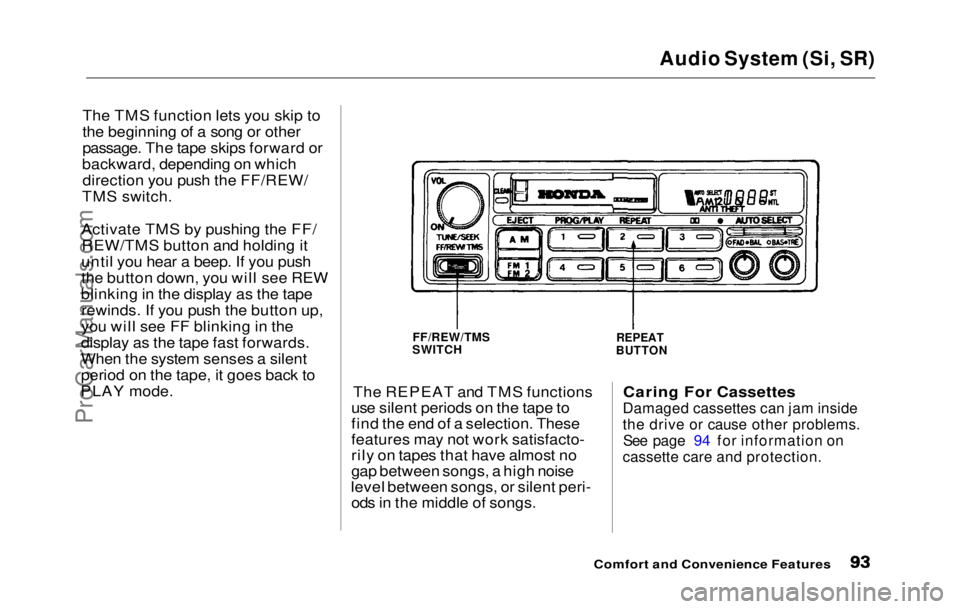
The TMS function lets you skip to
the beginning of a song or other
passage. The tape skips forward or
backward, depending on which direction you push the FF/REW/
TMS switch.
Activate TMS by pushing the FF/ REW/TMS button and holding it
until you hear a beep. If you push
the button down, you will see REW
blinking in the display as the tape rewinds. If you push the button up,
you will see FF blinking in the
display as the tape fast forwards.
When the system senses a silent
period on the tape, it goes back to
PLAY mode.
The REPEAT and TMS functions
use silent periods on the tape to
find the end of a selection. These
features may not work satisfacto-
rily on tapes that have almost no
gap between songs, a high noise
level between songs, or silent peri- ods in the middle of songs.
Caring For Cassettes
Damaged cassettes can jam inside
the drive or cause other problems.
See page 94 for information on
cassette care and protection.
Comfort and Convenience Features
FF/REW/TMS
SWITCH
REPEAT
BUTTONProCarManuals.comMain Menu Table of Contents s t
Page 95 of 225

Theft Protection
Theft Protection is standard on the Si and Si 4WS models in the U. S.,
and the SR and SR 4WS models in
Canada.
Your audio system is protected by a code number. The system immedi-
ately disables itself whenever the
radio/player unit is disconnected
from the battery. To make it work again, you must enter a five-digit
code with the station Preset
buttons.
Your dealer should have given you
two copies of your audio system's
code number with your car. Keep one of these copies at home, and
the other in your wallet or a con- cealed place in the car. If your car's battery is discon-
nected or goes dead, the audio
system will disable itself. The next
time you turn on the radio you will
see "Code" in the frequency display.
Use the Preset buttons to enter the
five-digit code. If entered correctly,
the radio will start to play.
You will then have to store your
favorite stations in the Preset
buttons. Your original settings
were lost when power was discon-
nected.
Comfort and Convenience FeaturesProCarManuals.comMain Menu Table of Contents s t