Page 2 of 662
2TABLE OF CONTENTS
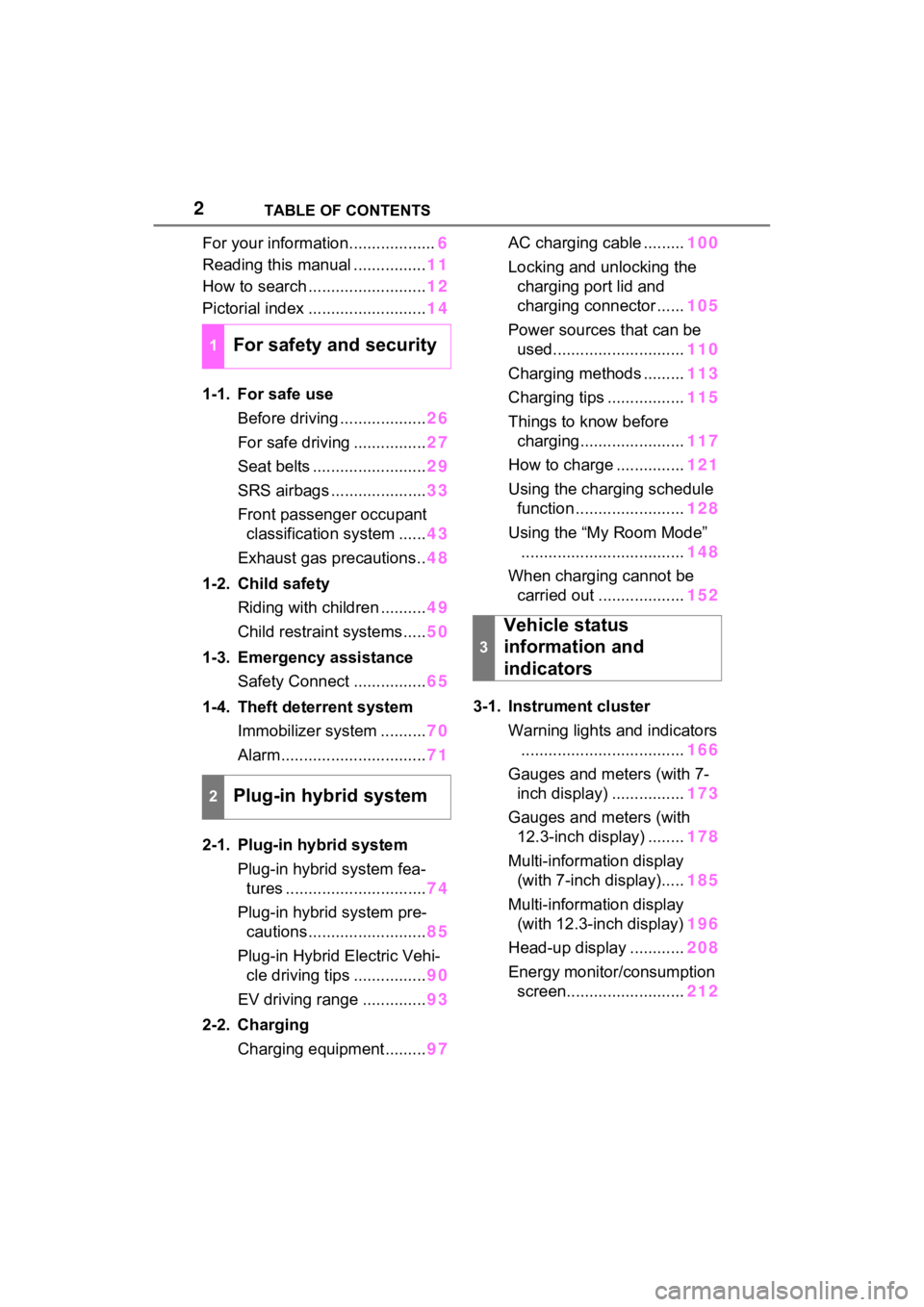
For your information...................6
Reading this manual ................ 11
How to search .......................... 12
Pictorial index .......................... 14
1-1. For safe use Before driving ................... 26
For safe driving ................ 27
Seat belts ......................... 29
SRS airbags ..................... 33
Front passenger occupant classification system ...... 43
Exhaust gas precautions.. 48
1-2. Child safety Riding with children .......... 49
Child restraint systems..... 50
1-3. Emergency assistance Safety Connect ................ 65
1-4. Theft deterrent system Immobilizer system .......... 70
Alarm................................ 71
2-1. Plug-in hybrid system Plug-in hybrid system fea-tures ............................... 74
Plug-in hybrid system pre- cautions .......................... 85
Plug-in Hybrid Electric Vehi- cle driving tips ................ 90
EV driving range .............. 93
2-2. Charging Charging equipment......... 97AC charging cable .........
100
Locking and unlocking the charging port lid and
charging connector ...... 105
Power sources that can be used............................. 110
Charging methods ......... 113
Charging tips ................. 115
Things to know before charging....................... 117
How to charge ............... 121
Using the charging schedule function ........................ 128
Using the “My Room Mode” .................................... 148
When charging cannot be carried out ................... 152
3-1. Instrument cluster Warning lights and indicators.................................... 166
Gauges and meters (with 7- inch display) ................ 173
Gauges and meters (with 12.3-inch display) ........ 178
Multi-information display (with 7-inch display)..... 185
Multi-information display (with 12.3-inch display) 196
Head-up display ............ 208
Energy monitor/consumption screen.......................... 212
1For safety and security
2Plug-in hybrid system
3
Vehicle status
information and
indicators
Page 165 of 662
165
3
3
Vehicle status information and indicators
Vehicle status informa-tion and indicators
3-1. Instrument cluster
Warning lights and indica-tors ............................ 166
Gauges and meters (with 7- inch display) .............. 173
Gauges and meters (with 12.3-inch display) ...... 178
Multi-information display (with 7-inch display) .. 185
Multi-information display (with 12.3-inch display).................................. 196
Head-up display .......... 208
Energy monitor/consump- tion screen................. 212
Page 166 of 662
1663-1. Instrument cluster
3-1.Instrument cluster
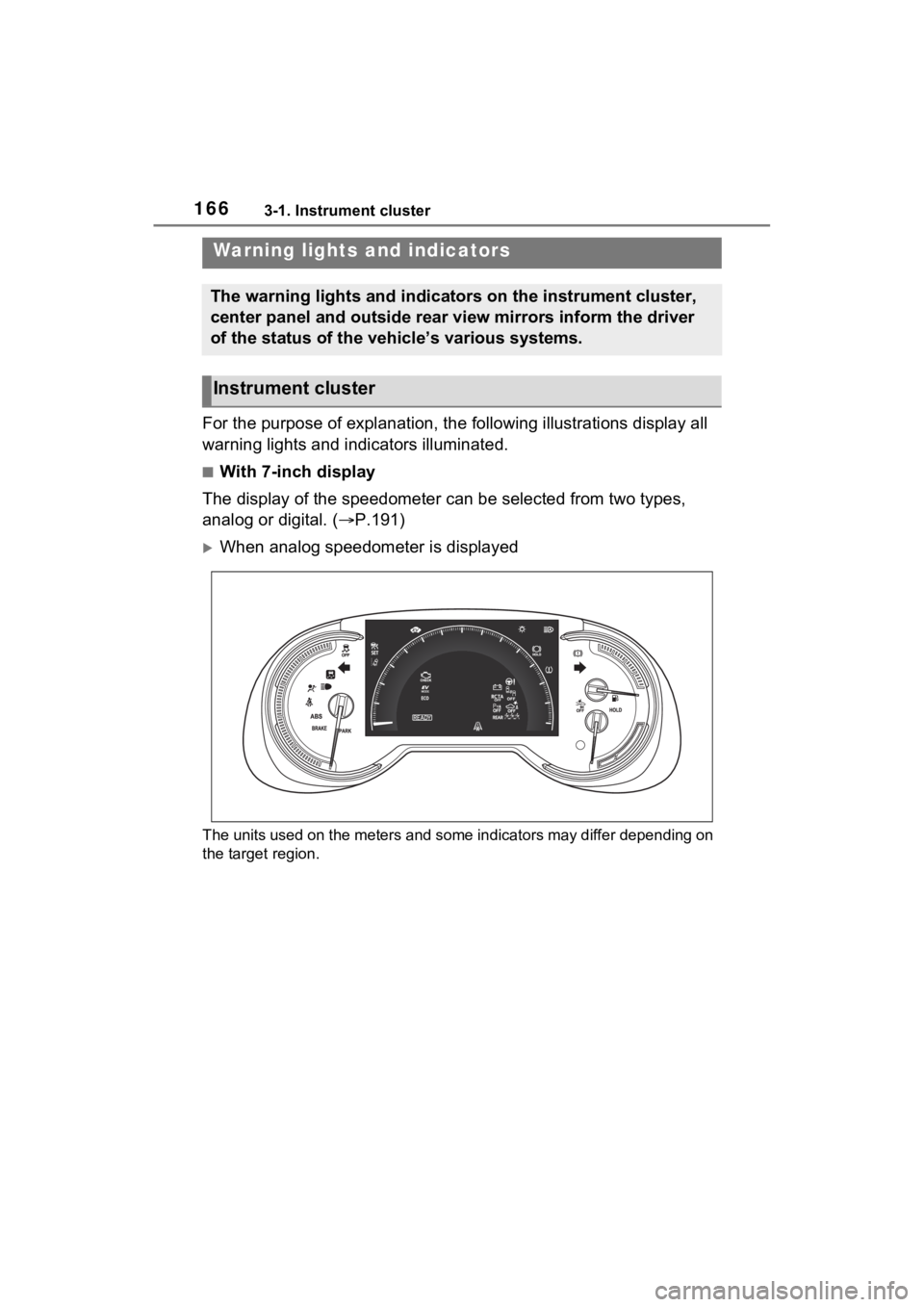
For the purpose of explanation, the following illustrations display all
warning lights and indicators illuminated.
■With 7-inch display
The display of the speedometer can be selected from two types,
analog or digital. ( P.191)
When analog speedometer is displayed
The units used on the meters and some indicators may differ dep ending on
the target region.
Warning lights and indicators
The warning lights and indicators on the instrument cluster,
center panel and outside rear view mirrors inform the driver
of the status of the vehicle’s various systems.
Instrument cluster
Page 167 of 662
1673-1. Instrument cluster
3
Vehicle status information and indicators
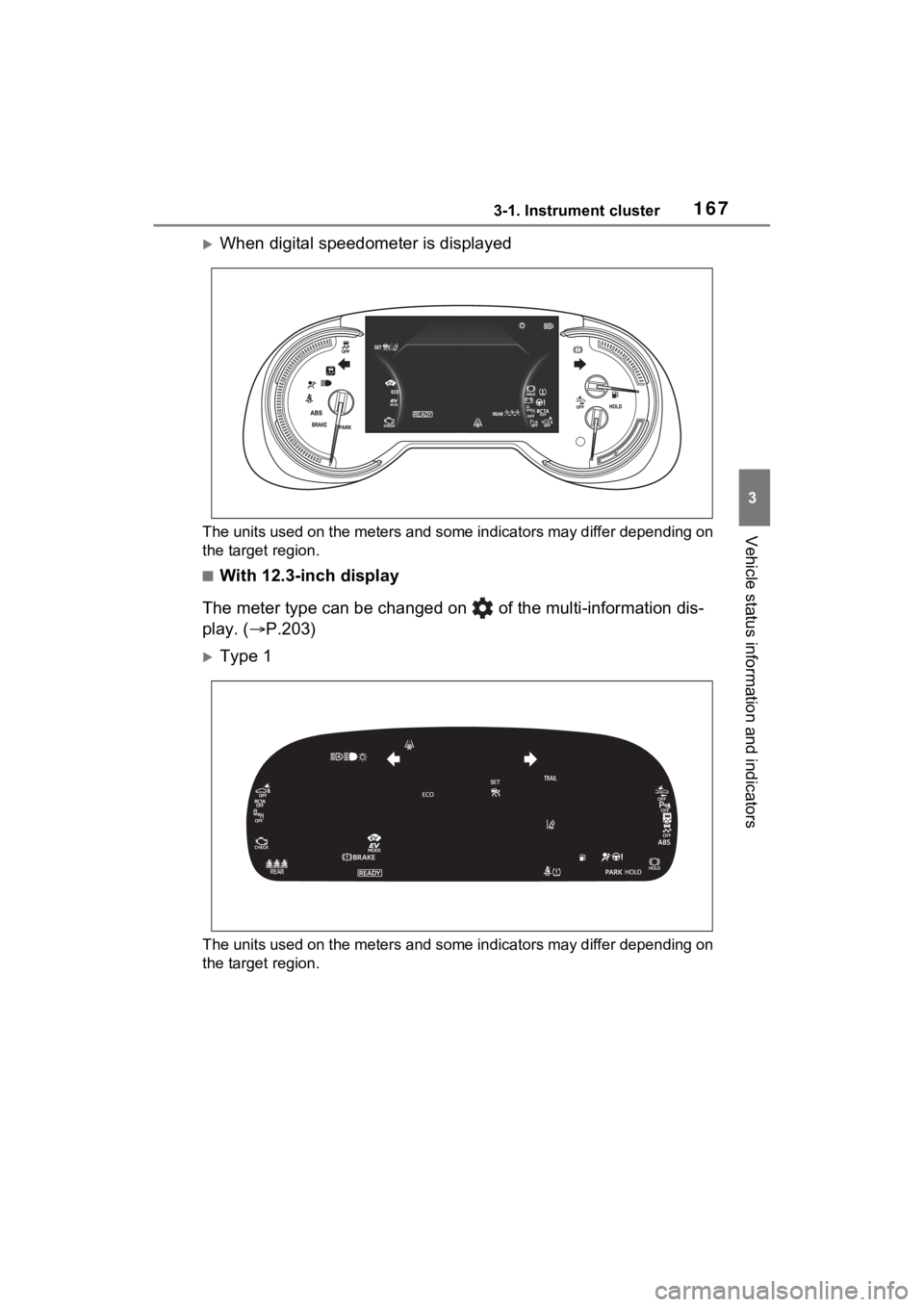
When digital speedometer is displayed
The units used on the meters and some indicators may differ depending on
the target region.
■With 12.3-inch display
The meter type can be changed on of the multi-information dis-
play. ( P.203)
Type 1
The units used on the meters and some indicators may differ dep ending on
the target region.
Page 168 of 662
1683-1. Instrument cluster
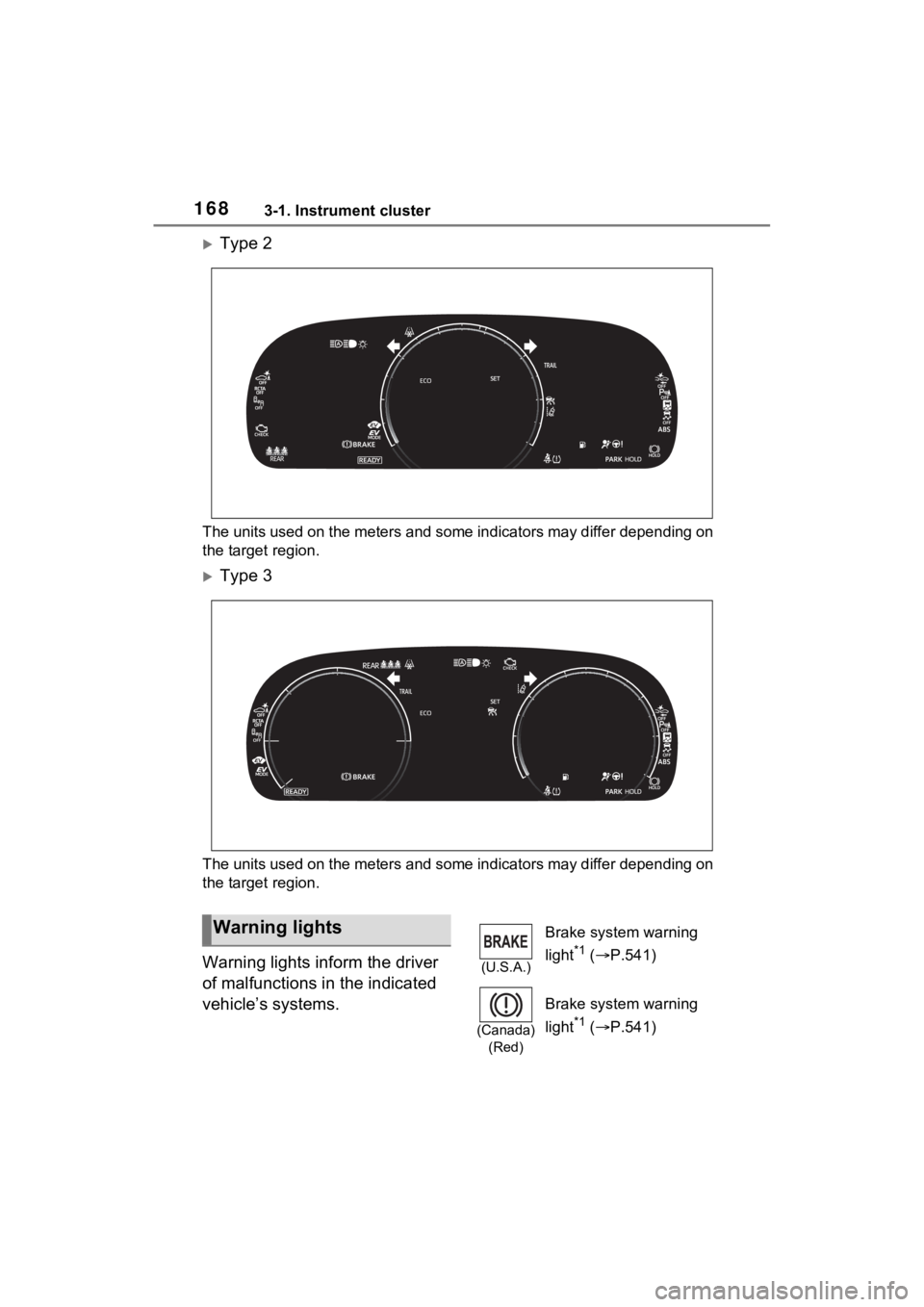
Type 2
The units used on the meters and some indicators may differ depending on
the target region.
Type 3
The units used on the meters and some indicators may differ dep ending on
the target region.
Warning lights inform the driver
of malfunctions in the indicated
vehicle’s systems.
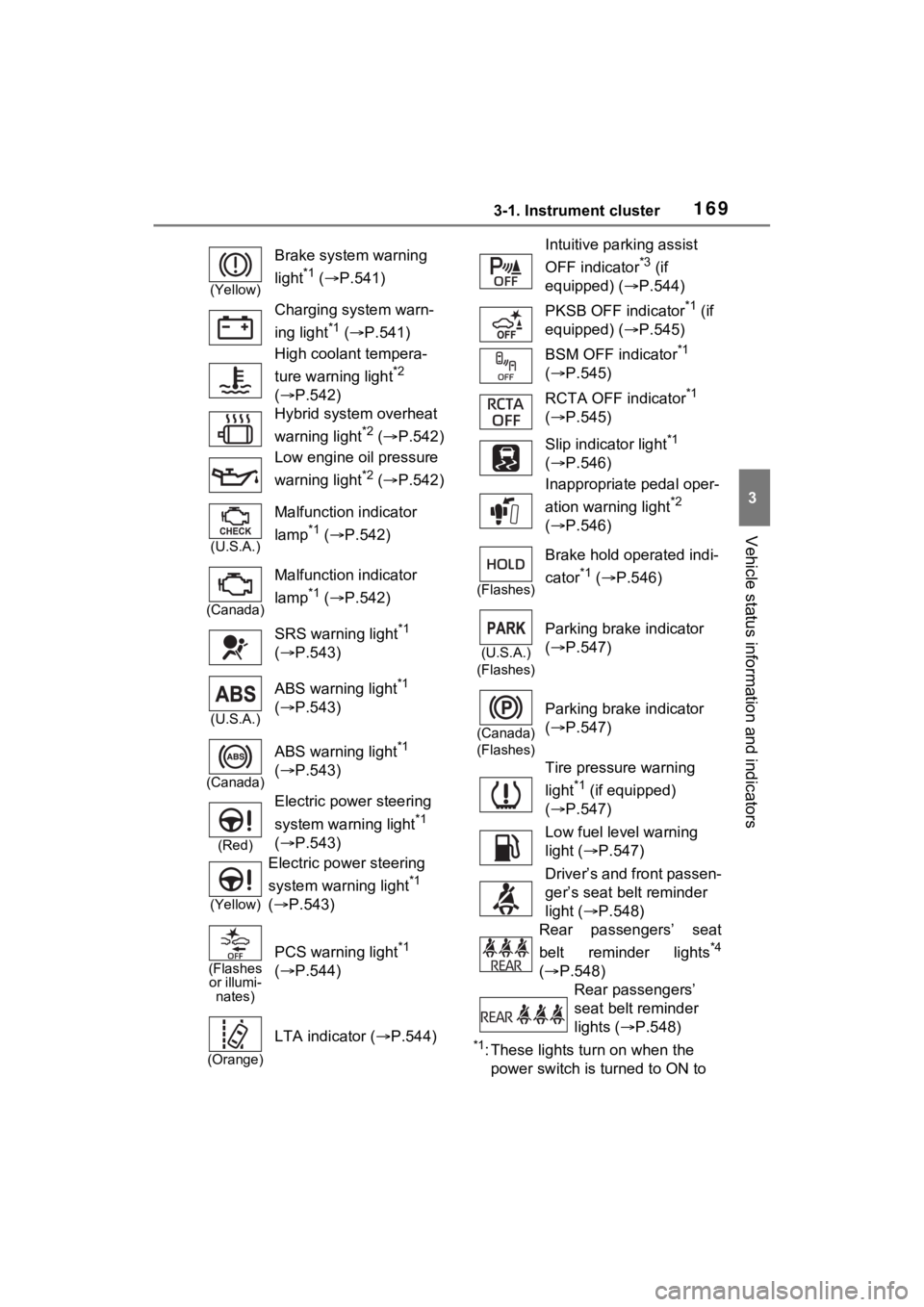
Warning lights
(U.S.A.)
Brake system warning
light
*1 ( P.541)
(Canada)
(Red)
Brake system warning
light
*1 ( P.541)
Page 169 of 662
1693-1. Instrument cluster
3
Vehicle status information and indicators
*1: These lights turn on when the
power switch is turned to ON to
(Yellow)
Brake system warning
light
*1 ( P.541)
Charging system warn-
ing light
*1 ( P.541)
High coolant tempera-
ture warning light
*2
( P.542)
Hybrid system overheat
warning light
*2 ( P.542)
Low engine oil pressure
warning light
*2 ( P.542)
(U.S.A.)
Malfunction indicator
lamp
*1 ( P.542)
(Canada)
Malfunction indicator
lamp
*1 ( P.542)
SRS warning light
*1
( P.543)
(U.S.A.)
ABS warning light*1
( P.543)
(Canada)
ABS warning light*1
( P.543)
(Red)
Electric power steering
system warning light
*1
( P.543)
(Yellow)
Electric power steering
system warning light
*1
( P.543)
(Flashes
or illumi- nates)
PCS warning light*1
( P.544)
(Orange)
LTA indicator ( P.544)
Intuitive parking assist
OFF indicator
*3 (if
equipped) ( P.544)
PKSB OFF indicator
*1 (if
equipped) ( P.545)
BSM OFF indicator
*1
( P.545)
RCTA OFF indicator
*1
( P.545)
Slip indicator light
*1
( P.546)
Inappropriate pedal oper-
ation warning light
*2
( P.546)
(Flashes)
Brake hold operated indi-
cator
*1 ( P.546)
(U.S.A.)
(Flashes)
Parking brake indicator
( P.547)
(Canada)
(Flashes)
Parking brake indicator
( P.547)
Tire pressure warning
light
*1 (if equipped)
( P.547)
Low fuel level warning
light ( P.547)
Driver’s and front passen-
ger’s seat belt reminder
light ( P.548)
Rear passengers’ seat
belt reminder lights
*4
( P.548)
Rear passengers’
seat belt reminder
lights ( P.548)
Page 170 of 662
1703-1. Instrument cluster
indicate that a system check is
being performed. They will turn
off after the hybr id system is on,
or after a few seconds. There
may be a malfunction in a sys-
tem if the light does not come on,
or turn off. Have the vehicle
inspected by your Toyota dealer.
*2: This light illuminates on the multi-informatio n display with a
message.
*3: Intuitive parking assist OFF indi- cator turns on when the power
switch is turned to ON while the
Intuitive parking assist function is
on. It will turn off after a few sec-
onds.
*4: Vehicles with 12.3-inch display
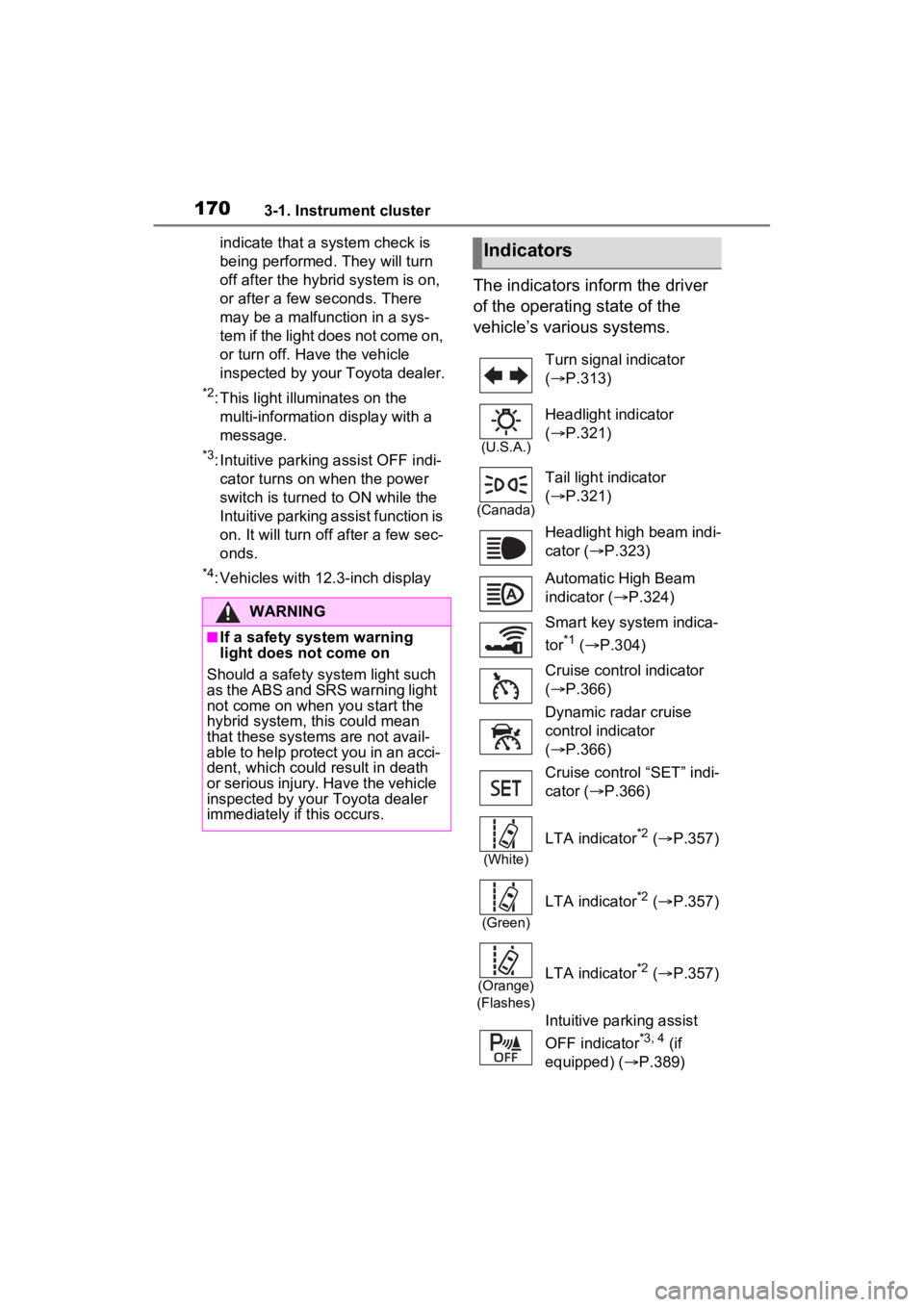
The indicators inform the driver
of the operating state of the
vehicle’s various systems.
WARNING
■If a safety system warning
light does not come on
Should a safety system light such
as the ABS and SR S warning light
not come on when you start the
hybrid system, this could mean
that these systems are not avail-
able to help protect you in an acci-
dent, which could result in death
or serious injury. Have the vehicle
inspected by your Toyota dealer
immediately if this occurs.
Indicators
Turn signal indicator
( P.313)
(U.S.A.)
Headlight indicator
( P.321)
(Canada)
Tail light indicator
( P.321)
Headlight high beam indi-
cator ( P.323)
Automatic High Beam
indicator ( P.324)
Smart key system indica-
tor
*1 ( P.304)
Cruise control indicator
( P.366)
Dynamic radar cruise
control indicator
( P.366)
Cruise control “SET” indi-
cator ( P.366)
(White)
LTA indicator*2 ( P.357)
(Green)
LTA indicator*2 ( P.357)
(Orange)
(Flashes)LTA indicator*2 ( P.357)
Intuitive parking assist
OFF indicator
*3, 4 (if
equipped) ( P.389)
Page 171 of 662
1713-1. Instrument cluster
3
Vehicle status information and indicators
*1: This light illuminates on the multi-information display with a
message.
*2: Depending on the operating con-dition, the color and illuminat-
ing/flashing stat e of the light
change.
*3: The light comes on when the system is turned off.
*4: Intuitive parking assist OFF indi-cator turns on wh en the power
switch is turned t o ON while the
Intuitive parking assist function is
on. It will turn off after a few sec-
onds.
*5: These lights tu rn on when the
power switch is turned to ON to
indicate that a system check is
being performed. They will turn
off after the hybrid system is on,
or after a few seconds. There
may be a malfunction in a sys-
tem if the lights do not turn on, or
turn off. Have the vehicle
inspected by your Toyota dealer.
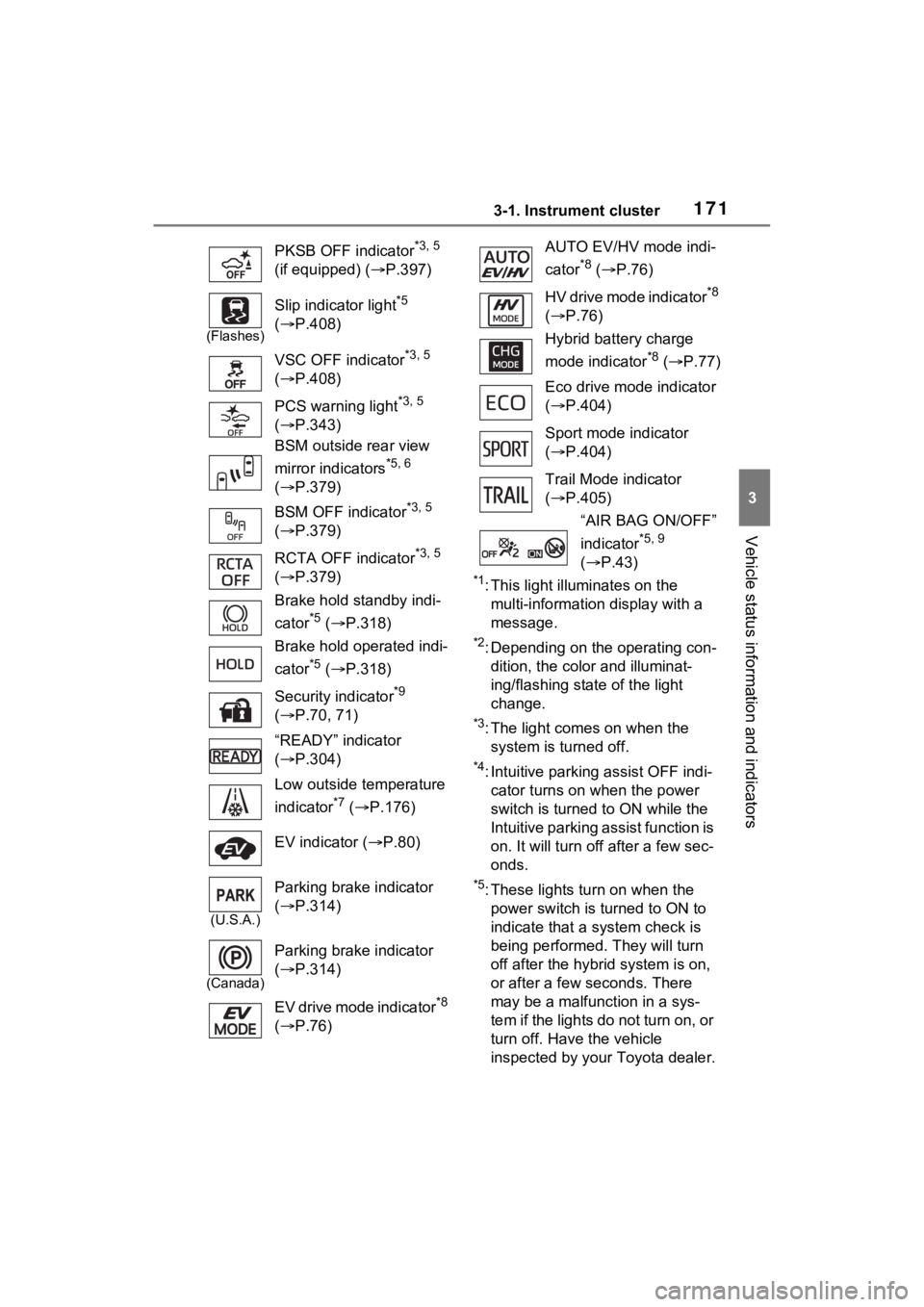
PKSB OFF indicator
*3, 5
(if equipped) ( P.397)
(Flashes)
Slip indicator light*5
( P.408)
VSC OFF indicator
*3, 5
( P.408)
PCS warning light
*3, 5
( P.343)
BSM outside rear view
mirror indicators
*5, 6
( P.379)
BSM OFF indicator
*3, 5
( P.379)
RCTA OFF indicator
*3, 5
( P.379)
Brake hold standby indi-
cator
*5 ( P.318)
Brake hold operated indi-
cator
*5 ( P.318)
Security indicator
*9
( P.70, 71)
“READY” indicator
( P.304)
Low outside temperature
indicator
*7 ( P.176)
EV indicator ( P.80)
(U.S.A.)
Parking brake indicator
( P.314)
(Canada)
Parking brake indicator
( P.314)
EV drive mode indicator
*8
( P.76)
AUTO EV/HV mode indi-
cator
*8 ( P.76)
HV drive mode indicator
*8
( P.76)
Hybrid battery charge
mode indicator
*8 ( P.77)
Eco drive mode indicator
( P.404)
Sport mode indicator
( P.404)
Trail Mode indicator
( P.405)
“AIR BAG ON/OFF”
indicator
*5, 9
( P.43)