2023 TOYOTA RAV4 light
[x] Cancel search: lightPage 161 of 574

1613-4. Adjusting the steering wheel and mirrors
3
Before driving
If you notice any of the following symptoms, refer to the following
table for the likely cause and the solution.
NOTICE
■To prevent the Digital Rear-
view Mirror from malfunction-
ing
●Do not use detergents, such as
thinner, benzene, and alcohol to
clean the mirror. They may dis-
color, deteriorate or damage the
mirror surface.
●Do not smoke, use matches,
use cigarette lighters or allow
open flames near the mirror. It
may damage the mirror or
cause a fire.
●Do not remove, disassemble or
modify the mirror.
■To prevent the camera from
malfunctioning
●Observe the following precau-
tions, otherwise the Digital
Rear-view Mirror may not oper-
ate properly.
• Do not strike or hit the camera
or subject it to a strong impact,
as the camera installation posi-
tion and angle may be changed.
• Do not remove, disassemble or modify the camera.
• Do not allow an organic solvent, car wax, window cleaner or
glass coating to adhere to the
camera. If this happens, wipe it
off as soon as possible.
• When cleaning the camera lens, wipe the camera lens with a
damp soft cloth.
Do not strongly rub the camera
lens, as it may be scratched and
will not be able to transmit a
clear image.
• When applying colored film (including transparent film) to
the rear window glass, do not
apply it to the area in front of the
camera.
If film is applied to the area in
front of the camera, the image
from the camera may not dis-
play properly.
●Do not subject the camera to a
strong impact as this could
cause a malfunction.
If this happens, have the vehicle
inspected by your Toyota dealer
as soon as possible.
●Do not block the vent holes of
the mirror. Otherwise, the mirror
may be hot, leading to a mal-
function or a fire.
If you notice any symptoms
Page 162 of 574

1623-4. Adjusting the steering wheel and mirrors
If the symptom is not resolved by the solution, have the vehicle
inspected by your Toyota dealer.
SymptomLikely causeSolution
The image is
difficult to see.
The mirror surface is dirty.
Clean the mirror surface
gently, using a soft dry
cloth.
Sunlight or headlights are shin-
ing directly into the Digital Rear-
view Mirror.
Change to optical mirror
mode.
(If the light is coming
through the moon roof [if
equipped] or panoramic
moon roof [if equipped],
close the sunshade or
electronic sunshade.)
• The vehicle is in a dark area.
• The vehicle is near a TV tower, broadcasting station,
electric power plant, or other
location where strong radio
waves or electrical noise may
be present.
• The temperature around the camera is extremely high/low.
• The ambient te mperature is
extremely low.
• It is raining or humid.
• Sunlight or headlights are shining directly into the cam-
era lens.
• The vehicle is under fluores- cent lights, sodium lights,
mercury lights, etc.
• Exhaust gas is obstructing the camera.
Change to optical mirror
mode.
(Change back to digital
mirror mode when the
conditions have
improved.)
Foreign matters such as water
droplets or dust is on the cam-
era lens.Wipe the camera lens
with a damp soft cloth.
Page 167 of 574

1673-5. Opening, closing the windows and moon roof
3
Before driving
3-5.Opening, closing the windows and moon roof
The power windows can be
opened and closed using the
switches.
Operating the switch moves the
side windows as follows:
1Closing
2 One-touch closing
*
3Opening
4 One-touch opening
*
*: To stop the side window partway,
operate the switch in the opposite
direction.
■The power windows can be
operated when
The engine switch is in ON.
■Operating the power windows
after turning the engine off
The power windows can be oper-
ated for approximately 45 seconds
even after the engine switch is
turned to ACC or OFF. They cannot,
however, be operated once either
front door is opened.
■Jam protection function
If an object becomes jammed
between the side window and the window frame while the side window
is closing, side window movement is
stopped and the side window is
opened slightly.
■Catch protection function
If an object becomes caught
between the door and side window
while the side window is opening,
side window movement is stopped.
■When the power window cannot
be opened or closed
When the jam protection function or
catch protection function operates
unusually and the side window can-
not be opened and closed, perform
the following operations with the
power window swit ch of that door.
●Stop the vehicle. With the engine
switch in ON, within 4 seconds of
the jam protection function or
catch protection function activat-
ing, continuously operate the
power window switch in the one-
touch closing direction or one-
touch opening direction so that the
side window can be opened and
closed.
●If the side window cannot be
opened and closed even when
performing the above operations,
perform the follo wing procedure
for function initialization.
1 Turn the engine switch to ON.
2 Pull and hold the power window
switch in the on e-touch closing
direction and completely close
the side window.
3 Release the power window
switch for a m oment, resume
pulling the switch in the one-
touch closing direction, and hold
it there for approximately 6 sec-
onds or more.
4 Press and hold the power win-
dow switch in the one-touch
opening direction. After the side
window is completely opened,
continue holding the switch for
an additional 1 second or more.
Power windows
Opening and closing the
power windows
Page 170 of 574

1703-5. Opening, closing the windows and moon roof
*: If equipped
■Opening and closing
1 Opens the moon roof
*
The moon roof stops slightly before
the fully open position to reduce
wind noise.
Press the switch again to fully open
the moon roof.
2Closes the moon roof*
*: Lightly press either side of the
moon roof switch to stop the
moon roof partway.
■Tilting up and down 1
Tilts the moon roof up
*
2Tilts the moon roof down*
*: Lightly press e ither side of the
moon roof switch to stop the
moon roof partway.
■The moon roof can be operated
when
The engine switch is in ON.
■Operating the moon roof after
turning the engine off
The moon roof can be operated for
approximately 45 s econds after the
engine switch is tu rned to ACC or
OFF. It cannot, however, be oper-
ated once either front door is
opened.
■Jam protection function
If an object is dete cted between the
moon roof and the frame while the
moon roof is closing or tilting down,
travel is stopped and the moon roof
opens slightly.
■Sunshade
The sunshade can be opened and
closed manually. However, the sun-
shade will open aut omatically when
the moon roof is opened.
■Door lock linked moon roof
operation
●The moon roof can be opened
and closed using the mechanical
key.
* ( P.475)
●The moon roof can be opened
using the wireless remote control.*
( P.119)
●Vehicles with alarm: The alarm
may be triggered if the alarm is set
and the moon roof is closed using
the door lock linked moon roof
operation function. ( P.71)
*: These settings must be custom-
ized at your Toyota dealer.
Moon roof*
Use the overhead switches
to open and close the moon
roof and tilt it up and down.
Operating the moon roof
Page 173 of 574

1733-5. Opening, closing the windows and moon roof
3
Before driving
*: If equipped
■Opening and closing the
electronic sunshade
1 Opens the electronic sun-
shade
*
Slide and hold the switch
backward. The electronic sunshade
will fully open automatically.
2Closes the electronic sun-
shade
*
Slide and hold the switch for-
ward. The electr onic sunshade will
fully close automatically.
If the panoramic moon roof is not
fully closed, it will close fully before
the electronic sunshade closes.
*: Quickly slide and release the switch in either direction to
stop the electronic sunshade
partway.
■Tilting the panoramic moon
roof up and down
Press the switch to tilt the
panoramic moon roof up.
*
When the panoramic moon roof is
tilted up, the electronic sunshade
will open to the hal f-open position
of the roof.
*: Lightly press the switch
again to stop the panoramic
moon roof partway.
Press and hold the switch
to tilt the panoramic moon roof
down.
The panoramic moo n roof can be
tilted down only wh en it is in the tilt-
up position.
■Opening and closing the
panoramic moon roof
Opens the panoramic moon
roof
*
Slide and hold the switch
Panoramic moon roof*
Use the overhead switches
to operate the panoramic
moon roof and electronic
sunshade.
Operating the electronic
sunshade and panoramic
moon roof
Page 174 of 574

1743-5. Opening, closing the windows and moon roof
backward. The panoramic moon
roof and electronic sunshade will
open automatically.
The panoramic moon roof can be
opened from the tilt-up position.
*: Quickly slide and release the
switch in either direction to
stop the panoramic moon roof
partway.
Closes the panoramic moon
roof
Slide and hold the switch for-
ward. The panoramic moon roof will
fully close automatically.
■The panoramic moon roof can
be operated when
The engine switch is in ON.
■Operating the panoramic moon
roof after turning the engine off
The panoramic moon roof and elec-
tronic sunshade can be operated for approximately 45 s
econds after the
engine switch is tu rned to ACC or
OFF. They cannot, however, be
operated once eithe r front door is
opened.
■Jam protection function
If an object is dete cted between the
panoramic moon roof and the frame
in the following situations, travel is
stopped and the panoramic moon
roof opens slightly.
●The panoramic moon roof is clos-
ing or tilting down.
●The electronic sunshade is clos-
ing.
■Closing both the panoramic
moon roof and electronic sun-
shade
Slide the switch forward.
The electronic sunshade will close
to the half-open position and pause.
The panoramic moo n roof will then
fully close. Then the electronic sun-
shade will fully close.
■Door lock linked panoramic
moon roof operation
●The panoramic moon roof can be
opened and closed using the
mechanical key.
* ( P.475)
●The panoramic moon roof can be
opened using the wireless remote
control.
* ( P.119)
●Vehicles with alarm: The alarm
may be triggered if the alarm is set
and the panoramic moon roof is
closed using the door lock linked
panoramic moon roof operation
function. ( P.71)
*: These settings must be custom-
ized at your Toyota dealer.
■When the panoramic moon roof
or electronic sunshade does
not close normally
Perform the following procedure:
1 Stop the vehicle.
Page 176 of 574

1763-5. Opening, closing the windows and moon roof
WARNING
●Check to make sure that all pas-
sengers do not have any part of
their body in a position where it
could be caught when the pan-
oramic moon roof is being oper-
ated.
●When using the wireless remote
control or mechanical key and
operating the panoramic moon
roof, operate the panoramic
moon roof after checking to
make sure that there is no pos-
sibility of any passenger having
any of their body parts caught in
the panoramic moon roof. Also,
do not let a child operate pan-
oramic moon roof by the wire-
less remote control or
mechanical key. It is possible
for children and other passen-
gers to get caught in the pan-
oramic moon roof.
●When exiting the vehicle, turn
the engine switch to OFF, carry
the key and exit the vehicle
along with the child. There may
be accidental operation, due to
mischief, etc., that may possibly
lead to an accident.
■Jam protection function
●Never use any part of your body
to intentionally activate the jam
protection function.
●The jam protection function may
not work if something gets
caught just before the pan-
oramic moon roof or electronic
sunshade is fully closed. Also,
the jam protection function is
not designed to operate while
the switch is being pressed.
Take care so that your fingers,
etc. do not get caught.
■To prevent burns or injuries
Do not touch the area between
the underside of the panoramic
moon roof and the electronic sun-
shade. Your hand may get caught
and you could injure yourself.
Also, if the vehicle is left in direct
sunlight for a long time, the under-
side of the panoramic moon roof
could become very hot and could
cause burns.
NOTICE
■To prevent damage to the
panoramic moon roof
●Before opening the panoramic
moon roof, make sure that there
are no foreign objects, such as
stones or ice, around the open-
ing.
●Do not hit the surface or edge of
the panoramic moon roof with
hard objects.
■After the vehicle has been
washed or rained on
Before opening the panoramic
moon roof, wipe any water off the
panoramic moon roof. Otherwise,
water may enter the cabin when
the panoramic moon roof is
opened.
Page 177 of 574
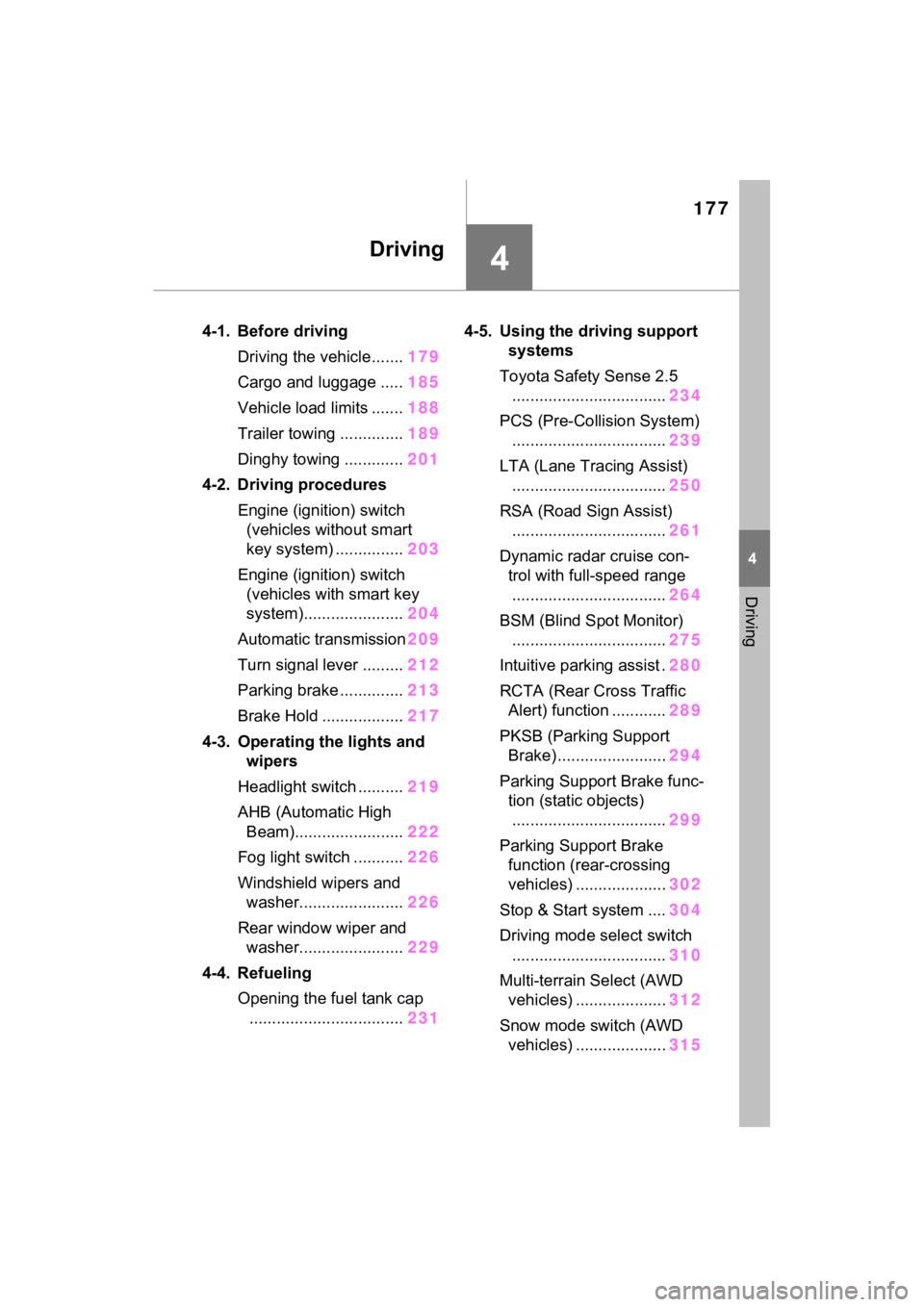
177
4
4
Driving
Driving
4-1. Before drivingDriving the vehicle....... 179
Cargo and luggage ..... 185
Vehicle load limits ....... 188
Trailer towing .............. 189
Dinghy towing ............. 201
4-2. Driving procedures Engine (ignition) switch (vehicles without smart
key system) ............... 203
Engine (ignition) switch (vehicles with smart key
system)...................... 204
Automatic transmission 209
Turn signal lever ......... 212
Parking brake .............. 213
Brake Hold .................. 217
4-3. Operating the lights and wipers
Headlight switch .......... 219
AHB (Automatic High Beam)........................ 222
Fog light switch ........... 226
Windshield wipers and washer....................... 226
Rear window wiper and washer....................... 229
4-4. Refueling Opening the fuel tank cap.................................. 2314-5. Using the dr
iving support
systems
Toyota Safety Sense 2.5 .................................. 234
PCS (Pre-Collision System) .................................. 239
LTA (Lane Tracing Assist) .................................. 250
RSA (Road Sign Assist) .................................. 261
Dynamic radar cruise con- trol with full-speed range
.................................. 264
BSM (Blind Spot Monitor) .................................. 275
Intuitive parking assist . 280
RCTA (Rear Cross Traffic Alert) function ............ 289
PKSB (Parking Support Brake) ........................ 294
Parking Support Brake func- tion (static objects)
.................................. 299
Parking Support Brake function (rear-crossing
vehicles) .................... 302
Stop & Start system .... 304
Driving mode select switch .................................. 310
Multi-terrain Select (AWD vehicles) .................... 312
Snow mode switch (AWD vehicles) .................... 315