2023 TOYOTA HIGHLANDER ECO mode
[x] Cancel search: ECO modePage 86 of 552

862-1. Instrument cluster
has been driven since the meter
was last reset. Trip meters A and B
can be used to record and display
different distances independently.
Distance until next engine oil
change
Displays the distan ce the vehicle
can be driven until an oil change is
necessary.
■Pop-up display
In some situations the following
will be temporarily displayed:
Distance until next engine oil
change
Displays the distan ce until the next
engine oil change. This display will
be displayed in the following situa-
tions:
When the engine switch is
turned to ON.
When a warning message
indicating that oil mainte-
nance should be performed
soon or is required is dis-
played.
The brightness of the instrument
panel lights can be adjusted.
This image is for e xample only, and
may differ from the actual vehicle.
1 Darker
2 Brighter
■Brightness of the meters (day
mode and night mode)
The brightness of the meters is
changed between day mode and
night mode.
●Day mode: When the surrounding
area is bright
●Night mode: When the surround-
ing area is dark
■The clocks can be adjusted
on the audio system
screen.
Refer to “MULTIMEDIA
OWNER’S MANUAL”.
Changing the instrument
panel light brightness
Adjusting the clock
Page 90 of 552
902-1. Instrument cluster
Driving range
Displays driving range with remain-
ing fuel. Use the d isplayed values
as a reference only.
This distance is computed based
on your average fuel consumption.
As a result, the actual distance that
can be driven may differ from that
displayed.
When only a small amount of fuel is
added to the tank, the display may
not be updated.
When refueling, turn the engine
switch off. If the vehicle is refueled
without turning the engine switch
off, the display may not be updated.
When “Refuel” is displayed, the
remaining fuel amount is low and
the distance that can be driven with
the remaining fuel cannot be calcu-
lated.
Refuel immediately.
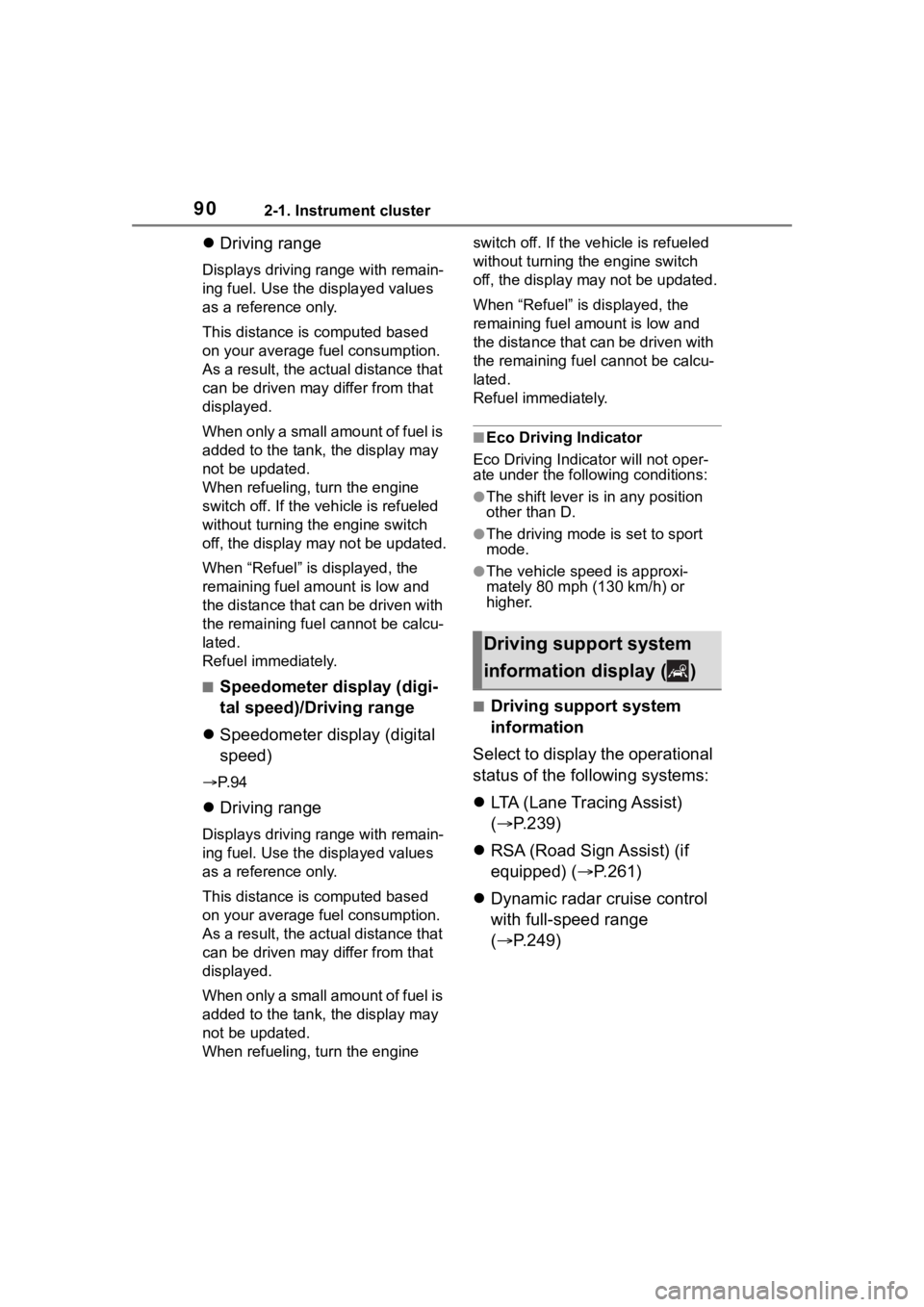
■Speedometer display (digi-
tal speed)/Driving range
Speedometer display (digital
speed)
P. 9 4
Driving range
Displays driving range with remain-
ing fuel. Use the d isplayed values
as a reference only.
This distance is computed based
on your average fuel consumption.
As a result, the actual distance that
can be driven may differ from that
displayed.
When only a small amount of fuel is
added to the tank, the display may
not be updated.
When refueling, turn the engine switch off. If the ve
hicle is refueled
without turning the engine switch
off, the display may not be updated.
When “Refuel” is displayed, the
remaining fuel amount is low and
the distance that can be driven with
the remaining fuel cannot be calcu-
lated.
Refuel immediately.
■Eco Driving Indicator
Eco Driving Indicator will not oper-
ate under the following conditions:
●The shift lever is in any position
other than D.
●The driving mode is set to sport
mode.
●The vehicle spe ed is approxi-
mately 80 mph (130 km/h) or
higher.
■Driving support system
information
Select to display the operational
status of the following systems:
LTA (Lane Tracing Assist)
( P.239)
RSA (Road Sign Assist) (if
equipped) ( P.261)
Dynamic radar cruise control
with full-speed range
( P.249)
Driving support system
information display ( )
Page 91 of 552

912-1. Instrument cluster
2
Vehicle status information and indicators
■Navigation system-linked
display (if equipped)
Select to display the following
navigation system-linked infor-
mation:
Route guidance to destination
Compass display (head-
ing-up display)
Select to enable selection of an
audio source or track on the
meter using the meter control
switches.
This menu icon can be set to be
displayed/not displayed in .
■Tire pressure
P. 3 9 6
■AWD Control (if equipped)
The illustration used is intended as
an example, and may differ from the
image that is actually displayed on
the multi-information display.
Torque distribution display
Displays the drive status of each wheel in 6 steps from 0 to 5.
G-force display*
Displays the size a
nd direction of
the G-force applied to the vehicle
via changes to the position of the
ball on the display.
Maximum G-force course*
This item is linke d with the G-force
display and the co urse of the past
movement of the ball is displayed.
Press and hold to reset the
record.
Wheel spin display
When a tire is spi nning, its icon on
the display changes its color and
blinks.
*: This item is displayed only when driving mode is set to sport mode.
■Safety system status
Enable/Disable the following
systems:
PCS (Pre-Colli sion system)
( P.228)
BSM (Blind Spot Monitor) (if
equipped) ( P.270)
RCTA (Rear Cross Traffic
Alert) (if equipped) ( P.283)
Audio system-linked dis-
play ( )
Vehicle information dis-
play ( )
Page 95 of 552
952-1. Instrument cluster
2
Vehicle status information and indicators
■Vehicle functions and set-
tings that can be changed
P.494
■Background color of the indica-
tor/shift position display area
The background color of the indica-
tor/shift position display area is
changed according to the driving
mode as follows ( P.300):
●Eco drive mode: Blue
●Sport mode: Red
■Suspension of the settings dis-
play
●Some settings cannot be changed
while driving. When changing set-
tings, park the vehicle in a safe
place.
●If a warning message is displayed,
operation of the settings display
will be suspended.
■Pop-up displays
Depending on the pop-up display,
the currently disp layed item in the
message display area may be tem-
porarily not displayed. The item will
be displayed after the pop-up dis-
play is no longer displayed.
Select to display warning mes-
sages and measures to be
taken if a malfunction is
detected. ( P.442)
Displays suggestions to the
driver in the following situations.
To select a response to a dis-
played suggestion, use the
meter control switches.
■Suggestion to turn off the
headlights
If the headlights are left on for a
certain amount of time after the
engine switch has been turned
off, if the headlight switch is in
the “AUTO” position, a sugges-
tion message will be displayed
asking if you wish to turn the
headlights off.
To turn the headlights off, select
“Yes”.
If the driver's door is opened after
the engine switch is turned off, this
suggestion message will not be dis-
played.
WARNING
■Cautions during setting up
the display
As the engine needs to be run-
ning during setting up the display,
ensure that the vehicle is parked
in a place with adequate ventila-
tion. In a closed area such as a
garage, exhaust gases including
harmful carbon monoxide (CO)
may collect and enter the vehicle.
This may lead to death or a seri-
ous health hazard.
NOTICE
■During setting up the display
To prevent batte ry discharge,
ensure that the engine is running
while setting up the display fea-
tures.
Warning message display
()
Suggestion function
Page 98 of 552

982-1. Instrument cluster
the page’s setting mode display.
1Press the or meter
control switch to select a
page.
2 To enable page edit, press
and hold the meter con-
trol switch.
3 Press the or meter
control switch to select a dis-
play to be changed.
4 Press or meter control
switch to select a content.
5 When the setting is complete,
press .
■Driving support system
information display
Select to display the operational
status of the following systems:
PCS (Pre-Collision System)
( P.228)
LTA (Lane Tracing Assist)
( P.239)
Dynamic radar cruise control
with full-speed range
( P.249)
■Settings
The meter display settings can
be changed in .
Language
Select to change the language dis-
played.
Units
Select to change t he units of mea-
sure displayed.
Meter Type
Select to change the meter type.
Meter Style
Select to change the meter style.
Dial Type
1 dial: Select to change the display
of the speedometer or tachometer.
Eco Driving Indicator Light
Select to enable/disable the Eco
Driving Indi cator Light.
Fuel Economy
Select to set the display of the fuel
economy.
Drive Info Items
Select to change the display of the
drive information.
TRIP A/B Items
Select to change the display of the
drive information of TRIP A/B.
Pop-up display
Select to enable/disable pop-up
displays for each relevant system.
Default settings
Select to reset the meter display
settings to the default setting.
■Display contents (Side)
Fuel economy
Eco Driving Indicator
Driving support system infor-
mation display
Audio system-linked display
Content of multi-informa-
tion display (Side)
Page 101 of 552
1012-1. Instrument cluster
2
Vehicle status information and indicators
Trip time: Displays the
elapsed time since engine
start
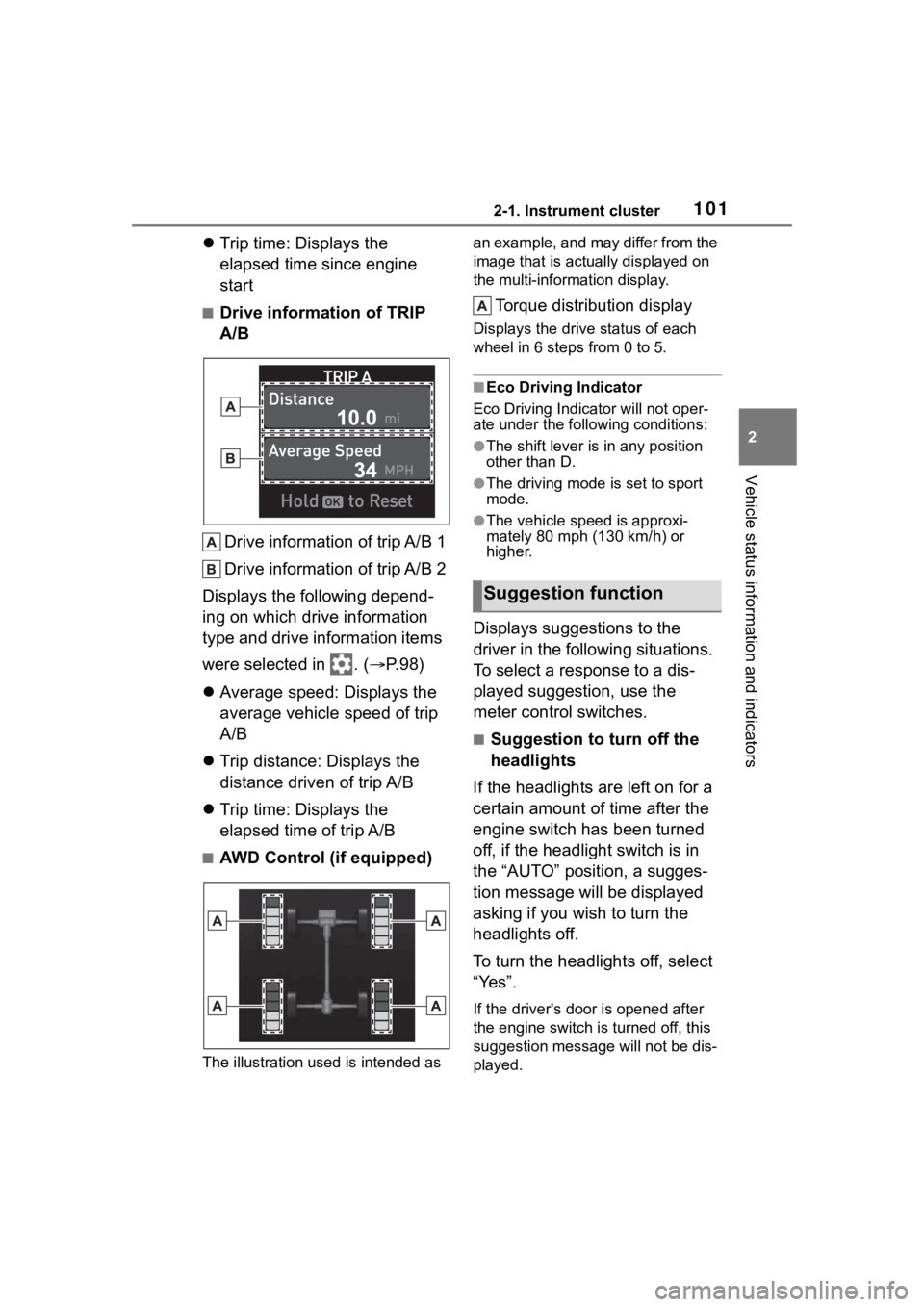
■Drive information of TRIP
A/B
Drive information of trip A/B 1
Drive information of trip A/B 2
Displays the following depend-
ing on which drive information
type and drive information items
were selected in . ( P.98)
Average speed: Displays the
average vehicle speed of trip
A/B
Trip distance: Displays the
distance driven of trip A/B
Trip time: Displays the
elapsed time of trip A/B
■AWD Control (if equipped)
The illustration used is intended as an example, and may differ from the
image that is actually displayed on
the multi-information display.
Torque distribution display
Displays the drive status of each
wheel in 6 steps from 0 to 5.
■Eco Driving Indicator
Eco Driving Indicator will not oper-
ate under the following conditions:
●The shift lever is in any position
other than D.
●The driving mode is set to sport
mode.
●The vehicle spe ed is approxi-
mately 80 mph (130 km/h) or
higher.
Displays suggestions to the
driver in the following situations.
To select a response to a dis-
played suggestion, use the
meter control switches.
■Suggestion to turn off the
headlights
If the headlights are left on for a
certain amount of time after the
engine switch has been turned
off, if the headlight switch is in
the “AUTO” position, a sugges-
tion message will be displayed
asking if you wish to turn the
headlights off.
To turn the headlights off, select
“Yes”.
If the driver's door is opened after
the engine switch is turned off, this
suggestion message will not be dis-
played.
Suggestion function
Page 112 of 552

1123-1. Key information
3-1.Key information
The following keys are provided
with the vehicle.Electronic keys
• Operating the smart key system ( P.131)
• Operating the wireless remote control function ( P. 1 1 3 )
Mechanical keys
Key number plate
■When riding in an aircraft
When bringing an electronic key
onto an aircraft, make sure you do
not press any buttons on the elec-
tronic key while inside the aircraft
cabin. If you are carrying an elec-
tronic key in your bag, etc., ensure
that the buttons are not likely to be
pressed accidentally. Pressing a
button may cause the electronic key
to emit radio waves that could inter-
fere with the oper ation of the air-
craft.
■Electronic key battery depletion
●The standard battery life is 1 to 2
years.
●If the battery becomes low, an
alarm will sound in the cabin when
the engine is stopped.
●To reduce key battery depletion when the electronic key is to not
be used for long periods of time,
set the electronic key to the bat-
tery-saving mode. (
P.133)
●As the electronic key always
receives radio waves, the battery
will become depleted even if the
electronic key is not used. The fol-
lowing symptoms indicate that the
electronic key battery may be
depleted. Replace the battery
when necessary.
• The smart key system or the wire- less remote contro l does not oper-
ate.
• The detection area becomes smaller.
• The LED indicator on the key sur- face does not turn on.
●To avoid serious deterioration, do
not leave the electronic key within
3 ft. (1 m) of the following electri-
cal appliances that produce a
magnetic field:
•TVs
• Personal computers
• Cellular phones, cordless phones and battery chargers
• Recharging cellular phones or cordless phones
• Table lamps
• Induction cookers
■Replacing the battery
P.410
■Confirmation of the registered
key number
The number of keys already regis-
tered to the vehi cle can be con-
firmed. Ask your Toyota dealer for
details.
■If “A New Key has been Regis-
tered Contact Your Dealer for
Details” is shown on the
multi-information display
This message will be displayed
each time the driver’s door is
opened when the doors are
unlocked from the outside for
approximately 10 days after a new
electronic key has been registered.
Keys
The keys
Page 114 of 552

1143-1. Key information
*2: If equipped
■Theft deterrent panic mode
When is pressed for longer
than about one second, an alarm
will sound intermittently and the
vehicle lights will f lash to deter any
person from trying to break into or
damage your vehicle.
To stop the alarm, press any button
on the electronic key.
To take out the mechanical key,
slide the release button and take
the key out.
The mechanical key can only be
inserted in one direction, as the key
only has grooves on one side. If the
key cannot be inserted in a lock cyl-
inder, turn it over and re-attempt to
insert it.
After using the mechanical key,
store it in the electronic key. Carry
the mechanical k ey together with
the electronic key. If the electronic
key battery is dep leted or the entry
function does not operate properly,
you will need the m echanical key.
( P.463)
■When required to leave the
vehicle’s key wi th a parking
attendant
Lock the glove box as circum-
stances demand. ( P.341)
Remove the mechanical key for
your own use and p rovide the atten-
dant with the elec tronic key only.
■If you lose your mechanical
keys
P.461
■If a wrong key is used
The key cylinder rotates freely, iso-
lated from the internal mechanism.
Using the mechanical key