2023 TOYOTA COROLLA remote control
[x] Cancel search: remote controlPage 283 of 468
2835-4. Other interior features
5
Interior features
●The portable device is being
charged with a cable connected
●There is foreign matter between
the charge area and portable
device
●Charging has caused the porta-
ble device to heat up
●The temperature around the
charging tray is 95°F (35°C) or
higher, such as in extreme heat
●The portable device is placed
with its charging side facing up
●The portable device is placed in
an area misaligned from the
charge area
●The portable device is larger
than the charging tray
●A foldable and portable device
is placed outside the charge
area
●The camera lens protrudes 0.12
in (3 mm) or more from the sur-
face of the portable device
●The vehicle is in an area where
strong electrical waves or noise
are emitted, such as near a tele-
vision tower, power plant, gaso-
line station, broadcasting
station, large display, airport,
etc.
●Any of the following objects that
is 0.08 in (2 mm) or thicker is
between the charging side of
the portable device and the
charge area
• Thick cases or covers
• A case or cover attached with an uneven or tilted surface, so
that the charging side is not flat
• Thick decorations
• Accessories, such as finger rings, straps, etc.
●When the portable device is in
contact with, or is covered by
any of the following metallic
objects:
• A card that has metal on it, such as aluminum foil, etc.
• A pack of cigarettes that includes aluminum foil
• A wallet or bag that is made of metal
• Coins
• A heating pad
• CDs, DVDs or other media
• A metal accessory
• A case or cover made of metal
• A case which has magnet in it on the charging side of the por-
table device.
●Electric wave type wireless
remote controls are being used
nearby
NOTICE
●2 or more portable devices are
placed on the charging tray at
the same time
If charging is abnormal or the
operation indicator light contin-
ues to flash for any other reason,
the wireless char ger may be mal-
functioning. Contact your Toyota
dealer.
Page 309 of 468
3096-3. Do-it-yourself maintenance
6
Maintenance and care
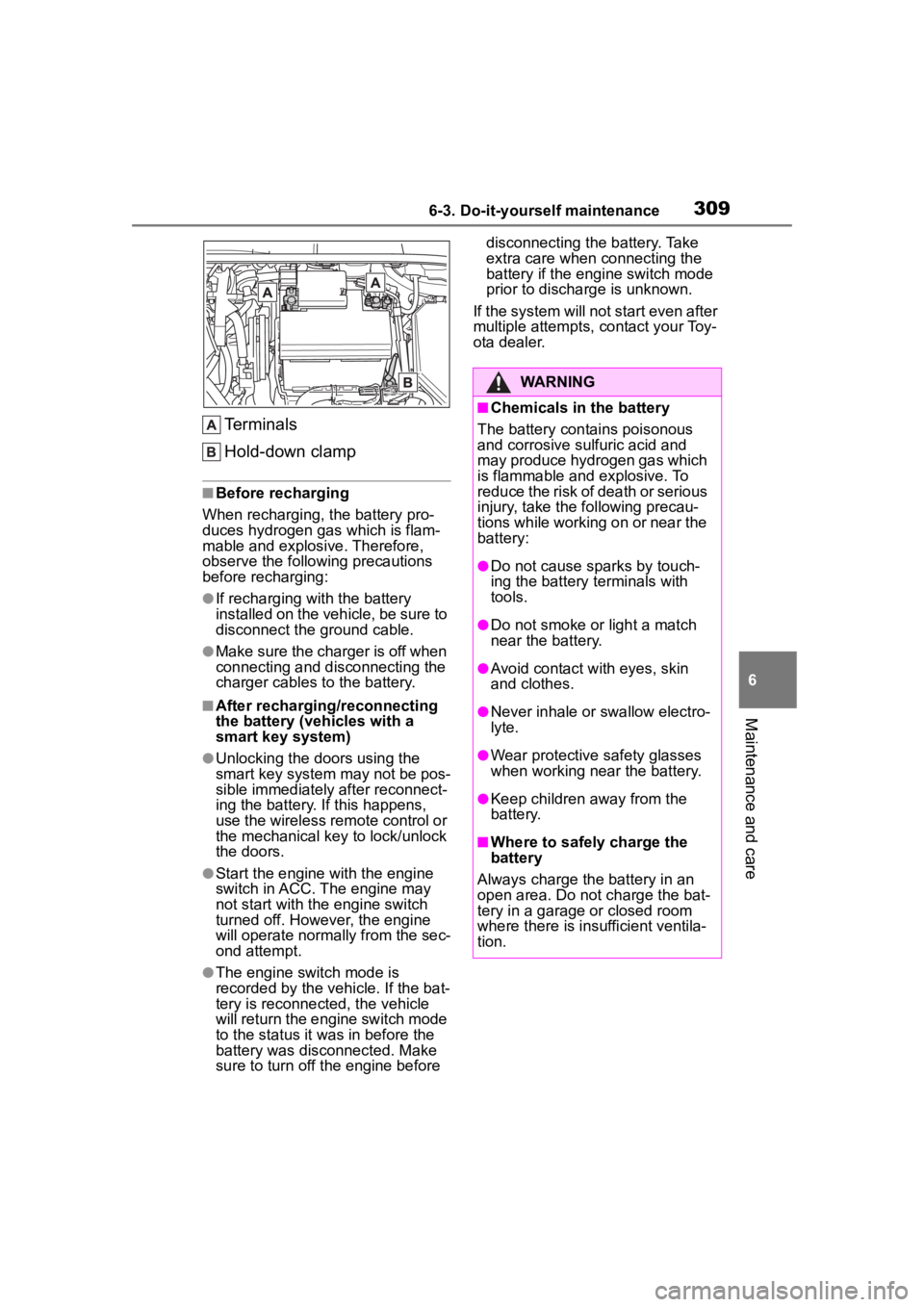
Terminals
Hold-down clamp
■Before recharging
When recharging, t he battery pro-
duces hydrogen ga s which is flam-
mable and explosive. Therefore,
observe the following precautions
before recharging:
●If recharging wi th the battery
installed on the vehicle, be sure to
disconnect the ground cable.
●Make sure the charger is off when
connecting and disconnecting the
charger cables to the battery.
■After recharging/reconnecting
the battery (vehicles with a
smart key system)
●Unlocking the doors using the
smart key system may not be pos-
sible immediately after reconnect-
ing the battery. If this happens,
use the wireless remote control or
the mechanical key to lock/unlock
the doors.
●Start the engine with the engine
switch in ACC. The engine may
not start with the engine switch
turned off. However, the engine
will operate normally from the sec-
ond attempt.
●The engine switch mode is
recorded by the vehicle. If the bat-
tery is reconnected, the vehicle
will return the engi ne switch mode
to the status it was in before the
battery was disconnected. Make
sure to turn off the engine before disconnecting the battery. Take
extra care when connecting the
battery if the engine switch mode
prior to discharge is unknown.
If the system will not start even after
multiple attempts, contact your Toy-
ota dealer.
WARNING
■Chemicals in the battery
The battery contains poisonous
and corrosive sulfuric acid and
may produce hydrogen gas which
is flammable and explosive. To
reduce the risk of death or serious
injury, take the following precau-
tions while working on or near the
battery:
●Do not cause sparks by touch-
ing the battery terminals with
tools.
●Do not smoke or light a match
near the battery.
●Avoid contact with eyes, skin
and clothes.
●Never inhale or swallow electro-
lyte.
●Wear protective safety glasses
when working near the battery.
●Keep children away from the
battery.
■Where to safely charge the
battery
Always charge the battery in an
open area. Do not charge the bat-
tery in a garage or closed room
where there is ins ufficient ventila-
tion.
Page 333 of 468
3336-3. Do-it-yourself maintenance
6
Maintenance and care
*: If equipped
■If the key battery is depleted
The following symptoms may occur:
●The smart key system (if
equipped) and wireless remote
control will not fu nction properly.
●The operational range will be
reduced.
Flathead screwdriver
Small flathead screwdriver
Lithium battery CR2032 (vehi-
cles without a smart key sys-
tem), or CR2450 (vehicles
with a smart key system)
■Use a CR2032 (vehicles without
a smart key system), or CR2450
(vehicles with a smart key sys-
tem) lithium battery
●Batteries can be purchased at
your Toyota dealer, local electrical
appliance shops or camera stores.
●Replace only with the same or
equivalent type recommended by
the manufacturer.
●Dispose of used batteries accord-
ing to local laws.
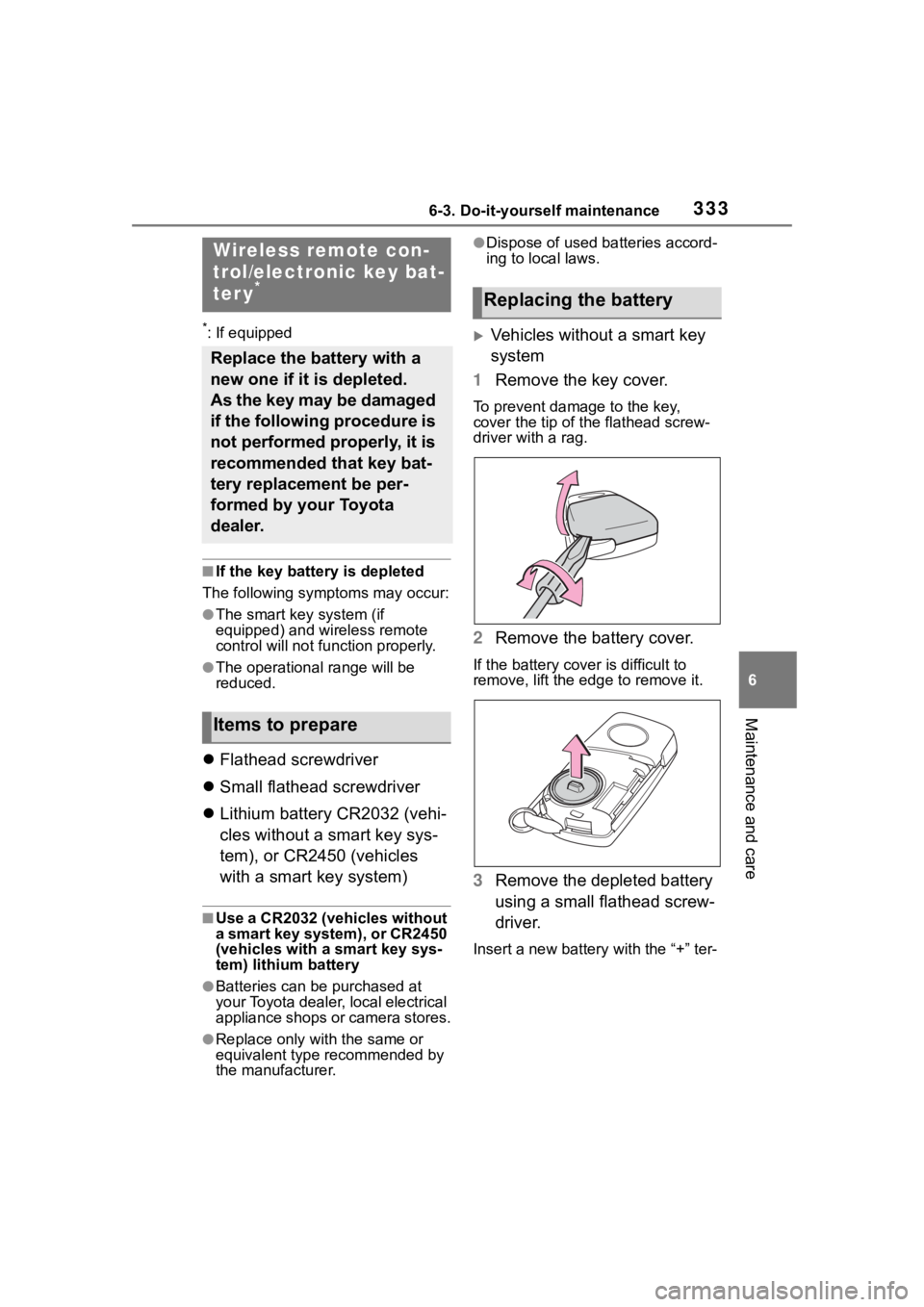
Vehicles without a smart key
system
1 Remove the key cover.
To prevent damage to the key,
cover the tip of the flathead screw-
driver with a rag.
2Remove the battery cover.
If the battery cover is difficult to
remove, lift the e dge to remove it.
3Remove the depleted battery
using a small flathead screw-
driver.
Insert a new battery with the “+” ter-
Wireless remote con-
trol/electronic key bat-
ter y
*
Replace the battery with a
new one if it is depleted.
As the key may be damaged
if the following procedure is
not performed properly, it is
recommended that key bat-
tery replacement be per-
formed by your Toyota
dealer.
Items to prepare
Replacing the battery
Page 335 of 468
3356-3. Do-it-yourself maintenance
6
Maintenance and care
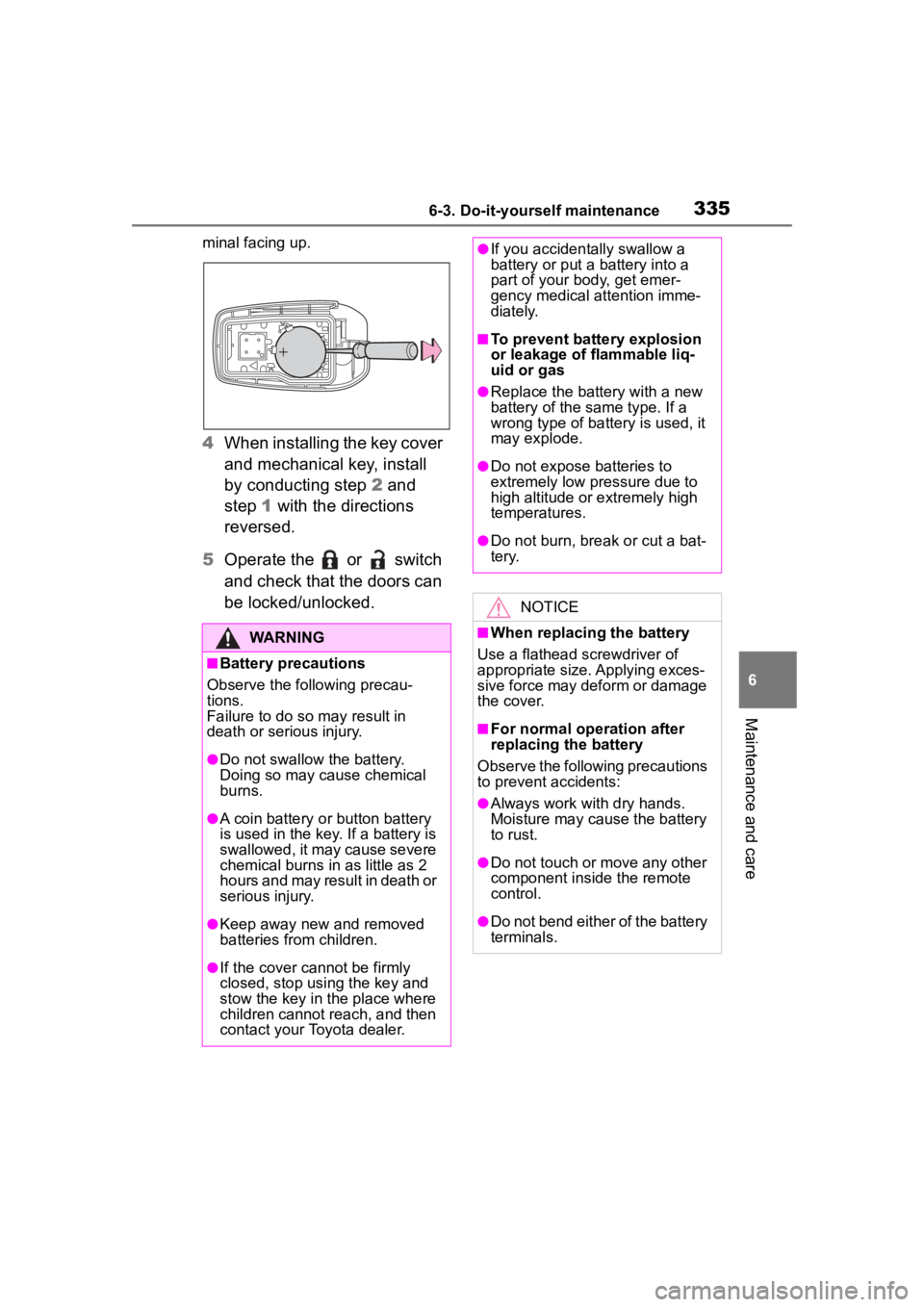
minal facing up.
4When installing the key cover
and mechanical key, install
by conducting step 2 and
step 1 with the directions
reversed.
5 Operate the or switch
and check that the doors can
be locked/unlocked.
WARNING
■Battery precautions
Observe the following precau-
tions.
Failure to do so m ay result in
death or serious injury.
●Do not swallow the battery.
Doing so may cause chemical
burns.
●A coin battery o r button battery
is used in the key. If a battery is
swallowed, it may cause severe
chemical burns in as little as 2
hours and may result in death or
serious injury.
●Keep away new and removed
batteries from children.
●If the cover cannot be firmly
closed, stop using the key and
stow the key in the place where
children cannot reach, and then
contact your Toyota dealer.
●If you accidentally swallow a
battery or put a battery into a
part of your b ody, get emer-
gency medical attention imme-
diately.
■To prevent battery explosion
or leakage of flammable liq-
uid or gas
●Replace the battery with a new
battery of the same type. If a
wrong type of battery is used, it
may explode.
●Do not expose batteries to
extremely low pr essure due to
high altitude or extremely high
temperatures.
●Do not burn, bre ak or cut a bat-
tery.
NOTICE
■When replacing the battery
Use a flathead screwdriver of
appropriate size. Applying exces-
sive force may deform or damage
the cover.
■For normal operation after
replacing the battery
Observe the following precautions
to prevent accidents:
●Always work with dry hands.
Moisture may cause the battery
to rust.
●Do not touch or move any other
component inside the remote
control.
●Do not bend either of the battery
terminals.
Page 381 of 468
3817-2. Steps to take in an emergency
7
When trouble arises
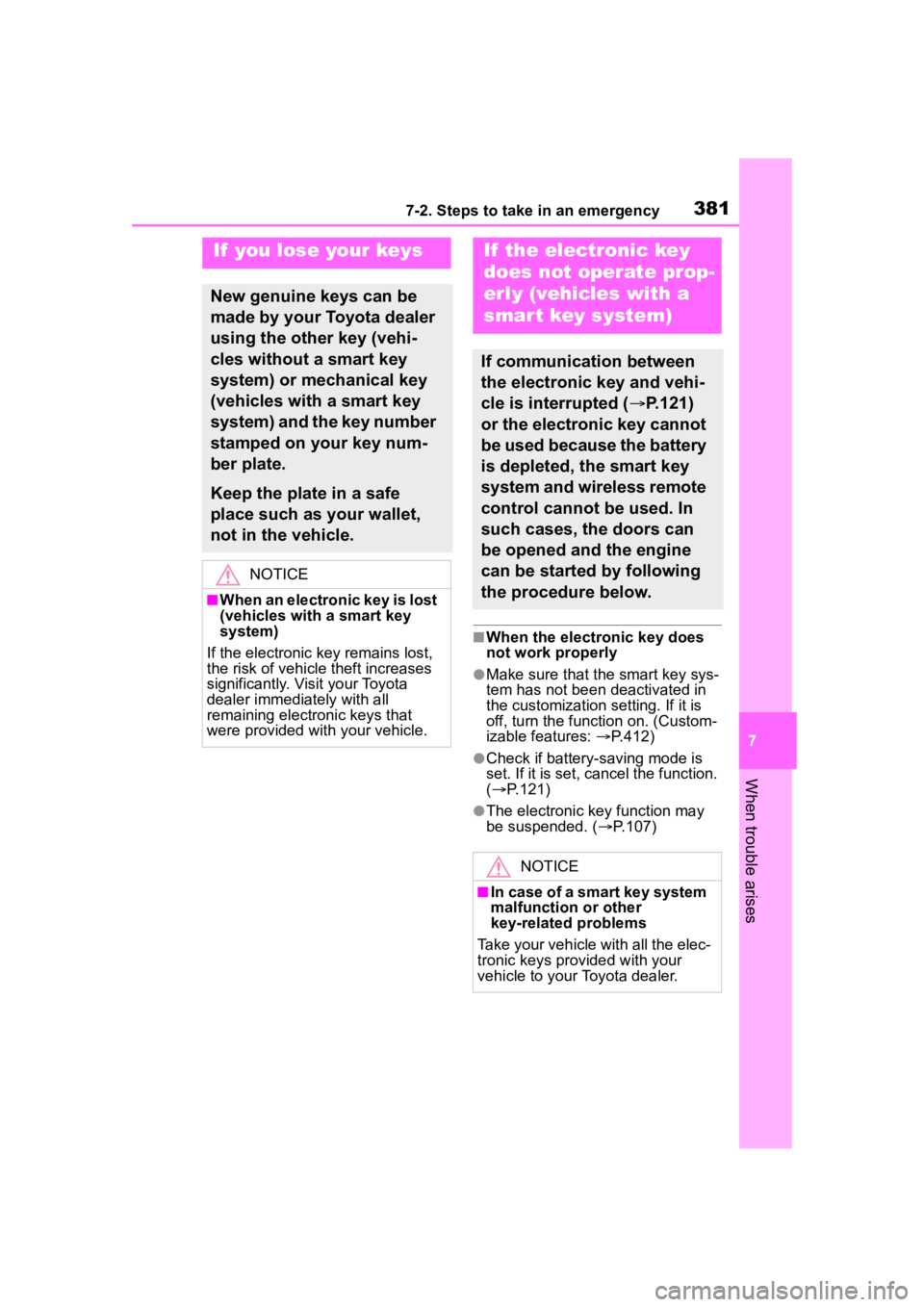
■When the electronic key does
not work properly
●Make sure that the smart key sys-
tem has not been deactivated in
the customization setting. If it is
off, turn the function on. (Custom-
izable features: P.412)
●Check if battery-saving mode is
set. If it is set, cancel the function.
( P.121)
●The electronic key function may
be suspended. ( P.107)
If you lose your keys
New genuine keys can be
made by your Toyota dealer
using the other key (vehi-
cles without a smart key
system) or mechanical key
(vehicles with a smart key
system) and the key number
stamped on your key num-
ber plate.
Keep the plate in a safe
place such as your wallet,
not in the vehicle.
NOTICE
■When an electronic key is lost
(vehicles with a smart key
system)
If the electronic key remains lost,
the risk of vehicle theft increases
significantly. Visit your Toyota
dealer immediately with all
remaining electronic keys that
were provided wit h your vehicle.
If the electronic key
does not operate prop-
erly (vehicles with a
smar t key system)
If communication between
the electronic key and vehi-
cle is interrupted ( P.121)
or the electronic key cannot
be used because the battery
is depleted, the smart key
system and wireless remote
control cannot be used. In
such cases, the doors can
be opened and the engine
can be started by following
the procedure below.
NOTICE
■In case of a smart key system
malfunction or other
key-related problems
Take your vehicle with all the elec-
tronic keys provided with your
vehicle to your Toyota dealer.
Page 385 of 468
3857-2. Steps to take in an emergency
7
When trouble arises
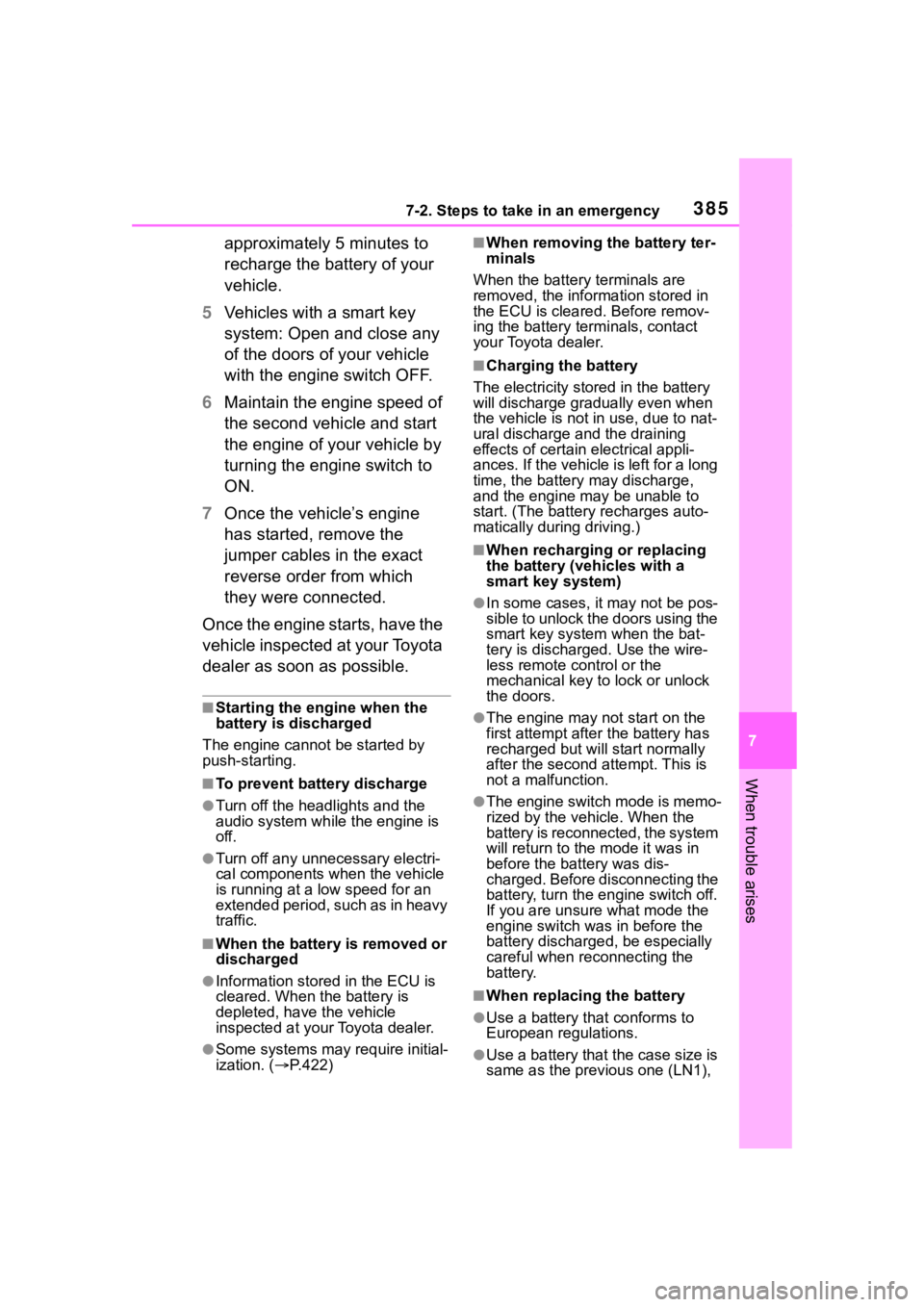
approximately 5 minutes to
recharge the battery of your
vehicle.
5 Vehicles with a smart key
system: Open and close any
of the doors of your vehicle
with the engine switch OFF.
6 Maintain the engine speed of
the second vehicle and start
the engine of your vehicle by
turning the engine switch to
ON.
7 Once the vehicle’s engine
has started, remove the
jumper cables in the exact
reverse order from which
they were connected.
Once the engine starts, have the
vehicle inspected at your Toyota
dealer as soon as possible.
■Starting the engine when the
battery is discharged
The engine cannot be started by
push-starting.
■To prevent battery discharge
●Turn off the headlights and the
audio system while the engine is
off.
●Turn off any unnecessary electri-
cal components when the vehicle
is running at a low speed for an
extended period, such as in heavy
traffic.
■When the battery is removed or
discharged
●Information stor ed in the ECU is
cleared. When the battery is
depleted, have the vehicle
inspected at you r Toyota dealer.
●Some systems may require initial-
ization. ( P.422)
■When removing the battery ter-
minals
When the battery terminals are
removed, the information stored in
the ECU is cleared. Before remov-
ing the battery term inals, contact
your Toyota dealer.
■Charging the battery
The electricity stored in the battery
will discharge grad ually even when
the vehicle is not in use, due to nat-
ural discharge and the draining
effects of certain electrical appli-
ances. If the vehicle is left for a long
time, the battery may discharge,
and the engine may be unable to
start. (The battery recharges auto-
matically during driving.)
■When recharging or replacing
the battery (vehicles with a
smart key system)
●In some cases, it may not be pos-
sible to unlock the doors using the
smart key system when the bat-
tery is discharged. Use the wire-
less remote control or the
mechanical key to lock or unlock
the doors.
●The engine may not start on the
first attempt after the battery has
recharged but will start normally
after the second attempt. This is
not a malfunction.
●The engine switch mode is memo-
rized by the vehicle. When the
battery is reconnected, the system
will return to the mode it was in
before the bat tery was dis-
charged. Before disconnecting the
battery, turn the engine switch off.
If you are unsure what mode the
engine switch wa s in before the
battery discharged, be especially
careful when reconnecting the
battery.
■When replacing the battery
●Use a battery that conforms to
European regulations.
●Use a battery that the case size is
same as the previous one (LN1),
Page 414 of 468
4148-2. Customization
*1: For details about each function: P. 9 5
*2: The default setting varies according to country.
*3: 7-inch display
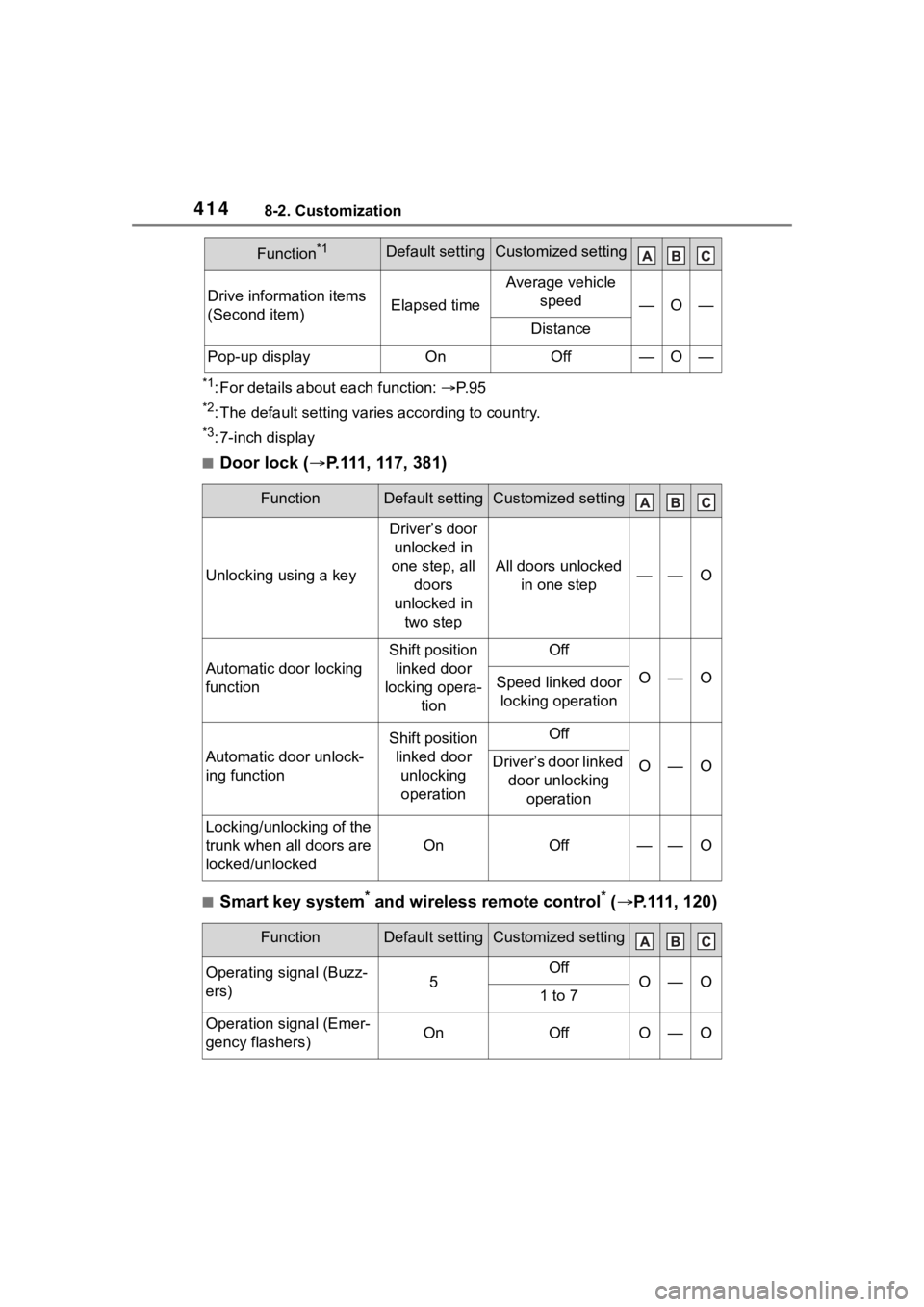
■Door lock ( P.111, 117, 381)
■Smart key system* and wireless remote control* ( P.111, 120)
Drive information items
(Second item)Elapsed time
Average vehicle
speed
—O—
Distance
Pop-up displayOnOff—O—
FunctionDefault settingCustomized setting
Unlocking using a key
Driver’s door unlocked in
one step, all doors
unlocked in two step
All doors unlocked in one step——O
Automatic door locking
function
Shift position linked door
locking opera- tionOff
O—OSpeed linked door locking operation
Automatic door unlock-
ing function
Shift position linked door unlocking operationOff
O—ODriver’s door linked door unlocking operation
Locking/unlocking of the
trunk when all doors are
locked/unlocked
OnOff——O
FunctionDefault settingCustomized setting
Operating signal (Buzz-
ers)5OffO—O1 to 7
Operation signal (Emer-
gency flashers)OnOffO—O
Function*1Default settingCustomized setting
Page 415 of 468
4158-2. Customization
8
Vehicle specifications
*: If equipped
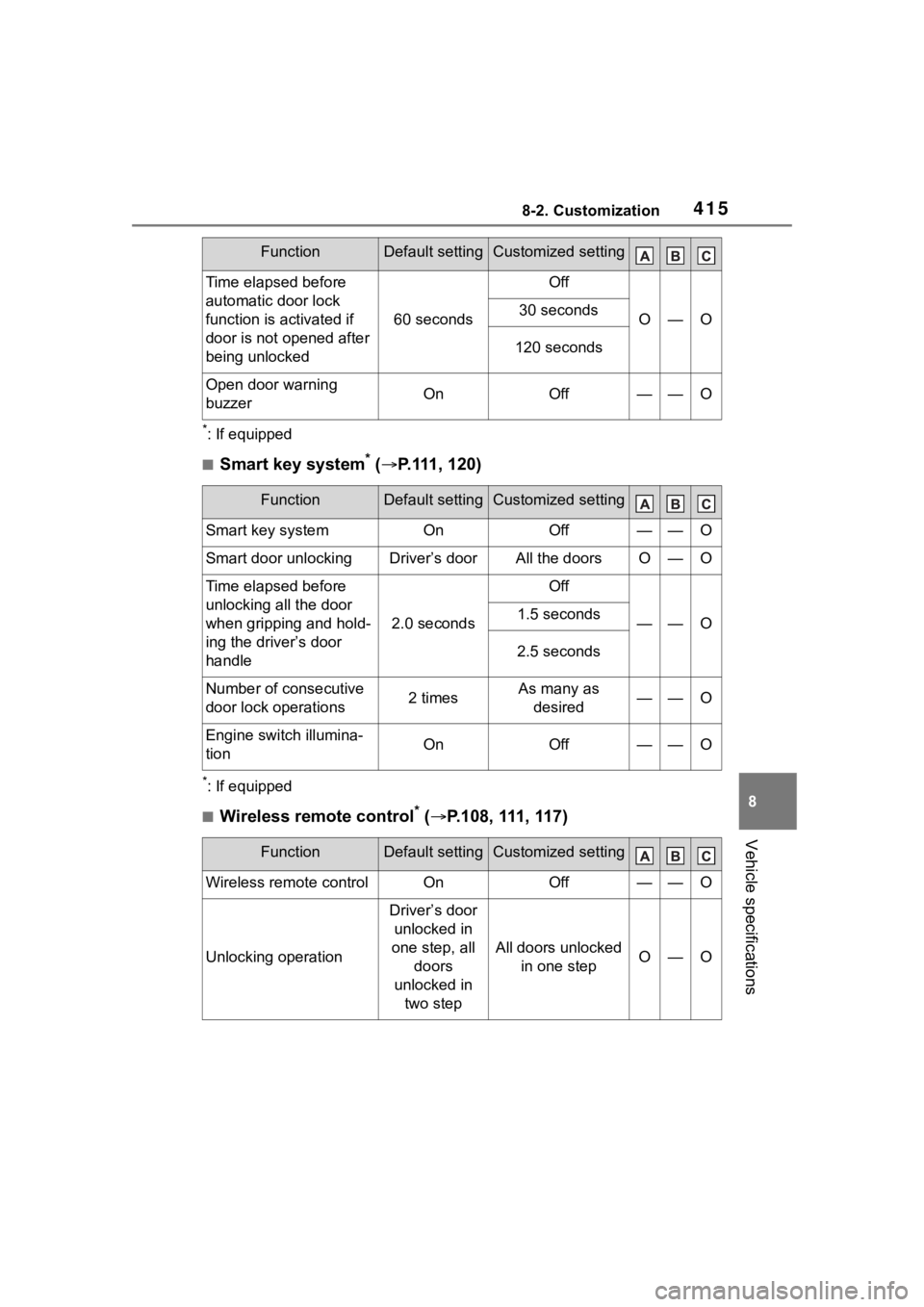
■Smart key system* ( P.111, 120)
*: If equipped
■Wireless remote control* ( P.108, 111, 117)
Time elapsed before
automatic door lock
function is activated if
door is not opened after
being unlocked
60 seconds
Off
O—O30 seconds
120 seconds
Open door warning
buzzerOnOff——O
FunctionDefault settingCustomized setting
Smart key systemOnOff——O
Smart door unlockingDriver’s doorAll the doorsO—O
Time elapsed before
unlocking all the door
when gripping and hold-
ing the driver’s door
handle
2.0 seconds
Off
——O1.5 seconds
2.5 seconds
Number of consecutive
door lock operations2 timesAs many as
desired——O
Engine switch illumina-
tionOnOff——O
FunctionDefault settingCustomized setting
Wireless remote controlOnOff——O
Unlocking operation
Driver’s door unlocked in
one step, all doors
unlocked in two step
All doors unlocked in one stepO—O
FunctionDefault settingCustomized setting