2023 TESLA MODEL 3 tire pressure
[x] Cancel search: tire pressurePage 62 of 296

Braking SystemsWARNING: Properly functioning braking systems
are critical to ensure safety. If you experience a
problem with the brake pedal, brake calipers, or
any component of a Model 3 braking system,
contact Tesla immediately.
Model 3 has an anti-lock braking system (ABS) that
prevents the wheels from locking when you apply
maximum brake pressure. This improves steering control
during heavy braking in most road conditions.
During emergency braking conditions, the ABS
constantly monitors the speed of each wheel and varies
the brake pressure according to the grip available.
The alteration of brake pressure can be felt as a pulsing sensation through the brake pedal. This demonstrates that the ABS is operating and is not a cause for concern. Keep
firm and steady pressure on the brake pedal while
experiencing the pulsing.
The ABS indicator briefly flashes amber on
the
touchscreen when you first start Model
3. If this indicator lights up at any other
time, an ABS fault has occurred and the ABS is not operating. Contact Tesla. The
braking system remains fully operational
and is not
affected by an ABS failure.
However, braking distances may increase. Drive cautiously and avoid heavy braking.
If the touchscreen displays this red brake
indicator at any time other than
briefly
when you first start Model 3, a brake
system fault is detected, or the level of the
brake
fluid is low. Contact Tesla
immediately. Apply steady pressure and
keep the brakes
firm to bring the vehicle to
a stop when safe to do so.
The touchscreen displays this amber brake
indicator if a brake booster fault is detected. Apply steady pressure and keep the brakes
firm to stop the vehicle when
safety permits. Hydraulic Boost
Compensation will be active (see
Hydraulic
Boost Compensation on page 61).
Emergency Braking
In an emergency, fully press the brake pedal and
maintain
firm pressure, even on low traction surfaces.
The ABS varies the braking pressure to each wheel according to the amount of traction available. This prevents wheels from locking and ensures that you stop as safely as possible.
WARNING: Do not pump the brake pedal. Doing so
interrupts operation of the ABS and can increase
braking distance.
WARNING: Always maintain a safe distance from
the vehicle in front of you and be aware of
hazardous driving conditions. While the ABS can
improve stopping distance, it cannot overcome the
laws of physics. It also does not prevent the
danger of hydroplaning (where a layer of water
prevents direct contact between the tires and the
road).
CAUTION: Automatic Emergency Braking (see
Automatic Emergency Braking on page 112) may
intervene to automatically brake in situations
where a collision is considered imminent.
Automatic Emergency Braking is not designed to
prevent a collision. At best, it can minimize the
impact of a frontal collision by attempting to
reduce your driving speed. Depending on
Automatic Emergency Braking to avoid a collision
can result in serious injury or death.
CAUTION: In emergency situations, if the brakes
are not functioning properly, press and hold the
Park button on the drive stalk to bring the vehicle
to a stop. Do not use this method to stop the
vehicle unless absolutely necessary.
Dynamic Brake Lights (if equipped)
If you are driving over 30 mph (50 km/h) and brake
forcefully
(or if Automatic Emergency Braking engages),
the brake lights
flash quickly to warn other drivers that
Model 3 is rapidly slowing down. If Model 3 stops
completely, the hazard warning lights
flash. Flashing
continues until you press the accelerator or manually press the hazard lights button to turn them
off (see
Hazard Warning Flashers on page 55).
NOTE: Dynamic brake lights will not flash while Track
Mode is enabled (see
Track Mode on page 69).
NOTE: When towing a trailer (if applicable), the brake
lights on the trailer also operate as described above,
even when the trailer is not equipped with a separate
braking system.
WARNING: When towing a trailer (if applicable),
always increase your following distance. Sudden
braking may result in skidding, jack-knifing, and
loss of control.
Brake Disc Wiping
To ensure brakes remain responsive in cold and wet
weather,
Model 3 is equipped with brake disc wiping.
When cold and wet weather is detected, this feature repeatedly applies an imperceptible amount of brake
force to remove water from the surface of the brake discs.
Braking and Stopping
60MODEL 3 Owner
Page 178 of 296

Displaying Tire Pressures
Tire pressures display on the touchscreen in the cards
area on the car status display, or by touching Controls >
Service. The pressure of each tire displays in the
visualization of your
Model 3, in addition to what time
your tire pressures were last measured. You can choose
whether you want to display tire pressures using Bar or PSI by touching
Controls > Display > Tire Pressure. The
touchscreen also displays your vehicle
Page 179 of 296

WARNING: Do not drive Model 3 if a tire is
damaged, excessively worn, or inflated to an
incorrect pressure. Check tires regularly for wear,
and ensure there are no cuts, bulges or exposure
of the ply/cord structure.
Tire Wear
Adequate tread depth is important for proper tire
performance. Tires with a tread depth less than
4/32”
(3 mm) are more likely to hydroplane in wet conditions
and should not be used. Tires with a tread depth less than
5/32” (4 mm) do not perform well in snow and
slush and should not be used when driving in winter conditions.
Model 3 is originally fitted with tires that have wear
indicators molded into the tread pattern. When the tread has been worn down to
4/32” (3 mm), the
indicators start to appear at the surface of the tread pattern, producing the
effect of a continuous band of
rubber across the width of the tire. For optimal performance and safety, Tesla recommends replacing
tires before the wear indicators are visible.
To improve vehicle handling characteristics and minimize
hydroplaning in wet conditions, put tires with the most tread on the rear of the car.
Tire Rotation, Balance, and Wheel
Alignment
Tesla recommends rotating the tires every 6,250 miles
(10,000 km) or if tread depth difference is 2/32 in (1.5
mm) or greater, whichever comes first.
Tire rotation is an essential part of tire maintenance. It helps maintain an even treadwear pattern which enhances the tire
Page 180 of 296

If tires need to be replaced early, for example due to a
flat tire, we recommend replacing the tires in pairs
unless the other tires are within
2/32 in (1.5 mm) of tread
depth of the new tire. When replacing tires, it is important to match the brand and model of the older
tires. Always place a pair of new tires on the rear if all four tires are the same size. Always balance the wheel and tire after replacing a tire. Consult with a professional tire retailer and installer for further guidance.
If you
replace your tires or install different ones, reset the tire
configuration (see Tire Configuration on page 179). This
resets the learned tire settings and improves the driving
experience on your new tires.
NOTE: Regardless of the number of tires replaced, a
complete set of matching tires is recommended for optimum performance.
If tires other than those specified are used, ensure that
the load and speed ratings marked on the tire
(see
Understanding Tire Markings on page 214) equal or
exceed those of the original
specification.
For the specification of the original wheels and tires
installed on
Model 3, see Wheels and Tires on page 213.
If you replace a wheel, the TPMS (Tire Pressure Monitoring System) sensors need to be reset to ensure they provide accurate warnings when tires are under-
or
over-inflated (see Automatic Reset of TPMS Sensors on
page 180).
NOTE: Installing winter tires with aggressive compound
and tread design may result in temporarily-reduced regenerative braking power. However, your vehicle is
designed to continuously recalibrate itself, and after changing tires it will increasingly restore regenerative
braking power after some moderate-torque straight-line accelerations. For most drivers this occurs after a short period of normal driving, but drivers who normally
accelerate lightly may need to use slightly harder accelerations while the recalibration is in progress. Go to
Service > Wheel & Tire Configuration > Tires to select
winter tires and quicken this process.
WARNING: For your safety, use only tires and
wheels that match the original specification. Tires
that do not match the original specification can
affect the operation of the TPMS.
WARNING: Never exceed the speed rating of your
vehicle
Page 192 of 296

Parts, Accessories, and
Modifications
Use only genuine Tesla parts and accessories. Tesla
performs rigorous testing on parts to ensure their
suitability, safety, and reliability. Purchase these parts
from Tesla, where they are professionally installed and
where you can receive expert advice about
modifications to Model 3. Accessories are available for
purchase from Tesla stores or online at
www.tesla.com.
NOTE: Some accessories may not be available in your
market region.
Tesla is unable to assess parts manufactured by other distributors and therefore accepts no responsibility if you use non-Tesla parts on
Model 3.
WARNING: Installing non-approved parts and
accessories, or performing non-approved
modifications, can affect the performance of
Model 3 and the safety of its occupants. Any
damage caused by using or installing non-
approved parts, or by performing non-approved
modifications, is not covered by the warranty.
WARNING: Tesla does not accept liability for
death, personal injury or damage that occurs if you
use or install non-approved accessories or make
non-approved modifications.
Accessory Wheels and Tires
If your Model 3 is fitted with Tesla accessory wheels or
tires, the Gross Axle Weight Rating (GAWR), wheel, tire, and loading information may be
different from the labels
shown on the vehicle. Refer to the relevant following
section for updated information.
NOTE: If your vehicle is not fitted with Tesla accessory
wheels or tires (it is
fitted with the factory original
wheels and tires, including Tesla genuine replacement
parts), refer to the labels attached to the center door pillar for the most accurate information for your
Model 3.
20" Sport WheelsWheelsLocationWidth (in)Offset (mm)20"Front/Rear8.540Tires (front/
rear)SizeTire PressureMichelin, Pilot
Sport 4S (PS4S)235/35ZR2042 PSI (290 kPa)**Increase the tire pressure to 44 PSI (300 kPa) prior to driving 136 mph (220 kph) or faster.GAWRFront2407 lbs1,092 kgRear2,767 lbs1,255 kg
Parts and Accessories
190MODEL 3 Owner
Page 193 of 296

19" Sport WheelsWheelsLocationWidth (in)Offset (mm)19"Front/Rear8.540Tires (front/rear)SizeTire PressureContinental,
ProContact RX235/40R1942 PSI (290 kPa)*Hankook Ventus S1
Evo3235/40R1942 PSI (290 kPa)*Pirelli Winter
Sottozero 3235/40R1942 PSI (290 kPa)*Increase the tire pressure to 44 PSI (300 kPa) prior to driving 134 mph (215 kph) or faster.GAWRFront2,447 lbs1,110 kgRear2,767 lbs1,255 kg20" Zero-G Wheels (Performance)WheelsLocationWidth (in)Offset (mm)20"Front/Rear934Tires (front/rear)SizeTire PressureMichelin, Pilot Sport
4S (PS4S)235/35ZR2042 PSI (290 kPa)Michelin PS Cup 2245/35ZR2042 PSI (290 kPa)GAWRFront2,650 lbs1,202 kgRear2,784 lbs1,263 kg
20" Zero-G Wheels (Non-Performance)
WheelsLocationWidth (in)Offset (mm)20"Front/Rear940Tires (front/rear)SizeTire PressureMichelin, Pilot Sport
4S (PS4S)235/35ZR2042 PSI (290 kPa)GAWRFront2,650 lbs1,202 kgRear2,784 lbs1,263 kg
Parts and Accessories
191Maintenance
Page 194 of 296
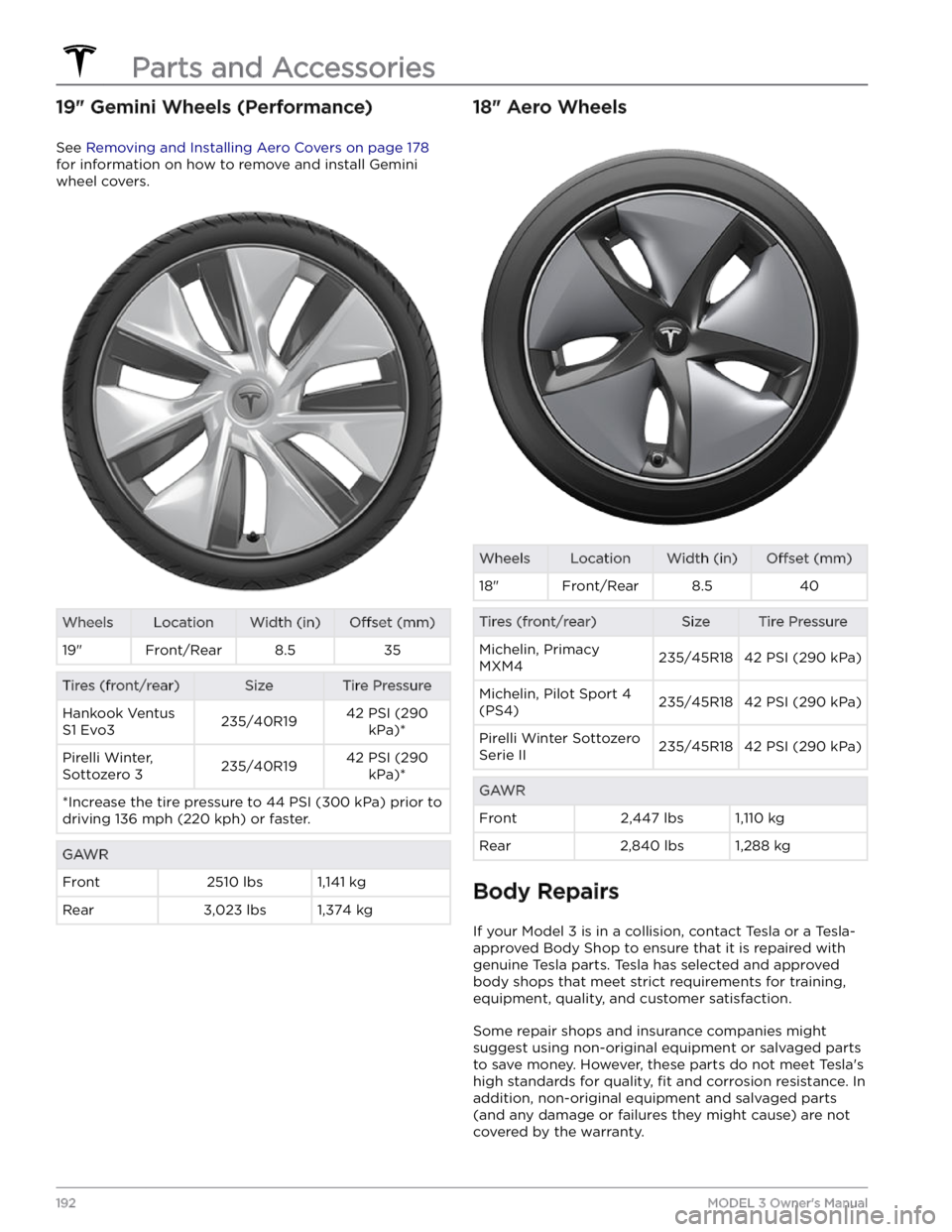
19" Gemini Wheels (Performance)
See Removing and Installing Aero Covers on page 178
for information on how to remove and install Gemini
wheel covers.
WheelsLocationWidth (in)Offset (mm)19"Front/Rear8.535Tires (front/rear)SizeTire PressureHankook Ventus
S1 Evo3235/40R1942 PSI (290 kPa)*Pirelli Winter,
Sottozero 3235/40R1942 PSI (290 kPa)**Increase the tire pressure to 44 PSI (300 kPa) prior to driving 136 mph (220 kph) or faster.GAWRFront2510 lbs1,141 kgRear3,023 lbs1,374 kg18" Aero WheelsWheelsLocationWidth (in)Offset (mm)18"Front/Rear8.540Tires (front/rear)SizeTire PressureMichelin, Primacy
MXM4235/45R1842 PSI (290 kPa)Michelin, Pilot Sport 4
(PS4)235/45R1842 PSI (290 kPa)Pirelli Winter Sottozero
Serie II235/45R1842 PSI (290 kPa)GAWRFront2,447 lbs1,110 kgRear2,840 lbs1,288 kg
Body Repairs
If your Model 3 is in a collision, contact Tesla or a Tesla-
approved Body Shop to ensure that it is repaired with genuine Tesla parts. Tesla has selected and approved
body shops that meet strict requirements for training, equipment, quality, and customer satisfaction.
Some repair shops and insurance companies might
suggest using non-original equipment or salvaged parts
to save money. However, these parts do not meet Tesla
Page 215 of 296

Wheel Specifications (Factory)
Wheel DiameterLocationWidth (in)Offset (mm)18"Front/Rear8.54019"Front/Rear8.54020Front/Rear9.034Lug Nut Torque129 lb. ft (175 Nm)Lug Nut Socket Size21 mm
NOTE: For instructions on how to jack/lift Model 3, see Jacking and Lifting on page 189.
Tire Specifications (Factory)
Tire SizeLocationSize18"Front/RearP235/45R1819"Front/RearP235/40R1920"Front/RearP235/35R20Tire pressures vary depending on the type of tires fitted. Refer to the tire pressures printed on the Tire and
Loading Information label. This label is located on the center door pillar and is visible when the driver