2023 NISSAN SENTRA lights
[x] Cancel search: lightsPage 88 of 556
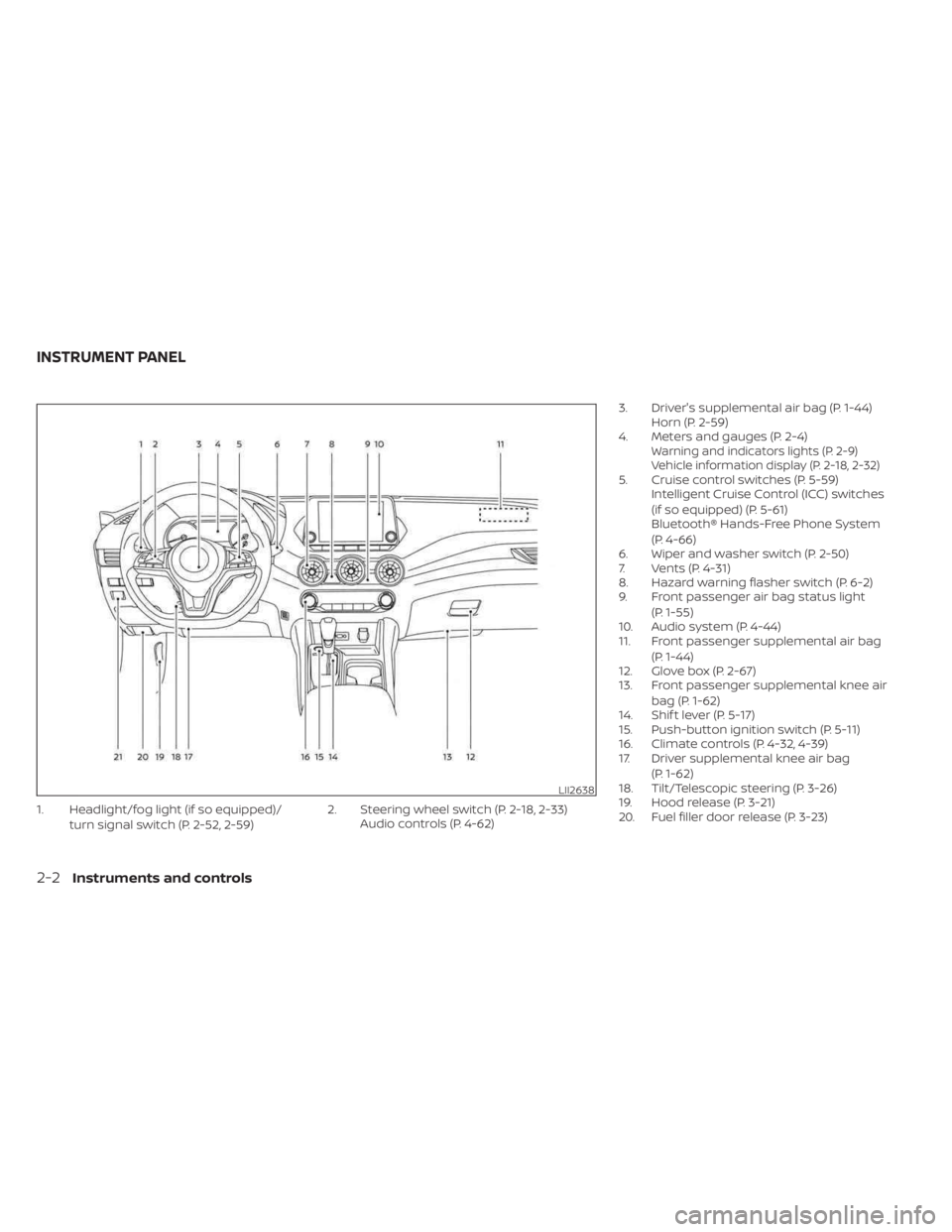
1. Headlight/fog light (if so equipped)/turn signal switch (P. 2-52, 2-59) 2. Steering wheel switch (P. 2-18, 2-33)
Audio controls (P. 4-62) 3. Driver's supplemental air bag (P. 1-44)
Horn (P. 2-59)
4. Meters and gauges (P. 2-4)
Warning and indicators lights (P. 2-9)
Vehicle information display (P. 2-18, 2-32)
5. Cruise control switches (P. 5-59) Intelligent Cruise Control (ICC) switches
(if so equipped) (P. 5-61)
Bluetooth® Hands-Free Phone System
(P. 4-66)
6. Wiper and washer switch (P. 2-50)
7. Vents (P. 4-31)
8. Hazard warning flasher switch (P. 6-2)
9. Front passenger air bag status light
(P. 1-55)
10. Audio system (P. 4-44)
11. Front passenger supplemental air bag
(P. 1-44)
12. Glove box (P. 2-67)
13. Front passenger supplemental knee air
bag (P. 1-62)
14. Shif t lever (P. 5-17)
15. Push-button ignition switch (P. 5-11)
16. Climate controls (P. 4-32, 4-39)
17. Driver supplemental knee air bag
(P. 1-62)
18. Tilt/Telescopic steering (P. 3-26)
19. Hood release (P. 3-21)
20. Fuel filler door release (P. 3-23)
LII2638
INSTRUMENT PANEL
2-2Instruments and controls
Page 90 of 556
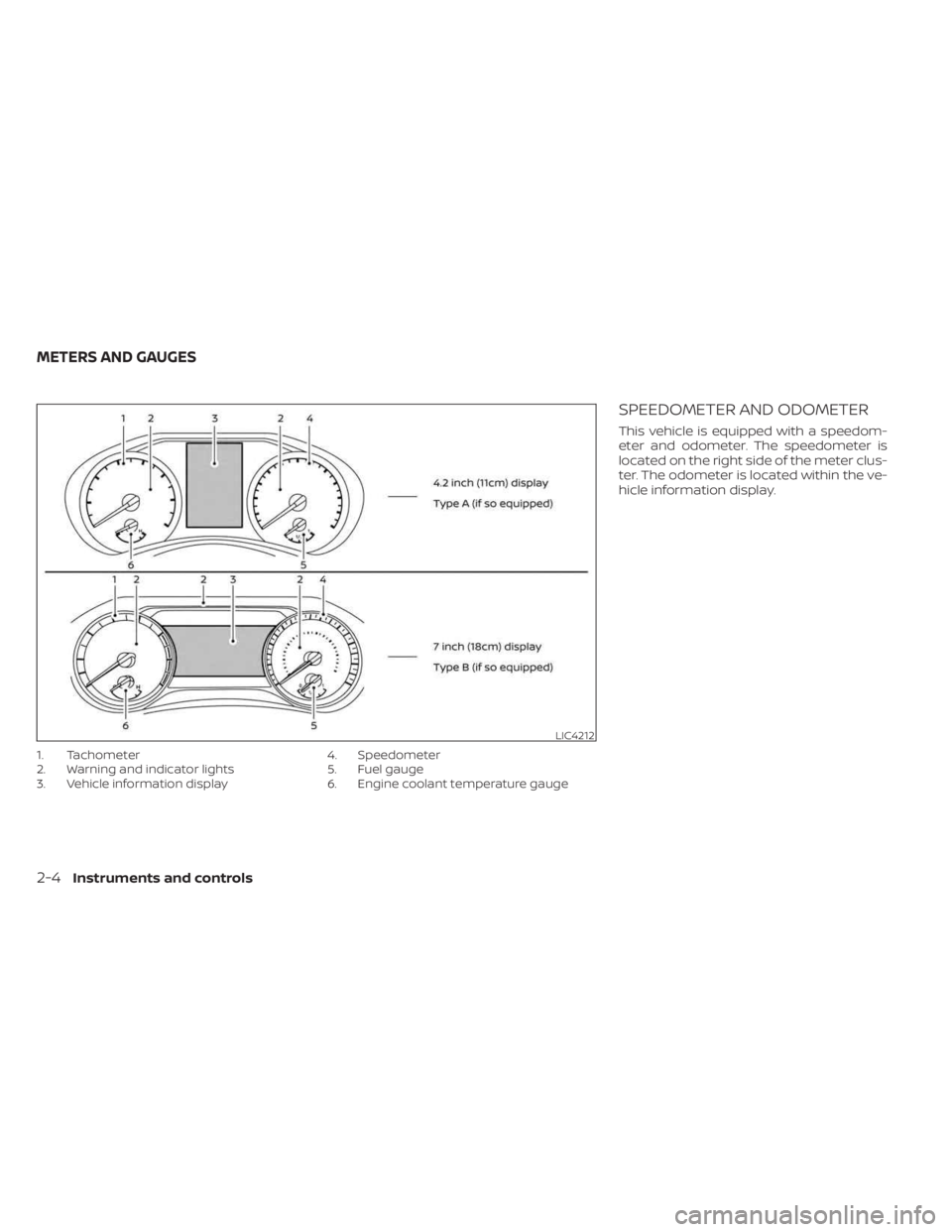
1. Tachometer
2. Warning and indicator lights
3. Vehicle information display4. Speedometer
5. Fuel gauge
6. Engine coolant temperature gauge
SPEEDOMETER AND ODOMETER
This vehicle is equipped with a speedom-
eter and odometer. The speedometer is
located on the right side of the meter clus-
ter. The odometer is located within the ve-
hicle information display.
LIC4212
METERS AND GAUGES
2-4Instruments and controls
Page 95 of 556
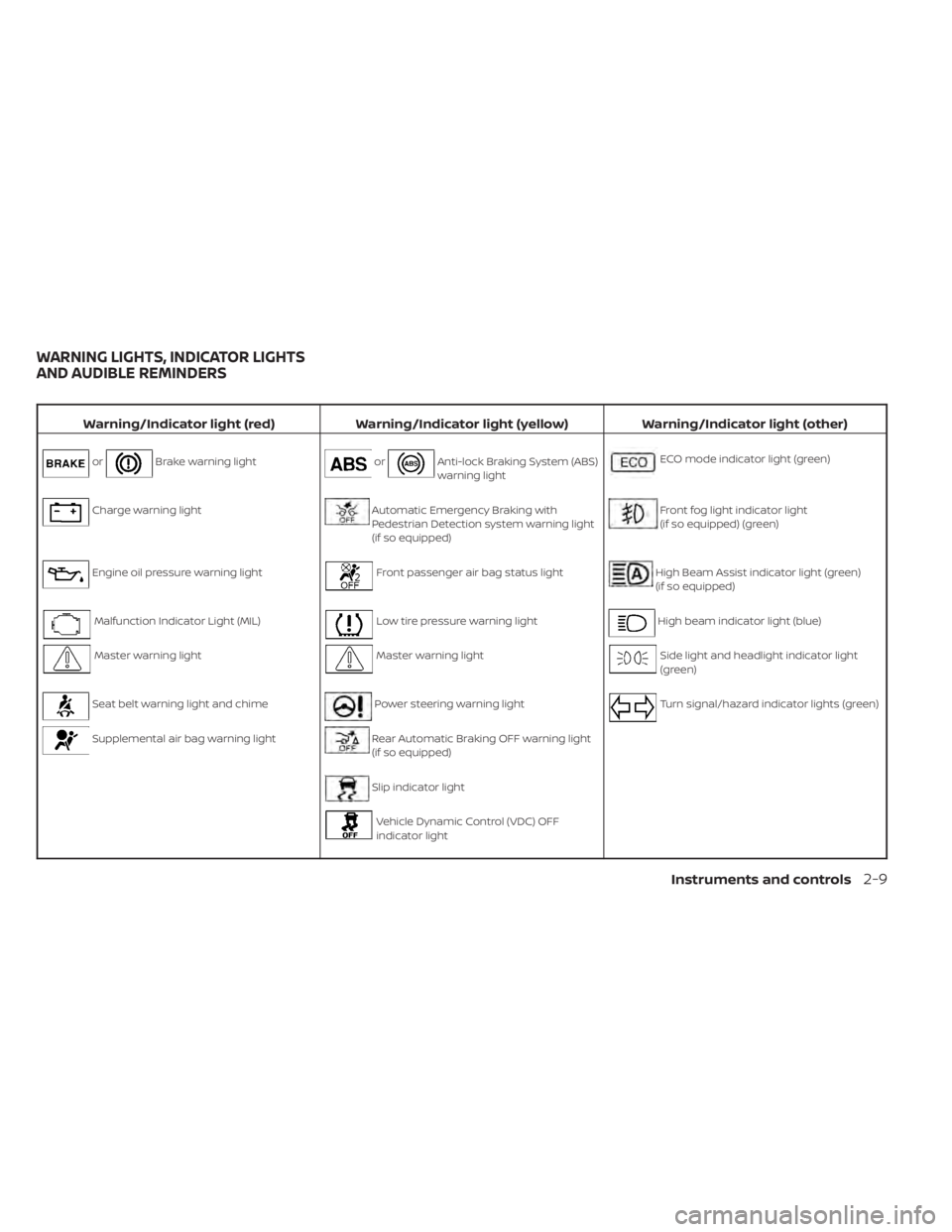
Warning/Indicator light (red)Warning/Indicator light (yellow) Warning/Indicator light (other)
orBrake warning lightorAnti-lock Braking System (ABS)
warning lightECO mode indicator light (green)
Charge warning lightAutomatic Emergency Braking with
Pedestrian Detection system warning light
(if so equipped)Front fog light indicator light
(if so equipped) (green)
Engine oil pressure warning lightFront passenger air bag status lightHigh Beam Assist indicator light (green)
(if so equipped)
Malfunction Indicator Light (MIL)Low tire pressure warning lightHigh beam indicator light (blue)
Master warning lightMaster warning lightSide light and headlight indicator light
(green)
Seat belt warning light and chimePower steering warning lightTurn signal/hazard indicator lights (green)
Supplemental air bag warning lightRear Automatic Braking OFF warning light
(if so equipped)
Slip indicator light
Vehicle Dynamic Control (VDC) OFF
indicator light
WARNING LIGHTS, INDICATOR LIGHTS
AND AUDIBLE REMINDERS
Instruments and controls2-9
Page 96 of 556
CHECKING LIGHTS
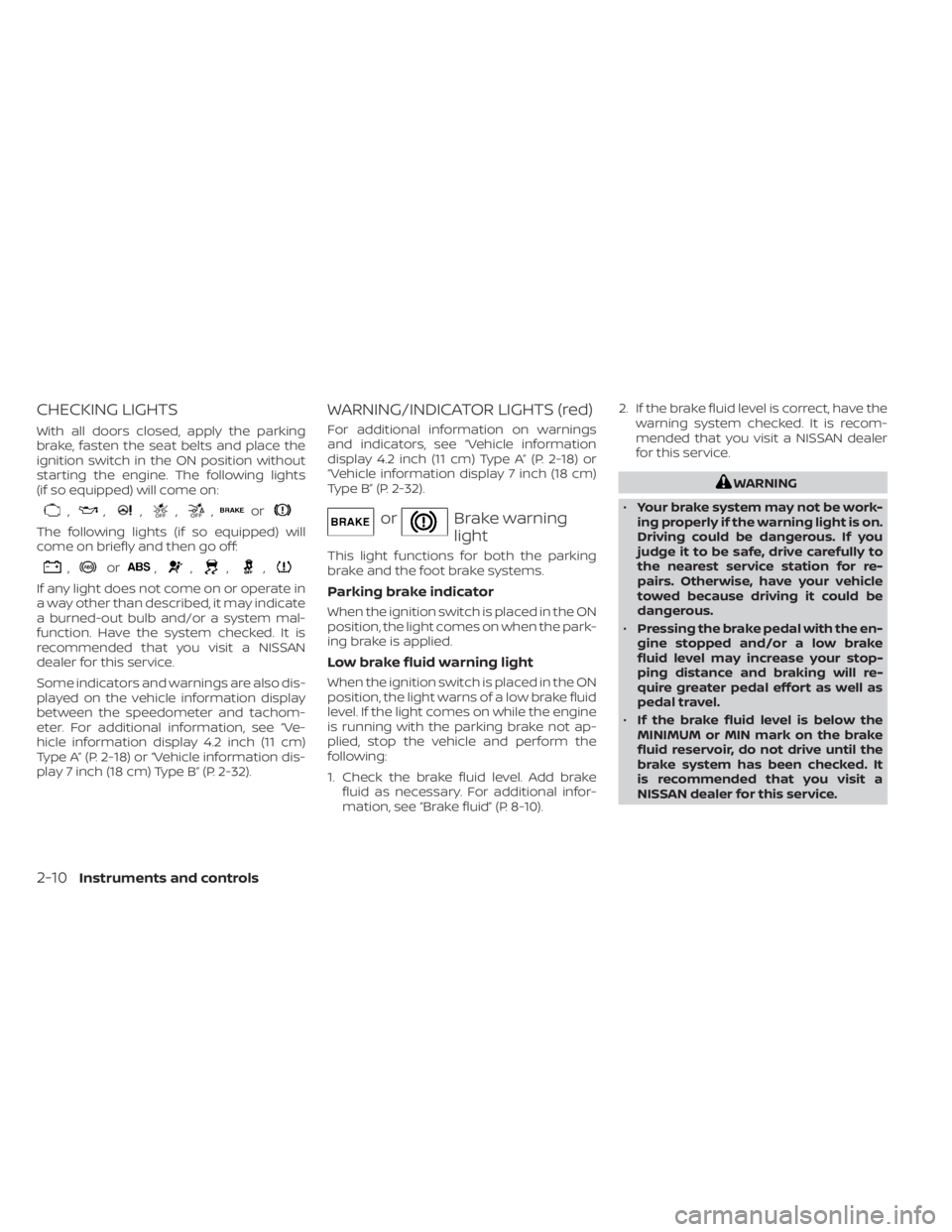
With all doors closed, apply the parking
brake, fasten the seat belts and place the
ignition switch in the ON position without
starting the engine. The following lights
(if so equipped) will come on:
,,,,,or
The following lights (if so equipped) will
come on briefly and then go off:
,or,,,,
If any light does not come on or operate in
a way other than described, it may indicate
a burned-out bulb and/or a system mal-
function. Have the system checked. It is
recommended that you visit a NISSAN
dealer for this service.
Some indicators and warnings are also dis-
played on the vehicle information display
between the speedometer and tachom-
eter. For additional information, see “Ve-
hicle information display 4.2 inch (11 cm)
Type A” (P. 2-18) or “Vehicle information dis-
play 7 inch (18 cm) Type B” (P. 2-32).
WARNING/INDICATOR LIGHTS (red)
For additional information on warnings
and indicators, see “Vehicle information
display 4.2 inch (11 cm) Type A” (P. 2-18) or
“Vehicle information display 7 inch (18 cm)
Type B” (P. 2-32).
orBrake warning
light
This light functions for both the parking
brake and the foot brake systems.
Parking brake indicator
When the ignition switch is placed in the ON
position, the light comes on when the park-
ing brake is applied.
Low brake fluid warning light
When the ignition switch is placed in the ON
position, the light warns of a low brake fluid
level. If the light comes on while the engine
is running with the parking brake not ap-
plied, stop the vehicle and perform the
following:
1. Check the brake fluid level. Add brakefluid as necessary. For additional infor-
mation, see “Brake fluid” (P. 8-10). 2. If the brake fluid level is correct, have the
warning system checked. It is recom-
mended that you visit a NISSAN dealer
for this service.
WARNING
• Your brake system may not be work-
ing properly if the warning light is on.
Driving could be dangerous. If you
judge it to be safe, drive carefully to
the nearest service station for re-
pairs. Otherwise, have your vehicle
towed because driving it could be
dangerous.
• Pressing the brake pedal with the en-
gine stopped and/or a low brake
fluid level may increase your stop-
ping distance and braking will re-
quire greater pedal effort as well as
pedal travel.
• If the brake fluid level is below the
MINIMUM or MIN mark on the brake
fluid reservoir, do not drive until the
brake system has been checked. It
is recommended that you visit a
NISSAN dealer for this service.
2-10Instruments and controls
Page 98 of 556
The MIL may stop blinking and come on
steady. Have the vehicle inspected. It is rec-
ommended that you visit a NISSAN dealer
for this service. You do not need to have
your vehicle towed to the dealer.
CAUTION
Continued vehicle operation without
having the emission control system
checked and repaired as necessary
could lead to poor driveability, reduced
fuel economy, and possible damage to
the emission control system.
Master warning light
When the ignition switch is in the ON posi-
tion, the master warning light illuminates if
any of the following are displayed on the
vehicle information display:
• Parking brake release warning
• Door open (when vehicle is moving) warning
• Service CVT Stop safely warning
• Shif t to P (Park) position warning
For additional information, see “Vehicle infor-
mation display 4.2 inch (11 cm) Type A” (P. 2-18)
or “Vehicle information display 7 inch (18 cm)
Type B” (P. 2-32).
Seat belt warning light and
chime
The light and chime remind you to fasten
the driver and front passenger seat belts.
The rear seats are also equipped with a
seat belt warning light.
For additional information, see “Seat belts”
(P. 1-12).
Supplemental air bag
warning light
When the ignition switch is placed in the ON
position, the supplemental air bag warning
light illuminates for about 7 seconds and
then turns off. This means the system is
operational.
If any of the following conditions occur, the
front air bag, side air bag, curtain air bag,
and pretensioner seat belt systems need
servicing.
•
The supplemental air bag warning light re-
mains on af ter approximately 7 seconds.
• The supplemental air bag warning light flashes intermittently.
• The supplemental air bag warning light does not come on at all. It is recommended that you visit a NISSAN
dealer for these services. Unless checked
and repaired, the supplemental restraint
system (air bag system) and/or the preten-
sioners may not function properly. For
additional information, see “Supplemental
restraint system (SRS)” (P. 1-44).
WARNING
If the supplemental air bag warning
light is on, it could mean that the front
air bag, side air bag, curtain air bag sys-
tems and/or pretensioner systems will
not operate in an accident. To help
avoid injury to yourself or others, have
your vehicle checked as soon as pos-
sible. It is recommended that you visit a
NISSAN dealer for this service.
WARNING/INDICATOR LIGHTS
(yellow)
For additional information on warnings
and indicators, see “Vehicle information
display 4.2 inch (11 cm) Type A” (P. 2-18) or
“Vehicle information display 7 inch (18 cm)
Type B” (P. 2-32).
2-12Instruments and controls
Page 102 of 556
This light illuminates when the RAB system
is turned off in the vehicle information
display.
If the light illuminates when the RAB sys-
tem is on, it may indicate that the system is
unavailable. For additional information, see
“Rear Automatic Braking (RAB)” (P. 5-85).
Slip indicator light
This indicator will blink when the Vehicle
Dynamic Control (VDC) system is operat-
ing, thus alerting that the vehicle is nearing
its traction limits. The road surface may be
slippery.
You may feel or hear the system working;
this is normal.
The light will blink for a few seconds af ter
the VDC system stops limiting wheel spin.
The
indicator light also comes on
when you place the ignition switch in the
ON position. The light will turn off af ter ap-
proximately 2 seconds if the system is op-
erational. If the light does not come on
have the system checked. it is recom-
mended that you visit a NISSAN dealer for
this service.
Vehicle Dynamic Control
(VDC) OFF indicator light
This indicator light comes on when the
VDC is turned off in the vehicle information
display. This indicates the VDC has been
turned off.
Turn the VDC on using the vehicle informa-
tion display, or by restarting the engine. For
additional information, see “Vehicle Dy-
namic Control (VDC) system” (P. 5-131).
The VDC light also comes on when the ig-
nition switch is placed in the ON position.
The light will turn off af ter a period of time if
the system is operational. If the light stays
on or comes on along with the
indica-
tor light while you are driving, have the VDC
system checked. It is recommended that
you visit a NISSAN dealer for this service.
WARNING
VDC should remain on unless freeing a
vehicle from mud or snow.
While the VDC system is operating, you
might feel a slight vibration or hear the sys-
tem working when starting the vehicle or
accelerating, but this is normal.
WARNING/INDICATOR LIGHTS
(other)
For additional information on warnings
and indicators, see “Vehicle information
display 4.2 inch (11 cm) Type A” (P. 2-18) or
“Vehicle information display 7 inch (18 cm)
Type B” (P. 2-32).
ECO mode indicator light
(green) (if so equipped)
This light comes on when the ECO mode
has been selected. For additional informa-
tion, see “ECO mode switch” (P. 5-24).
Front fog light indicator
light (green) (if so
equipped)
The front fog light indicator light illumi-
nates when the front fog lights are on. For
additional information, see “Fog light
switch” (P. 2-59).
2-16Instruments and controls
Page 103 of 556
High Beam Assist indicator
light (green) (if so equipped)
This indicator light illuminates when the
headlights come on while the headlight
switch is in the AUTO position with the high
beams selected. This indicates that the
high beam assist is operational.
For additional information, see “Headlight
and turn signal switch” (P. 2-52).
High beam indicator light
(blue)
This blue light comes on when the head-
light high beams are on and goes out when
the low beams are selected.
The high beam indicator light also comes
on when the passing signal is activated.
Side light and headlight
indicator light (green)
The side light and headlight indicator light
illuminates when the side light or headlight
position is selected. For additional informa-
tion, see “Headlight and turn signal switch”
(P. 2-52).
Turn signal/hazard
indicator lights (green)
The appropriate light flashes when the turn
signal switch is activated.
Both lights flash when the hazard switch is
turned on.
AUDIBLE REMINDERS
Brake pad wear warning
The disc brake pads have audible wear
warnings. When a disc brake pad requires
replacement, it makes a high pitched
scraping sound when the vehicle is in mo-
tion, whether or not the brake pedal is de-
pressed. Have the brakes checked as soon
as possible if the warning sound is heard.
Light reminder chime
With the ignition switch placed in the OFF
position, a chime sounds when the driver's
door is opened if the headlights or parking
lights are on.
Turn the headlight control switch off before
leaving the vehicle.
NISSAN Intelligent Key® door
buzzer
The Intelligent Key door buzzer sounds if
any one of the following improper opera-
tions is found.
• The Intelligent Key is lef t inside the vehiclewhen locking the doors and trunk.
• The Intelligent Key is taken outside the vehicle when operating the vehicle.
• Any doors are not closed securely when locking the doors.
When the buzzer sounds, be sure to check
both the vehicle and the Intelligent Key.
For additional information, see “NISSAN In-
telligent Key®” (P. 3-2).
Parking brake reminder chime
A chime sounds if the parking brake is set
and the vehicle is driven. The chime will
stop if the parking brake is released or the
vehicle speed returns to zero.
Instruments and controls2-17
Page 110 of 556
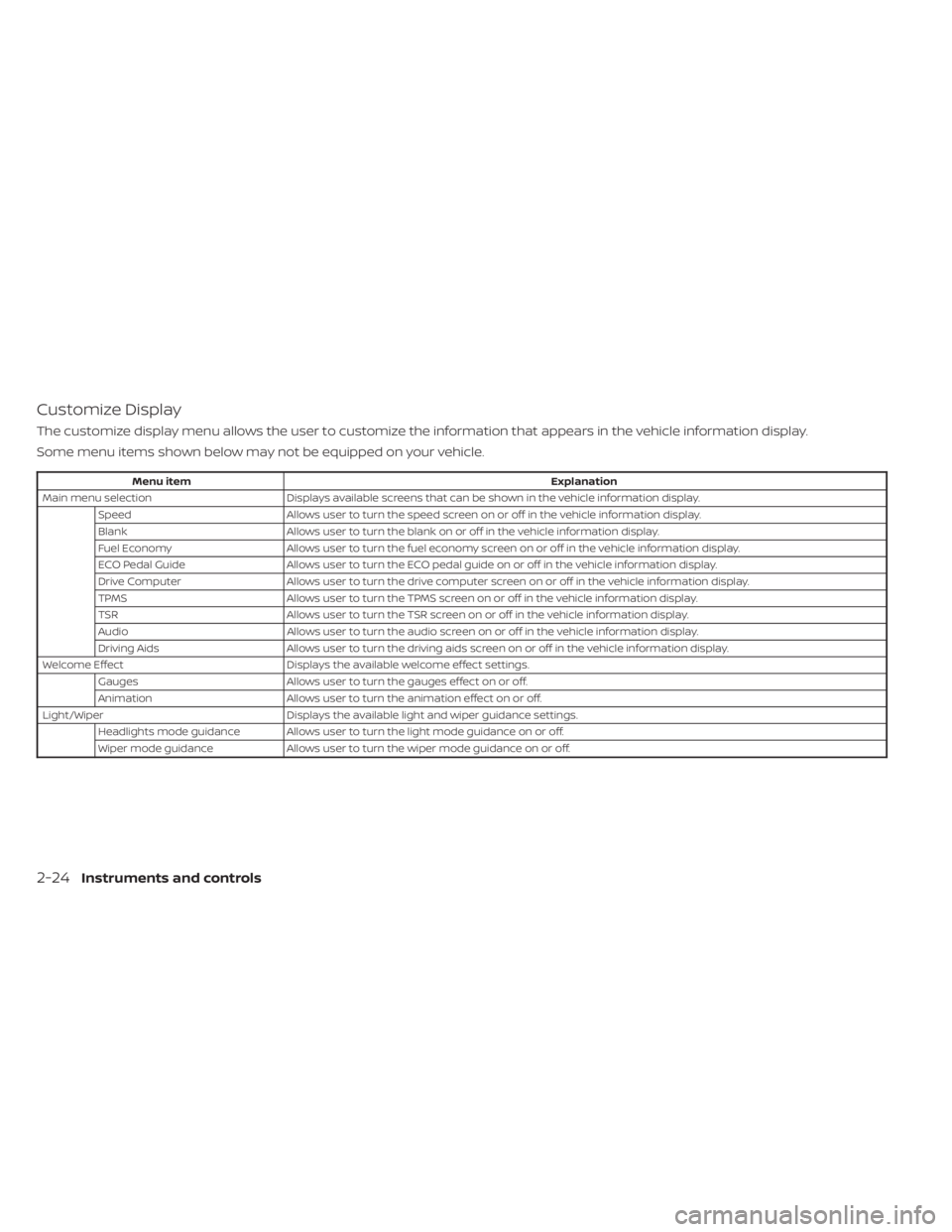
Customize Display
The customize display menu allows the user to customize the information that appears in the vehicle information display.
Some menu items shown below may not be equipped on your vehicle.
Menu itemExplanation
Main menu selection Displays available screens that can be shown in the vehicle information display.
Speed Allows user to turn the speed screen on or off in the vehicle information display.
Blank Allows user to turn the blank on or off in the vehicle information display.
Fuel Economy Allows user to turn the fuel economy screen on or off in the vehicle information display.
ECO Pedal Guide Allows user to turn the ECO pedal guide on or off in the vehicle information display.
Drive Computer Allows user to turn the drive computer screen on or off in the vehicle information display.
TPMS Allows user to turn the TPMS screen on or off in the vehicle information display.
TSR Allows user to turn the TSR screen on or off in the vehicle information display.
Audio Allows user to turn the audio screen on or off in the vehicle information display.
Driving Aids Allows user to turn the driving aids screen on or off in the vehicle information display.
Welcome Effect Displays the available welcome effect settings.
Gauges Allows user to turn the gauges effect on or off.
Animation Allows user to turn the animation effect on or off.
Light/Wiper Displays the available light and wiper guidance settings.
Headlights mode guidance Allows user to turn the light mode guidance on or off.
Wiper mode guidance Allows user to turn the wiper mode guidance on or off.
2-24Instruments and controls