2023 NISSAN QASHQAI power window
[x] Cancel search: power windowPage 11 of 508

WAA0115X
1. Hood (P.3-25)
2. Windshield wiper and washer— Switch operation (P.2-48)
— Window washer fluid (P.8-10)
3. Front camera* (P.2-43, P.5-35, P.5-40, P.5-64, P.5-97)
4. Moonroof* (P.2-78) 5. Power windows (P.2-76)
6. Side turn signal light* (P.2-58)
7. Front view camera* (P.4-10)
8. Headlights and turn signal lights (P.2-52)
9. Fog lights* (P.2-59)
10. Tires
— Wheels and tires (P.8-29, P.10-7) — Flat tire (P.6-3)
— Tire Pressure Monitoring System
(TPMS) (P.2-14, P.5-5)
11. Outside mirrors (P.3-33)
12. Side view camera* (P.4-10)
13. Doors — Keys (P.3-2)
— Door locks (P.3-5)
— Intelligent Key system* (P.3-11)
— Remote keyless entry system* (P.3-7)
— Security system (P.2-45)
— Remote engine start* (P.3-23)
*: if so equipped
Illustrated table of contents0-3
EXTERIOR FRONT
Page 13 of 508

JVC1067X
1. Inside mirror (P.3-32)— HomeLink® Universal Transceiver*
(P.2-83)
2. Sunglasses holder (P.2-72)
3. Map lights (P.2-81) — Microphone**
4. Moonroof switch* (P.2-78) 5. Emergency Call (SOS) button* (P.2-67)
6. Sun visors (P.3-31)
7. Room light (P.2-82)
8. Rear armrest* (P.1-8)
— Rear cup holders (P.2-69)
9. Door armrest — Power window switch (P.2-76) — Power door lock switch (P.3-6)
— Outside rearview mirror remote control
switch (driver’s side) (P.3-33)
10. Front cup holders (P.2-69)
11. Heated seat switch* (P.2-60)
12. Console box (P.2-71) — Power outlet (P.2-65)
— USB (Universal Serial Bus) charging
connector (P.2-66)
13. Cargo area — Storage* (P.2-69)
— Luggage hooks (P.2-73)
— Parcel shelf* (P.2-73)
— Spare tire* (P.6-3)
— Emergency tire puncture repair kit*
(P.6-3)
— Cargo light (P.2-83)
*: if so equipped
**: Refer to the separate NissanConnect®
Owner’s Manual (if so equipped).
Illustrated table of contents0-5
PASSENGER COMPARTMENT
Page 84 of 508

charging connector ....................................................")
Power outlet ........................................................................\
.......... 2-65USB (Universal Serial Bus)
charging connector .......................................................... 2-66
Emergency Call (SOS) button (if
so equipped) ........................................................................\
.......... 2-67 Emergency support .......................................................... 2-67
Storage ........................................................................\
...................... 2-69 Cup holders ........................................................................\
..... 2-69
Soft bottle holders ............................................................. 2-70
Flexible luggage boards (if so equipped) ......... 2-70
Glove box ........................................................................\
........... 2-71
Console box ........................................................................\
..... 2-71
Sunglasses holder .............................................................. 2-72
Card holder (driver’s side) ............................................ 2-72
Luggage hooks ..................................................................... 2-73
Parcel shelf (if so equipped) ....................................... 2-73
Roof rack (if so equipped) .................................................. 2-75
Windows ........................................................................\
.................... 2-76
Power windows .................................................................... 2-76
Moonroof (if so equipped) .................................................. 2-78 Power moonroof ................................................................. 2-78 Interior lights ........................................................................\
...... 2-80
Interior light switch ........................................................ 2-81
Console light (if so equipped) ................................. 2-81
Map lights ........................................................................\
....... 2-81
Room light ........................................................................\
.... 2-82
Vanity mirror light (if so equipped) .................... 2-82
Cargo light ........................................................................\
..... 2-83
HomeLink® Universal Transceiver (if
so equipped) ........................................................................\
......... 2-83 Programming HomeLink® ......................................... 2-84
Programming HomeLink® for Canadian
customers and gate openers ................................. 2-85
Operating the HomeLink®
Universal Transceiver .................................................... 2-85
Programming troubleshooting ............................. 2-86
Clearing the programmed information .......... 2-86
Reprogramming a single
HomeLink® button ........................................................... 2-86
If your vehicle is stolen ................................................ 2-86
Page 128 of 508
2-46Instruments and controls
cannot prevent it, nor can it prevent the
theft of interior or exterior vehicle com-
ponents in all situations. Always secure
your vehicle even if parking for a brief
period. Never leave your keys in the
vehicle, and always lock it when unat-
tended. Be aware of your surroundings,
and park in secure, well-lit areas when-
ever possible.
Many devices offering additional protec-
tion, such as component locks, identifica-
tion markers, and tracking systems, are
available at auto supply stores and speci-
alty shops. Your NISSAN dealer may also
offer such equipment. Check with your
insurance company to see if you may be
eligible for discounts for various theft
protection features.
SIC2045
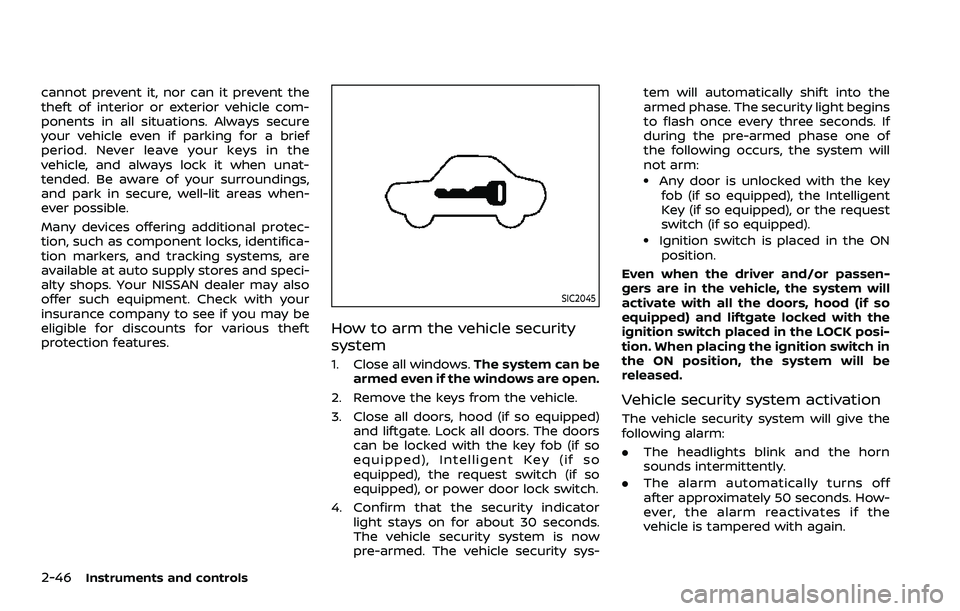
How to arm the vehicle security
system
1. Close all windows.The system can be
armed even if the windows are open.
2. Remove the keys from the vehicle.
3. Close all doors, hood (if so equipped) and liftgate. Lock all doors. The doors
can be locked with the key fob (if so
equipped), Intelligent Key (if so
equipped), the request switch (if so
equipped), or power door lock switch.
4. Confirm that the security indicator light stays on for about 30 seconds.
The vehicle security system is now
pre-armed. The vehicle security sys- tem will automatically shift into the
armed phase. The security light begins
to flash once every three seconds. If
during the pre-armed phase one of
the following occurs, the system will
not arm:
.Any door is unlocked with the key
fob (if so equipped), the Intelligent
Key (if so equipped), or the request
switch (if so equipped).
.Ignition switch is placed in the ON
position.
Even when the driver and/or passen-
gers are in the vehicle, the system will
activate with all the doors, hood (if so
equipped) and liftgate locked with the
ignition switch placed in the LOCK posi-
tion. When placing the ignition switch in
the ON position, the system will be
released.
Vehicle security system activation
The vehicle security system will give the
following alarm:
. The headlights blink and the horn
sounds intermittently.
. The alarm automatically turns off
after approximately 50 seconds. How-
ever, the alarm reactivates if the
vehicle is tampered with again.
Page 147 of 508
system.
. The ECO mode system will turn off
automatically if a malfunction occurs
in the system.
. Turn off the ECO mode system when
acceleration is required such as when:
— driving with a heavy load of pas-
sengers or cargo in the vehicle
— driving on a steep uphill slope
WAC0077X
Instrument Panel
WAC0233XCenter Console Box
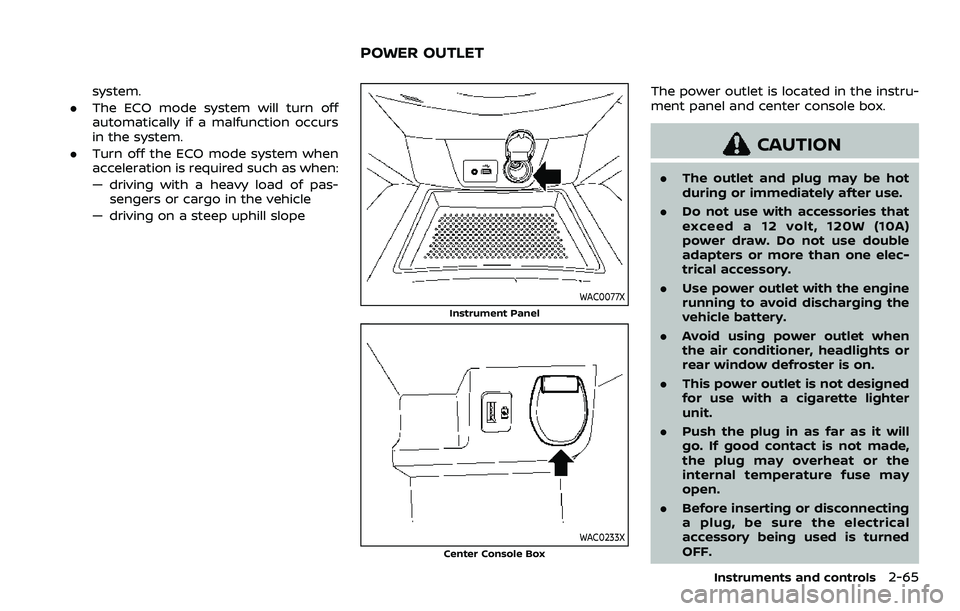
The power outlet is located in the instru-
ment panel and center console box.
CAUTION
. The outlet and plug may be hot
during or immediately after use.
. Do not use with accessories that
exceed a 12 volt, 120W (10A)
power draw. Do not use double
adapters or more than one elec-
trical accessory.
. Use power outlet with the engine
running to avoid discharging the
vehicle battery.
. Avoid using power outlet when
the air conditioner, headlights or
rear window defroster is on.
. This power outlet is not designed
for use with a cigarette lighter
unit.
. Push the plug in as far as it will
go. If good contact is not made,
the plug may overheat or the
internal temperature fuse may
open.
. Before inserting or disconnecting
a plug, be sure the electrical
accessory being used is turned
OFF.
Instruments and controls2-65
POWER OUTLET
Page 158 of 508
2-76Instruments and controls
POWER WINDOWS
WARNING
.Make sure that all passengers
have their hands, etc. inside the
vehicle while it is in motion and
before closing the windows. Use
the window lock switch to pre-
vent unexpected use of the
power windows.
. To help avoid risk of injury or
death through unintended opera-
tion of the vehicle and or its
systems, including entrapment
in windows or inadvertent door
lock activation, do not leave chil-
dren, people who require the
assistance of others or pets un-
attended in your vehicle. Addi-
tionally, the temperature inside a
closed vehicle on a warm day can
quickly become high enough to
cause a significant risk of injury
or death to people and pets.
The power windows operate when the
ignition switch is in the ON position, or for
about 45 seconds after the ignition
switch is placed in the OFF position. If
the driver’s or front passenger’s door is
opened during this period of about 45 seconds, power to the windows is can-
celed.
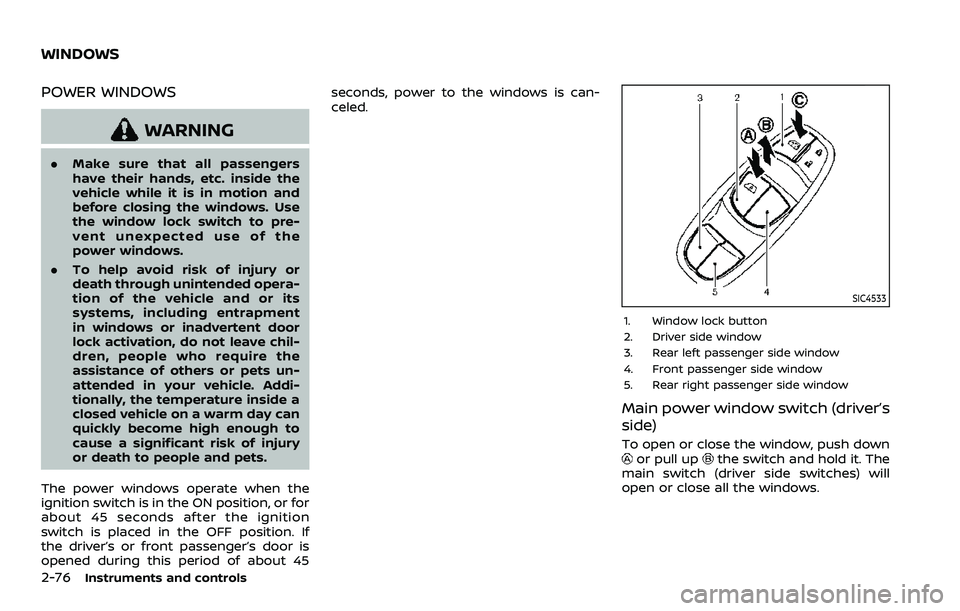
SIC4533
1. Window lock button
2. Driver side window
3. Rear left passenger side window
4. Front passenger side window
5. Rear right passenger side window
Main power window switch (driver’s
side)
To open or close the window, push downor pull upthe switch and hold it. The
main switch (driver side switches) will
open or close all the windows.
WINDOWS
Page 159 of 508
Locking passengers’ windows
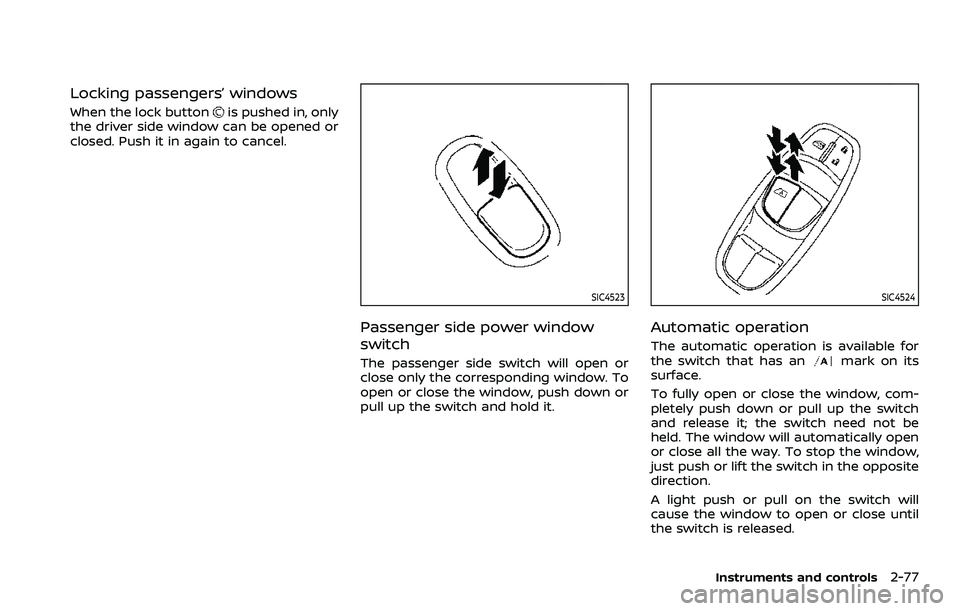
When the lock buttonis pushed in, only
the driver side window can be opened or
closed. Push it in again to cancel.
SIC4523
Passenger side power window
switch
The passenger side switch will open or
close only the corresponding window. To
open or close the window, push down or
pull up the switch and hold it.
SIC4524
Automatic operation
The automatic operation is available for
the switch that has anmark on its
surface.
To fully open or close the window, com-
pletely push down or pull up the switch
and release it; the switch need not be
held. The window will automatically open
or close all the way. To stop the window,
just push or lift the switch in the opposite
direction.
A light push or pull on the switch will
cause the window to open or close until
the switch is released.
Instruments and controls2-77
Page 160 of 508
2-78Instruments and controls
Auto-reverse function
WARNING
There are some small distances im-
mediately before the closed position
which cannot be detected. Make sure
that all passengers have their hands,
etc., inside the vehicle before closing
the window.
If the control unit detects something
caught in the window as it is closing, the
window will be immediately lowered.
The auto reverse function can be acti-
vated when the window is closed by
automatic operation when the ignition
switch is in the ON position or for 45
seconds after the ignition switch is placed
in the OFF position.
Depending on the environment or driv-
ing conditions, the auto reverse func-
tion may be activated if an impact or
load similar to something being caught
in the window occurs.
If the windows do not close auto-
matically
If the power window automatic function
(closing only) does not operate properly,
perform the following procedure to initi-
alize the power window system.
1. Start the engine.
2. Close the door.
3. After starting the engine, open the window completely by operating the
power window switch.
4. Pull the power window switch and hold it to close the window, and then
hold the switch more than 3 seconds
after the window is closed completely.
5. Release the power window switch. Operate the window by the automatic
function to confirm the initialization is
complete.
If the power window automatic function
does not operate properly after perform-
ing the procedure above, it is recom-
mended you have your vehicle checked
by a NISSAN dealer.
WARNING
. In an accident you could be
thrown from the vehicle through
an open moonroof. Always use
seat belts and child restraints.
. Do not allow anyone to stand up
or extend any portion of their
body out of the moonroof open-
ing while the vehicle is in motion
or while the moonroof is closing.
CAUTION
.Remove water drops, snow, ice or
sand from the moonroof before
opening.
. Do not place any heavy object on
the moonroof or surrounding
area.
POWER MOONROOF
The moonroof only operates when the
ignition switch is in the ON position.
The moonroof is operational for about 45
seconds, even if the ignition switch is
pushed to the OFF position. If the driver’s
door or the passenger’s door is opened
MOONROOF (if so equipped)