2023 NISSAN PATHFINDER warning light
[x] Cancel search: warning lightPage 199 of 665

WARNING
Do not use or allow occupants to use
the seat heater if you or the occupants
cannot monitor elevated seat tem-
peratures or have an inability to feel
pain in body parts that contact the
seat. Use of the seat heater by such
people could result in serious injury.
CAUTION
• The battery could run down if the
seat heater is operated while the en-
gine is not running.
• Do not use the seat heater for ex-
tended periods or when no one is us-
ing the seat.
• Do not put anything on the seat
which insulates heat, such as a blan-
ket, cushion, seat cover, etc. Other-
wise, the seat may become
overheated.
• Do not place anything hard or heavy
on the seat or pierce it with a pin or
similar object. This may result in
damage to the heater. •
Any liquid spilled on the heated seat
should be removed immediately with
a dry cloth.
• When cleaning the seat, never use
gasoline, benzine, thinner, or any
similar materials.
• If any malfunctions are found or the
heated seat does not operate, turn
the switch off and have the system
checked. It is recommended that you
visit a NISSAN dealer for this service.
The 2nd row outboard seats are warmed
by built-in heaters. The switches are lo-
cated on the rear of the front center con-
sole and can be operated independently of
each other.
1. Start the engine.
2. Push the switch, as desired. The indica-tor light in the switch will illuminate.
The heater is controlled by a thermostat,
automatically turning the heater on and
off. The indicator light will remain on as
long as the switch is on.
LIC4697
HEATED 2ND ROW SEAT SWITCHES (if
so equipped)
2-92Instruments and controls
Page 201 of 665
WARNING
• Never rely solely on the hill descent
control system to control vehicle
speed when driving on steep down-
hill grades. Always drive carefully
when using the hill descent control
system and decelerate the vehicle
speed by depressing the brake pedal
if necessary. Be especially careful
when driving on frozen, muddy or ex-
tremely steep downhill roads. Failure
to control vehicle speed may result in
a loss of control of the vehicle and
possible serious injury or death. •
The hill descent control may not con-
trol the vehicle speed on a hill under
all load or road conditions. Always be
prepared to depress the brake pedal
to control vehicle speed. Failure to do
so may result in a collision or serious
personal injury.
CAUTION
When the hill descent control system
operates continuously for a long time,
the temperature of the brake pads may
increase and the hill descent control
system may be temporarily disabled
(the indicator light will blink). If the indi-
cator light does not come on continu-
ously af ter blinking, stop using the
system.
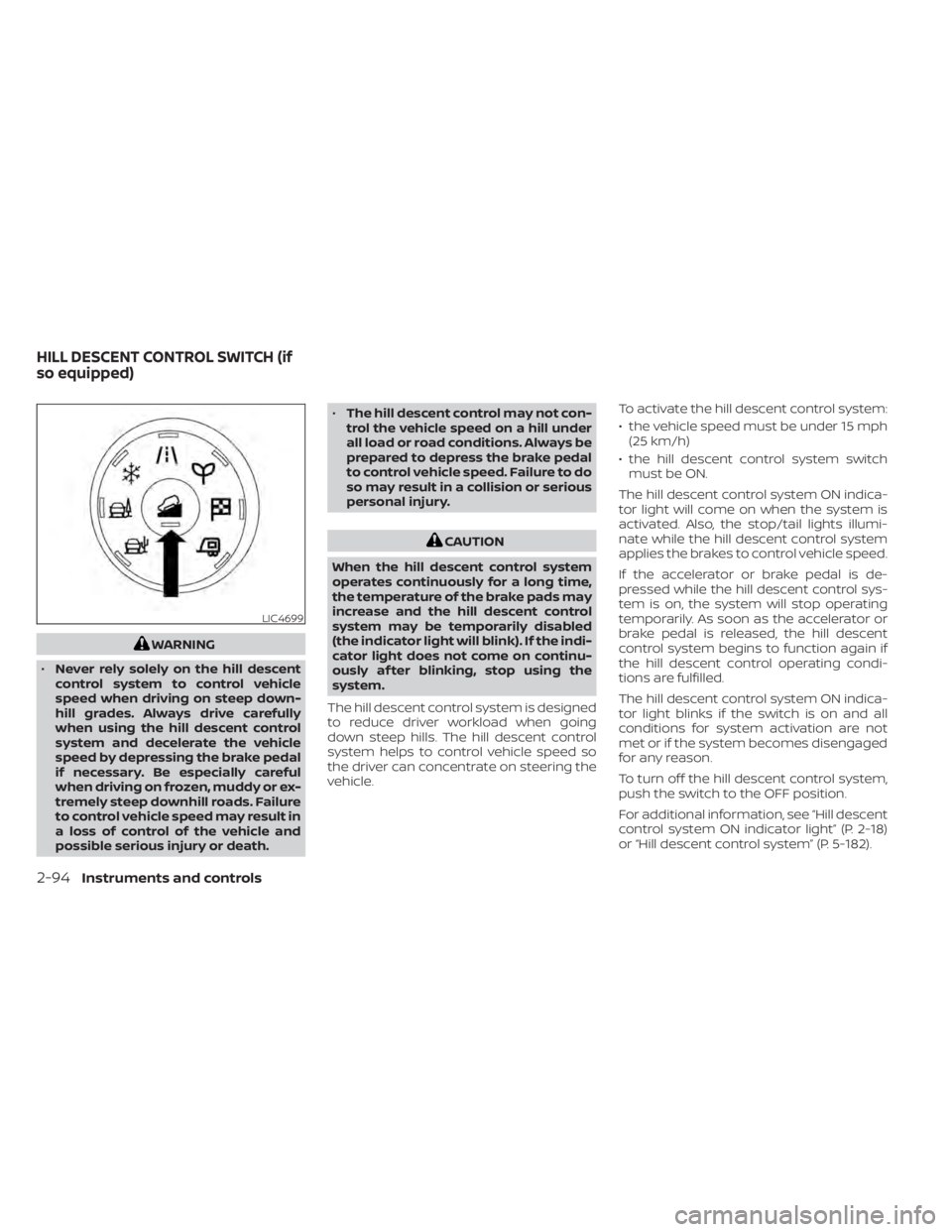
The hill descent control system is designed
to reduce driver workload when going
down steep hills. The hill descent control
system helps to control vehicle speed so
the driver can concentrate on steering the
vehicle. To activate the hill descent control system:
• the vehicle speed must be under 15 mph
(25 km/h)
• the hill descent control system switch must be ON.
The hill descent control system ON indica-
tor light will come on when the system is
activated. Also, the stop/tail lights illumi-
nate while the hill descent control system
applies the brakes to control vehicle speed.
If the accelerator or brake pedal is de-
pressed while the hill descent control sys-
tem is on, the system will stop operating
temporarily. As soon as the accelerator or
brake pedal is released, the hill descent
control system begins to function again if
the hill descent control operating condi-
tions are fulfilled.
The hill descent control system ON indica-
tor light blinks if the switch is on and all
conditions for system activation are not
met or if the system becomes disengaged
for any reason.
To turn off the hill descent control system,
push the switch to the OFF position.
For additional information, see “Hill descent
control system ON indicator light” (P. 2-18)
or “Hill descent control system” (P. 5-182).
LIC4699
HILL DESCENT CONTROL SWITCH (if
so equipped)
2-94Instruments and controls
Page 205 of 665

Display brightness
The brightness of the display may be con-
trolled by the navigation system. The
brightness will also be adjusted automati-
cally according to the exterior ambient
lighting brightness.
NOTE:
• The HUD has a built-in sensorO1that
controls the brightness of the dis-
played image. If you block the sensor
with an object, the display will darken,
making it difficult to see.
EMERGENCY SUPPORT
NissanConnect® Services provide various
services to support dealing with emergen-
cies of the subscribed vehicle and the
driver.
For example, in case of an illness or serious
injury, you can seek support by pressing
the in-vehicle Emergency Call (SOS) button
and connecting to the NissanConnect®
Services Response Center. The
NissanConnect® Services Response Cen-
ter can specif y the location of the vehicle
via GPS, and the information will be sent to
the police or other agencies as needed.
For information about other
NissanConnect® Services emergency sup-
port related services, contact the
NissanConnect® Customer Support line at
1–855–426–6628 or refer to the
NissanConnect® Services website
www.nissanusa.com/connect (for U.S.) or
www.nissan.ca/nissanconnect (English) /
www.nissan.ca/nissanconnect/fr (French)
(for Canada).
WARNING
• Please note that the Automatic Colli-
sion Notification service and Emer-
gency Call function cannot be used in
the following conditions:
– Emergency functions and ser- vices will not be available without
a paid subscription to
NissanConnect® Services.
– The NissanConnect® Services net- work system is disabled.
– The vehicle moves outside the service area where the TCU
(Telematics Control Unit) is con-
nected to the system.
– The vehicle is outside the area where the cellular network service
is receivable.
– The vehicle is in a location with poor signal reception such as tun-
nels, underground parking ga-
rages, behind buildings or in
mountainous areas.
– The line is busy.
– The TCU (Telematics Control Unit) or other systems of your vehicle
are not working properly.
LIC4264
EMERGENCY CALL (SOS) BUTTON (if
so equipped)
2-98Instruments and controls
Page 212 of 665

WARNING
• Never put metallic materials be-
tween the wireless charger and a
smartphone.
• Those who use a pacemaker or other
medical equipment should contact
the electric medical equipment
manufacturer for the possible influ-
ences before use.
• Never put cloth over the smartphone
during charging process.
• Never charge a smartphone when it
is wet.
• Never put metallic materials or small
goods such as a cigarette lighter, In-
telligent Key or memory drive.
CAUTION
• Do not put an RFID/NFC/credit card
between the wireless charger and a
smartphone. This could cause data
corruption in the card.
• Do not use the wireless charger with
dust accumulated or dirt on the pad.
• Do not hit the surface of the wireless
charger. •
Do not spill liquid (water, drinks, etc.)
on the charging pad.
• Do not use grease, oil or alcohol for
cleaning charging pad.
WIRELESS CHARGER INDICATOR
The indicator(1)willil luminate in orange
when the charging process is started.
When the charging has completed, the in-
dicator illuminates in green.
If a malfunction occurs or the charging
process has stopped, the indicator will
blink in orange for 8 seconds then turn off.
WIRELESS CHARGER OPERATION
To use the wireless charger, it is necessary
to seat the smartphone well within the
charging pad. To maximize charging per-
formance, ensure the smartphone is fully
seated on the center of the charging pad
over the "Qi" logo
OA. Because the location
of the power receiver may vary depending
on the smartphone, you will need to try and
find the area that suits your smartphone.
Because some smartphone cases or ac-
cessories may adversely affect charging,
remove them before wireless charging.
Turn off the vibration function of the smart-
phone before wireless charging.
NOTE:
• Only a Qi compatible smartphone can
be used.
• The smartphone may be warmed dur-
ing charging process and the charging
may stop by the protection function of
the wireless charger. This is not a mal-
function. If this occurs, restart charging
af ter the smartphone cooled down.
The indicator will blink in orange then
turn off.
• The wireless charging process may be
stopped by the status of the smart-
phone (battery temperature, etc.).
• If a radio noise interference occurs dur-
ing charging process, put the smart-
phone onto the center (“Qi” logo) posi-
tion of the wireless charger.
• The wireless charging process will stop
during process of searching the Intelli-
gent Key.
• The wireless charging process will not
be started when a USB (Universal Serial
Bus) cable is connected to the smart-
phone. The indicator may illuminate in
orange or blink if the smartphone is
put on the wireless charger with a USB
cable connected. However, charging is
not performed.
Instruments and controls2-105
Page 229 of 665
If the moonroof switch does not
operate
If the moonroof and sunshade do not op-
erate properly, perform the following pro-
cedure to initialize the operation system.
1. If the moonroof and sunshade are open,close them fully by repeatedly pushing
the moonroof switch to the CLOSE
O2
andO4position.
2. Push and hold the moonroof switch to the CLOSE
O4position for 10 seconds.
3. Af ter the moonroof and sunshade move slightly to the closed position and
then move back a little, release the
moonroof switch.
4. Push and hold the moonroof switch to the CLOSE
O4position, and the glass
and shade will move.
5. Release the moonroof switch. Then the moonroof and sunshade will fully open
and then fully close.
6. Check if the moonroof switch operates normally.
WARNING
The driver is always responsible for op-
erating the moonroof properly, includ-
ing the operation by all passengers.
Failure to follow the warnings and in-
structions for proper use of the moon-
roof could result in serious injury or
death.
• Do not allow children to operate the
moonroof. Improper operation by
children may cause an accident. If
children or others get caught in the
moonroof, it could cause serious
injury.
• To help avoid risk of injury or death
through unintended operation of the
moonroof, place the ignition switch
in the OFF position when leaving the
vehicle, and do not leave children and
the Intelligent Key inside the vehicle.
• Do not activate the auto-reverse
function intentionally. If hands or
face, etc. get caught in the moonroof,
it could cause serious injury.CAUTION
• Do not place objects (such as news-
papers, handkerchiefs, etc.) on the
sunshade when it is extending or re-
tracting causing improper operation
or damage to the sunshade.
• Do not push the sunshade arm with
your hands, etc., as this may deform
it. Improper operation or damage to
the sunshade may result.
• Do not put any object into the sun-
shade inlet port as this may result in
improper operation or damage the
sunshade.
• Do not hang any object on the arm
rail as this may result in improper op-
eration or damage the sunshade.
• Do not forcefully pull the sunshade.
Doing so may elongate the sun-
shade. Improper operation or dam-
age to the sunshade may result.
If the moonroof does not operate properly
af ter performing the procedure above,
have your vehicle checked by a NISSAN
dealer.
2-122Instruments and controls
Page 232 of 665
The HomeLink® Universal Transceiver pro-
vides a convenient way to consolidate the
functions of up to three individual hand-
held transmitters into one built-in device.
HomeLink® Universal Transceiver:
• Will operate most Radio Frequency (RF)devices such as garage doors, gates,
home and office lighting, entry door locks
and security systems.
• Is powered by your vehicle's battery. No separate batteries are required. If the ve-
hicle's battery is discharged or is discon-
nected, HomeLink® will retain all
programming.
When the HomeLink® Universal Trans-
ceiver is programmed, retain the original
transmitter for future programming pro-
cedures (Example: new vehicle pur-
chases). Upon sale of the vehicle, the
programmed HomeLink® Universal
Transceiver buttons should be erased for
security purposes. For additional infor-
mation, see “Programming HomeLink®”
(P. 2-125).WARNING
• Do not use the HomeLink® Universal
Transceiver with any garage door
opener that lacks safety stop and re-
verse features as required by federal
safety standards. (These standards
became effective for opener models
manufactured af ter April 1, 1982.) A
garage door opener which cannot
detect an object in the path of a clos-
ing garage door and then automati-
cally stop and reverse does not meet
current federal safety standards. Us-
ing a garage door opener without
these features increases the risk of
serious injury or death.
• During the programming procedure
your garage door or security gate will
open and close (if the transmitter is
within range). Make sure that people
or objects are clear of the garage
door, gate, etc., that you are
programming. •
Your vehicle's engine should be
turned off while programming the
HomeLink® Universal Transceiver. Do
not breathe exhaust gases; they con-
tain colorless and odorless carbon
monoxide. Carbon monoxide is dan-
gerous. It can cause unconscious-
ness or death.
PROGRAMMING HOMELINK®
The following steps show generic instruc-
tions on how to program a Homelink® but-
ton. If you have any questions or are having
difficulty programming your HomeLink®
buttons, refer to the HomeLink® web site at:
www.homelink.com/nissan or call
1-800-355-3515.
NOTE:
It is also recommended that a new bat-
tery be placed in the hand-held trans-
mitter of the device being programmed
to Homelink® for quicker programming
and accurate transmission of the
radio-frequency.
HOMELINK® UNIVERSAL
TRANSCEIVER (if so equipped)
Instruments and controls2-125
Page 244 of 665

CHILD SAFETY REAR DOOR LOCK
Child safety locks help prevent the rear
doors from being opened accidentally, es-
pecially when small children are in the
vehicle.
The child safety lock levers are located on
the edge of the rear doors.
When the lever is in the LOCK position,
the door can be opened only from the
outside.
WARNING
• Radio waves could adversely affect
electric medical equipment. Those
who use a pacemaker should contact
the electric medical equipment
manufacturer for the possible influ-
ences before use.
• The Intelligent Key transmits radio
waves when the buttons are pressed.
The FAA advises the radio waves may
affect aircraf t navigation and com-
munication systems. Do not operate
the Intelligent Key while on an air-
plane. Make sure the buttons are not
operated unintentionally when the
unit is stored for a flight.
The Intelligent Key system can operate all
the door locks using the remote control
function or touching the lock sensor on the
vehicle without taking the key out from a
pocket or purse. The operating environ-
ment and/or conditions may affect the In-
telligent Key system operation.
Be sure to read the following before using
the Intelligent Key system.CAUTION
• Be sure to carry the Intelligent Key
with you when operating the vehicle.
• Never leave the Intelligent Key in the
vehicle when you leave the vehicle.
The Intelligent Key is capable of receiving
and transmitting radio waves. The Intelli-
gent Key system transmits weak radio
waves from various distances. Environ-
mental conditions may interfere with the
operation of the Intelligent Key system un-
der the following operating conditions:
• When operating near a location where strong radio waves or noises are trans-
mitted, such as a TV tower, power station
and broadcasting station.
• When in possession of wireless equip- ment, such as a cellular telephone, trans-
ceiver, or a CB radio.
• When the Intelligent Key is in contact with or covered by metallic materials.
• When any type of radio wave remote con- trol is used nearby.
• When the Intelligent Key is placed near an electric appliance such as a personal
computer.
• When the vehicle is parked near a parking meter.
LPD3157
NISSAN INTELLIGENT KEY® SYSTEM
Pre-driving checks and adjustments3-7
Page 252 of 665
Locking doors
1. Place the ignition switch in the LOCKposition.
2. Close all doors.
3. Press the
button on the Intelli-
gent Key.
4. The hazard indicator lights flash twice and the horn beeps once.
5. All doors will be locked.
WARNING
Af ter locking the doors using the Intel-
ligent Key, be sure that the doors have
been securely locked by operating the
door handles. Failure to follow these in-
structions may result in inadvertently
unlocking the doors, which may de-
crease the safety and security of your
vehicle.
Unlocking doors
1. Press thebutton on the Intelligent
Key.
2. The hazard indicator lights flash once and the driver’s door will unlock. 3. Press the
button again within 1
minute to unlock all doors and lif tgate.
NOTE:
The Selective Unlock feature can be
changed using the “Vehicle Settings”
menu on the vehicle information display.
For additional information, see “Vehicle
information display 7 inch (18 cm) Type
A” (P. 2-23) or “Vehicle information dis-
play 12.3 inch (31 cm) Type B” (P. 2-48).
All doors will be locked automatically un-
less one of the following operations is per-
formed within 1 minute af ter pressing the
button:
• Opening any doors.
• Pushing the ignition switch.
Using the interior lights
The interior lights illuminate for a period of
time when a door is unlocked.
The lights can be turned off without waiting
by performing one of the following
operations:
• Placing the ignition switch in the ON position.
• Locking the doors with the Intelligent Key.
• Switching the interior light switch to the OFF position. • Switching the Auto Room Lamp feature
to the OFF position in the “Vehicle Set-
tings” menu on the vehicle information
display. For additional information, see
“Vehicle information display 7 inch (18 cm)
Type A” (P. 2-23) or “Vehicle information
display 12.3 inch (31 cm) Type B” (P. 2-48).
For additional information, see “Interior
lights” (P. 2-123).
Opening windows
The Intelligent Key allows you to simultane-
ously open windows equipped with auto-
matic operation.
All doors must be closed and the key must
be outside the vehicle.
To open the windows, press and hold the
button on the Intelligent Key for lon-
ger than 3 seconds af ter all doors are
unlocked.
The door windows will open while pressing
the
button on the Intelligent Key.
To interrupt opening of the windows, re-
lease the
button.
Pre-driving checks and adjustments3-15