2023 NISSAN MURANO display
[x] Cancel search: displayPage 162 of 518
CONSOLE LIGHT
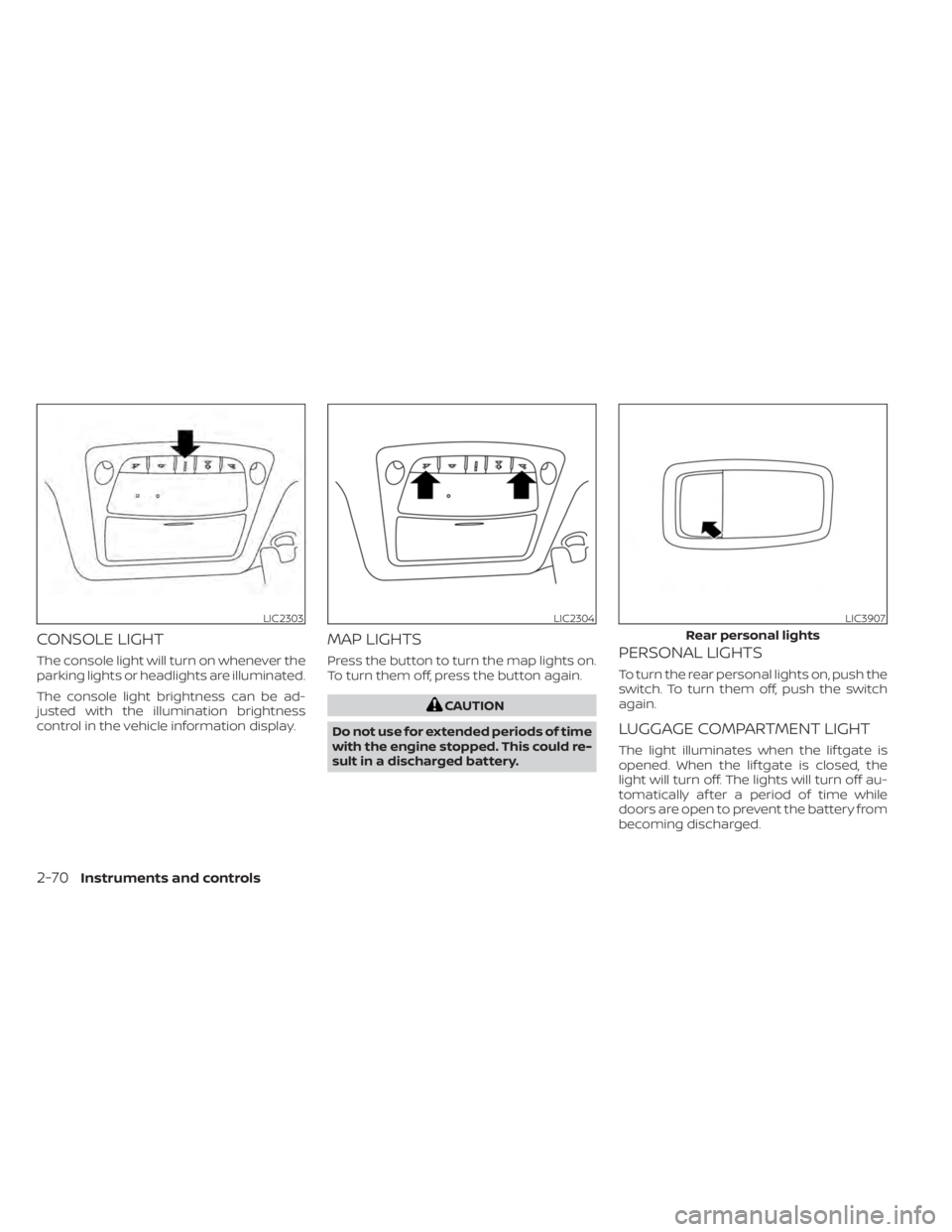
The console light will turn on whenever the
parking lights or headlights are illuminated.
The console light brightness can be ad-
justed with the illumination brightness
control in the vehicle information display.
MAP LIGHTS
Press the button to turn the map lights on.
To turn them off, press the button again.
CAUTION
Do not use for extended periods of time
with the engine stopped. This could re-
sult in a discharged battery.
PERSONAL LIGHTS
To turn the rear personal lights on, push the
switch. To turn them off, push the switch
again.
LUGGAGE COMPARTMENT LIGHT
The light illuminates when the lif tgate is
opened. When the lif tgate is closed, the
light will turn off. The lights will turn off au-
tomatically af ter a period of time while
doors are open to prevent the battery from
becoming discharged.
LIC2303LIC2304LIC3907
Rear personal lights
2-70Instruments and controls
Page 174 of 518
LOCKING WITH INSIDE LOCK KNOB
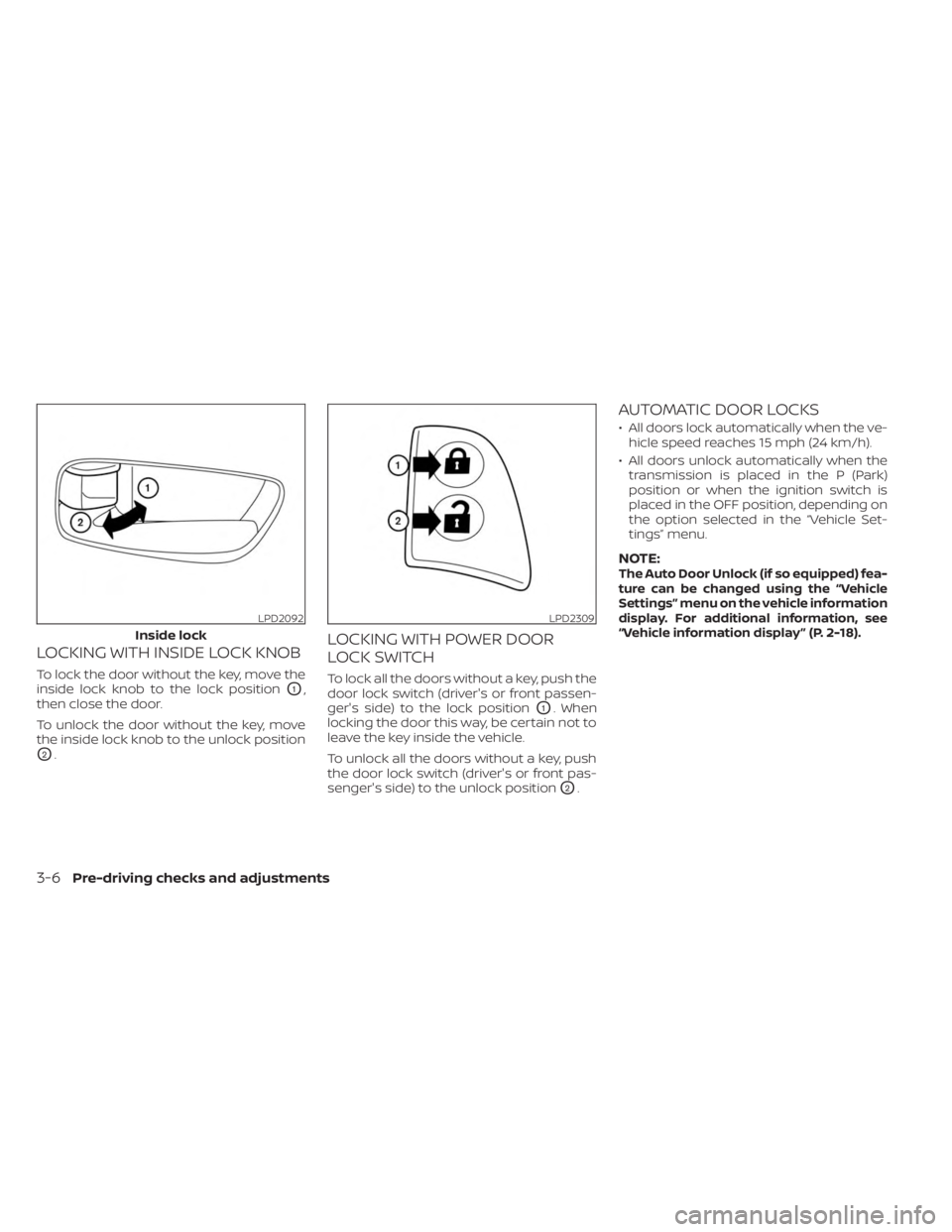
To lock the door without the key, move the
inside lock knob to the lock position
O1,
then close the door.
To unlock the door without the key, move
the inside lock knob to the unlock position
O2.
LOCKING WITH POWER DOOR
LOCK SWITCH
To lock all the doors without a key, push the
door lock switch (driver's or front passen-
ger's side) to the lock position
O1. When
locking the door this way, be certain not to
leave the key inside the vehicle.
To unlock all the doors without a key, push
the door lock switch (driver's or front pas-
senger's side) to the unlock position
O2.
AUTOMATIC DOOR LOCKS
• All doors lock automatically when the ve- hicle speed reaches 15 mph (24 km/h).
• All doors unlock automatically when the transmission is placed in the P (Park)
position or when the ignition switch is
placed in the OFF position, depending on
the option selected in the “Vehicle Set-
tings” menu.
NOTE:The Auto Door Unlock (if so equipped) fea-
ture can be changed using the “Vehicle
Settings” menu on the vehicle information
display. For additional information, see
“Vehicle information display ” (P. 2-18).
LPD2092
Inside lock
LPD2309
3-6Pre-driving checks and adjustments
Page 176 of 518
In such cases, correct the operating condi-
tions before using the Intelligent Key func-
tion or use the mechanical key.
Although the life of the battery varies de-
pending on the operating conditions, the
battery’s life is approximately two years. If
the battery is discharged, replace it with a
new one.
When the Intelligent Key battery is low, the
“Key Battery Low” indicator illuminates in
the vehicle information display. For addi-
tional information, see “Vehicle information
display” (P. 2-18).
Since the Intelligent Key is capable of re-
ceiving radio waves, if the key is lef t near
equipment which transmits strong radio
waves, such as signals from a TV and per-
sonal computer, the battery life may be-
come shorter.
For additional information, see “Battery re-
placement” (P. 8-23).
As many as four Intelligent Keys can be
registered and used with one vehicle. For
information about the purchase and use of
additional Intelligent Keys, it is recom-
mended that you visit a NISSAN dealer.
OPERATING RANGE
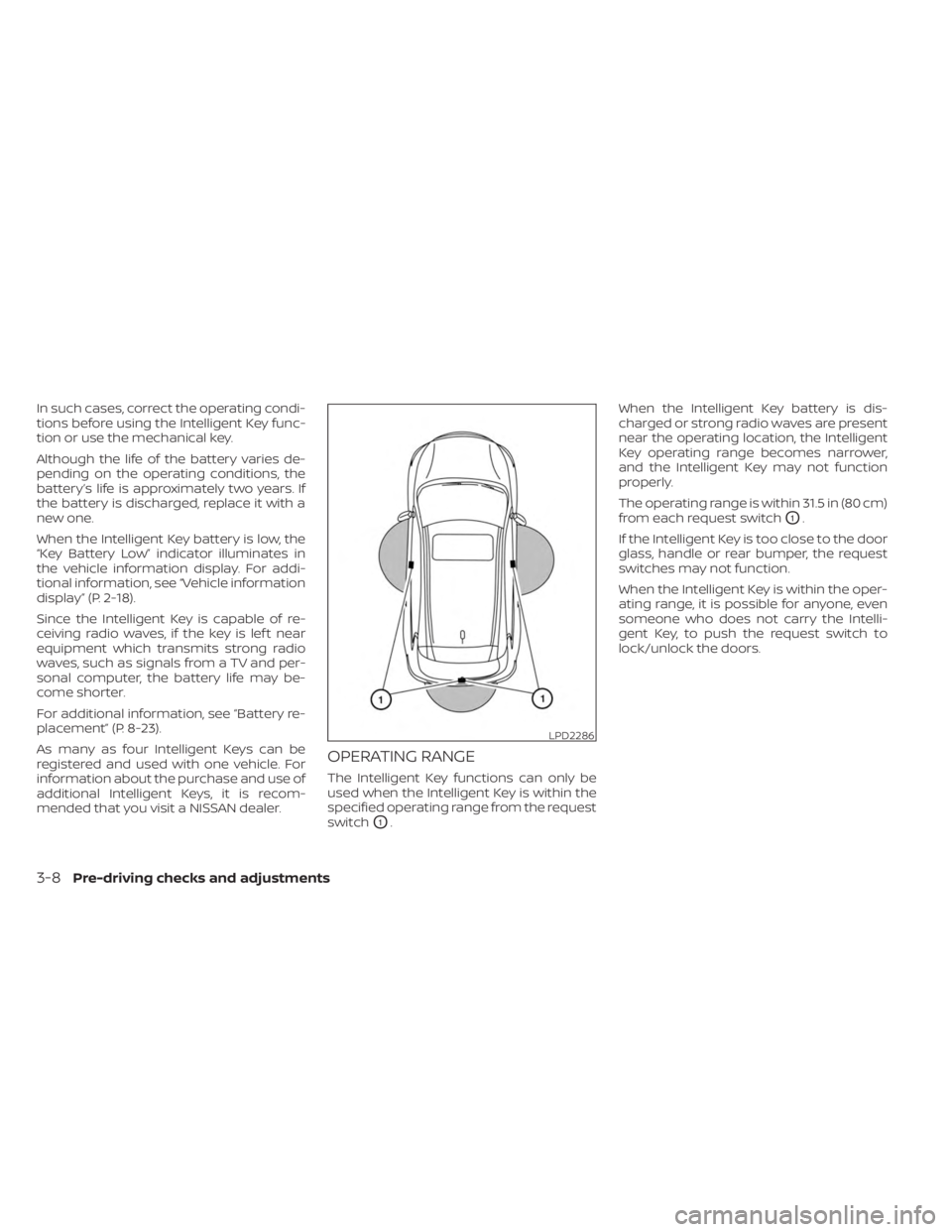
The Intelligent Key functions can only be
used when the Intelligent Key is within the
specified operating range from the request
switch
O1.When the Intelligent Key battery is dis-
charged or strong radio waves are present
near the operating location, the Intelligent
Key operating range becomes narrower,
and the Intelligent Key may not function
properly.
The operating range is within 31.5 in (80 cm)
from each request switch
O1.
If the Intelligent Key is too close to the door
glass, handle or rear bumper, the request
switches may not function.
When the Intelligent Key is within the oper-
ating range, it is possible for anyone, even
someone who does not carry the Intelli-
gent Key, to push the request switch to
lock/unlock the doors.
LPD2286
3-8Pre-driving checks and adjustments
Page 178 of 518
Locking doors
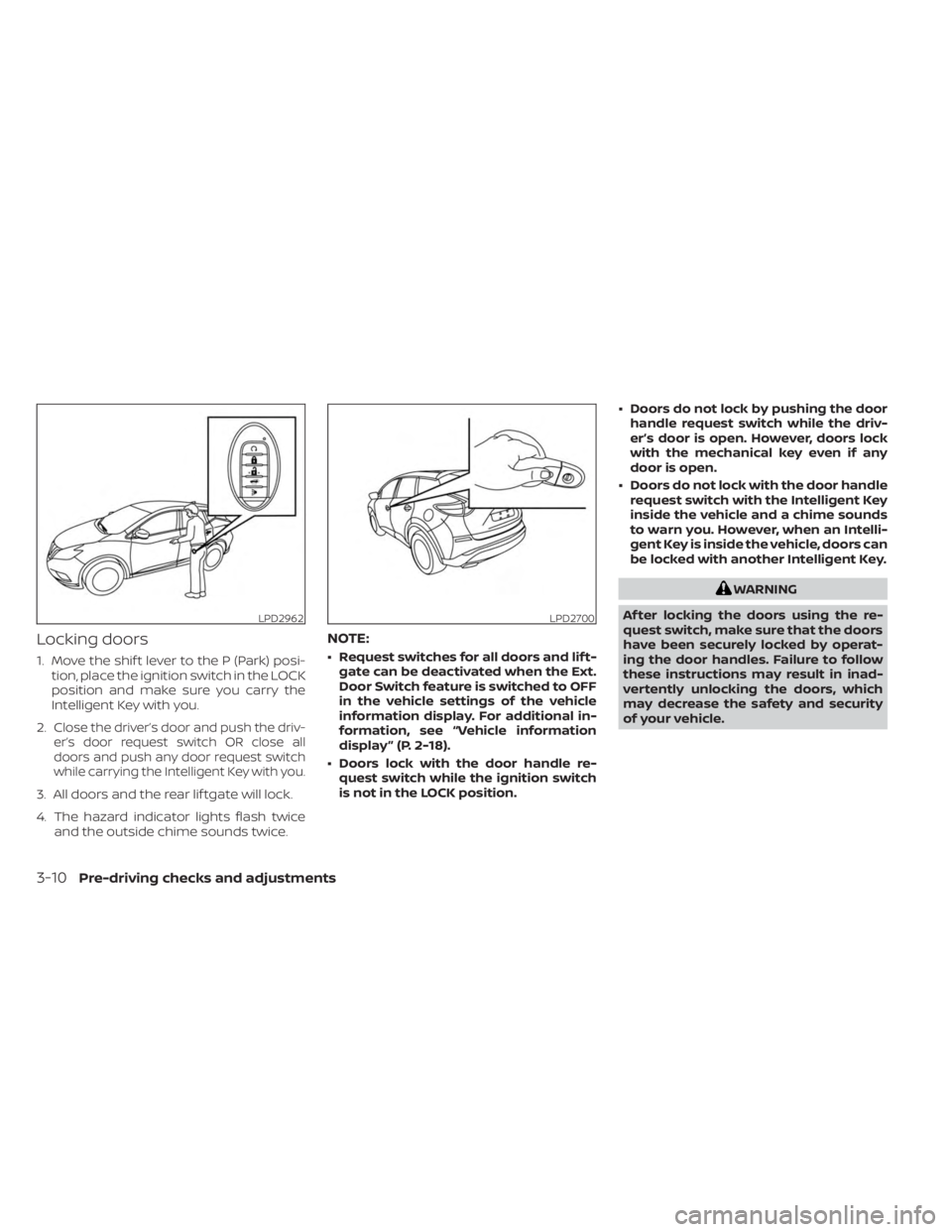
1. Move the shif t lever to the P (Park) posi-tion, place the ignition switch in the LOCK
position and make sure you carry the
Intelligent Key with you.
2.
Close the driver’s door and push the driv-
er’s door request switch OR close all
doors and push any door request switch
while carrying the Intelligent Key with you.
3. All doors and the rear lif tgate will lock.
4. The hazard indicator lights flash twice and the outside chime sounds twice.
NOTE:
• Request switches for all doors and lif t-gate can be deactivated when the Ext.
Door Switch feature is switched to OFF
in the vehicle settings of the vehicle
information display. For additional in-
formation, see “Vehicle information
display ” (P. 2-18).
• Doors lock with the door handle re- quest switch while the ignition switch
is not in the LOCK position. • Doors do not lock by pushing the door
handle request switch while the driv-
er’s door is open. However, doors lock
with the mechanical key even if any
door is open.
• Doors do not lock with the door handle request switch with the Intelligent Key
inside the vehicle and a chime sounds
to warn you. However, when an Intelli-
gent Key is inside the vehicle, doors can
be locked with another Intelligent Key.
WARNING
Af ter locking the doors using the re-
quest switch, make sure that the doors
have been securely locked by operat-
ing the door handles. Failure to follow
these instructions may result in inad-
vertently unlocking the doors, which
may decrease the safety and security
of your vehicle.
LPD2962LPD2700
3-10Pre-driving checks and adjustments
Page 180 of 518
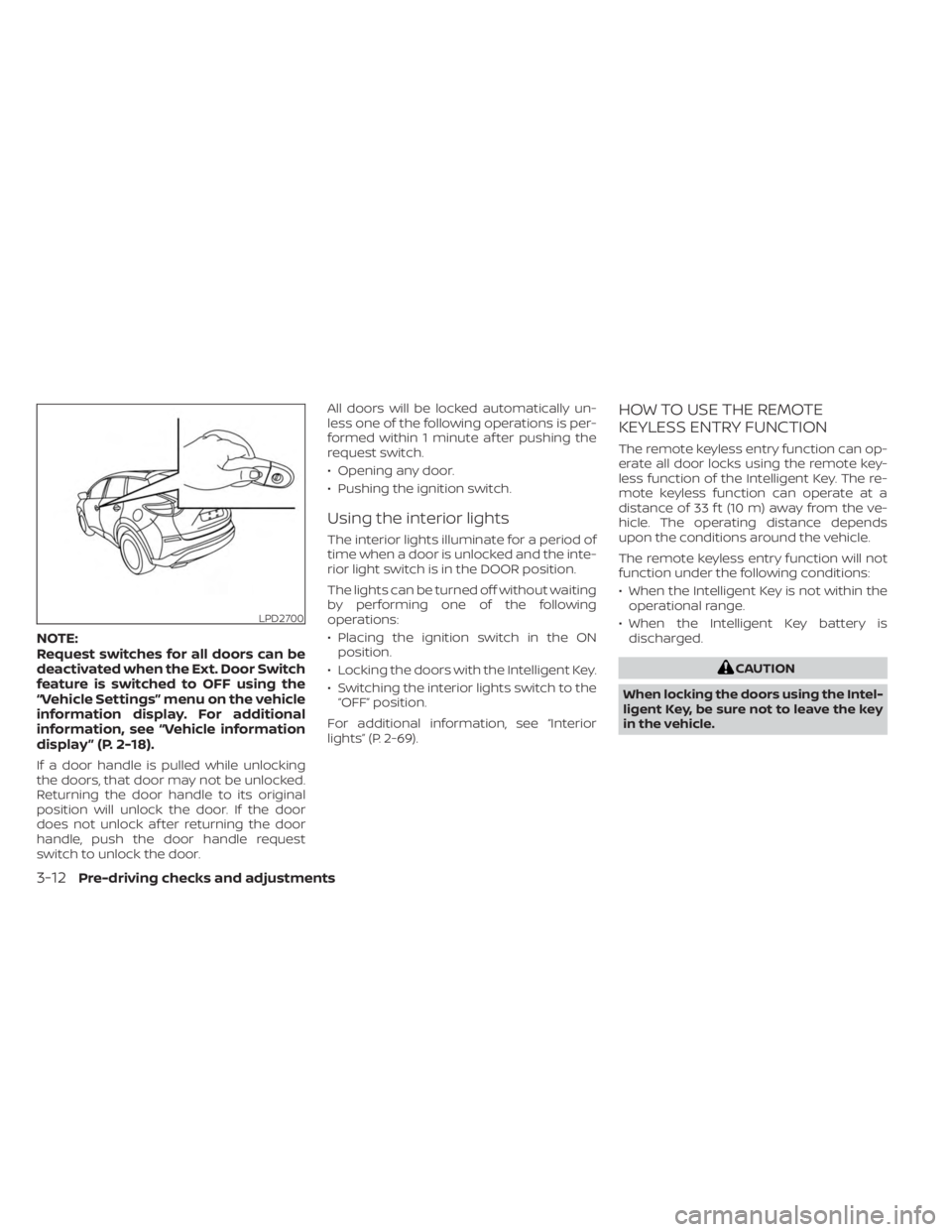
NOTE:
Request switches for all doors can be
deactivated when the Ext. Door Switch
feature is switched to OFF using the
“Vehicle Settings” menu on the vehicle
information display. For additional
information, see “Vehicle information
display ” (P. 2-18).
If a door handle is pulled while unlocking
the doors, that door may not be unlocked.
Returning the door handle to its original
position will unlock the door. If the door
does not unlock af ter returning the door
handle, push the door handle request
switch to unlock the door.All doors will be locked automatically un-
less one of the following operations is per-
formed within 1 minute af ter pushing the
request switch.
• Opening any door.
• Pushing the ignition switch.
Using the interior lights
The interior lights illuminate for a period of
time when a door is unlocked and the inte-
rior light switch is in the DOOR position.
The lights can be turned off without waiting
by performing one of the following
operations:
• Placing the ignition switch in the ON
position.
• Locking the doors with the Intelligent Key.
• Switching the interior lights switch to the “OFF” position.
For additional information, see “Interior
lights” (P. 2-69).
HOW TO USE THE REMOTE
KEYLESS ENTRY FUNCTION
The remote keyless entry function can op-
erate all door locks using the remote key-
less function of the Intelligent Key. The re-
mote keyless function can operate at a
distance of 33 f t (10 m) away from the ve-
hicle. The operating distance depends
upon the conditions around the vehicle.
The remote keyless entry function will not
function under the following conditions:
• When the Intelligent Key is not within the operational range.
• When the Intelligent Key battery is discharged.
CAUTION
When locking the doors using the Intel-
ligent Key, be sure not to leave the key
in the vehicle.
LPD2700
3-12Pre-driving checks and adjustments
Page 182 of 518
Locking doors
1. Place the ignition switch in the LOCKposition.
2. Close all doors.
3. Press the
button on the Intelli-
gent Key.
4. The hazard indicator lights flash twice and the horn beeps once.
5. All doors will be locked.
WARNING
Af ter locking the doors using the Intel-
ligent Key, be sure that the doors have
been securely locked by operating the
door handles. Failure to follow these in-
structions may result in inadvertently
unlocking the doors, which may de-
crease the safety and security of your
vehicle.
Unlocking doors
1. Press thebutton on the Intelligent
Key to unlock the driver’s door.
2. The hazard indicator lights flash once and the driver’s door unlocks. 3. Press the
button again within 1
minute to unlock all doors.
NOTE:
The Selective Unlock feature can be
changed using the “Vehicle Settings”
menu on the vehicle information display.
For additional information, see “Vehicle
information display ” (P. 2-18).
All doors will be locked automatically un-
less one of the following operations is per-
formed within 1 minute af ter pressing the
button:
• Opening any doors.
• Pushing the ignition switch.
Using the interior lights
The interior lights illuminate for a period of
time when a door is unlocked and the inte-
rior light switch is in the DOOR position.
The lights can be turned off without waiting
by performing one of the following
operations:
• Placing the ignition switch in the ON position.
• Locking the doors with the Intelligent Key.
• Switching the interior lights switch to the “OFF” position. For additional information, see “Interior
lights” (P. 2-69).
Opening windows
The Intelligent Key allows you to simultane-
ously open windows equipped with auto-
matic operation.
To open the windows, press and hold the
button on the Intelligent Key for
lon-
ger than 3 seconds.
The door windows will lower while holding
down the
button on the Intelligent
Key.
NOTE:
The windows will stop lowering at the
time thebutton is released.
3-14Pre-driving checks and adjustments
Page 183 of 518
Closing windows (if so equipped)
WARNING
When the closing feature is operating,
parts of the body could become
trapped in the closing area of the side
window. There is a risk of injury. Ob-
serve the complete closing procedure
when the closing feature is operating.
When closing, make sure that no parts
of the body are in the closing area. No
one/no pets should be lef t in the car
when locking doors, raising windows
and leaving.
The Intelligent Key allows you to simultane-
ously close windows equipped with auto-
matic operation.
All doors must be closed and the key must
be outside the vehicle.
To close the windows, press and hold the
button on the Intelligent Key for lon-
ger than 3 seconds af ter all doors are
locked.
The door windows will close while pressing
the
button on the Intelligent Key.
To interrupt closing of the windows, release
the
button.
Releasing the rear lif tgate (if so
equipped)
The rear lif tgate can be opened and closed
by performing the following:
• Press the
button for longer than 1
second to open the rear lif tgate.
• Press the
button again for longer
than 1 second to close the rear lif tgate.
When the
button is pressed during
the open or close process, the lif tgate
motors will stop. When the
button is
pressed again for longer than 1 second the
lif tgate will reverse direction.
Using the panic alarm
If you are near your vehicle and feel threat-
ened, you may activate the panic alarm to
call attention by pressing and holding the
button on the Intelligent Key for lon-
ger than 0.5 seconds.
The panic alarm and headlights will stay on
for a period of time.
The panic alarm stops when:
• It has run for a period of time.
• Any button is pressed on the Intelligent Key. • The request switch on the driver or pas-
senger door is pushed and the Intelligent
Key is in range of the door handle.
Answer back horn feature
If desired, the answer back horn feature
can be deactivated using the Intelligent
Key. When it is deactivated and the
button is pressed, the hazard indicator
lights flash twice. When thebutton is
pressed, neither the hazard indicator lights
nor the horn operates.
NOTE:
If you change the Answer Back Horn
feature with the Intelligent Key, the ve-
hicle information display screen will
show the current mode af ter the igni-
tion switch has been cycled from the
OFF to the ON position. The vehicle in-
formation display screen can also be
used to change the answer back horn
mode.
For additional information, see “Ve-
hicle settings” (P. 2-18).
Pre-driving checks and adjustments
3-15
Page 184 of 518
To deactivate:
Press and hold theandbut-
tons for at least 4 seconds. The hazard
indicator lights will flash twice to confirm
that the answer back horn feature has
been deactivated.
To activate:
Press and hold the
andbut-
tons for at least 4 seconds once more.
The hazard indicator lights will flash twice
and the horn will sound once to confirm
that the horn beep feature has been
reactivated.
Deactivating the horn beep feature does
not silence the horn if the alarm is
triggered.
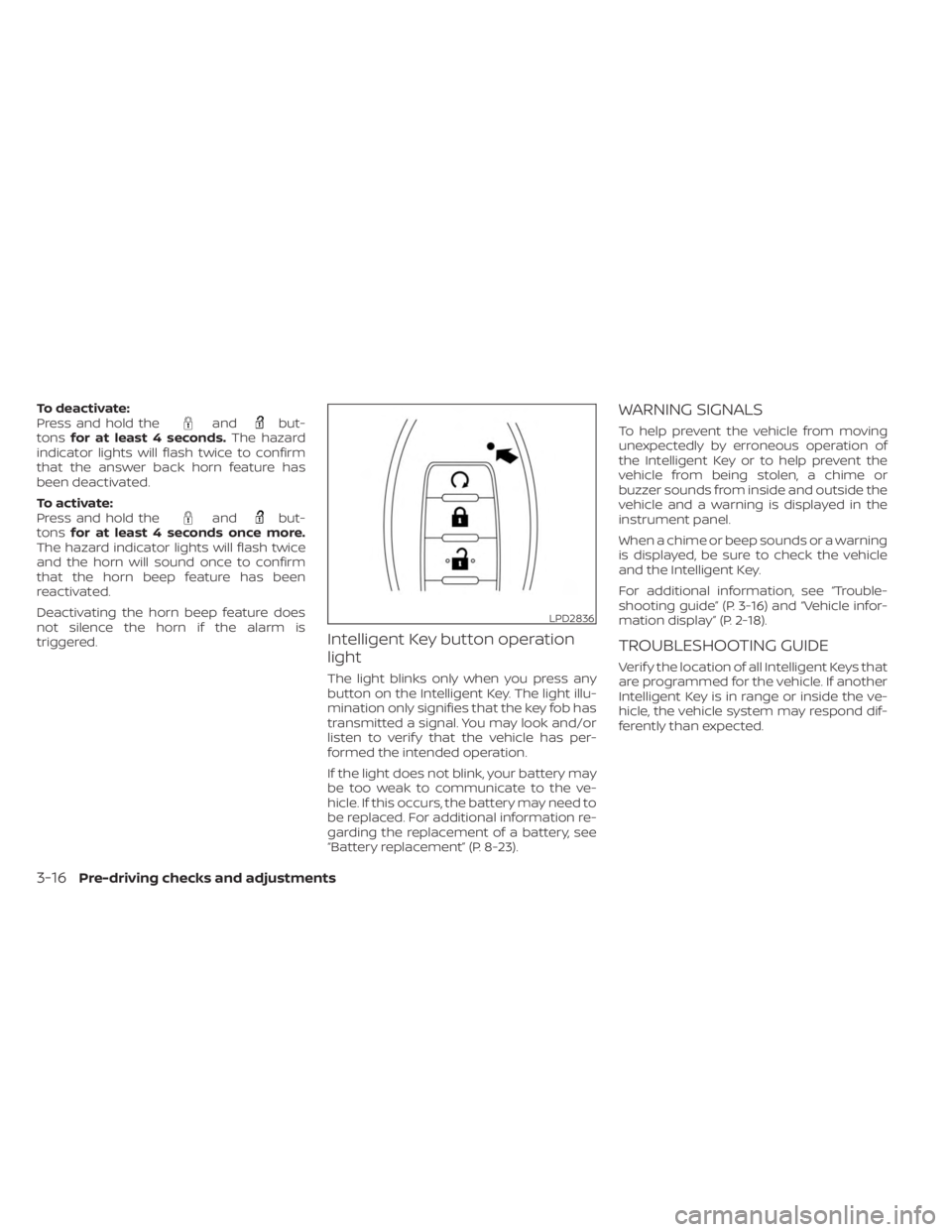
Intelligent Key button operation
light
The light blinks only when you press any
button on the Intelligent Key. The light illu-
mination only signifies that the key fob has
transmitted a signal. You may look and/or
listen to verif y that the vehicle has per-
formed the intended operation.
If the light does not blink, your battery may
be too weak to communicate to the ve-
hicle. If this occurs, the battery may need to
be replaced. For additional information re-
garding the replacement of a battery, see
“Battery replacement” (P. 8-23).
WARNING SIGNALS
To help prevent the vehicle from moving
unexpectedly by erroneous operation of
the Intelligent Key or to help prevent the
vehicle from being stolen, a chime or
buzzer sounds from inside and outside the
vehicle and a warning is displayed in the
instrument panel.
When a chime or beep sounds or a warning
is displayed, be sure to check the vehicle
and the Intelligent Key.
For additional information, see “Trouble-
shooting guide” (P. 3-16) and “Vehicle infor-
mation display” (P. 2-18).
TROUBLESHOOTING GUIDE
Verif y the location of all Intelligent Keys that
are programmed for the vehicle. If another
Intelligent Key is in range or inside the ve-
hicle, the vehicle system may respond dif-
ferently than expected.
LPD2836
3-16Pre-driving checks and adjustments