Page 100 of 346
CAUTION
Use the headlights with the engine run-
ning to avoid discharging the vehicle
battery.
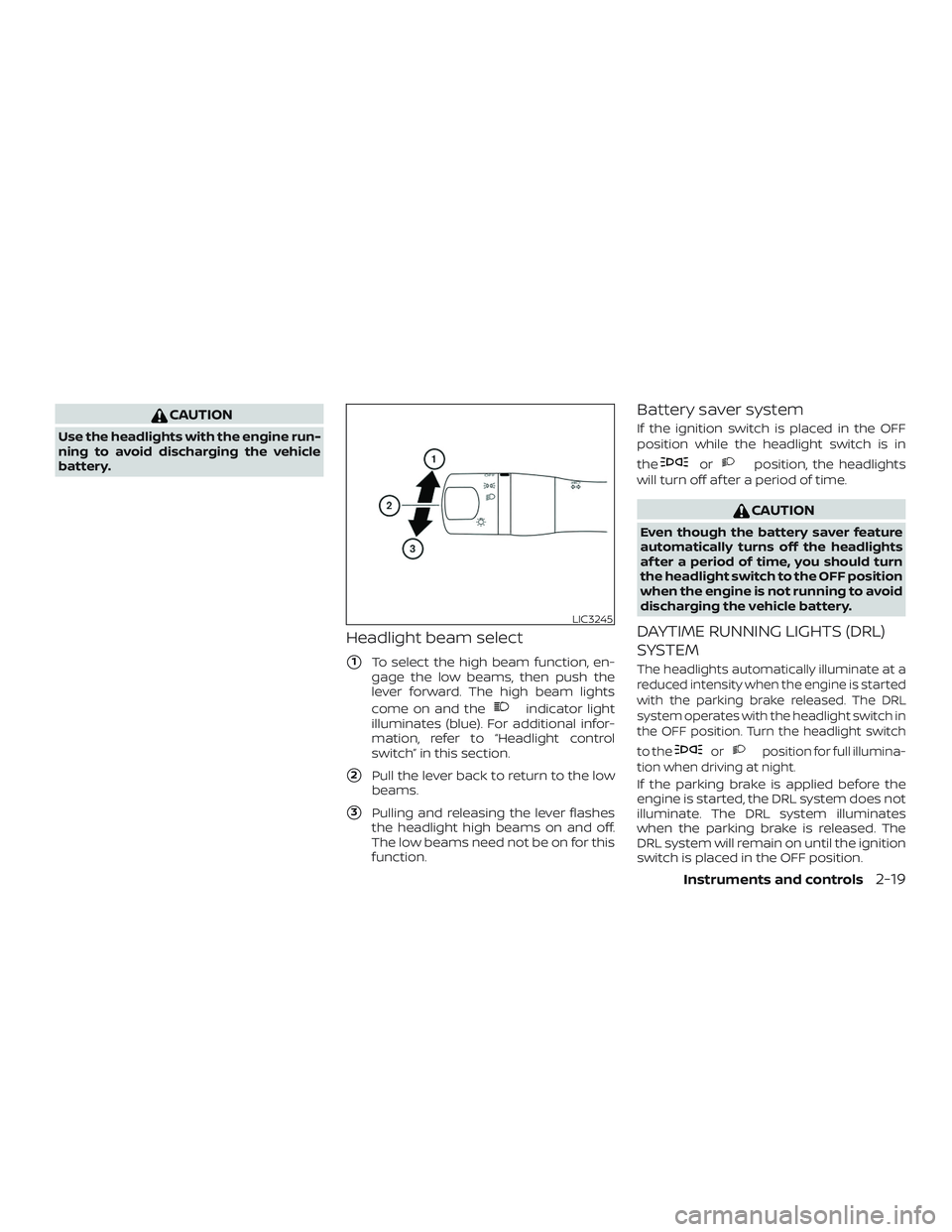
Headlight beam select
�1To select the high beam function, en-
gage the low beams, then push the
lever forward. The high beam lights
come on and the
indicator light
illuminates (blue). For additional infor-
mation, refer to “Headlight control
switch” in this section.
�2Pull the lever back to return to the low
beams.
�3Pulling and releasing the lever flashes
the headlight high beams on and off.
The low beams need not be on for this
function.
Battery saver system
If the ignition switch is placed in the OFF
position while the headlight switch is in
the
orposition, the headlights
will turn off af ter a period of time.
CAUTION
Even though the battery saver feature
automatically turns off the headlights
af ter a period of time, you should turn
the headlight switch to the OFF position
when the engine is not running to avoid
discharging the vehicle battery.
DAYTIME RUNNING LIGHTS (DRL)
SYSTEM
The headlights automatically illuminate at a
reduced intensity when the engine is started
with the parking brake released. The DRL
system operates with the headlight switch in
the OFF position. Turn the headlight switch
to the
orposition for full illumina-
tion when driving at night.
If the parking brake is applied before the
engine is started, the DRL system does not
illuminate. The DRL system illuminates
when the parking brake is released. The
DRL system will remain on until the ignition
switch is placed in the OFF position.
LIC3245
Instruments and controls2-19
Page 103 of 346
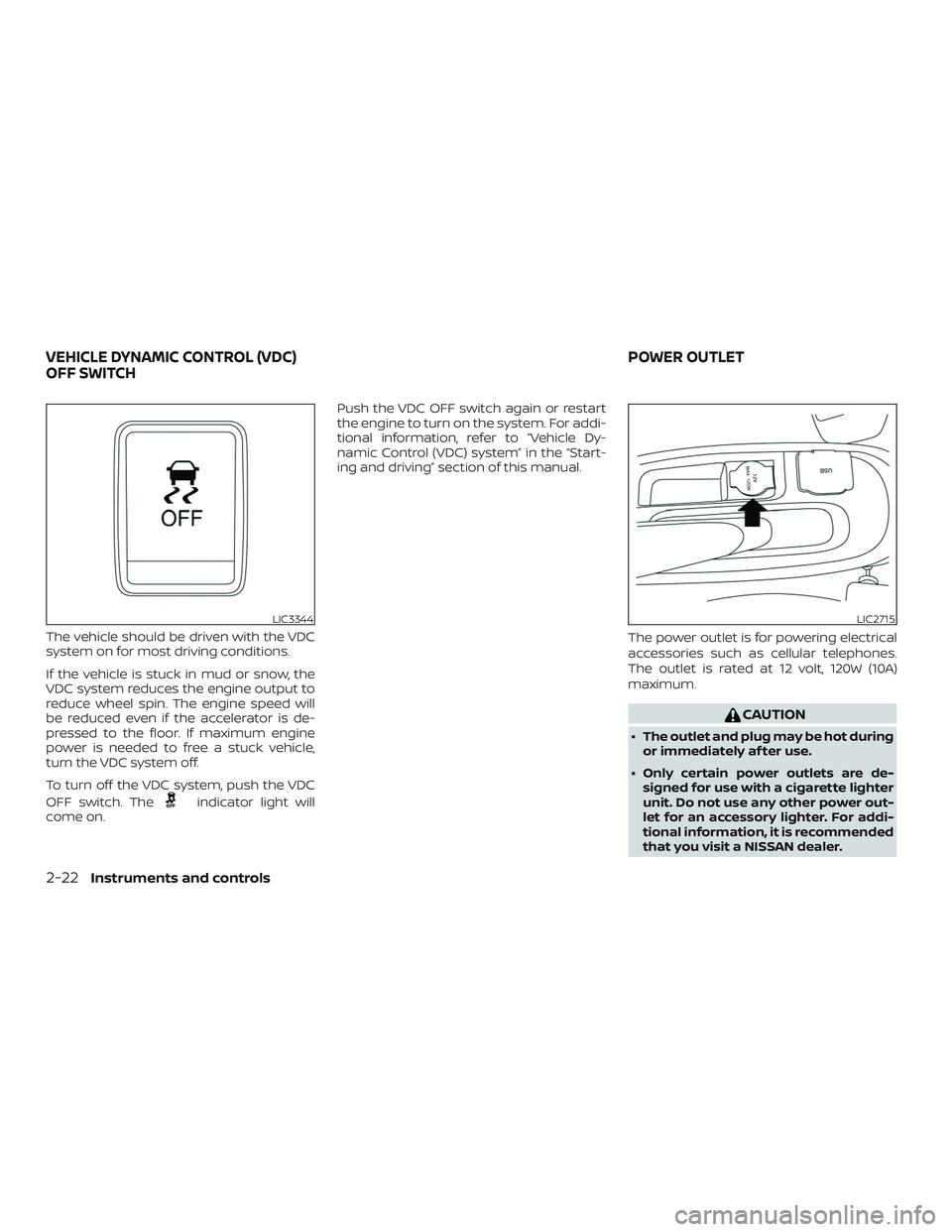
The vehicle should be driven with the VDC
system on for most driving conditions.
If the vehicle is stuck in mud or snow, the
VDC system reduces the engine output to
reduce wheel spin. The engine speed will
be reduced even if the accelerator is de-
pressed to the floor. If maximum engine
power is needed to free a stuck vehicle,
turn the VDC system off.
To turn off the VDC system, push the VDC
OFF switch. The
indicator light will
come on. Push the VDC OFF switch again or restart
the engine to turn on the system. For addi-
tional information, refer to “Vehicle Dy-
namic Control (VDC) system” in the “Start-
ing and driving” section of this manual.
The power outlet is for powering electrical
accessories such as cellular telephones.
The outlet is rated at 12 volt, 120W (10A)
maximum.
CAUTION
∙ The outlet and plug may be hot duringor immediately af ter use.
∙ Only certain power outlets are de- signed for use with a cigarette lighter
unit. Do not use any other power out-
let for an accessory lighter. For addi-
tional information, it is recommended
that you visit a NISSAN dealer.
LIC3344LIC2715
VEHICLE DYNAMIC CONTROL (VDC)
OFF SWITCH POWER OUTLET
2-22Instruments and controls
Page 104 of 346
∙ Do not use with accessories that ex-ceed a 12 volt, 120W (10A) power draw.
∙ Do not use double adapters or more than one electrical accessory.
∙ Use power outlets with the engine running to avoid discharging the ve-
hicle battery.
∙ Avoid using power outlets when the air conditioner (if so equipped), head-
lights or rear window defroster (if so
equipped) is on.
∙ Before inserting or disconnecting a plug, be sure the electrical accessory
being used is turned off.
∙ Push the plug in as far as it will go. If good contact is not made, the plug
may overheat or the internal tem-
perature fuse may open.
∙ When not in use, be sure to close the cap. Do not allow water or any other
liquid to contact the outlet.
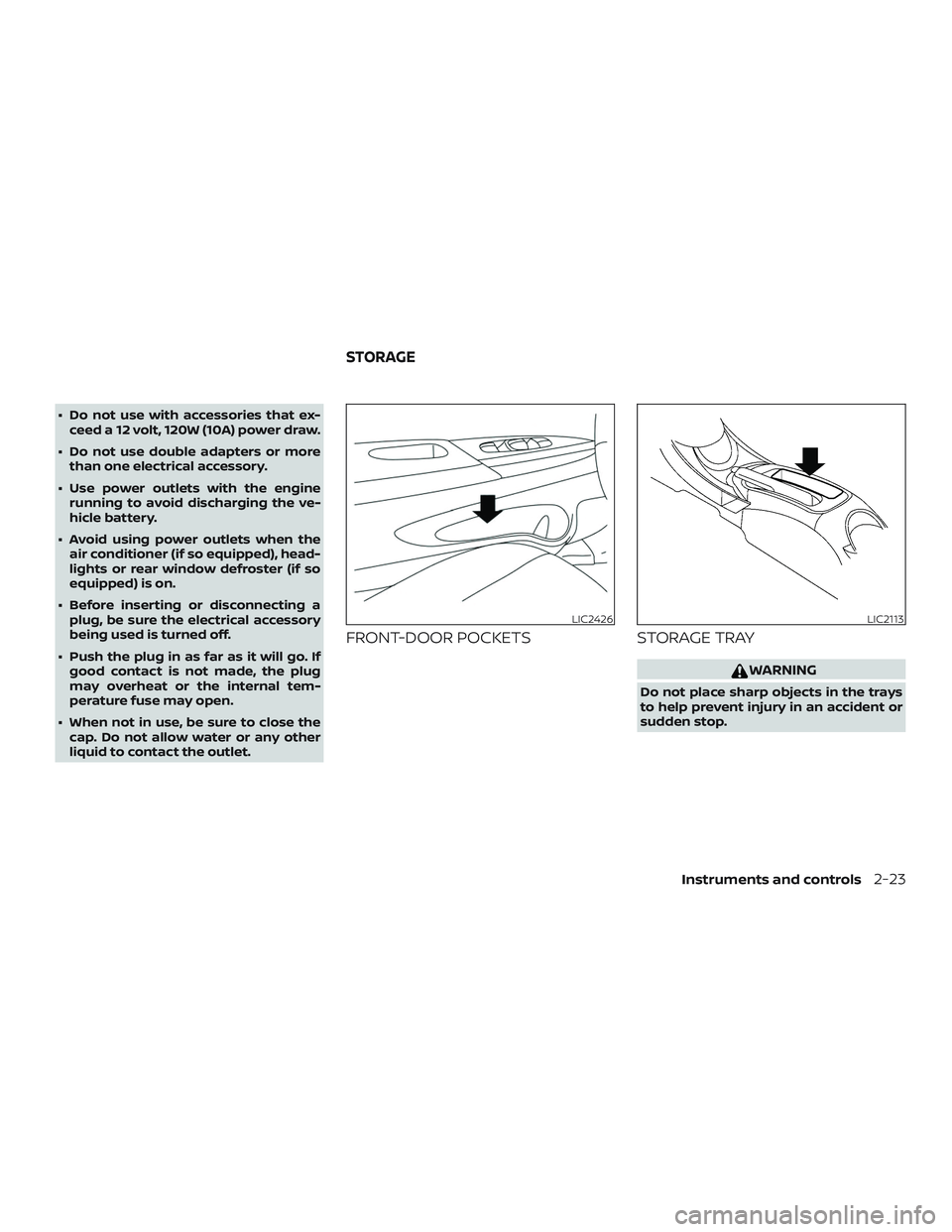
FRONT-DOOR POCKETS STORAGE TRAY
WARNING
Do not place sharp objects in the trays
to help prevent injury in an accident or
sudden stop.
LIC2426LIC2113
STORAGE
Instruments and controls2-23
Page 111 of 346
CAUTION
Do not use for extended periods of time
with the engine stopped. This could re-
sult in a discharged battery.The light illuminates when the rear hatch is
opened. When the rear hatch is closed, the
light will turn off.
The light also illuminates with other interior
lights when the interior light switch is in the
DOOR position. For additional information,
refer to “Interior light” in this section.
LUGGAGE COMPARTMENT LIGHT
2-30Instruments and controls
Page 120 of 346
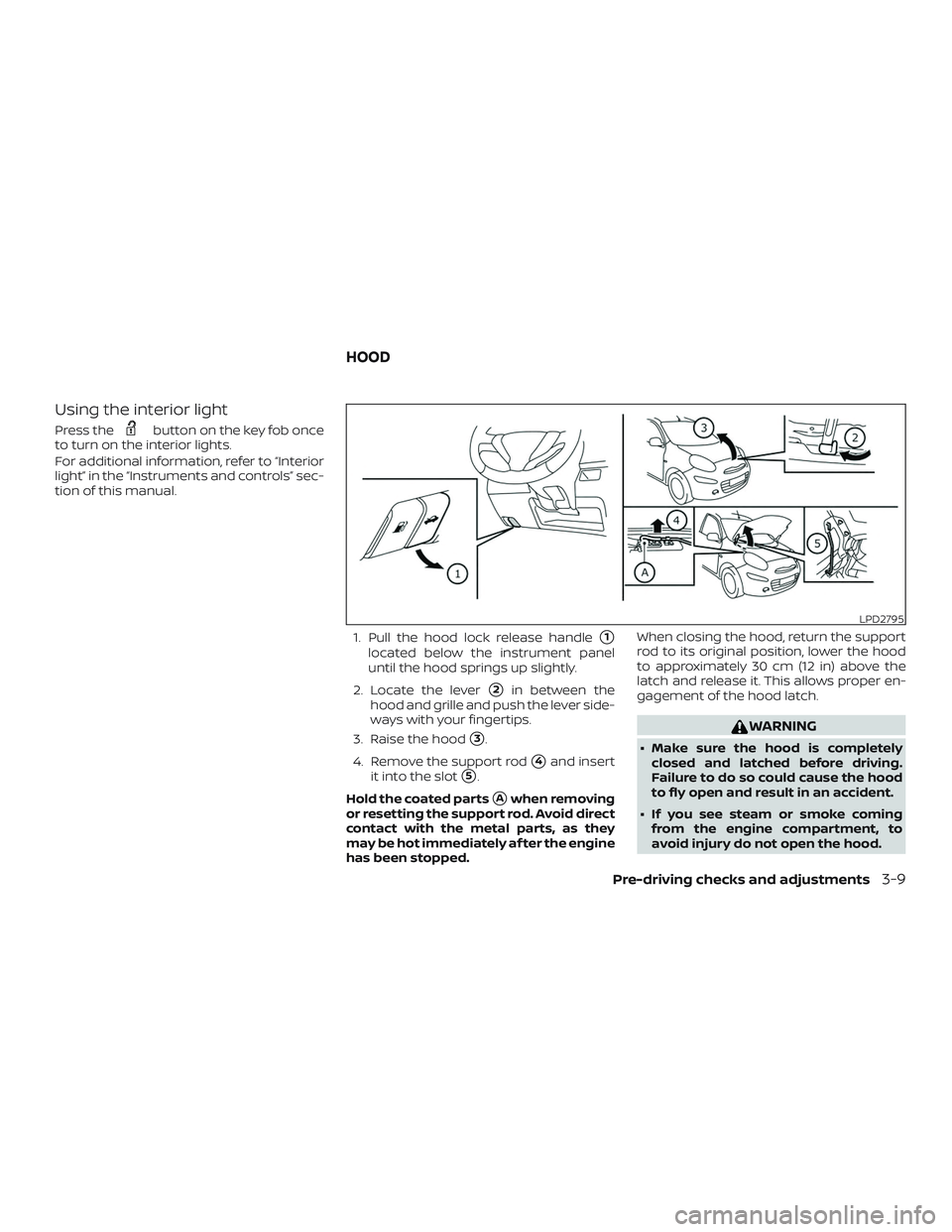
Using the interior light
Press thebutton on the key fob once
to turn on the interior lights.
For additional information, refer to “Interior
light” in the “Instruments and controls” sec-
tion of this manual.
1. Pull the hood lock release handle
�1
located below the instrument panel
until the hood springs up slightly.
2. Locate the lever
�2in between the
hood and grille and push the lever side-
ways with your fingertips.
3. Raise the hood
�3.
4. Remove the support rod
�4and insert
it into the slot
�5.
Hold the coated parts
�Awhen removing
or resetting the support rod. Avoid direct
contact with the metal parts, as they
may be hot immediately af ter the engine
has been stopped. When closing the hood, return the support
rod to its original position, lower the hood
to approximately 30 cm (12 in) above the
latch and release it. This allows proper en-
gagement of the hood latch.
WARNING
∙ Make sure the hood is completely
closed and latched before driving.
Failure to do so could cause the hood
to fly open and result in an accident.
∙ If you see steam or smoke coming from the engine compartment, to
avoid injury do not open the hood.
LPD2795
HOOD
Pre-driving checks and adjustments3-9
Page 122 of 346
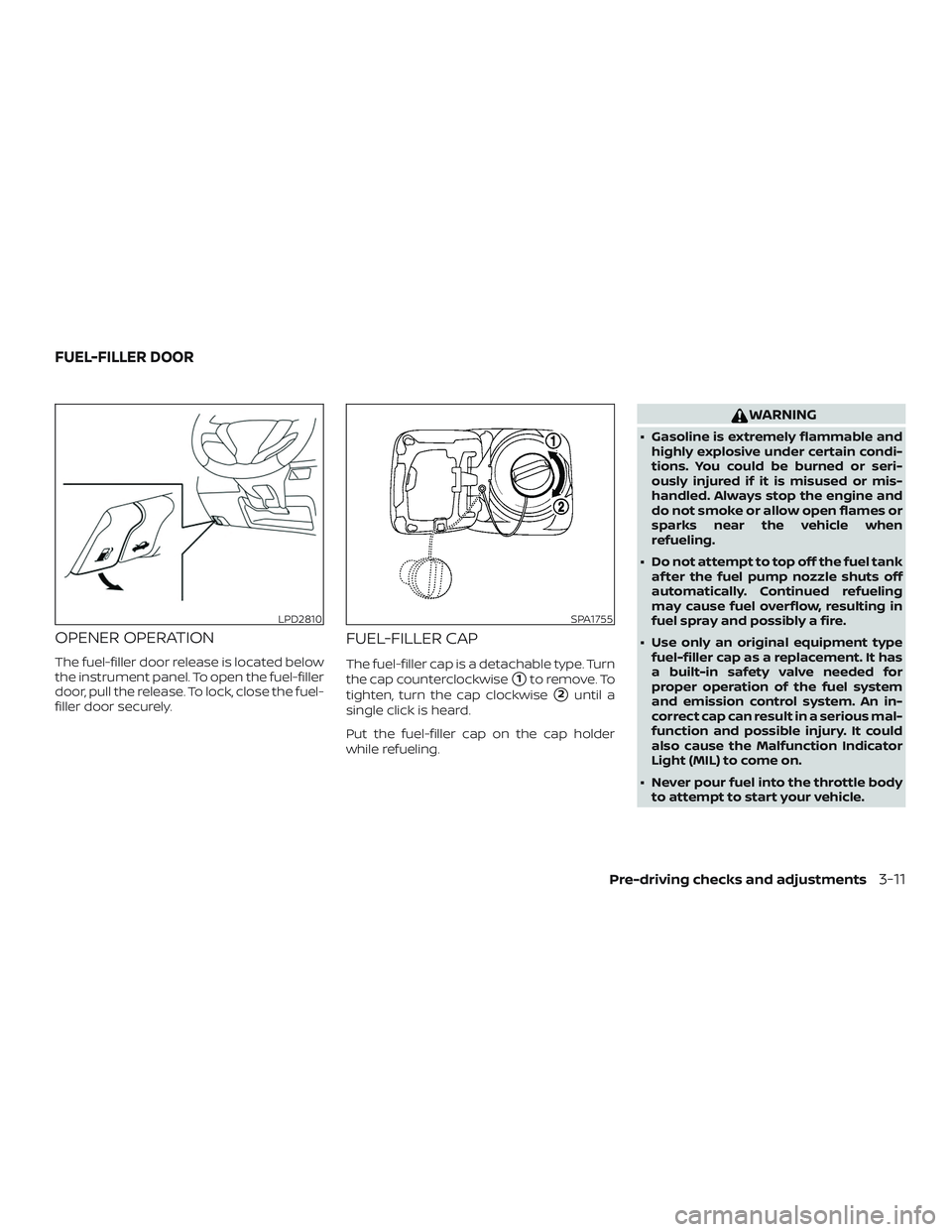
OPENER OPERATION
The fuel-filler door release is located below
the instrument panel. To open the fuel-filler
door, pull the release. To lock, close the fuel-
filler door securely.
FUEL-FILLER CAP
The fuel-filler cap is a detachable type. Turn
the cap counterclockwise
�1to remove. To
tighten, turn the cap clockwise
�2until a
single click is heard.
Put the fuel-filler cap on the cap holder
while refueling.
WARNING
∙ Gasoline is extremely flammable and highly explosive under certain condi-
tions. You could be burned or seri-
ously injured if it is misused or mis-
handled. Always stop the engine and
do not smoke or allow open flames or
sparks near the vehicle when
refueling.
∙ Do not attempt to top off the fuel tank af ter the fuel pump nozzle shuts off
automatically. Continued refueling
may cause fuel overflow, resulting in
fuel spray and possibly a fire.
∙ Use only an original equipment type fuel-filler cap as a replacement. It has
a built-in safety valve needed for
proper operation of the fuel system
and emission control system. An in-
correct cap can result in a serious mal-
function and possible injury. It could
also cause the Malfunction Indicator
Light (MIL) to come on.
∙ Never pour fuel into the throttle body to attempt to start your vehicle.
LPD2810SPA1755
FUEL-FILLER DOOR
Pre-driving checks and adjustments3-11
Page 131 of 346
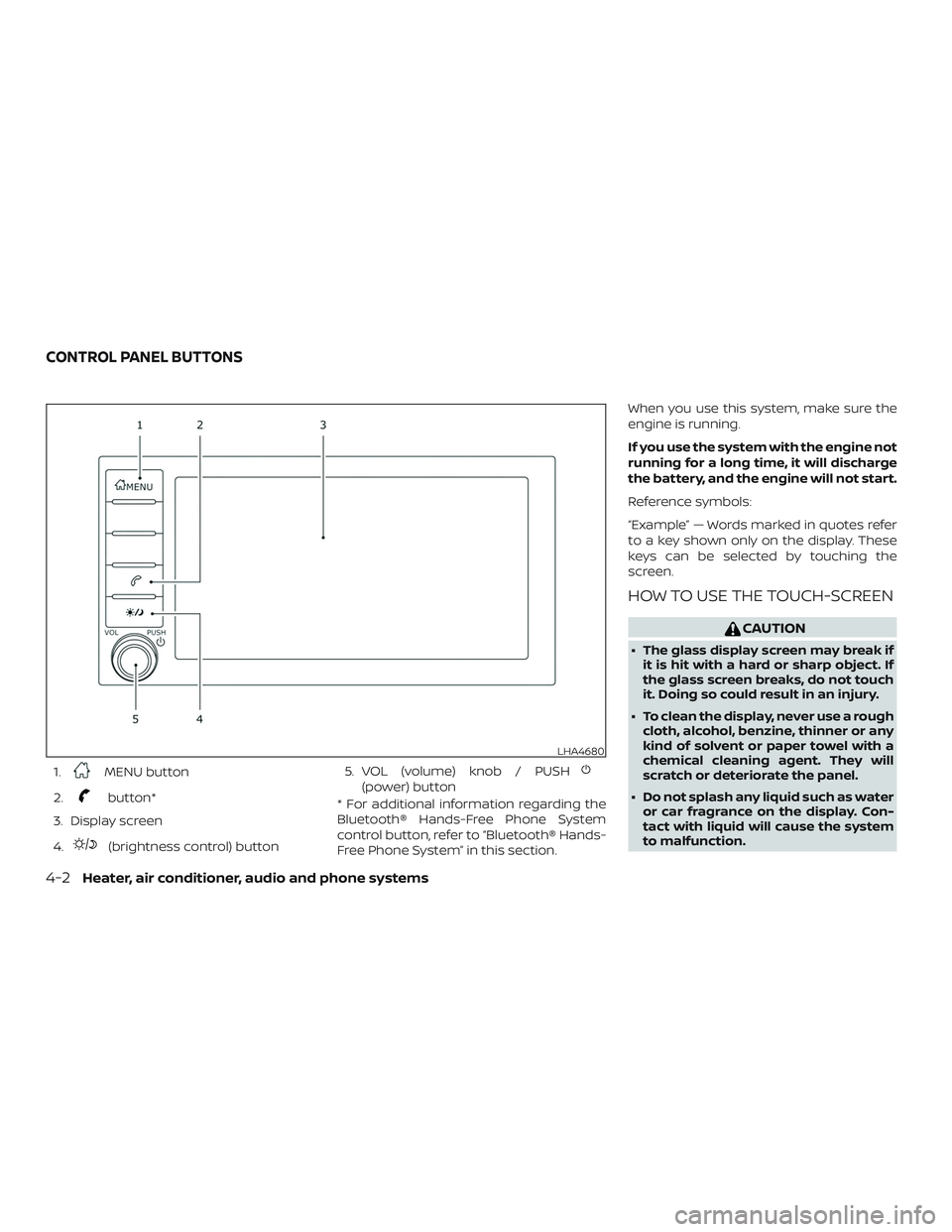
1.MENU button
2.
button*
3. Display screen
4.
(brightness control) button 5. VOL (volume) knob / PUSH
(power) button
* For additional information regarding the
Bluetooth® Hands-Free Phone System
control button, refer to “Bluetooth® Hands-
Free Phone System” in this section. When you use this system, make sure the
engine is running.
If you use the system with the engine not
running for a long time, it will discharge
the battery, and the engine will not start.
Reference symbols:
“Example” — Words marked in quotes refer
to a key shown only on the display. These
keys can be selected by touching the
screen.
HOW TO USE THE TOUCH-SCREEN
CAUTION
∙ The glass display screen may break if
it is hit with a hard or sharp object. If
the glass screen breaks, do not touch
it. Doing so could result in an injury.
∙ To clean the display, never use a rough cloth, alcohol, benzine, thinner or any
kind of solvent or paper towel with a
chemical cleaning agent. They will
scratch or deteriorate the panel.
∙ Do not splash any liquid such as water or car fragrance on the display. Con-
tact with liquid will cause the system
to malfunction.
LHA4680
CONTROL PANEL BUTTONS
4-2Heater, air conditioner, audio and phone systems
Page 143 of 346
WARNING
∙ The air conditioner cooling functionoperates only when the engine is
running.
∙ Do not leave children or adults who would normally require the assis-
tance of others alone in your vehicle.
Pets should also not be lef t alone.
They could accidentally injure them-
selves or others through inadvertent
operation of the vehicle. Also, on hot,
sunny days, temperatures in a closed
vehicle could quickly become high
enough to cause severe or possibly
fatal injuries to people or animals.
∙ Do not use the recirculation mode for long periods as it may cause the inte-
rior air to become stale and the win-
dows to fog up. NOTE:
∙ Odors from inside and outside the ve-
hicle can build up in the air condi-
tioner unit. Odor can enter the pas-
senger compartment through the
vents.
∙ When parking, set the heater and air
conditioner (if so equipped) controls
to turn off air recirculation to allow
fresh air into the passenger compart-
ment. This should help reduce odors
inside the vehicle.
HEATER (manual) (if so equipped)
4-14Heater, air conditioner, audio and phone systems