2023 NISSAN LEAF warning light
[x] Cancel search: warning lightPage 177 of 612
2 Instruments and controls
Cockpit.........................................2-2
Instrument Panel ................................2-4
Meters and Gauges .............................2-5
Speedometer and odometer .................2-5
Li-ion battery temperature gauge ............ 2-7
Power meter ................................. 2-7
Driving range .................................2-8
Li-ion battery available charge gauge ........2-9
Li-ion battery capacity level gauge ..........2-12
Outside air temperature .....................2-12
Clock ........................................ 2-12
ECO mode indicator ......................... 2-13
e-Pedal system indicator ....................2-13
Warning lights, indicator lights and audible
reminders ...................................... 2-14
Checking lights .............................. 2-16
Warning/Indicator lights (red) ...............2-16
Warning/Indicator lights (yellow) ............2-19
Warning/Indicator lights (other) .............2-24
Audible reminders ........................... 2-25
Vehicle information display .....................2-26
How to use the vehicle information
display ...................................... 2-27
Startup display .............................. 2-27
Settings ..................................... 2-28
Vehicle information display warnings
and indicators ............................... 2-36Warning information displays
(models with a navigation system)
..........2-44
Security systems ............................... 2-44
Vehicle security system .....................2-44
NISSAN Vehicle Immobilizer System .........2-46
Wiper and washer switch .......................2-47
Washer operation ........................... 2-48
Rear wiper operation ........................ 2-48
Rear window and outside mirror
(if so equipped) defroster switch ...............2-49
Headlight and turn signal switch ...............2-50
Headlight switch ............................ 2-50
LED Daytime Running Lights (DRL)
system (Type A) (if so equipped) .............2-55
LED Daytime Running Lights (DRL)
system (Type B) (if so equipped) .............
2-55
Instrument
brightness control ..............2-56
Turn signal switch ........................... 2-56
Fog light switch (if so equipped) .............2-57
Emblem Light ............................... 2-57
Horn ........................................... 2-58
ECO switch ..................................... 2-58
Heated seat switches (if so equipped) ..........2-58
Heated steering wheel switch (if so equipped) . . 2-60
Emergency call (SOS) button (if so equipped) . . . 2-60
Charge port lid switch .......................... 2-61
Page 181 of 612
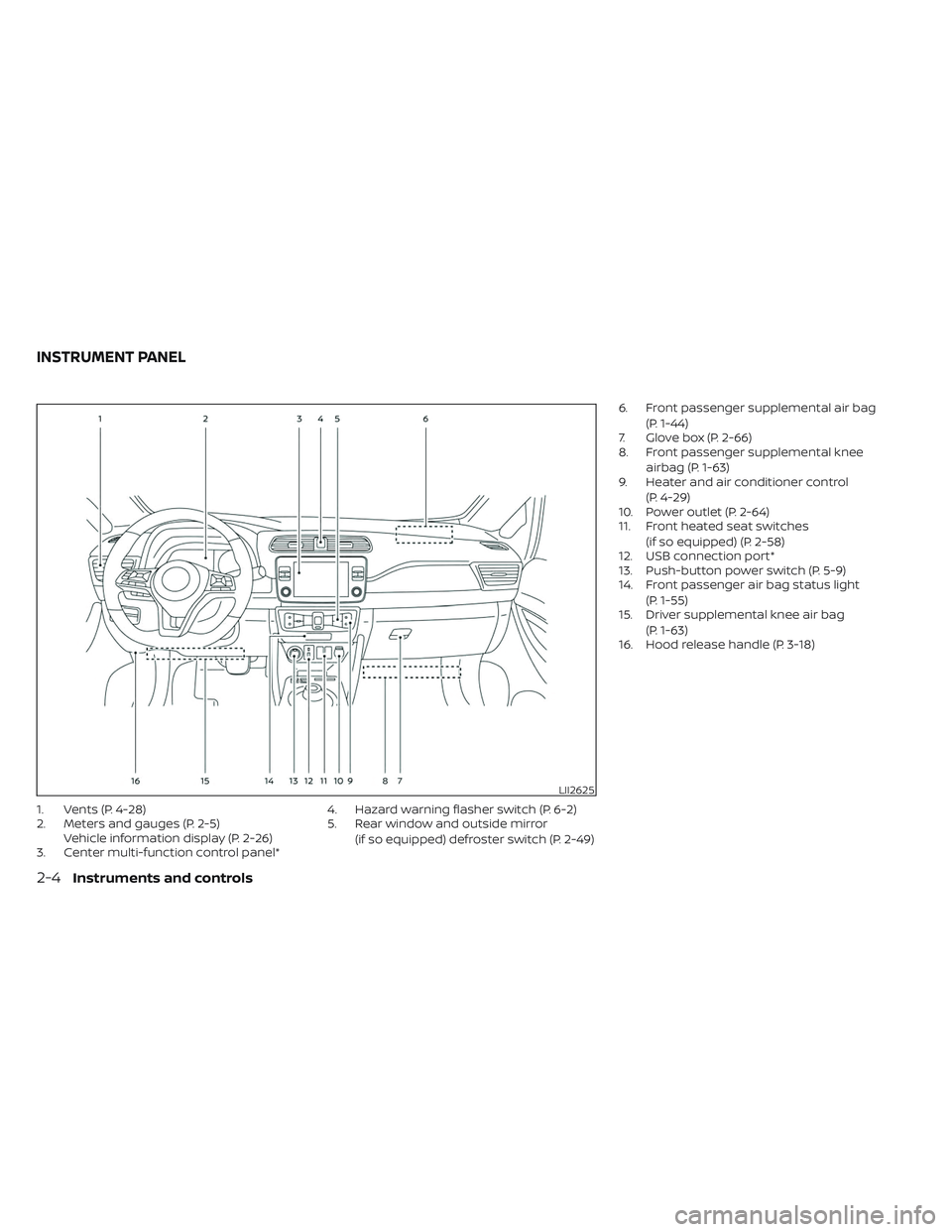
1. Vents (P. 4-28)
2. Meters and gauges (P. 2-5)Vehicle information display (P. 2-26)
3. Center multi-function control panel* 4. Hazard warning flasher switch (P. 6-2)
5. Rear window and outside mirror
(if so equipped) defroster switch (P. 2-49) 6. Front passenger supplemental air bag
(P. 1-44)
7. Glove box (P. 2-66)
8. Front passenger supplemental knee
airbag (P. 1-63)
9. Heater and air conditioner control
(P. 4-29)
10. Power outlet (P. 2-64)
11. Front heated seat switches
(if so equipped) (P. 2-58)
12. USB connection port*
13. Push-button power switch (P. 5-9)
14. Front passenger air bag status light
(P. 1-55)
15. Driver supplemental knee air bag
(P. 1-63)
16. Hood release handle (P. 3-18)
LII2625
INSTRUMENT PANEL
2-4Instruments and controls
Page 182 of 612
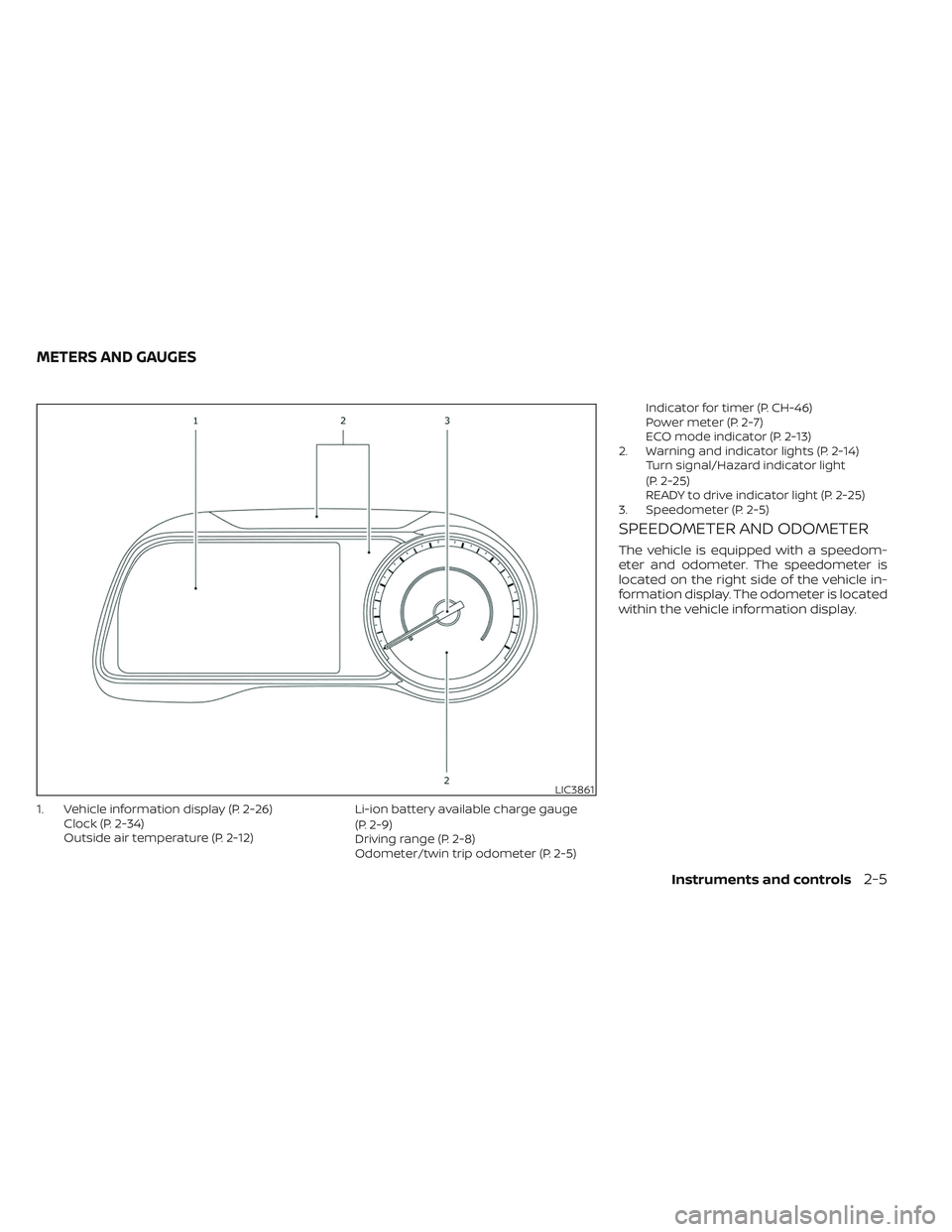
1. Vehicle information display (P. 2-26)Clock (P. 2-34)
Outside air temperature (P. 2-12) Li-ion battery available charge gauge
(P. 2-9)
Driving range (P. 2-8)
Odometer/twin trip odometer (P. 2-5)Indicator for timer (P. CH-46)
Power meter (P. 2-7)
ECO mode indicator (P. 2-13)
2. Warning and indicator lights (P. 2-14) Turn signal/Hazard indicator light
(P. 2-25)
READY to drive indicator light (P. 2-25)
3. Speedometer (P. 2-5)
SPEEDOMETER AND ODOMETER
The vehicle is equipped with a speedom-
eter and odometer. The speedometer is
located on the right side of the vehicle in-
formation display. The odometer is located
within the vehicle information display.
LIC3861
METERS AND GAUGES
Instruments and controls2-5
Page 191 of 612
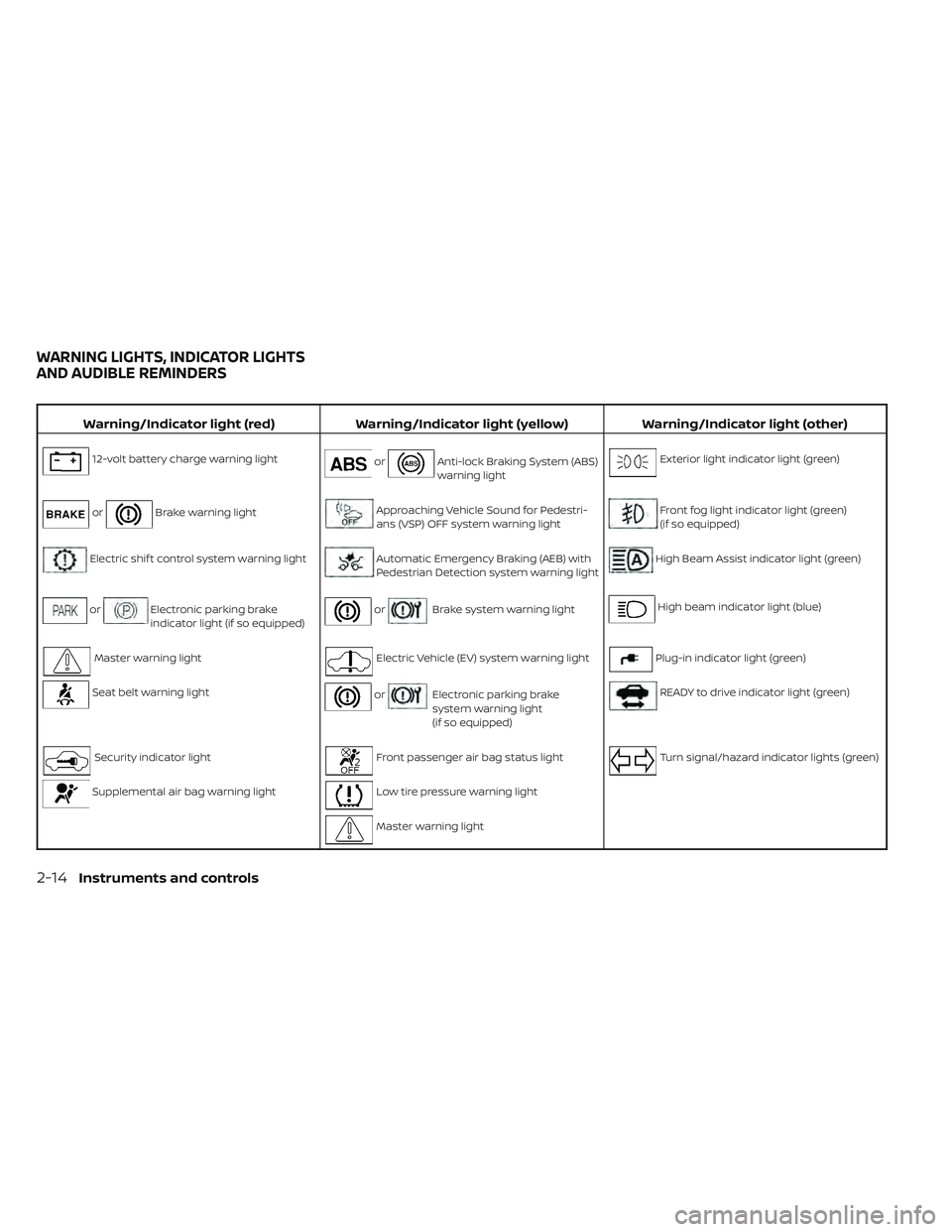
Warning/Indicator light (red)Warning/Indicator light (yellow) Warning/Indicator light (other)
12-volt battery charge warning lightorAnti-lock Braking System (ABS)
warning lightExterior light indicator light (green)
orBrake warning lightApproaching Vehicle Sound for Pedestri-
ans (VSP) OFF system warning lightFront fog light indicator light (green)
(if so equipped)
Electric shif t control system warning lightAutomatic Emergency Braking (AEB) with
Pedestrian Detection system warning lightHigh Beam Assist indicator light (green)
orElectronic parking brake
indicator light (if so equipped)orBrake system warning lightHigh beam indicator light (blue)
Master warning lightElectric Vehicle (EV) system warning lightPlug-in indicator light (green)
Seat belt warning lightorElectronic parking brake
system warning light
(if so equipped)READY to drive indicator light (green)
Security indicator lightFront passenger air bag status lightTurn signal/hazard indicator lights (green)
Supplemental air bag warning lightLow tire pressure warning light
Master warning light
WARNING LIGHTS, INDICATOR LIGHTS
AND AUDIBLE REMINDERS
2-14Instruments and controls
Page 192 of 612
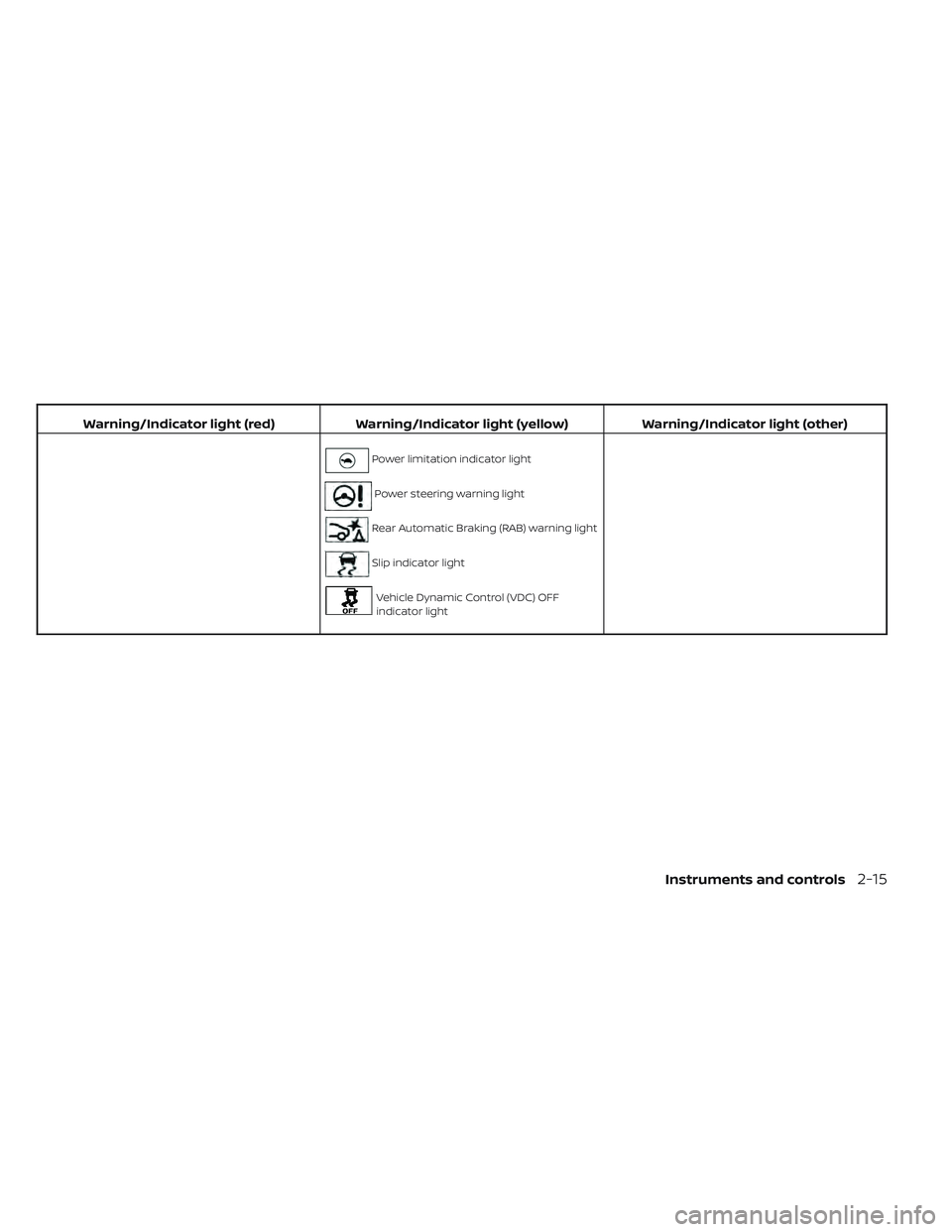
Warning/Indicator light (red)Warning/Indicator light (yellow) Warning/Indicator light (other)
Power limitation indicator light
Power steering warning light
Rear Automatic Braking (RAB) warning light
Slip indicator light
Vehicle Dynamic Control (VDC) OFF
indicator light
Instruments and controls2-15
Page 193 of 612
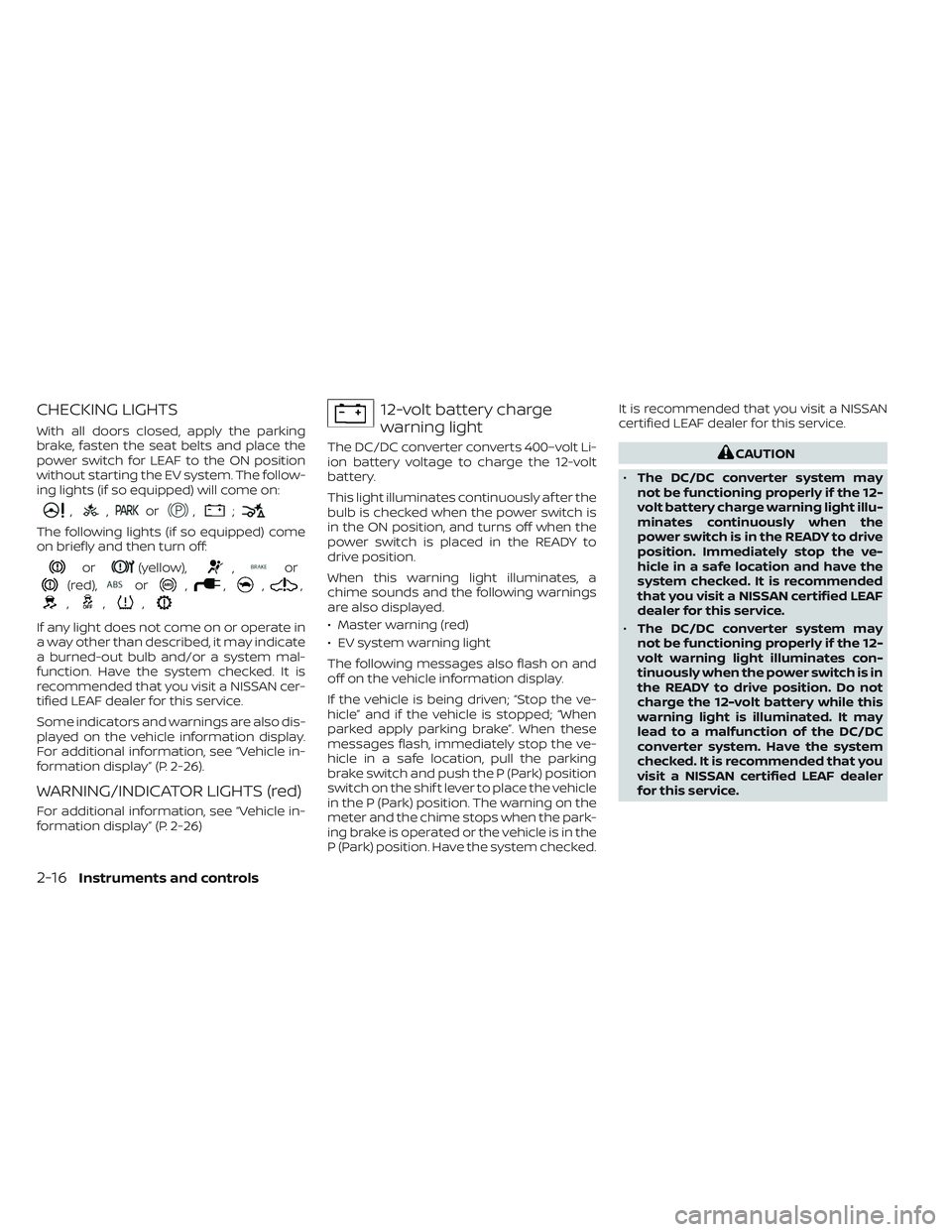
CHECKING LIGHTS
With all doors closed, apply the parking
brake, fasten the seat belts and place the
power switch for LEAF to the ON position
without starting the EV system. The follow-
ing lights (if so equipped) will come on:
,,or,;
The following lights (if so equipped) come
on briefly and then turn off:
or(yellow),,or
(red),or,,,,
,,,
If any light does not come on or operate in
a way other than described, it may indicate
a burned-out bulb and/or a system mal-
function. Have the system checked. It is
recommended that you visit a NISSAN cer-
tified LEAF dealer for this service.
Some indicators and warnings are also dis-
played on the vehicle information display.
For additional information, see “Vehicle in-
formation display” (P. 2-26).
WARNING/INDICATOR LIGHTS (red)
For additional information, see “Vehicle in-
formation display” (P. 2-26)
12-volt battery charge
warning light
The DC/DC converter converts 400–volt Li-
ion battery voltage to charge the 12-volt
battery.
This light illuminates continuously af ter the
bulb is checked when the power switch is
in the ON position, and turns off when the
power switch is placed in the READY to
drive position.
When this warning light illuminates, a
chime sounds and the following warnings
are also displayed.
• Master warning (red)
• EV system warning light
The following messages also flash on and
off on the vehicle information display.
If the vehicle is being driven; “Stop the ve-
hicle” and if the vehicle is stopped; “When
parked apply parking brake”. When these
messages flash, immediately stop the ve-
hicle in a safe location, pull the parking
brake switch and push the P (Park) position
switch on the shif t lever to place the vehicle
in the P (Park) position. The warning on the
meter and the chime stops when the park-
ing brake is operated or the vehicle is in the
P (Park) position. Have the system checked.It is recommended that you visit a NISSAN
certified LEAF dealer for this service.CAUTION
• The DC/DC converter system may
not be functioning properly if the 12-
volt battery charge warning light illu-
minates continuously when the
power switch is in the READY to drive
position. Immediately stop the ve-
hicle in a safe location and have the
system checked. It is recommended
that you visit a NISSAN certified LEAF
dealer for this service.
• The DC/DC converter system may
not be functioning properly if the 12-
volt warning light illuminates con-
tinuously when the power switch is in
the READY to drive position. Do not
charge the 12-volt battery while this
warning light is illuminated. It may
lead to a malfunction of the DC/DC
converter system. Have the system
checked. It is recommended that you
visit a NISSAN certified LEAF dealer
for this service.
2-16Instruments and controls
Page 194 of 612
NOTE:
• If the vehicle does not go into theREADY to drive position (when the
power switch is pushed and the brake
pedal is depressed), jump-start the ve-
hicle to place the power switch in the
READY to drive position. For additional
information, see “Jump starting”
(P. 6-10).
• Do not jump-start the vehicle if the conditions below occur. Have the sys-
tem checked. It is recommended that
you visit a NISSAN certified LEAF dealer
for this service:– If the 12-volt charge warning light turns off when the vehicle is in the
READY to drive mode, the 12-volt bat-
tery may be discharged or there may
be a malfunction in the 12-volt bat-
tery related system.
– If the 12-volt charge warning light continues to illuminate when the ve-
hicle is in the READY to drive mode,
there may be a malfunction in the
DC/DC converter. Have the system
checked. It is recommended that you
visit a NISSAN certified LEAF dealer
for this service.
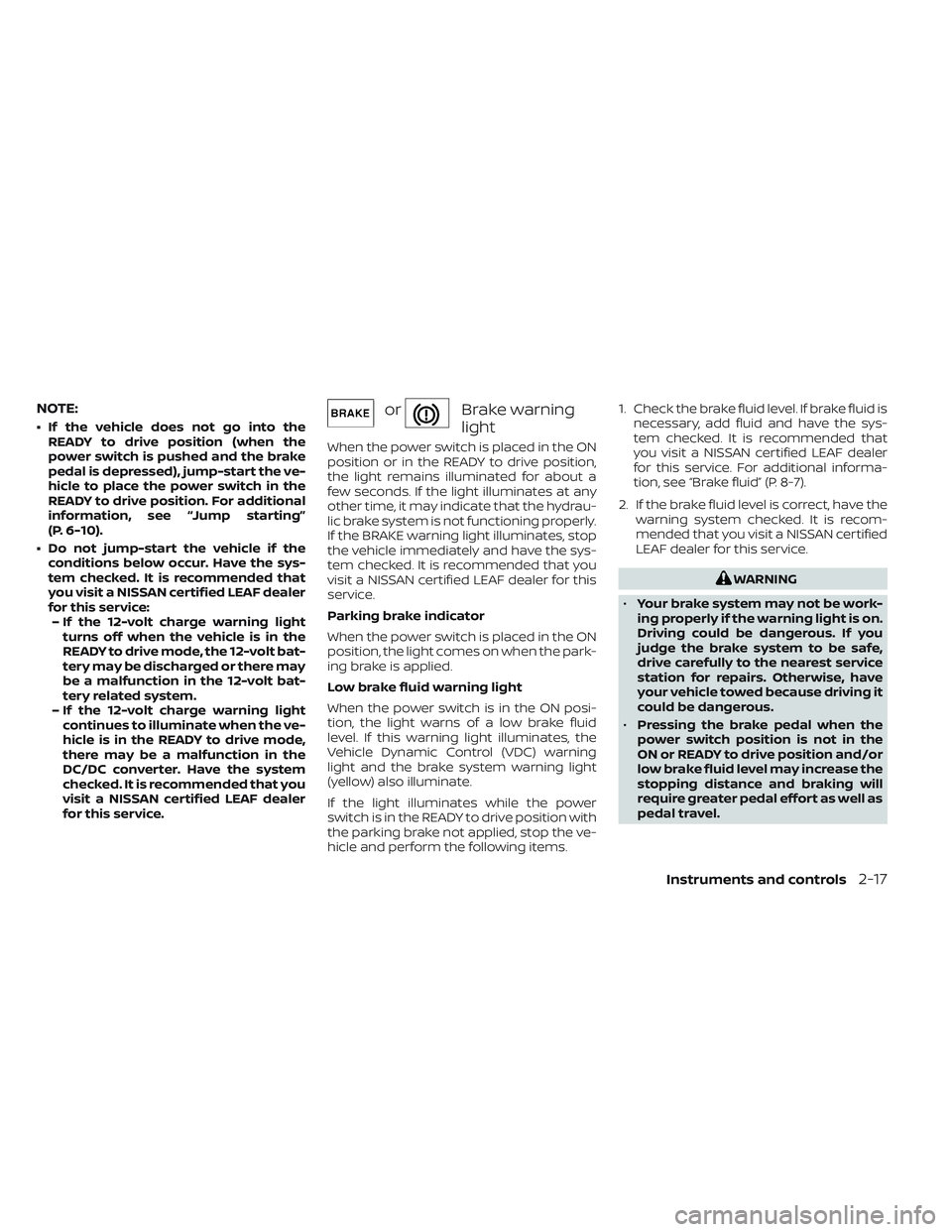
orBrake warning
light
When the power switch is placed in the ON
position or in the READY to drive position,
the light remains illuminated for about a
few seconds. If the light illuminates at any
other time, it may indicate that the hydrau-
lic brake system is not functioning properly.
If the BRAKE warning light illuminates, stop
the vehicle immediately and have the sys-
tem checked. It is recommended that you
visit a NISSAN certified LEAF dealer for this
service.
Parking brake indicator
When the power switch is placed in the ON
position, the light comes on when the park-
ing brake is applied.
Low brake fluid warning light
When the power switch is in the ON posi-
tion, the light warns of a low brake fluid
level. If this warning light illuminates, the
Vehicle Dynamic Control (VDC) warning
light and the brake system warning light
(yellow) also illuminate.
If the light illuminates while the power
switch is in the READY to drive position with
the parking brake not applied, stop the ve-
hicle and perform the following items. 1. Check the brake fluid level. If brake fluid is
necessary, add fluid and have the sys-
tem checked. It is recommended that
you visit a NISSAN certified LEAF dealer
for this service. For additional informa-
tion, see “Brake fluid” (P. 8-7).
2. If the brake fluid level is correct, have the warning system checked. It is recom-
mended that you visit a NISSAN certified
LEAF dealer for this service.
WARNING
• Your brake system may not be work-
ing properly if the warning light is on.
Driving could be dangerous. If you
judge the brake system to be safe,
drive carefully to the nearest service
station for repairs. Otherwise, have
your vehicle towed because driving it
could be dangerous.
• Pressing the brake pedal when the
power switch position is not in the
ON or READY to drive position and/or
low brake fluid level may increase the
stopping distance and braking will
require greater pedal effort as well as
pedal travel.
Instruments and controls2-17
Page 195 of 612
•If the brake fluid level is below the
minimum or MIN mark on the brake
fluid reservoir, do not drive until the
brake system has been checked. It is
recommended that you visit a
NISSAN certified LEAF dealer for this
service.
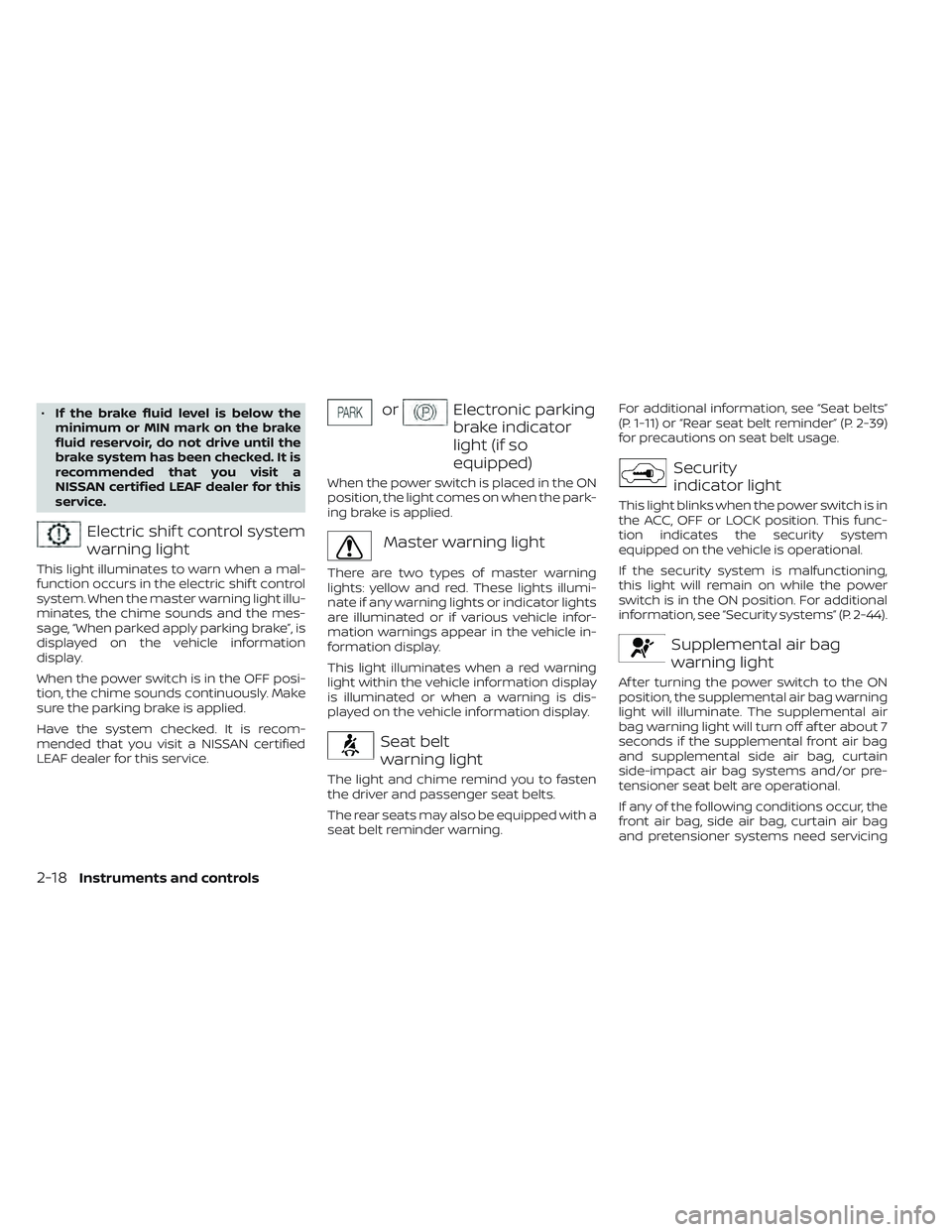
Electric shif t control system
warning light
This light illuminates to warn when a mal-
function occurs in the electric shif t control
system. When the master warning light illu-
minates, the chime sounds and the mes-
sage, “When parked apply parking brake”, is
displayed on the vehicle information
display.
When the power switch is in the OFF posi-
tion, the chime sounds continuously. Make
sure the parking brake is applied.
Have the system checked. It is recom-
mended that you visit a NISSAN certified
LEAF dealer for this service.
orElectronic parking
brake indicator
light (if so
equipped)
When the power switch is placed in the ON
position, the light comes on when the park-
ing brake is applied.
Master warning light
There are two types of master warning
lights: yellow and red. These lights illumi-
nate if any warning lights or indicator lights
are illuminated or if various vehicle infor-
mation warnings appear in the vehicle in-
formation display.
This light illuminates when a red warning
light within the vehicle information display
is illuminated or when a warning is dis-
played on the vehicle information display.
Seat belt
warning light
The light and chime remind you to fasten
the driver and passenger seat belts.
The rear seats may also be equipped with a
seat belt reminder warning. For additional information, see “Seat belts”
(P. 1-11) or “Rear seat belt reminder” (P. 2-39)
for precautions on seat belt usage.
Security
indicator light
This light blinks when the power switch is in
the ACC, OFF or LOCK position. This func-
tion indicates the security system
equipped on the vehicle is operational.
If the security system is malfunctioning,
this light will remain on while the power
switch is in the ON position. For additional
information, see “Security systems” (P. 2-44).
Supplemental air bag
warning light
Af ter turning the power switch to the ON
position, the supplemental air bag warning
light will illuminate. The supplemental air
bag warning light will turn off af ter about 7
seconds if the supplemental front air bag
and supplemental side air bag, curtain
side-impact air bag systems and/or pre-
tensioner seat belt are operational.
If any of the following conditions occur, the
front air bag, side air bag, curtain air bag
and pretensioner systems need servicing
2-18Instruments and controls