2023 NISSAN LEAF navigation system
[x] Cancel search: navigation systemPage 72 of 612
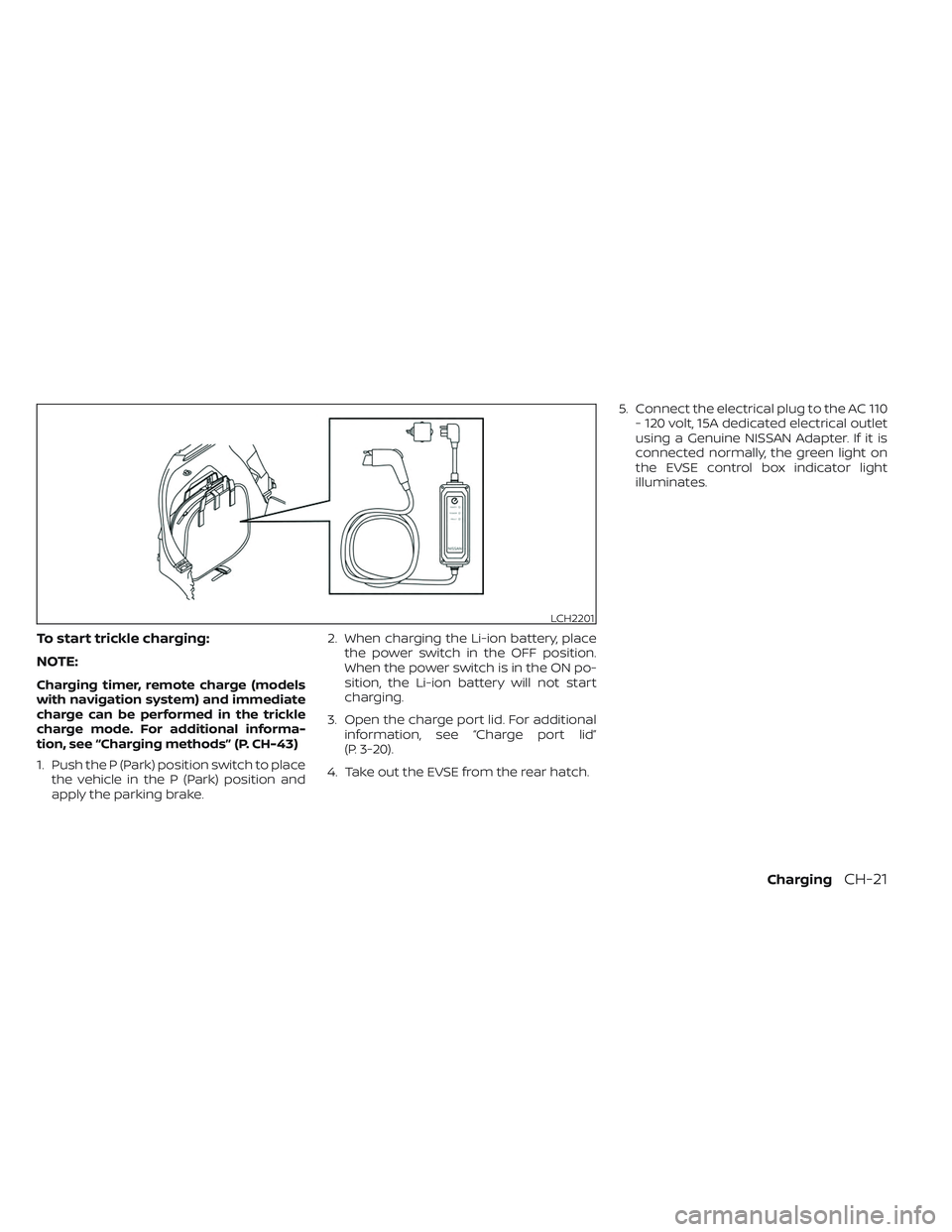
To start trickle charging:
NOTE:
Charging timer, remote charge (models
with navigation system) and immediate
charge can be performed in the trickle
charge mode. For additional informa-
tion, see “Charging methods” (P. CH-43)
1. Push the P (Park) position switch to placethe vehicle in the P (Park) position and
apply the parking brake. 2. When charging the Li-ion battery, place
the power switch in the OFF position.
When the power switch is in the ON po-
sition, the Li-ion battery will not start
charging.
3. Open the charge port lid. For additional information, see “Charge port lid”
(P. 3-20).
4. Take out the EVSE from the rear hatch. 5. Connect the electrical plug to the AC 110
- 120 volt, 15A dedicated electrical outlet
using a Genuine NISSAN Adapter. If it is
connected normally, the green light on
the EVSE control box indicator light
illuminates.
LCH2201
ChargingCH-21
Page 81 of 612
To start normal charging
NOTE:
Charging timer, remote charge (models
with navigation system) and immediate
charge can be performed in the normal
charge mode. For additional informa-
tion, see “Charging methods” (P. CH-43)
1. Push the P (Park) position switch to placethe vehicle in the P (Park) position and
apply the parking brake. 2. When charging the Li-ion battery, place
the power switch in the OFF position.
When the power switch is in the ON po-
sition, the Li-ion battery will not start
charging.
3. Open the charge port lid. For additional information, see “Charge port lid”
(P. 3-20).
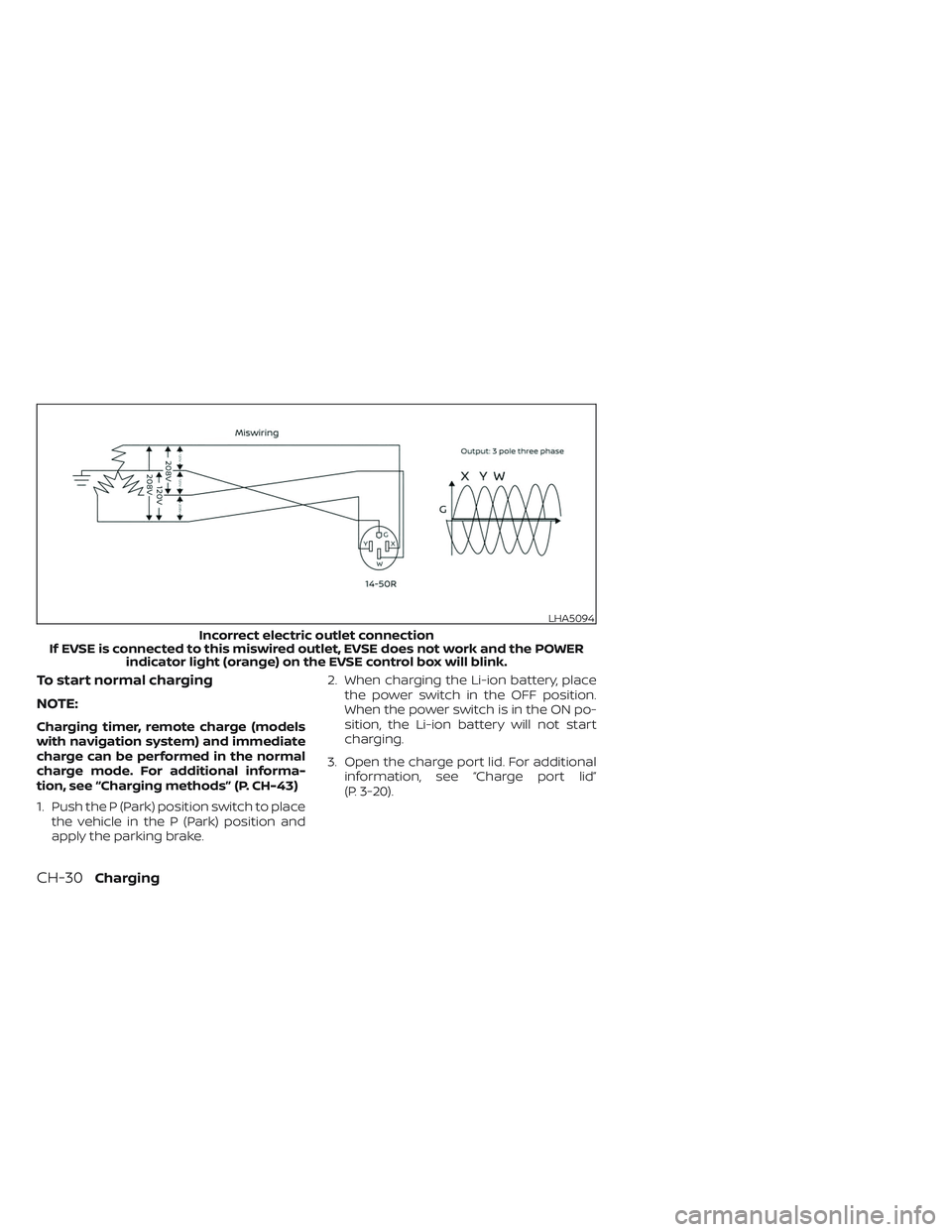
LHA5094
Incorrect electric outlet connection
If EVSE is connected to this miswired outlet, EVSE does not work and the POWER indicator light (orange) on the EVSE control box will blink.
CH-30Charging
Page 94 of 612
NOTE:
• Depending on the charging station, thelock mechanism established by local
standards may not be compatible with
your vehicle. It may not be possible for
the charge connector to lock to your
vehicle.
• When the power source is cut off while charging in AUTO mode, the connector
will be continuously locked for 5 min-
utes, then it will be released.
• When timer charging is set with AUTO mode, the connector will not lock until
charging is started.
• When the following system(s) are oper- ated individually or the 12-volt battery
is being charged, the charging connec-
tor lock will not lock:– Climate Ctrl. Timer
– Remote climate control (if so equipped)
– Li-ion battery warmer (if so equipped)
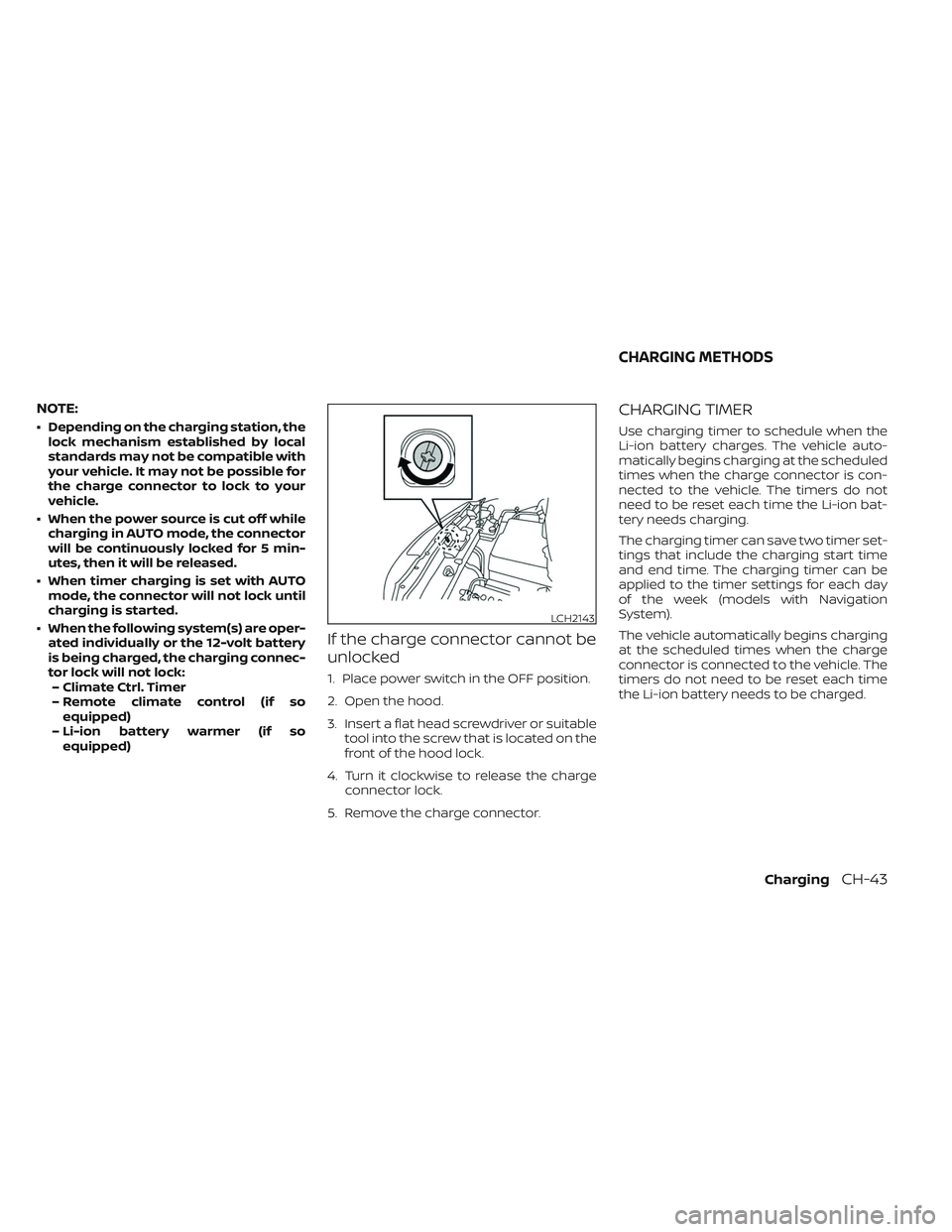
If the charge connector cannot be
unlocked
1. Place power switch in the OFF position.
2. Open the hood.
3. Insert a flat head screwdriver or suitable tool into the screw that is located on the
front of the hood lock.
4. Turn it clockwise to release the charge connector lock.
5. Remove the charge connector.
CHARGING TIMER
Use charging timer to schedule when the
Li-ion battery charges. The vehicle auto-
matically begins charging at the scheduled
times when the charge connector is con-
nected to the vehicle. The timers do not
need to be reset each time the Li-ion bat-
tery needs charging.
The charging timer can save two timer set-
tings that include the charging start time
and end time. The charging timer can be
applied to the timer settings for each day
of the week (models with Navigation
System).
The vehicle automatically begins charging
at the scheduled times when the charge
connector is connected to the vehicle. The
timers do not need to be reset each time
the Li-ion battery needs to be charged.
LCH2143
CHARGING METHODS
ChargingCH-43
Page 95 of 612
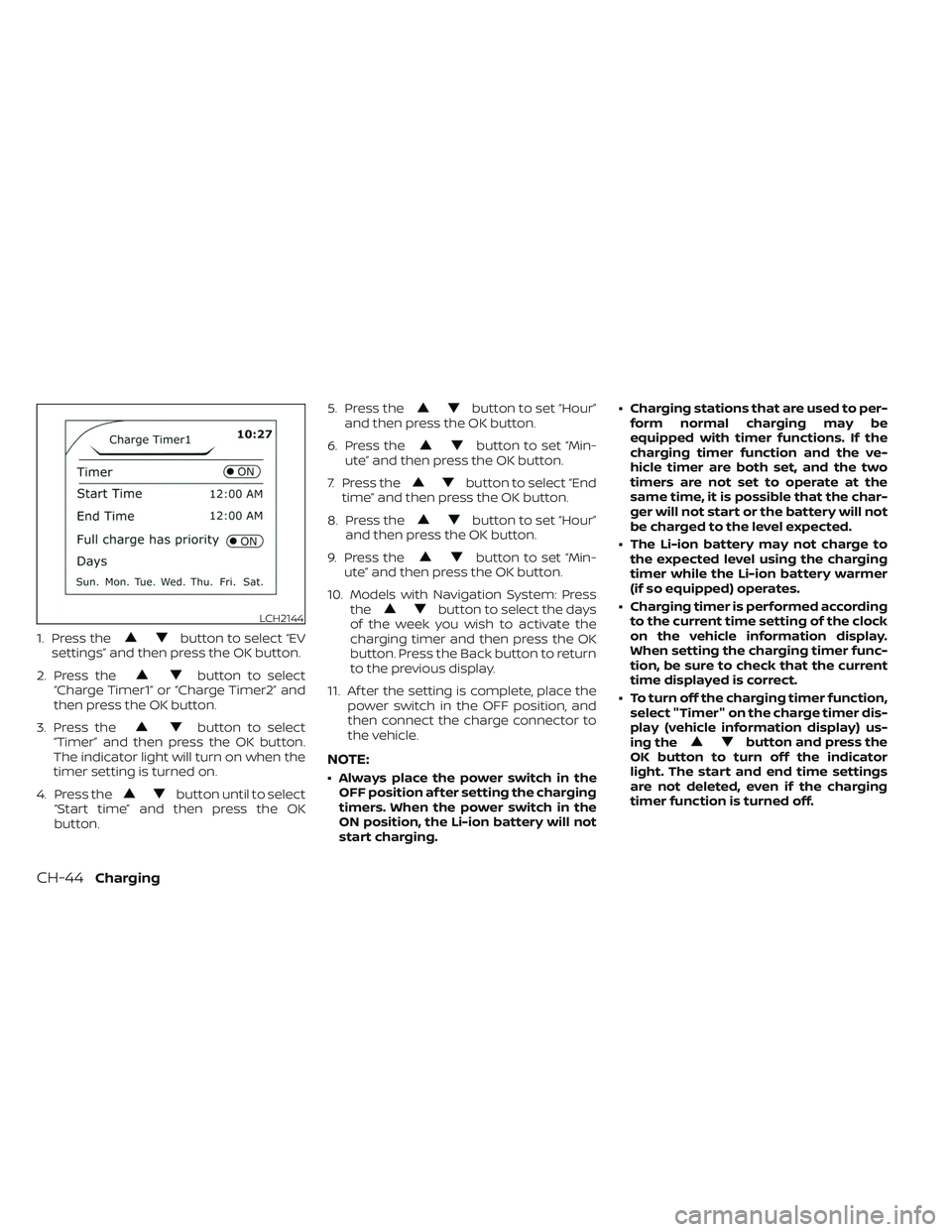
1. Press thebutton to select “EV
settings” and then press the OK button.
2. Press the
button to select
“Charge Timer1” or “Charge Timer2” and
then press the OK button.
3. Press the
button to select
“Timer” and then press the OK button.
The indicator light will turn on when the
timer setting is turned on.
4. Press the
button until to select
“Start time” and then press the OK
button. 5. Press the
button to set “Hour”
and then press the OK button.
6. Press the
button to set “Min-
ute” and then press the OK button.
7. Press the
button to select “End
time” and then press the OK button.
8. Press the
button to set “Hour”
and then press the OK button.
9. Press the
button to set “Min-
ute” and then press the OK button.
10. Models with Navigation System: Press the
button to select the days
of the week you wish to activate the
charging timer and then press the OK
button. Press the Back button to return
to the previous display.
11. Af ter the setting is complete, place the power switch in the OFF position, and
then connect the charge connector to
the vehicle.
NOTE:
• Always place the power switch in theOFF position af ter setting the charging
timers. When the power switch in the
ON position, the Li-ion battery will not
start charging. • Charging stations that are used to per-
form normal charging may be
equipped with timer functions. If the
charging timer function and the ve-
hicle timer are both set, and the two
timers are not set to operate at the
same time, it is possible that the char-
ger will not start or the battery will not
be charged to the level expected.
• The Li-ion battery may not charge to the expected level using the charging
timer while the Li-ion battery warmer
(if so equipped) operates.
• Charging timer is performed according to the current time setting of the clock
on the vehicle information display.
When setting the charging timer func-
tion, be sure to check that the current
time displayed is correct.
• To turn off the charging timer function, select "Timer" on the charge timer dis-
play (vehicle information display) us-
ing the
button and press the
OK button to turn off the indicator
light. The start and end time settings
are not deleted, even if the charging
timer function is turned off.
LCH2144
CH-44Charging
Page 96 of 612
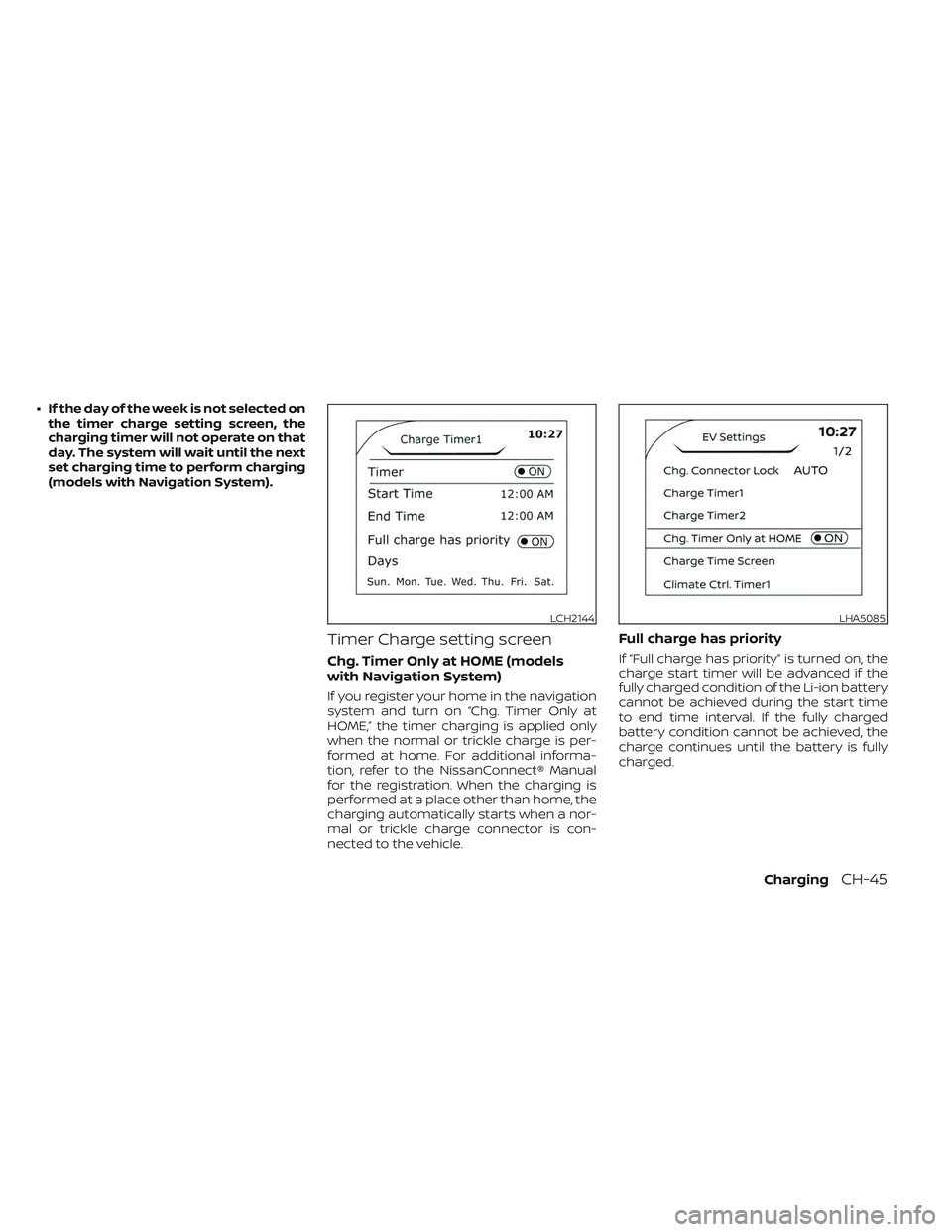
• If the day of the week is not selected onthe timer charge setting screen, the
charging timer will not operate on that
day. The system will wait until the next
set charging time to perform charging
(models with Navigation System).
Timer Charge setting screen
Chg. Timer Only at HOME (models
with Navigation System)
If you register your home in the navigation
system and turn on “Chg. Timer Only at
HOME,” the timer charging is applied only
when the normal or trickle charge is per-
formed at home. For additional informa-
tion, refer to the NissanConnect® Manual
for the registration. When the charging is
performed at a place other than home, the
charging automatically starts when a nor-
mal or trickle charge connector is con-
nected to the vehicle.
Full charge has priority
If “Full charge has priority” is turned on, the
charge start timer will be advanced if the
fully charged condition of the Li-ion battery
cannot be achieved during the start time
to end time interval. If the fully charged
battery condition cannot be achieved, the
charge continues until the battery is fully
charged.
LCH2144LHA5085
ChargingCH-45
Page 98 of 612
For additional information, see “Charge
connector lock system” (P. CH-41).
When the OK button on the steering wheel
is pressed, the display will be switched to
the “EV Settings” menu. In the EV Settings,
the setting of the charging timer, Climate
Ctrl. timer and charge connector lock
mode can be changed. For additional infor-
mation, see “Vehicle information display”
(P. 2-26).
When the
button on the steering
wheel is pressed while the timer display is
shown, the display is switched to the ECO
Drive Report (if the vehicle was driven).
Either display will continue to be displayed
for another 30 seconds when the button is
operated. If the doors are locked af ter the
power switch was placed in the OFF posi-
tion, the display will turn off before the pre-
set time.
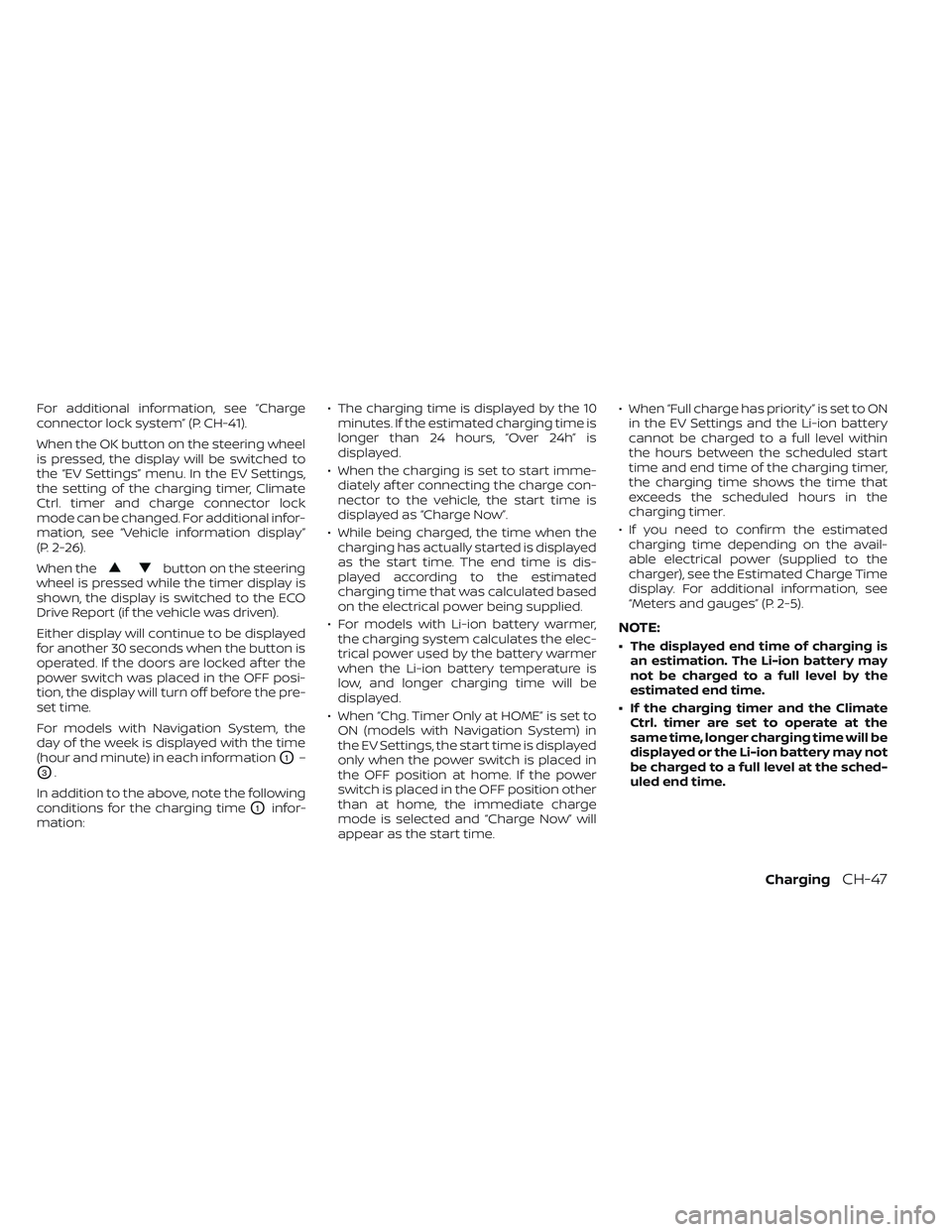
For models with Navigation System, the
day of the week is displayed with the time
(hour and minute) in each information
O1–
O3.
In addition to the above, note the following
conditions for the charging time
O1infor-
mation: • The charging time is displayed by the 10
minutes. If the estimated charging time is
longer than 24 hours, “Over 24h” is
displayed.
• When the charging is set to start imme- diately af ter connecting the charge con-
nector to the vehicle, the start time is
displayed as “Charge Now”.
• While being charged, the time when the charging has actually started is displayed
as the start time. The end time is dis-
played according to the estimated
charging time that was calculated based
on the electrical power being supplied.
• For models with Li-ion battery warmer, the charging system calculates the elec-
trical power used by the battery warmer
when the Li-ion battery temperature is
low, and longer charging time will be
displayed.
• When “Chg. Timer Only at HOME” is set to ON (models with Navigation System) in
the EV Settings, the start time is displayed
only when the power switch is placed in
the OFF position at home. If the power
switch is placed in the OFF position other
than at home, the immediate charge
mode is selected and “Charge Now” will
appear as the start time. • When “Full charge has priority” is set to ON
in the EV Settings and the Li-ion battery
cannot be charged to a full level within
the hours between the scheduled start
time and end time of the charging timer,
the charging time shows the time that
exceeds the scheduled hours in the
charging timer.
• If you need to confirm the estimated charging time depending on the avail-
able electrical power (supplied to the
charger), see the Estimated Charge Time
display. For additional information, see
“Meters and gauges” (P. 2-5).
NOTE:
• The displayed end time of charging is an estimation. The Li-ion battery may
not be charged to a full level by the
estimated end time.
• If the charging timer and the Climate Ctrl. timer are set to operate at the
same time, longer charging time will be
displayed or the Li-ion battery may not
be charged to a full level at the sched-
uled end time.
ChargingCH-47
Page 99 of 612
IMMEDIATE CHARGE
When a charging timer is not turned on,
charging automatically starts when a nor-
mal or trickle charge connector is con-
nected to the vehicle.
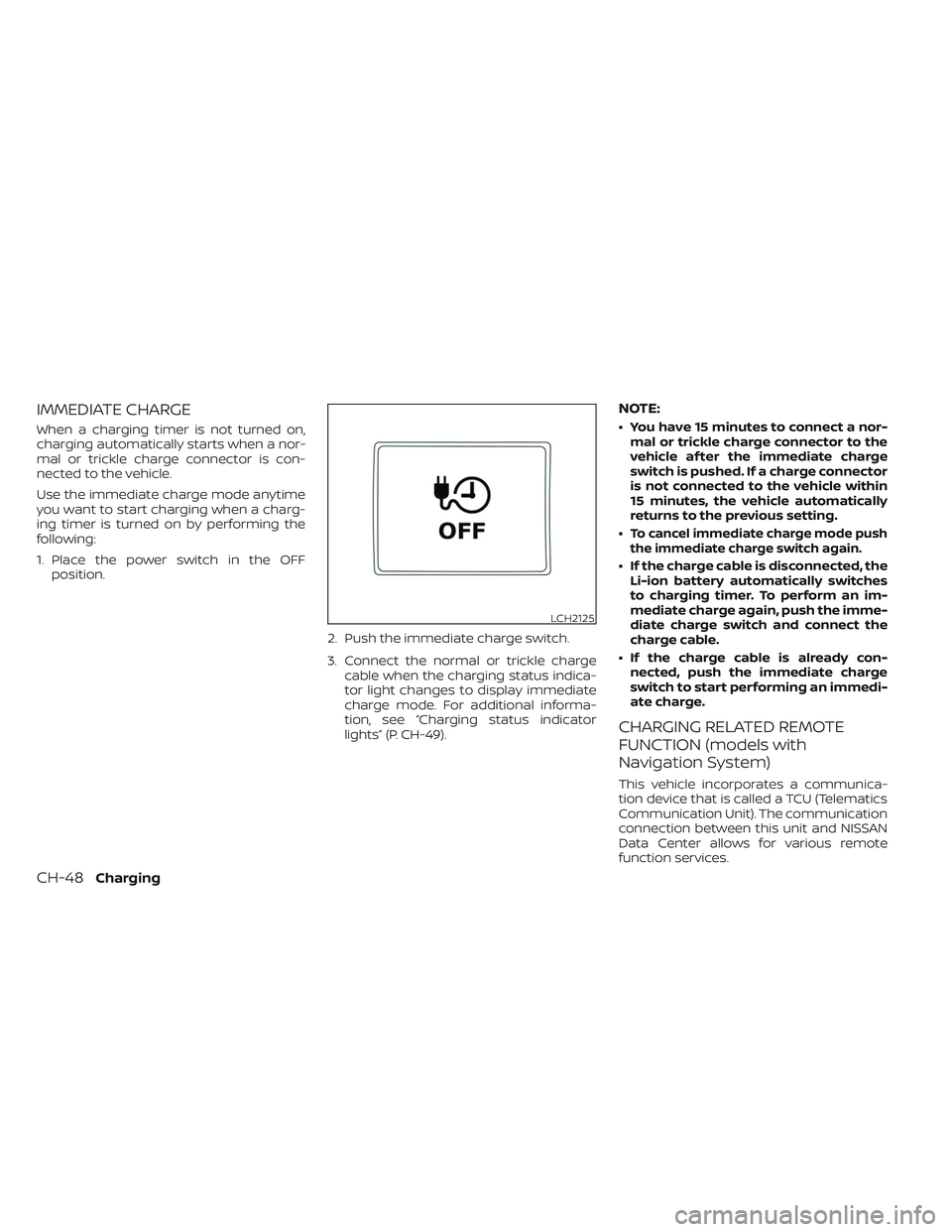
Use the immediate charge mode anytime
you want to start charging when a charg-
ing timer is turned on by performing the
following:
1. Place the power switch in the OFFposition.
2. Push the immediate charge switch.
3. Connect the normal or trickle chargecable when the charging status indica-
tor light changes to display immediate
charge mode. For additional informa-
tion, see “Charging status indicator
lights” (P. CH-49).
NOTE:
• You have 15 minutes to connect a nor-mal or trickle charge connector to the
vehicle af ter the immediate charge
switch is pushed. If a charge connector
is not connected to the vehicle within
15 minutes, the vehicle automatically
returns to the previous setting.
•
To cancel immediate charge mode push
the immediate charge switch again.
• If the charge cable is disconnected, the Li-ion battery automatically switches
to charging timer. To perform an im-
mediate charge again, push the imme-
diate charge switch and connect the
charge cable.
• If the charge cable is already con- nected, push the immediate charge
switch to start performing an immedi-
ate charge.
CHARGING RELATED REMOTE
FUNCTION (models with
Navigation System)
This vehicle incorporates a communica-
tion device that is called a TCU (Telematics
Communication Unit). The communication
connection between this unit and NISSAN
Data Center allows for various remote
function services.
LCH2125
CH-48Charging
Page 177 of 612
2 Instruments and controls
Cockpit.........................................2-2
Instrument Panel ................................2-4
Meters and Gauges .............................2-5
Speedometer and odometer .................2-5
Li-ion battery temperature gauge ............ 2-7
Power meter ................................. 2-7
Driving range .................................2-8
Li-ion battery available charge gauge ........2-9
Li-ion battery capacity level gauge ..........2-12
Outside air temperature .....................2-12
Clock ........................................ 2-12
ECO mode indicator ......................... 2-13
e-Pedal system indicator ....................2-13
Warning lights, indicator lights and audible
reminders ...................................... 2-14
Checking lights .............................. 2-16
Warning/Indicator lights (red) ...............2-16
Warning/Indicator lights (yellow) ............2-19
Warning/Indicator lights (other) .............2-24
Audible reminders ........................... 2-25
Vehicle information display .....................2-26
How to use the vehicle information
display ...................................... 2-27
Startup display .............................. 2-27
Settings ..................................... 2-28
Vehicle information display warnings
and indicators ............................... 2-36Warning information displays
(models with a navigation system)
..........2-44
Security systems ............................... 2-44
Vehicle security system .....................2-44
NISSAN Vehicle Immobilizer System .........2-46
Wiper and washer switch .......................2-47
Washer operation ........................... 2-48
Rear wiper operation ........................ 2-48
Rear window and outside mirror
(if so equipped) defroster switch ...............2-49
Headlight and turn signal switch ...............2-50
Headlight switch ............................ 2-50
LED Daytime Running Lights (DRL)
system (Type A) (if so equipped) .............2-55
LED Daytime Running Lights (DRL)
system (Type B) (if so equipped) .............
2-55
Instrument
brightness control ..............2-56
Turn signal switch ........................... 2-56
Fog light switch (if so equipped) .............2-57
Emblem Light ............................... 2-57
Horn ........................................... 2-58
ECO switch ..................................... 2-58
Heated seat switches (if so equipped) ..........2-58
Heated steering wheel switch (if so equipped) . . 2-60
Emergency call (SOS) button (if so equipped) . . . 2-60
Charge port lid switch .......................... 2-61