2023 NISSAN LEAF charging
[x] Cancel search: chargingPage 188 of 612
![NISSAN LEAF 2023 Owners Manual • When the currently remaining Li-ion bat-tery level exceeds each percentage level,
the charging time will be displayed as
[---].
• When the Li-ion battery was fully charge, all the charging time](/manual-img/5/56727/w960_56727-187.png "NISSAN LEAF 2023 Owners Manual • When the currently remaining Li-ion bat-tery level exceeds each percentage level,
the charging time will be displayed as
[---].
• When the Li-ion battery was fully charge, all the charging time")
• When the currently remaining Li-ion bat-tery level exceeds each percentage level,
the charging time will be displayed as
[---].
• When the Li-ion battery was fully charge, all the charging time information will be
displayed as [---].
O3The currently selected electrical power
(supplied to the charger).
O4The estimated charge level of the Li-ion
battery to be reached when the remaining
charging time has passed.
O5The electrical power that is actually sup-
plied while quick charging.
O6The remaining charging time before the
quick charger is shut off.
When charging is not performed, pushing
the OKbutton on the steering wheel will
switch the display to the [Charge Time
Screen]. Select the electrical power that
you wish to show in the Estimated Charge
Time display.
NOTE:
• While charging, the estimated charg- ing time is calculated based on the
electrical power that is currently being
supplied to the charger.
• The electrical power for the normal charging is displayed at a fixed value.
Therefore, the displayed electrical
power may differ from the one that is
actually supplied.
• For the quick charging, the electrical power display will change to the actual
electrical power while charging. If the
charging is stopped or the power sup-
ply is stopped (unplugged, etc.), the
displayed electrical power returns to
the selected electrical power. • The displayed charging time on each
percentage level is the current estima-
tion, and the actual charging time will
vary depending on the conditions of
the vehicle or the state of charge.
• Right af ter starting or stopping charge, the estimated charging time
may differ from the actual charging
time. The actual charging time will be
displayed af ter a period of time.
LIC5003
While charging (quick charge)
Instruments and controls2-11
Page 200 of 612
Power limitation
indicator light
When the power limitation indicator light is
illuminated, the power provided to the trac-
tion motor is reduced. Therefore the ve-
hicle is not as responsive when the accel-
erator is depressed while the power
limitation light is illuminated.
When this light comes on, the warning dis-
play appears within the vehicle information
display. Follow the instructions provided on
the vehicle information display.
This light illuminates in the following
conditions.
• Li-ion battery available charge is ex-tremely low
• Li-ion battery temperature is very low (approximately −4°F (−20°C)
• When the temperature of the EV system is high (motor, inverter, coolant system,
Li-ion battery etc.)
• When the EV system has a malfunction.
If the low battery charge indicator is illumi-
nated, charge the Li-ion battery as soon as
possible.
If this indicator illuminates because the Li-
ion battery is cold due to low outside tem-
peratures, move the vehicle to a warmer lo- cation. The Li-ion battery temperature may
be increased by charging the Li-ion battery.
If the light illuminates when the EV system
becomes hot due to continuous hill climbing,
either continue driving at a slower safe speed
or stop the vehicle in a safe location. If this
indicator does not turn off, have the system
checked. It is recommended that you visit a
NISSAN certified LEAF dealer for this service.
The indicator illuminates when a part in the
EV system has malfunctioned. If the indica-
tor illuminates in a situation other than
those described above, or if it does not turn
off, there may be a system malfunction.
Have the system checked. It is recom-
mended that you visit a NISSAN certified
LEAF dealer for this service.
WARNING
Power limitation mode can result in re-
duced power and vehicle speed. The re-
duced speed may be lower than other
traffic, which could increase the chance
of a collision. Be especially careful
when driving. If the vehicle cannot
maintain a safe driving speed, pull to
the side of the road in a safe area.
Charge the Li-ion battery if the charge
is low or allow the Li-ion battery to cool.
NOTE:
You can reduce charging time and keep
the Li-ion battery temperature lower if
you:
• Charge more frequently in smaller amounts, and
• Keep the battery at a higher level of charge.
Power steering
warning light
When the power switch is in the ON posi-
tion, the electric power steering warning
light illuminates and turns off when the
power switch is placed in the READY to
drive position. This indicates the electric
power steering system is operational.
If the electric power steering warning light
illuminates while the READY to drive indica-
tor light is ON, it may indicate the electric
power steering system is not functioning
properly and may need servicing. Have the
electric power steering system checked. It
is recommended that you visit a NISSAN
certified LEAF dealer for this service.
When the electric power steering warning
light illuminates while the READY to drive
indicator is ON, the power assist to the
steering will cease operation but you will
Instruments and controls2-23
Page 202 of 612
High beam indicator light
(blue)
This light illuminates when the headlight
high beam is on and goes out when the low
beam is selected.
Plug-in
indicator light (green)
This light illuminates when the charge con-
nector is connected to the vehicle and
blinks during charging.
NOTE:
If the charge connector is connected to
the vehicle, the power switch cannot be
placed in the READY to drive position.
READY to drive
indicator light (green)
The READY to drive indicator light illumi-
nates when the EV system is powered and
the vehicle may be driven.
The READY to drive indicator light will turn
off in the following conditions.
• Certain EV system malfunctions.• The READY to drive indicator light turns
off immediately before the Li-ion battery
is completely discharged. If the Li-ion bat-
tery becomes completely discharged,
the vehicle must be charged in order to
be driven. For additional information, see
“Low battery charge indicator” (P. 2-38).
Turn signal/hazard
indicator lights (green)
This light flashes when the turn signal
switch lever or hazard switch is turned on.
AUDIBLE REMINDERS
Brake pad wear warning
The disc brake pads have audible wear
warnings. When a brake pad requires re-
placement, it will make a high-pitched
scraping sound when the vehicle is in mo-
tion. This scraping sound will first occur
only when the brake pedal is depressed.
Af ter more wear of the brake pad, the
sound will always be heard even if the
brake pedal is not depressed. Have the
brakes checked as soon as possible if the
warning sound is heard.
Electric shif t control system
reminder chime
If an improper shif t operation is performed,
for safety reasons a chime will sound and
at the same time, depending on the condi-
tions, the operation will be canceled or the
shif t position will switch to the N (Neutral)
position.
For additional information, see “Driving the
vehicle” (P. 5-14).
Key reminder chime
A chime will sound if the driver's side door is
opened while the power switch is pushed
to the ON or ACC position.
Make sure that the power switch is pushed
to the OFF position, and take the Intelligent
Key with you when leaving the vehicle.
Light reminder chime
The light reminder chime will sound when
the driver side door is opened with the light
switch in the
orposition, and
the power switch is in the ACC, OFF or LOCK
position.
Turn the light switch off when you leave the
vehicle.
Instruments and controls2-25
Page 210 of 612
EV Settings
The EV settings menu allows the user to change the settings for charging the vehicle.
Some menu items shown below may not be equipped on your vehicle.
Menu ItemExplanation
Chg. Connector Lock Allows user to lock or unlock the charging connection.
Charge Timer1 Allows user to set charge timer 1.
Charge Timer2 Allows user to set charge timer 2.
Chg. Timer Only at HOME Allows user to set charging timer only at home.
Charge Time Screen Allows user to select the display time screen based on charge method.
Climate Ctrl. Timer1 Allows user to set climate control timer 1.
Climate Ctrl. Timer2 Allows user to set climate control timer 2.
TPMS Settings
The TPMS settings menu allows the user to change the tire pressure units displayed in the vehicle information display.
Some menu items shown below may not be equipped on your vehicle.
Menu Item Explanation
Tire Pressure Unit Allows user to select the tire pressure units that will display in the vehicle information display.
Instruments and controls2-33
Page 221 of 612
WARNING INFORMATION DISPLAYS
(models with a navigation
system)
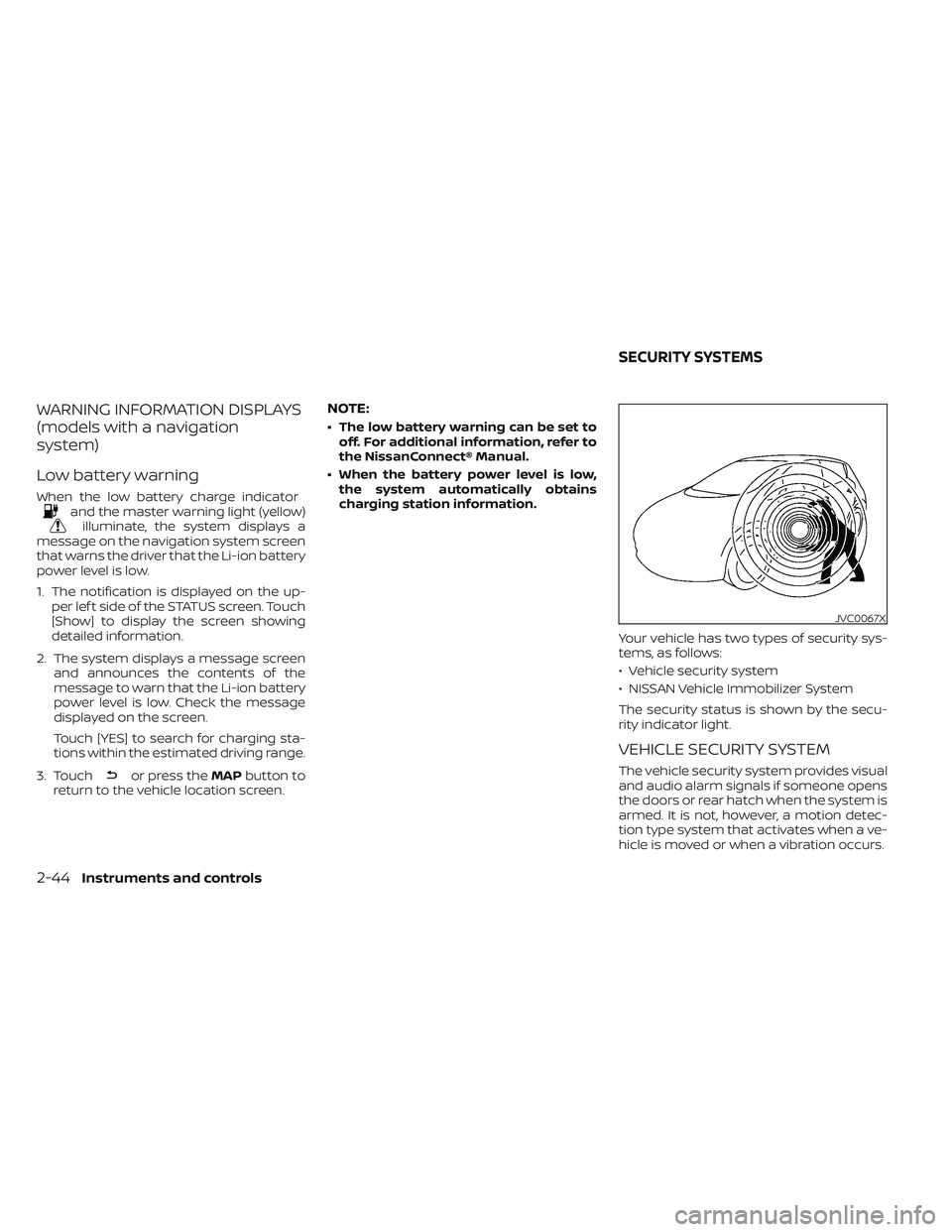
Low battery warning
When the low battery charge indicatorand the master warning light (yellow)illuminate, the system displays a
message on the navigation system screen
that warns the driver that the Li-ion battery
power level is low.
1. The notification is displayed on the up- per lef t side of the STATUS screen. Touch
[Show] to display the screen showing
detailed information.
2. The system displays a message screen and announces the contents of the
message to warn that the Li-ion battery
power level is low. Check the message
displayed on the screen.
Touch [YES] to search for charging sta-
tions within the estimated driving range.
3. Touch
or press the MAPbutton to
return to the vehicle location screen.
NOTE:
• The low battery warning can be set to off. For additional information, refer to
the NissanConnect® Manual.
• When the battery power level is low, the system automatically obtains
charging station information.
Your vehicle has two types of security sys-
tems, as follows:
• Vehicle security system
• NISSAN Vehicle Immobilizer System
The security status is shown by the secu-
rity indicator light.
VEHICLE SECURITY SYSTEM
The vehicle security system provides visual
and audio alarm signals if someone opens
the doors or rear hatch when the system is
armed. It is not, however, a motion detec-
tion type system that activates when a ve-
hicle is moved or when a vibration occurs.
JVC0067X
SECURITY SYSTEMS
2-44Instruments and controls
Page 238 of 612

To open the charge port lid, push the
charge port lid switch. For additional infor-
mation, see “Charge port lid” (P. 3-20).To turn off the charge timer, push the im-
mediate charge switch. For additional in-
formation, see “Charging timer” (P. CH-43).The dynamic driver assistance switch is
used to temporarily turn on and off the
Intelligent Lane Intervention (I-LI) and Intel-
ligent Blind Spot Intervention (I-BSI) sys-
tems that are activated using the settings
menu of the vehicle information display.
The I-LI and I-BSI systems must be turned
on with the dynamic driver assistance
switch every time the power switch is
placed in the ON position.
LIC3808LCH2125LIC4290
CHARGE PORT LID SWITCH
IMMEDIATE CHARGE SWITCHDYNAMIC DRIVER ASSISTANCE
SWITCH (for vehicles without
ProPILOT Assist) (if so equipped)
Instruments and controls2-61
Page 241 of 612
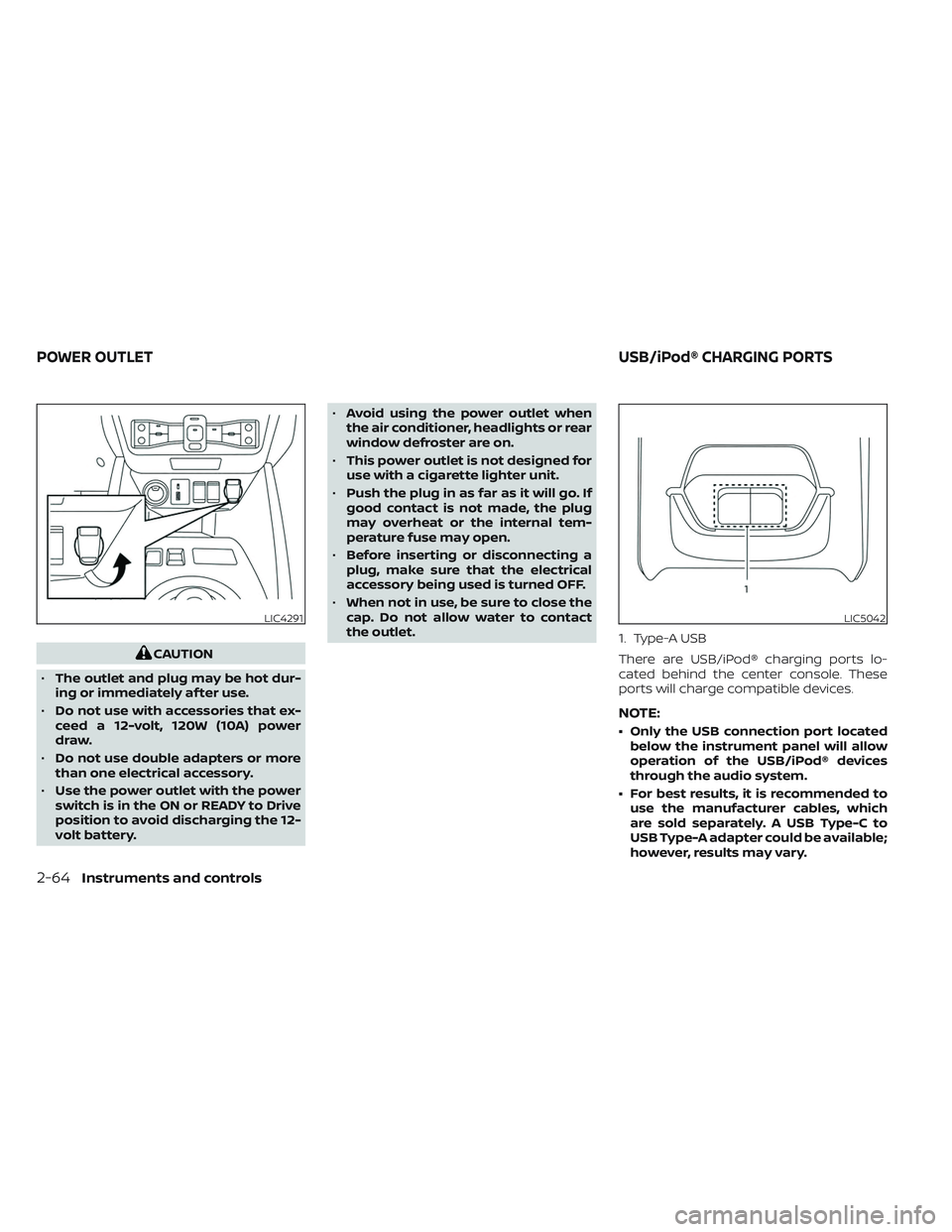
CAUTION
• The outlet and plug may be hot dur-
ing or immediately af ter use.
• Do not use with accessories that ex-
ceed a 12-volt, 120W (10A) power
draw.
• Do not use double adapters or more
than one electrical accessory.
• Use the power outlet with the power
switch is in the ON or READY to Drive
position to avoid discharging the 12-
volt battery. •
Avoid using the power outlet when
the air conditioner, headlights or rear
window defroster are on.
• This power outlet is not designed for
use with a cigarette lighter unit.
• Push the plug in as far as it will go. If
good contact is not made, the plug
may overheat or the internal tem-
perature fuse may open.
• Before inserting or disconnecting a
plug, make sure that the electrical
accessory being used is turned OFF.
• When not in use, be sure to close the
cap. Do not allow water to contact
the outlet. 1. Type-A USB
There are USB/iPod® charging ports lo-
cated behind the center console. These
ports will charge compatible devices.
NOTE:
• Only the USB connection port located
below the instrument panel will allow
operation of the USB/iPod® devices
through the audio system.
• For best results, it is recommended to use the manufacturer cables, which
are sold separately. A USB Type-C to
USB Type-A adapter could be available;
however, results may vary.
LIC4291LIC5042
POWER OUTLET USB/iPod® CHARGING PORTS
2-64Instruments and controls
Page 272 of 612
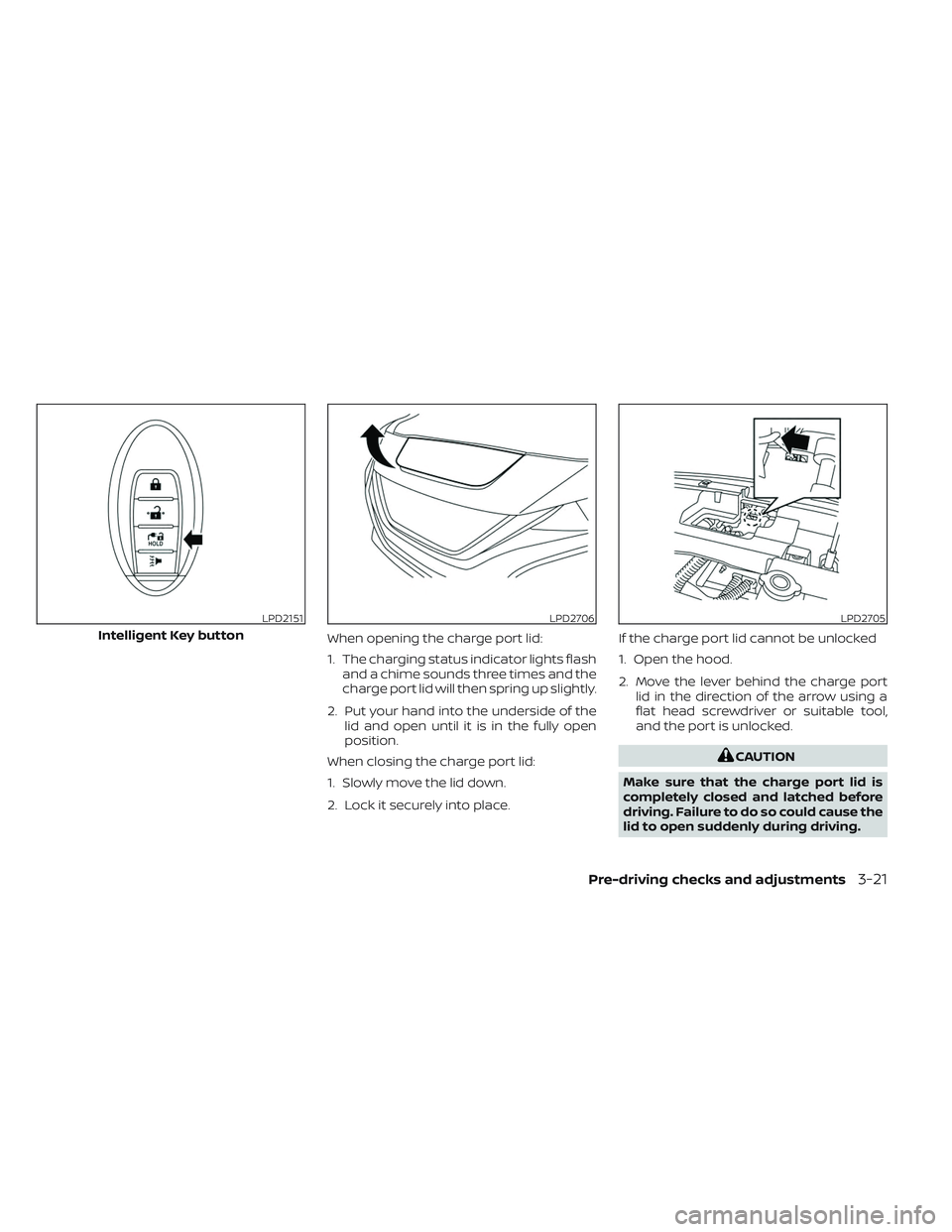
When opening the charge port lid:
1. The charging status indicator lights flashand a chime sounds three times and the
charge port lid will then spring up slightly.
2. Put your hand into the underside of the lid and open until it is in the fully open
position.
When closing the charge port lid:
1. Slowly move the lid down.
2. Lock it securely into place. If the charge port lid cannot be unlocked
1. Open the hood.
2. Move the lever behind the charge port
lid in the direction of the arrow using a
flat head screwdriver or suitable tool,
and the port is unlocked.
CAUTION
Make sure that the charge port lid is
completely closed and latched before
driving. Failure to do so could cause the
lid to open suddenly during driving.
LPD2151
Intelligent Key button
LPD2706LPD2705
Pre-driving checks and adjustments3-21