2023 NISSAN KICKS fuel type
[x] Cancel search: fuel typePage 88 of 558
2 Instruments and controls
Instrument panel................................2-2
Meters and gauges .............................2-4
Speedometer and odometer .................2-5
Tachometer .................................. 2-7
Fuel gauge ................................... 2-7
Distance To Empty (DTE) .....................2-8
Trip computer (if so equipped) ................2-9
Eco Drive Report (if so equipped) ............2-10
Warning lights, indicator lights and audible
reminders ....................................... 2-11
Checking lights .............................. 2-13
Warning/Indicator lights (red) ...............2-13
Warning/Indicator lights (yellow) ............2-16
Warning/Indicator lights (other) .............2-21
Audible reminders ........................... 2-23
Vehicle information display (if so equipped) .....2-24
How to use the vehicle information
display ...................................... 2-24
Startup display .............................. 2-24
Settings ..................................... 2-25
Vehicle information display warnings
and indicators ............................... 2-32
Security systems (if so equipped) ...............2-38
Vehicle security system (if so equipped) .....2-38
NISSAN Anti-Thef t System (NATS)
(if so equipped) .............................. 2-39NISSAN Vehicle Immobilizer System
(if so equipped)
.............................. 2-40
Wiper and washer switch .......................2-41
Switch operation ............................ 2-41
Rear switch operation .......................2-42
Rear window and outside mirror
(if so equipped) defroster switch ...............2-43
Headlight and turn signal switch ...............2-44
Headlight control switch ....................2-44
Daytime Running Lights (DRL) system
(Type A) (if so equipped) .....................2-49
LED Daytime Running Lights (DRL)
system (Type B) (if so equipped) .............2-49
Instrument brightness control ..............2-50
Turn signal switch ........................... 2-50
Fog light switch (if so equipped) .............2-51
Horn ........................................... 2-51
Heated seat switches (if so equipped) ..........2-52
He
ated steering wheel switch (if so equipped) . . 2-53
Blind Spot Warning (BSW) switch
(if so equipped) ................................. 2-53
Drive Systems OFF switch (if so equipped) ......2-54
Lane Departure Warning (LDW) switch
(if so equipped) ................................. 2-54
Page 92 of 558
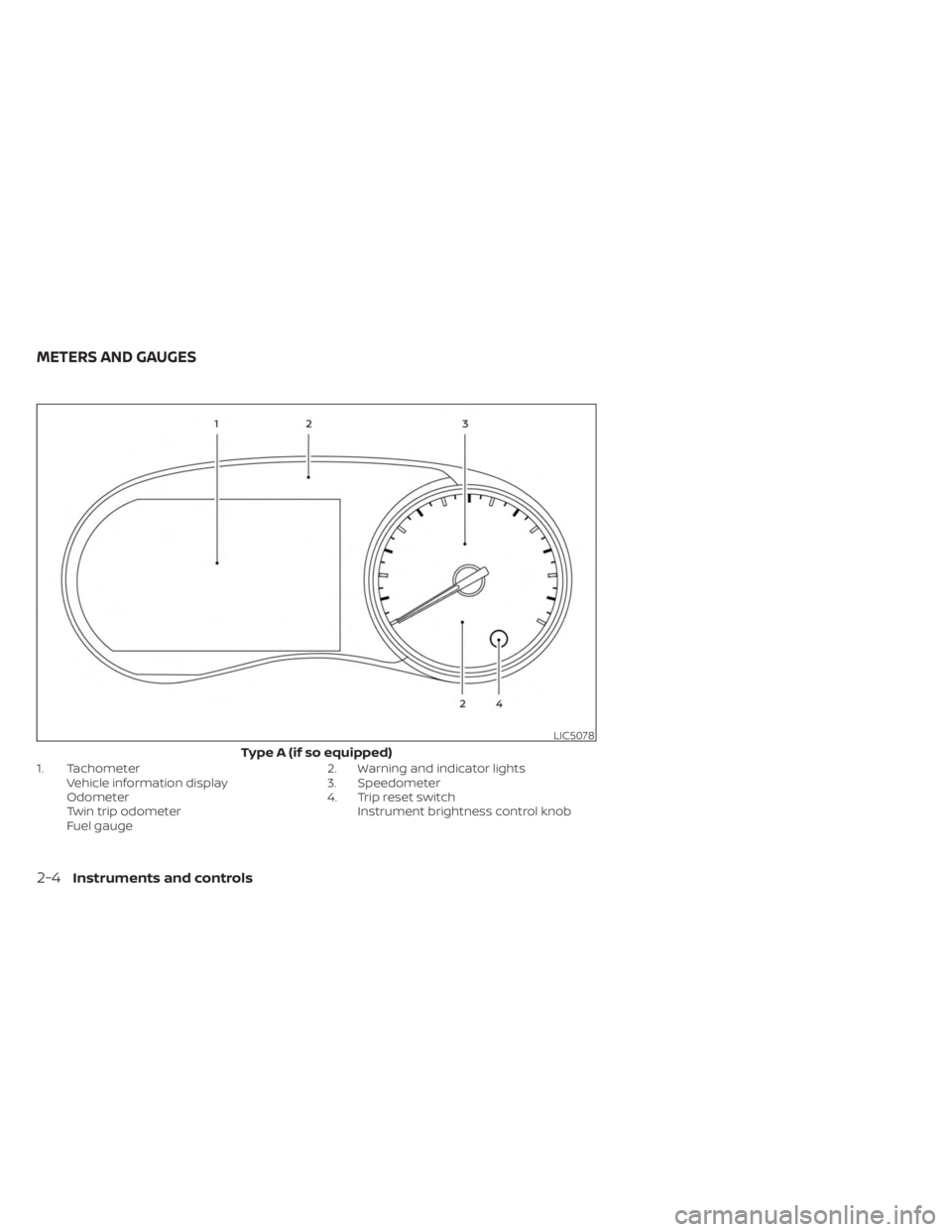
1. TachometerVehicle information display
Odometer
Twin trip odometer
Fuel gauge 2. Warning and indicator lights
3. Speedometer
4. Trip reset switch
Instrument brightness control knob
LIC5078
Type A (if so equipped)
METERS AND GAUGES
2-4Instruments and controls
Page 94 of 558
Speedometer
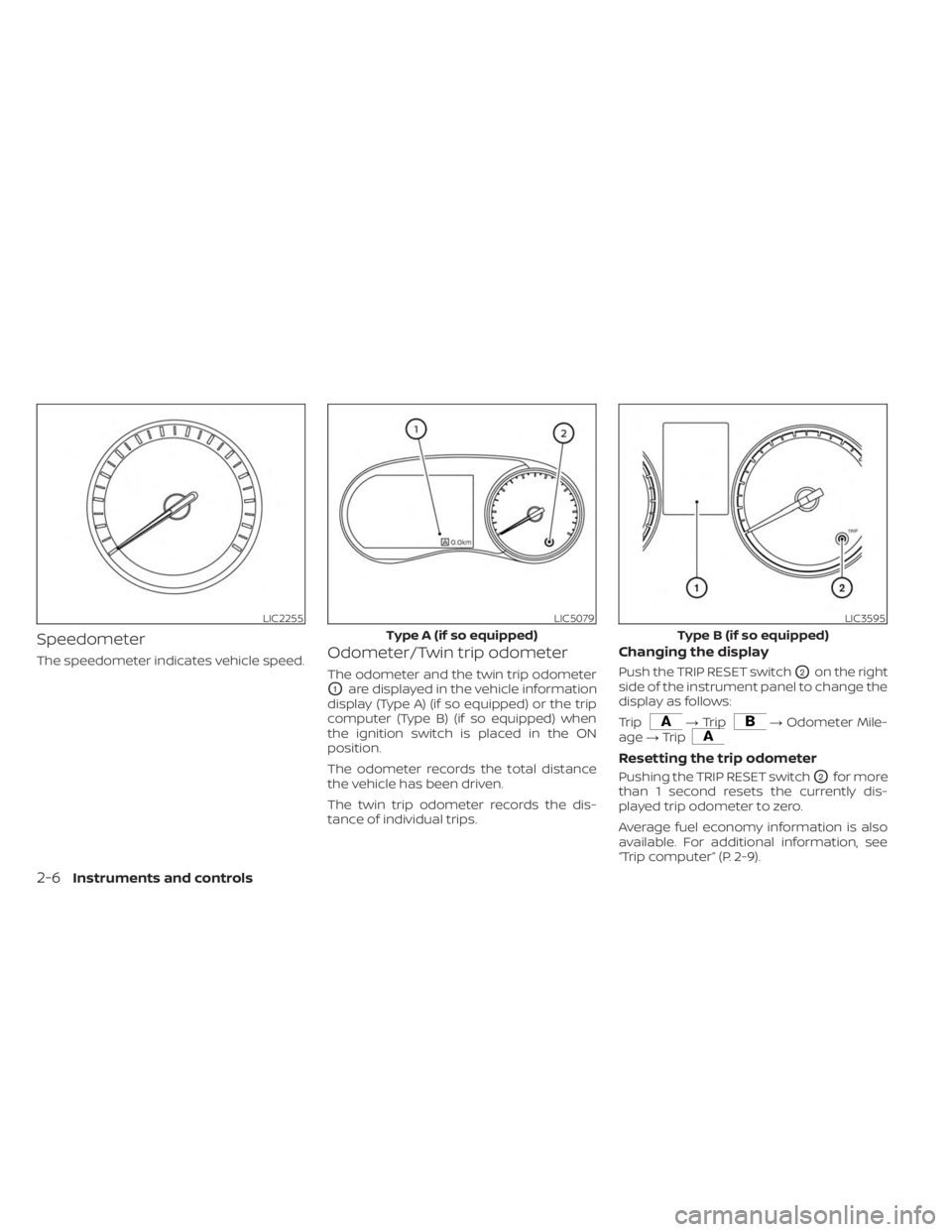
The speedometer indicates vehicle speed.Odometer/Twin trip odometer
The odometer and the twin trip odometer
O1are displayed in the vehicle information
display (Type A) (if so equipped) or the trip
computer (Type B) (if so equipped) when
the ignition switch is placed in the ON
position.
The odometer records the total distance
the vehicle has been driven.
The twin trip odometer records the dis-
tance of individual trips.
Changing the display
Push the TRIP RESET switchO2on the right
side of the instrument panel to change the
display as follows:
Trip
→ Trip→ Odometer Mile-
age →Trip
Resetting the trip odometer
Pushing the TRIP RESET switchO2for more
than 1 second resets the currently dis-
played trip odometer to zero.
Average fuel economy information is also
available. For additional information, see
“Trip computer” (P. 2-9).
LIC2255LIC5079
Type A (if so equipped)
LIC3595
Type B (if so equipped)
2-6Instruments and controls
Page 95 of 558
TACHOMETER
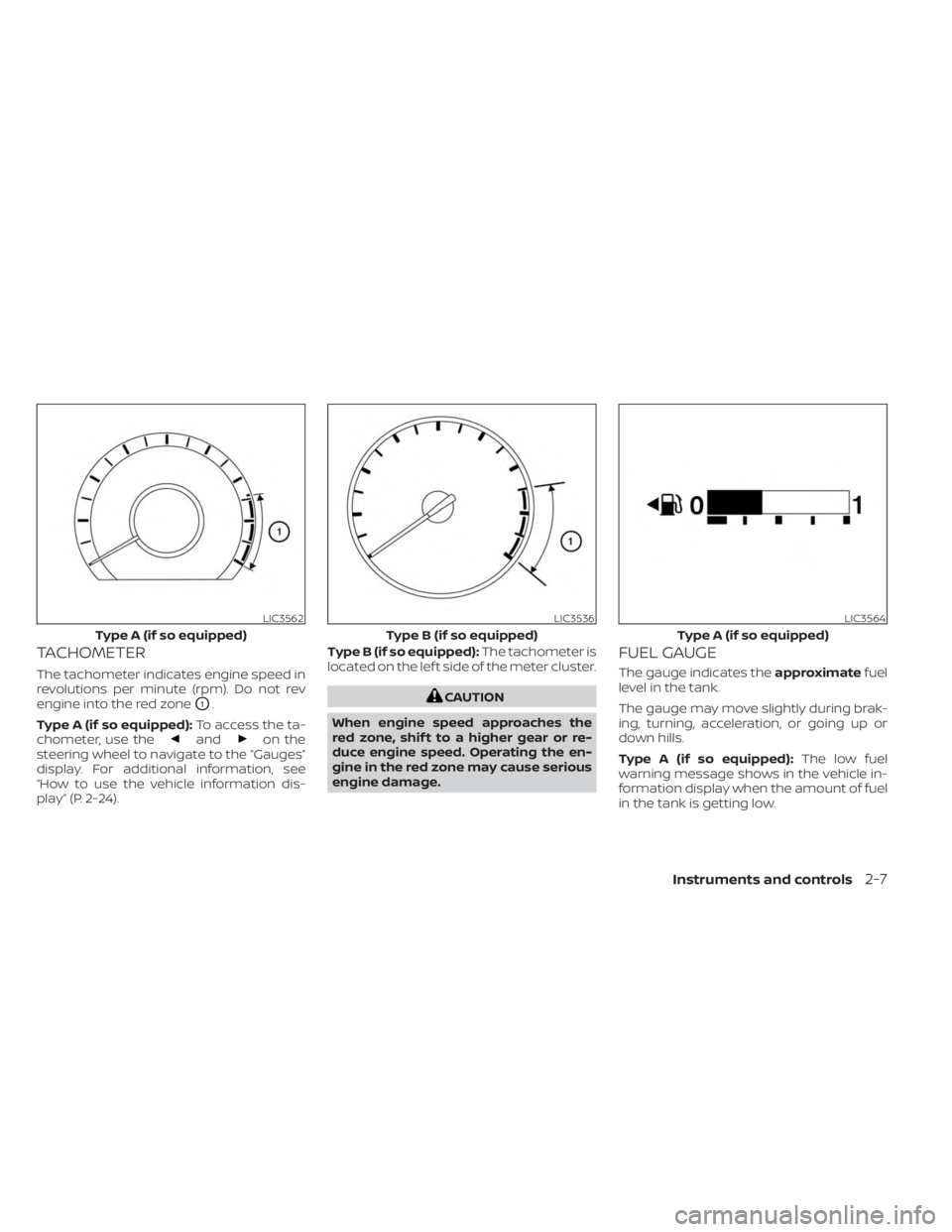
The tachometer indicates engine speed in
revolutions per minute (rpm). Do not rev
engine into the red zone
O1.
Type A (if so equipped): To access the ta-
chometer, use the
andon the
steering wheel to navigate to the “Gauges”
display. For additional information, see
“How to use the vehicle information dis-
play” (P. 2-24). Type B (if so equipped):
The tachometer is
located on the lef t side of the meter cluster.
CAUTION
When engine speed approaches the
red zone, shif t to a higher gear or re-
duce engine speed. Operating the en-
gine in the red zone may cause serious
engine damage.
FUEL GAUGE
The gauge indicates the approximatefuel
level in the tank.
The gauge may move slightly during brak-
ing, turning, acceleration, or going up or
down hills.
Type A (if so equipped): The low fuel
warning message shows in the vehicle in-
formation display when the amount of fuel
in the tank is getting low.
LIC3562
Type A (if so equipped)
LIC3536
Type B (if so equipped)
LIC3564
Type A (if so equipped)
Instruments and controls2-7
Page 96 of 558
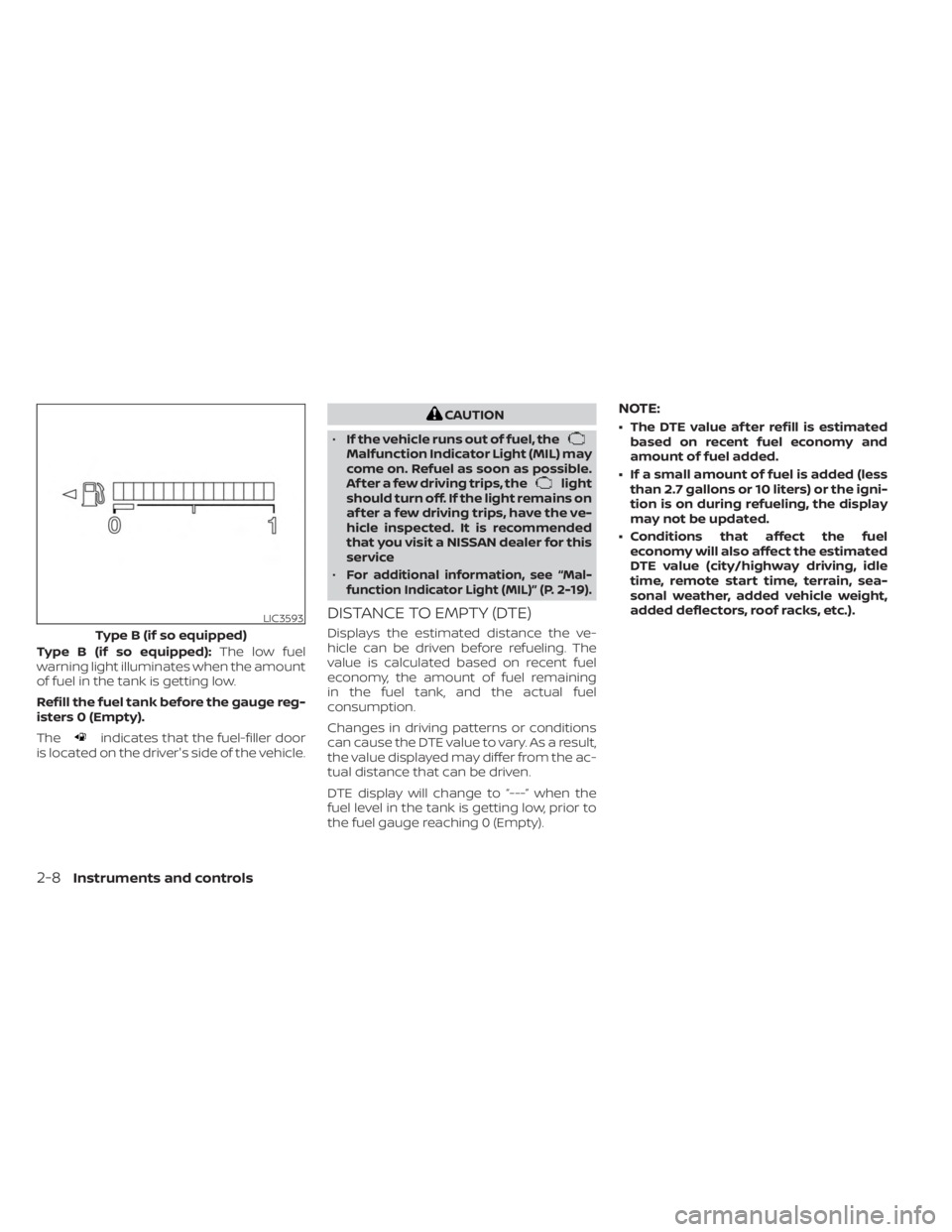
Type B (if so equipped):The low fuel
warning light illuminates when the amount
of fuel in the tank is getting low.
Refill the fuel tank before the gauge reg-
isters 0 (Empty).
The
indicates that the fuel-filler door
is located on the driver's side of the vehicle.
CAUTION
• If the vehicle runs out of fuel, the
Malfunction Indicator Light (MIL) may
come on. Refuel as soon as possible.
Af ter a few driving trips, the
light
should turn off. If the light remains on
af ter a few driving trips, have the ve-
hicle inspected. It is recommended
that you visit a NISSAN dealer for this
service
•
For additional information, see “Mal-
function Indicator Light (MIL)” (P. 2-19).
DISTANCE TO EMPTY (DTE)
Displays the estimated distance the ve-
hicle can be driven before refueling. The
value is calculated based on recent fuel
economy, the amount of fuel remaining
in the fuel tank, and the actual fuel
consumption.
Changes in driving patterns or conditions
can cause the DTE value to vary. As a result,
the value displayed may differ from the ac-
tual distance that can be driven.
DTE display will change to “---” when the
fuel level in the tank is getting low, prior to
the fuel gauge reaching 0 (Empty).
NOTE:
• The DTE value af ter refill is estimated based on recent fuel economy and
amount of fuel added.
• If a small amount of fuel is added (less than 2.7 gallons or 10 liters) or the igni-
tion is on during refueling, the display
may not be updated.
• Conditions that affect the fuel economy will also affect the estimated
DTE value (city/highway driving, idle
time, remote start time, terrain, sea-
sonal weather, added vehicle weight,
added deflectors, roof racks, etc.).
LIC3593
Type B (if so equipped)
2-8Instruments and controls
Page 189 of 558
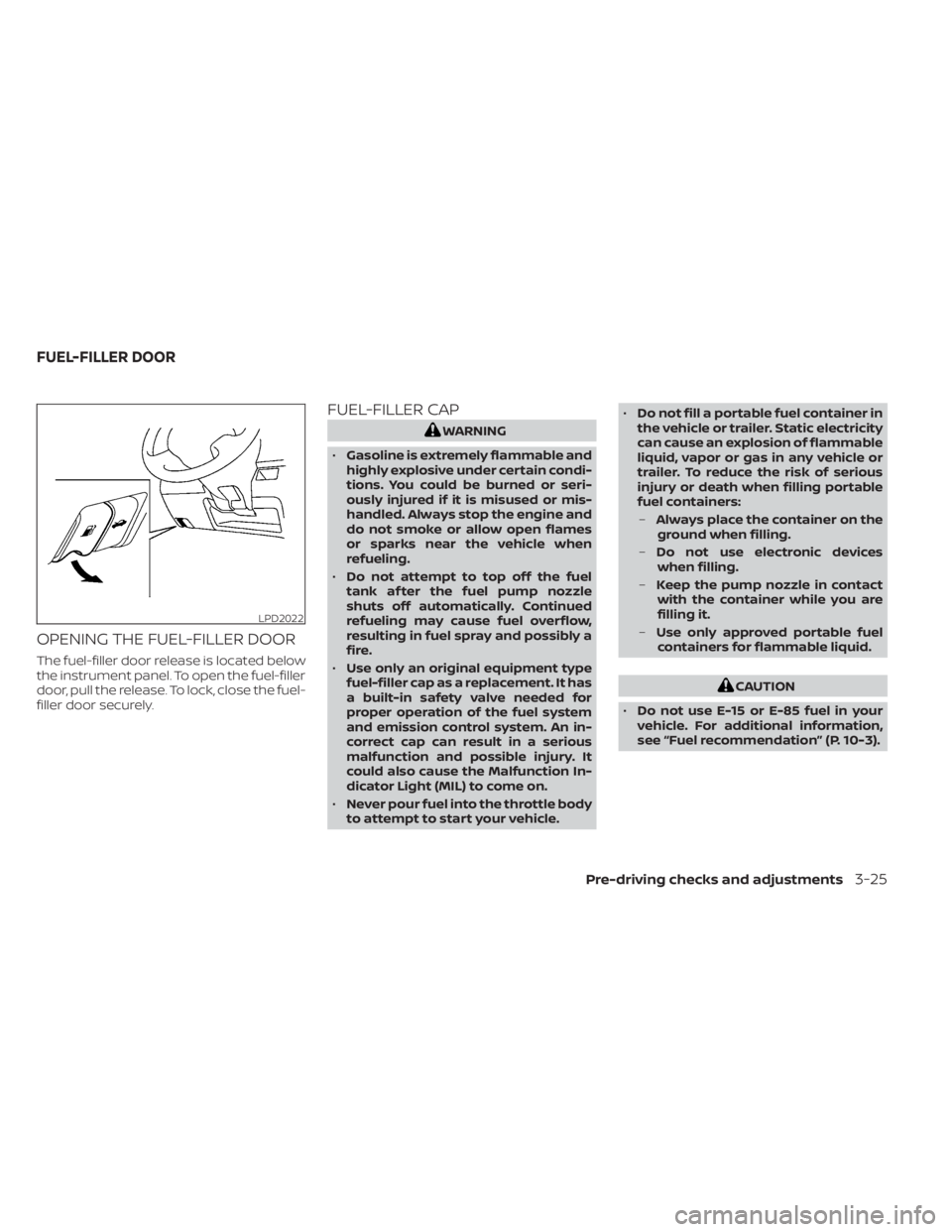
OPENING THE FUEL-FILLER DOOR
The fuel-filler door release is located below
the instrument panel. To open the fuel-filler
door, pull the release. To lock, close the fuel-
filler door securely.
FUEL-FILLER CAP
WARNING
• Gasoline is extremely flammable and
highly explosive under certain condi-
tions. You could be burned or seri-
ously injured if it is misused or mis-
handled. Always stop the engine and
do not smoke or allow open flames
or sparks near the vehicle when
refueling.
• Do not attempt to top off the fuel
tank af ter the fuel pump nozzle
shuts off automatically. Continued
refueling may cause fuel overflow,
resulting in fuel spray and possibly a
fire.
• Use only an original equipment type
fuel-filler cap as a replacement. It has
a built-in safety valve needed for
proper operation of the fuel system
and emission control system. An in-
correct cap can result in a serious
malfunction and possible injury. It
could also cause the Malfunction In-
dicator Light (MIL) to come on.
• Never pour fuel into the throttle body
to attempt to start your vehicle. •
Do not fill a portable fuel container in
the vehicle or trailer. Static electricity
can cause an explosion of flammable
liquid, vapor or gas in any vehicle or
trailer. To reduce the risk of serious
injury or death when filling portable
fuel containers:
– Always place the container on the
ground when filling.
– Do not use electronic devices
when filling.
– Keep the pump nozzle in contact
with the container while you are
filling it.
– Use only approved portable fuel
containers for flammable liquid.
CAUTION
• Do not use E-15 or E-85 fuel in your
vehicle. For additional information,
see “Fuel recommendation” (P. 10-3).
LPD2022
FUEL-FILLER DOOR
Pre-driving checks and adjustments3-25
Page 465 of 558
WARNING
• Operating the engine with the air
cleaner filter off can cause you or
others to be burned. The air cleaner
filter not only cleans the intake air, it
also stops the flame if the engine
backfires. If the air cleaner is not in-
stalled and the engine backfires, you
could be burned. Never drive with the
air cleaner filter off. Be cautious
working on the engine when the air
cleaner is off. •
Never pour fuel into the throttle body
or attempt to start the engine with
the air cleaner removed. Doing so
could result in serious injury.
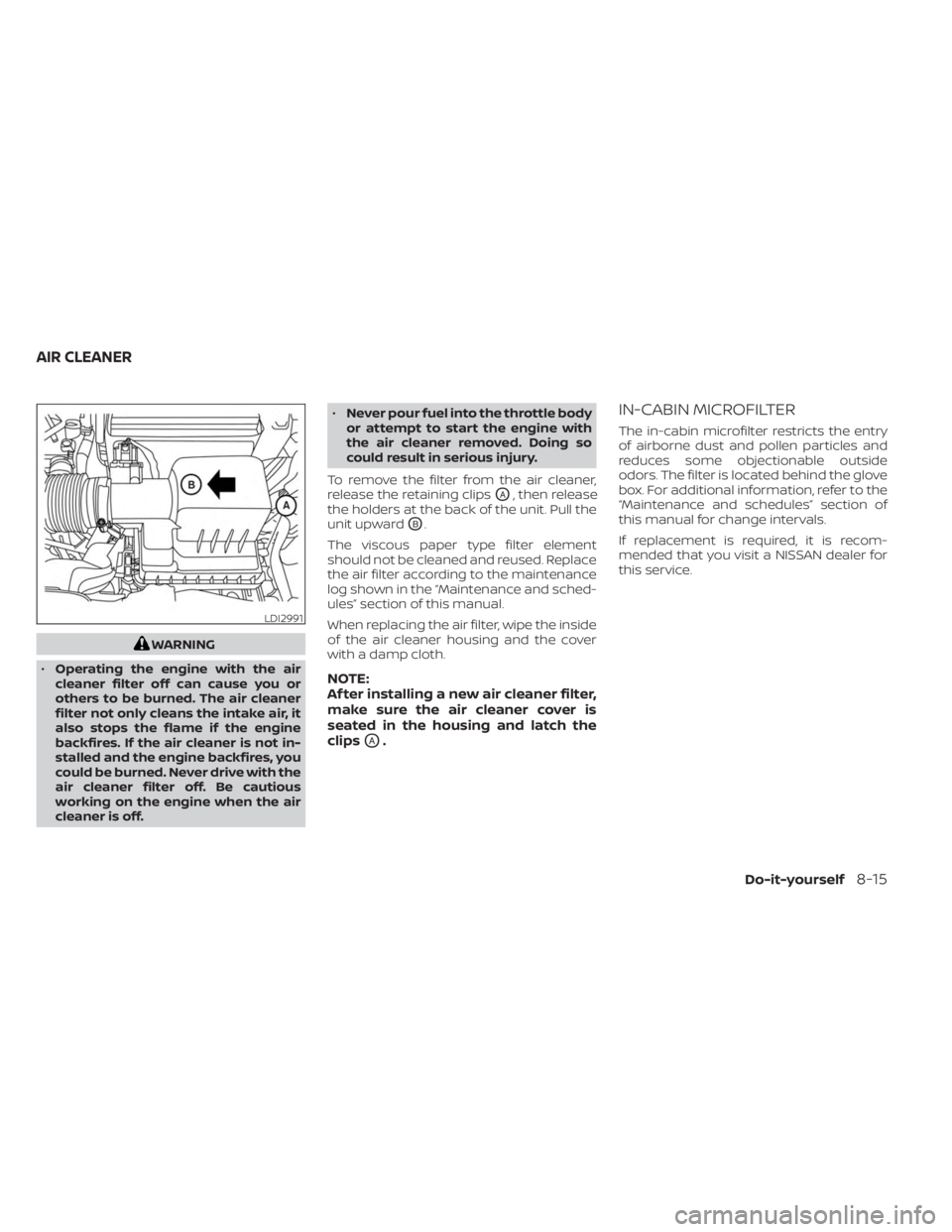
To remove the filter from the air cleaner,
release the retaining clips
OA, then release
the holders at the back of the unit. Pull the
unit upward
OB.
The viscous paper type filter element
should not be cleaned and reused. Replace
the air filter according to the maintenance
log shown in the “Maintenance and sched-
ules” section of this manual.
When replacing the air filter, wipe the inside
of the air cleaner housing and the cover
with a damp cloth.
NOTE:
Af ter installing a new air cleaner filter,
make sure the air cleaner cover is
seated in the housing and latch the
clips
OA.
IN-CABIN MICROFILTER
The in-cabin microfilter restricts the entry
of airborne dust and pollen particles and
reduces some objectionable outside
odors. The filter is located behind the glove
box. For additional information, refer to the
“Maintenance and schedules” section of
this manual for change intervals.
If replacement is required, it is recom-
mended that you visit a NISSAN dealer for
this service.
LDI2991
AIR CLEANER
Do-it-yourself8-15
Page 496 of 558
NOTE:
NISSAN does not advocate the use of
non-OEM approved af termarket flush-
ing systems and strongly advises
against performing these services on a
NISSAN product. Many of the af termar-
ket flushing systems use non-OEM ap-
proved chemicals or solvents, the use of
which has not been validated by NISSAN.
For recommended fuel, lubricants, fluids,
grease, and refrigerant, see “Recom-
mended fluids/lubricants and capaci-
ties” (P. 10-2).
EMISSION CONTROL SYSTEM
MAINTENANCE:
Drive belt*:Check engine drive belt for
wear, fraying or cracking and for proper
tension. Replace any damaged drive belt.
Engine air filter: Replace at specified inter-
vals. When driving for prolonged periods in
dusty conditions, check/replace the filter
more frequently.
Engine coolant*: Replace coolant at the
specified interval. When adding or replac-
ing coolant, be sure to use only Genuine
NISSAN Long Life Antifreeze/Coolant (blue)
or equivalent with the proper mixture. For additional information on the proper mix-
ture for your area, see “Engine cooling sys-
tem” (P. 8-4).
NOTE: Mixing any other type of coolant
or the use of non-distilled water may re-
duce the recommended service interval
of the coolant.
Engine oil and oil filter:
Replace engine oil
and oil filter at the specified intervals. For
recommended oil grade and viscosity see
“Recommended fluids/lubricants and ca-
pacities” (P. 10-2).
Fuel lines*: Check the fuel hoses, piping
and connections for leaks, looseness, or
deterioration. Tighten connections or re-
place parts as necessary.
Spark plugs: Replace at specified intervals.
Install new plugs of the type as originally
equipped.
CHASSIS AND BODY
MAINTENANCE:
Brake lines and cables: Visually inspect for
proper installation. Check for chafing,
cracks, deterioration, and signs of leaking.
Replace any deteriorated or damaged
parts immediately. Brake pads, rotors, drums and linings:
Check for wear, deterioration and fluid
leaks. Replace any deteriorated or dam-
aged parts immediately.
Exhaust system:
Visually inspect the ex-
haust pipes, muffler and hangers for leaks,
cracks, deterioration, and damage. Tighten
connections or replace parts as necessary.
Steering gear and linkage, axle and sus-
pension parts, drive shaf t boots: Check
for damage, looseness, and leakage of oil
or grease. Under severe driving conditions,
inspect more frequently.
Tire rotation: Rotate tires at the specified
interval shown in the maintenance sched-
ule. When rotating tires, check for damage
and uneven wear. Replace if necessary.
Transmission fluid/oil: Visually inspect for
signs of leakage at specified intervals.
If using a car-top carrier, or driving on
rough or muddy roads, replace the CVT
fluid every 60,000 miles (96,000 km) or re-
quest the dealer to inspect the fluid dete-
rioration data using a CONSULT. If the dete-
rioration data is more than 210000, replace
the CVT fluid.
9-6Maintenance and schedules