2023 NISSAN ALTIMA engine coolant
[x] Cancel search: engine coolantPage 16 of 644

2.0L 4 cylinder (KR20DDET engine
model)
1. Engine coolant reservoir (P. 8-5)
2. Drive belt location (P. 8-16)
3. Engine oil filler cap (P. 8-7)
4. Brake fluid reservoir (P. 8-12)
5. Battery (P. 8-14)
6. Fuse/Fusible link box (P. 8-21)
7. Air cleaner (P. 8-18)
8. Radiator cap (P. 8-5)
9. Engine oil dipstick (P. 8-7)
10. Windshield-washer fluid reservoir(P. 8-13)
Refer to the page number indicated in
parentheses for operating details.
NOTE:
Your vehicle may not be equipped with
an engine cover.
LDI3651
ENGINE COMPARTMENT CHECK
LOCATIONS
0-8Illustrated table of contents
Page 17 of 644

2.5L 4 cylinder (PR25DD engine model)
1. Engine coolant reservoir (P. 8-5)
2. Drive belt location (P. 8-16)
3. Engine oil filler cap (P. 8-7)
4. Engine oil dipstick (P. 8-7)
5. Brake fluid reservoir (P. 8-12)
6. Battery (P. 8-14)
7. Fuse/Fusible link box (P. 8-21)
8. Air cleaner (P. 8-18)
9. Radiator cap (P. 8-5)
10. Windshield-washer fluid reservoir(P. 8-13)
Refer to the page number indicated in
parentheses for operating details.
NOTE:
Your vehicle may not be equipped with
an engine cover.
LDI3652
Illustrated table of contents0-9
Page 90 of 644

2 Instruments and controls
Instrument panel................................2-2
Meters and gauges .............................2-4
Speedometer and odometer .................2-4
Tachometer ..................................2-6
Engine coolant temperature gauge ..........2-6
Fuel gauge ................................... 2-7
Distance To Empty (DTE) .....................2-8
Variable Compression Turbo
(if so equipped) ...............................2-8
Warning lights, indicator lights and audible
reminders .......................................2-9
Checking lights .............................. 2-10
Warning/Indicator lights (red) ...............2-10
Warning/Indicator lights (yellow) ............2-12
Warning/Indicator lights (other) .............2-17
Audible reminders ........................... 2-18
Vehicle information display- 5 inch (13 cm)
Type A (if so equipped) ......................... 2-18
How to use the vehicle information
display ...................................... 2-19
Startup display .............................. 2-19
Resetting the drive computer ...............2-20
Oil control system (if so equipped) ...........2-20
Settings ..................................... 2-21
Vehicle information display warnings
and indicators ............................... 2-28Vehicle information display —7 inch (18 cm)
Type B (if so equipped)
......................... 2-34
How to use the vehicle information
display ...................................... 2-35
Startup display .............................. 2-35
Resetting the drive computer ...............2-35
Oil control system (if so equipped) ...........2-36
Settings ..................................... 2-37
Vehicle information display warnings
and indicators ............................... 2-45
Security systems ............................... 2-52
Vehicle security system .....................2-52
NISSAN Vehicle Immobilizer System .........2-54
Wiper and washer switch .......................2-55
Switch operation ............................ 2-55
Rear window and outside mirror
(if so equipped) defroster switch ...............2-56
Headlight and turn signal switch ...............2-57
Headlight control switch ....................2-57
LED
Daytime Running Lights (DRL)
system (if so equipped) ......................2-62
Instrument brightness control ..............2-62
Turn signal switch ........................... 2-63
Fog light switch (if so equipped) .............2-63
Horn ........................................... 2-64
Page 94 of 644
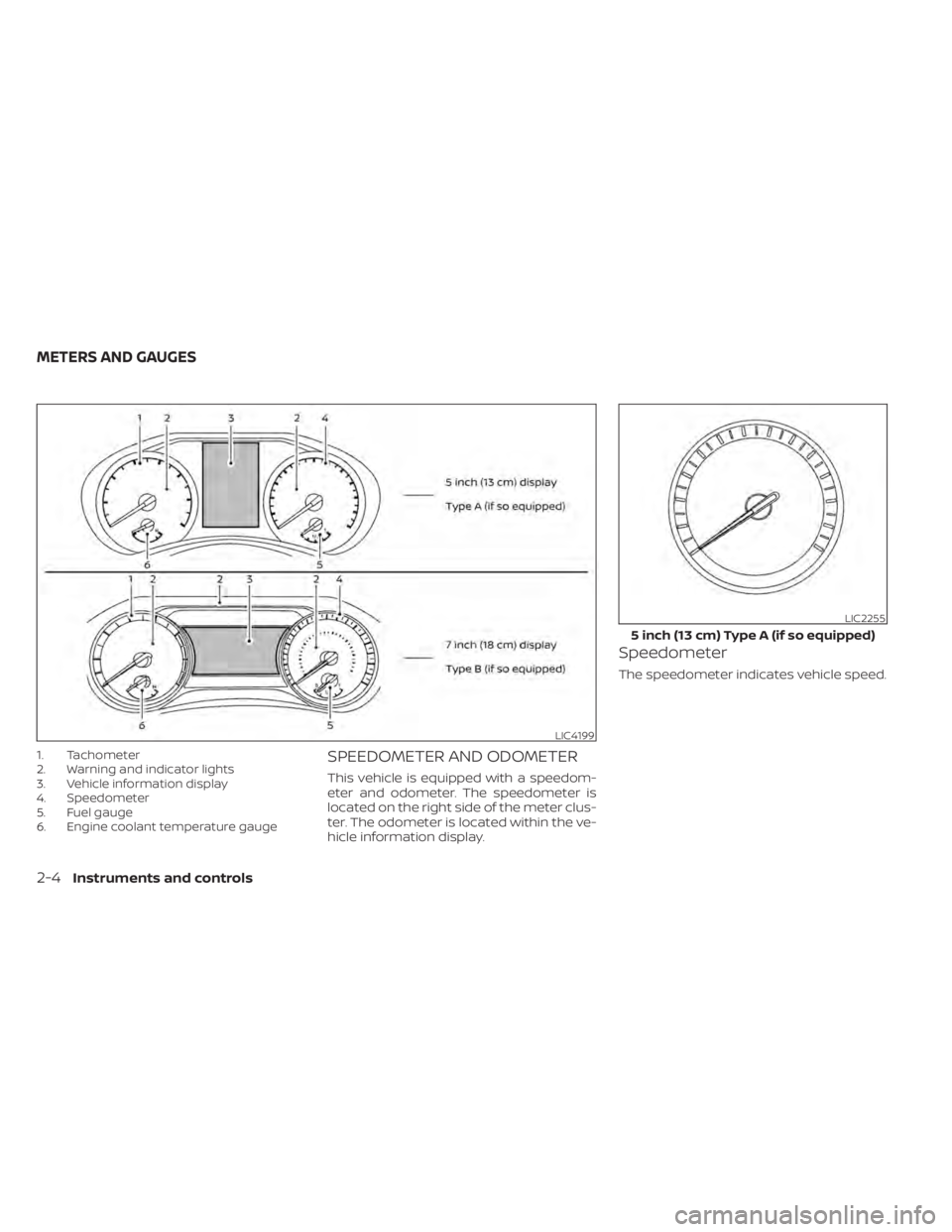
1. Tachometer
2. Warning and indicator lights
3. Vehicle information display
4. Speedometer
5. Fuel gauge
6. Engine coolant temperature gaugeSPEEDOMETER AND ODOMETER
This vehicle is equipped with a speedom-
eter and odometer. The speedometer is
located on the right side of the meter clus-
ter. The odometer is located within the ve-
hicle information display.
Speedometer
The speedometer indicates vehicle speed.
LIC4199
LIC2255
5 inch (13 cm) Type A (if so equipped)
METERS AND GAUGES
2-4Instruments and controls
Page 96 of 644
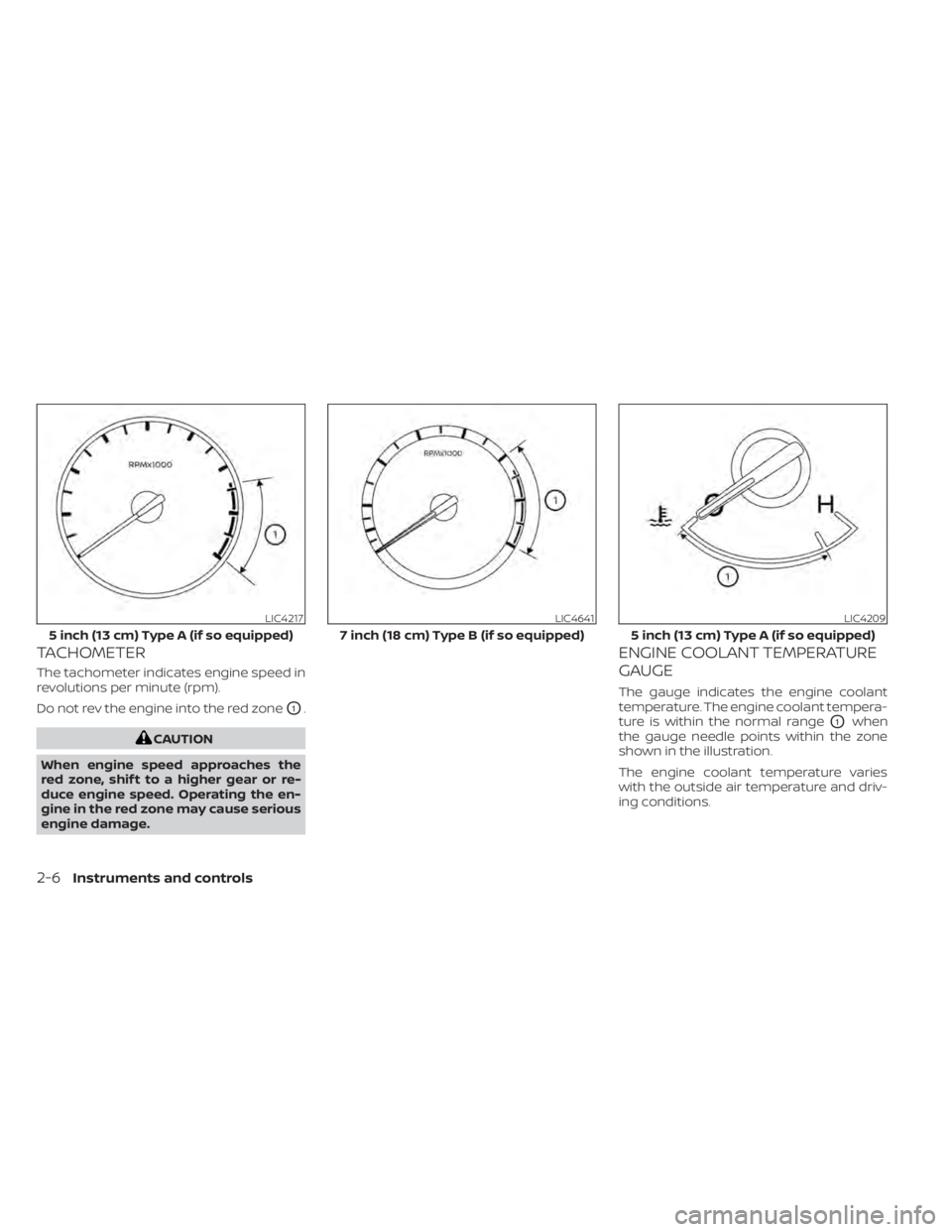
TACHOMETER
The tachometer indicates engine speed in
revolutions per minute (rpm).
Do not rev the engine into the red zone
O1.
CAUTION
When engine speed approaches the
red zone, shif t to a higher gear or re-
duce engine speed. Operating the en-
gine in the red zone may cause serious
engine damage.
ENGINE COOLANT TEMPERATURE
GAUGE
The gauge indicates the engine coolant
temperature. The engine coolant tempera-
ture is within the normal range
O1when
the gauge needle points within the zone
shown in the illustration.
The engine coolant temperature varies
with the outside air temperature and driv-
ing conditions.
LIC4217
5 inch (13 cm) Type A (if so equipped)
LIC4641
7 inch (18 cm) Type B (if so equipped)
LIC4209
5 inch (13 cm) Type A (if so equipped)
2-6Instruments and controls
Page 97 of 644
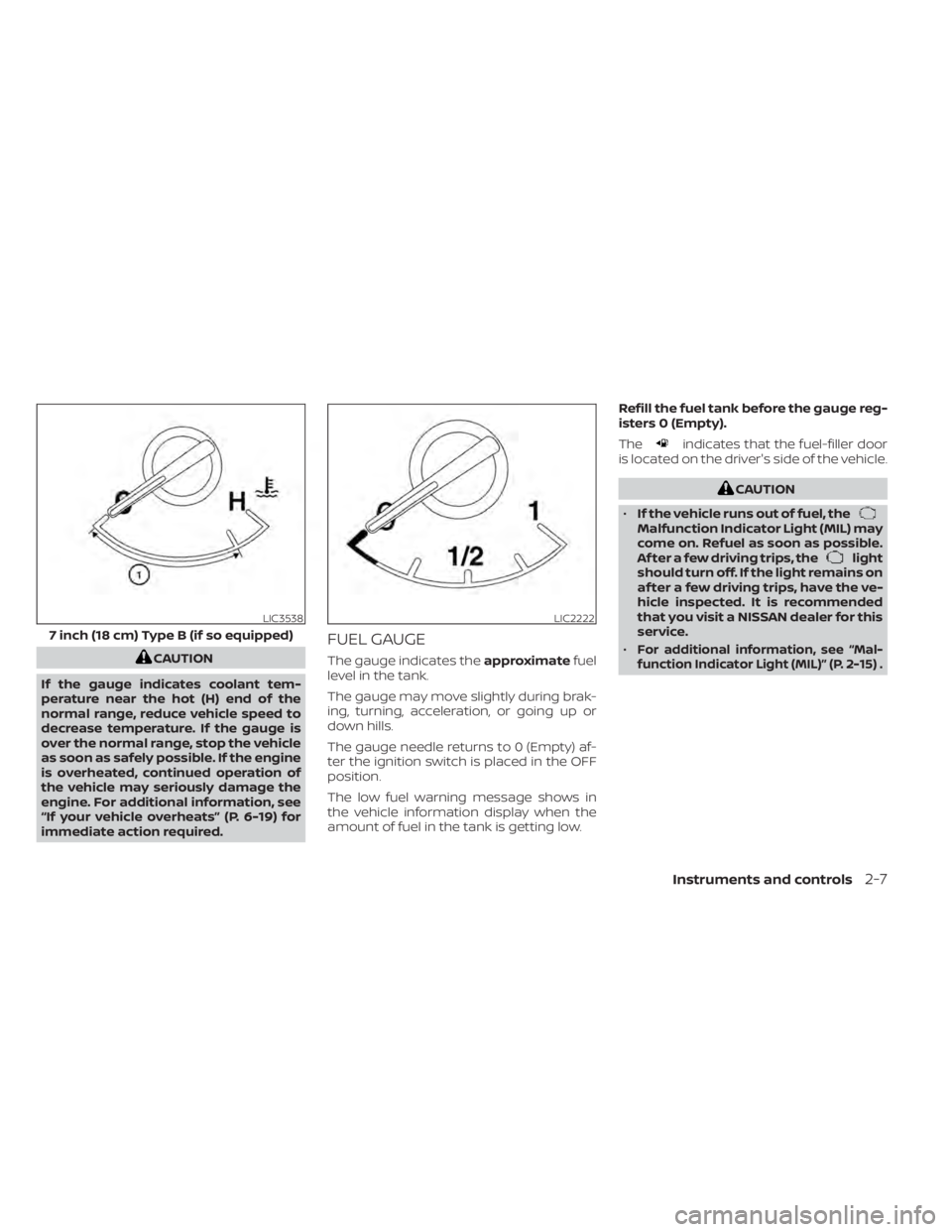
CAUTION
If the gauge indicates coolant tem-
perature near the hot (H) end of the
normal range, reduce vehicle speed to
decrease temperature. If the gauge is
over the normal range, stop the vehicle
as soon as safely possible. If the engine
is overheated, continued operation of
the vehicle may seriously damage the
engine. For additional information, see
“If your vehicle overheats” (P. 6-19) for
immediate action required.
FUEL GAUGE
The gauge indicates the approximatefuel
level in the tank.
The gauge may move slightly during brak-
ing, turning, acceleration, or going up or
down hills.
The gauge needle returns to 0 (Empty) af-
ter the ignition switch is placed in the OFF
position.
The low fuel warning message shows in
the vehicle information display when the
amount of fuel in the tank is getting low. Refill the fuel tank before the gauge reg-
isters 0 (Empty).
The
indicates that the fuel-filler door
is located on the driver's side of the vehicle.
CAUTION
• If the vehicle runs out of fuel, the
Malfunction Indicator Light (MIL) may
come on. Refuel as soon as possible.
Af ter a few driving trips, the
light
should turn off. If the light remains on
af ter a few driving trips, have the ve-
hicle inspected. It is recommended
that you visit a NISSAN dealer for this
service.
•
For additional information, see “Mal-
function Indicator Light (MIL)” (P. 2-15) .
LIC3538
7 inch (18 cm) Type B (if so equipped)
LIC2222
Instruments and controls2-7
Page 246 of 644
Cooling
This mode is used to cool and dehumidif y
the air.
1. Press the
button to the off position.
2. Press the
air flow control button.
3. Turn the
fan speed control dial to
the desired position.
4. Press the A/C button. The indicator light comes on.
5. Turn the temperature control dial to the desired position.
• For quick cooling when the outside tem- perature is high, press the
button to
the ON position. Be sure to return the
to the off position for normal cooling.
MAX A/C may be used for quick cooling.
Dehumidified heating
This mode is used to heat and dehumidif y
the air.
1. Press the
button to the off position.
2. Press the
air flow control button.
3. Turn the
fan speed control dial to
the desired position.
4. Press the A/C (air conditioner) button. The indicator light comes on. 5. Turn the temperature control dial to the
desired position.
Dehumidified defogging
This mode is used to defog the windows
and dehumidif y the air.
1. Press the
air flow control button.
2. Turn the
fan speed control dial to
the desired position.
• When the
orare selected, the
air conditioner automatically turns on if
the outside temperature is more than
36°F (2°C). This dehumidifies the air which
helps defog the windshield. The
mode automatically turns off, allowing
outside air to be drawn into the passen-
ger compartment to further improve the
defogging performance.
3. Turn the temperature control dial to the desired position.
Operating tips
• Keep the windows closed while the air
conditioner is in operation.
• Af ter parking in the sun, drive for 2 or 3 minutes with the windows open to vent
hot air from the passenger compart-
ment. Then, close the windows. This al-
lows the air conditioner to cool the inte-
rior more quickly. • The air conditioning system should be
operated for approximately 10 minutes at
least once a month. This helps prevent
damage to the system due to lack of
lubrication.
• A visible mist may be seen coming from the ventilators in hot, humid conditions
as the air is cooled rapidly. This does not
indicate a malfunction.
• If the engine coolant temperature gauge indicates engine coolant temperature
over the normal range, turn the air condi-
tioner off. For additional information, see
“If your vehicle overheats” (P. 6-19).
• When Remote Engine Start (if so equipped) is activated, the manual cli-
mate control system will default to the
last used heating or cooling mode.
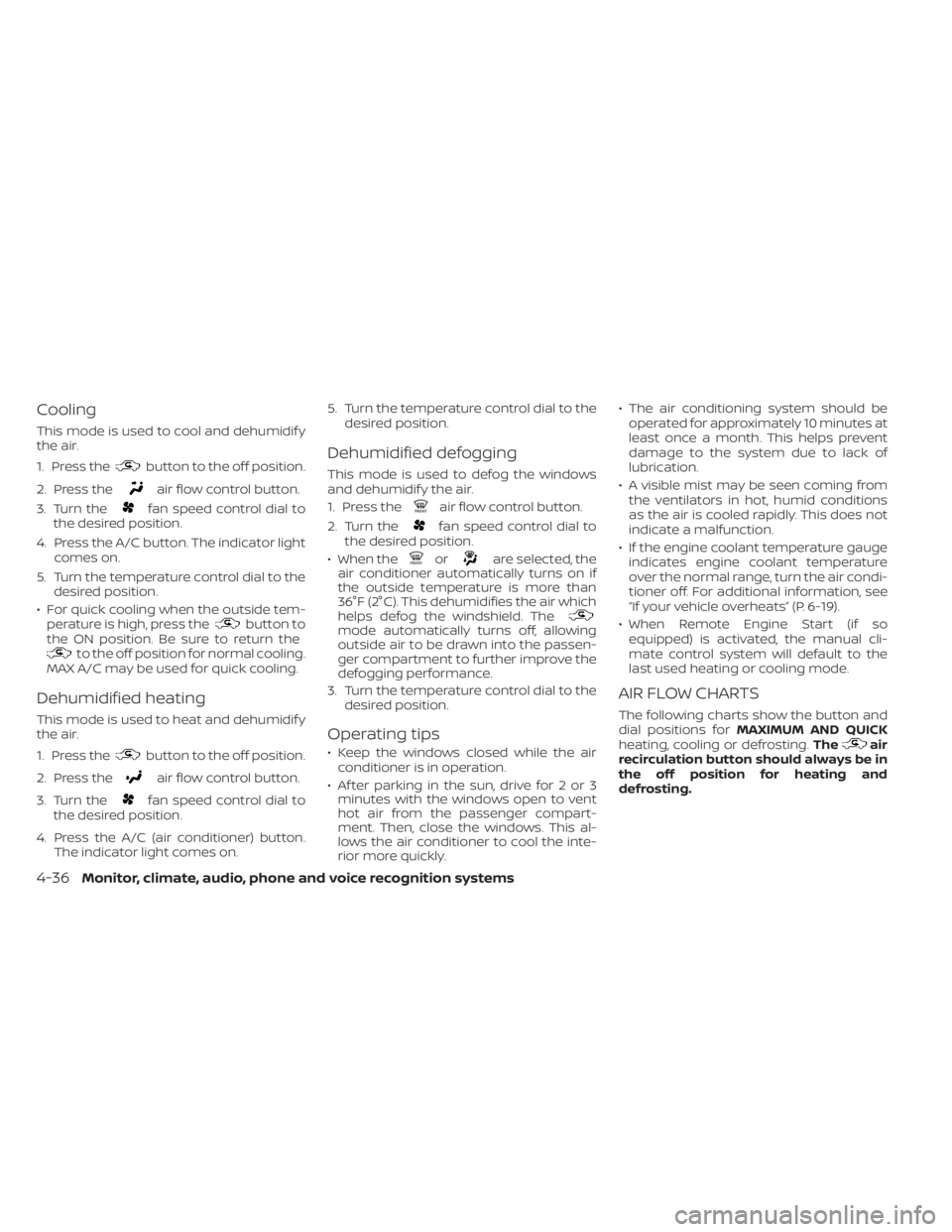
AIR FLOW CHARTS
The following charts show the button and
dial positions for MAXIMUM AND QUICK
heating, cooling or defrosting. The
air
recirculation button should always be in
the off position for heating and
defrosting.
4-36Monitor, climate, audio, phone and voice recognition systems
Page 254 of 644
• When the climate system is in automaticoperation and the engine coolant tem-
perature and outside air temperature are
low, the air flow outlet may default to de-
froster mode for a maximum of 2 min-
utes 30 seconds. This is not a malfunc-
tion. Af ter the engine coolant
temperature warms up, the air flow outlet
will return to foot mode and operation will
continue normally.
• When the outside and interior cabin tem- peratures are moderate to high, the in-
take setting may default to turn off air
recirculation to allow fresh air into the
passenger compartment. You may no-
tice air flow from the foot mode, bi-level
mode, or side demist vent outlets for a
maximum of 15 seconds. This may occur
when the previous climate setting was
turned off. This is not a malfunction. Af ter
the initial warm air is expelled, the intake
will return to automatic control, the air
flow outlet will return to previous settings,
and operation will continue normally. To
exit, press any climate control button.
• Keep the moonroof (if so equipped) closed while the air conditioner is in
operation. • If you feel that the air flow mode you have
selected and the outlets the air is coming
out do not match, select the
mode.
• When you change the air flow mode, you may feel air flow from the foot outlets for
just a moment. This is not a malfunction. The air conditioner system in your NISSAN
vehicle is charged with a refrigerant de-
signed with the environment in mind.
This refrigerant does not harm the
earth's ozone layer.
Special charging equipment and lubricant
is required when servicing your NISSAN air
conditioner. Using improper refrigerants or
lubricants will cause severe damage to
your air conditioner system. For additional
information, see “Air conditioner system re-
frigerant and oil recommendations”
(P. 10-8).
It is recommended that you visit a NISSAN
dealer to service your “environmentally
friendly ” air conditioner system.
WARNING
The air conditioner system contains re-
frigerant under high pressure. To avoid
personal injury, any air conditioner ser-
vice should be done only by an experi-
enced technician with proper
equipment.
SERVICING AIR CONDITIONER
4-44Monitor, climate, audio, phone and voice recognition systems