2023 MAZDA MAZDA steering wheel
[x] Cancel search: steering wheelPage 159 of 623

Two minutes have elapsed since the
idling was stopped.
The M Hybrid battery power is
depleted.
(Engine idling is stopped while the
vehicle is stopped)
The accelerator pedal is depressed
with the selector lever in the D or
M (not in second gear fixed mode)
position.
The selector lever is shifted to the R
position.
The selector lever is shifted from N
or P position to D or M (not in
second gear fixed mode) position.
The steering wheel is operated
with the selector lever in the D or
M (not in second gear fixed mode)
position.
The selector lever is in the M
position and the second gear fixed
mode is selected.
The steering wheel is operated.(Engine idling is stopped while
driving)
The selector lever is in a position
other than the D position.
The accelerator pedal is depressed.Sport mode is selected.The steering wheel is operated.With the selector lever in the P or
N position, or the D/M range, the
driver's seat belt is unfastened, the
driver's door is opened, or the
hood is opened.
Selector lever is operated while
engine idling is stopped
If the selector lever is shifted from D or
M (not in second gear fixed mode)
position to N or P position while
engine idling is stopped, the engine
does not restart even when the brake
pedal is released. The engine will
restart if the brake pedal is depressed
again or the selector lever is shifted to
the D, M (not in second gear fixed
mode), or R position. (For the
purposes of safety, always keep the
brake pedal depressed when shifting
the selector lever.)
If the selector lever is shifted from the
D or M (not in second gear fixed
mode) to the N or P position, and the
driver's seat belt is unfastened or the
driver's door is opened, the engine
restarts.
Battery terminals have been
disconnected
Engine idling may not stop right after
the battery terminals have been
disconnected. In addition, if the
battery is replaced, the i-stop functions
must be verified. Consult an
Authorized Mazda Dealer.
▼ i-stop OFF Switch
When pressing the switch, the i-stop
function stops and the i-stop OFF
switch indicator light turns on. If the
switch is pressed again, the i-stop
function becomes operational and the
When Driving
Start/Stop Engine
4-14
Mazda3_8LC2-EA-22G_Edition1_new
2022-5-20 11:26:10
Page 191 of 623
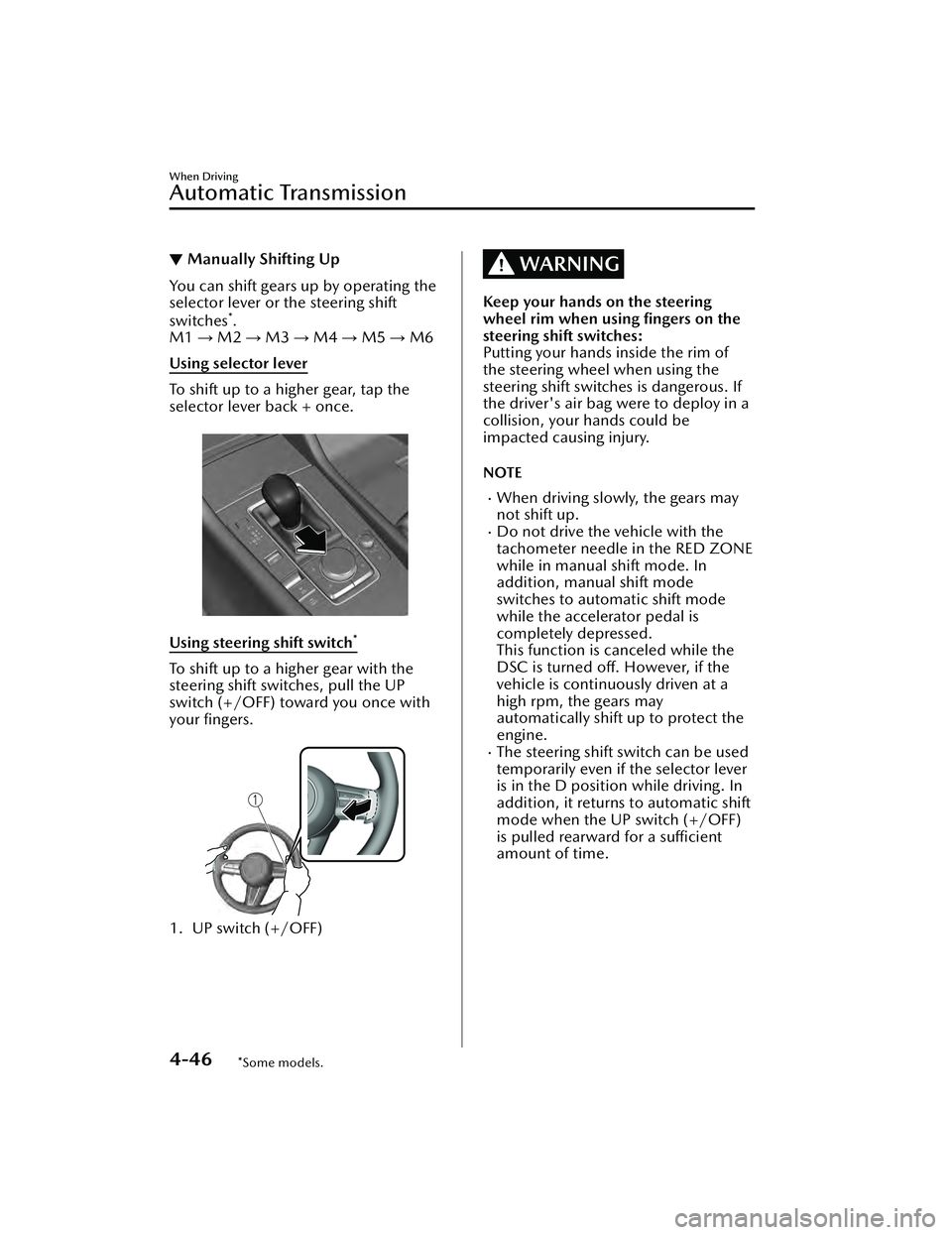
▼Manually Shifting Up
You can shift gears up by operating the
selector lever or the steering shift
switches
*.
M1 → M2 → M3 → M4 → M5 → M6
Using selector lever
To shift up to a higher gear, tap the
selector lever back + once.
Using steering shift switch*
To shift up to a higher gear with the
steering shift switches, pull the UP
switch (+/OFF) toward you once with
your fingers.
1. UP switch (+/OFF)
WARNING
Keep your hands on the steering
wheel rim when using fingers on the
steering shift switches:
Putting your hands inside the rim of
the steering wheel when using the
steering shift switches is dangerous. If
the driver's air bag were to deploy in a
collision, your hands could be
impacted causing injury.
NOTE
When driving slowly, the gears may
not shift up.
Do not drive the vehicle with the
tachometer needle in the RED ZONE
while in manual shift mode. In
addition, manual shift mode
switches to automatic shift mode
while the accelerator pedal is
completely depressed.
This function is canceled while the
DSC is turned off. However, if the
vehicle is continuously driven at a
high rpm, the gears may
automatically shift up to protect the
engine.
The steering shift switch can be used
temporarily even if the selector lever
is in the D position while driving. In
addition, it returns to automatic shift
mode when the UP switch (+/OFF)
is pulled rearward for a sufficient
amount of time.
When Driving
Automatic Transmission
4-46*Some models.
Mazda3_8LC2-EA-22G_Edition1_new 2022-5-20 11:26:10
Page 192 of 623
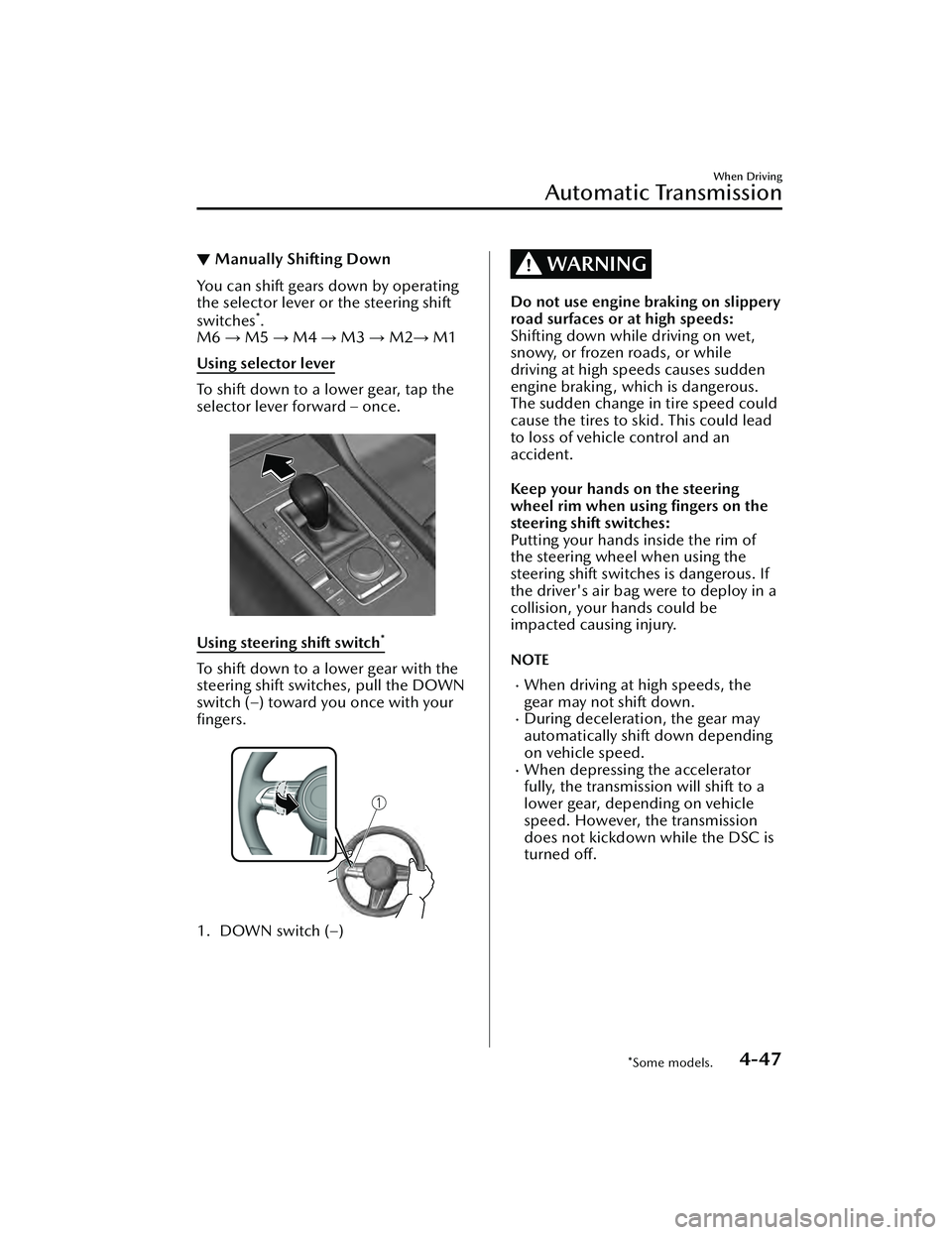
▼Manually Shifting Down
You can shift gears down by operating
the selector lever or the steering shift
switches
*.
M6 → M5 → M4 → M3 → M2 → M1
Using selector lever
To shift down to a lower gear, tap the
selector lever forward – once.
Using steering shift switch*
To shift down to a lower gear with the
steering shift switches, pull the DOWN
switch (–) toward you once with your
fingers.
1. DOWN switch (–)
WARNING
Do not use engine braking on slippery
road surfaces or at high speeds:
Shifting down while driving on wet,
snowy, or frozen roads, or while
driving at high speeds causes sudden
engine braking , which is dangerous.
The sudden change in tire speed could
cause the tires to skid. This could lead
to loss of vehicle control and an
accident.
Keep your hands on the steering
wheel rim when using fingers on the
steering shift switches:
Putting your hands inside the rim of
the steering wheel when using the
steering shift switches is dangerous. If
the driver's air bag were to deploy in a
collision, your hands could be
impacted causing injury.
NOTE
When driving at high speeds, the
gear may not shift down.
During deceleration, the gear may
automatically shift down depending
on vehicle speed.
When depressing the accelerator
fully, the transmissi on will shift to a
lower gear, depending on vehicle
speed. However, the transmission
does not kickdown while the DSC is
turned off.
When Driving
Automatic Transmission
*Some models.4-47
Mazda3_8LC2-EA-22G_Edition1_new 2022-5-20 11:26:10
Page 215 of 623
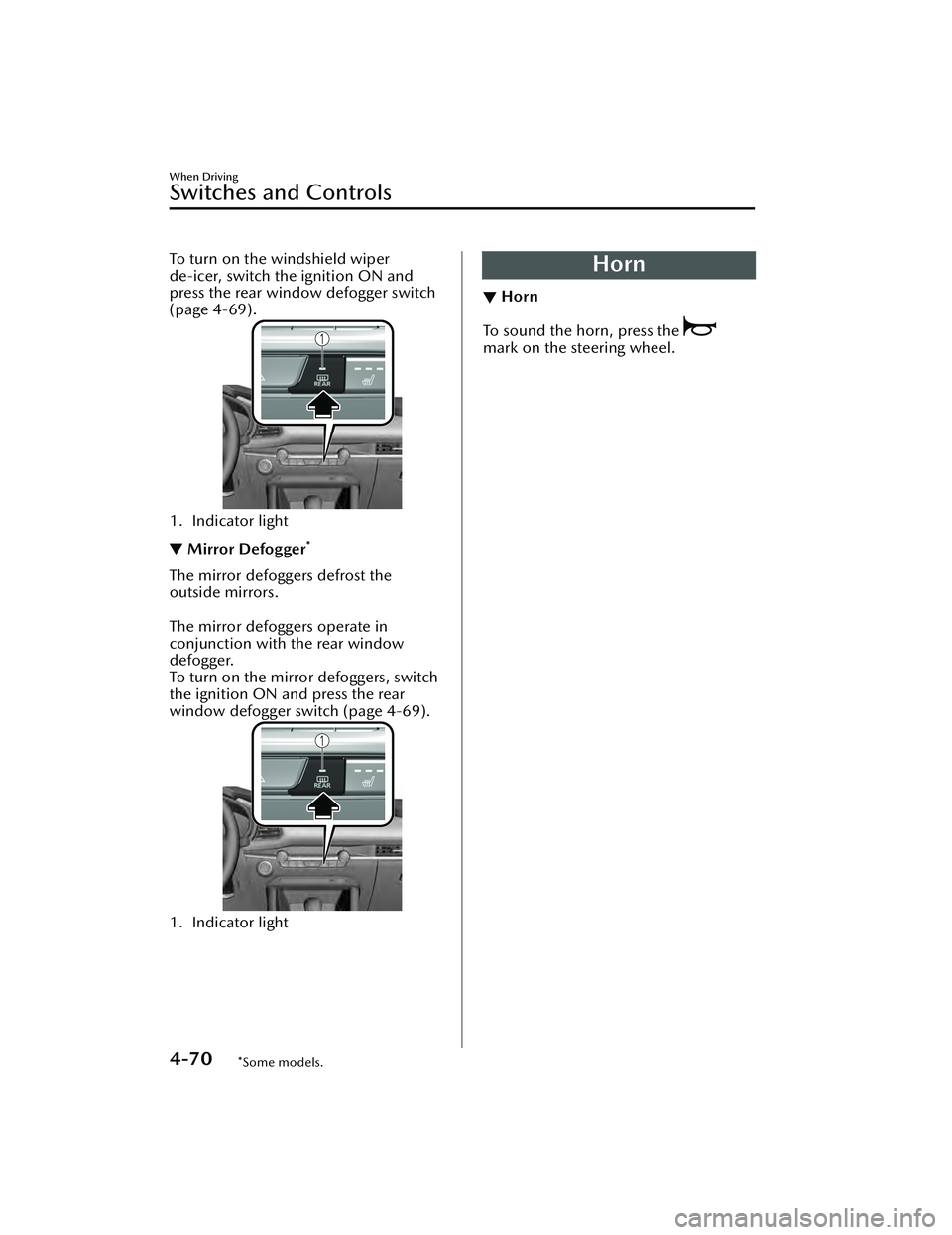
To turn on the windshield wiper
de-icer, switch the ignition ON and
press the rear window defogger switch
(page 4-69).
1. Indicator light
▼Mirror Defogger*
The mirror defoggers defrost the
outside mirrors.
The mirror defoggers operate in
conjunction with the rear window
defogger.
To turn on the mirror defoggers, switch
the ignition ON and press the rear
window defogger switch (page 4-69).
1. Indicator light
Horn
▼ Horn
To sound the horn, press the
mark on the steering wheel.
When Driving
Switches and Controls
4-70*Some models.
Mazda3_8LC2-EA-22G_Edition1_new
2022-5-20 11:26:10
Page 227 of 623

AUTOHOLD
▼AUTOHOLD
The AUTOHOLD function automatically holds the vehicle stopped, even if you take
your foot
off the brake pedal. This function can be best used while stopped in
traffic
or at a traffic light. The brakes are released when you start driving the vehicle.
WARNING
Do not rely completely on the AUTOHOLD function:
The AUTOHOLD function is only designed to assist the brake operation while the
vehicle is stopped. Neglecting to operate the brakes and relying only on the
AUTOHOLD system is dangerous and could result in an unexpected accident if the
vehicle were to suddenly move. Operate the brakes appropriately in accordance
with the road and surrounding conditions.
Note that the vehicle may move suddenly depending on the vehicle's load or if it is
towing something.
Do not release your foot from the brake pedal while the vehicle is stopped on a
steep grade:
Because there is a possibility of the vehicle not being held in the stopped position by
the AUTOHOLD function, the vehicle may move unexpectedly and result in an
accident.
Do not use the AUTOHOLD function on slippery roads such as icy or
snow-covered roads, or unpaved roads:
Even if the vehicle is held in the stopped position by the AUTOHOLD function, the
vehicle may move unexpectedly and result in an accident. Operate the accelerator
pedal, brakes, or steering wheel appropriately as necessary.
Immediately depress the brake pedal in the following cases:
Because the AUTOHOLD function is canceled forcibly, the vehicle may move
unexpectedly and result in an accident.
“Depress Brake Pedal. Brake Hold Disabled” is displayed in the multi-information
display and the warning sound is activated at the same time.
Always apply the parking brake when parking the vehicle:
Not applying the parking brake when parking the vehicle is dangerous as the vehicle
may move unexpectedly and result in an accident. When parking the vehicle, shift
the selector lever to the P position (autom atic transmission vehicle) and apply the
parking brake.
When Driving
Brake
4-82
Mazda3_8LC2-EA-22G_Edition1_new 2022-5-20 11:26:10
Page 237 of 623
Drive Selection*
▼Drive Selection
Drive selection is a system to switch
the vehicle's drive mode. When the
sport mode is selected, vehicle's
response against accelerator operation
is enhanced. This provides additional
quick acceleration which may be
needed to safely make maneuvers such
as lane changes, merging onto
freeways, or passing other vehicles.
CAUTION
Do not use the sport mode when
driving on slippery roads such as wet
or snow-covered roads. It may cause
tire slipping.
NOTE
When the sport mode is selected,
driving at higher engine speeds
increases and it may increase fuel
consumption. Mazda recommends
that you cancel the sport mode on
normal driving.
Drive mode cannot be switched in
the following conditions:
ABS/TCS/DSC is operatingCruise control* is operating.The Mazda Radar Cruise Control
(MRCC) system* is operating.The Mazda Radar Cruise Control
with Stop & Go function (MRCC
with Stop & Go function) System
*
is operating.Tra ffi c
Jam Assist (TJA) is operating.Steering wheel is being operated
abruptly
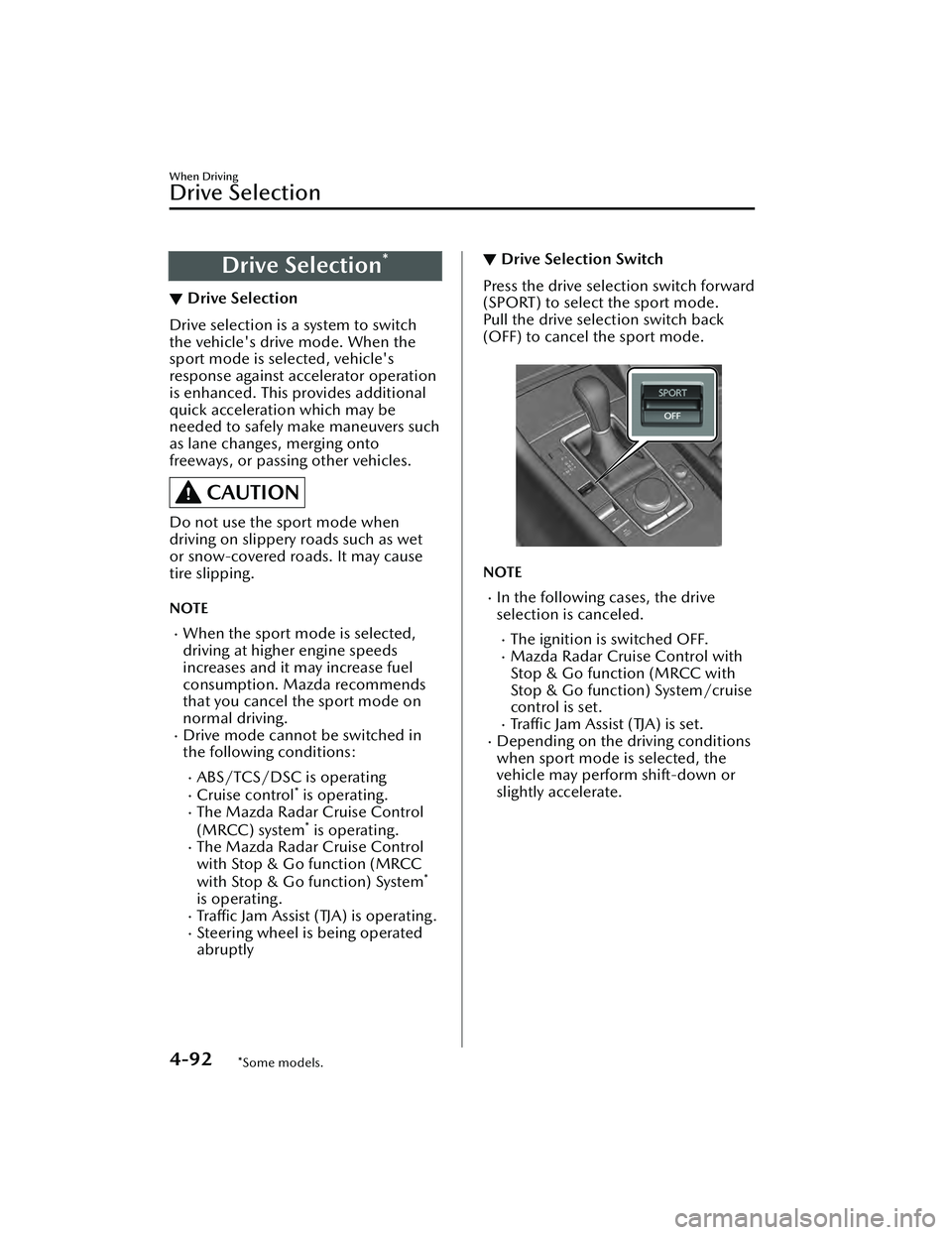
▼Drive Selection Switch
Press the drive selection switch forward
(SPORT) to select the sport mode.
Pull the drive selection switch back
(OFF) to cancel the sport mode.
NOTE
In the following cases, the drive
selection is canceled.
The ignition is switched OFF.Mazda Radar Cruise Control with
Stop & Go function (MRCC with
Stop & Go function) System/cruise
control is set.
Traffic Jam Assist (TJA) is set.Depending on the driving conditions
when sport mode is selected, the
vehicle may perform shift-down or
slightly accelerate.
When Driving
Drive Selection
4-92*Some models.
Mazda3_8LC2-EA-22G_Edition1_new
2022-5-20 11:26:10
Page 239 of 623

i-ACTIV AWD Operation*
▼i-ACTIV AWD Operation
AWD provides excellent drivability on
snow-covered and ice-packed roads,
sand and mud, as well as on steep
slopes and other slippery surfaces.
A system malfunction or operation
conditions are indicated by a warning.
Refer to AWD Warning Indication/
Warning Light on page 7-32.
WARNING
Never spin a wheel that is
off the
ground:
Spinning a wheel that is off the ground
as a result of the vehicle being stuck or
in a ditch is dangerous. The drive
assembly could be seriously damaged
which could lead to an accident or
could even lead to overheating, oil
leakage, and a fire.
▼AWD Driving
This vehicle has not been designed for
the purpose of off-road driving or
rallies. Do not attempt to drive over
uneven or rocky surfaces, or across
rivers.
Although this vehicl
e is equipped with
AWD, acceleration, steering and
braking operations should be
conducted in the same manner as with
a non-AWD vehicle, with the emphasis
placed on safe driving.
▼ Tires and Tire Chains
The condition of the tires plays a large
role in the performance of the vehicle.
Moreover, to prevent adverse effects to
the drive assembly, please note the
following:
Tires
When replacing tires, always replace
all front and rear tires at the same
time.
All tires must be of the same size,
manufacture, brand and tread
pattern. Pay particular attention
when equipping snow or other types
of winter tires.
Do not mix tread-worn tires with
normal tires.
Inspect tire
inflation pressures at the
specified periods adjust to the
specified pressures, and initialize the
tire pressure monitoring system.
Refer to Tire Pressure Monitoring
System Initialization on page 4-228.
NOTE
Check the tire inflation pressure label
attached to driver's door frame for the
correct tire inflation pressure.
Make sure to equip the vehicle with
genuine tires of the specified size, on
all wheels. With AWD, the system is
calibrated for all 4 wheels being of
the same dimensions.
Tire chains
Install tire chains to the front tires.Do not use tire chains on the rear
wheels.
Do not drive the vehicle faster than
30 km/h (19 mph) with the tire
chains installed.
Do not drive the vehicle with tire
chains on road conditions other than
snow or ice.
▼ To w i n g
If the vehicle requires towing, have it
towed with all 4 wheels completely
off
the ground.
Refer to Towing De scription on page
7-23.
When Driving
i-ACTIV AWD
4-94*Some models.
Mazda3_8LC2-EA-22G_Edition1_new 2022-5-20 11:26:10
Page 246 of 623
Adaptive Front LightingSystem (AFS)
*
▼Adaptive Front Lighting System
(AFS)
The adaptive front lighting system
(AFS) automatically adjusts the
headlight beams to the left or right in
conjunction with the operation of the
steering wheel after the headlights
have been turned on and the vehicle
speed is about 2 km/h (2 mph) or
higher.
A system malfunction or operation
conditions are indicated by a warning.
Refer to Exterior Light Warning
Indication/Warning Light on page
7-35.
NOTE
The Adaptive Front Lighting System
(AFS) can be switched to on/off using
the personalization function.
Refer to the Settings section in the
Mazda Connect Owner's Manual.
High Beam Control
System (HBC)
*
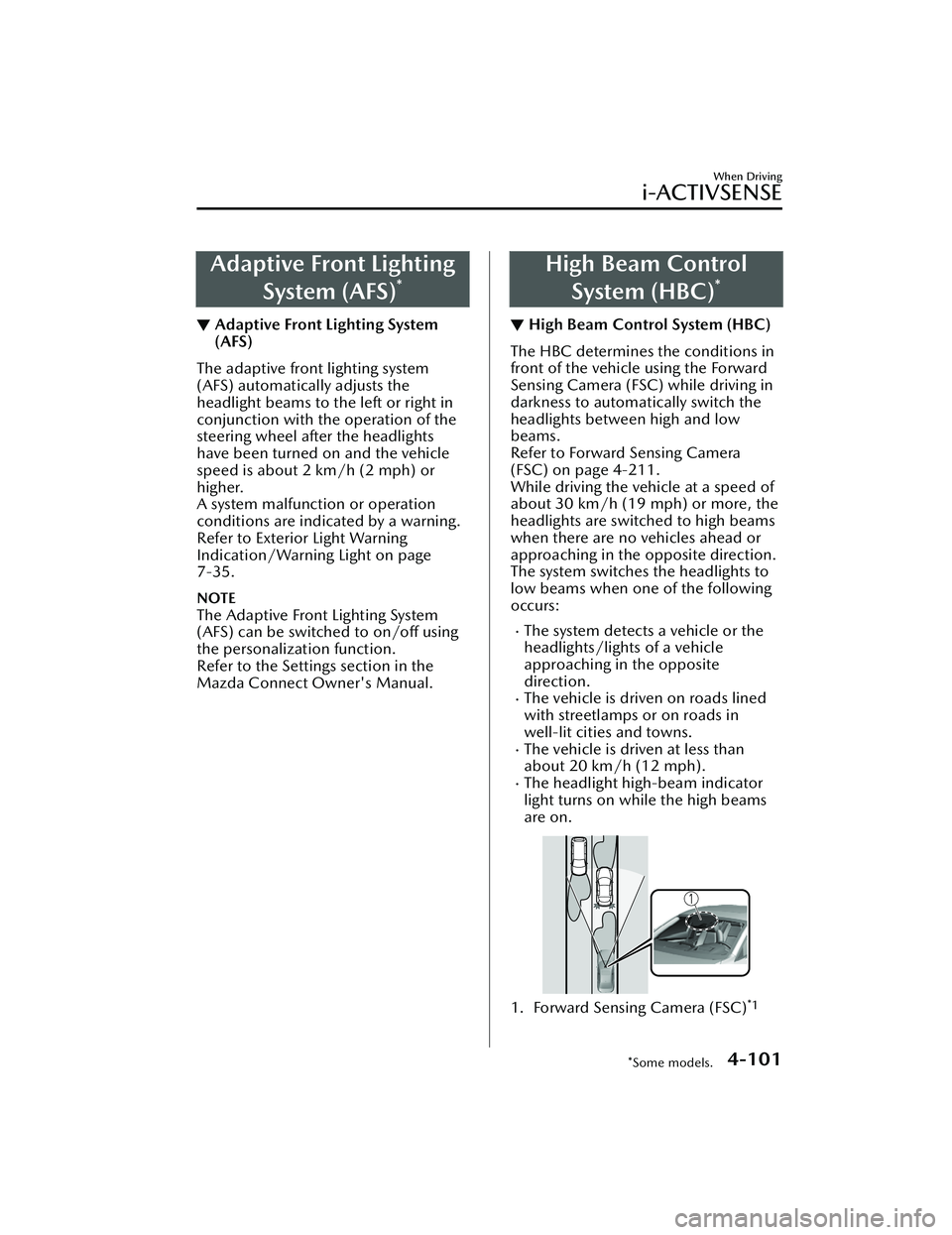
▼ High Beam Control System (HBC)
The HBC determines the conditions in
front of the vehicle using the Forward
Sensing Camera (FSC) while driving in
darkness to automatically switch the
headlights between high and low
beams.
Refer to Forward Sensing Camera
(FSC) on page 4-211.
While driving the vehicle at a speed of
about 30 km/h (19 mph) or more, the
headlights are switched to high beams
when there are no vehicles ahead or
approaching in the opposite direction.
The system switches the headlights to
low beams when one of the following
occurs:
The system detects a vehicle or the
headlights/lights of a vehicle
approaching in the opposite
direction.
The vehicle is driven on roads lined
with streetlamps or on roads in
well-lit cities and towns.
The vehicle is driven at less than
about 20 km/h (12 mph).
The headlight high-beam indicator
light turns on while the high beams
are on.
1. Forward Sensing Camera (FSC)*1
When Driving
i-ACTIVSENSE
*Some models.4-101
Mazda3_8LC2-EA-22G_Edition1_new
2022-5-20 11:26:10