2023 MAZDA MAZDA roof
[x] Cancel search: roofPage 181 of 623

Active Driving Display*
▼Active Driving Display
1. Display
2. Dust-proof sheet
WARNING
Always adjust the display brightness
and position with the vehicle stopped:
Adjusting the display brightness and position while driving the vehicle is dangerous
as doing so could distract your attention from the road ahead and lead to an
accident.
CAUTION
Do not place beverages near the dust-proof sheet of the active driving display. If
water or other liquids are splashed on the dust-proof sheet, it could cause
damage.
Do not place objects or apply stickers above the active driving display or to the
dust-proof sheet as they will cause interference.
NOTE
Wearing polarized sunglasses wi ll reduce the visibility of the active driving display
due to the characteristics of the display.
If the battery has been removed and re-insta lled or the battery voltage is low, the
adjusted position may deviate.
The display may be difficult to view or temporarily affected by weather conditions
such as rain, snow, light, and temperature.
If the audio system is removed, the active driving display cannot be operated.
When Driving
Instrument Cluster and Display
4-36*Some models.
Mazda3_8LC2-EA-22G_Edition1_new 2022-5-20 11:26:10
Page 323 of 623

Rear Cross Traffic Alert (RCTA)
If there is the possibility of a collision
with an approaching vehicle while
the rear view/rear wide view is
displayed, a warning is displayed on
the center display.
The Rear Cross Traffic Alert (RCTA)
uses rear side radar sensor to detect
vehicles approaching from the rear
left and right sides of the vehicle,
and it assists the driver in checking
the rear of the vehicle while reversing
by flashing the Blind Spot Monitoring
(BSM) warning lights and activating
the warning sound.
Refer to Rear Cross Traffic Alert
(RCTA) on page 4-126.
360° View Monitor Range
1. Cameras
2. Ultrasonic sensors
3. Front/Rear side radar sensors
WARNING
Always confirm the safety of the area
around the vehicle with the mirrors
and directly with your eyes when
driving:
The 360° View Monitor is an auxiliary
device which assists the driver in
checking the safety of the area around
the vehicle.
The shooting range of the cameras and
detection range of the sensors are
limited. For example, the areas in black
at the front and rear of the vehicle
image and the seams where each of
the camera images merge are blind
spots where an obstruction may not be
visible. In addition, the extended
vehicle width lines and projected
vehicle path lines are only to be used
as references, and the images on the
screen may differ from the actual
conditions.
CAUTION
Do not use the 360° View Monitor
under any of the following
conditions.
Icy or snow-covered roads.
Tire chains or a temporary spare
tire is installed.
The front or rear doors are not fully
closed.
The vehicle is on a road incline.
Bumpy roads.
The door mirrors are retracted.
Do not hit the front/rear camera,
front/rear bumper, and door mirrors
forcefully. The camera position or
installation angle may shift.
The cameras are waterproof. Do not
disassemble, modify, or remove a
camera.
When Driving
i-ACTIVSENSE
4-178
Mazda3_8LC2-EA-22G_Edition1_new 2022-5-20 11:26:10
Page 358 of 623
NOTE
In the following cases, the Forward
Sensing Camera (FSC) cannot detect
target objects correctly, and each
system may be unable to operate
normally.
The height of the vehicle ahead is
low.
You drive your vehicle at the same
speed as the vehicle ahead.
Headlights are not turned on
during the night or when going
through a tunnel.
In the following cases, the Forward
Sensing Camera (FSC) may not be
able to detect target objects
correctly.
Under bad weather condition,
such as rain, fog and snow.
The window washer is being used
or the windshield wipers are not
used when it's raining.
Ice, fog , snow, frost, rainfall, dirt,
or foreign matter such as a plastic
bag is stuck on the windshield.
Trucks with low loading platforms
and vehicles with an extremely low
or high profile.
When driving next to walls with no
patterning (including fences and
longitudinally striped walls).
The taillights of the vehicle ahead
are turned off.
A vehicle is outside the
illumination range of the
headlights.
The vehicle is making a sharp turn,
or ascending or descending a steep
slope.
Entering or exiting a tunnel.Heavy luggage is loaded causing
the vehicle to tilt.
Strong light is shone at the front of
the vehicle (back light or
high-beam light from on-coming
vehicles).
There are many light emitters on
the vehicle ahead.
When the vehicle ahead is not
equipped with taillights or the
taillights are turned off at
nighttime.
Elongated luggage or cargo is
loaded onto installed roof rails and
covers the Forward Sensing
Camera (FSC).
Exhaust gas from the vehicle in
front, sand, snow, and water vapor
rising from manholes and grating,
and water splashed into the air.
When towing a malfunctioning
vehicle.
The vehicle is driven with tires
having significantly different wear.
The vehicle is driven on down
slopes or bumpy roads.
There are water puddles on the
road.
The surroundings are dark such as
during the night, early evening , or
early morning , or in a tunnel or
indoor parking lot.
The illumination brightness of the
headlights is reduced or the
headlight illumination is weakened
due to dirt or a deviated optical
axis.
The target object enters the blind
spot of the Forward Sensing
Camera (FSC).
A person or object bursts onto the
road from the shoulder or cuts
right in front of you.
You change lanes and approach a
vehicle ahead.
When driving extremely close to
the target object.
When Driving
i-ACTIVSENSE
4-213
Mazda3_8LC2-EA-22G_Edition1_new2022-5-20 11:26:10
Page 377 of 623

Rear View Monitor*
▼Rear View Monitor
The rear view monitor provides visual
images of the rear of the vehicle when
reversing.
WARNING
Always drive carefully
confirming the
safety of the rear and the surrounding
conditions by looking directly with
your eyes:
Reversing the vehicle by only looking at
the screen is dangerous as it may cause
an accident or a collision with an
object. The rear view monitor is only a
visual assist device when reversing the
vehicle. The images on the screen may
be different from the actual conditions.
CAUTION
Do not use the rear view monitor
under the following conditions:
Using the rear view monitor under
the following conditions is
dangerous and could result in injury
or vehicle damage or both.
Icy or snow-covered roads.
Tire chains or a temporary spare
tire is installed.
The vehicle is on a road incline.
Bumpy roads.
When the display is cold, images
may course across the monitor or the
screen and may be dimmer than
usual, which could cause
difficulty in
confirming the surrounding
conditions of the vehicle. Always
drive carefully confirming the safety
of the rear and the surrounding
conditions by looking directly with
your eyes.
Do not apply excessive force to the
camera. The camera position and
angle may deviate.
Do not disassemble, modify, or
remove it as it may no longer be
waterproof.
The camera cover is made of plastic.
Do not apply degreasing agents,
organic solvents, wax, or glass
coating agents to the camera cover.
If any are spilled on the cover, wipe
off with a soft cloth immediately.
Do not rub the camera cover
forcefully with an abrasive or hard
brush. The camera cover or lens may
be scratched which might affect the
images.
If a camera lens is severely damaged
by flying gravel, have the camera
replaced. For camera replacement,
consult an Authorized Mazda Dealer.
NOTE
If water, snow, or mud is stuck on
the camera lens, wipe it off using a
soft cloth. If it cannot be wiped off,
use a mild detergent.
If the camera temperature changes
rapidly (Hot to cold, cold to hot), the
rear view monitor may not operate
correctly.
When replacing the tires, consult an
Authorized Mazda Dealer. Replacing
the tires could result in deviation of
the guide lines which appear on the
display.
If the vehicle's front, side, or rear has
been involved in a collision, the
alignment of the rear view parking
camera (location, installation angle)
may have deviated. Always consult
an Authorized Mazda Dealer to have
the vehicle inspected.
When Driving
Rear View Monitor
4-232*Some models.
Mazda3_8LC2-EA-22G_Edition1_new 2022-5-20 11:26:10
Page 426 of 623

To prevent misunderstood voice commands, be aware of the following points:
Connect your mobile phone to Bluetooth® before operating the mobile phone
using voice recognition.
After pressing the talk/pick-up button, wait for the beep before speaking a
command.
Speaking in a slightly louder voice will improve voice recognition, but an
excessively loud voice is unnecessary. Try to speak in a slightly louder voice than
when talking to other passengers in the vehicle.
You do not need to speak slowly. Speak at a normal speed.When calling a person in the device's phone book, the recognition rate increases
the longer the name is. Errors may oc cur with names that are short such as
“Mama”, “Home”, or “Wife”.
Speak clearly, without pausing between words or numbers.Voice commands other than those specified , cannot be recognized. Speak in the
wording specified by the voice commands.
It is not necessary to face the microphone or approach it. Speak the voice
commands while maintaining a safe driving position.
Close the windows and the moonroof* to reduce loud noises from outside the
vehicle and to prevent the airflow of the air-conditioning system from being a
disturbance when using Bluetooth
® Hands-Free.Make sure that the air flow from the air conditioner is not blowing on the
microphone.
If the voice recognition is poor with th e guidance volume set to high, set the
Barge-In to OFF.
Examples of available voice commands
The specified name and number are put into the {}.
Common
BackHelp (You can listen to help guidance at each screen.){Line Number} (You can select the line number on the screen.)Next PagePrevious PageCancel
Menu
AllNavigationEntertainmentCommunication
Interior Features
Mazda Connect
*Some models.5-27
Mazda3_8LC2-EA-22G_Edition1_new 2022-5-20 11:26:10
Page 491 of 623
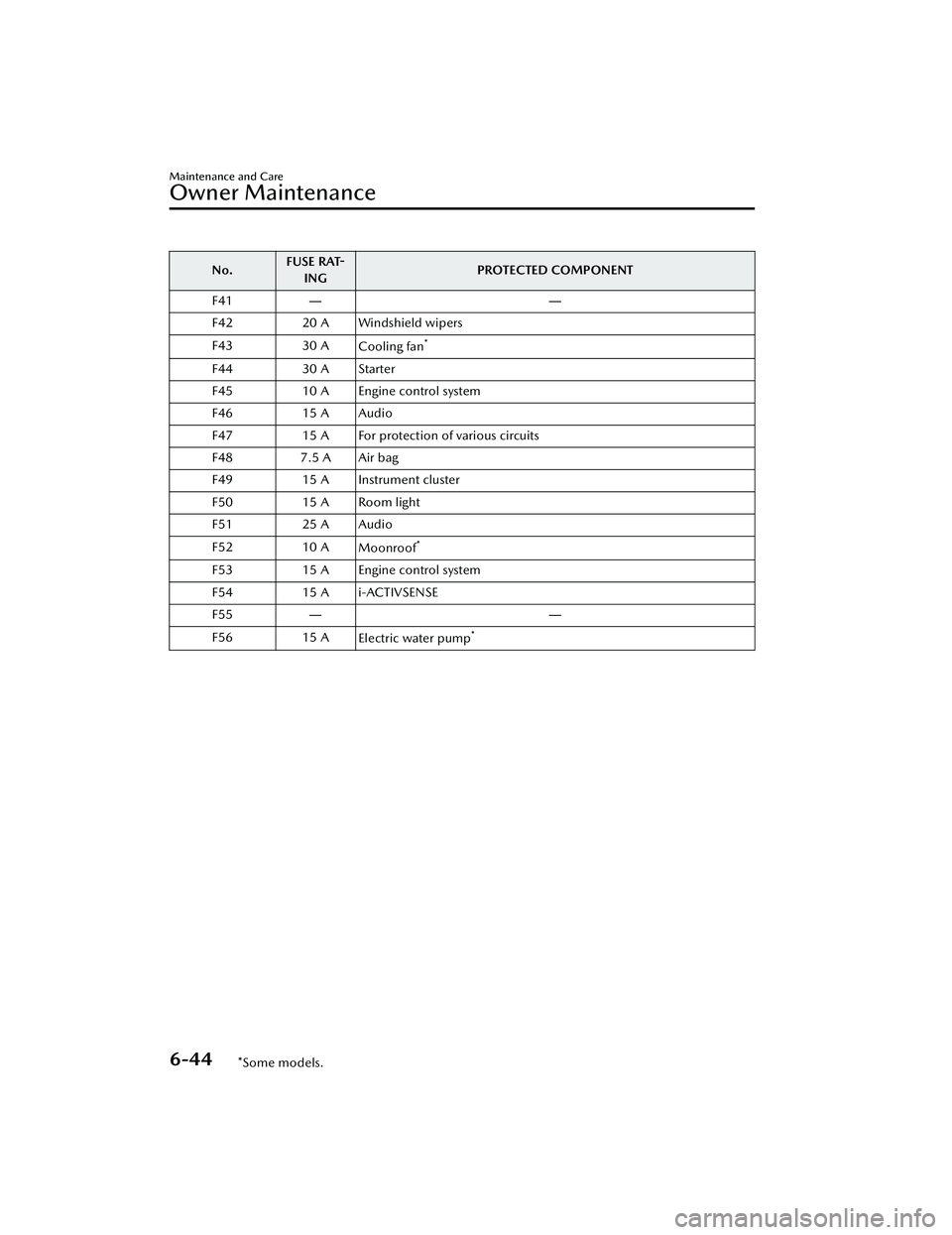
No.FUSE RAT-
ING PROTECTED COMPONENT
F41 ――
F42 20 A Windshield wipers
F43 30 A Cooling fan
*
F4430 A Starter
F45 10 A Engine control system
F46 15 A Audio
F47 15 A For protection of various circuits
F48 7.5 A Air bag
F49 15 A Instrument cluster
F50 15 A Room light
F51 25 A Audio
F52 10 A
Moonroof
*
F53 15 A Engine control system
F54 15 A i-ACTIVSENSE
F55 ――
F56 15 A
Electric water pump
*
Maintenance and Care
Owner Maintenance
6-44*Some models.
Mazda3_8LC2-EA-22G_Edition1_new 2022-5-20 11:26:10
Page 496 of 623
When the ignition is switched ON
and the wiper lever is in the AUTO
position, do not touch the
windshield or the windshield wipers
Otherwise, the windshield wipers
will operate automatically which
could catch your fingers or damage
the windshield wipers.
When removing ice or snow, or
cleaning the windshield, always
make sure the wiper lever is in the
OFF position.
Do not spray water in the engine
compartment. Otherwise, it could
result in engine-starting problems or
damage to electrical parts.
When washing and waxing the
vehicle, be careful not to apply
excessive force to any single area of
the vehicle roof or the antenna.
Otherwise, you could dent the
vehicle or damage the antenna.
Make sure that the fuel-filler lid is
closed and lock the doors.
Otherwise, the
fuel-filler lid may be
forcefully opened by water pressure
causing damage to the vehicle or
fuel-filler lid.
To help protect the finish from rust and
deterioration, wash your Mazda
thoroughly and frequently, at least
once a month, with lukewarm or cold
water.
If the vehicle is washed improperly, the
paint surface could be scratched. Here
are some examples of how scratching
could occur.
Scratches occur on the paint surface
when:
The vehicle is washed without first
rinsing off dirt and other foreign
matter.
The vehicle is washed with a rough,
dry, or dirty cloth.
The vehicle is washed at a car wash
that uses brushes that are dirty or too stiff.
Cleansers or wax containing
abrasives are used.
NOTE
Mazda is not responsible for
scratches caused by automatic car
washes or improper washing.
Scratches are more noticeable on
vehicles with darker paint finishes.
To minimize scratches on the vehicle's
paint finish:
Rinse off any dirt or other foreign
matter using lukewarm or cold water
before washing.
Use plenty of lukewarm or cold
water and a soft cloth when washing
the vehicle. Do not use a nylon cloth.
Rub gently when washing or drying
the vehicle.
Take your vehicle only to a car wash
that keeps its brushes well
maintained.
Do not use abrasive cleansers or wax
that contain abrasives.
CAUTION
Do not use steel wool, abrasive
cleaners, or strong detergents
containing highly alkaline or caustic
agents on chrome-plated or
anodized aluminum parts. This may
damage the protective coating; also,
cleaners and detergents may discolor
or deteriorate the paint.
Pay special attention to removing salt,
dirt, mud, and other foreign material
from the underside of the fenders, and
make sure the drain holes in the lower
Maintenance and Care
Appearance Care
6-49
Mazda3_8LC2-EA-22G_Edition1_new 2022-5-20 11:26:10
Page 502 of 623

▼Active Driving Display
Maintenance*
The dust-proof sheet has a coating.
When cleaning , do not use a hard or
rough-surface cloth, or cleaning
detergent. In addition, if a chemical
solvent gets on the active driving
display, wipe it off immediately. The
dust-proof sheet could be damaged
and the surface coating could be
scratched. Use a fine, soft cloth such as
those used for cleaning eyeglasses.
NOTE
Use of compressed air when cleaning
the dust-proof sheet is recommended.
▼Panel Maintenance
If a panel becomes soiled, wipe it off
with a soft cloth soaked in clean water
and thoroughly wrung out.
If some areas require further cleaning,
use the following procedure:
1. Wipe the soiled area with a soft
cloth soaked in a mild detergent
(approx. 5 %) diluted with water.
2. Wipe off the remaining detergent using a cloth soaked in clean water
and wrung out well.
NOTE
Be particularly careful when cleaning
shiny surface panels and metallic parts
such as plating as they can be
scratched easily.
▼Cleaning the Window Interiors
If the windows become covered with
an oily, greasy, or waxy film, clean
them with glass cleaner. Follow the
directions on the container.
CAUTION
Do not scrape or scratch the inside
of the window glass. It could
damage the thermal filaments and
the antenna lines.
When washing the inside of the
window glass, use a soft cloth
dampened in lukewarm water, gently
wiping the thermal filaments and the
antenna lines.
Use of glass cleaning products could
damage the thermal filaments and
the antenna lines.
▼ Cleaning the Floor Mats
Rubber floor mats should be cleaned
with mild soap and water only.
WARNING
Do not use rubber cleaners, such as
tire cleaner or tire shine, when
cleaning rubber floor mats:
Cleaning the rubber floor mats with
rubber cleaning products makes the
floor mats slippery.
This may cause an accident when
depressing the accelerator, brake, or
clutch (Manual transmission) pedal or
when getting in or out of the vehicle.
After removing the floor mats for
cleaning, always reinstall them securely
(page 3-48).
Maintenance and Care
Appearance Care
*Some models.6-55
Mazda3_8LC2-EA-22G_Edition1_new
2022-5-20 11:26:10