2023 MAZDA MAZDA power steering
[x] Cancel search: power steeringPage 240 of 623
Power Steering
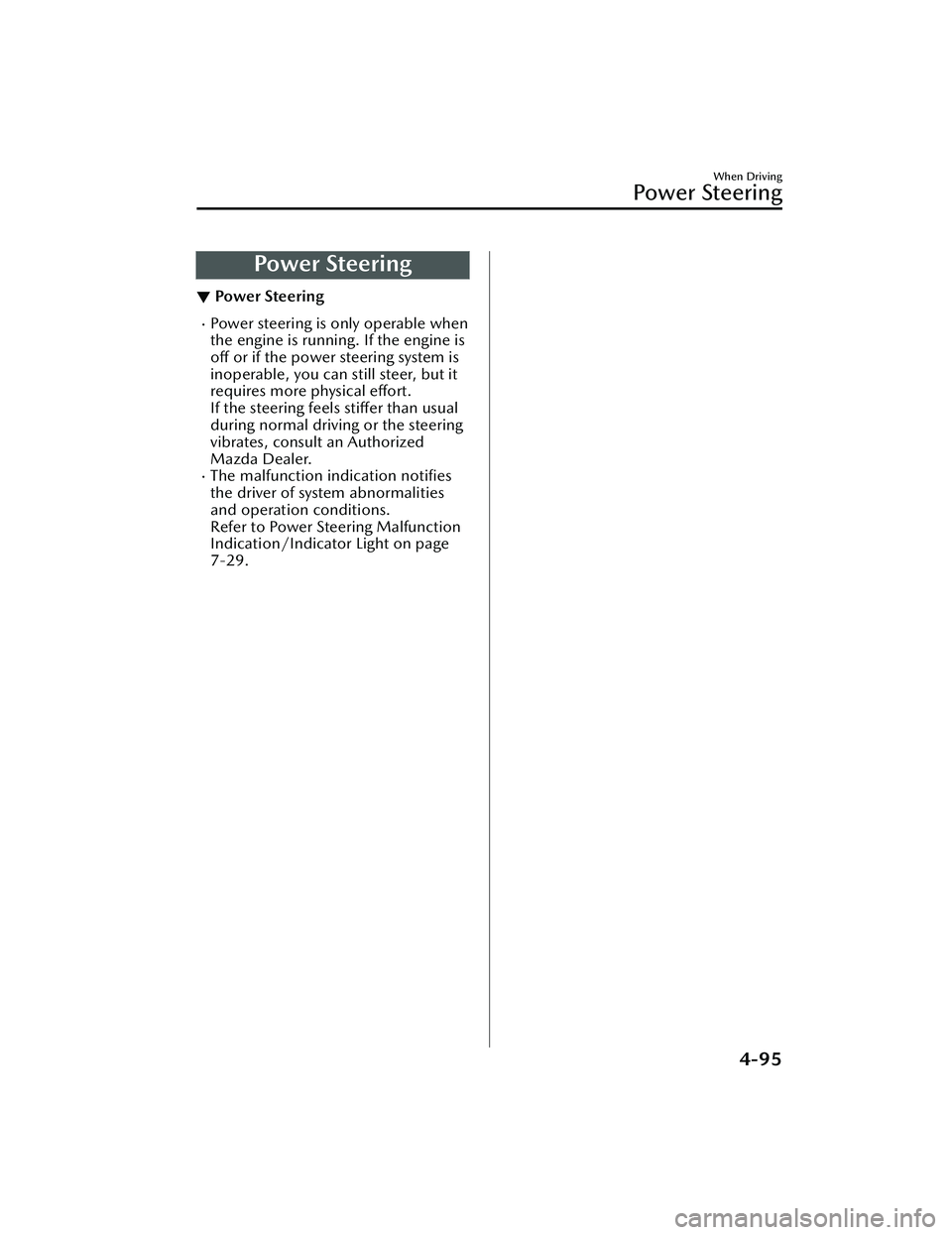
▼Power Steering
Power steering is only operable when
the engine is running. If the engine is
off
or if the power steering system is
inoperable, you can still steer, but it
requires more physical effort.
If the steering feels stiffer than usual
during normal driving or the steering
vibrates, consult an Authorized
Mazda Dealer.
The malfunction indication notifies
the driver of system abnormalities
and operation conditions.
Refer to Power Steering Malfunction
Indication/Indicator Light on page
7-29.
When Driving
Power Steering
4-95
Mazda3_8LC2-EA-22G_Edition1_new 2022-5-20 11:26:10
Page 309 of 623

To resume driving
After the vehicle ahead starts moving
while your vehicle is stopped under
stop hold control, press the RES switch
or depress the accelerator pedal to
cancel the stop hold control and start
driving.
NOTE
When you resume driving by pressing
the RES switch, your vehicle does not
start moving until the distance
between your vehicle and the vehicle
ahead lengthens to the specified
distance or farther.
If the TJA is temporarily canceled,
depress the accelerator pedal and
start driving the vehicle. If the TJA is
temporarily canceled, you cannot
resume driving by pressing the RES
switch when there are no vehicles in
front of your vehicle.
If the vehicle ahead starts moving
within 3 seconds after your vehicle is
stopped by the stop hold control,
headway control will continue even if
you do not resume driving your
vehicle, such as by depressing the
accelerator pedal.
Vehicle departure information
If you do not resume driving within a
few seconds after the vehicle ahead
starts moving during stop hold control,
the multi-information display
vehicle-ahead indication flashes to
urge the driver to resume driving. If you
do not resume driving after the
indicator light flashes, a sound is
activated to urge you to resume
driving.
Lane-keep Assist System
(LAS)
*
▼Lane-keep Assist System (LAS)
The LAS provides steering assistance to
help the driver stay within the vehicle
lane if the vehicle might be deviating.
The forward sensing camera (FSC)
detects the white lines (yellow lines) of
the vehicle lane in which the vehicle is
traveling and if the system determines
that the vehicle may deviate from its
lane, it operates the electric power
steering to assist the driver’s steering
operation. The system also alerts the
driver by displaying an alert on the
multi-information display. Use the
system when you drive the vehicle on
roads with white (yellow) lines such as
expressways and highways.
1. Forward sensing camera (FSC)
WARNING
Do not rely completely on the LAS:
The LAS is not an automated driving
system. In addition, the system is not
designed to compensate for a
driver’s lack of caution, and
over-reliance on the system could
lead to an accident.
When Driving
i-ACTIVSENSE
4-164*Some models.
Mazda3_8LC2-EA-22G_Edition1_new 2022-5-20 11:26:10
Page 409 of 623

Fully Automatic Type
▼Fully Automatic Type
Climate control system information is displayed on the display.
1. Driver temperature control dial
2. AUTO switch
3. Temperature setting display (driver’s side)
4. Air intake display
5. Airflow display
6. Mode selector display
7. Temperature setting display (passenger’s side)
8. SYNC (synchronized temperature) switch
9. Passenger temperature control dial
10.A/C switch
11.Rear window defogger switch
12.Mode selector switch
13.Fan control switch
14.Air intake selector switch
15.Windshield defroster switch
16.Power switch
▼Control Switches
AUTO switch
By pressing the AUTO switch the
following functions will be
automatically controlled in accordance
with the selected set temperature:
Airflow temperatureAmount of airflowSelection of airflow modeOutside/Recirculated air selectionAir conditioner operation
Seat warmer level selection*
Heated steering wheel operation*
NOTE
AUTO switch indicator light
When the AUTO switch indicator
light is on, it indicates auto
operation, and the system will
function automatically.
If any of the following switches are
operated while in auto control, the
AUTO switch indicator turns off.
Interior Features
Climate Control System
5-10*Some models.
Mazda3_8LC2-EA-22G_Edition1_new
2022-5-20 11:26:10
Page 490 of 623
No.FUSE RAT-
ING PROTECTED COMPONENT
F8 15 A Engine control system
F9 15 A
Transmission control system
*
F10 15 A Engine control system
F11 7.5 A Air conditioner
F12 15 A Engine control system
F13 ――
F14 20 A
Front seat warmer
*
F15 ――
F16 15 A For protection of various circuits
F17 ――
F18 15 A For protection of various circuits
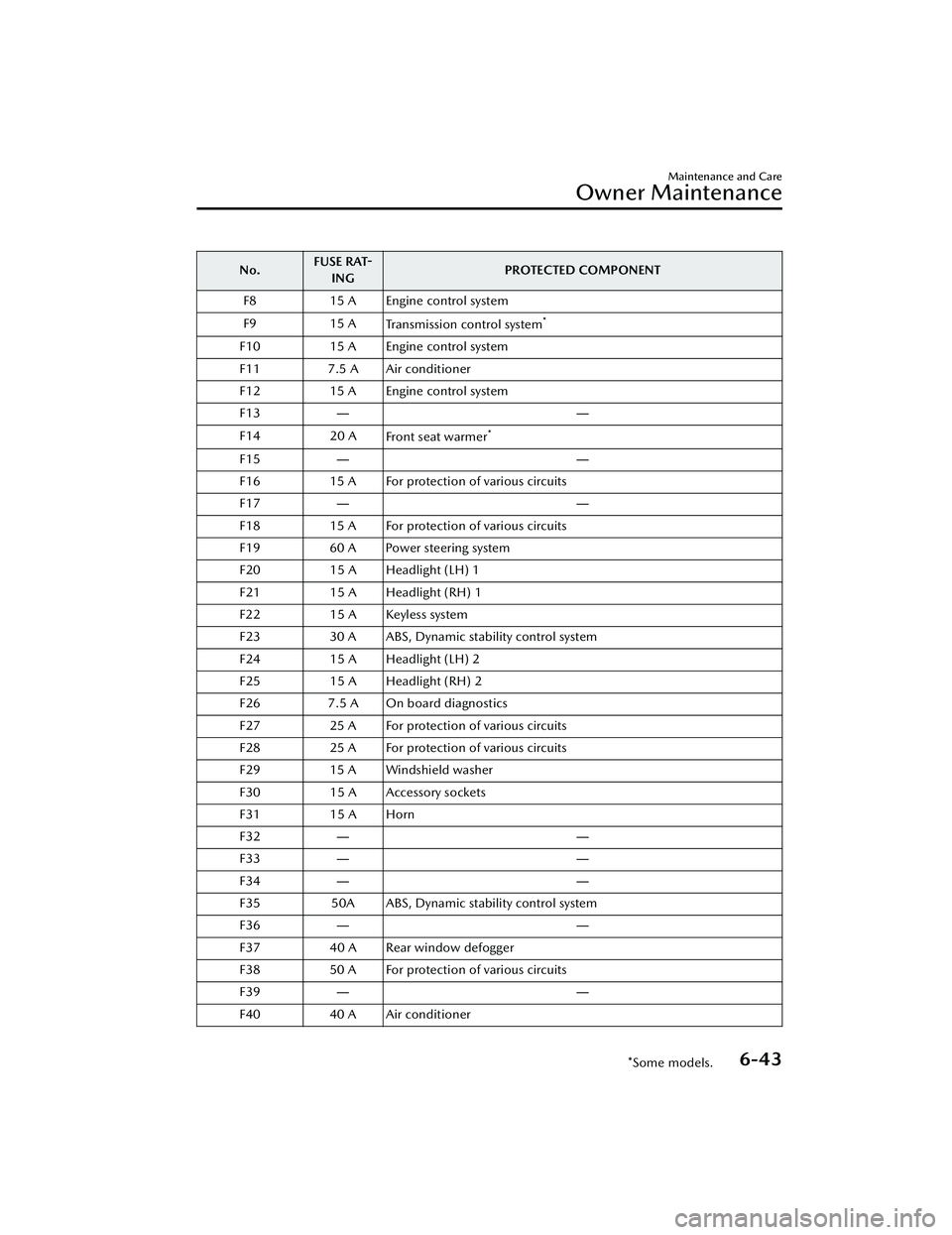
F19 60 A Power steering system
F20 15 A Headlight (LH) 1
F21 15 A Headlight (RH) 1
F22 15 A Keyless system
F23 30 A ABS, Dynamic stability control system
F24 15 A Headlight (LH) 2
F25 15 A Headlight (RH) 2
F26 7.5 A On board diagnostics
F27 25 A For protection of various circuits
F28 25 A For protection of various circuits
F29 15 A Windshield washer
F30 15 A Accessory sockets
F31 15 A Horn
F32 ――
F33 ――
F34 ――
F35 50A ABS, Dynamic stability control system
F36 ――
F37 40 A Rear window defogger
F38 50 A For protection of various circuits
F39 ――
F40 40 A Air conditioner
Maintenance and Care
Owner Maintenance
*Some models.6-43
Mazda3_8LC2-EA-22G_Edition1_new 2022-5-20 11:26:10
Page 532 of 623

If the light illuminates or the warning
indication is displayed while driving:
1. Drive to the side of the road andpark off the right-of-way on level
ground.
2. Turn off the engine and wait 5 minutes for the oil to drain back
into the oil pan.
3. Inspect the engine oil level (page 6-18). If it's low, add the
appropriate amount of engine oil
while being careful not to overfill.
CAUTION
Do not run the engine if the oil
level is low. Otherwise, it could
result in extensive engine damage.
4. Start the engine and check the
warning light.
If the light remains illuminated even
though the oil level is normal or after
adding oil, stop the engine
immediately and have your vehicle
towed to an Authorized Mazda Dealer.
▼ High Engine Coolant Temperature
War n in g I nd ic at ion
Displays if the engine coolant
temperature has increased excessively.
“Elevated Engine Coolant Temp. Drive
Slowly” displayed
Drive slowly to reduce engine load
until you can find a safe place to stop
the vehicle and wait for the engine to
cool down.
“Excessive Engine Coolant Temp. Stop
the Vehicle in a Safe Location”
displayed
This indicates the possibility of
overheating. Park the vehicle in a safe
place immediately and stop the
engine.
Refer to Overheating on page 7-21.
CAUTION
Do not drive the vehicle with the high
engine coolant temperature warning
light illuminated. Otherwise, it could
result in damage to the engine.
▼Power Steering Malfunction
Indication/Indicator Light
The message is displayed if the electric
power steering has a malfunction.
If the message is displayed, stop the
vehicle in a safe place and do not
operate the steering wheel. There is no
problem if the indication turns off
when the engine is restarted after
some time has passed. If the indication
displays even after the engine is
restarted, contact an Authorized
Mazda Dealer if the message is
displayed continuously.
NOTE
If the message is displayed, the
power steering will not operate
normally. In this case, the steering
wheel can still be operated,
however, the operation may feel
heavy compared to normal, or the
steering wheel could vibrate when
turning.
If Trouble Arises
Warning/Indicator Lights and Warning Sounds
7-29
Mazda3_8LC2-EA-22G_Edition1_new
2022-5-20 11:26:10
Page 533 of 623

Repeatedly jerking the steering
wheel left and right while the vehicle
is stopped or moving extremely
slowly will cause the power steering
system to go into protective mode
which will make the steering feel
heavy, but this does not indicate a
problem. If this occurs, park the
vehicle safely and wait several
minutes for the system to return to
normal.
▼ABS Warning Indicat ion/Warning
Light
If the ABS warning light stays on while
you're driving , the ABS control unit has
detected a system malfunction. If this
occurs, your brakes will function
normally as if the
vehicle had no ABS.
Should this happen, consult an
Authorized Mazda Dealer as soon as
possible.
NOTE
When the engine is jump-started to
charge the battery, uneven rpm
occurs and the ABS warning light
may illuminate. If this occurs, it is the
result of the weak battery and does
not indicate an ABS malfunction.
Recharge the battery.
The brake assist system does not
operate while the ABS warning light
is illuminated.
▼ Master Warning Indication
The indication displays if the system
has a malfunction.
Check the reason for the indication
displaying on the center display or
multi-information display.
Refer to If a Warning Light Turns On or
Flashes on page 7-27.
▼
Brake Control System Warning
Indication/Warning Light
The warning light illuminates when the
system has a malfunction. Have your
vehicle inspected at an Authorized
Mazda Dealer.
▼Electric Parking Brake (EPB)
Indication/Indicator Light
This warning has the following
functions:
Parking brake warning/Indicator light
inspection
The light illuminates when the parking
brake is applied with the ignition
switched to START or ON. It turns
off
when the parking brake is released.
When the light is flashing
The light flashes if the Electric Parking
Brake (EPB) has a malfunction. If the
light remains flashing even if the
Electric Parking Brake (EPB) switch is
operated, consult an Authorized
Mazda Dealer as soon as possible.
If Trouble Arises
Warning/Indicator Lights and Warning Sounds
7-30
Mazda3_8LC2-EA-22G_Edition1_new 2022-5-20 11:26:10
Page 620 of 623
Index
Mazda Connect Basic
Operations........................... 5-19
Mazda Radar Cruise Control with
Stop & Go function (MRCC with Stop
& Go function)........................4-139 Close proximity warning...... 4-143
Display indication............... 4-142
Setting the system...............4-144
Stop hold control............... 4-149
Mazda Radar Cruise Control with
Stop & Go function (MRCC with Stop
& Go function) System
Warnings.................................. 7-48
Mazda Radar Cruise Control
(MRCC).................................. 4-130 Close proximity warning...... 4-133
Display indication............... 4-132
Setting the system...............4-134
Shift-up/shift-down request
display............................... 4-139
Mazda Radar Cruise Control (MRCC)
System Warnings....................... 7-47
Message Indicated on Multi-
information Display................... 7-40
Meters...................................... 4-18
Mirrors Outside mirrors.................... 3-31
Rearview mirror.................... 3-33
Mirror Defogger........................ 4-70
Moonroof................................. 3-38
Multi-information Display.......... 4-20
M Hybrid.................................. 4-53
O
Outside Mirrors.........................3-31
Overhead Console.................... 5-47
Overhead Lights........................ 5-40
Overheating.............................. 7-21
Overloading.............................. 3-51
Owner Maintenance
Closing the hood..................6-13
Engine compartment
overview.............................. 6-14
Key battery replacement........6-30
Opening the hood................ 6-12
Owner maintenance
precautions.......................... 6-11
P
Parking Brake............................ 4-77
Parking Sensor System............. 4-247
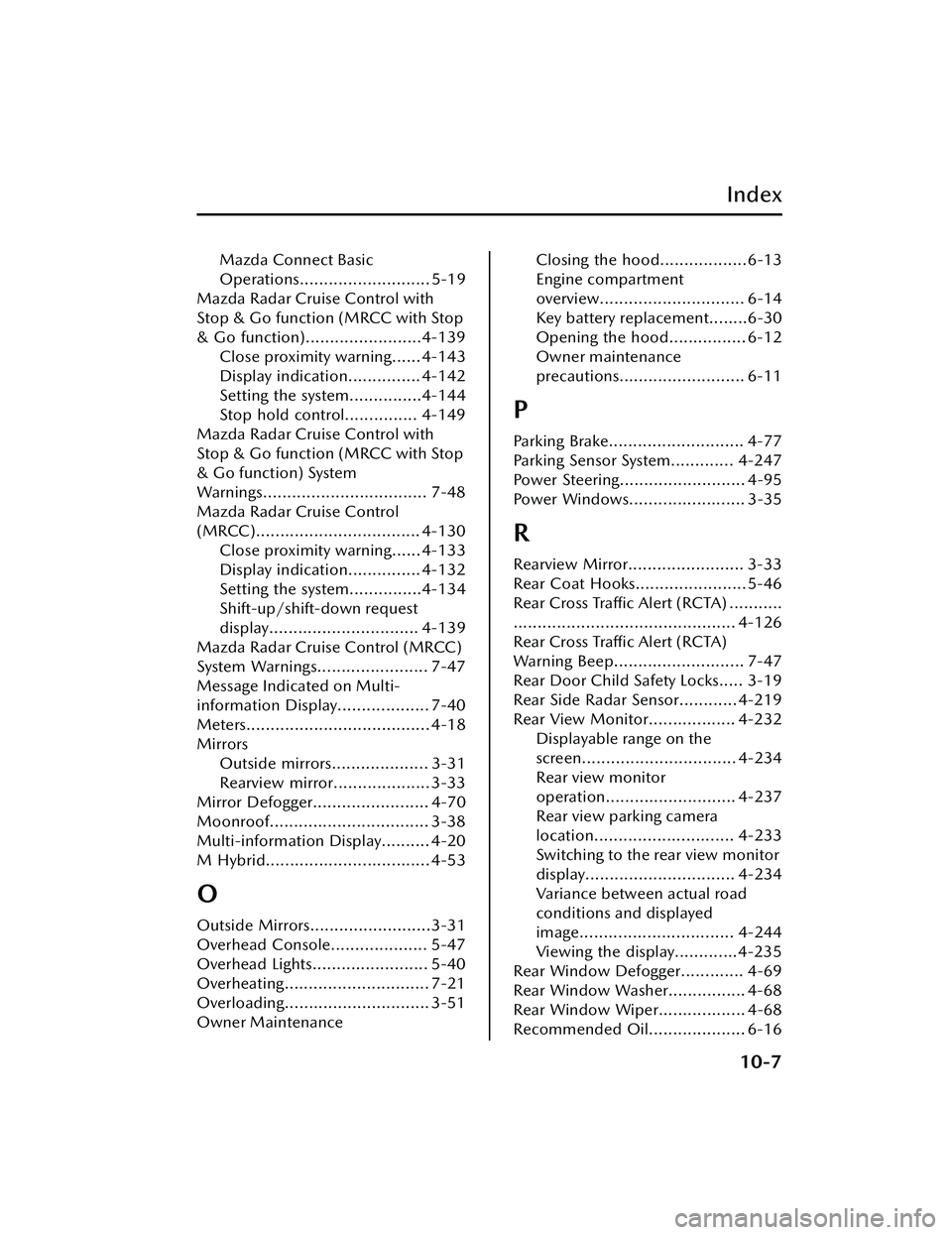
Power Steering.......................... 4-95
Power Windows........................ 3-35
R
Rearview Mirror........................ 3-33
Rear Coat Hooks....................... 5-46
Rear Cross Traffic Alert (RCTA) ...........
.............................................. 4-126
Rear Cross Tra ffi c Alert (RCTA)
Warning Beep........................... 7-47
Rear Door Child Safety Locks..... 3-19
Rear Side Radar Sensor............ 4-219
Rear View Monitor.................. 4-232 Displayable range on the
screen................................ 4-234
Rear view monitor
operation........................... 4-237
Rear view parking camera
location............................. 4-233
Switching to the rear view monitor
display............................... 4-234
Variance between actual road
conditions and displayed
image................................ 4-244
Viewing the display.............4-235
Rear Window Defogger............. 4-69
Rear Window Washer................ 4-68
Rear Window Wiper.................. 4-68
Recommended Oil.................... 6-16
10-7
Mazda3_8LC2-EA-22G_Edition1_new 2022-5-20 11:26:10