Page 384 of 623
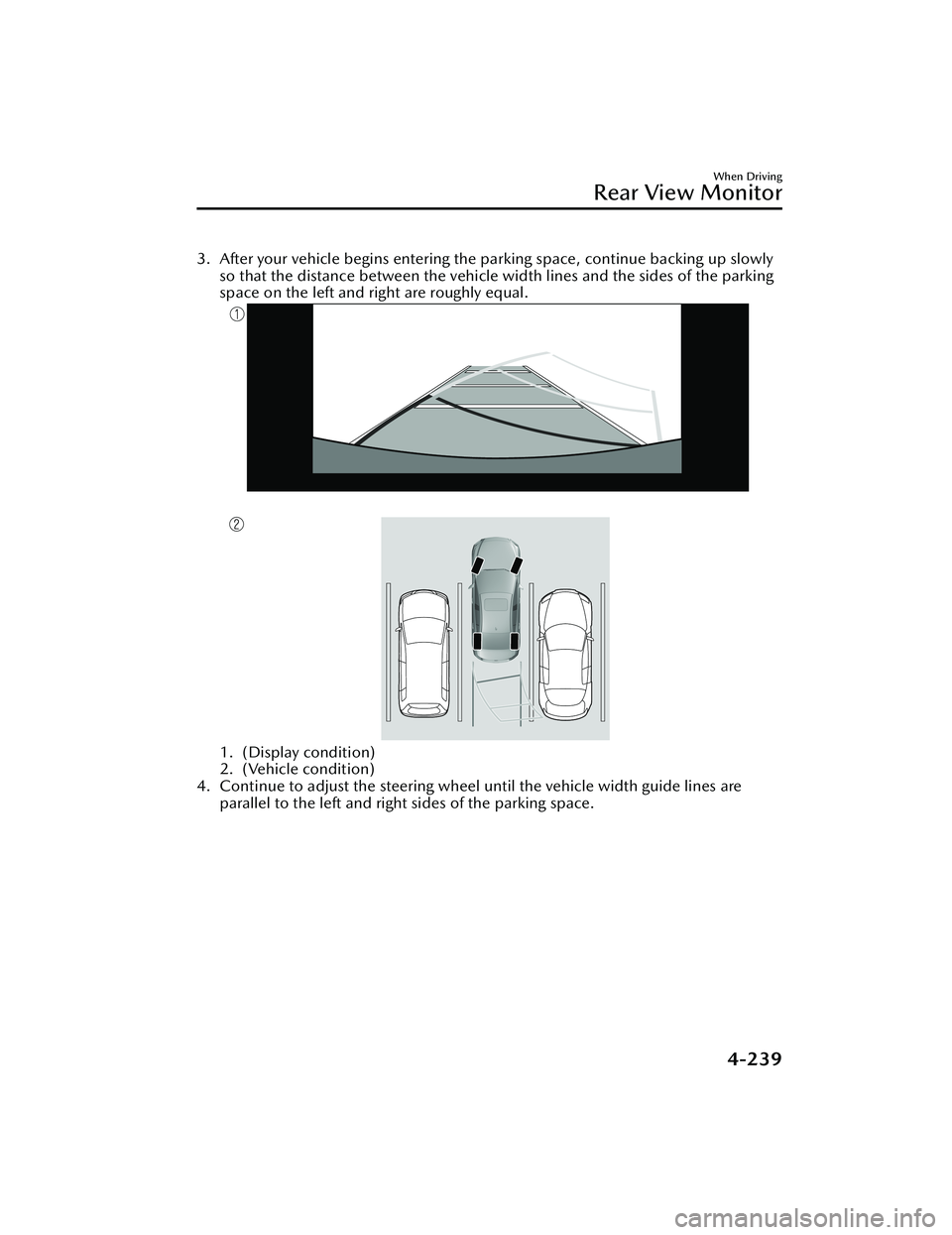
3. After your vehicle begins entering the parking space, continue backing up slowlyso that the distance between the vehicle width lines and the sides of the parking
space on the left and right are roughly equal.
1. (Display condition)
2. (Vehicle condition)
4. Continue to adjust the steering wheel until the vehicle width guide lines are parallel to the left and right sides of the parking space.
When Driving
Rear View Monitor
4-239
Mazda3_8LC2-EA-22G_Edition1_new 2022-5-20 11:26:10
Page 385 of 623
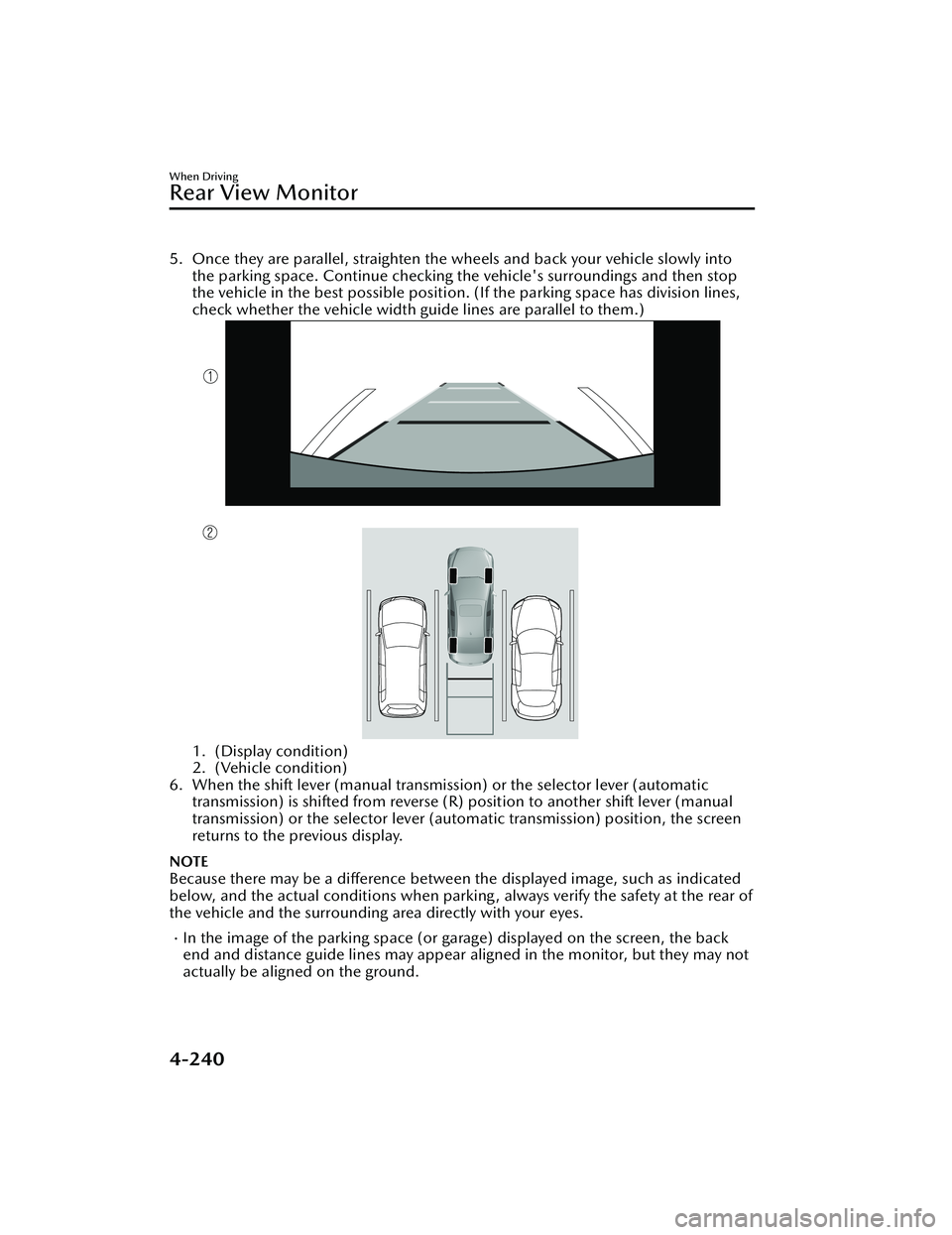
5. Once they are parallel, straighten the wheels and back your vehicle slowly intothe parking space. Continue checking the vehicle's surroundings and then stop
the vehicle in the best possible position. (If the parking space has division lines,
check whether the vehicle width guide lines are parallel to them.)
1. (Display condition)
2. (Vehicle condition)
6. When the shift lever (manual transmission) or the selector lever (automatic transmission) is shifted from reverse (R) position to another shift lever (manual
transmission) or the select or lever (automatic transmission) position, the screen
returns to the previous display.
NOTE
Because there may be a difference between the displayed image, such as indicated
below, and the actual conditions when parkin g , always verify the safety at the rear of
the vehicle and the surrounding area directly with your eyes.
In the image of the parking space (or garage) displayed on the screen, the back
end and distance guide lines may appear aligned in the monitor, but they may not
actually be aligned on the ground.
When Driving
Rear View Monitor
4-240
Mazda3_8LC2-EA-22G_Edition1_new 2022-5-20 11:26:10
Page 386 of 623
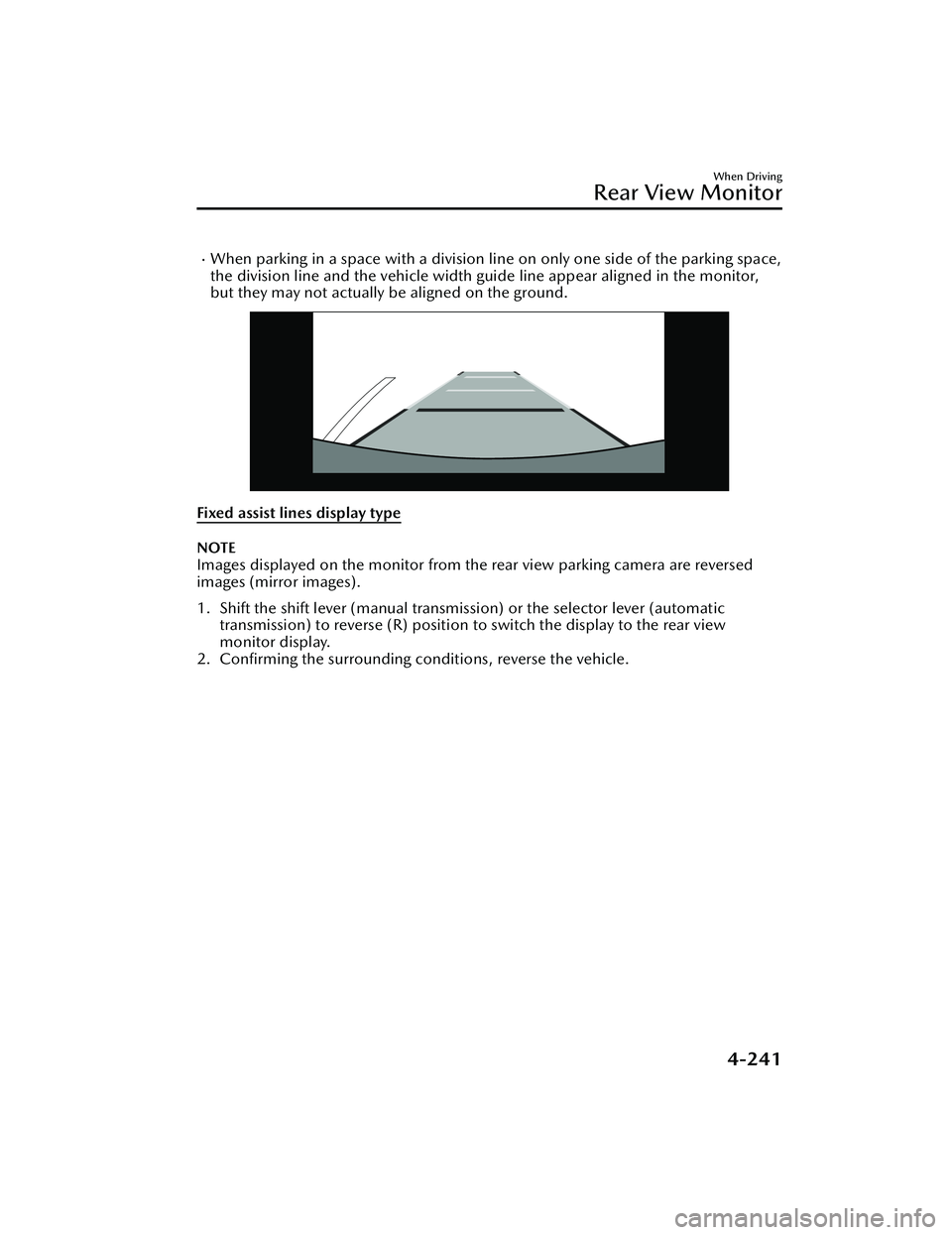
When parking in a space with a division line on only one side of the parking space,
the division line and the vehicle width guide line appear aligned in the monitor,
but they may not actually be aligned on the ground.
Fixed assist lines display type
NOTE
Images displayed on the monitor from the rear view parking camera are reversed
images (mirror images).
1. Shift the shift lever (manual transmission) or the selector lever (automatic
transmission) to reverse (R) position to switch the display to the rear view
monitor display.
2. Confirming the surrounding conditions, reverse the vehicle.
When Driving
Rear View Monitor
4-241
Mazda3_8LC2-EA-22G_Edition1_new 2022-5-20 11:26:10
Page 387 of 623
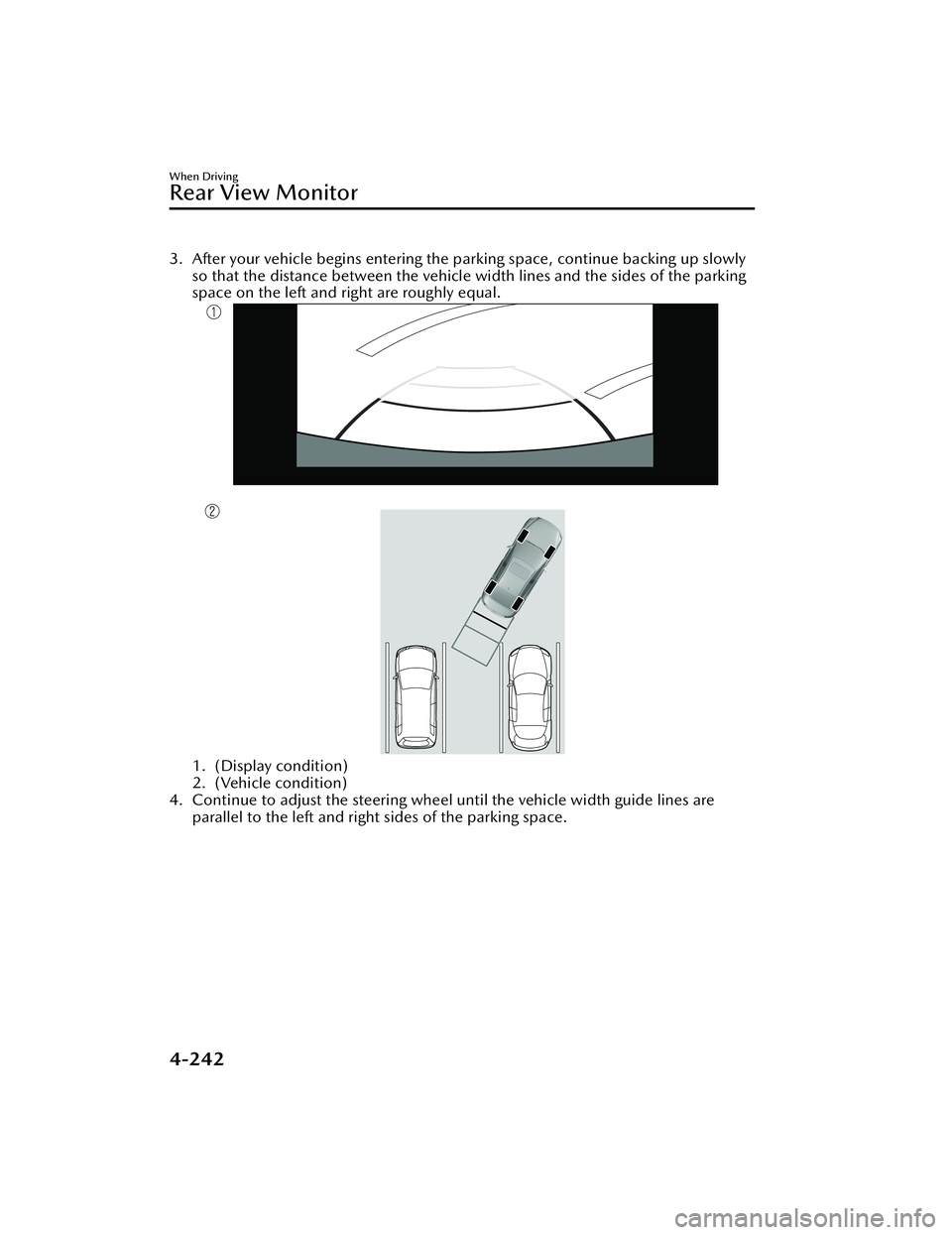
3. After your vehicle begins entering the parking space, continue backing up slowly
so that the distance between the vehicle width lines and the sides of the parking
space on the left and right are roughly equal.
1. (Display condition)
2. (Vehicle condition)
4. Continue to adjust the steering wheel until the vehicle width guide lines are parallel to the left and right sides of the parking space.
When Driving
Rear View Monitor
4-242
Mazda3_8LC2-EA-22G_Edition1_new 2022-5-20 11:26:10
Page 388 of 623
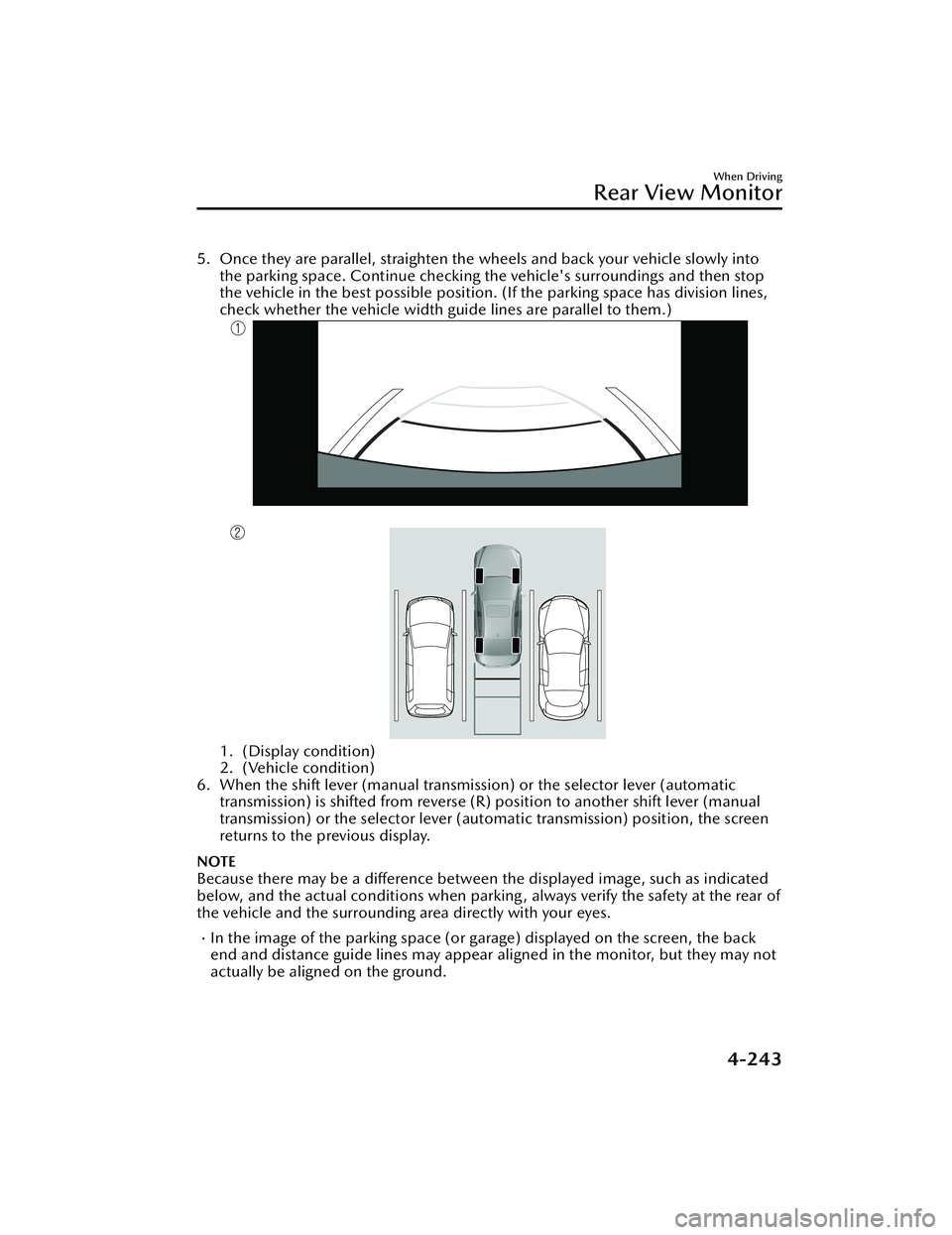
5. Once they are parallel, straighten the wheels and back your vehicle slowly intothe parking space. Continue checking the vehicle's surroundings and then stop
the vehicle in the best possible position. (If the parking space has division lines,
check whether the vehicle width guide lines are parallel to them.)
1. (Display condition)
2. (Vehicle condition)
6. When the shift lever (manual transmission) or the selector lever (automatic transmission) is shifted from reverse (R) position to another shift lever (manual
transmission) or the selector lever (aut omatic transmission) position, the screen
returns to the previous display.
NOTE
Because there may be a difference between the displayed image, such as indicated
below, and the actual conditions when parkin g , always verify the safety at the rear of
the vehicle and the surrounding area directly with your eyes.
In the image of the parking space (or garage) displayed on the screen, the back
end and distance guide lines may appear aligned in the monitor, but they may not
actually be aligned on the ground.
When Driving
Rear View Monitor
4-243
Mazda3_8LC2-EA-22G_Edition1_new 2022-5-20 11:26:10
Page 389 of 623
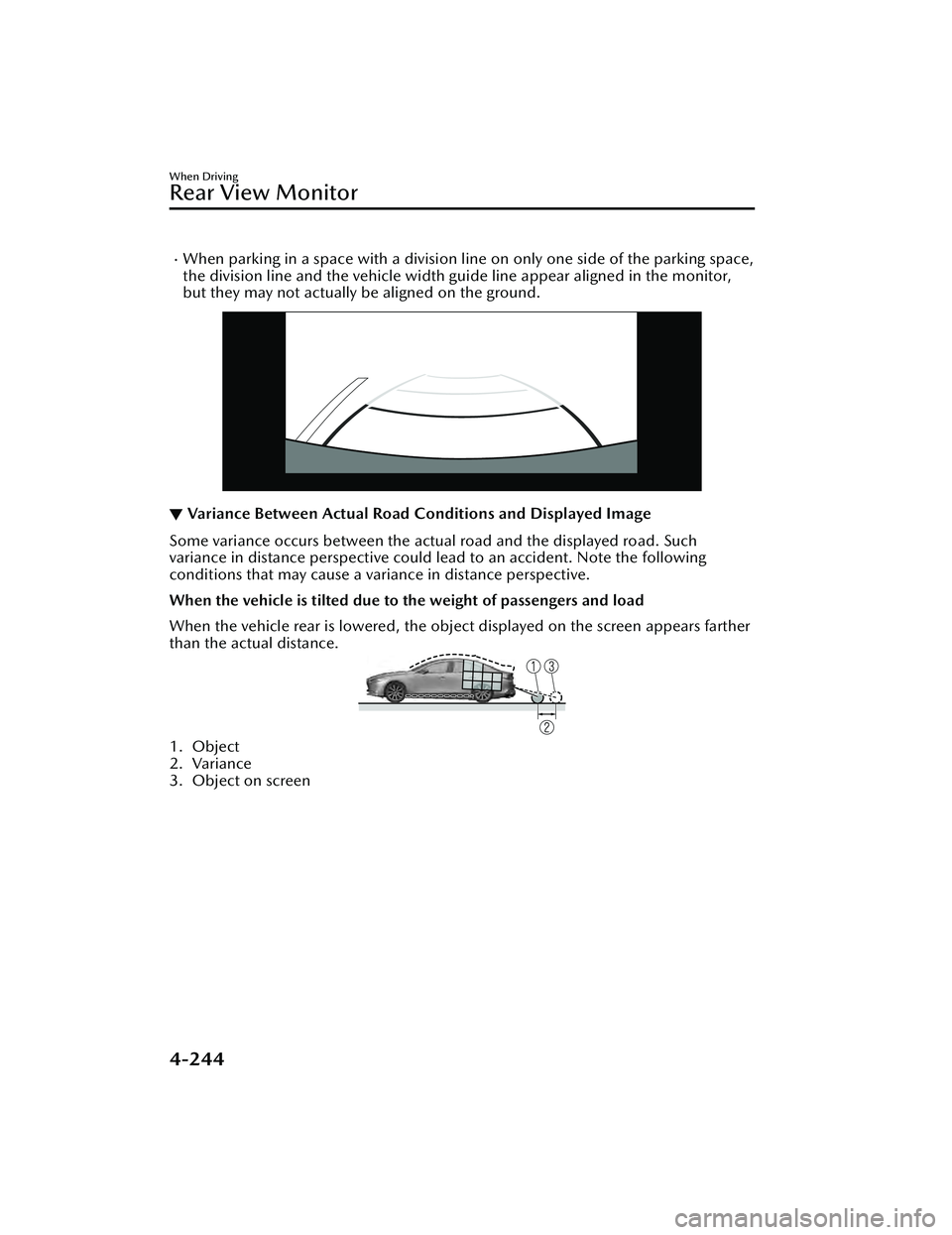
When parking in a space with a division line on only one side of the parking space,
the division line and the vehicle width guide line appear aligned in the monitor,
but they may not actually be aligned on the ground.
▼ Variance Between Actual Road Conditions and Displayed Image
Some variance occurs between the actual road and the displayed road. Such
variance in distance perspective could lead to an accident. Note the following
conditions that may cause a variance in distance perspective.
When the vehicle is tilted due to the weight of passengers and load
When the vehicle rear is lowered, the object displayed on the screen appears farther
than the actual distance.
1. Object
2. Variance
3. Object on screen
When Driving
Rear View Monitor
4-244
Mazda3_8LC2-EA-22G_Edition1_new
2022-5-20 11:26:10
Page 390 of 623
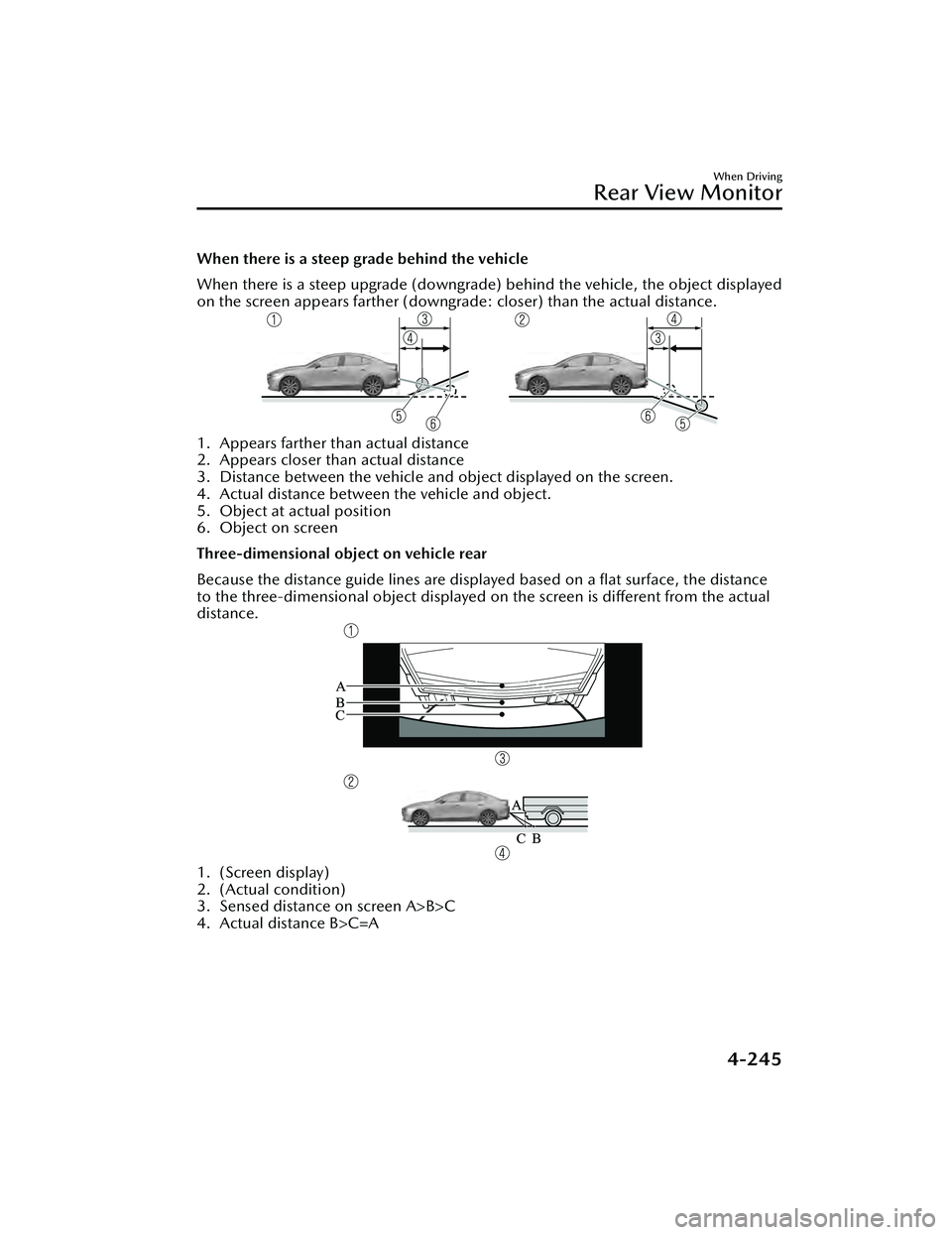
When there is a steep grade behind the vehicle
When there is a steep upgrade (downgrade) behind the vehicle, the object displayed
on the screen appears farther (downgrade: closer) than the actual distance.
1. Appears farther than actual distance
2. Appears closer than actual distance
3. Distance between the vehicle and object displayed on the screen.
4. Actual distance between the vehicle and object.
5. Object at actual position
6. Object on screen
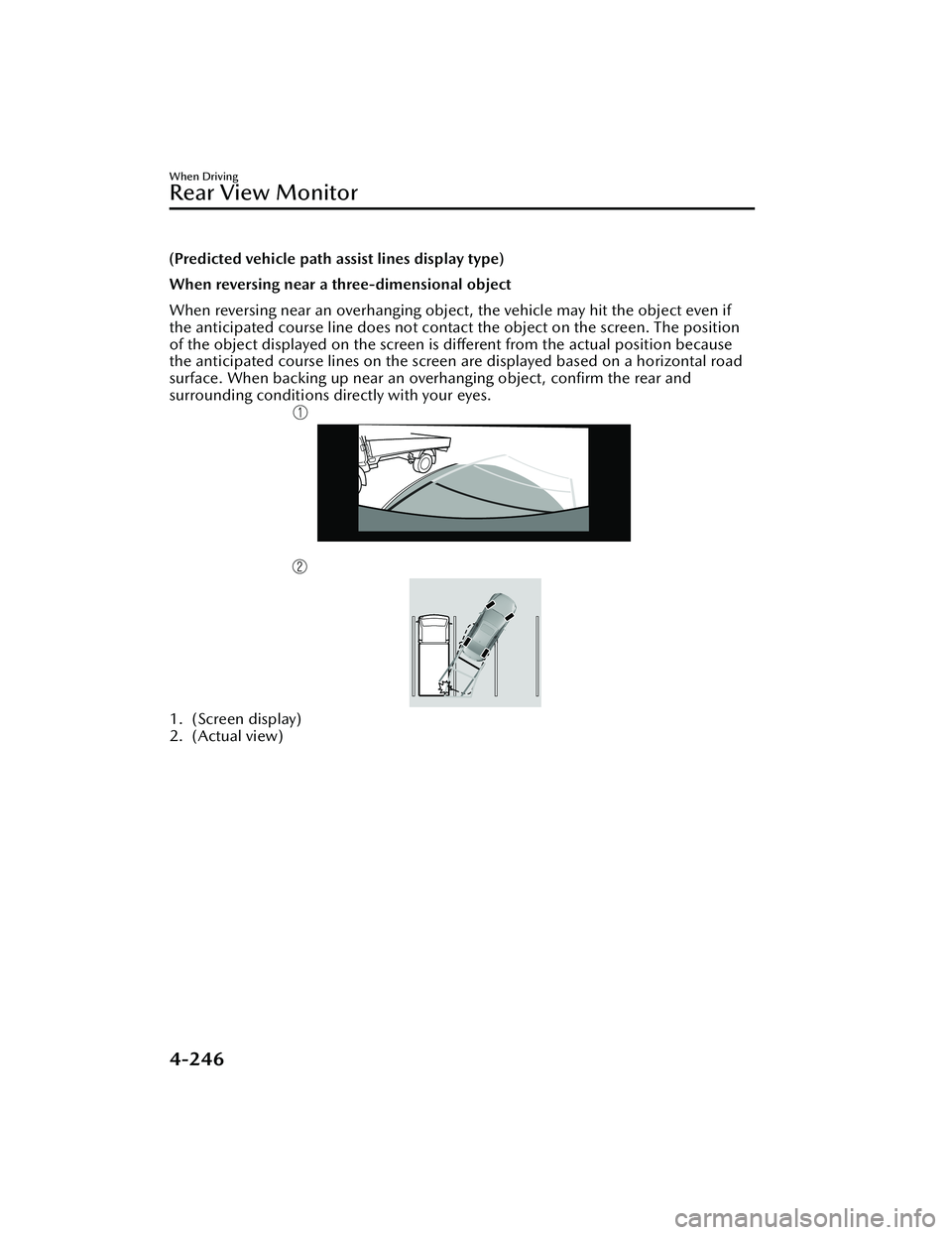
Three-dimensional object on vehicle rear
Because the distance guide lines are displayed based on a flat surface, the distance
to the three-dimensional object displayed on the screen is different from the actual
distance.
1. (Screen display)
2. (Actual condition)
3. Sensed distance on screen A>B>C
4. Actual distance B>C=A
When Driving
Rear View Monitor
4-245
Mazda3_8LC2-EA-22G_Edition1_new 2022-5-20 11:26:10
Page 391 of 623
(Predicted vehicle path assist lines display type)
When reversing near a three-dimensional object
When reversing near an overhanging object, the vehicle may hit the object even if
the anticipated course line does not contact the object on the screen. The position
of the object displayed on the screen is different from the actual position because
the anticipated course lines on the screen are displayed based on a horizontal road
surface. When backing up near an overhanging object, confirm the rear and
surrounding conditions directly with your eyes.
1. (Screen display)
2. (Actual view)
When Driving
Rear View Monitor
4-246
Mazda3_8LC2-EA-22G_Edition1_new 2022-5-20 11:26:10