2023 MAZDA CX5 smart brake system
[x] Cancel search: smart brake systemPage 285 of 583

The CANCEL switch is pressed one time.The brake pedal is depressed.The selector lever is in the P, N, or R position.
In the following cases, the TJA cancel indication is displayed and a sound is activated
one time.
The DSC has operated.The Smart Brake Support (SBS) has operated.The vehicle is driven on a downslope for a long time.There is a problem with the system.The front radar sensor cannot detect target objects (during rain, fog, snow or other
inclement weather conditions, or when the radiator grille is dirty).
The parking brake is applied.Any of the doors is opened.The driver's seat belt is unfastened.The operation frequency of the braking by the TJA control is high.The parking brake is automatically applied during stop hold control.
Steering assist function
If any of the following conditions occurs, the steering assist function is temporarily
canceled.
The headway control function is canceled.White (yellow) lane lines cannot be detected or a vehicle ahead cannot be
recognized.
Your vehicle speed is more than about 64 km/h (40 mph).The accelerator pedal is operated.The turn signal lever is operated.The vehicle is being driven on a sharp curve.The width of a lane is excessively narrow or wide.The vehicle crosses a lane line.The driver takes his/her hands off the steering wheel.The steering wheel is operated abruptly.There is a problem with the system.The temperature in the Forward Sensing Camera (FSC) is too high or too low.The windshield around the Forwar d Sensing Camera (FSC) is foggy.The windshield around the Forward Se nsing Camera (FSC) is blocked by an
obstruction, causing poor forward visibility.
When Driving
i-ACTIVSENSE
4-134
CX-50_8KB8-EA-22A_Edition2_new 2022-1-6 14:55:18
Page 299 of 583

Smart Brake Support(SBS)
*
▼Smart Brake Support (SBS)
The SBS is a system designed to detect
target objects using sensors and
cameras equipped on the vehicle, and
to reduce damage in the event of a
collision by operating the brake control
if there is the possibi
lity of your vehicle
colliding with a target object.
One part of the SBS functions when
you are driving forward and the other
part functions when you are driving in
reverse.
Refer to Forward drive detection on
page 4-148.
Refer to Reverse drive detection on
page 4-150.
▼ Forward drive detection
When you are driving forward, the
following functions of the Smart Brake
Support (SBS) operate.
Forward detection function
WARNING
Do not rely completely on the
SBS:
The SBS is only designed to reduce
damage in the event of a collision.
The system may not operate normally
depending on the target object,
weather conditions, or traffic
conditions. Over reliance on the
system leading to the accelerator pedal
or brake pedal being mistakenly
operated could result in an accident.
CAUTION
In the following cases, turn the SBS off
to prevent a mis-operation.
The vehicle is being towed or towing
another vehicle.
The vehicle is driven on rough roads
such as in areas where there is grass
and foliage or off-road.
Refer to Stopping the Smart Brake
Support (SBS) System Operation on
page 4-155.
Forward detection function
The forward detection function is
designed to reduce damage in the
event of a collision with target objects
at the front.
The forward detection function detects
target objects (vehicles ahead,
pedestrians, and bicycles) using the
front radar sensor and the Forward
Sensing Camera (FSC). If there is a
possibility of your vehicle colliding with
a target object at the front, you are
notified of possible danger by a
warning sound and a warning
indication on the display.
Furthermore, if the possibility of a
collision increases, the brake control is
performed to reduce damage in the
event of a collision. In addition, when
the driver depresses the brake pedal,
the brakes are applied firmly and
quickly to assist.
Operation conditions
The forward detection function
operates when all of the following
conditions are met.
The ignition is switched ON.The SBS is on.(Object is vehicle ahead)
The vehicle speed is about 4 km/h
(3 mph) or higher.
(Object is a pedestrian or bicycle)
The vehicle speed is between about
10 and 80 km/h (6.3 to 49 mph).
The DSC does not operate.
When Driving
i-ACTIVSENSE
4-148*Some models.
CX-50_8KB8-EA-22A_Edition2_new 2022-1-6 14:55:18
Page 301 of 583
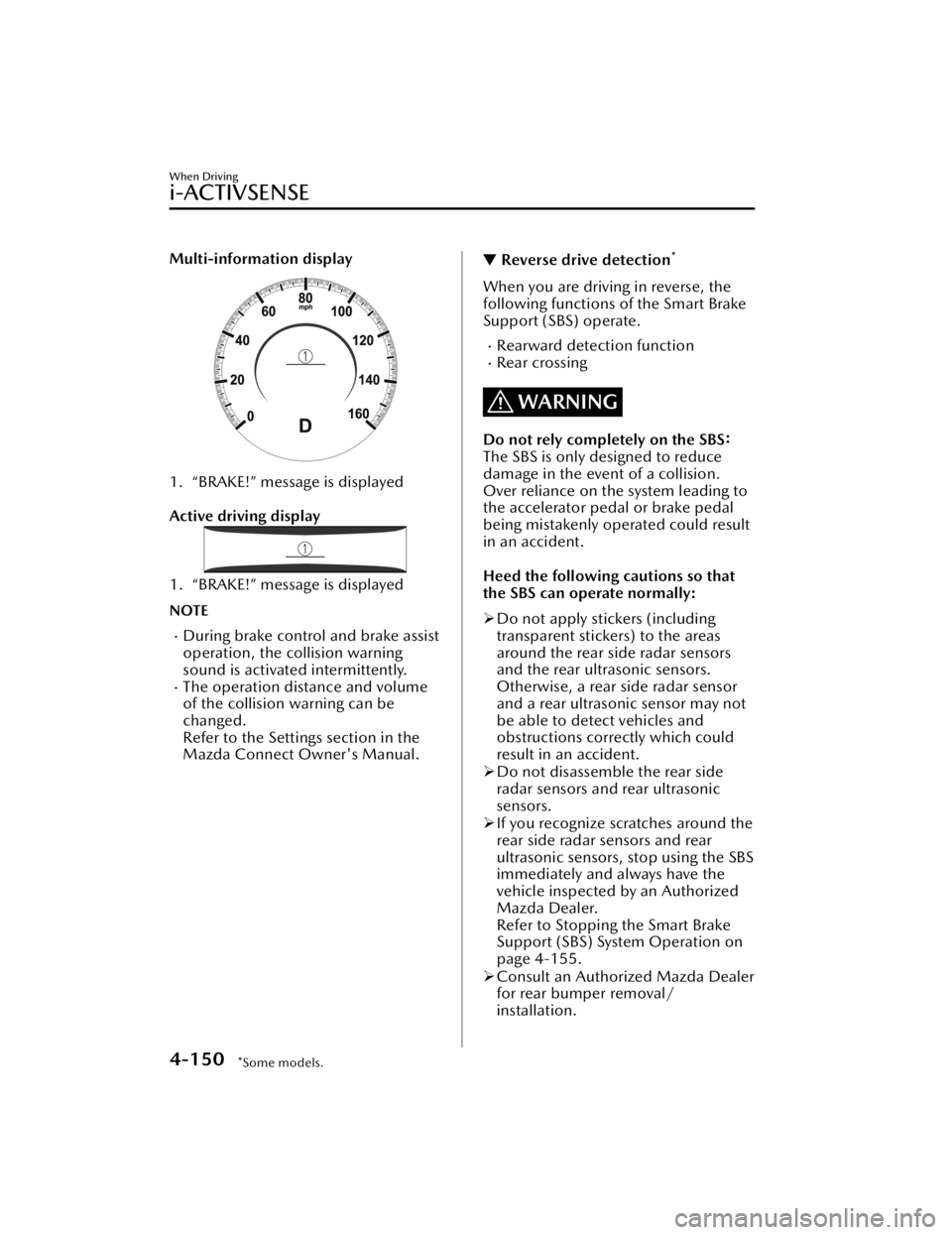
Multi-information display
1. “BRAKE!” message is displayed
Active driving display
1. “BRAKE!” message is displayed
NOTE
During brake control and brake assist
operation, the collision warning
sound is activated intermittently.
The operation distance and volume
of the collision warning can be
changed.
Refer to the Settings section in the
Mazda Connect Owner's Manual.
▼Reverse drive detection*
When you are driving in reverse, the
following functions of the Smart Brake
Support (SBS) operate.
Rearward detection functionRear crossing
WARNING
Do not rely completely on the
SBS:
The SBS is only designed to reduce
damage in the event of a collision.
Over reliance on the system leading to
the accelerator pedal or brake pedal
being mistakenly operated could result
in an accident.
Heed the following cautions so that
the SBS can operate normally:
Do not apply stickers (including
transparent stickers) to the areas
around the rear side radar sensors
and the rear ultrasonic sensors.
Otherwise, a rear side radar sensor
and a rear ultrasonic sensor may not
be able to detect vehicles and
obstructions correctly which could
result in an accident.
Do not disassemble the rear side
radar sensors and rear ultrasonic
sensors.
If you recognize scratches around the
rear side radar sensors and rear
ultrasonic sensors, stop using the SBS
immediately and always have the
vehicle inspected by an Authorized
Mazda Dealer.
Refer to Stopping the Smart Brake
Support (SBS) System Operation on
page 4-155.
Consult an Authorized Mazda Dealer
for rear bumper removal/
installation.
When Driving
i-ACTIVSENSE
4-150*Some models.
CX-50_8KB8-EA-22A_Edition2_new 2022-1-6 14:55:18
Page 302 of 583

Do not modify the suspension:
If the vehicle height or inclination is
changed, the SBS may not operate
correctly because it cannot detect
obstructions correctly.
Do not hit the rear side radar sensors
and rear ultrasonic sensors forcefully:
When washing the vehicle, do not
spray highly pressurized water against
the rear side radar sensors and the rear
ultrasonic sensors, or rub them
strongly. In addition, do not hit the rear
bumper forcefully when loading and
unloading cargo. Otherwise, the
system will be unable to detect
obstructions correctly and the SBS may
not operate normally.
CAUTION
In the following cases, turn the SBS
off to prevent a mis-operation.
A trailer is pulled or an accessory
such as a bicycle carrier is installed
to the rear of the vehicle.
The vehicle is driven on rough
roads such as in areas where there
is grass and foliage or off-road.
Refer to Stopping the Smart Brake
Support (SBS) System Operation
on page 4-155.
Always use tires for all wheels that
are of the specified size, and the
same manufacture, brand, and tread
pattern. In addition, do not use tires
with significantly different wear
patterns on the same vehicle. If such
improper tires are used, the SBS may
not operate normally.
Rearward detection function
The rearward detection function is
designed to reduce damage in the
event of a collision with a target object
when reversing.
The rearward detection function
detects obstructions using the rear
ultrasonic sensors. In addition, if there
is the possibility of your vehicle
colliding with a target object at the rear
while you are driving in reverse, you
are notified of possible danger by a
warning sound and a warning
indication on the display.
Furthermore, if the possibility of a
collision increases, brake control is
performed to reduce damage in the
event of a collision.
WARNING
Always check the surrounding area
visually when reversing the vehicle:
The operation of the rearward
detection function has certain
limitations. Therefore, the function
might not operate or it might be
delayed even if there is a target object
at the rear of your vehicle. Always
make it your responsibility as a driver
to check the rear.
Operation conditions
The rearward detection function
operates when all of the following
conditions are met.
The engine is running.The SBS is on.The selector lever is in the R position.
When Driving
i-ACTIVSENSE
4-151
CX-50_8KB8-EA-22A_Edition2_new 2022-1-6 14:55:18
Page 306 of 583

Reversing near objects such as
foliage, barriers, vehicles, walls, or
fences.
The vehicle is driven on rough
roads such as in areas where there
is grass and foliage or off-road.
When reversing through low gates,
narrow gates, car washing
machines, or tunnels.
A towing bar is installed or a trailer
is connected.
If the system performs brake control
and the vehicle is stopped, the
system will continue to hold the
brakes for a brief time unless there is
an operation performed by the
driver.
Collision warning
If there is the possibility of your vehicle
colliding with a vehicle approaching
from the rear on the left or right, or
from the rear while you are driving in
reverse, a warning sound is activated
continuously and a warning is
displayed on the multi-information
display and the active driving display.
Multi-information display
1. “BRAKE!” message is displayed
Active driving display
1. “BRAKE!” message is displayed
NOTE
During brake control, the collision
warning sound is activated
intermittently.
▼ Stopping the Smart Brake Support
(SBS) System Operation
The SBS can be changed to inoperable.
Refer to the Settings section in the
Mazda Connect Owner's Manual.
When the SBS is canceled, the SBS OFF
indicator light turns on.
NOTE
When the ignition is switched OFF
while the SBS forward drive detection
is canceled, the SBS forward drive
detection is automatically enabled the
next time the ignition is switched ON.
When Driving
i-ACTIVSENSE
4-155
CX-50_8KB8-EA-22A_Edition2_new
2022-1-6 14:55:18
Page 340 of 583

Forward Sensing Camera(FSC)
*
▼Forward Sensing Camera (FSC)
Your vehicle is equipped with a
Forward Sensing Camera (FSC). The
Forward Sensing Camera (FSC) is
positioned near the rearview mirror
and used by the following systems.
High Beam Control System (HBC)Lane Departure Warning System
(LDWS)
Tra ffi c
Sign Recognition System (TSR)Distance & Speed Alert (DSA)Driver Attention Alert (DAA)Mazda Radar Cruise Control with
Stop & Go function (MRCC with
Stop & Go function)
Lane-keep Assist System (LAS)Tra ffi c Jam Assist (TJA)Emergency Lane Keeping (ELK)Smart Brake Support (SBS) forward
drive detection
1. Forward Sensing Camera (FSC)
The Forward Sensing Camera (FSC)
determines the conditions ahead of
the vehicle while traveling at night and
detects traffic lanes. The distance in
which the Forward Sensing Camera
(FSC) can detect objects varies
depending on the surrounding
conditions.
WARNING
Do not modify the suspension:
If the vehicle height or inclination is
changed, the system will not be able to
correctly detect vehicles ahead. This
will result in the system not operating
normally or mistakenly operating,
which could cause a serious accident.
CAUTION
Do not apply accessories, stickers or
film to the windshield near the
Forward Sensing Camera (FSC).
If the area in front of the Forward
Sensing Camera (FSC) lens is
obstructed, it will cause the system
to not operate correctly.
Consequently, each system may not
operate normally which could lead
to an unexpected accident.
Do not disassemble or modify the
Forward Sensing Camera (FSC).
Disassembly or modification of the
Forward Sensing Camera (FSC) will
cause a malfunction or mistaken
operation. Consequently, each
system may not operate normally
which could lead to an unexpected
accident.
Heed the following cautions to
assure the correct operation of the
Forward Sensing Camera (FSC).
Be careful not to scratch the
Forward Sensing Camera (FSC)
lens or allow it to get dirty.
Do not remove the Forward
Sensing Camera (FSC) cover.
Do not place objects on the
dashboard which reflect light.
When Driving
i-ACTIVSENSE
*Some models.4-189
CX-50_8KB8-EA-22A_Edition2_new 2022-1-6 14:55:18
Page 341 of 583

Always keep the windshield glass
around the camera clean by
removing dirt or fogging. Use the
windshield defroster to remove
fogging on the windshield.
Consult an Authorized Mazda
Dealer regarding cleaning the
interior side of the windshield
around the Forward Sensing
Camera (FSC).
Consult an Authorized Mazda
Dealer before performing repairs
around the Forward Sensing
Camera (FSC).
The Forward Sensing Camera (FSC)
is installed to the windshield.
Consult an Authorized Mazda
Dealer for windshield repair and
replacement.
When cleaning the windshield, do
not allow glass cleaners or similar
cleaning fluids to get on the
Forward Sensing Camera (FSC)
lens. In addition, do not touch the
Forward Sensing Camera (FSC)
lens.
When performing repairs around
the rearview mirror, consult an
Authorized Mazda Dealer.
Consult an Authorized Mazda
Dealer regarding cleaning of the
camera lens.
Do not hit or apply strong force to
the Forward Sensing Camera (FSC)
or the area around it. If the
Forward Sensing Camera (FSC) is
severely hit or if there are cracks or
damage caused by flying gravel or
debris in the area around it, stop
using the following systems and
consult an Authorized Mazda
Dealer.
High Beam Control System
(HBC)
Lane Departure Warning System
(LDWS)Traffic Sign Recognition System
(TSR)
Distance & Speed Alert (DSA)
Driver Attention Alert (DAA)
Mazda Radar Cruise Control
with Stop & Go function (MRCC
with Stop & Go function)
Lane-keep Assist System (LAS)
Traffic Jam Assist (TJA)
Emergency Lane Keeping (ELK)
Smart Brake Support (SBS)
forward drive detection
The direction in which the Forward
Sensing Camera (FSC) is pointed
has been finely adjusted. Do not
change the installation position of
the Forward Sensing Camera (FSC)
or remove it. Otherwise, it could
result in damage or malfunction.
Always use tires for all wheels that
are of the specified size, and the
same manufacturer, brand, and tread
pattern. In addition, do not use tires
with
significantly
different wear
patterns on the same vehicle as the
system may not operate normally.
The Forward Sensing Camera (FSC)
includes a function for detecting a
soiled windshield and informing the
driver, however, depending on the
conditions, it may not detect plastic
shopping bags, ice or snow on the
windshield. In such cases, the system
cannot accurately determine a
vehicle ahead and may not be able
to operate normally. Always drive
carefully and pay attention to the
road ahead.
NOTE
In the following cases, the Forward
Sensing Camera (FSC) cannot detect
target objects correctly, and each
system may be unable to operate
normally.
When Driving
i-ACTIVSENSE
4-190
CX-50_8KB8-EA-22A_Edition2_new 2022-1-6 14:55:18
Page 344 of 583

Front Radar Sensor*
▼Front Radar Sensor
Your vehicle is equipped with a front
radar sensor.
1. Front radar sensor
The following systems also use the
front radar sensor.
Distance & Speed Alert (DSA)Mazda Radar Cruise Control with
Stop & Go function (MRCC with
Stop & Go function)
Tra ffi c
Jam Assist (TJA)Smart Brake Support (SBS) forward
drive detection
The front radar sensor functions by
detecting the radio waves reflected off
a vehicle ahead or an obstruction sent
from the radar sensor.
CAUTION
Heed the following precautions to
assure correct operation of each
system.
Do not apply a sticker (including a
transparent one) to the front radar
sensor cover or replace the front
radar sensor cover with a product
other than a genuine product.
The front radar sensor includes a
function for detecting soiling of the
radar sensor's front surface and
informing the driver, however,
depending on the conditions, it may
require time to detect or it may not
detect plastic shopping bags, ice or
snow. If this occurs, the system may
not operate correctly, therefore
always keep the front radar sensor
clean.
If “Safety and Driver Support Systems
Temporarily Disabled. Front Radar
Obscured. Drive Safely” is displayed
on the multi-information display of
the instrument cluster, clean the area
around the front radar sensor.
Do not install a grille guard.
If the front part of the vehicle has
been damaged in a vehicle accident,
the position of the front radar sensor
may have moved. Stop the system
immediately and always have the
vehicle inspected at an Authorized
Mazda Dealer.
Do not use the front bumper to push
other vehicles or obstructions such
as when pulling out of a parking
space. Otherwise, the front radar
sensor could be hit and its position
deviated.
For repairs, replacement or paint
work around the front radar sensor,
consult an Authorized Mazda Dealer.
Always use tires for all wheels that
are of the specified size, and the
same manufacturer, brand, and tread
pattern. In addition, do not use tires
with significantly different wear
patterns on the same vehicle as the
system may not operate normally.
NOTE
If the battery power is weak, the
system may not operate correctly.
When Driving
i-ACTIVSENSE
*Some models.4-193
CX-50_8KB8-EA-22A_Edition2_new 2022-1-6 14:55:18