2023 JEEP WAGONEER charging
[x] Cancel search: chargingPage 110 of 396

108GETTING TO KNOW YOUR INSTRUMENT PANEL
When load reduction is activated, the message “Battery
Saver On” or “Battery Saver Mode” will appear in the
instrument cluster.
These messages indicate the vehicle battery has a low
state of charge and continues to lose electrical charge at
a rate that the charging system cannot sustain.
NOTE:
The charging system is independent from load reduc -
tion. The charging system performs a diagnostic on the
charging system continuously.
If the Battery Charge Warning Light is on it may indicate
a problem with the charging system
Úpage 109.
The electrical loads that may be switched off (if equipped),
and vehicle functions which can be affected by load
reduction:
Heated Seat/Vented Seats/Heated Wheel
Rear Defroster And Heated Mirrors
HVAC System
115 Volt AC Power Inverter System
Audio and Telematics System
Loss of the battery charge may indicate one or more of the
following conditions:
The charging system cannot deliver enough electrical
power to the vehicle system because the electrical
loads are larger than the capability of the charging
system. The charging system is still functioning
properly.
Turning on all possible vehicle electrical loads (e.g.
HVAC to max settings, exterior and interior lights, over -
loaded power outlets +12 Volt, 115 Volt AC, USB ports)
during certain driving conditions (city driving, towing,
frequent stopping, etc.).
Installing options like additional lights, upfitter elec -
trical accessories, audio systems, alarms and similar
devices.
Unusual driving cycles (short trips separated by long
parking periods).
The vehicle was parked for an extended period of time
(weeks, months).
The battery was recently replaced and was not charged
completely.
The battery was discharged by an electrical load left on
when the vehicle was parked.
The battery was used for an extended period with the
engine not running to supply radio, lights, chargers,
+12 Volt portable appliances like vacuum cleaners,
game consoles and similar devices.
What to do when an electrical load reduction action
message is present (“Battery Saver On” or “Battery Saver
Mode”)
During a trip:
Reduce power to unnecessary loads if possible:
Turn off redundant lights (interior or exterior)
Check what may be plugged in to power outlets
+12 Volt, 115 Volt AC, USB ports
Check HVAC settings (blower, temperature)
Check the audio settings (volume) After a trip:
Check if any aftermarket equipment was installed
(additional lights, upfitter electrical accessories, audio
systems, alarms) and review specifications if any (load
and Ignition Off Draw currents).
Evaluate the latest driving cycles (distance, driving
time and parking time).
The vehicle should have service performed if the
message is still present during consecutive trips, and if
the evaluation and driving pattern of the vehicle did not
help to identify the cause.WARNING LIGHTS AND MESSAGES
The warning/indicator lights will illuminate in the
instrument panel together with a dedicated message and/
or acoustic signal when applicable. These indications are
indicative and precautionary and as such must not be
considered as exhaustive and/or alternative to the
information contained in the Owner’s Manual, which you
are advised to read carefully in all cases. Always refer to
the information in this chapter in the event of a failure
indication. All active telltales will display first if applicable.
The system check menu may appear different based upon
equipment options and current vehicle status. Some
telltales are optional and may not appear.
23_WS_OM_EN_USC_t.book Page 108
Page 111 of 396
GETTING TO KNOW YOUR INSTRUMENT PANEL109
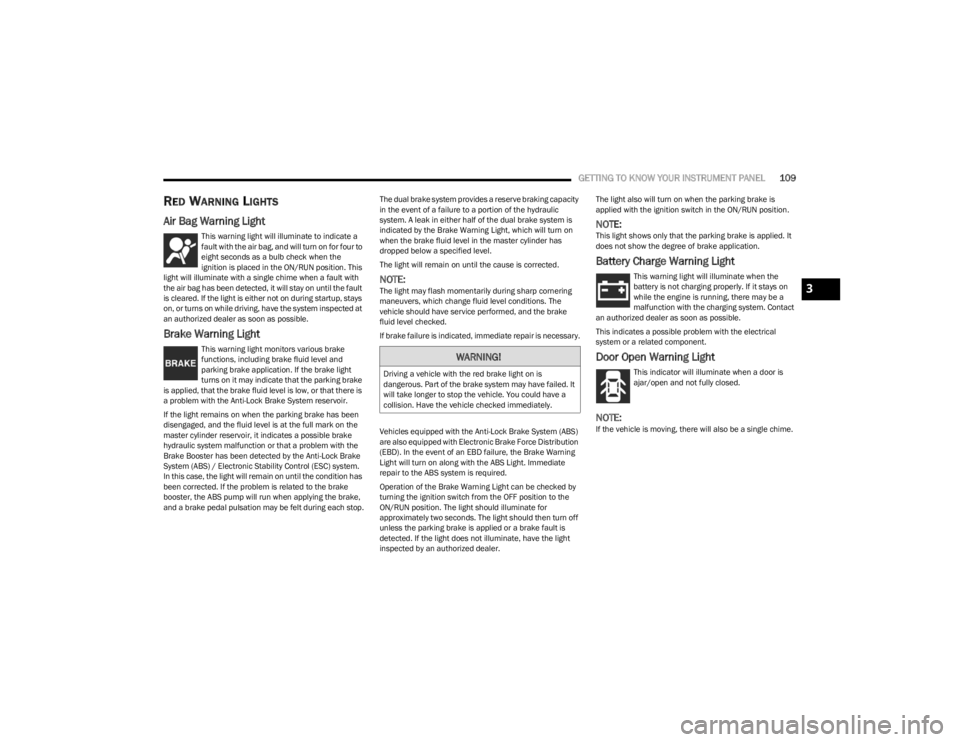
RED WARNING LIGHTS
Air Bag Warning Light
This warning light will illuminate to indicate a
fault with the air bag, and will turn on for four to
eight seconds as a bulb check when the
ignition is placed in the ON/RUN position. This
light will illuminate with a single chime when a fault with
the air bag has been detected, it will stay on until the fault
is cleared. If the light is either not on during startup, stays
on, or turns on while driving, have the system inspected at
an authorized dealer as soon as possible.
Brake Warning Light
This warning light monitors various brake
functions, including brake fluid level and
parking brake application. If the brake light
turns on it may indicate that the parking brake
is applied, that the brake fluid level is low, or that there is
a problem with the Anti-Lock Brake System reservoir.
If the light remains on when the parking brake has been
disengaged, and the fluid level is at the full mark on the
master cylinder reservoir, it indicates a possible brake
hydraulic system malfunction or that a problem with the
Brake Booster has been detected by the Anti-Lock Brake
System (ABS) / Electronic Stability Control (ESC) system.
In this case, the light will remain on until the condition has
been corrected. If the problem is related to the brake
booster, the ABS pump will run when applying the brake,
and a brake pedal pulsation may be felt during each stop. The dual brake system provides a reserve braking capacity
in the event of a failure to a portion of the hydraulic
system. A leak in either half of the dual brake system is
indicated by the Brake Warning Light, which will turn on
when the brake fluid level in the master cylinder has
dropped below a specified level.
The light will remain on until the cause is corrected.
NOTE:The light may flash momentarily during sharp cornering
maneuvers, which change fluid level conditions. The
vehicle should have service performed, and the brake
fluid level checked.
If brake failure is indicated, immediate repair is necessary.
Vehicles equipped with the Anti-Lock Brake System (ABS)
are also equipped with Electronic Brake Force Distribution
(EBD). In the event of an EBD failure, the Brake Warning
Light will turn on along with the ABS Light. Immediate
repair to the ABS system is required.
Operation of the Brake Warning Light can be checked by
turning the ignition switch from the OFF position to the
ON/RUN position. The light should illuminate for
approximately two seconds. The light should then turn off
unless the parking brake is applied or a brake fault is
detected. If the light does not illuminate, have the light
inspected by an authorized dealer.The light also will turn on when the parking brake is
applied with the ignition switch in the ON/RUN position.
NOTE:This light shows only that the parking brake is applied. It
does not show the degree of brake application.
Battery Charge Warning Light
This warning light will illuminate when the
battery is not charging properly. If it stays on
while the engine is running, there may be a
malfunction with the charging system. Contact
an authorized dealer as soon as possible.
This indicates a possible problem with the electrical
system or a related component.
Door Open Warning Light
This indicator will illuminate when a door is
ajar/open and not fully closed.
NOTE:If the vehicle is moving, there will also be a single chime.
WARNING!
Driving a vehicle with the red brake light on is
dangerous. Part of the brake system may have failed. It
will take longer to stop the vehicle. You could have a
collision. Have the vehicle checked immediately.
3
23_WS_OM_EN_USC_t.book Page 109
Page 230 of 396

228MULTIMEDIA
REAR SEAT ENTERTAINMENT (RSE) WITH
AMAZON FIRE TV BUILT-IN — IF EQUIPPED
OVERVIEW
Rear Seat Entertainment with Fire TV built-in is designed
to give your family years of enjoyment.
Fire TV lets passengers enjoy a wide variety of content
from popular apps (subscriptions may be required).
Stream videos, play games, listen to music, get
information, and watch downloaded programs all while on
the road. Two Voice Remotes with Alexa are included with
the system. Press the Microphone button on the Voice
Remote with Alexa to easily find, launch, and control
content. Check sports scores, play music, control smart
home devices, or see your live camera feeds (compatible
smart home device required and sold separately). In
addition to streaming and downloaded content, changing
the input in Fire TV also enables you to:
Mirror what’s on your phone or tablet to Fire TV via
Miracast capable devices
Stream your favorite shows with Fire TV
Plug and play a variety of standard video games or
devices into the HDMI port
Listen to audio over wired or wireless headphones (not
included, customer will have to provide their own)
Plug and play a variety of devices into the front seat
Video USB port. USB ports located under the rear
screens are charge only.
Watch content individually on each rear display or
mirror across both displays to watch together
NOTE:The vehicle must be in an active and usable cellular range
and properly equipped with a Uconnect 5 NAV system and
Rear Seat Entertainment with Fire TV package. Streaming
requires a Wi-Fi connection and registered Amazon
account to run Fire TV in the vehicle. Streaming service
subscriptions are not included. Services and features are
subject to change or withdrawal at any time, may not be
available in all areas and languages, and may require
separate subscriptions.
Please review this Owner's Manual to become familiar
with RSE features and operation.
GETTING STARTED
Rear Screen Entertainment for Uconnect 5/5 NAV
There are four different ways to operate the features of
Rear Seat Entertainment with Fire TV built-in:
Voice Remote with Alexa
Front radio screen
Passenger screen—(If Equipped)
Individual rear touchscreens for Rear Seat Entertain -
ment with Fire TV built-in
For information on the front media hub USB/AUX ports
Úpage 76.
ACCESSING REAR SEAT
E
NTERTAINMENT WITH FIRE TV BUILT-IN
FROM THE FRONT RADIO SCREEN
You can access your Rear Seat Entertainment with Fire TV
built-in system by following these steps:
Option 1
1. Press the Media button.
2. Press the Rear Seat button icon.
Option 2
1. Press the Apps button on the bottom of the
touchscreen.
2. Press the Uconnect Theater button on the touchscreen. You may need to navigate to different
pages in the Apps drawer to find the Uconnect
Theater button.
1 — Rear Seat Entertainment (Rear Touchscreen)
2 — Headphone Jack
3 — USB C Charging Port
4 — HDMI Port
5 — Uconnect System (Front Touchscreen)
23_WS_OM_EN_USC_t.book Page 228
Page 303 of 396
IN CASE OF EMERGENCY301
JUMP STARTING PROCEDURE
NOTE:Make sure at all times that unused ends of jumper cables
are not contacting each other or either vehicle while
making connections.
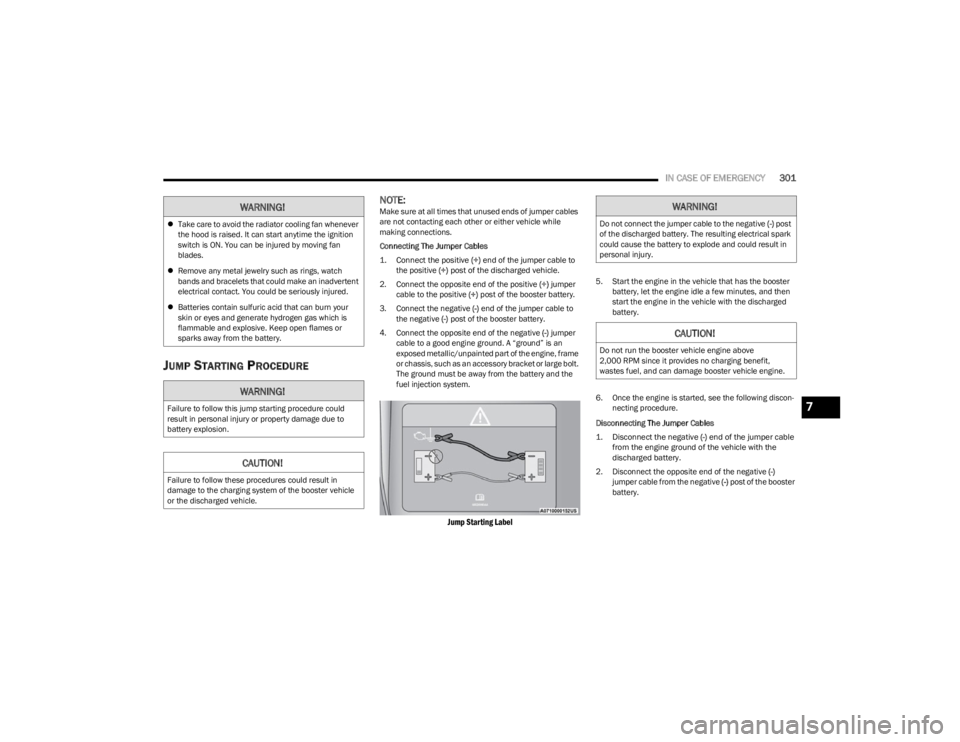
Connecting The Jumper Cables
1. Connect the positive
(+) end of the jumper cable to
the positive (+)
post of the discharged vehicle.
2. Connect the opposite end of the positive (+) jumper
cable to the positive (+) post of the booster battery.
3. Connect the negative (-) end of the jumper cable to
the negative (-) post of the booster battery.
4. Connect the opposite end of the negative (-) jumper
cable to a good engine ground. A “ground” is an
exposed metallic/unpainted part of the engine, frame
or chassis, such as an accessory bracket or large bolt.
The ground must be away from the battery and the
fuel injection system.
Jump Starting Label
5. Start the engine in the vehicle that has the booster battery, let the engine idle a few minutes, and then
start the engine in the vehicle with the discharged
battery.
6. Once the engine is started, see the following discon- necting procedure.
Disconnecting The Jumper Cables
1. Disconnect the negative
(-)
end of the jumper cable
from the engine ground of the vehicle with the
discharged battery.
2. Disconnect the opposite end of the negative (-)
jumper cable from the negative (-) post of the booster
battery.
WARNING!
Take care to avoid the radiator cooling fan whenever
the hood is raised. It can start anytime the ignition
switch is ON. You can be injured by moving fan
blades.
Remove any metal jewelry such as rings, watch
bands and bracelets that could make an inadvertent
electrical contact. You could be seriously injured.
Batteries contain sulfuric acid that can burn your
skin or eyes and generate hydrogen gas which is
flammable and explosive. Keep open flames or
sparks away from the battery.
WARNING!
Failure to follow this jump starting procedure could
result in personal injury or property damage due to
battery explosion.
CAUTION!
Failure to follow these procedures could result in
damage to the charging system of the booster vehicle
or the discharged vehicle.
WARNING!
Do not connect the jumper cable to the negative (-) post
of the discharged battery. The resulting electrical spark
could cause the battery to explode and could result in
personal injury.
CAUTION!
Do not run the booster vehicle engine above
2,000 RPM since it provides no charging benefit,
wastes fuel, and can damage booster vehicle engine.
7
23_WS_OM_EN_USC_t.book Page 301
Page 304 of 396

302IN CASE OF EMERGENCY
3. Disconnect the positive (+) end of the jumper cable
from the positive (+) post of the booster battery.
4. Disconnect the opposite end of the positive (+)
jumper cable from the positive (+) post of the
discharged vehicle.
5. Reinstall the protective cover over the positive (+)
post of the discharged vehicle.
If frequent jump starting is required to start your vehicle
have the battery and charging system tested at an
authorized dealer.
REFUELING IN EMERGENCY
The vehicle is equipped with a refueling funnel for a
Cap-Less Fuel System, which is located with the jack and
tools
Úpage 294. If refueling is necessary, while using an
approved gas can, please insert the refueling funnel into
the filler neck opening.
NOTE:In certain cold conditions, ice may prevent the fuel door
from opening. If this occurs, lightly push around the
perimeter of the fuel door to break the ice buildup and
re-release the fuel door by pushing on the rear outer edge
near the center to unlatch. Do not pry on the door.
Refueling Funnel Location
Emergency Gas Can Refueling
Most gas cans will not open the flapper doors. A funnel is
provided to allow emergency refueling with a gas can.
See the following steps for refueling:
1. Retrieve funnel from the rear cargo storage area.
2. Insert funnel into same filler pipe opening as the fuel nozzle.
Inserting Funnel
3. Ensure funnel is inserted fully to hold flapper doors open.
4. Pour fuel into funnel opening.
5. Remove funnel from filler pipe, clean off prior to putting back in the spare tire storage area.
CAUTION!
Accessories plugged into the vehicle power outlets draw
power from the vehicle’s battery, even when not in use
(i.e., cellular devices, etc.). Eventually, if plugged in long
enough without engine operation, the vehicle’s battery
will discharge sufficiently to degrade battery life and/or
prevent the engine from starting.
CAUTION!
To avoid fuel spillage and overfilling, do not “top off” the
fuel tank after filling.
23_WS_OM_EN_USC_t.book Page 302
Page 344 of 396

342SERVICING AND MAINTENANCE
F62A ––Spare
F62B ––Spare
F63A –15 Amp BluePort UC1 Dual USB Frt / Wireless Charging Pad MOD (WCPM) -
High/Premium Only
F63B –15 Amp BlueTelematics Box Module (TBM) / Mod-DCSD /Mod FPDM
F64A –10 Amp RedMOD ORC
F64B –10 Amp RedSteering Column Control Module (SCCM)
F65 –5 Amp TanMOD SGW (Cybersecurity)
F66 ––Spare
CB1 ––Spare
CB2 ––Spare
CB3 ––Spare
CB4 ––Spare
CB5 ––Spare
CB6 ––Spare
Cavity Cartridge Fuse Micro Fuse Description
* If Equipped
23_WS_OM_EN_USC_t.book Page 342
Page 386 of 396

384 B
Base Instrument Cluster
b
........................................97
Battery ................................................................. 109, 318
Charging System Light............................................ 109
Keyless Key Fob Replacement .................................18
Battery Saver Feature ..................................................... 60
Belts, Seat .................................................................... 287
Body Mechanism Lubrication...................................... 323
B-Pillar Location ........................................................... 354
Brake Assist System .................................................... 241
Brake Control System, Electronic ............................... 241
Brake Fluid .......................................................... 328
, 377
Brake System ...................................................... 328, 371
Anti-Lock (ABS)........................................................ 371 Fluid Check.............................................................. 328
Master Cylinder ....................................................... 328
Parking .................................................................... 122
Warning Light .......................................................... 109
Brake/Transmission Interlock..................................... 126
Bulb Replacement ....................................................... 349
Bulbs, Light................................................................... 289
CCamera, Night Vision ................................................... 172
Camera, Rear ...................................................... 170, 175
Capacities, Fluid ........................................................... 375
Caps, Filler Oil (Engine) .............................................................. 313
Radiator (Coolant Pressure)................................... 327
Car Washes .................................................................. 368
Carbon Monoxide Warning .......................................... 289
Cargo Area Cover .............................................. 89
, 90, 91
Cargo Compartment ....................................................... 89 Light ............................................................................89 Cargo Light ...................................................................... 89
Cargo Net ........................................................................ 91
Cargo Tie-Downs ............................................................. 89
Cellular Phone............................................................... 238
Center Console Cooler.................................................... 75
Center Console Safe ....................................................... 75
Center Console Safe — If Equipped
b
...................... 75
Chains, Tire ...................................................................364
Chart, Tire Sizing ...........................................................350
Check Engine Light (Malfunction Indicator Light) ...... 118
Checking Your Vehicle For Safety ................................ 287
Checks, Safety .............................................................. 287
Child Restraint .............................................................. 275
Child Restraints Booster Seats .......................................................... 277
Child Seat Installation ............................................. 285How To Stow An unused ALR Seat Belt .................283Infant And Child Restraints ..................................... 276
Locating The LATCH Anchorages............................ 281
Lower Anchors And Tethers For Children............... 279
Older Children And Child Restraints....................... 277
Seating Positions ..................................................... 278
Child Safety Locks .......................................................... 30
Clean Air Gasoline ........................................................ 373
Cleaning Wheels .....................................................................362
Climate Control ............................................................... 64 Automatic ................................................................... 64
Cold Weather Operation ............................................... 122
Compact Spare Tire ...................................................... 361
Contract, Service .......................................................... 380
Cooling Pressure Cap (Radiator Cap) ..........................327
Cooling System ............................................................. 326 Adding Coolant (Antifreeze) ....................................327
Coolant Level ...........................................................328 Cooling Capacity...................................................... 375
Disposal Of Used Coolant ....................................... 327
Drain, Flush, And Refill ........................................... 326
Inspection .......................................................326
, 328
Points To Remember .............................................. 328
Pressure Cap ........................................................... 327
Radiator Cap............................................................ 327
Selection Of Coolant (Antifreeze) ........ 326
, 375, 376
Corrosion Protection .................................................... 368
Cruise Control (Speed Control) ........................... 137
, 138
Cruise Light ................................................................... 116
Customer Assistance ................................................... 378
Customer Programmable Features ............................. 197
Cybersecurity ................................................................ 196
DDaytime Running Lights ................................................. 58 Defroster, Windshield .................................................. 288
De-Icer, Remote Start .................................................... 23
Deluxe Security Alarm .................................................... 25
Diagnostic System, Onboard ....................................... 117
Digital Rearview Mirror .................................................. 50
Dipsticks Oil (Engine) ..................................................... 316
, 317
Disabled Vehicle Towing .............................................. 306
Disposal Antifreeze (Engine Coolant) .................................... 327
Door Ajar .............................................................. 109
, 110
Door Ajar Light ..................................................... 109, 110
Door Locks ............................................................... 26, 30
Child-Protection Door Lock — Rear Doors ............... 30
Doors ............................................................................... 26
Driver’s Seat Back Tilt .................................................... 33
Driving ........................................................................... 193
23_WS_OM_EN_USC_t.book Page 384
Page 393 of 396

391
Trailer Towing ............................................................... 178Hitches .................................................................... 182
Minimum Requirements ........................................ 185
Tips .......................................................................... 189
Trailer And Tongue Weight ..................................... 185
Wiring....................................................................... 188
Trailer Weight ............................................................... 182
Transfer Case ............................................................... 330 Fluid ......................................................................... 377
Maintenance ........................................................... 330
Transmission ................................................................ 126 Automatic ....................................................... 126
, 329
Fluid ......................................................................... 377
Maintenance ........................................................... 329
Shifting .................................................................... 125
Transporting Pets ......................................................... 287
Tread Wear Indicators ................................................. 359
Turn Signals.................................................................. 116
UUconnect ....................................................................... 196
Uconnect Settings ........................................................ 197 Customer Programmable Features ................... 27
, 30
Passive Entry Programming ............................... 27, 30
Uniform Tire Quality Grades ......................................... 366 Universal Garage Door Opener (Home
Link®)
b
.....53
Unleaded Gasoline ....................................................... 372
Untwisting Procedure, Seat Belt ..................................260
USB Ports ........................................................................ 76
VVanity Mirrors .................................................................. 50
Vehicle Identification Number (VIN) ............................ 371
Vehicle Loading................................................... 178
, 354
Vehicle Maintenance ....................................................318
Vehicle Modifications/Alterations ................................. 10
Vehicle Security Alarm .................................................... 24 Vehicle Settings ............................................................197
Vehicle Storage ............................................................. 368
Voice Command.............................................................. 48
Voice Recognition System (VR) ...................................... 48
WWarning Flashers, Hazard............................................ 290
Warning Lights (Instrument Cluster Descriptions) ..... 112
Warnings, Roll Over ........................................................ 10Warranty Information ................................................... 380
Washers, Windshield ............................................ 62
, 317
Washing Vehicle ........................................................... 368
Wheel And Wheel Tire Care ......................................... 362
Wheel And Wheel Tire Trim.......................................... 362
Wind Buffeting ................................................................ 83
Window Fogging ............................................................. 72
Windows.......................................................................... 82 Power ......................................................................... 82
Reset Auto-Up............................................................ 82
Windshield Defroster ................................................... 288
Windshield Washers ............................................. 62
, 317
Fluid ......................................................................... 317
Windshield Wiper Blades ............................................. 324
Windshield Wipers.......................................................... 62
Wipers Blade Replacement ......................................... 324
Wipers, Intermittent ....................................................... 62 Wipers, Rain Sensitive ................................................... 63
Wireless Charging Pad ................................................... 81
11
23_WS_OM_EN_USC_t.book Page 391