2023 INFINITI QX60 steering
[x] Cancel search: steeringPage 172 of 636

Under the following conditions, the Steering
Assist system is automatically canceled:
• The camera area of the windshield isfogged up or covered with dirt, water
drops, ice, snow, etc.
• Strong light, such as sunlight or high beams from oncoming vehicles, enter the front
camera.
Not Available Parking Brake On
This message may appear when the ProPI-
LOT Assist system is engaged.
Under the following condition, the ProPILOT
Assist system is automatically canceled:
• The electronic parking brake is applied.
The above system cannot be used when the
electronic parking is activated.
For additional information, see "ProPILOT
Assist (P. 5-84) and “Parking brake” (P. 5-25).
Not Available Poor Road Conditions
This message may appear when the ProPI-
LOT Assist system, Blind Spot Intervention®
(BSI) or the Lane Departure Prevention (LDP)
system is engaged.
Under the following conditions, the ProPI-
LOT Assist system, Blind Spot Intervention®
(BSI) or the Lane Departure Prevention (LDP)
system is automatically canceled: • When the VDC system operates
• When a wheel slips
The above system cannot be used in some
situations (VDC operates, wheel slip and
VDC system is off.)
Not Available Seat Belt Not Fastened
This message may appear when the ProPI-
LOT Assist system is engaged.
Under the following condition, the ProPILOT
Assist system is automatically canceled:
• When the driver’s seat belt is not fastened
The above system cannot be used when the
driver’s seat belt is not fastened.
Not Available System Malfunction
This warning appears when one or more of
the following systems (if so equipped) is not
functioning properly.
• ProPILOT
• Blind Spot Warning (BSW)
• Blind Spot Intervention® (BSI)
• Lane Departure Warning (LDW)
• Lane Departure Prevention (LDP)
If one or more of these warnings appear,
have the system checked. It is recommended
that you visit an INFINITI retailer for this
service.
For additional information, see “ProPILOT
Assist” (P. 5-84), “Blind Spot Intervention®
(BSI)” (P. 5-61), “Blind Spot Warning (BSW)”
(P. 5-49), “Lane Departure Warning (LDW)”
(P. 5-36) or “Lane Departure Prevention
(LDP)” (P. 5-43).
ProPILOT Assist indicators
These indicators show the ProPILOT Assist
system status. The status is shown by color.
For additional information, see “ProPILOT
Assist” (P. 5-84).
Rear Automatic Braking
(RAB) system warning
indicator
This indicator appears to indicate the status
of the Rear Automatic Braking (RAB) system.
For additional information, see “Rear Auto-
matic Braking (RAB)” (P. 5-121).
Speed Limit Sign indicator
This message may appear when the Traffic
Sign Recognition system is engaged.
For additional information, see “Traffic Sign
Recognition (TSR)” (P. 5-34).
2-70Instruments and controls
Page 173 of 636

Steering Assist Not Available Cannot
Detect Lane indicator
This indicator may appear when the Steering
Assist system is engaged. The Steering Assist
system is automatically canceled when the
lane markers in the traveling lane cannot be
correctly detected for a period of time due to
such items as a snow rut, reflection of light on
a rainy day or several unclear lane markers
are present.
If you want to use the Steering Assist system
again, cancel the ProPILOT Assist system
and set it again when lane markers are clearly
visible.
Steering Assist status
This indicator appears when the Steering As-
sist system is engaged.
For additional information, see “ProPILOT
Assist” (P. 5-84).
Unavailable: High Cabin Temperature
This message appears when the camera de-
tects an interior temperature of more than
104°F (40°C). For additional information,
see (if so equipped) “ProPILOT Assist”
(P. 5-84), “Lane Departure Prevention (LDP)”(P. 5-43), “Lane Departure Warning (LDW)”
(P. 5-36) or “Blind Spot Intervention® (BSI)”
(P. 5-61).
Unavailable Side Radar Obstruction
This message appears when the Blind Spot
Warning (BSW) or Rear Cross Traffic Alert
(RCTA) systems become unavailable because
a radar blockage is detected. For additional
information, see (if so equipped) “Blind Spot
Warning (BSW)” (P. 5-49), “Blind Spot Inter-
vention (BSI)” (P. 5-61) or “Rear Cross Traffic
Alert (RCTA)” (P. 5-72).
Vehicle ahead detection
indicator
This indicator shows when the following sys-
tems are engaged and have detected a ve-
hicle:
• Forward Emergency Braking (FEB) with
Pedestrian Detection
• Predictive Forward Collision Warning (PFCW)
For additional information, see “Forward
Emergency Braking (FEB) with Pedestrian
Detection” (P. 5-128) or “Predictive Forward
Collision Warning (PFCW)” (P. 5-140). Your vehicle has two types of security
systems:
• Vehicle security system
• INFINITI Vehicle Immobilizer System
VEHICLE SECURITY SYSTEM
The vehicle security system provides visual
and audible alarm signals if someone opens
the doors, liftgate or hood when the system is
armed. It is not, however, a motion detection
type system that activates when a vehicle is
moved or when a vibration occurs.
LIC0661
SECURITY SYSTEMS
Instruments and controls2-71
Page 184 of 636

If the ambient image sensor is damaged due
to an accident, it is recommended that you
visit an INFINITI retailer.
Battery saver system
If the ignition switch is placed in the OFF
position while the headlight switch is in the
orposition, the headlights will turn
off after a period of time.
NOTE:
The Battery Saver system may be disabled.
For additional information, see “Vehicle in-
formation display-7 inch (18 cm) Type A”
(P. 2-22) or “Vehicle information display-
12.3 inch (31 cm) Type B” (P. 2-44).
CAUTION
Even though the battery saver feature au-
tomatically turns off the headlights after a
period of time, you should turn the head-
light switch to the OFF position when the
engine is not running to avoid discharging
the vehicle battery.
Adaptive Front lighting System
(AFS) (if so equipped)
The Adaptive Front lighting System (AFS) will
automatically adjust the headlights (low
beam) toward the turning direction to im-
prove the driver’s view. When the headlight
switch is on and the driver operates the steer-
ing wheel in a turn, the AFS system will be
activated.
The AFS will operate:
• when the headlight switch is on.
• when the vehicle is driven at above 16 mph (25 km/h) for the left-side headlight. Note
that the right-side low beam headlight will
swivel but the left side will not swivel when
the vehicle is at a stop and the steering
wheel is turned. The vehicle must attain a
speed above 16 mph (25 km/h) before AFS
activates the left-side headlight.
If the AFS OFF indicator blinks or the vehicle
information display shows an AFS system
error message after the ignition switch has
been pushed to the ON position, this may
indicate that the AFS is not functioning prop-
erly. Have the system checked. It is recom-
mended you visit an INFINITI retailer for this
service. When the engine is started, the head-
lights will vibrate to check the system condi-
tion. This is not a malfunction.
Automatic headlight aiming control
(if so equipped)
Your vehicle is equipped with an automatic
headlight levelling system. The headlight axis
is controlled automatically.
Automatic headlight aiming control will also
adjust the headlight to a proper axis auto-
matically, depending on the number of occu-
pants in the vehicle, the load the vehicle is
carrying and the road conditions.
INFINITI recommends that you consult the
local regulations on the use of lights.
LED DAYTIME RUNNING LIGHTS
(DRL) SYSTEM
The LED portion of the headlights automati-
cally illuminate at 100% intensity when the
engine is started and the parking brake re-
leased. The LED Daytime Running Lights
(DRL) system operates with the headlight
switch in the OFF position. When you turn
the headlight switch to the
position for
full illumination, the LED lights switch from
LED DRL system to the park function.
2-82Instruments and controls
Page 186 of 636

Move the lever up or down until the turn
signal begins to flash, but the lever does not
latch, and release the lever. The turn signal
will automatically flash three times.
Choose the appropriate method to signal a
lane change based on road and traffic
conditions.To sound the horn, push near the horn icon on
the steering wheel.
WARNING
Do not disassemble the horn. Doing so
could affect proper operation of the
supplemental front air bag system. Tam-
pering with the supplemental front air bag
system may result in serious personal
injury.
WARNING
Do not use or allow occupants to use the
climate controlled seats if you or the occu-
pants cannot monitor seat temperatures
or have an inability to feel pain in those
body parts in contact with the seat. Use of
the climate controlled seats by such people
could result in serious injury.
LIC4820LIC4812
HORN CLIMATE CONTROLLED SEAT
SWITCHES (if so equipped)
2-84Instruments and controls
Page 189 of 636

•When cleaning the seat, never use gaso-
line, benzine, thinner, or any similar
materials.
• If any malfunctions are found or the
heated seat does not operate, turn the
switch off and have the system checked.
It is recommended that you visit an
INFINITI retailer for this service.
The 2nd row captain’s seats are warmed by
built-in heaters. The switches are located on
the rear of the front center console and can
be operated independently of each other.
1. Start the engine.
2. Push the switch, as desired. The indicatorlight in the switch will illuminate.
The heater is controlled by a thermostat,
automatically turning the heater on and
off. The indicator light will remain on as
long as the switch is on.
3. When the seat is warmed or before you leave the vehicle, be sure to turn the
switch off. Push the heated steering wheel switch to
warm the steering wheel after the ignition
switch is placed in the ON position. The
switch color will change from white to or-
ange as the feature turns from OFF to ON.
If the surface temperature of the steering
wheel is below 68°F (20°C), the system will
heat the steering wheel and cycle off and on
to maintain a temperature above 68°F
(20°C). The indicator light will remain on as
long as the system is on (approximately 30
minutes).
LIC4697LIC4816
HEATED STEERING WHEEL SWITCH
(if so equipped)
Instruments and controls2-87
Page 190 of 636
Push the switch again to turn the heated
steering wheel system off manually. The
switch color will change from orange to
white as the feature turns from ON to OFF.
NOTE:
•Once activated, your heated steering wheel
will automatically turn on and off to main-
tain a temperature above 68°F (20°C).
• When the temperature of the steeringwheel is above 122°F (50°C) and the
heated steering wheel switch is turned on,
the system will not heat the steering
wheel. This is not a malfunction.
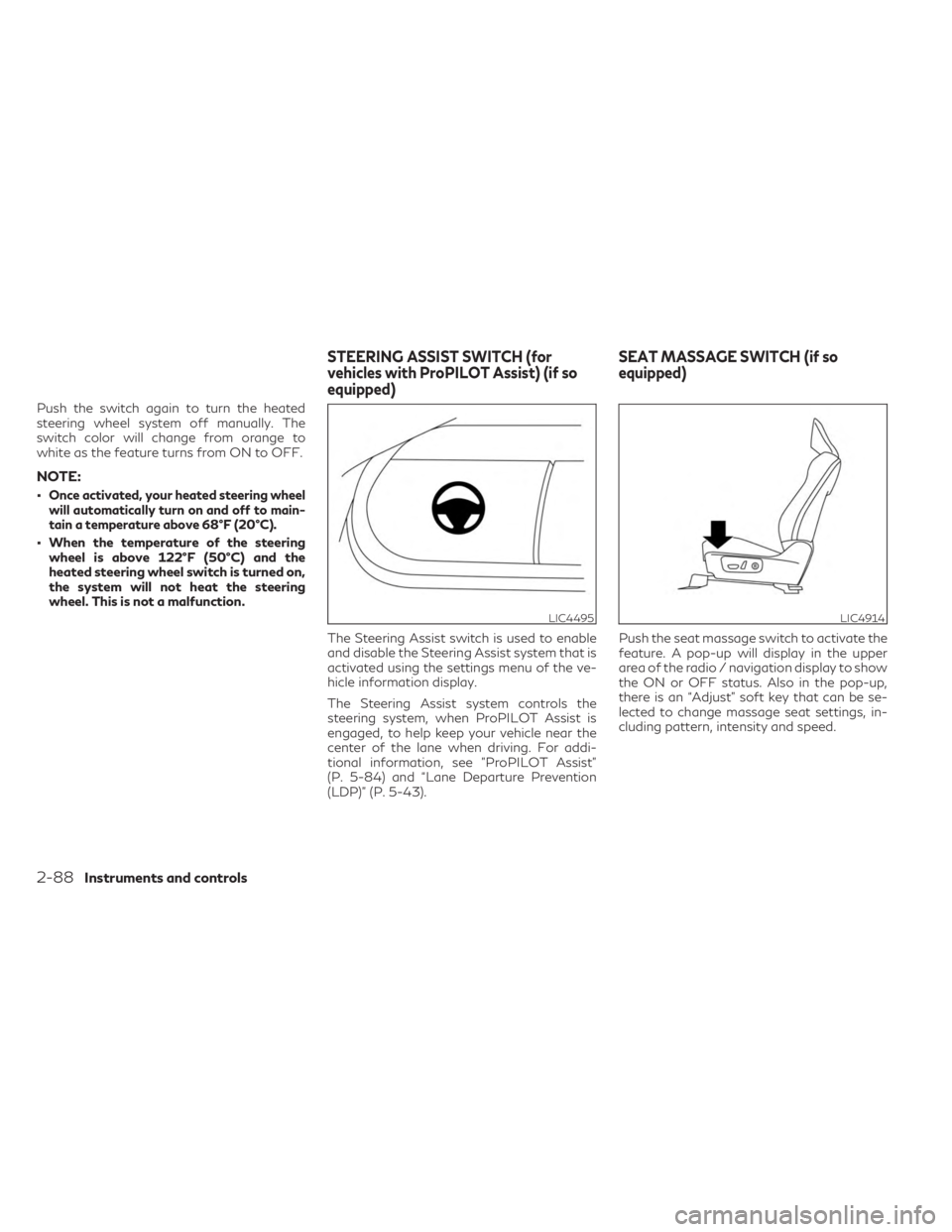
The Steering Assist switch is used to enable
and disable the Steering Assist system that is
activated using the settings menu of the ve-
hicle information display.
The Steering Assist system controls the
steering system, when ProPILOT Assist is
engaged, to help keep your vehicle near the
center of the lane when driving. For addi-
tional information, see ”ProPILOT Assist”
(P. 5-84) and “Lane Departure Prevention
(LDP)” (P. 5-43). Push the seat massage switch to activate the
feature. A pop-up will display in the upper
area of the radio / navigation display to show
the ON or OFF status. Also in the pop-up,
there is an “Adjust” soft key that can be se-
lected to change massage seat settings, in-
cluding pattern, intensity and speed.
LIC4495LIC4914
STEERING ASSIST SWITCH (for
vehicles with ProPILOT Assist) (if so
equipped)
SEAT MASSAGE SWITCH (if so
equipped)
2-88Instruments and controls
Page 226 of 636
3 Pre-driving checks and adjustments
Keys.............................................3-2
INFINITI Intelligent Key .......................3-2
INFINITI Vehicle Immobilizer System
keys ..........................................3-3
Doors ...........................................3-4
Locking with key ..............................3-4
Locking with inside lock knob ..................3-5
Locking with power door lock switch ..........3-5
Automatic door locks .........................3-6
Child safety rear door lock .....................3-6
INFINITI Intelligent Key System ...................3-6
Operating range ..............................3-8
Door locks/unlocks precaution ................3-9
INFINITI Intelligent Key operation .............3-9
How to use the remote keyless entry
function .................................... 3-14
Warning signals ............................. 3-16
Troubleshooting guide ......................3-16
Remote Engine Start (if so equipped) ...........3-18
Remote Engine Start operating range ........3-18
Remote starting the vehicle ..................3-19
Extending engine run time ...................3-19
Canceling a Remote Engine Start ............3-19
Conditions the Remote Engine Start will
not work ................................... 3-20Hood
.......................................... 3-21
Liftgate ....................................... 3-21
Operating the power liftgate ................3-22
Motion-Activated Liftgate
(if so equipped) ............................. 3-24
Liftgate release ............................. 3-25
Liftgate position setting .....................3-26
Fuel-filler door ................................. 3-27
Opening the fuel-filler door ..................3-27
How to refuel ............................... 3-28
When refueling from a portable fuel
container ................................... 3-30
Steering wheel ................................. 3-30
Manual operation (if so equipped) ...........3-31
Automatic operation (if so equipped) .........3-31
Sun visors ..................................... 3-32
Vanity mirrors .............................. 3-33
Card holder ................................. 3-33
Mirrors ........................................ 3-33
Automatic
anti-glare rearview mirror
(if so equipped) ............................. 3-33
Smart rear view mirror (if so equipped) .......3-34
Outside mirrors ............................. 3-41
Page 256 of 636

WHEN REFUELING FROM A
PORTABLE FUEL CONTAINER
If you need to refuel from a portable fuel
container, use the funnel
OAstored in the tool
bag (located under the luggage board). Be sure to insert the funnel into the fuel-filler
opening slowly and fully. Insert the nozzle of
the portable fuel container into the opening
along the funnel and fill the fuel tank.
After refueling, remove the funnel from the
fuel-filler opening. Wipe the funnel clean and
return it to the tool bag.
CAUTION
• Do not insert the nozzle of the portable
fuel container directly into the fuel-filler
opening. Doing so may damage the
opening and the fuel system.
• Use only the funnel provided with your
vehicle. Otherwise the fuel-filler opening
and the fuel system may be damaged.
WARNING
• Do not adjust the steering wheel while
driving. You could lose control of your
vehicle and cause an accident.
• Do not adjust the steering wheel any
closer to you than is necessary for proper
steering operation and comfort. The
driver's air bag inflates with great force.
If you are unrestrained, leaning forward,
sitting sideways or out of position in any
way, you are at greater risk of injury or
death in a crash. You may also receive
serious or fatal injuries from the air bag if
you are up against it when it inflates.
Always sit back against the seatback and
as far away as practical from the steer-
ing wheel. Always use the seat belts.
LPD3275
STEERING WHEEL
3-30Pre-driving checks and adjustments