2023 INFINITI QX50 radio antenna
[x] Cancel search: radio antennaPage 166 of 548

NOTE:
Some devices may require you to replace this
Programming Step 2 with procedures noted
in the “Programming HomeLink® for Cana-
dian customers and gate openers” (P. 2-82)
section. If the Homelink® indicator light
does not change to a rapidly blinking light
after performing these steps, contact
Homelink® at www.homelink.com.
4. At the garage door opener motor (securitygate motor, etc.), locate the “Learn” or
“Set” button. This can usually be found
where the hanging antenna wire is at-
tached to the motor-head unit (see the
device’s manual to identify this button.).
The name and color of the button may
vary by manufacturer.
NOTE:
A ladder and/or second person may simplify
the following steps. Do not stand on your
vehicle to perform the next steps. 5. Firmly press and release the “Learn” or
“Set” button until the indicator illuminates.
Once the button is pressed, you have ap-
proximately 30 seconds to initiate the
next step.
6. Return to the vehicle and firmly press, hold for two seconds and release the
HomeLink® button up to three times. Do
not press the HomeLink® button rapidly.
At this point programming is complete
and your device should operate when
the HomeLink® button is pressed and
released. 7. If you have any questions or are having
difficulty programming your HomeLink®
buttons, refer to the HomeLink® web
site at: www.homelink.com/infiniti or call
1-800-355-3515.
PROGRAMMING HOMELINK®
FOR CANADIAN CUSTOMERS
AND GATE OPENERS
Canadian radio-frequency laws require
transmitter signals to “time-out” (or quit) af-
ter several seconds of transmission – which
may not be long enough for HomeLink® to
pick up the signal during training. Similar to
this Canadian law, some U.S. gate operators
are designed to “time-out” in the same
manner.
If you live in Canada or you are having diffi-
culties training a gate operator orgarage
door opener by using the “Programming
HomeLink®” procedures, replace“Program-
ming HomeLink®” step 2with the following:
NOTE:
When programming a garage door opener,
etc., unplug the device during the “cycling”
process to prevent possible damage to the
device components.
LIC4798
Example
2-82Instruments and controls
Page 209 of 548

4 Monitor, climate, audio, phone and voice
recognition systems
INFINITI InTouch® Owner’s Manual..............4-2
RearView Monitor (if so equipped) ................4-3
RearView Monitor system operation ...........4-4
How to read the displayed lines ................4-5
Difference between predicted and actual
distances .....................................4-5
How to park with predicted course lines .......4-7
Adjusting the screen ......................... 4-8
How to turn on and off predicted course
lines ..........................................4-9
RearView Monitor system limitations ..........4-9
System maintenance ........................ 4-10
Around View® Monitor (if so equipped) ..........4-11
Around View® Monitor system operation ....4-13
Difference between predicted and actual
distances .................................... 4-17
How to park with predicted course lines .....4-19
How to switch the display ...................4-20
Around View® Monitor settings .............4-20
Adjusting the screen ........................ 4-21
Around View® Monitor system
limitations .................................. 4-22
System maintenance ........................ 4-24
Camera aiding sonar (parking sensor) (if so
equipped) ...................................... 4-24Sonar system operation
.....................4-25
Turning on and off the sonar function ........4-26
Sonar system limitations ....................4-28
System maintenance ........................ 4-28
Moving Object Detection (MOD) (if so
equipped) ...................................... 4-29
MOD system operation .....................4-30
Turning MOD on and off ....................4-32
MOD system limitations .....................4-32
System maintenance ........................ 4-33
Vents .......................................... 4-34
Heater and air conditioner (automatic) ..........4-35
Automatic operation ........................ 4-36
Manual operation ........................... 4-37
Operating tips .............................. 4-38
CLIMATE setting screen ....................4-39
Rear climate control (if so equipped) .........4-41
Heater and air conditioner settings (if so
equipped) ...................................... 4-42
Servicing
air conditioner ........................ 4-43
Antenna ....................................... 4-43
Roof Mounted Antenna .....................4-43
Car phone or CB radio ......................... 4-44
iPod®/iPhone® ................................ 4-44
Page 251 of 548

–– If the surface temperature of thesteering-wheel is above the temperature
within which the system is designed to
operate, the system will not heat the
steering-wheel. This is not a malfunction. The air conditioner system in your INFINITI
vehicle is charged with a refrigerant designed
with the environment in mind.
This refrigerant does not harm the earth's
ozone layer.
Special charging equipment and lubricant is
required when servicing your INFINITI air
conditioner. Using improper refrigerants or
lubricants will cause severe damage to your
air conditioner system. For additional infor-
mation, see “Air conditioner system refriger-
ant and oil recommendations” (P. 10-7).
It is recommended that you visit an INFINITI
retailer for servicing your “environmentally
friendly” air conditioning system.
WARNING
The air conditioner system contains refrig-
erant under high pressure. To avoid per-
sonal injury, any air conditioner service
should be done only by an experienced
technician with proper equipment.
ROOF MOUNTED ANTENNA
The antenna is located on the rear part of the
vehicle roof and an antenna pattern is printed
inside the rear window.
CAUTION
• A build-up of ice on the antenna can af-
fect radio performance. Remove the ice
to restore radio reception.
• When removing snow from the roof, do
not apply strong force to the antenna.
That may cause broken antenna and roof
panel dent.
• When using a high pressure car wash,
keep the high pressure nozzle away from
the antenna. The seal may be deformed
or damaged.
• The radio performance may be affected
if cargo carried on the roof blocks the
radio signal. If possible, do not put cargo
near the antenna.
•
Do not place metalized film near the rear
window glass or attach any metal parts to
it. This may cause poor reception or noise.
• When cleaning the inside of the rear win-
dow, be careful not to scratch or damage
the rear window antenna. Lightly wipe
along the antenna with a dampened soft
cloth.
SERVICING AIR CONDITIONER ANTENNA
Monitor, climate, audio, phone and voice recognition systems4-43
Page 252 of 548

When installing a CB, ham radio or car phone
in your vehicle, be sure to observe the follow-
ing precautions; otherwise, the new equip-
ment may adversely affect the engine control
system and other electronic parts.
WARNING
• A cellular phone should not be used for
any purpose while driving so full atten-
tion may be given to vehicle operation.
Some jurisdictions prohibit the use of
cellular phones while driving.
• If you must make a call while your vehicle
is in motion, the hands free cellular phone
operational mode is highly recom-
mended. Exercise extreme caution at all
times so full attention may be given to
vehicle operation.
• If you are unable to devote full attention
to vehicle operation while talking on the
phone, pull off the road to a safe location
and stop your vehicle.
CAUTION
• Keep the antenna as far away as possible
from the electronic control modules.
• Keep the antenna wire more than 8 in
(20 cm) away from the electronic control
system harnesses. Do not route the an-
tenna wire next to any harness.
• Adjust the antenna standing-wave ratio
as recommended by the manufacturer.
• Connect the ground wire from the CB
radio chassis to the body.
• For additional information, it is recom-
mended that you visit an INFINITI re-
tailer for servicing. “Made for iPod”, “Made for iPhone” and
“Made for iPad” mean that an electronic ac-
cessory has been designed to connect spe-
cifically to iPod, iPhone or iPad, respectively,
and has been certified by the developer to
meet Apple performance standards. Apple is
not responsible for the operation of this de-
vice or its compliance with safety and regu-
latory standards. Please note that the use of
this accessory with iPod, iPhone or iPad may
affect wireless performance.
iPad, iPhone, iPod classic, iPod nano, iPod
shuffle and iPod touch are trademarks of
Apple Inc., registered in the U.S. and other
countries. Lightning is a trademark of Apple
Inc.
CAR PHONE OR CB RADIO
iPod®/iPhone®
4-44Monitor, climate, audio, phone and voice recognition systems
Page 261 of 548

•When using g a wheel without the TPMS
such as the spare tire, when a spare tire is
mounted or a wheel is replaced, tire pres-
sure will not be indicated, the TPMS will
not function and the low tire pressure
warning light will flash for approxi-
mately 1 minute. The light will remain on
after 1 minute. Have your tires replaced
and/or TPMS system reset as soon as
possible. It is recommended that you
visit an INFINITI retailer for this service.
• Replacing tires with those not originally
specified by INFINITI could affect the
proper operation of the TPMS.
• Do not inject any tire liquid or aerosol tire
sealant into the tires, as this may cause a
malfunction of the tire pressure sensors.
CAUTION
• The TPMS may not function properly
when the wheels are equipped with tire
chains or the wheels are buried in snow.
• Do not place metalized film or any metal
parts (antenna, etc.) on the windows.
This may cause poor reception of the sig-
nals from the tire pressure sensors, and
the TPMS will not function properly. Some devices and transmitters may tempo-
rarily interfere with the operation of the
TPMS and cause the low tire pressure
warning light to illuminate.
Some examples are:
• Facilities or electric devices using similar
radio frequencies are near the vehicle.
• If a transmitter set to similar frequencies is being used in or near the vehicle.
• If a computer (or similar equipment) or a DC/AC converter is being used in or near
the vehicle.
The low tire pressure warning light may illu-
minate in the following cases:
• If the vehicle is equipped with a wheel and tire without TPMS.
• If the TPMS has been replaced and the ID has not been registered.
• If the wheel is not originally specified by INFINITI.
FCC Notice:
For USA:
This device complies with Part 15 of the FCC
Rules. Operation is subject to the following
two conditions: (1) This device may not
cause harmful interference, and (2) this de- vice must accept any interference received,
including interference that may cause unde-
sired operation.
Note: Changes or modifications not ex-
pressly approved by the party responsible
for compliance could void the user’s author-
ity to operate the equipment.
For Canada:
This device contains licence-exempt
transmitter(s)/receiver(s) that comply with
Innovation, Science and Economic Develop-
ment Canada’s licence-exempt RSS(s).
Operation is subject to the following two
conditions: (1) This device may not cause in-
terference. (2) This device must accept any
interference, including interference that may
cause undesired operation of the device.
TPMS with Tire Inflation Indicator
When adding air to an under-inflated tire, the
TPMS with Tire Inflation Indicator provides
visual and audible signals outside the vehicle
to help you inflate the tires to the recom-
mended COLD tire pressure.
Starting and driving5-7
Page 425 of 548

• Wax your vehicle only after a thoroughwashing. Follow the instructions supplied
with the wax.
• Do not use a wax containing any abrasives, cutting compounds or cleaners that may
damage the vehicle finish.
Machine compounding or aggressive polish-
ing on a base coat/clear coat paint finish may
dull the finish or leave swirl marks.
REMOVING SPOTS
Remove tar and oil spots, industrial dust, in-
sects, and tree sap as quickly as possible from
the surface of the paint to avoid lasting dam-
age or staining. Special cleaning products are
available at an INFINITI retailer or any auto-
motive accessory store. It is recommended
that you visit an INFINITI retailer for these
products.
UNDERBODY
In areas where road salt is used in winter, it is
necessary to clean the underbody regularly in
order to prevent dirt and salt from building up
and causing the acceleration of corrosion on
the underbody and suspension. Before the
winter period and again in the spring, the
underseal must be checked and, if necessary,
re-treated.
GLASS
Use glass cleaner to remove smoke and dust
film from the glass surfaces. It is normal for
glass to become coated with a film after the
vehicle is parked in the hot sun. Glass cleaner
and a soft cloth will easily remove this film.
CAUTION
When cleaning the inside of the windows,
do not use sharp-edged tools, abrasive
cleaners or chlorine-based disinfectant
cleaners. They could damage the electrical
conductors, radio antenna elements or rear
window defroster elements.
ALUMINUM ALLOY WHEELS
Wash the wheels regularly with a sponge
dampened in a mild soap solution, especially
during winter months in areas where road
salt is used. If not removed, road salt can
discolor the wheels.
CAUTION
Follow the directions below to avoid stain-
ing or discoloring the wheels:
• Do not use a cleaner that uses strong acid
or alkali contents to clean the wheels. •
Do not apply wheel cleaners to the
wheels when they are hot. The wheel
temperature should be the same as am-
bient temperature.
• Rinse the wheel to completely remove
the cleaner within 15 minutes after the
cleaner is applied.
CHROME PARTS
Clean all chrome parts regularly with a non-
abrasive chrome polish to maintain the finish.
CAUTION
Follow the directions below to avoid stain-
ing or discoloring the chrome parts:
• Do not use a cleaner that uses strong acid
or alkali contents to clean the chrome
parts.
TIRE DRESSINGS
INFINITI does not recommend the use of tire
dressings. Tire manufacturers apply a coating
to the tires to help reduce discoloration of the
rubber. If a tire dressing is applied to the tires,
it may react with the coating and form a
compound. This compound may come off the
tire while driving and stain the vehicle paint.
Appearance and care7-3
Page 537 of 548
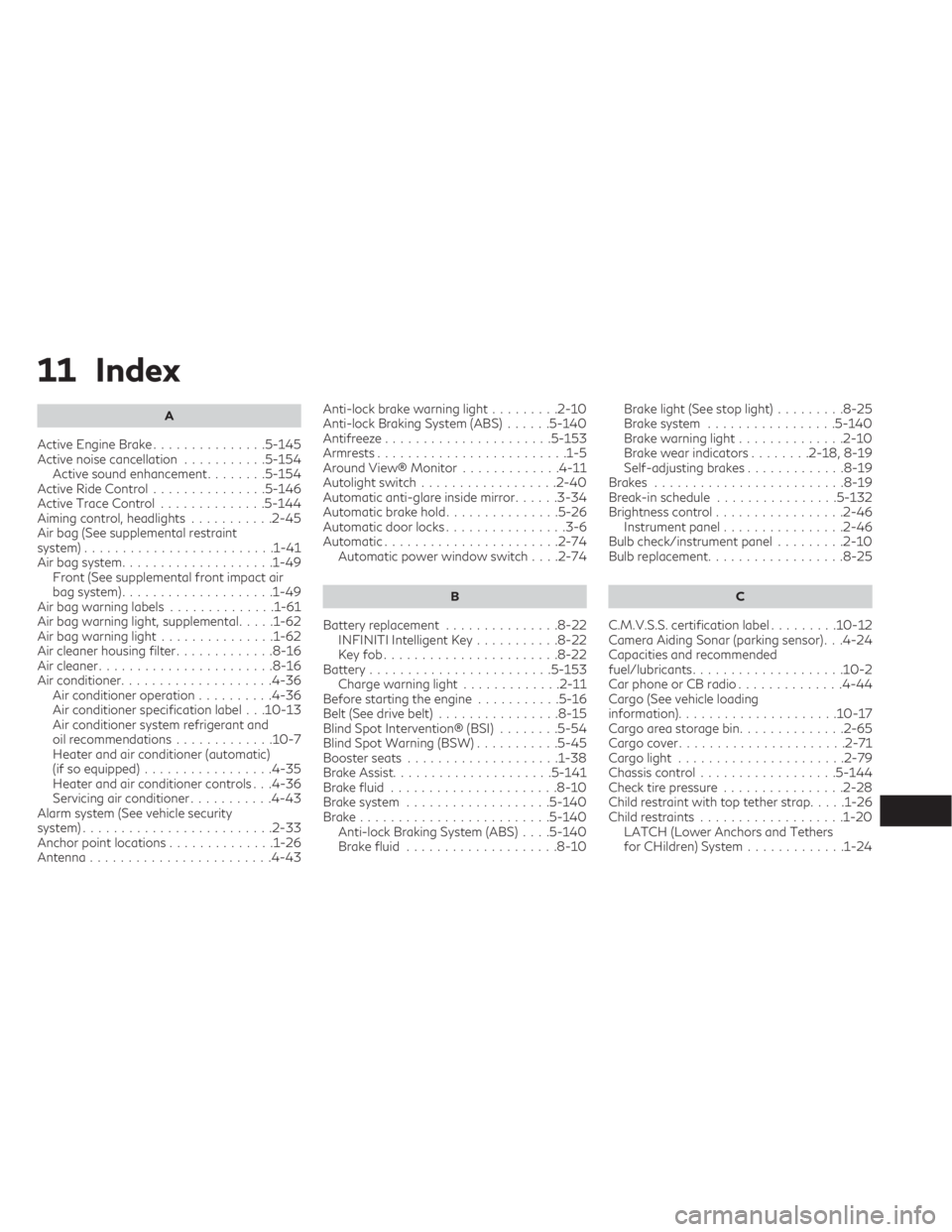
11 Index
A
Active Engine Brake...............5-145
Activenoisecancellation ...........5-154 Active sound enhancement ........5-154
ActiveRideControl...............5-146
ActiveTraceControl ..............5-144
Aiming control, headlights ...........2-45
Air bag (See supplemental restraint
system).........................1-41
Air bag system ....................1-49
Front (See supplemental front impact air
bagsystem)....................1-49
Air bag warning labels ..............1-61
Air bag warning light, supplemental .....1-62
Airbagwarninglight...............1-62
Air cleaner housing filter .............8-16
Air cleaner .......................8-16
Air conditioner ....................4-36
Air conditioner operation ..........4-36
Air conditioner specification label . . .10-13
Air conditioner system refrigerant and
oil recommendations .............10-7
Heater and air conditioner (automatic)
(if so equipped) .................4-35
Heater and air conditioner controls . . .4-36
Servicing air conditioner ...........4-43
Alarm system (See vehicle security
system).........................2-33
Anchor point locations ..............1-26
Antenna ........................4-43 Anti-lock brake warning ligh
t.........2-10
Anti-lock Braking System (ABS) ......5-140
Antifreeze ......................5-153
Armrests.........................1-5
Around View® Monitor .............4-11
Autolightswitch..................2-40
Automatic anti-glare inside mirror ......3-34
Automaticbrakehold...............5-26
Automatic door locks ................3-6
Automatic.......................2-74 Automatic power window switch ....2-74
B
Battery replacement...............8-22
INFINITI Intelligent Key ...........8-22
Keyfob.......................8-22
Battery........................5-153 Charge warning light .............2-11
Before starting the engine ...........5-16
Belt (See drive belt) ................8-15
Blind Spot Intervention® (BSI) ........5-54
Blind Spot Warning (BSW) ...........5-45
Boosterseats ....................1-38
Brake Assist .....................5-141
Brakefluid ......................8-10
Brakesystem ...................5-140
Brake.........................5-140 Anti-lock Braking System (ABS) ....5-140
Brakefluid ....................8-10 Brakelight(Seestoplight).........
8-25
Brake system .................5-140
Brakewarninglight..............2-10
Brake wear indicators ........2-18,8-19
Self-adjusting brakes .............8-19
Brakes .........................8-19
Break-in schedule ................5-132
Brightnesscontrol.................2-46 Instrument panel ................2-46
Bulb check/instrument panel .........2-10
Bulb replacement .................. 8-25
C
C.M.V.S.S. certification label .........10-12
Camera Aiding Sonar (parking sensor) . . .4-24
Capacities and recommended
fuel/lubricants....................10-2
Car phone or CB radio ..............4-44
Cargo (See vehicle loading
information).....................10-17
Cargoareastoragebin.............. 2-65
Cargocover...................... 2-71
Cargolight ......................2-79
Chassis control ..................5-144
Check tire pressure ................ 2-28
Child restraint with top tether strap .....1-26
Child restraints ...................1-20
LATCH (Lower Anchors and Tethers
forCHildren)System.............1-24