Page 137 of 623
04
4-25
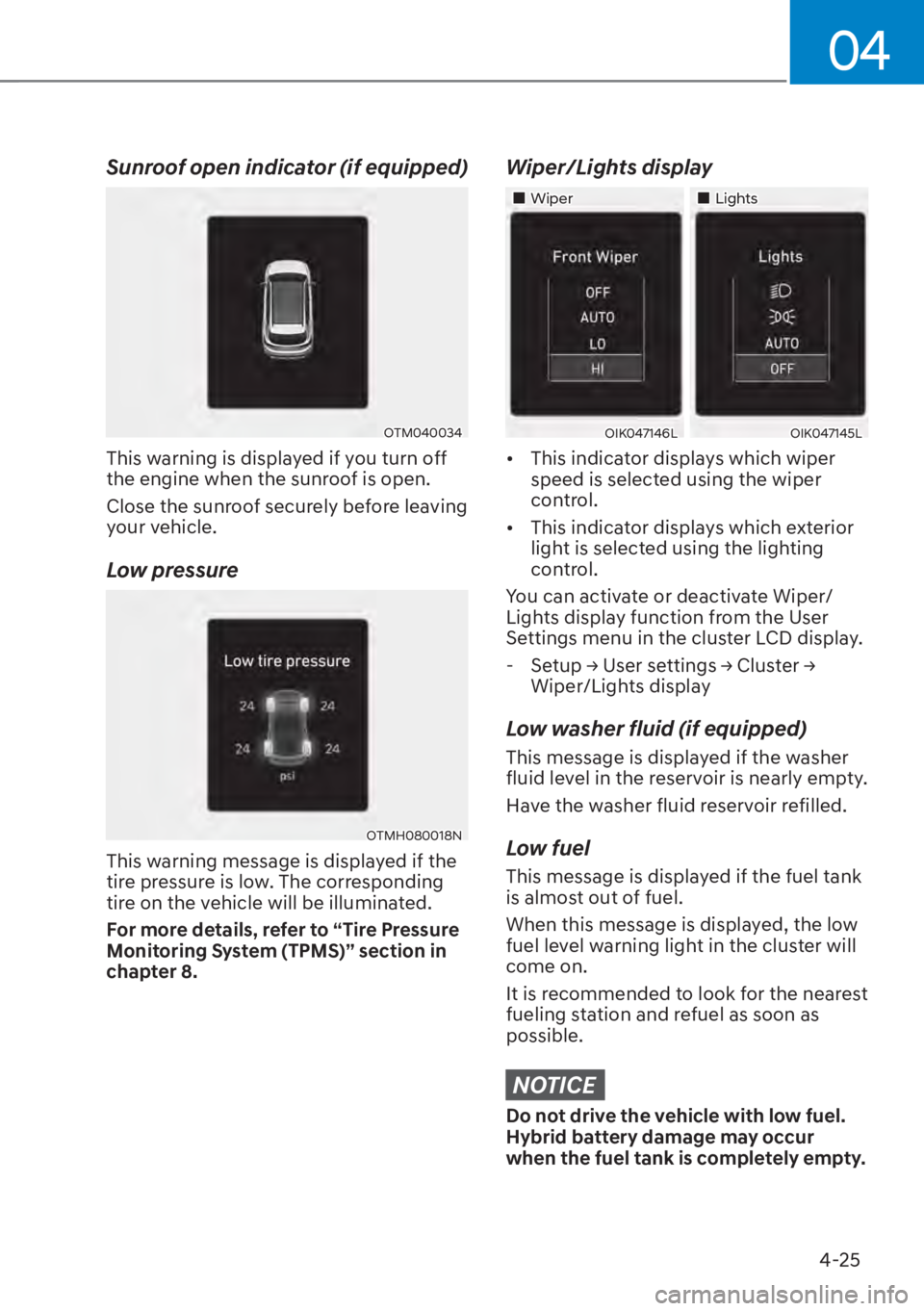
Sunroof open indicator (if equipped)
OTM040034
This warning is displayed if you turn off
the engine when the sunroof is open.
Close the sunroof securely before leaving
your vehicle.
Low pressure
OTMH080018N
This warning message is displayed if the
tire pressure is low. The corresponding
tire on the vehicle will be illuminated.
For more details, refer to “Tire Pressure
Monitoring System (TPMS)” section in
chapter 8.
Wiper/Lights display
�„Wiper�„Lights
OIK047146LOIK047145L
�[�This indicator displays which wiper
speed is selected using the wiper
control.
�[� This indicator displays which exterior
light is selected using the lighting
control.
You can activate or deactivate Wiper/
Lights display function from the User
Settings menu in the cluster LCD display. - 6HWXS��
Page 138 of 623
Instrument Cluster4-26
Engine has overheated
This message is displayed when the
engine coolant temperature is above
248°F (120°C). This means that the
engine is overheated and may be
damaged.
If your vehicle is overheated, refer to
“Overheating” section in chapter 8.
Check exhaust system (if equipped)
This message is displayed if there is
a problem with the GPF system. At
this time, the GPF warning light will
also blink. If this occurs, you have the
GPF system checked by an authorized
HYUNDAI dealer.
GPF : Gasoline Particulate Filter
Check headlight (if equipped)
This message is displayed if the
headlights are not operating properly. A
headlight bulb may need to be replaced.
Make sure to replace the burned out
bulb with a new one of the same wattage
rating.
Check turn signal (if equipped)
This message is displayed if the turn
signal lamps are not operating properly.
A lamp may need to be replaced.
Make sure to replace the burned out
bulb with a new one of the same wattage
rating.
Check brake light (if equipped)
This message is displayed if the stop
lamps are not operating properly. A lamp
may need to be replaced.
Make sure to replace the burned out
bulb with a new one of the same wattage
rating.
NOTICE
Do not drive the vehicle with low fuel.
Hybrid battery damage may occur
when the fuel tank is completely empty.
Check headlamp LED (if equipped)
This message is displayed if there is
a problem with the LED headlamp.
You have the vehicle inspected by an
authorized HYUNDAI dealer.
Check Active Air Flap system
This message is displayed in the
following situations: - There is a malfunction with the actuator flap
- There is a malfunction with the actuator air flap controller
- The air flap does not open
When all of the above conditions are
fixed, the warning will disappear.
Ready to start driving
This message is displayed when the
vehicle is ready to be driven.
Check regenerative brakes
This message is displayed when the brake
performance is low or the regenerative
brake does not work properly due to a
failure in the brake system.
If this occurs, it may take longer for the
brake pedal to operate and the braking
distance may become longer.
Page 144 of 623
Instrument Cluster4-32
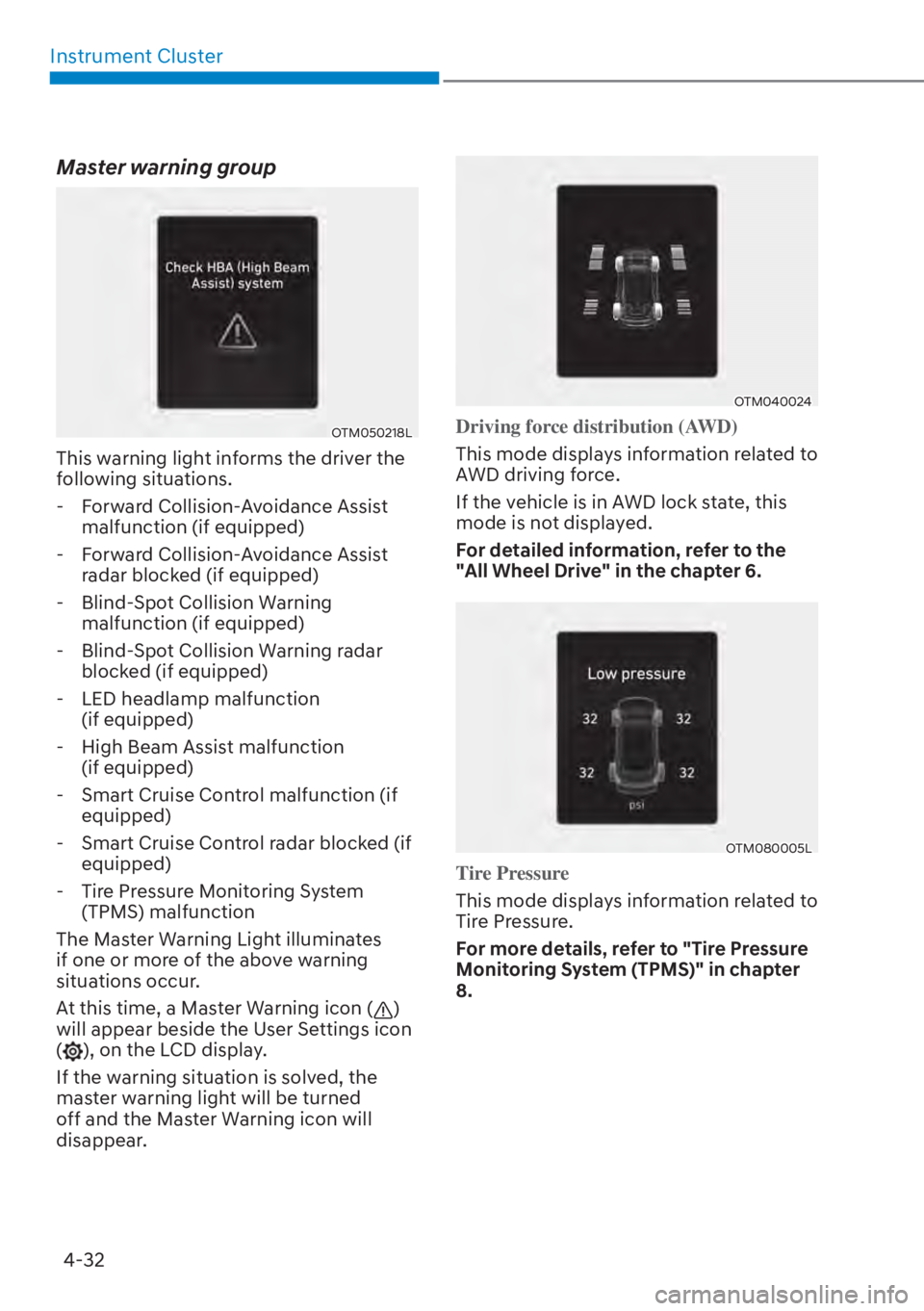
Master warning group
OTM050218L
This warning light informs the driver the
following situations. - Forward Collision-Avoidance Assist malfunction (if equipped)
- Forward Collision-Avoidance Assist radar blocked (if equipped)
- Blind-Spot Collision Warning malfunction (if equipped)
- Blind-Spot Collision Warning radar blocked (if equipped)
- LED headlamp malfunction (if equipped)
- High Beam Assist malfunction (if equipped)
- Smart Cruise Control malfunction (if equipped)
- Smart Cruise Control radar blocked (if equipped)
- Tire Pressure Monitoring System (TPMS) malfunction
The Master Warning Light illuminates
if one or more of the above warning
situations occur.
At this time, a Master Warning icon (
)
will appear beside the User Settings icon
(
), on the LCD display.
If the warning situation is solved, the
master warning light will be turned
off and the Master Warning icon will
disappear.
OTM040024
Driving force distribution (AWD)
This mode displays information related to
A
WD driving force.
If the vehicle is in AWD lock state, this
mode is not displayed.
For detailed information, refer to the
"All Wheel Drive" in the chapter 6.
OTM080005L
Tire Pressure
This mode displays information related to
Tir
e Pressure.
For more details, refer to "Tire Pressure
Monitoring System (TPMS)" in chapter
8.
Page 145 of 623

04
4-33
Engine coolant temperature
OTMH040007
This engine coolant temperature gauge
display shows the temperature of the
engine coolant when the engine is
running.
NOTICE
When the gauge indicator gets out of
the normal range, toward the "H(Hot)"
position, it indicates overheating of the
engine. It may damage the engine.
Do not continue driving with the
overheated engine.
For more details, refer to "If the Engine
Overheats" section in the chapter 8.
User settings mode
OTM040060L
In this mode, you can change the
settings of the instrument cluster, doors,
lamps, etc.
1. Driver Assistance
2. Eco vehicle
3. Head-Up Display4. Cluster
5. Lights
6. Door
7. Convenience
8. Units
The information provided may differ
depending on which functions are
applicable to your vehicle.
Shift to P to edit settings
This warning message appears if you try
t
o adjust the User Settings while driving.
For your safety, change the User Settings
after parking the vehicle, applying the
parking brake and pressing the P (Park)
button.
Quick guide help
This mode provides quick guides for the
s
ystems in the User Settings mode.
Select an item, press and hold the OK
button.
For more details, about each system,
refer to this Owner’s Manual.
Information
When the infotainment system is applied,
only the User’s Setting mode on the
infotainment system is supported but the
User’s Setting mode on the instrument
cluster is not supported.
Page 149 of 623
04
4-37
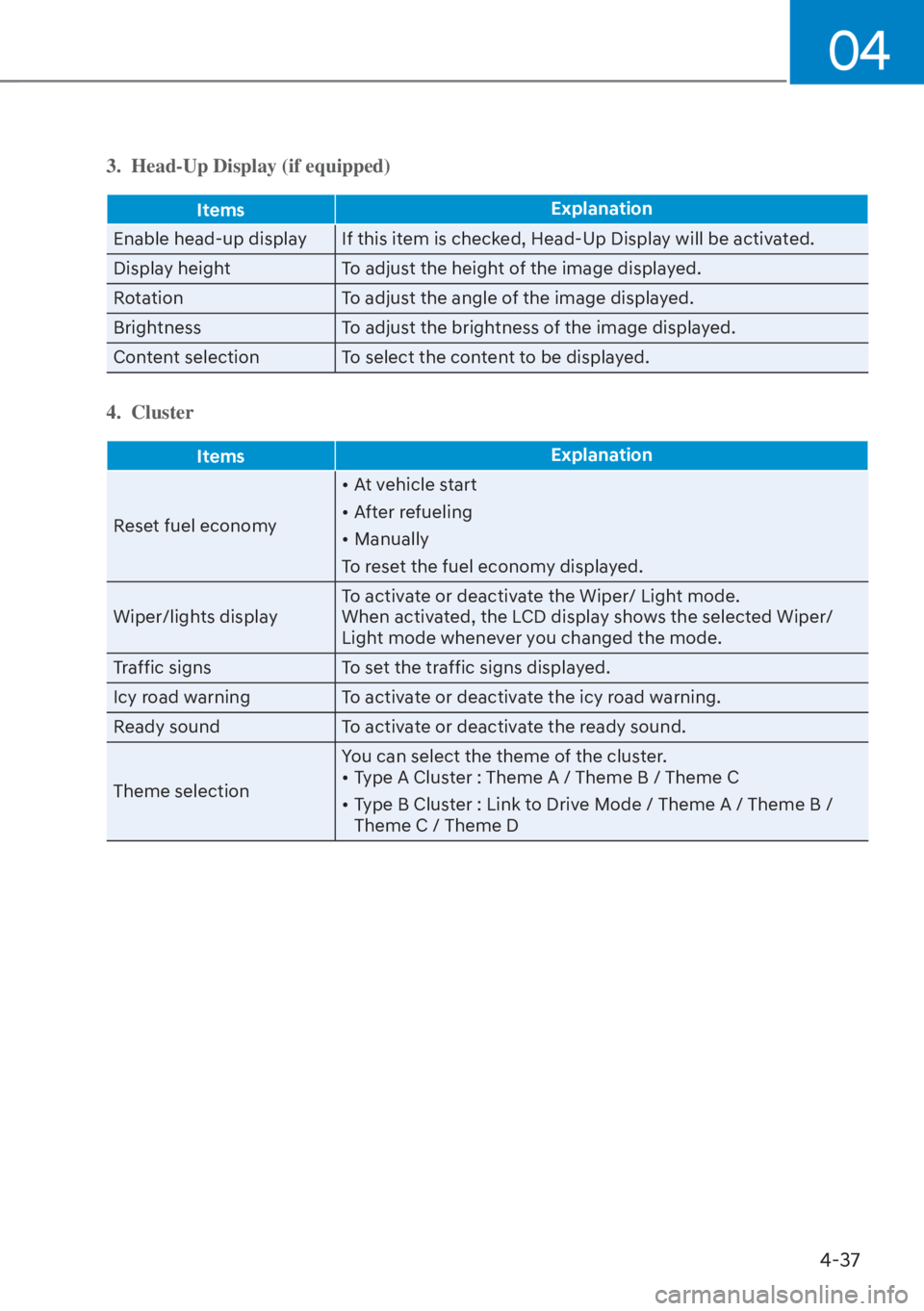
3. Head-Up Display (if equipped)
ItemsExplanation
Enable head-up display If this item is checked, Head-Up Display will be activated.
Displa
y height To adjust the height of the image displayed.
Rotation To adjust the angle of the image displayed.
Brightness To adjust the brightness of the image displayed.
Content selection To select the content to be displayed.
4. Cluster
Items Explanation
Reset fuel economy �[�
A
t vehicle start
�[� After refueling
�[� Manually
To reset the fuel economy displayed.
Wiper/lights display To activate or deactivate the Wiper/ Light mode.
When activated, the LCD display shows the selected Wiper/
Light mode whenever you changed the mode.
Traffic signs To set the traffic signs displayed.
Icy road warning To activate or deactivate the icy road warning.
Ready sound To activate or deactivate the ready sound.
Theme selection You can select the theme of the cluster.
�[�
Type A Cluster : Theme A / Theme B / Theme C
�[� Type B Cluster : Link to Drive Mode / Theme A / Theme B /
Theme C / Theme D
Page 162 of 623
Convenience Features5-4
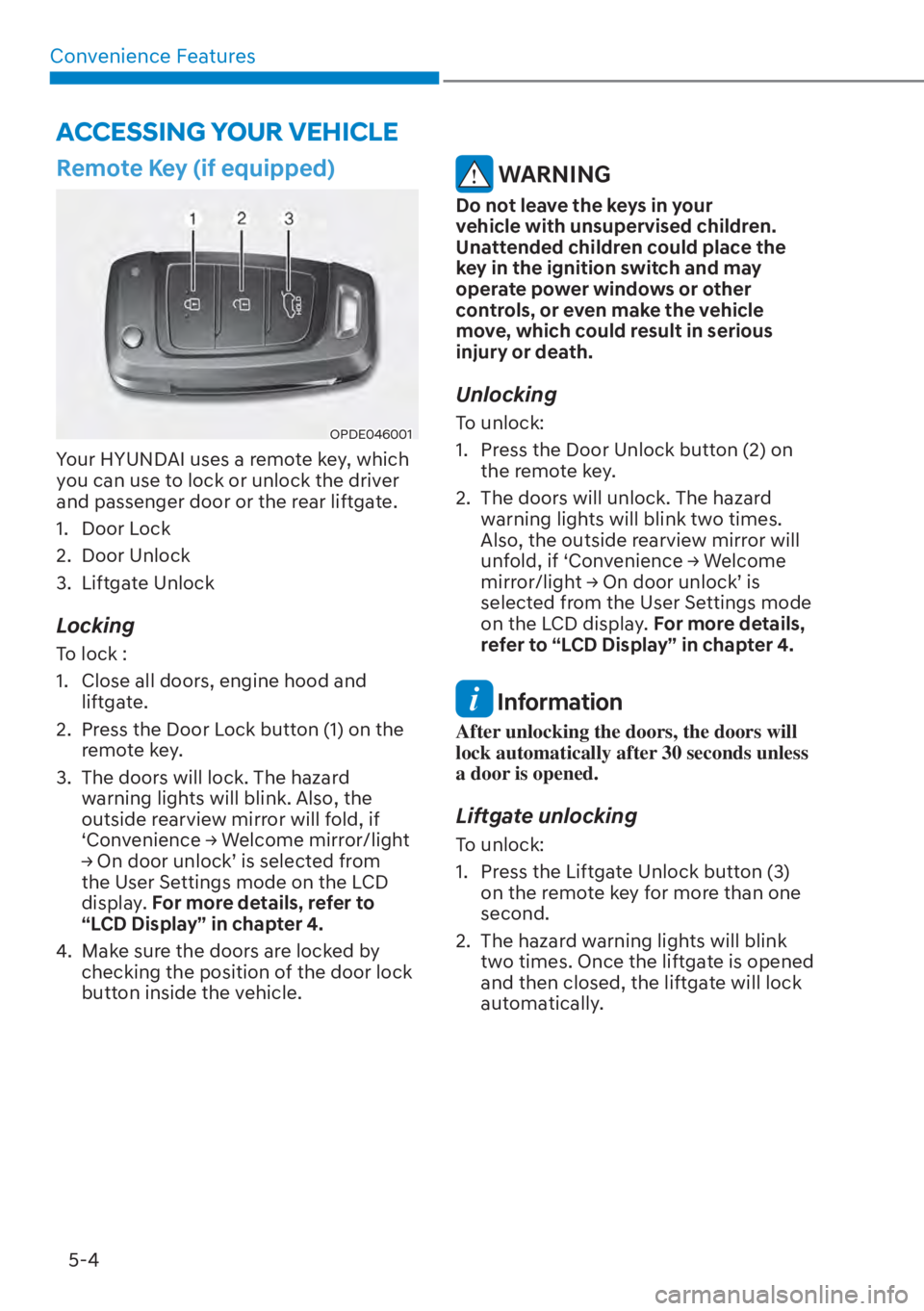
Remote Key (if equipped)
OPDE046001
Your HYUNDAI uses a remote key, which
you can use to lock or unlock the driver
and passenger door or the rear liftgate.
1. Door Lock
2. Door Unlock
3. Liftgate Unlock
Locking
To lock :
1. Close all doors, engine hood and liftgate.
2. Press the Door Lock button (1) on the remote key.
3. The doors will lock. The hazard warning lights will blink. Also, the
outside rearview mirror will fold, if
�S&RQYHQLHQFH��
Page 166 of 623
Convenience Features5-8
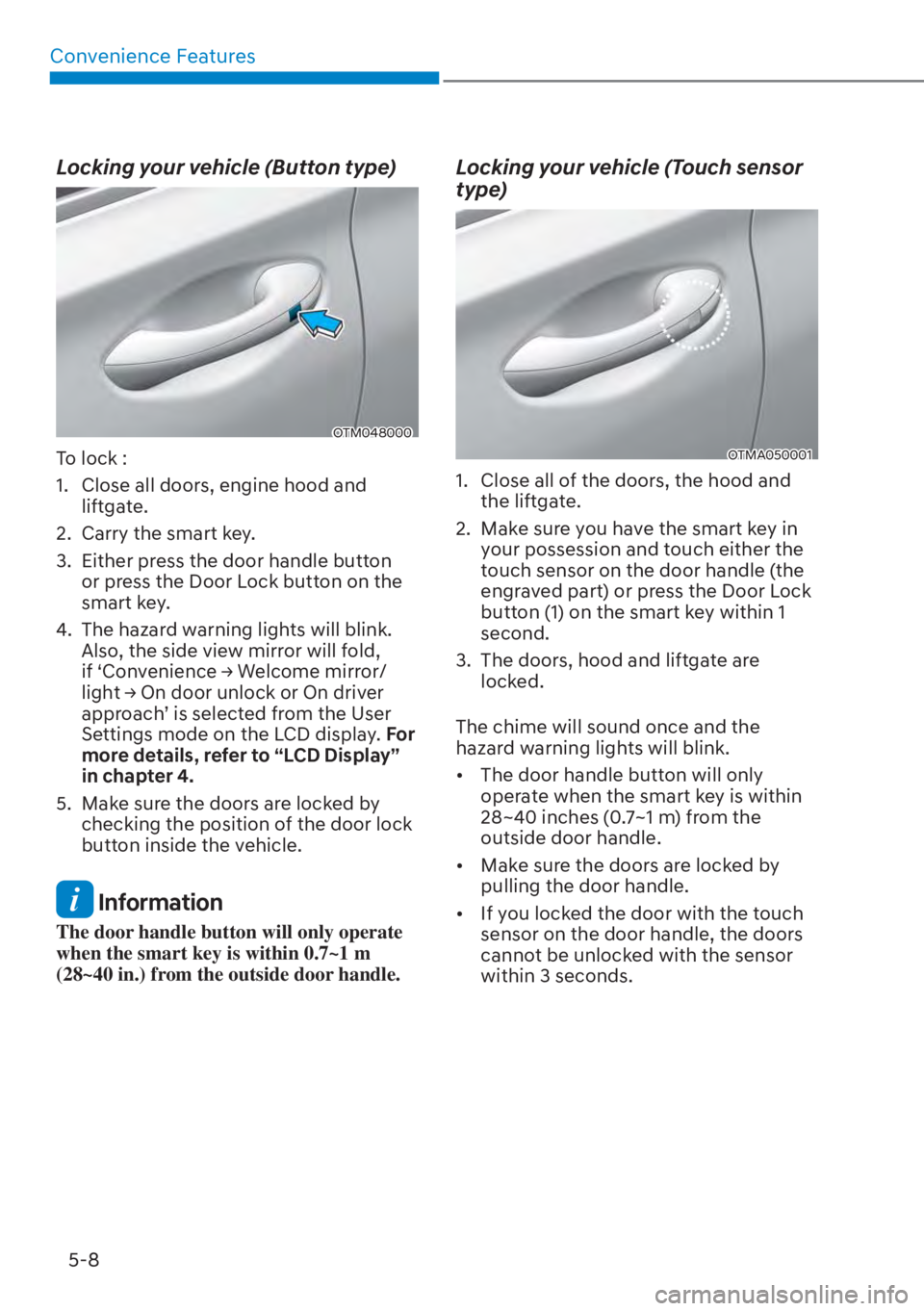
Locking your vehicle (Button type)
OTM048000
To lock :
1. Close all doors, engine hood and liftgate.
2. Carry the smart key.
3. Either press the door handle button or press the Door Lock button on the
smart key.
4. The hazard warning lights will blink. Also, the side view mirror will fold,
LI��S&RQYHQLHQFH��
Page 167 of 623
05
5-9
Even though you press the outside
door handle button, the doors will not
lock and the chime will sound for three
seconds if any of the following occur:
�[�The Smart Key is in the vehicle.
�[� The Engine Start/Stop button is in
ACC or ON position.
�[� Any door except the liftgate is open.
CAUTION
When you leave your vehicle with
the smart key, make sure to press the
button on the front door handle or
touch the touch sensor on the front
door handle to lock the doors after
close all of the doors, the hood and the
trunk. If you do not press the button
or touch the touch sensor firmly, the
doors might not be locked so please use
caution.
WARNING
Do not leave the Smart Key in your
vehicle with unsupervised children.
Unattended children could press the
Engine Start/ Stop button and may
operate power windows or other
controls, or even make the vehicle
move, which could result in serious
injury or death.
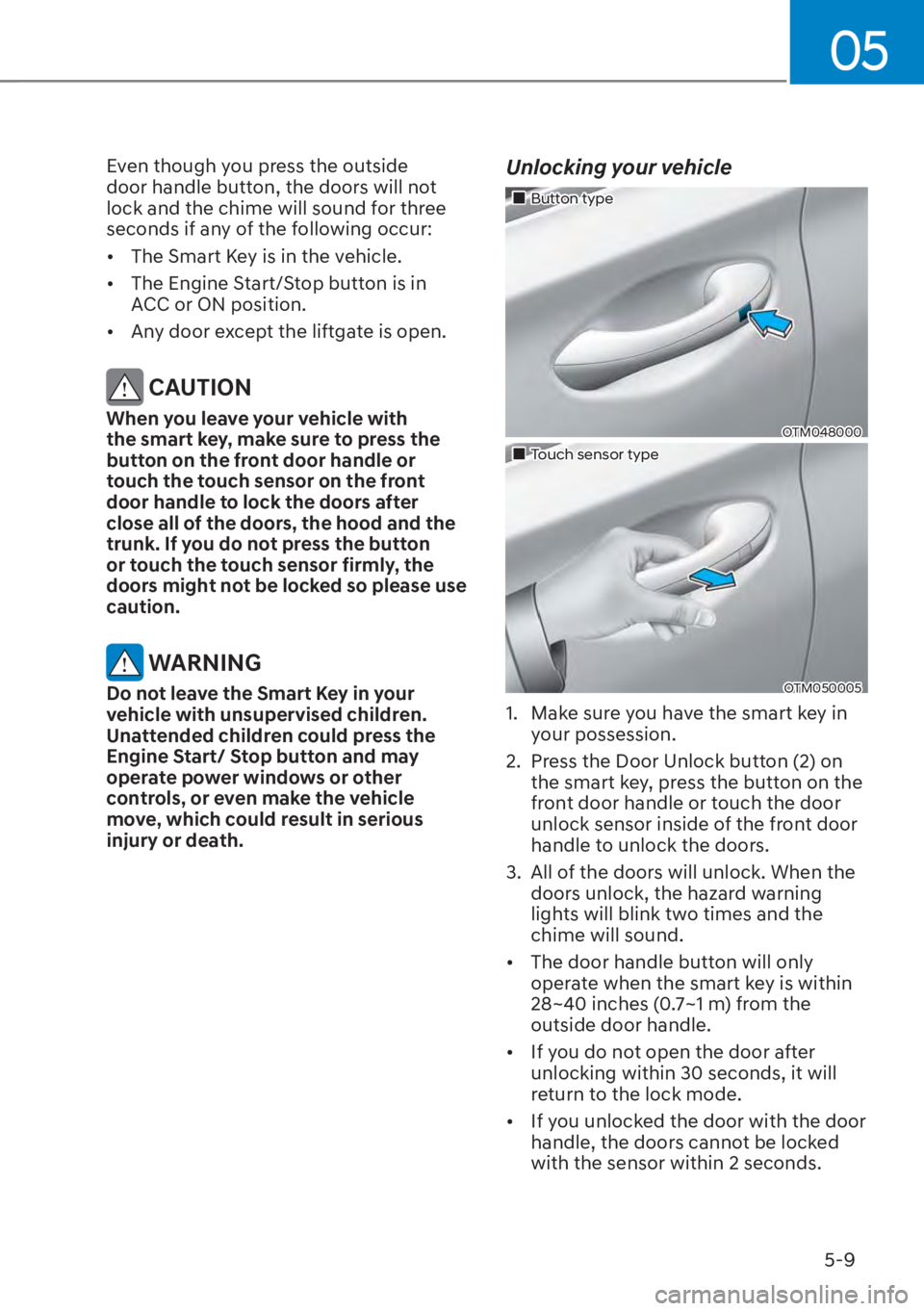
Unlocking your vehicle
�„Button type
OTM048000
�„Touch sensor type
OTM050005
1. Make sure you have the smart key in
your possession.
2. Press the Door Unlock button (2) on the smart key, press the button on the
front door handle or touch the door
unlock sensor inside of the front door
handle to unlock the doors.
3. All of the doors will unlock. When the doors unlock, the hazard warning
lights will blink two times and the
chime will sound.
�[� The door handle button will only
operate when the smart key is within
28~40 inches (0.7~1 m) from the
outside door handle.
�[� If you do not open the door after
unlocking within 30 seconds, it will
return to the lock mode.
�[� If you unlocked the door with the door
handle, the doors cannot be locked
with the sensor within 2 seconds.