Page 105 of 478
Instrument Cluster4-22
LCD Display Messages
Shift to P
This message is displayed if you try to
turn off the vehicle without the gear in
the P (Park) position.
If this occurs, the Engine Start/Stop
button turns to the ACC position.
Low key battery
This message is displayed if the battery
of the smart key is discharged while
changing the Engine Start/Stop button to
the OFF position.
Press START button while turning
wheel
This message is displayed if the steering
wheel does not unlock normally when
the Engine Start/Stop button is pressed.
You should press the Engine Start/Stop
button while turning the steering wheel
right and left.
Steering wheel not locked
This message is displayed if the steering
wheel does not lock normally while the
Engine Start/Stop button is pressed to
the OFF position.
Check Steering Wheel Lock System
This warning message is displayed if the
steering wheel does not lock normally
while the Engine Start/Stop button
changes to the OFF position.
Press brake pedal to start engine
This message is displayed if the Engine
Start/Stop button changes to the ACC
position twice by pressing the button
repeatedly without depressing the brake
pedal.
You can start the vehicle by depressing
the brake pedal and then pressing the
Engine Start/Stop button.
Key not in vehicle
This message is displayed if the smart
key is not in the vehicle when you leave
the vehicle with the Engine Start/Stop
button in the ON or Start position.
Always turn off the engine before leaving
your vehicle.
Key not detected
This message is displayed if the smart
key is not detected when you press the
Engine Start/Stop button.
Press START button again
This message is displayed if you were
unable to start the vehicle when the
Engine Start/Stop button was pressed.
If this occurs, attempt to start the engine
by pressing the Engine Start/ Stop button
again.
If the warning message appears each
time you press the Engine Start/Stop
button, have the vehicle inspected by an
authorized HYUNDAI dealer.
Page 106 of 478
04
4-23
Press START button with key
This message is displayed if you press
the Engine Start/Stop button while the
warning message “Key not detected” is
displayed.
At this time, the immobilizer indicator
light blinks.
Check BRAKE SWITCH fuse
This message is displayed if the brake
switch fuse is disconnected.
You need to replace the fuse with a new
one before starting the engine.
If that is not possible, you can start the
engine by pressing the Engine Start/
Stop button for 10 seconds in the ACC
position.
Shift to P or N to start engine
This message is displayed if you try to
start the engine in any other position
except P (Park) or N (Neutral).
Information
You can start the engine with the gear
in N (Neutral). But, for your safety, we
recommend that you start the engine with
the gear shifted to P (Park).
Battery discharging due to external
electrical devices (if equipped)
This message is displayed if the 12V
battery voltage is weak due to any
non-factory electrical accessories (for
example, dashboard camera) while
parking. Be careful that the battery is not
discharged.
If the message appears after removing
the non-factory electrical accessories,
have the vehicle inspected by an
authorized HYUNDAI dealer.
Page 108 of 478
04
4-25
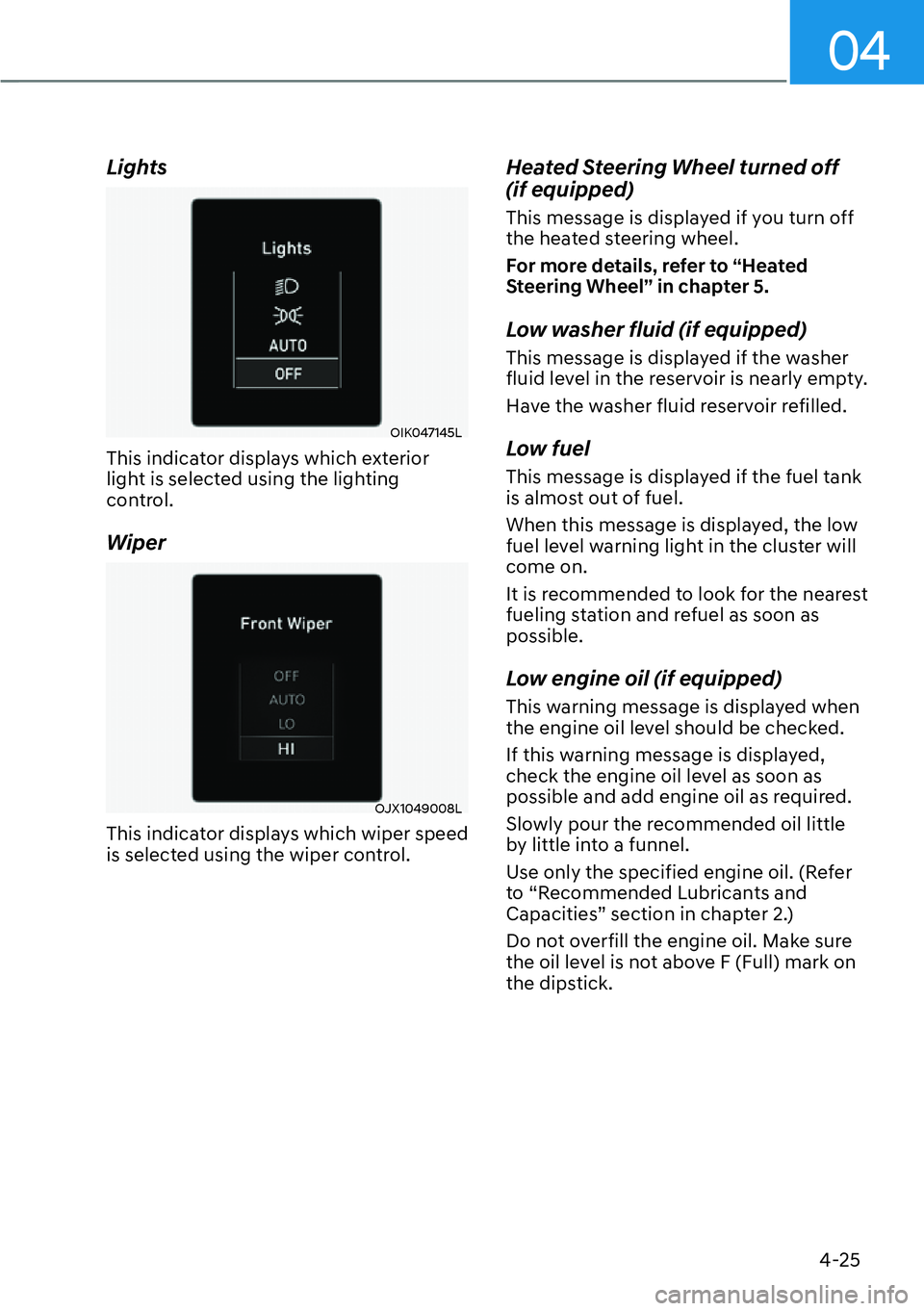
Lights
OIK047145L
This indicator displays which exterior
light is selected using the lighting
control.
Wiper
OJX1049008L
This indicator displays which wiper speed
is selected using the wiper control.
Heated Steering Wheel turned off
(if equipped)
This message is displayed if you turn off
the heated steering wheel.
For more details, refer to “Heated
Steering Wheel” in chapter 5.
Low washer fluid (if equipped)
This message is displayed if the washer
fluid level in the reservoir is nearly empty.
Have the washer fluid reservoir refilled.
Low fuel
This message is displayed if the fuel tank
is almost out of fuel.
When this message is displayed, the low
fuel level warning light in the cluster will
come on.
It is recommended to look for the nearest
fueling station and refuel as soon as
possible.
Low engine oil (if equipped)
This warning message is displayed when
the engine oil level should be checked.
If this warning message is displayed,
check the engine oil level as soon as
possible and add engine oil as required.
Slowly pour the recommended oil little
by little into a funnel.
Use only the specified engine oil. (Refer
to “Recommended Lubricants and
Capacities” section in chapter 2.)
Do not overfill the engine oil. Make sure
the oil level is not above F (Full) mark on
the dipstick.
Page 109 of 478
Instrument Cluster4-26
Engine overheated / Engine has
overheated (if equipped)
This message is displayed when the
engine coolant temperature is above
248°F (120°C). This means that the
engine is overheated and may be
damaged.
If your vehicle is overheated, refer to
“Overheating” section in chapter 8.
Check headlight (if equipped)
This warning message is displayed if the
headlamps are not operating properly.
A corresponding bulb may need to be
replaced.
Make sure to replace the burned out
bulb with a new one of the same wattage
rating.
Check turn signal (if equipped)
This message is displayed if the turn
signal lamps are not operating properly.
A lamp may need to be replaced.
Make sure to replace the burned out
bulb with a new one of the same wattage
rating.
Check headlamp LED (if equipped)
This message is displayed if there is a
problem with the LED headlamp. Have
the vehicle inspected by an authorized
HYUNDAI dealer.
Check Forward Safety system
(if equipped)
This warning message is displayed
if there is a problem with Forward
Collision-Avoidance Assist. Have the
vehicle inspected by an authorized
HYUNDAI dealer.
For more details, refer to “Forward
Collision-Avoidance Assist (FCA)” in
chapter 7.
Check Lane Keeping Assist (LKA)
system
This warning message is displayed if
there is a problem with Lane Keeping
Assist. Have the vehicle inspected by an
authorized HYUNDAI dealer.
For more details, refer to “Lane Keeping
Assist (LKA)” in chapter 7.
Check Blind-Spot Safety system
This warning message is displayed
if there is a problem with Blind-Spot
Collision-Avoidance Assist. Have the
vehicle inspected by an authorized
HYUNDAI dealer.
For more details, refer to “Blind-Spot
Collision -Avoidance Assist (BCA)” in
chapter 7.
Page 112 of 478
04
4-29
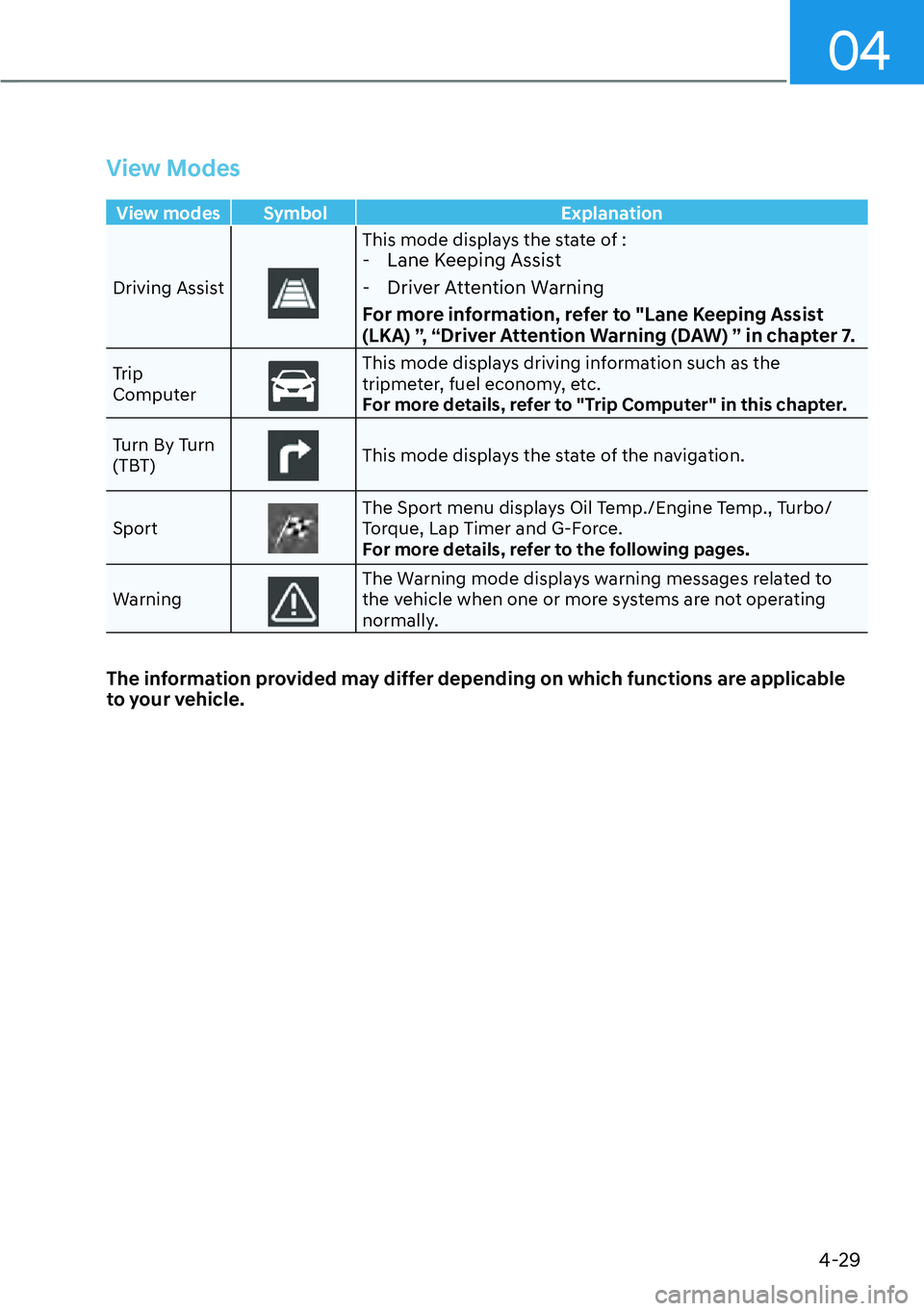
View Modes
View modes Symbol Explanation
Driving Assist
This mode displays the state of : - Lane Keeping Assist
- Driver Attention Warning
For more information, refer to "Lane Keeping Assist
(LKA) ”, “Driver Attention Warning (DAW) ” in chapter 7.
Trip
ComputerThis mode displays driving information such as the
tripmeter, fuel economy, etc.
For more details, refer to "Trip Computer" in this chapter.
Turn By Turn
(TBT)
This mode displays the state of the navigation.
Sport
The Sport menu displays Oil Temp./Engine Temp., Turbo/
Torque, Lap Timer and G-Force.
For more details, refer to the following pages.
Warning
The Warning mode displays warning messages related to
the vehicle when one or more systems are not operating
normally.
The information provided may differ depending on which functions are applicable
to your vehicle.
Page 114 of 478
04
4-31
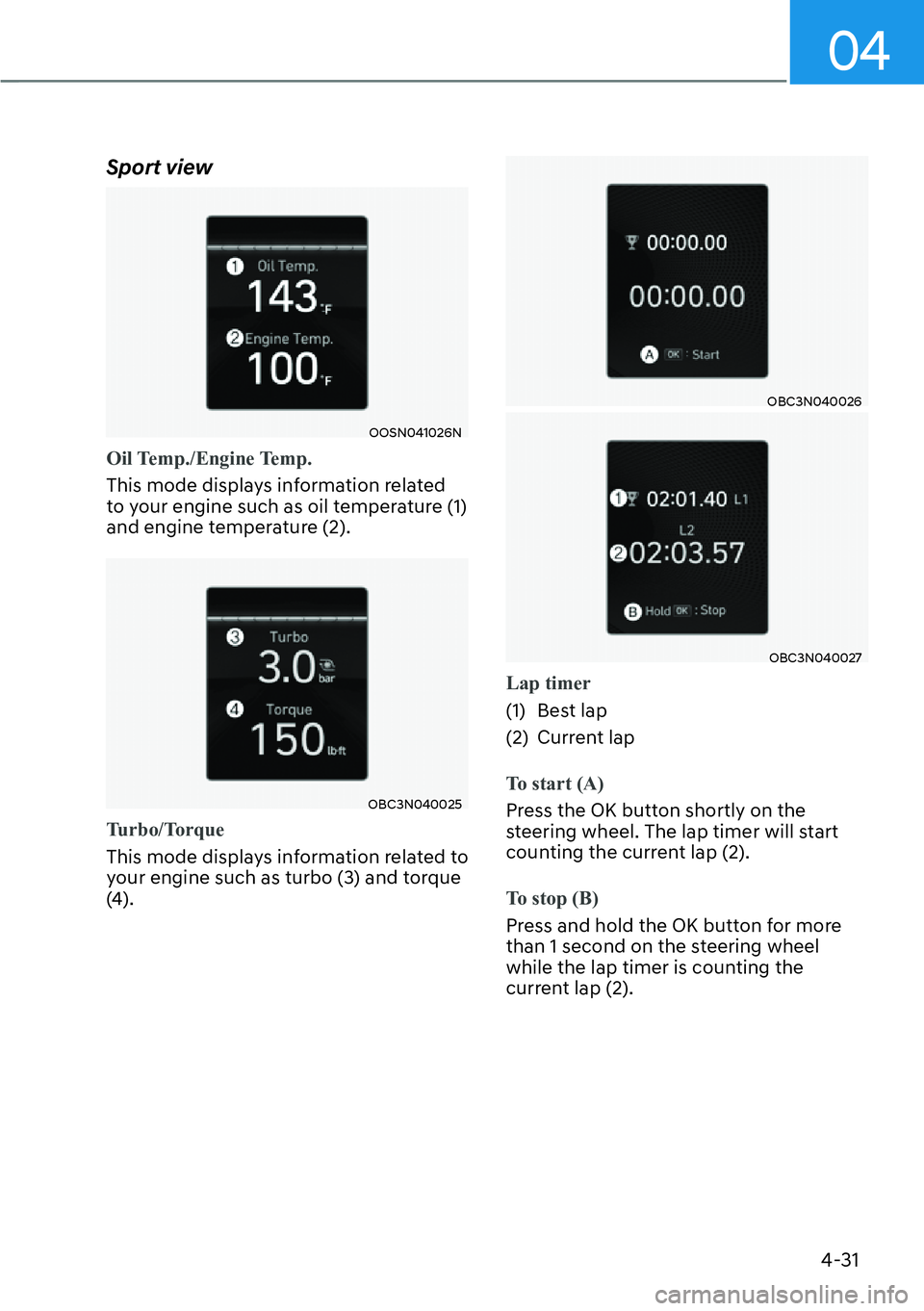
Sport view
OOSN041026N
Oil Temp./Engine Temp.
This mode displays information related
t
o your engine such as oil temperature (1)
and engine temperature (2).
OBC3N040025
Tu r b o / To r q u e
This mode displays information related to
y
our engine such as turbo (3) and torque
(4).
OBC3N040026
OBC3N040027
Lap timer
(1) Best lap
(2) Curr
ent lap
To start (A)
Press the OK button shortly on the
s
teering wheel. The lap timer will start
counting the current lap (2).
To stop (B)
Press and hold the OK button for more
than 1 second on the s
teering wheel
while the lap timer is counting the
current lap (2).
Page 118 of 478
04
4-35
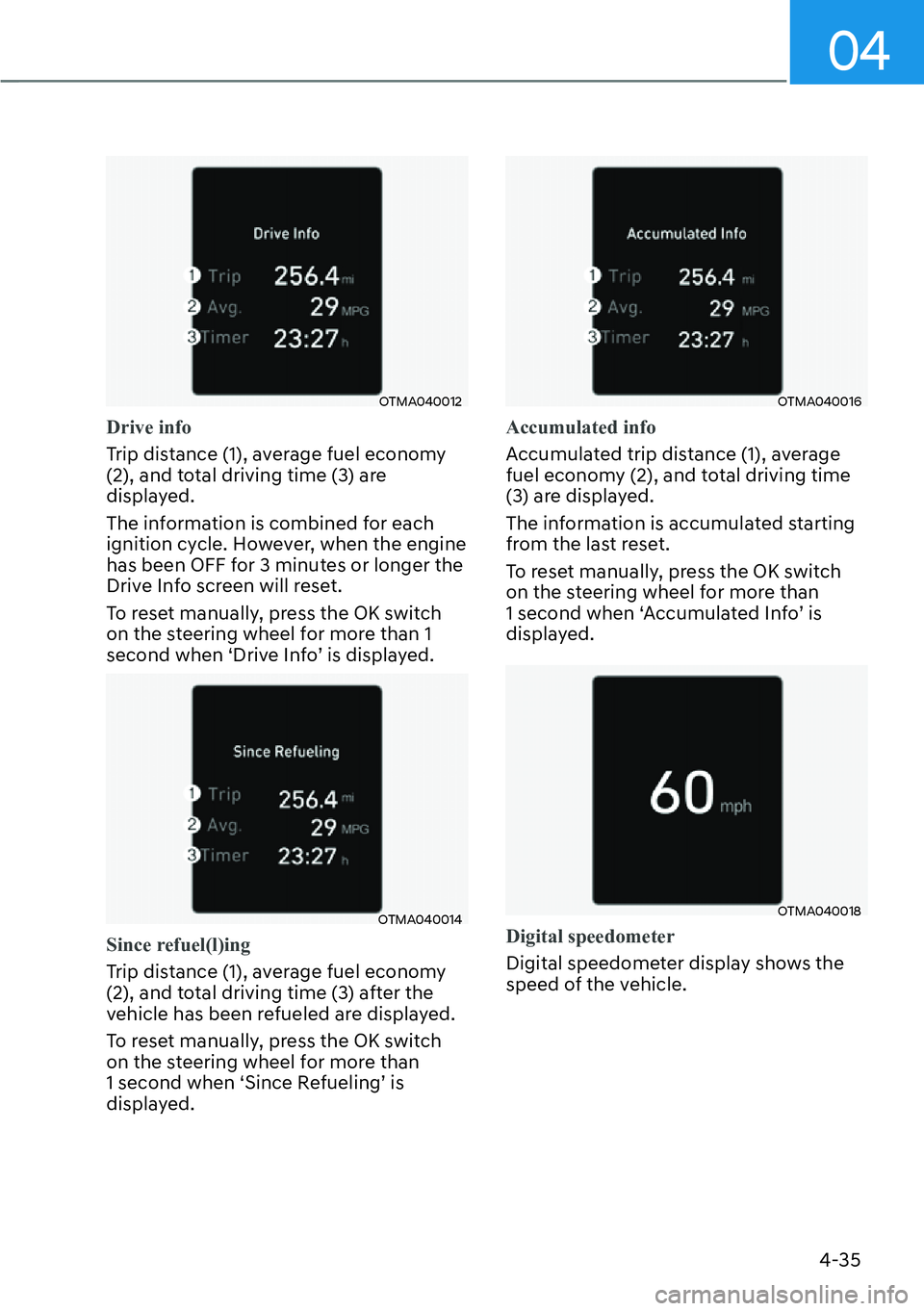
OTMA040012
Drive info
Trip distance (1), average fuel economy
(2), and t
otal driving time (3) are
displayed.
The information is combined for each
ignition cycle. However, when the engine
has been OFF for 3 minutes or longer the
Drive Info screen will reset.
To reset manually, press the OK switch
on the steering wheel for more than 1
second when ‘Drive Info’ is displayed.
OTMA040014
Since refuel(l)ing
Trip distance (1), average fuel economy
(2), and t
otal driving time (3) after the
vehicle has been refueled are displayed.
To reset manually, press the OK switch
on the steering wheel for more than
1 second when ‘Since Refueling’ is
displayed.
OTMA040016
Accumulated info
Accumulated trip distance (1), average
fuel econom
y (2), and total driving time
(3) are displayed.
The information is accumulated starting
from the last reset.
To reset manually, press the OK switch
on the steering wheel for more than
1 second when ‘Accumulated Info’ is
displayed.
OTMA040018
Digital speedometer
Digital speedometer display shows the
speed o
f the vehicle.
Page 123 of 478
Convenient Features5-4
Smart Key
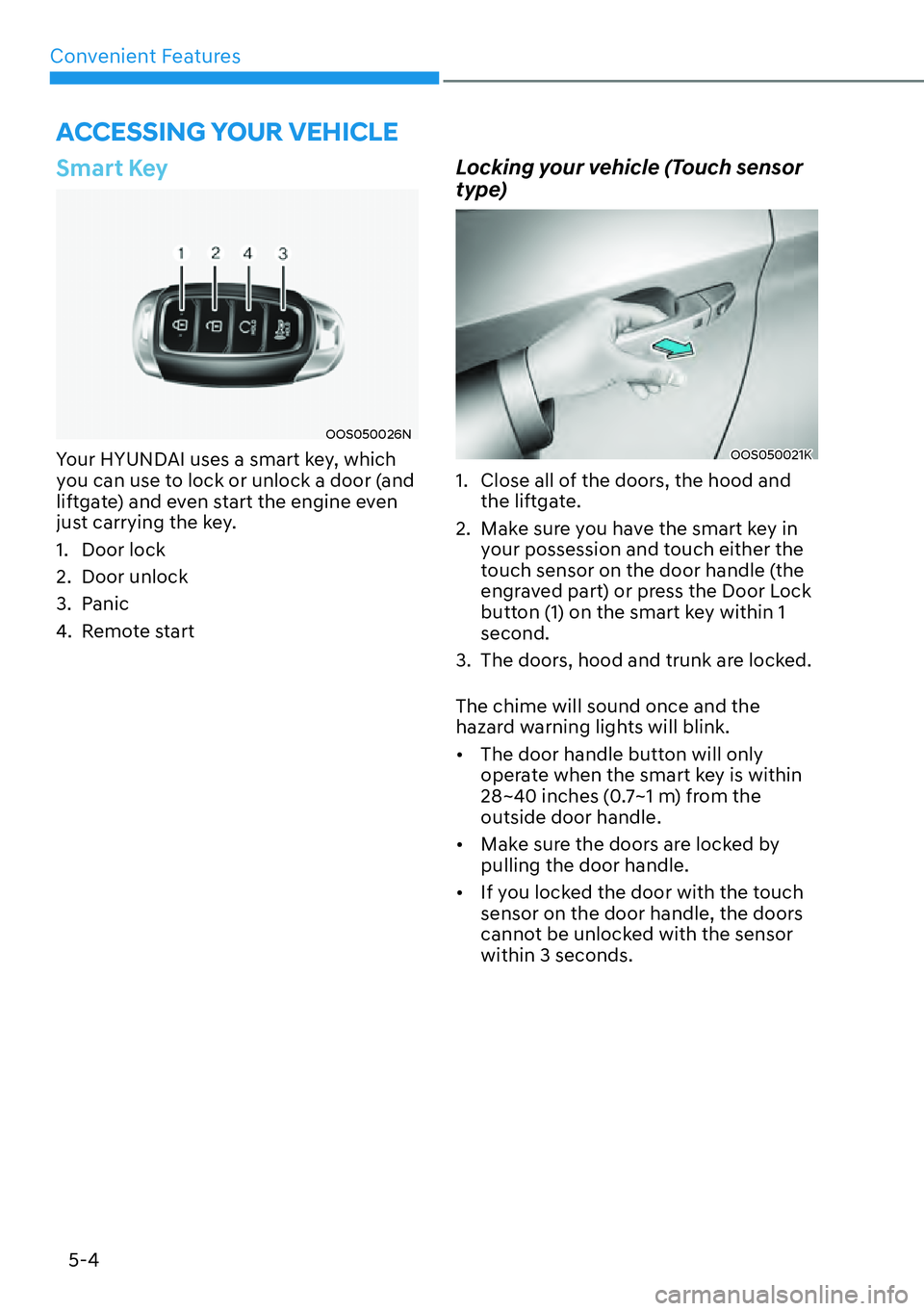
OOS050026N
Your HYUNDAI uses a smart key, which
you can use to lock or unlock a door (and
liftgate) and even start the engine even
just carrying the key.
1. Door lock
2. Door unlock
3. Panic
4. Remote start
Locking your vehicle (Touch sensor
type)
OOS050021K
1. Close all of the doors, the hood and the liftgate.
2. Make sure you have the smart key in your possession and touch either the
touch sensor on the door handle (the
engraved part) or press the Door Lock
button (1) on the smart key within 1
second.
3. The doors, hood and trunk are locked.
The chime will sound once and the
hazard warning lights will blink.
�[� The door handle button will only
operate when the smart key is within
28~40 inches (0.7~1 m) from the
outside door handle.
�[� Make sure the doors are locked by
pulling the door handle.
�[� If you locked the door with the touch
sensor on the door handle, the doors
cannot be unlocked with the sensor
within 3 seconds.
ACCESSING YOUR VEHICLE