2023 HYUNDAI KONA EV tire pressure
[x] Cancel search: tire pressurePage 343 of 548
Driver assistance system
7-10
•
You are driving by a pedestrian,
traffic signs, structures, etc. near the
intersection
• Driving in a parking lot
• Driving through a tollgate,
construction area, unpaved road,
partial paved road, uneven road,
speed bumps, etc.
• Driving on an incline road, curved
road, etc.
• Driving through a roadside with trees
or streetlights
• The adverse road conditions cause
excessive vehicle vibrations while driving
• Your vehicle height is low or high
due to heavy loads, abnormal tire
pressure, etc.
• Driving through a narrow road where
trees or grass are overgrown
• There is interference by
electromagnetic waves, such as
driving in an area with strong radio
waves or electrical noise
warning
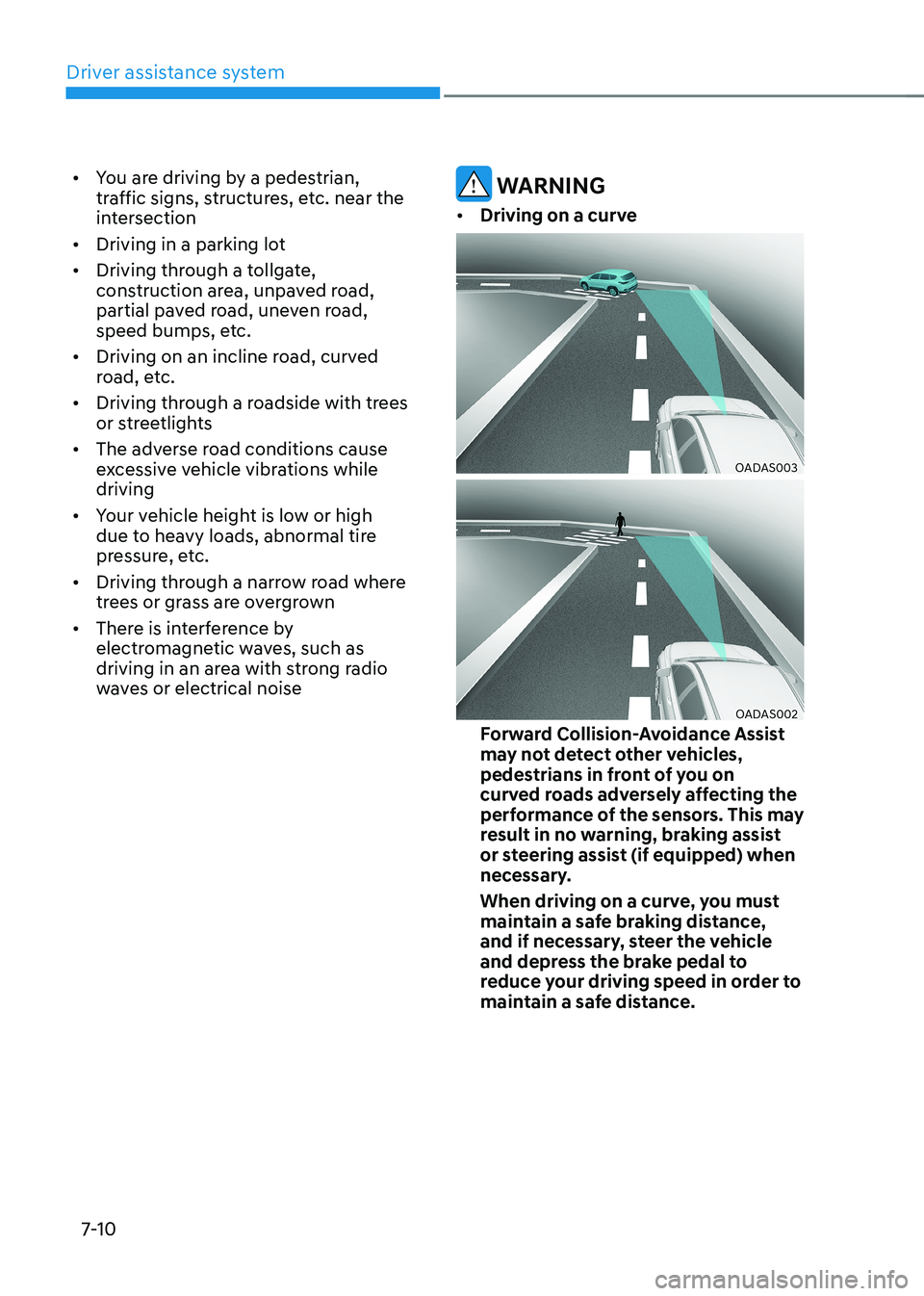
• Driving on a curve
OADAS003
OADAS002
Forward Collision-Avoidance Assist
may not detect other vehicles,
pedestrians in front of you on
curved roads adversely affecting the
performance of the sensors. This may
result in no warning, braking assist
or steering assist (if equipped) when
necessary.
When driving on a curve, you must
maintain a safe braking distance,
and if necessary, steer the vehicle
and depress the brake pedal to
reduce your driving speed in order to
maintain a safe distance.
Page 356 of 548
07
7-23
•
There is a group of pedestrians,
cyclists or a large crowd in front
• The pedestrian or cyclist is wearing
clothing that easily blends into the
background, making it difficult to
detect
• The pedestrian or cyclist is difficult to
distinguish from the similar shaped
structure in the surroundings
• You are driving by a pedestrian,
cyclist, traffic signs, structures, etc.
near the intersection
• Driving in a parking lot
• Driving through a tollgate,
construction area, unpaved road,
partial paved road, uneven road,
speed bumps, etc.
• Driving on an incline road, curved
road, etc.
• Driving through a roadside with trees
or streetlights
• The adverse road conditions cause
excessive vehicle vibrations while driving
• Your vehicle height is low or high
due to heavy loads, abnormal tire
pressure, etc.
• Driving through a narrow road where
trees or grass are overgrown
• There is interference by
electromagnetic waves, such as
driving in an area with strong radio
waves or electrical noise
warning
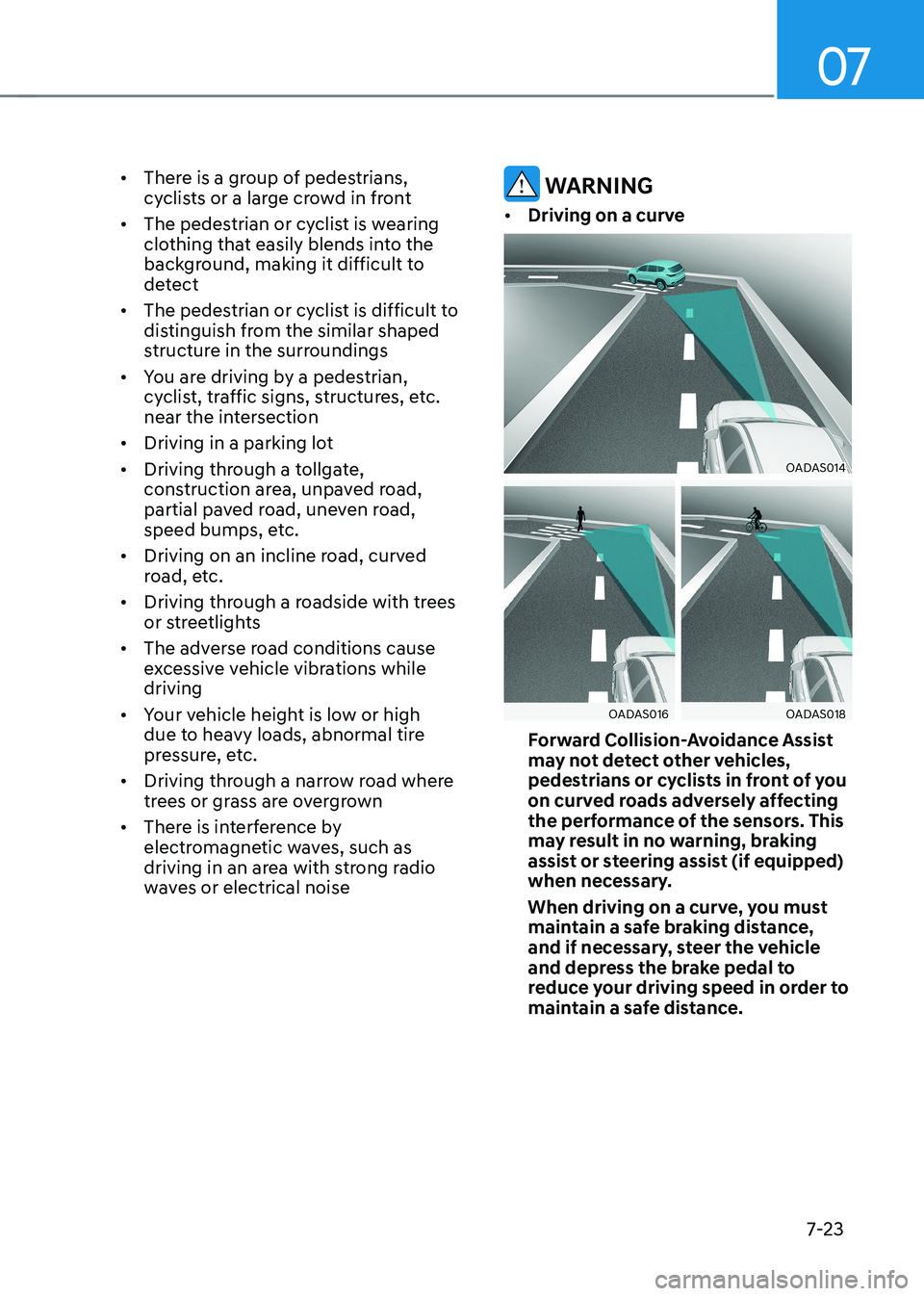
• Driving on a curve
OADAS014
OADAS016OADAS018
Forward Collision-Avoidance Assist
may not detect other vehicles,
pedestrians or cyclists in front of you
on curved roads adversely affecting
the performance of the sensors. This
may result in no warning, braking
assist or steering assist (if equipped)
when necessary.
When driving on a curve, you must
maintain a safe braking distance,
and if necessary, steer the vehicle
and depress the brake pedal to
reduce your driving speed in order to
maintain a safe distance.
Page 378 of 548
07
7-45
•
There is a fixed object near the
vehicle, such as sound barriers,
guardrails, central dividers, entry
barriers, street lamps, signs,
tunnels, walls, etc. (including double
structures)
• Driving in large areas where there are
few vehicles or structures (i.e. desert,
meadow, suburb, etc.)
• Driving through a narrow road where
trees or grass are overgrown
• Driving on a wet road surface, such as
a puddle on the road
• The other vehicle drives very close
behind your vehicle, or the other
vehicle passes by your vehicle in close
proximity
• The speed of the other vehicle is very
fast that it passes by your vehicle in a short time
• Your vehicle passes by the other
vehicle
• Your vehicle changes lane
• Your vehicle has started at the same
time as the vehicle next to you and
has accelerated
• The vehicle in the next lane moves
two lanes away from you, or when the
vehicle two lanes away moves to the
next lane from you
• A trailer or carrier is installed around
the rear corner radar
• The bumper around the rear corner
radar is covered with objects, such as
a bumper sticker, bumper guard, bike
rack, etc.
• The bumper around the rear corner
radar is impacted, damaged or the
radar is out of position
• Your vehicle height is low or high
due to heavy loads, abnormal tire
pressure, etc. Blind-Spot Collision-Avoidance Assist
may not operate normally, or the
function may operate unexpectedly
when the following objects are detected: •
A motorcycle or bicycle is detected
• A vehicle such as a flat trailer is
detected
• A big vehicle such as a bus or truck is
detected
• A moving obstacle such as a
pedestrian, animal, shopping cart or a
baby stroller is detected
• A vehicle with low height such as a
sports car is detected
Braking control may not work, driver’s
attention is required in the following
circumstances: • The vehicle severely vibrates while
driving over a bumpy road, uneven
road or concrete patch
• Driving on a slippery surface due to
snow, water puddle, ice, etc.
• The tire pressure is low or a tire is damaged
• The brake is reworked
• The vehicle makes abrupt lane changes
Information
For more details on the limitations of the
front view camera, refer to “Forward
Collision-Avoidance Assist (FCA)” and
“Lane Keeping Assist (LKA)” section in
this chapter.
Page 409 of 548
Driver assistance system
7-76
•
The vehicle in front is bent out of shape
• The front vehicle’s speed is fast or slow
• With a vehicle in front, your vehicle
changes lane at low speed
• The vehicle in front is covered with
snow
• Unstable driving
• You are on a roundabout and the
vehicle in front is not detected
• You are continuously driving in a circle
• Driving in a parking lot
• Driving through a construction area,
unpaved road, partial paved road,
uneven road, speed bumps, etc.
• Driving on an incline road, curved
road, etc.
• Driving through a roadside with trees
or streetlights
• The adverse road conditions cause
excessive vehicle vibrations while driving
• Your vehicle height is low or high
due to heavy loads, abnormal tire
pressure, etc.
• Driving through a narrow road where
trees or grass are overgrown
• There is interference by
electromagnetic waves, such as
driving in an area with strong radio
waves or electrical noise •
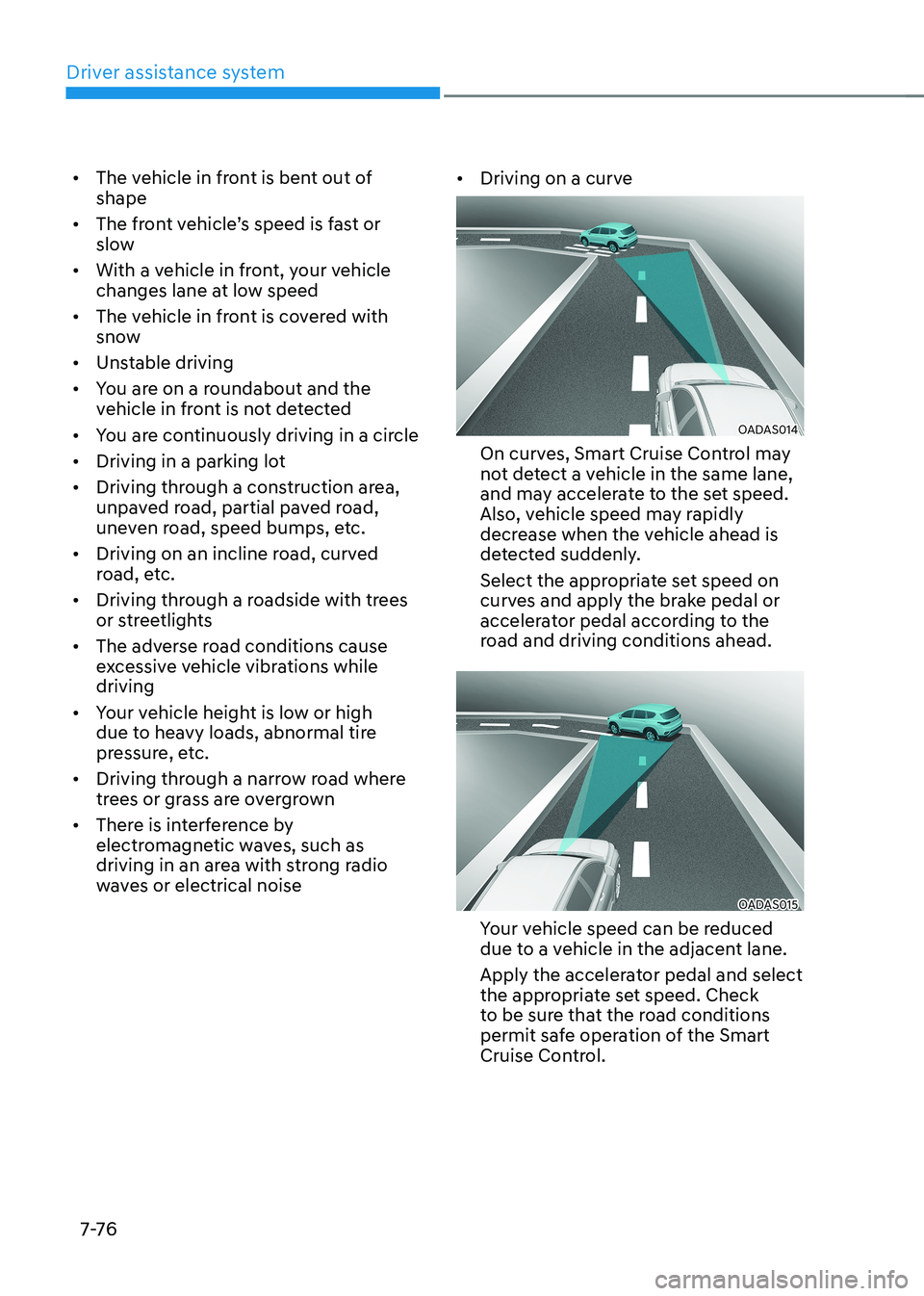
Driving on a curve
OADAS014
On curves, Smart Cruise Control may
not detect a vehicle in the same lane,
and may accelerate to the set speed.
Also, vehicle speed may rapidly
decrease when the vehicle ahead is
detected suddenly.
Select the appropriate set speed on
curves and apply the brake pedal or
accelerator pedal according to the
road and driving conditions ahead.
OADAS015
Your vehicle speed can be reduced
due to a vehicle in the adjacent lane.
Apply the accelerator pedal and select
the appropriate set speed. Check
to be sure that the road conditions
permit safe operation of the Smart
Cruise Control.
Page 441 of 548
Driver assistance system
7-108
Rear Cross-Traffic Collision-
Avoidance Assist disabled
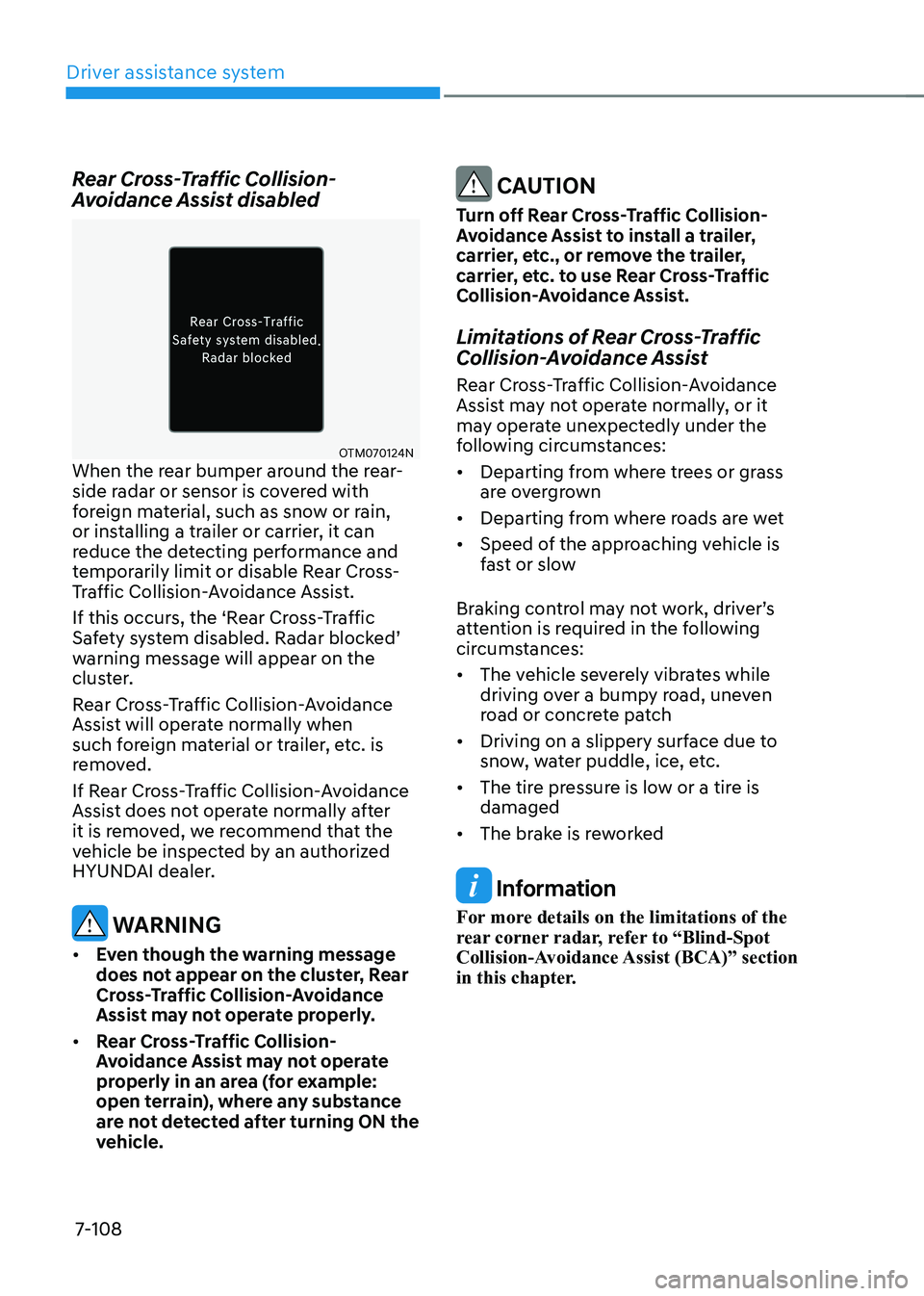
OTM070124N
When the rear bumper around the rear-
side radar or sensor is covered with
foreign material, such as snow or rain,
or installing a trailer or carrier, it can
reduce the detecting performance and
temporarily limit or disable Rear Cross-
Traffic Collision-Avoidance Assist.
If this occurs, the ‘Rear Cross-Traffic
Safety system disabled. Radar blocked’
warning message will appear on the
cluster.
Rear Cross-Traffic Collision-Avoidance
Assist will operate normally when
such foreign material or trailer, etc. is
removed.
If Rear Cross-Traffic Collision-Avoidance
Assist does not operate normally after
it is removed, we recommend that the
vehicle be inspected by an authorized
HYUNDAI dealer.
warning
• even though the warning message
does not appear on the cluster, Rear
Cross-Traffic Collision-Avoidance
Assist may not operate properly.
• Rear Cross-Traffic Collision-
Avoidance Assist may not operate
properly in an area (for example:
open terrain), where any substance
are not detected after turning ON the
vehicle.
CAUTION
Turn off Rear Cross-Traffic Collision-
Avoidance Assist to install a trailer,
carrier, etc., or remove the trailer,
carrier, etc. to use Rear Cross-Traffic
Collision-Avoidance Assist.
Limitations of Rear Cross-Traffic
Collision-Avoidance Assist
Rear Cross-Traffic Collision-Avoidance
Assist may not operate normally, or it
may operate unexpectedly under the
following circumstances: • Departing from where trees or grass
are overgrown
• Departing from where roads are wet
• Speed of the approaching vehicle is
fast or slow
Braking control may not work, driver’s
attention is required in the following
circumstances: • The vehicle severely vibrates while
driving over a bumpy road, uneven
road or concrete patch
• Driving on a slippery surface due to
snow, water puddle, ice, etc.
• The tire pressure is low or a tire is damaged
• The brake is reworked
Information
For more details on the limitations of the
rear corner radar, refer to “Blind-Spot
Collision-Avoidance Assist (BCA)” section
in this chapter.
Page 456 of 548
8
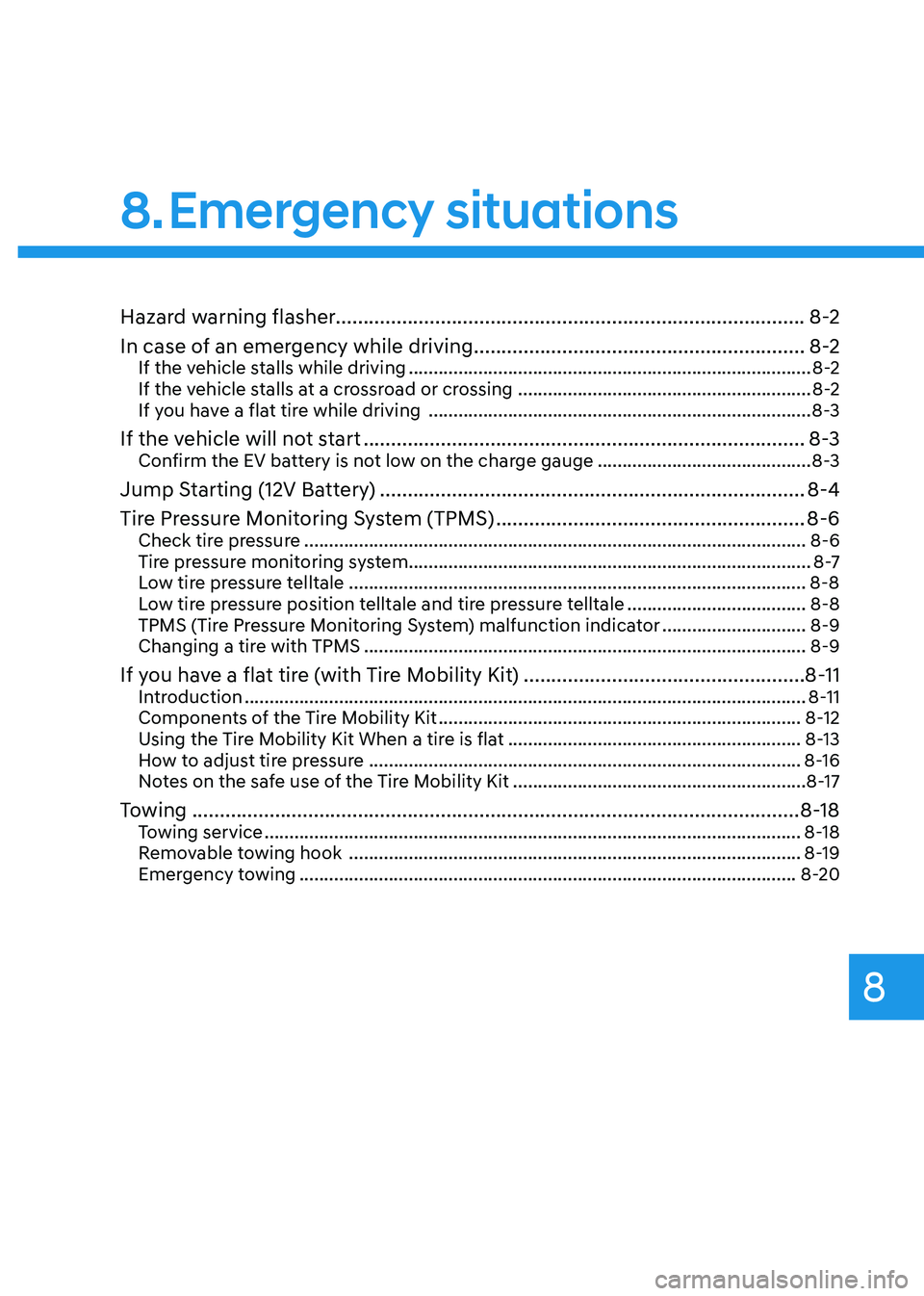
Hazard warning flasher.....................................................................................8-2
In case of an emergency while driving ............................................................8-2
If the vehicle stalls while driving ................................................................................. 8-2
If the vehicle stalls at a crossroad or crossing ...........................................................8-2
If you have a flat tire while driving ............................................................................. 8-3
If the vehicle will not start ................................................................................ 8-3
Confirm the EV battery is not low on the charge gauge ...........................................8-3
Jump Starting (12V Battery) ............................................................................. 8-4
Tire Pressure Monitoring System (TPMS) ........................................................8-6
Check tire pressure ..................................................................................................... 8-6
Tire pressure monitoring system ................................................................................. 8 -7
Low tire pressure telltale ............................................................................................ 8-8
Low tire pressure position telltale and tire pressure telltale ....................................8-8
TPMS (Tire Pressure Monitoring System) malfunction indicator .............................8-9
Changing a tire with TPMS ......................................................................................... 8-9
If you have a flat tire (with Tire Mobility Kit) ...................................................8-11
Introduction ................................................................................................................. 8-11
Components of the Tire Mobility Kit ......................................................................... 8-12
Using the Tire Mobility Kit When a tire is flat ...........................................................8-13
How to adjust tire pressure ....................................................................................... 8-16
Notes on the safe use of the Tire Mobility Kit ...........................................................8-17
Towing .............................................................................................................. 8-18
Towing service ............................................................................................................ 8-18
Removable towing hook ........................................................................................... 8-19
Emergency towing .................................................................................................... 8-20
8. Emergency situations
Page 461 of 548
Emergency situations
8-6
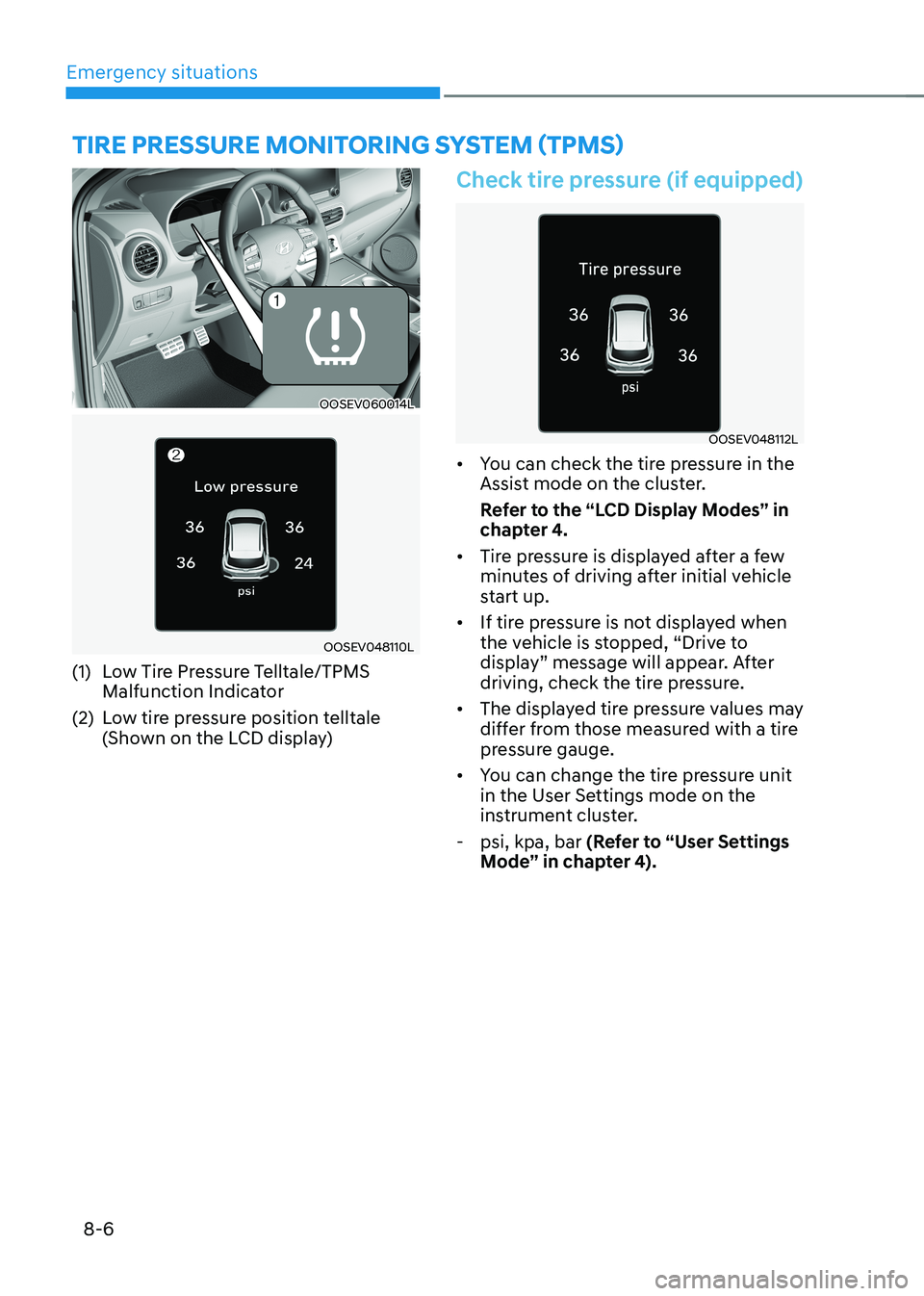
OOSEV060014L
OOSEV048110L
(1) Low Tire Pressure Telltale/TPMS Malfunction Indicator
(2) Low tire pressure position telltale (Shown on the LCD display)
Check tire pressure (if equipped)
OOSEV048112L
• You can check the tire pressure in the
Assist mode on the cluster.
Refer to the “LCD Display Modes” in
chapter 4.
• Tire pressure is displayed after a few
minutes of driving after initial vehicle
start up.
• If tire pressure is not displayed when
the vehicle is stopped, “Drive to
display” message will appear. After
driving, check the tire pressure.
• The displayed tire pressure values may
differ from those measured with a tire
pressure gauge.
• You can change the tire pressure unit
in the User Settings mode on the
instrument cluster.
- psi, kpa, bar (Refer to “User Settings
Mode” in chapter 4).
TIRE PRESSURE MoNIToRING SYSTEM (TPMS)
Page 462 of 548
08
8 -7
Tire pressure monitoring system
WARNING
Over-inflation or under-inflation can
reduce tire life, adversely affect vehicle
handling, and lead to sudden tire failure
that may cause loss of vehicle control
resulting in an accident.
Each tire, including the spare (if
provided), should be checked monthly
when cold and inflated to the inflation
pressure recommended by the vehicle
manufacturer on the vehicle placard
or tire inflation pressure label. (If your
vehicle has tires of a different size than
the size indicated on the vehicle placard
or tire inflation pressure label, you should
determine the proper tire inflation
pressure for those tires.)
As an added safety feature, your
vehicle has been equipped with a tire
pressure monitoring system (TPMS)
that illuminates a low tire pressure
telltale when one or more of your tires is
significantly under-inflated. Accordingly,
when the low tire pressure telltale
illuminates, you should stop and check
your tires as soon as possible, and inflate
them to the proper pressure. Driving on
a significantly under-inflated tire causes
the tire to overheat and can lead to tire
failure. Under-inflation also reduces
electric energy efficiency and tire tread
life, and may affect the vehicle’s handling
and stopping ability.
Please note that the TPMS is not a
substitute for proper tire maintenance,
and it is the driver’s responsibility to
maintain correct tire pressure, even if
under-inflation has not reached the level
to trigger illumination of the TPMS low
tire pressure telltale.
Your vehicle has also been equipped
with a TPMS malfunction indicator
to indicate when the system is
not operating properly. The TPMS
malfunction indicator is combined with
the low tire pressure telltale. When
the system detects a malfunction, the
telltale will flash for approximately one
minute and then remain continuously
illuminated. This sequence will continue
upon subsequent vehicle start-ups as
long as the malfunction exists. When
the malfunction indicator is illuminated,
the system may not be able to detect or
signal low tire pressure as intended.
TPMS malfunctions may occur for
a variety of reasons, including the
installation of replacement or alternate
tires or wheels on the vehicle that
prevent the TPMS from functioning
properly. Always check the TPMS
malfunction telltale after replacing one
or more tires or wheels on your vehicle to
ensure that the replacement or alternate
tires and wheels allow the TPMS to
continue to function properly.
NOTICE
If any of the below happens, we
recommend that the system be checked
by an authorized HYUNDAI dealer. 1. The low tire pressure telltale/TPMS
malfunction indicator does not
illuminate for 3 seconds when the
START/STOP button is turned to the
ON position or the Vehicle is ON (
indicator ON).
2. The TPMS malfunction indicator
remains illuminated after blinking for
approximately 1 minute.
3. The Low tire pressure position
telltale remains illuminated.