2023 HYUNDAI IONIQ 5 mirror
[x] Cancel search: mirrorPage 329 of 680

06
6-3
WARNING
CALIFORNIA PROPOSITION 65
WARNING
Engine exhaust and a wide variety of
automobile components including
components found in the interior
furnishings in a vehicle, contain or
emit harmful chemicals known to the
State of California to cause cancer and
birth defects and reproductive harm.
In addition, certain fluids contained
in vehicles and certain products of
components contain or emit chemicals
known to the State of California to
cause cancer and birth defects or other
reproductive harm.
Before Entering the Vehicle
• Be sure all windows, outside mirror(s),
and outside lights are clean and
unobstructed.
• Remove frost, snow, or ice.
• Visually check the tires for uneven
wear and damage.
• Check under the vehicle for any sign
of leaks.
• Be sure there are no obstacles behind
you if you intend to back up.
Before Starting
• Make sure the hood, the liftgate, and
the doors are securely closed and
locked.
• Adjust the position of the seat and
steering wheel.
• Adjust the inside and outside rearview
mirrors.
• Verify all the lights work.
• Fasten your seat belt. Check that all
passengers have fastened their seat belts.
• Check the gauges and indicators
in the instrument panel and the
messages on the instrument display
when the vehicle is in the ON position. •
Check that any items you are carrying
are stored properly or fastened down
securely.
WARNING
To reduce the risk of SERIOUS INJURY or
DEATH, take the following precautions: • ALWAYS wear your seat belt. All
passengers must be properly belted
whenever the vehicle is moving.
For more information, refer to “Seat
Belts” section in chapter 3.
• Always drive defensively. Assume
other drivers or pedestrians may be
careless and make mistakes.
• Stay focused on the task of driving.
Driver distraction can cause
accidents.
• Leave plenty of space between you
and the vehicle in front of you.
WARNING
NEVER drink or take drugs and drive. Drinking or taking drugs and driving
is dangerous and may result in an
accident and SERIOUS INJURY or
DEATH. Drunk driving is the number one
contributor to the highway death
toll each year. Even a small amount
of alcohol will affect your reflexes,
perceptions and judgment. Just
one drink can reduce your ability to
respond to changing conditions and
emergencies and your reaction time
gets worse with each additional drink.
Driving while under the influence
of drugs is as dangerous or more
dangerous than driving under the
influence of alcohol.
You are much more likely to have a
serious accident if you drink or take
drugs and drive. If you are drinking or
taking drugs, don’t drive. Do not ride
with a driver who has been drinking
or taking drugs. Choose a designated
driver or call a taxi.
Before driving
Page 380 of 680
Driving Your Vehicle
6-54
Information
The ESC system must be turned OFF
before rocking the vehicle.
NOTICE
If you are still stuck after rocking the
vehicle a few times, have the vehicle
pulled out by a tow vehicle to avoid
motor overheating, possible damage
to the reduction gear, and tire damage.
See “Towing” section in chapter 8.
Smooth Cornering
Avoid braking or gear changing in
corners, especially when roads are wet.
Ideally, corners should always be taken
under gentle acceleration.
Driving at Night
Night driving presents more hazards than
driving in the daylight. Here are some
important tips to remember: • Slow down and keep more distance
between you and other vehicles, as it
may be more difficult to see at night,
especially in areas where there may
not be any street lights.
• Adjust your mirrors to reduce the glare
from other drivers’ headlamps.
• Keep your headlamps clean and
properly aimed. Dirty or improperly
aimed headlamps will make it much
more difficult to see at night.
• Avoid staring directly at the
headlamps of oncoming vehicles. You
could be temporarily blinded, and it
will take several seconds for your eyes
to readjust to the darkness.
Driving in the Rain
Rain and wet roads can make driving
dangerous. Here are a few things to
consider when driving in the rain or on
slick pavement: • Slow down and allow extra following
distance. A heavy rainfall makes
it harder to see and increases the
distance needed to stop your vehicle.
• Turn OFF your Cruise Control. (if equipped)
• Replace your windshield wiper blades
when they show signs of streaking or
missing areas on the windshield.
• Be sure your tires have enough tread.
If your tires do not have enough tread,
making a quick stop on wet pavement
can cause a skid and possibly lead to
an accident. See “Tire Tread” section
in chapter 9 .
• Turn on your headlamps to make it
easier for others to see you.
• Driving too fast through large puddles
can affect your brakes. If you must go
through puddles, try to drive through
them slowly.
• If you believe your brakes may be wet,
apply them lightly while driving until
normal braking operation returns.
Page 406 of 680
![HYUNDAI IONIQ 5 2023 Owners Manual Driver Assistance System
7-4
Detecting sensor
ONE1071002K
ONE1071003
ONE1071004N
[1]: Front view camera, [2]: Front radar,
[3]: Front corner radar (if equipped),
[4]: Rear corner radar (if equipped](/manual-img/35/56168/w960_56168-405.png "HYUNDAI IONIQ 5 2023 Owners Manual Driver Assistance System
7-4
Detecting sensor
ONE1071002K
ONE1071003
ONE1071004N
[1]: Front view camera, [2]: Front radar,
[3]: Front corner radar (if equipped),
[4]: Rear corner radar (if equipped")
Driver Assistance System
7-4
Detecting sensor
ONE1071002K
ONE1071003
ONE1071004N
[1]: Front view camera, [2]: Front radar,
[3]: Front corner radar (if equipped),
[4]: Rear corner radar (if equipped)
Refer to the picture above for the
detailed location of the detecting
sensors.
CAUTION
Take the following precautions to
maintain optimal performance of the
detecting sensor: • Never disassemble the detecting
sensor or sensor assembly, or cause
any damage to it.
• If the detecting sensors have
been replaced or repaired, have
the vehicle be inspected by an
authorized HYUNDAI dealer.
• Never install any accessories or
stickers on the front windshield, or
tint the front windshield.
• Pay extreme caution to keep the
front view camera dry.
• Never place any reflective objects
(for example, white paper, mirror)
over the dashboard.
• Do not place any objects near the
front windshield or install any
accessories on the front windshield.
It can affect the performance of the
defogging and defrosting function
of the climate control system, which
may prevent the Driver Assistance
systems from operating
• Do not place objects or mount
structures near the windshield.
When operating the air conditioner,
moisture and defrost performance
may be poor, and driver assistance
functions may not work.
• Do not apply license plate frame or
objects, such as a bumper sticker,
film or a bumper guard, near the
front radar cover.
• Always keep the front radar and
cover clean and free of dirt and debris.
Use only a soft cloth to wash the
vehicle. Do not spray pressurized
water directly on the sensor or
sensor cover.
Page 437 of 680
07
7-35
OTM070097N
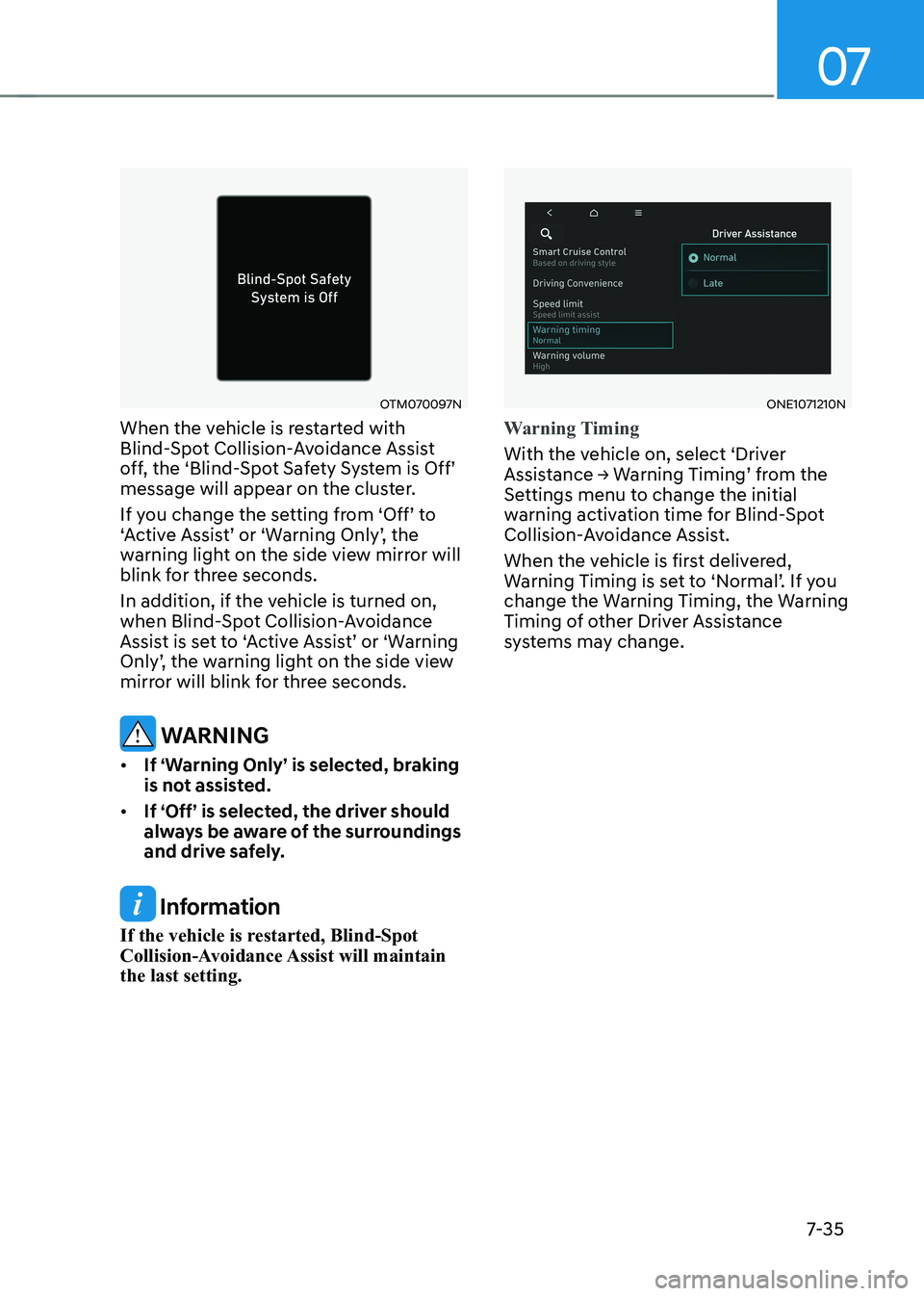
When the vehicle is restarted with
Blind-Spot Collision-Avoidance Assist
off, the ‘Blind-Spot Safety System is Off’
message will appear on the cluster.
If you change the setting from ‘Off’ to
‘Active Assist’ or ‘Warning Only’, the
warning light on the side view mirror will
blink for three seconds.
In addition, if the vehicle is turned on,
when Blind-Spot Collision-Avoidance
Assist is set to ‘Active Assist’ or ‘Warning
Only’, the warning light on the side view
mirror will blink for three seconds.
WARNING
• If ‘Warning Only’ is selected, braking
is not assisted.
• If ‘Off’ is selected, the driver should
always be aware of the surroundings
and drive safely.
Information
If the vehicle is restarted, Blind-Spot
Collision-Avoidance Assist will maintain the last setting.
ONE1071210N
Warning Timing
With the vehicle on, select ‘Driver
Assistance → Warning Timing’ from the
Settings menu to change the initial
warning activation time for Blind-Spot
Collision-Avoidance Assist.
When the vehicle is first delivered,
Warning Timing is set to ‘Normal’. If you
change the Warning Timing, the Warning
Timing of other Driver Assistance
systems may change.
Page 438 of 680
Driver Assistance System
7-36
ONE1071202N
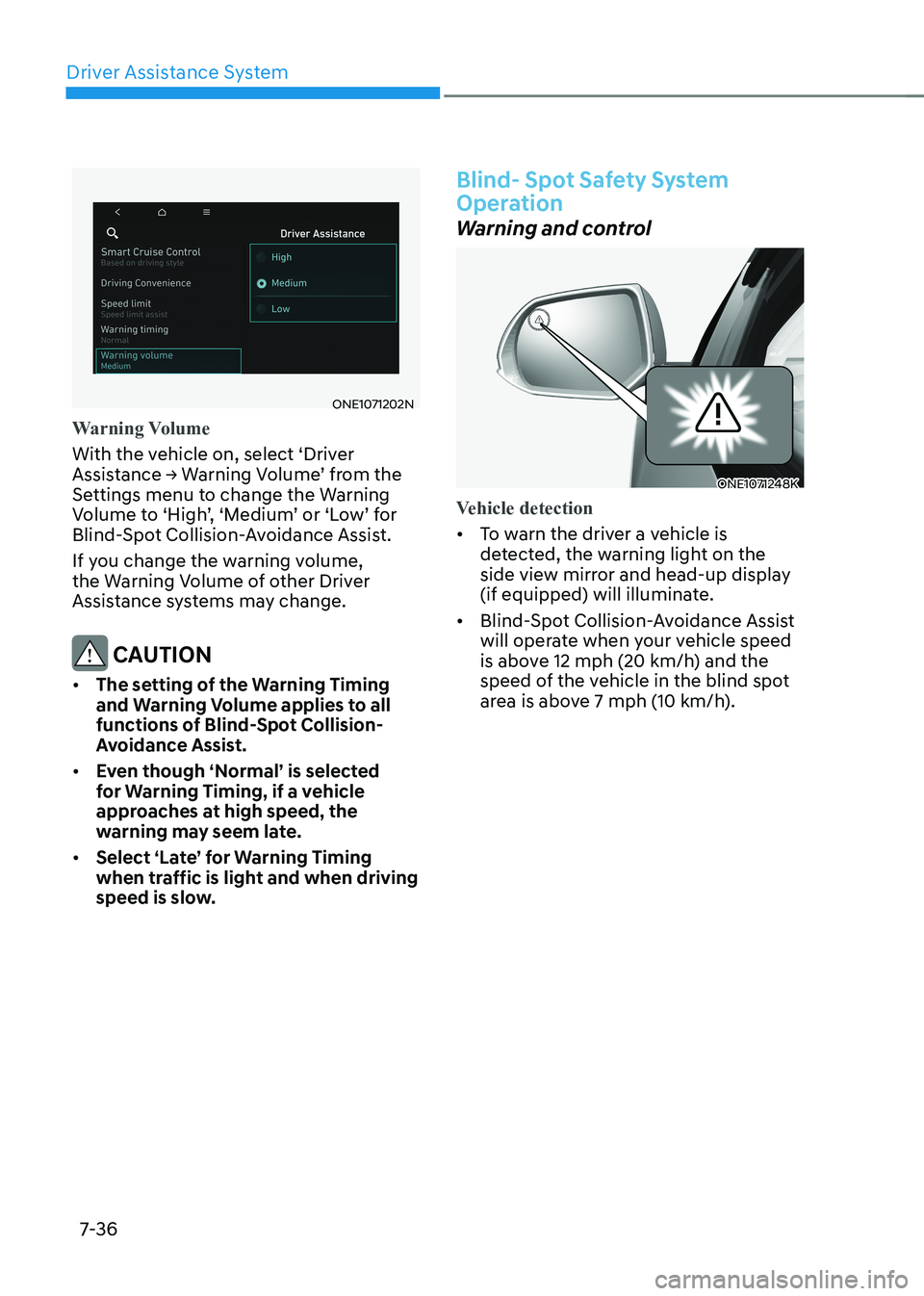
Warning Volume
With the vehicle on, select ‘Driver
Assistance → Warning Volume’ from the
Settings menu to change the Warning
Volume to ‘High’, ‘Medium’ or ‘Low’ for
Blind-Spot Collision-Avoidance Assist.
If you change the warning volume,
the Warning Volume of other Driver
Assistance systems may change.
CAUTION
• The setting of the Warning Timing
and Warning Volume applies to all
functions of Blind-Spot Collision-
Avoidance Assist.
• Even though ‘Normal’ is selected
for Warning Timing, if a vehicle
approaches at high speed, the
warning may seem late.
• Select ‘Late’ for Warning Timing
when traffic is light and when driving
speed is slow.
Blind- Spot Safety System
Operation
Warning and control
ONE1071248K
Vehicle detection
• To warn the driver a vehicle is
detected, the warning light on the
side view mirror and head-up display
(if equipped) will illuminate.
• Blind-Spot Collision-Avoidance Assist
will operate when your vehicle speed
is above 12 mph (20 km/h) and the
speed of the vehicle in the blind spot
area is above 7 mph (10 km/h).
Page 439 of 680

07
7-37
Collision warning
• Collision warning will operate when the turn signal is turned on in the
direction of the detected vehicle.
• If ‘Warning Only’ is selected from the
Settings menu, the collision warning
will operate when your vehicle
approaches the lane the blind spot
vehicle is detected.
• To warn the driver of a collision, the
warning light on the outside side
view mirror and head-up display (if
equipped) will blink. At the same time,
an audible warning will sound.
• When the turn signal is turned off or
you move away from the lane, the
collision warning will be canceled and
Blind-Spot Collision-Avoidance Assist
will return to vehicle detection state. WARNING
• The detecting range of the rear
corner radar is determined by a
standard road width, therefore, on
a narrow road, Blind-Spot Collision-
Avoidance Assist may detect other
vehicles two lanes over and warn
you. In contrast, on a wide road,
Blind-Spot Collision-Avoidance
Assist may not be able to detect a
vehicle driving in the next lane and
may not warn you.
• When the hazard warning flasher is
on, the collision warning by the turn
signal will not operate.
Page 440 of 680
Driver Assistance System
7-38
ONE1071195L
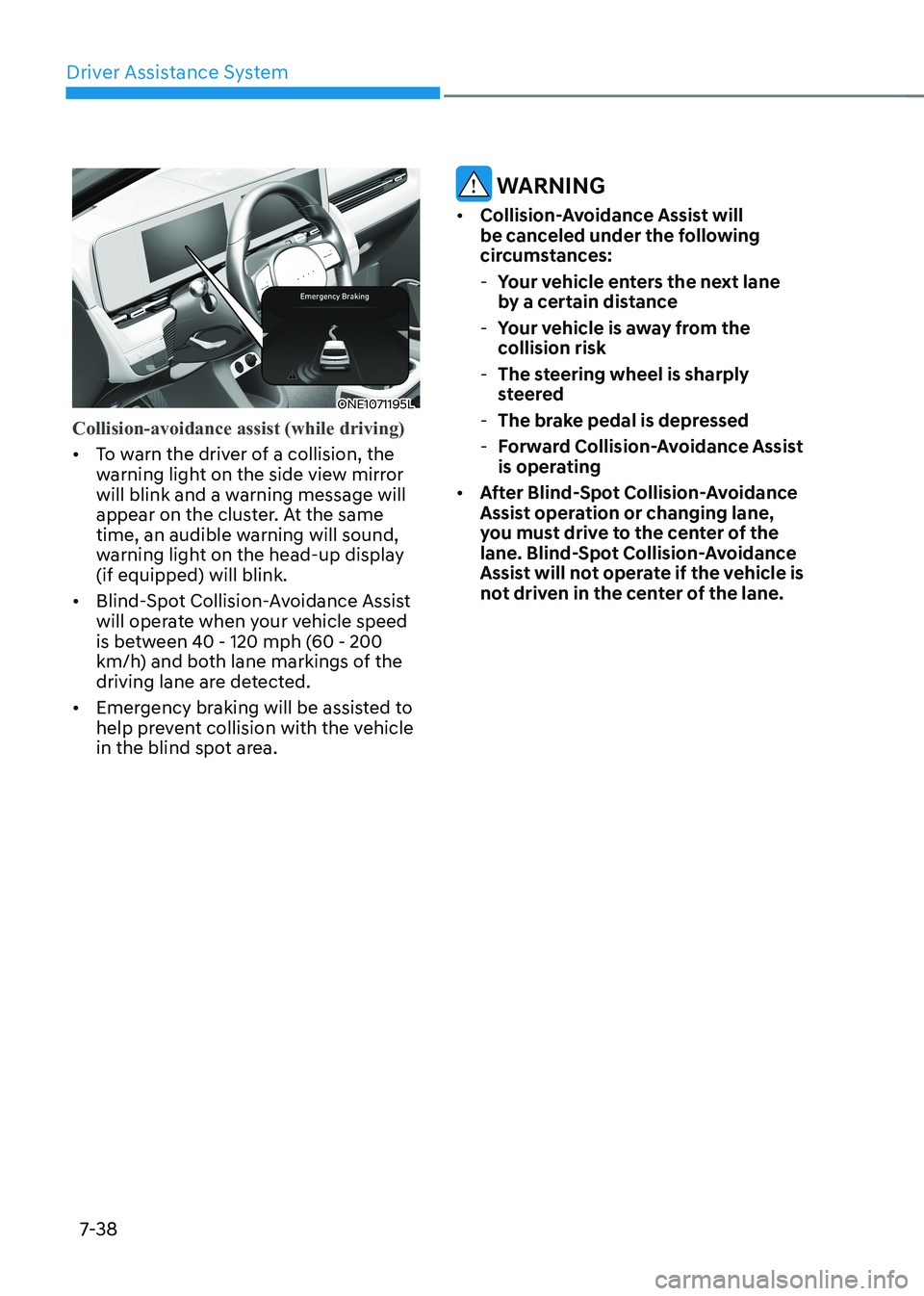
Collision-avoidance assist (while driving)
• To warn the driver of a collision, the
warning light on the side view mirror
will blink and a warning message will
appear on the cluster. At the same
time, an audible warning will sound,
warning light on the head-up display (if equipped) will blink.
• Blind-Spot Collision-Avoidance Assist
will operate when your vehicle speed
is between 40 - 120 mph (60 - 200
km/h) and both lane markings of the
driving lane are detected.
• Emergency braking will be assisted to
help prevent collision with the vehicle
in the blind spot area.
WARNING
• Collision-Avoidance Assist will
be canceled under the following
circumstances:
- Your vehicle enters the next lane
by a certain distance
- Your vehicle is away from the
collision risk
- The steering wheel is sharply
steered
- The brake pedal is depressed
- Forward Collision-Avoidance Assist
is operating
• After Blind-Spot Collision-Avoidance
Assist operation or changing lane,
you must drive to the center of the
lane. Blind-Spot Collision-Avoidance
Assist will not operate if the vehicle is
not driven in the center of the lane.
Page 441 of 680
07
7-39
ONE1071196L
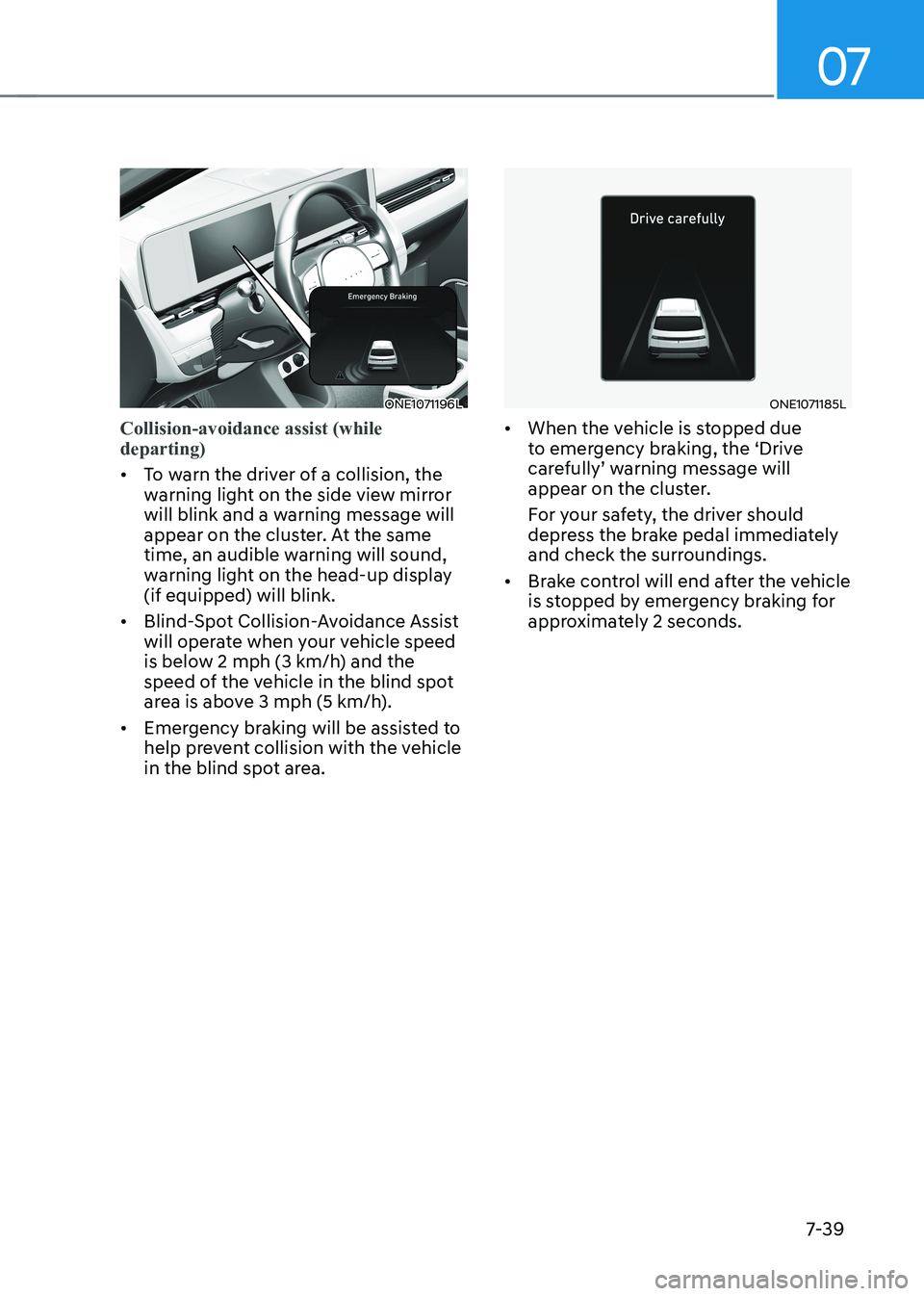
Collision-avoidance assist (while departing)
• To warn the driver of a collision, the
warning light on the side view mirror
will blink and a warning message will
appear on the cluster. At the same
time, an audible warning will sound,
warning light on the head-up display (if equipped) will blink.
• Blind-Spot Collision-Avoidance Assist
will operate when your vehicle speed
is below 2 mph (3 km/h) and the
speed of the vehicle in the blind spot
area is above 3 mph (5 km/h).
• Emergency braking will be assisted to
help prevent collision with the vehicle
in the blind spot area.
ONE1071185L
• When the vehicle is stopped due
to emergency braking, the ‘Drive
carefully’ warning message will
appear on the cluster.
For your safety, the driver should
depress the brake pedal immediately
and check the surroundings.
• Brake control will end after the vehicle
is stopped by emergency braking for
approximately 2 seconds.