2023 HYUNDAI IONIQ 5 driver only
[x] Cancel search: driver onlyPage 358 of 680

Driving Your Vehicle
6-32
NOTICE
• If the EPB warning light is still on,
have the system checked by an
authorized HYUNDAI dealer.
• If the Parking Brake warning light
does not illuminate or blinks even
though the EPB switch was pulled
up, EPB may not be applied.
• If the Parking Brake warning light
blinks when the EPB warning light is
on, press the switch, and then pull it
up. Repeat this one more time. If the
EPB warning does not go off, have
the system checked by an authorized
HYUNDAI dealer.
Parking brake warning light
Check the Parking Brake
warning light by pressing the
Vehicle Stop/Start button to the ON position.
This light will be illuminated when the
parking brake is applied with the Vehicle
Stop/Start button in the START or ON position.
Before driving, be sure the parking
brake is released and the Parking Brake
warning light is OFF.
If the Parking Brake warning light
remains on after the parking brake is
released while the motor is running,
there may be a malfunction in the
brake system. Immediate attention is
necessary.
If at all possible, cease driving the vehicle
immediately. If that is not possible,
use extreme caution while operating
the vehicle and only continue to drive
the vehicle until you can reach a safe
location. When the EPB (Electronic Parking
Brake) does not release
If the EPB does not release normally,
contact an authorized HYUNDAI dealer
by loading the vehicle on a flatbed tow
truck and have the system checked.
Auto Hold
Auto Hold maintains the vehicle in a
standstill even though the brake pedal is
not depressed after the driver brings the
vehicle to a complete stop by depressing
the brake pedal.
To apply:
ONE1061017
1. With the driver's door and hood closed, depress the brake pedal and
then press the AUTO HOLD switch.
The white AUTO HOLD indicator will
come on and the system will be in the
standby position.
Page 406 of 680
![HYUNDAI IONIQ 5 2023 Owners Manual Driver Assistance System
7-4
Detecting sensor
ONE1071002K
ONE1071003
ONE1071004N
[1]: Front view camera, [2]: Front radar,
[3]: Front corner radar (if equipped),
[4]: Rear corner radar (if equipped](/manual-img/35/56168/w960_56168-405.png "HYUNDAI IONIQ 5 2023 Owners Manual Driver Assistance System
7-4
Detecting sensor
ONE1071002K
ONE1071003
ONE1071004N
[1]: Front view camera, [2]: Front radar,
[3]: Front corner radar (if equipped),
[4]: Rear corner radar (if equipped")
Driver Assistance System
7-4
Detecting sensor
ONE1071002K
ONE1071003
ONE1071004N
[1]: Front view camera, [2]: Front radar,
[3]: Front corner radar (if equipped),
[4]: Rear corner radar (if equipped)
Refer to the picture above for the
detailed location of the detecting
sensors.
CAUTION
Take the following precautions to
maintain optimal performance of the
detecting sensor: • Never disassemble the detecting
sensor or sensor assembly, or cause
any damage to it.
• If the detecting sensors have
been replaced or repaired, have
the vehicle be inspected by an
authorized HYUNDAI dealer.
• Never install any accessories or
stickers on the front windshield, or
tint the front windshield.
• Pay extreme caution to keep the
front view camera dry.
• Never place any reflective objects
(for example, white paper, mirror)
over the dashboard.
• Do not place any objects near the
front windshield or install any
accessories on the front windshield.
It can affect the performance of the
defogging and defrosting function
of the climate control system, which
may prevent the Driver Assistance
systems from operating
• Do not place objects or mount
structures near the windshield.
When operating the air conditioner,
moisture and defrost performance
may be poor, and driver assistance
functions may not work.
• Do not apply license plate frame or
objects, such as a bumper sticker,
film or a bumper guard, near the
front radar cover.
• Always keep the front radar and
cover clean and free of dirt and debris.
Use only a soft cloth to wash the
vehicle. Do not spray pressurized
water directly on the sensor or
sensor cover.
Page 407 of 680
07
7-5
•
If unnecessary force has been
applied to the radar or around the
radar, Forward Collision-Avoidance
Assist may not properly operate
even though a warning message
does not appear on the cluster.
Have the vehicle be inspected by an
authorized HYUNDAI dealer.
• Use only genuine parts to repair or
replace a damaged front radar cover.
Do not apply paint to the front radar
cover.
• Vehicles equipped with front corner
radar and/or rear corner radar
- Do not apply license plate frame or
objects, such as a bumper sticker,
film or a bumper guard, near the
front corner radar or rear corner
radar.
- The function may not work
properly when the bumper has
been replaced, or the surroundings
of the front corner radar or rear
corner radar has been damaged or
paint has been applied.
- If a trailer, carrier, etc., is installed,
it may adversely affect the
performance of the rear corner
radar or Forward Collision-
Avoidance Assist may not operate
properly.
Forward Collision-Avoidance
Assist Settings
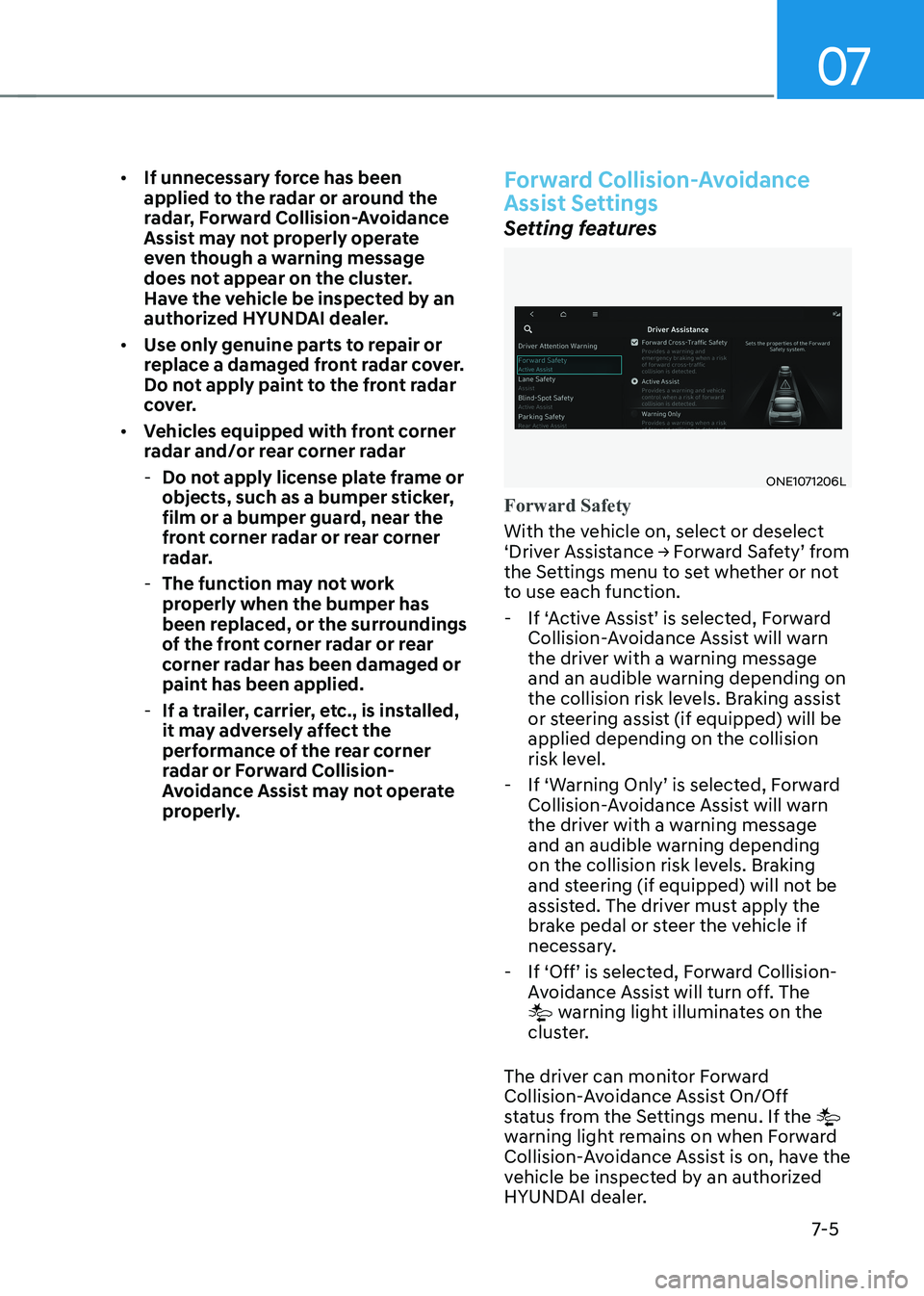
Setting features
ONE1071206L
Forward Safety
With the vehicle on, select or deselect
‘Driver Assistance → Forward Safety’ from
the Settings menu to set whether or not
to use each function.
- If ‘Active Assist’ is selected, Forward Collision-Avoidance Assist will warn
the driver with a warning message
and an audible warning depending on
the collision risk levels. Braking assist
or steering assist (if equipped) will be applied depending on the collision
risk level.
- If ‘Warning Only’ is selected, Forward Collision-Avoidance Assist will warn
the driver with a warning message
and an audible warning depending
on the collision risk levels. Braking
and steering (if equipped) will not be
assisted. The driver must apply the
brake pedal or steer the vehicle if
necessary.
- If ‘Off’ is selected, Forward Collision- Avoidance Assist will turn off. The
warning light illuminates on the
cluster.
The driver can monitor Forward
Collision-Avoidance Assist On/Off
status from the Settings menu. If the
warning light remains on when Forward
Collision-Avoidance Assist is on, have the
vehicle be inspected by an authorized
HYUNDAI dealer.
Page 408 of 680
Driver Assistance System
7-6
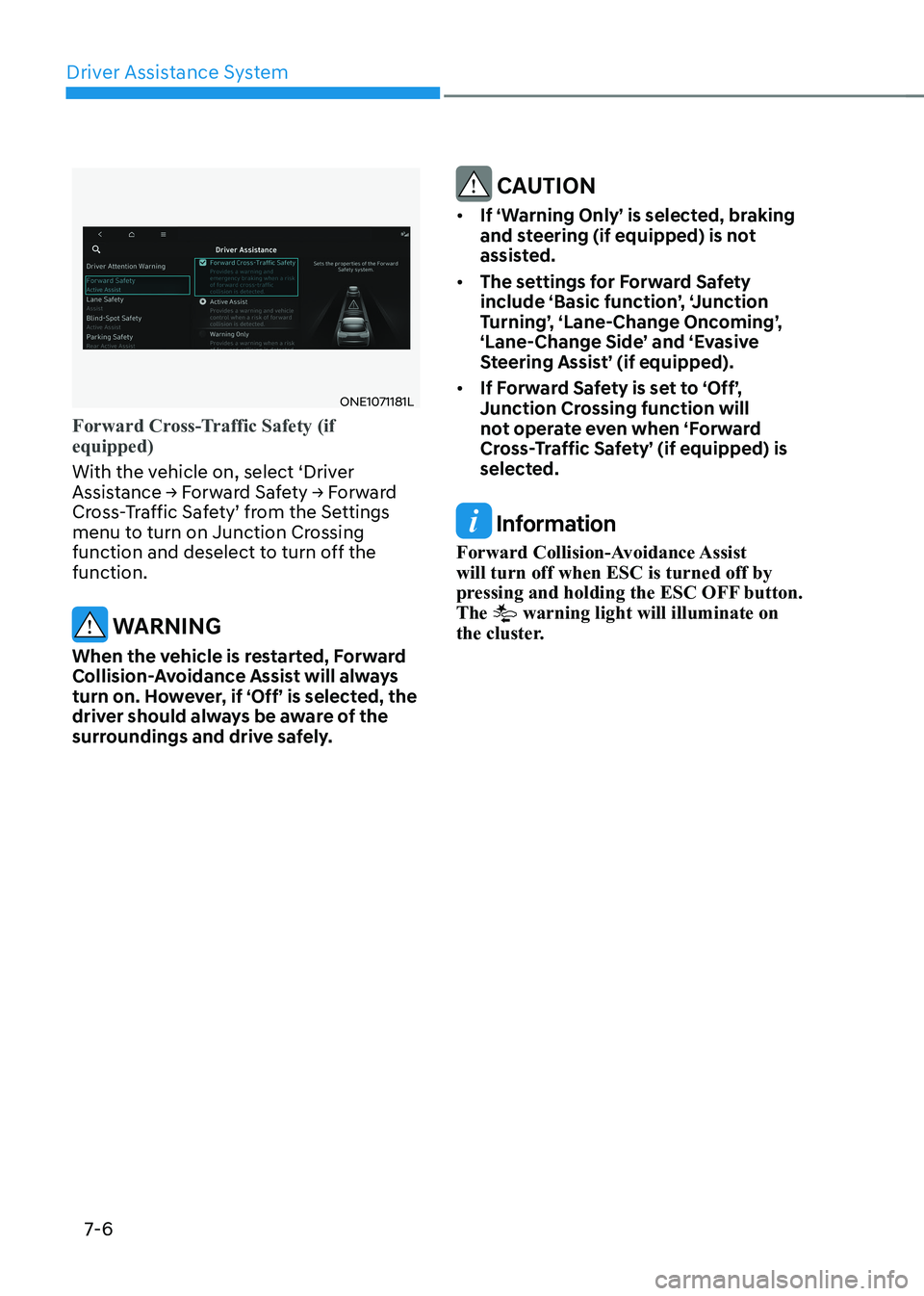
ONE1071181L
Forward Cross-Traffic Safety (if equipped)
With the vehicle on, select ‘Driver
Assistance → Forward Safety → Forward
Cross-Traffic Safety’ from the Settings
menu to turn on Junction Crossing
function and deselect to turn off the function.
WARNING
When the vehicle is restarted, Forward
Collision-Avoidance Assist will always
turn on. However, if ‘Off’ is selected, the
driver should always be aware of the
surroundings and drive safely.
CAUTION
• If ‘Warning Only’ is selected, braking
and steering (if equipped) is not
assisted.
• The settings for Forward Safety
include ‘Basic function’, ‘Junction
Turning’, ‘Lane-Change Oncoming’,
‘Lane-Change Side’ and ‘Evasive
Steering Assist’ (if equipped).
• If Forward Safety is set to ‘Off’,
Junction Crossing function will
not operate even when ‘Forward
Cross-Traffic Safety’ (if equipped) is
selected.
Information
Forward Collision-Avoidance Assist will turn off when ESC is turned off by
pressing and holding the ESC OFF button. The
warning light will illuminate on
the cluster.
Page 412 of 680
Driver Assistance System
7-10
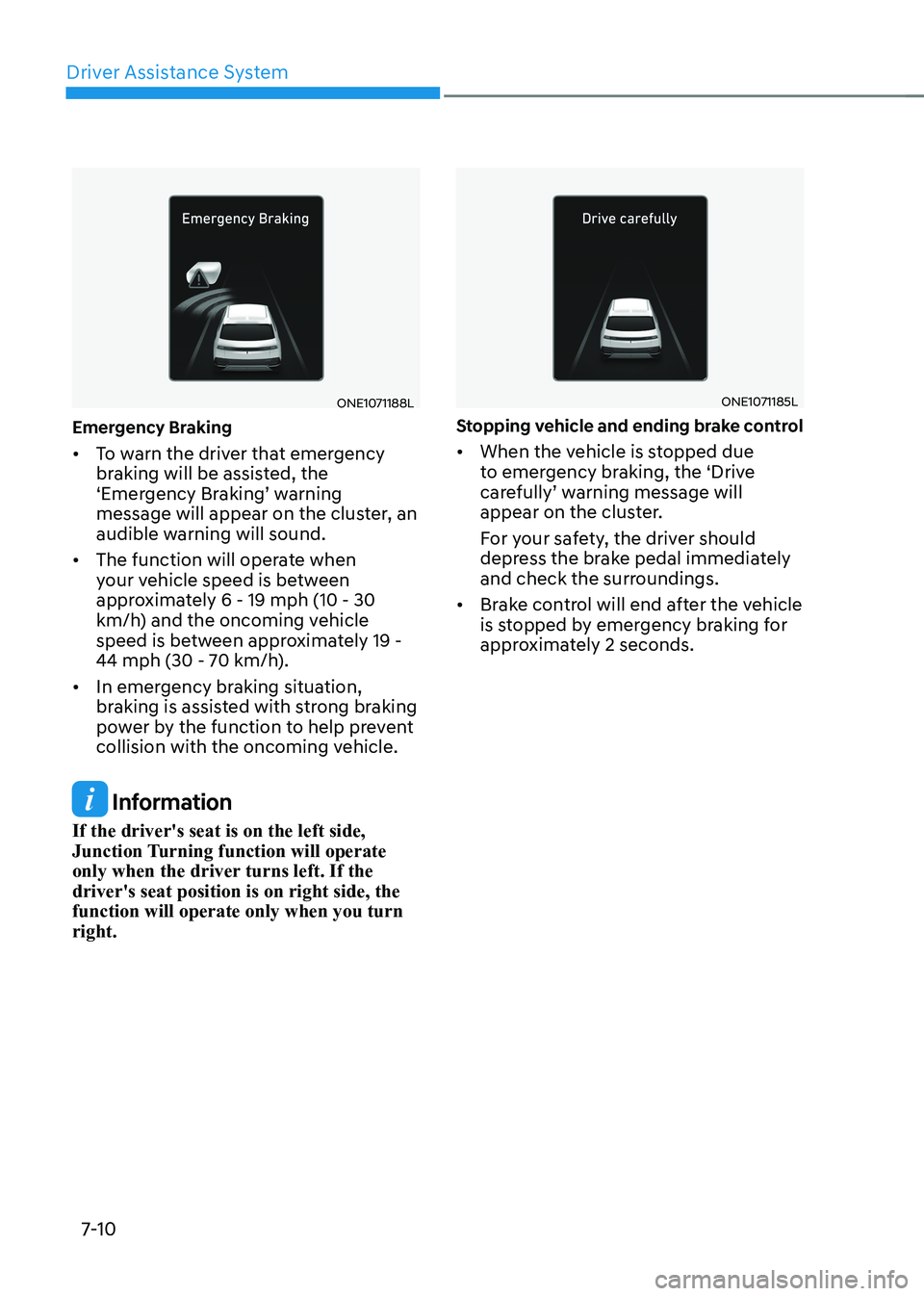
ONE1071188L
Emergency Braking • To warn the driver that emergency
braking will be assisted, the
‘Emergency Braking’ warning
message will appear on the cluster, an
audible warning will sound.
• The function will operate when
your vehicle speed is between
approximately 6 - 19 mph (10 - 30
km/h) and the oncoming vehicle
speed is between approximately 19 -
44 mph (30 - 70 km/h).
• In emergency braking situation,
braking is assisted with strong braking
power by the function to help prevent
collision with the oncoming vehicle.
Information
If the driver's seat is on the left side,
Junction Turning function will operate
only when the driver turns left. If the driver's seat position is on right side, the function will operate only when you turn right.
ONE1071185L
Stopping vehicle and ending brake control • When the vehicle is stopped due
to emergency braking, the ‘Drive
carefully’ warning message will
appear on the cluster.
For your safety, the driver should
depress the brake pedal immediately
and check the surroundings.
• Brake control will end after the vehicle
is stopped by emergency braking for
approximately 2 seconds.
Page 418 of 680
Driver Assistance System
7-16
WARNING
Take the following precautions when
using Forward Collision-Avoidance
Assist: • For your safety, change the Settings
after parking the vehicle at a safe
location.
• With ‘Active Assist’ or ‘Warning Only’
selected, when ESC is turned off by
pressing and holding the ESC OFF
button, Forward Collision-Avoidance
Assist will turn off automatically.
In this case, Forward Collision-
Avoidance Assist cannot be set
from the Settings menu and the
warning light will illuminate on the
cluster which is normal. If ESC is
turned on by pressing the ESC OFF
button, Forward Collision-Avoidance
Assist will maintain the last setting.
• Forward Collision-Avoidance Assist
does not operate in all situations or
cannot avoid all collisions.
• The driver should hold the
responsibility to control the vehicle.
Do not solely depend on Forward
Collision-Avoidance Assist. Rather,
maintain a safe braking distance, and
if necessary, depress the brake pedal
to reduce driving speed or to stop
the vehicle.
• Never deliberately operate Forward
Collision-Avoidance Assist on people,
objects, etc. It may cause serious
injury or death.
• Forward Collision-Avoidance
Assist may not operate if the driver
depresses the brake pedal to avoid
collision. •
Depending on the road and driving
conditions, Forward Collision-
Avoidance Assist may warn the driver
late or may not warn the driver.
• During Forward Collision-Avoidance
Assist operation, the vehicle may
stop suddenly injuring passengers
and shifting loose objects. Always
have the seat belt on and keep loose
objects secured.
• If any other system’s warning
message is displayed or audible
warning is generated, Forward
Collision-Avoidance Assist warning
message may not be displayed
and audible warning may not be
generated.
• You may not hear the warning sound
of Forward Collision-Avoidance
Assist if the surrounding is noisy.
• Forward Collision-Avoidance
Assist may turn off or may not
operate properly or may operate
unnecessarily depending on the road
conditions and the surroundings.
WARNING
• Even if there is a problem with
Forward Collision-Avoidance
Assist, the vehicle’s basic braking
performance will operate properly.
• During emergency braking, braking
control by Forward Collision-
Avoidance Assist will automatically
cancel when the driver excessively
depresses the accelerator pedal or
sharply steers the vehicle.
Page 419 of 680
07
7-17
CAUTION
• Depending on the condition of the
vehicle, pedestrian and cyclist in
front and the surroundings, the
speed range to operate Forward
Collision-Avoidance Assist may
reduce. Forward Collision-Avoidance
Assist may only warn the driver, or it
may not operate.
• Forward Collision-Avoidance Assist
will operate under certain conditions
by judging the risk level based on
the condition of the oncoming
vehicle, driving direction, speed and
surroundings.
• When a collision with a surrounding
vehicle is expected, Lane-Change
Oncoming, Lane-Change Side and
Evasive Steering Assist functions will
only warn the driver (if equipped).
Information
• In a situation where collision is imminent, braking may be assisted by
Forward Collision-Avoidance Assist when braking is insufficient by the
driver.
• The images and colors in the
instrument cluster may differ
depending on the cluster type or theme
selected from the instrument cluster.
Forward Collision-Avoidance
Assist Malfunction and
Limitations
Forward Collision-Avoidance Assist
malfunction
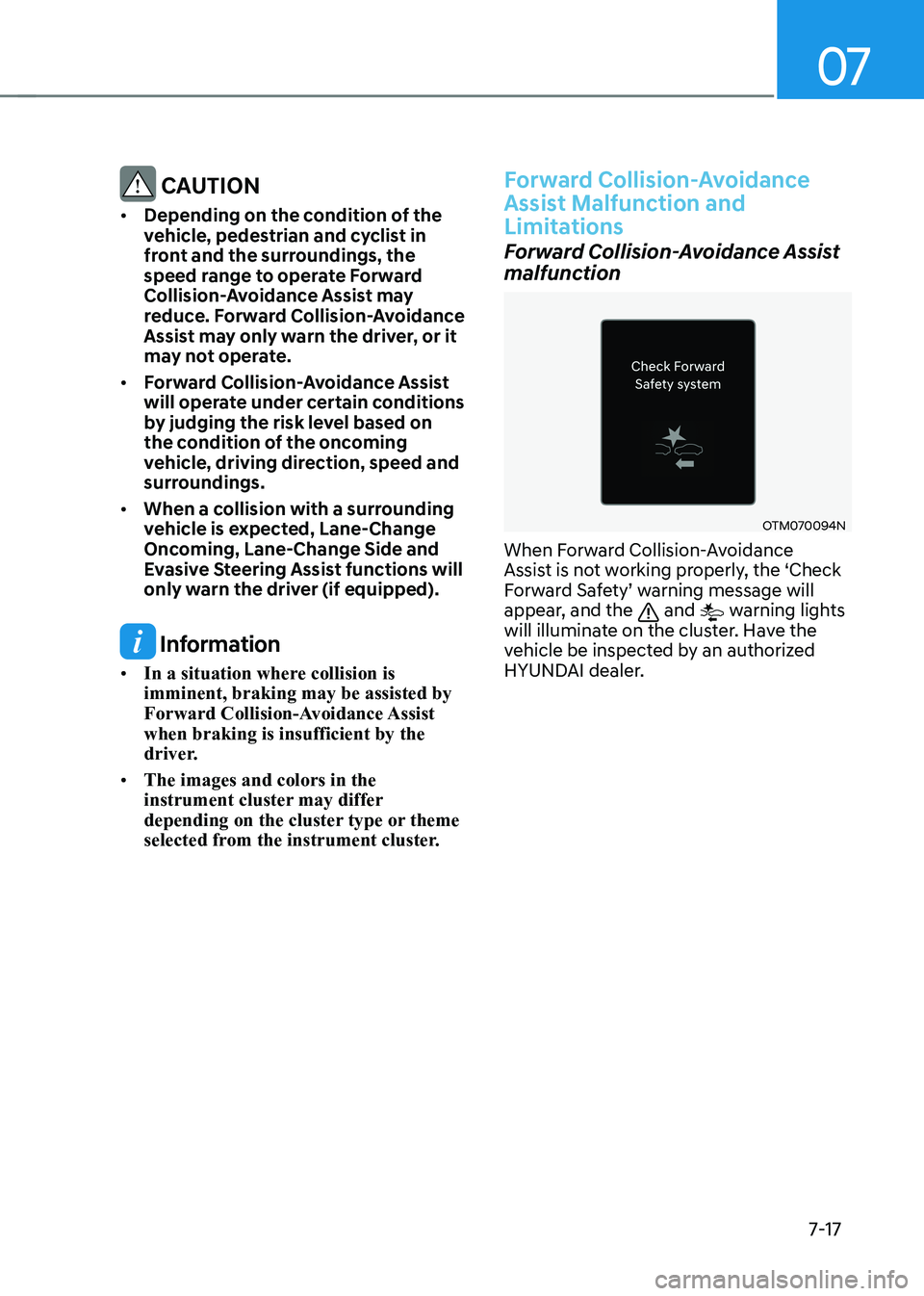
OTM070094N
When Forward Collision-Avoidance
Assist is not working properly, the ‘Check
Forward Safety’ warning message will
appear, and the
and warning lights
will illuminate on the cluster. Have the
vehicle be inspected by an authorized
HYUNDAI dealer.
Page 428 of 680

Driver Assistance System
7-26
Lane Keeping Assist is designed to help
detect lane markings (or road edges)
while driving over a certain speed. Lane
Keeping Assist will warn the driver if the
vehicle leaves the lane without using the
turn signal, or will automatically assist
the driver’s steering to help prevent the
vehicle from departing the lane.
Detecting sensor
ONE1071002K
[1] : Front view camera
The front view camera is used as a
detecting sensor to detect lane markings
(or road edges).
Refer to the picture above for the
detailed location of the detecting sensor.
CAUTION
For more details on the precautions
of the front view camera, refer to
“Forward Collision-Avoidance Assist
(FCA)” section in this chapter.
Lane Keeping Assist Settings
Setting features
ONE1071192L
Lane Safety
With the vehicle on, select or deselect
‘Driver Assistance → Lane Safety’ from
the Settings menu to set whether to use each function. - If ‘Assist’ is selected, Lane Keeping Assist will automatically assist the
driver’s steering when lane departure
is detected to help prevent the vehicle
from moving out of its lane.
- If 'Warning Only' is selected, Lane Keeping Assist will warn the driver
with an audible warning when lane
departure is detected. The driver must
steer the vehicle.
- If ‘Off’ is selected, Lane Keeping Assist will turn off. The
indicator light
will turn off on the cluster.
WARNING
• If 'Warning Only' is selected, steering
is not assisted.
• Lane Keeping Assist does not control
the steering wheel when the vehicle
is driven in the middle of the lane.
• The driver should always be aware
of the surroundings and steer the
vehicle if ‘Off’ is selected.
LANE KEEPING ASSIST (LKA)