2023 HYUNDAI I30 key
[x] Cancel search: keyPage 146 of 533

3-63
Convenient features of your vehicle
3
Press START button whilst turn-
ing wheel
(for smart key system)
This warning message is displayed if
the steering wheel does not unlock
normally when the Engine Start/Stop
button is pressed.
You should press the Engine Start/Stop
button whilst turning the steering wheel
right and left.
Steering wheel not locked
(for smart key system)
This warning message is displayed if
the steering wheel is not locked
whilst the Engine Start/Stop button
changes to the OFF position.
Check Steering Wheel Lock
System (for smart key system)
This warning message is displayed if
the steering wheel does not lock nor-
mally whilst the Engine Start/Stop but-
ton changes to the OFF position.
Press brake pedal to start engine
(for smart key system and auto-
matic transmission/dual clutch
transmission)
This warning message is displayed if
the Engine Start/Stop button changes
to the ACC position by pressing the
button repeatedly without depressing
the brake pedal.
You can start the vehicle by depressing
the brake pedal.
Press clutch pedal to start
engine (for smart key system
and manual transmission)
This warning message is displayed if
the Engine Start/Stop button is in the
ACC position by pressing the button
repeatedly without depressing the
clutch pedal.
Depress the clutch pedal to start the
engine.
Key not in vehicle
(for smart key system)
This warning message is displayed if
the smart key is not in the vehicle
when you press the Engine Start/Stop
button.
When attempting to start the vehicle
always have the smart key with you.
Key not detected
(for smart key system)
This warning message is displayed if
the smart key is not detected when you
press the Engine Start/Stop button.
Press START button with key
(for smart key system)
This warning message is displayed if
you press the Engine Start/Stop but-
ton whilst the warning message “Key
not detected” is displayed.
At this time, the immobiliser indicator
light blinks.
Page 147 of 533

3-64
Convenient features of your vehicle
Press START button again
(for smart key system)
This message is displayed if you
were unable to start the vehicle when
the Engine Start/Stop button was
pressed.
If this occurs, attempt to start the
engine by pressing the Engine
Start/Stop button again.
If the warning message appears
each time you press the Engine
Start/Stop button, we recommend
that you have your vehicle inspected
by an authorised HYUNDAI dealer.
Check BRAKE SWITCH fuse
(for smart key system and auto-
matic transmission/dual clutch
transmission)
This warning message is displayed if
the brake switch fuse is disconnected.
You need to replace the fuse with a
new one. If that is not possible, you
can start the engine by pressing the
Engine Start/Stop button for 10 sec-
onds in the ACC position.
Shift to P or N to start engine
(for smart key system and auto-
matic transmission/dual clutch
transmission)
This warning message is displayed if
you try to start the engine with the
shift lever not in the P (Park) or N
(Neutral) position.
Information
You can start the engine with the shift
lever in the N (Neutral) position. But,
for your safety, we recommend that
you start the engine with the shift
lever in the P (Park) position.
Door, Bonnet, Tailgate open
This warning is displayed indicating
which door, the bonnet, or the tail-
gate is open.
i
Before driving the vehicle, you
should confirm that the door/
bonnet/tailgate is fully closed.
Also, check there is no door/
bonnet/tailgate open warning
light or message displayed on
the instrument cluster.
CAUTION
OPD046115
Page 157 of 533

3-74
Convenient features of your vehicle
2. Door
- Disable: The auto door lock opera-
tion will be cancelled.
- Enable on Speed: All doors will be
automatically locked when the vehi-
cle speed exceeds 15km/h.
- Enable on Shift: All doors will be
automatically locked if the automat-
ic transmission/dual clutch trans-
mission shift lever is shifted from
the P (Park) position to the R
(Reverse), N (Neutral), or D (Drive)
position.
- Disable: The auto door unlock oper-
ation will be cancelled.
- Vehicle Off: All doors will be auto-
matically unlocked when the
Engine Start/Stop button is set to
the OFF position (if equipped with
smart key).- On Key Out: All doors will be auto-
matically unlocked when the igni-
tion key is removed from the igni-
tion switch (if equipped with remote
key).
- On Shift to P: All doors will be auto-
matically unlocked if the automatic
transmission/dual clutch transmis-
sion shift lever is shifted to the P
(Park) position.
- Driver Door Unlock: All doors will be
automatically unlocked when the
driver’s door is opened.
To activate or deactivate the horn
feedback.
If the horn feedback is activated,
after locking the door by pressing the
lock button on the remote key, and
pressing it again within 4 seconds,
the horn feedback sound will operate
once to indicate that all doors are
locked (if equipped with remote key).3. Lights
- Off: The one touch turn signal func-
tion will be deactivated.
- 3, 5, 7 Flashes: The turn signal indi-
cator will blink 3, 5, or 7 times when
the turn signal lever is moved slightly.
For more information, refer to
"Lighting" in this chapter.
To activate or deactivate the head-
lamp delay function.
For more information, refer to
"Lighting" in this chapter
To activate or deactivate the wel-
come light function.
For more information, refer to
"Lighting" in this chapter.
Page 162 of 533
3-79
Convenient features of your vehicle
3
Accumulated Info display
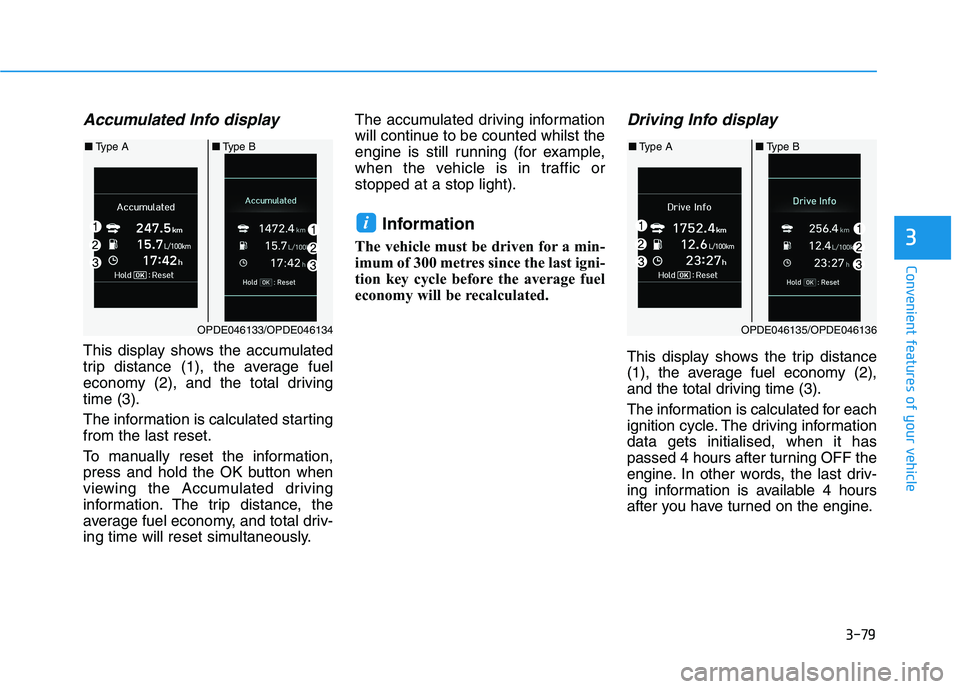
This display shows the accumulated
trip distance (1), the average fuel
economy (2), and the total driving
time (3).
The information is calculated starting
from the last reset.
To manually reset the information,
press and hold the OK button when
viewing the Accumulated driving
information. The trip distance, the
average fuel economy, and total driv-
ing time will reset simultaneously.The accumulated driving information
will continue to be counted whilst the
engine is still running (for example,
when the vehicle is in traffic or
stopped at a stop light).
Information
The vehicle must be driven for a min-
imum of 300 metres since the last igni-
tion key cycle before the average fuel
economy will be recalculated.
Driving Info display
This display shows the trip distance
(1), the average fuel economy (2),
and the total driving time (3).
The information is calculated for each
ignition cycle. The driving information
data gets initialised, when it has
passed 4 hours after turning OFF the
engine. In other words, the last driv-
ing information is available 4 hours
after you have turned on the engine.
i
OPDE046133/OPDE046134
■Type A■Type B
OPDE046135/OPDE046136
■Type A■Type B
Page 163 of 533
3-80
Convenient features of your vehicle
To manually reset the information,
press and hold the OK button when
viewing the Driving information. The
trip distance, the average fuel econo-
my, and total driving time will reset
simultaneously.
The driving information will continue
to be counted whilst the engine is still
running (for example, when the vehi-
cle is in traffic or stopped at a stop
light.)
Information
The vehicle must be driven for a min-
imum of 300 metres since the last igni-
tion key cycle before the average fuel
economy will be recalculated.
Digital Speedometer
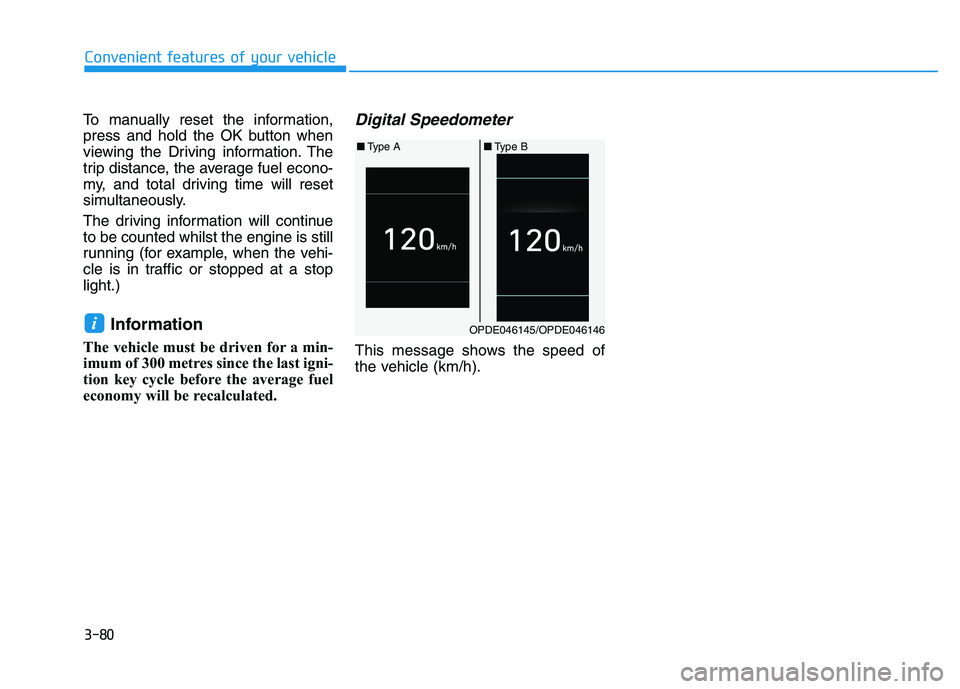
This message shows the speed of
the vehicle (km/h).
iOPDE046145/OPDE046146
■Type A■Type B
Page 168 of 533
3-85
Convenient features of your vehicle
3
Headlamp delay function
(if equipped)
If you place the ignition switch to the
ACC or OFF position with the head-
lamps ON, the headlamps (and/or
position lamps) remain on for about 5
minutes. However, with the engine off
if the driver’s door is opened and
closed, the headlamps (and/or posi-
tion lamps) are turned off after 15
seconds.
The headlamps (and/or position
lamps) can be turned off by pressing
the lock button on the remote key or
smart key twice or turning the light
switch to the OFF or AUTO position.
However, if you turn the light switch
to the AUTO position when it is dark
outside, the headlamps will not be
turned off.
You can activate or deactivate the
Headlamp Delay function from the
User Settings mode on the LCD dis-
play.For more details, refer to
"LCD Display" in this chapter.If the driver gets out of the vehicle
through other doors (except dri-
ver's door), the battery saver func-
tion does not operate and the
headlamp delay function does not
turn off automatically. Therefore, It
causes the battery to be dis-
charged. In this case, make sure to
turn off the lamp before getting out
of the vehicle.
Daytime running light (DRL)
(if equipped)
The Daytime Running Lights (DRL)
can make it easier for others to see
the front of your vehicle during the
day, especially after dawn and before
sunset.
The DRL system will turn the dedi-
cated lamp OFF when:
1. The headlamps are in the ON
position.
2. The position lamp switch is in the
ON position.
3. The engine is turned off.
NOTICE
Page 170 of 533
3-87
Convenient features of your vehicle
3
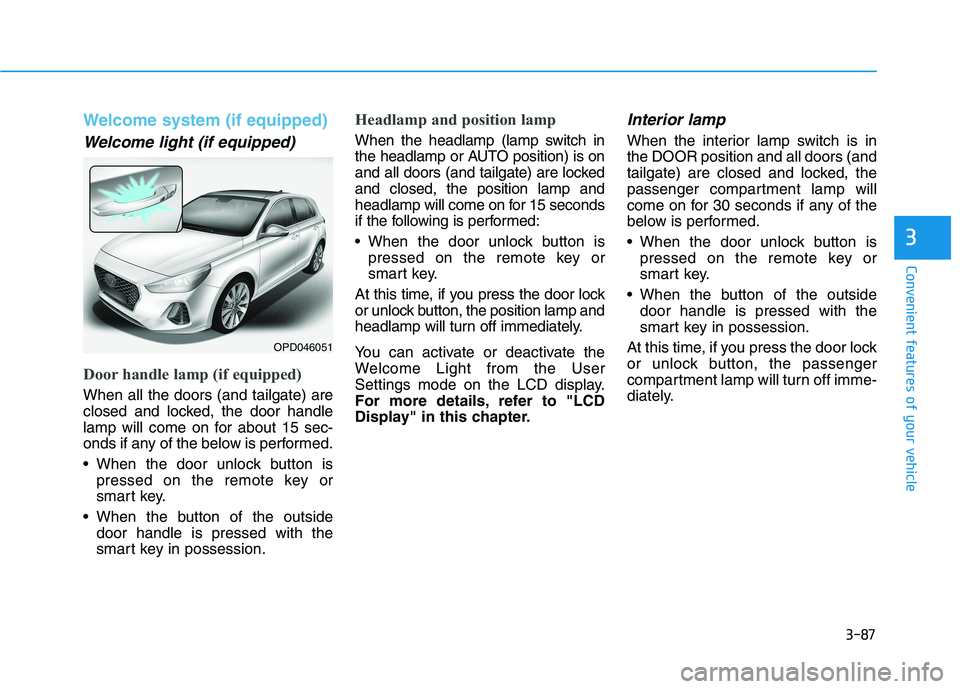
Welcome system (if equipped)
Welcome light (if equipped)
Door handle lamp (if equipped)
When all the doors (and tailgate) are
closed and locked, the door handle
lamp will come on for about 15 sec-
onds if any of the below is performed.
When the door unlock button is
pressed on the remote key or
smart key.
When the button of the outside
door handle is pressed with the
smart key in possession.
Headlamp and position lamp
When the headlamp (lamp switch in
the headlamp or AUTO position) is on
and all doors (and tailgate) are locked
and closed, the position lamp and
headlamp will come on for 15 seconds
if the following is performed:
When the door unlock button is
pressed on the remote key or
smart key.
At this time, if you press the door lock
or unlock button, the position lamp and
headlamp will turn off immediately.
You can activate or deactivate the
Welcome Light from the User
Settings mode on the LCD display.
For more details, refer to "LCD
Display" in this chapter.
Interior lamp
When the interior lamp switch is in
the DOOR position and all doors (and
tailgate) are closed and locked, the
passenger compartment lamp will
come on for 30 seconds if any of the
below is performed.
When the door unlock button is
pressed on the remote key or
smart key.
When the button of the outside
door handle is pressed with the
smart key in possession.
At this time, if you press the door lock
or unlock button, the passenger
compartment lamp will turn off imme-
diately.
OPD046051
Page 172 of 533
3-89
Convenient features of your vehicle
3
Front map lamp
Press either lens to turn the map
lamp on or off. This light produces a
spot beam for convenient use as a
map lamp at night or as a personal
lamp for the driver and the front pas-
senger.
Front passenger compartment lamp
Press the button to turn ON the
passenger compartment lamp for
the front/rear seats.
Press the button to turn OFF the
passenger compartment lamp for
the front/rear seats.
Front door lamp ( )
The front or rear passenger compart-
ment lamps come on when the front
or rear doors are opened, if the
engine is running or not.
When doors are unlocked by the
remote key or smart key, the front
and rear lamps come on for approxi-
mately 30 seconds as long as any
door is not opened. The front and
rear passenger compartment lamps
go out gradually after approximately
30 seconds if the door is closed.
However, if the ignition switch is in
the ON position or all doors are
locked, the front and rear lamps will
turn off. If a door is opened with the
ignition switch in the ACC position or
the OFF position, the front and rear
lamps stay on for about 20 minutes.