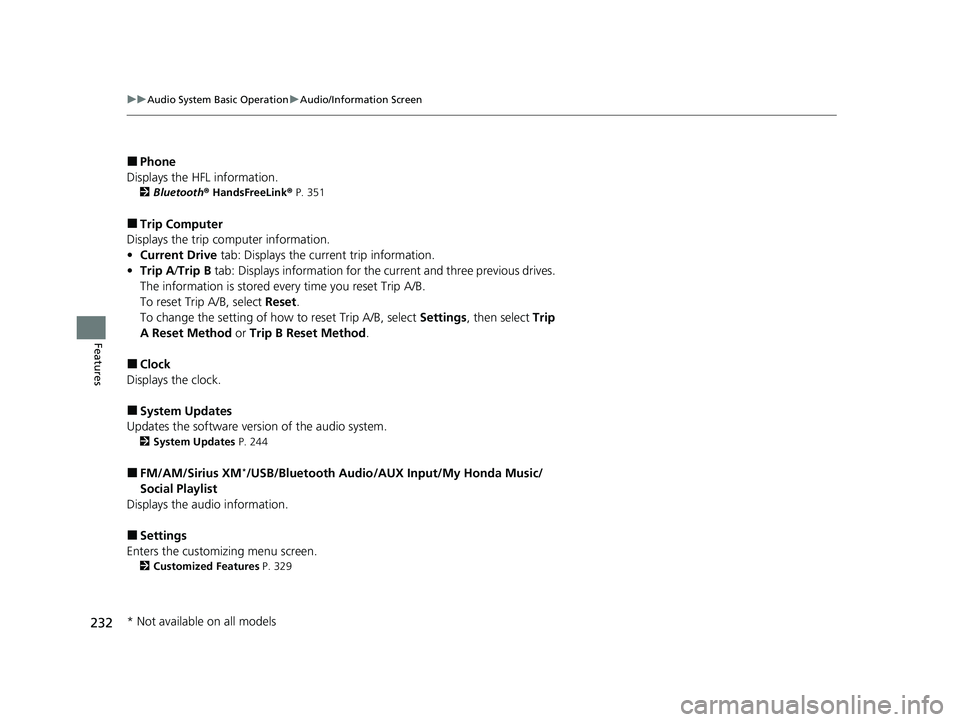
uuAudio System Basic Operation uAudio/Information Screen
234
Features
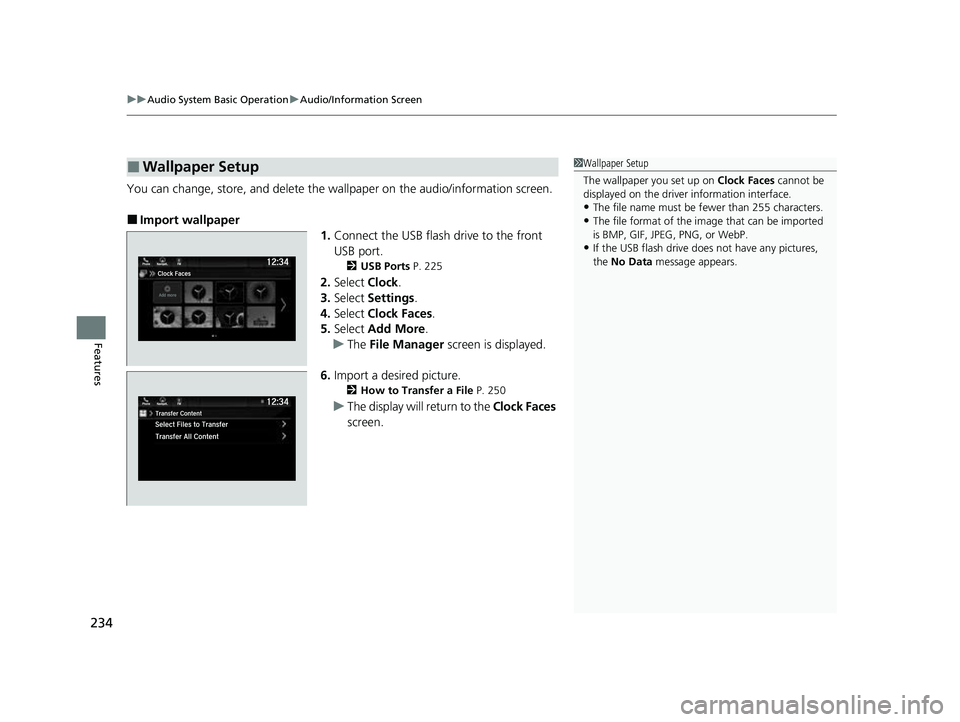
You can change, store, and delete the wa llpaper on the audio/information screen.
■Import wallpaper
1.Connect the USB flash drive to the front
USB port.
2 USB Ports P. 225
2.Select Clock.
3. Select Settings .
4. Select Clock Faces.
5. Select Add More .
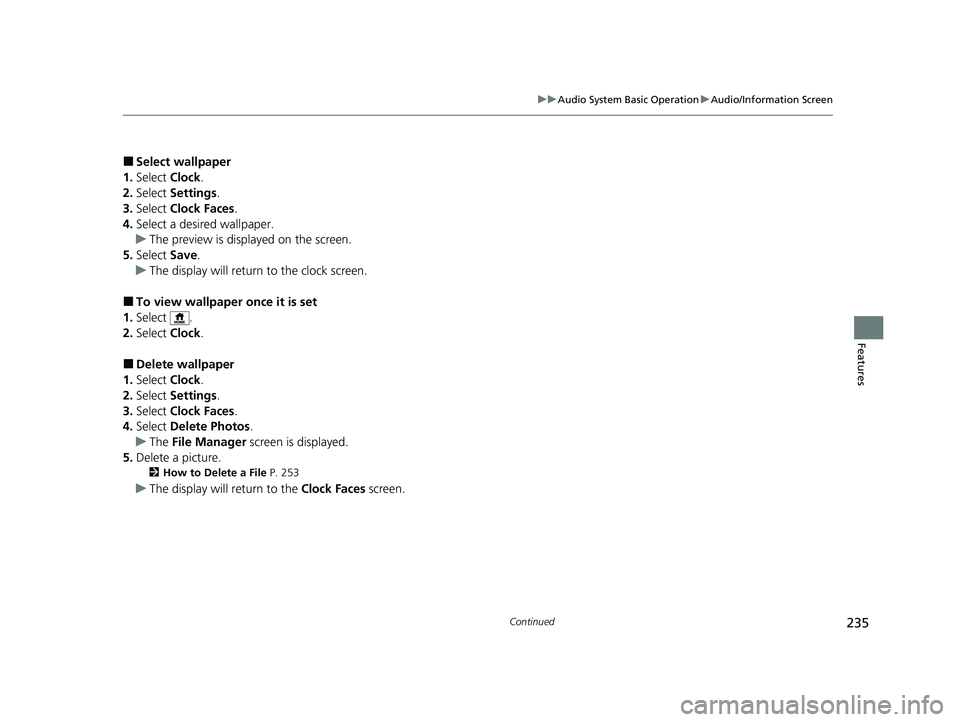
u The File Manager screen is displayed.
6. Import a desired picture.
2 How to Transfer a File P. 250
uThe display will return to the Clock Faces
screen.
■Wallpaper Setup1 Wallpaper Setup
The wallpaper you set up on Clock Faces cannot be
displayed on the driver information interface.
•The file name must be fewer than 255 characters.
•The file format of the im age that can be imported
is BMP, GIF, JPEG, PNG, or WebP.
•If the USB flash drive doe s not have any pictures,
the No Data message appears.
23 PASSPORT-31TGS6400.book 234 ページ 2022年8月5日 金曜日 午後9時2分
307
Features
General Information on the Audio System
SiriusXM® Radio Service*
1.You need your radio ID ready before regist ering for subscription. To see the ID in
the screen, select Channel to 0.
2. Have your radio ID ready, and either call or visit the SiriusXM® website to
subscribe.
Switch to the SiriusXM ® mode by using the audio remote controls on the steering
wheel, or through the audio/information sc reen, and stay in this mode for about 30
minutes until the service is activated. Make su re your vehicle is in an open area with
good reception.
Channel not subscribed. Call SiriusXM to subscribe.:
You are not subscribed to the channel selected.
Subscription Update:
SiriusXM ® radio is receiving informat ion update from the network.
Channel Not Available:
No such channel exits, or the artist or title information is unavailable.
No Signal:
The signal is too weak in the current location.
Check Tuner:
There is a problem with the SiriusXM ® tuner. Contact a dealer.
Check Antenna:
There is a problem with the SiriusXM ® antenna. Contact a dealer.
■Subscribing to SiriusXM® Radio
■Receiving SiriusXM ® Radio
■SiriusXM ® Radio Display Messages
1 Subscribing to SiriusXM ® Radio
Contact Information for SiriusXM ® Radio:
•US: SiriusXM ® Radio at
www.siriusxm.com/subscribenow , or
1-866-635-2349
•Canada: SiriusXM ® Canada at
www.siriusxm.ca/subscribe-now , or
1-877-209-0079
1 Receiving SiriusXM ® Radio
The SiriusXM ® satellites are in orbit over the equator;
therefore, objects south of the vehicle may cause
satellite rece ption interruptions. Sa tellite signals are
more likely to be blocked by tall buildings and
mountains the farther north you travel from the
equator.
You may experience rece ption problems under the
following circumstances:
•In a location with an obstruction to the south of
your vehicle.
•In tunnels•On the lower level of a multi-tiered road
•Large items carried on the roof rack
* Not available on all models
23 PASSPORT-31TGS6400.book 307 ページ 2022年8月5日 金曜日 午後9時2分
308
uuGeneral Information on the Audio System uCompatible iPod, iPad, iPhone, and USB Flash Drives
Features
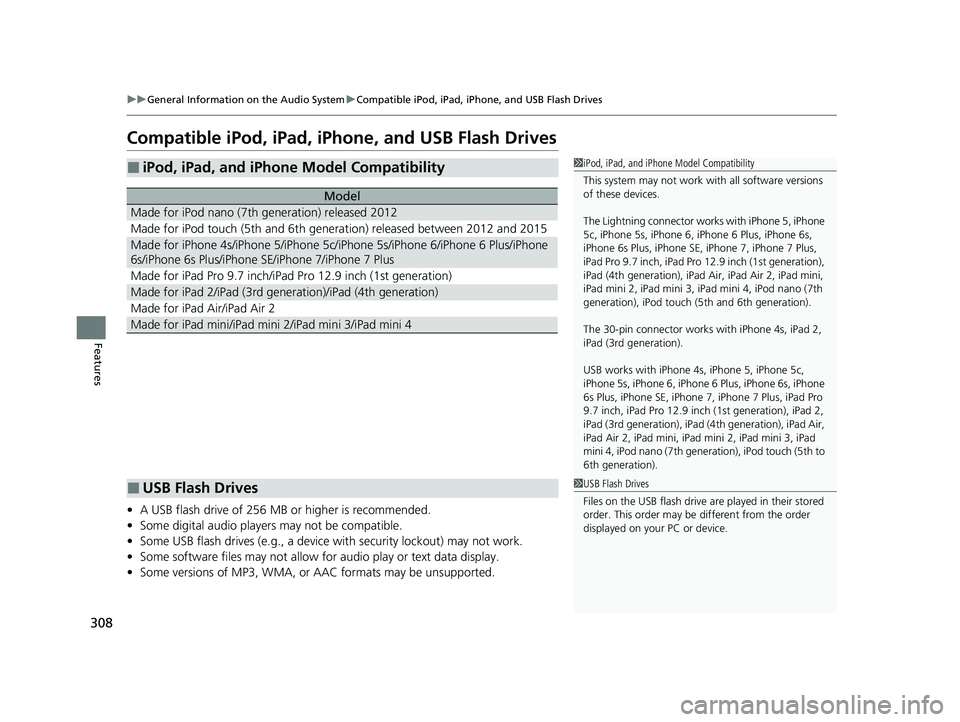
Compatible iPod, iPad, iPhone, and USB Flash Drives
• A USB flash drive of 256 MB or higher is recommended.
• Some digital audio players may not be compatible.
• Some USB flash drives (e.g., a device with security lockout) may not work.
• Some software files may not allow for audio play or text data display.
• Some versions of MP3, WMA, or AAC formats may be unsupported.
■iPod, iPad, and iPhone Model Compatibility
Model
Made for iPod nano (7th generation) released 2012
Made for iPod touch (5th and 6th generation) released between 2012 and 2015
Made for iPhone 4s/iPhone 5/iPhone 5c/iPhone 5s/iPhone 6/iPhone 6 Plus/iPhone
6s/iPhone 6s Plus/iPhone SE/iPhone 7/iPhone 7 Plus
Made for iPad Pro 9.7 inch/iPad Pro 12.9 inch (1st generation)
Made for iPad 2/iPad (3rd ge neration)/iPad (4th generation)
Made for iPad Air/iPad Air 2
Made for iPad mini/iPad mini 2/iPad mini 3/iPad mini 4
1iPod, iPad, and iPhone Model Compatibility
This system may not work with all software versions
of these devices.
The Lightning connector work s with iPhone 5, iPhone
5c, iPhone 5s, iPhone 6, iPhone 6 Plus, iPhone 6s,
iPhone 6s Plus, iPhone SE, iPhone 7, iPhone 7 Plus,
iPad Pro 9.7 inch, iPad Pro 12.9 inch (1st generation),
iPad (4th generation), iPad Ai r, iPad Air 2, iPad mini,
iPad mini 2, iPad mini 3, iPad mini 4, iPod nano (7th
generation), iPod touch (5 th and 6th generation).
The 30-pin connector works with iPhone 4s, iPad 2,
iPad (3rd generation).
USB works with iPhone 4s, iPhone 5, iPhone 5c,
iPhone 5s, iPhone 6, iPhone 6 Plus, iPhone 6s, iPhone
6s Plus, iPhone SE, iPhone 7, iPhone 7 Plus, iPad Pro
9.7 inch, iPad Pro 12.9 inch (1st generation), iPad 2,
iPad (3rd generation), iPad (4th generation), iPad Air,
iPad Air 2, iPad mini, iPad mini 2, iPad mini 3, iPad
mini 4, iPod nano (7th gene ration), iPod touch (5th to
6th generation).
■USB Flash Drives1 USB Flash Drives
Files on the USB flash drive are played in their stored
order. This order may be different from the order
displayed on your PC or device.
23 PASSPORT-31TGS6400.book 308 ページ 2022年8月5日 金曜日 午後9時2分