Page 518 of 707
uuHonda Sensing ®u Collision Mitigation Braking SystemTM (CMBSTM)
516
Driving
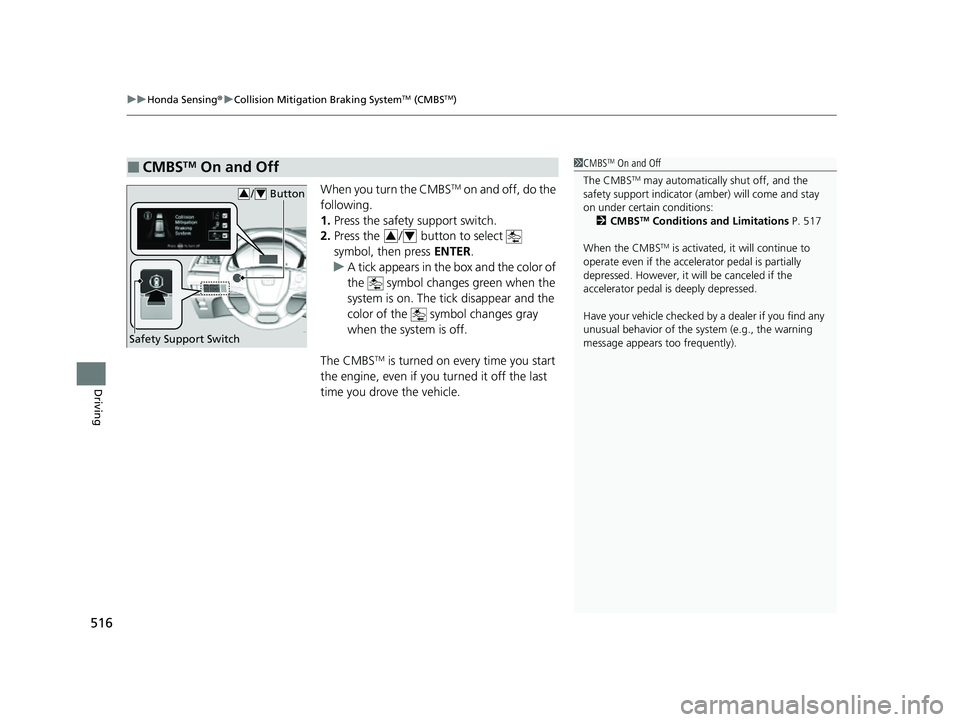
When you turn the CMBSTM on and off, do the
following.
1. Press the safety support switch.
2. Press the / button to select
symbol, then press ENTER.
u A tick appears in the box and the color of
the symbol change s green when the
system is on. The tick disappear and the
color of the symbol changes gray
when the system is off.
The CMBS
TM is turned on every time you start
the engine, even if you turned it off the last
time you drove the vehicle.
■CMBSTM On and Off1 CMBSTM On and Off
The CMBS
TM may automatically shut off, and the
safety support indicator (amb er) will come and stay
on under certain conditions: 2 CMBS
TM Conditions and Limitations P. 517
When the CMBS
TM is activated, it will continue to
operate even if the accele rator pedal is partially
depressed. However, it w ill be canceled if the
accelerator pedal is deeply depressed.
Have your vehicle checked by a dealer if you find any
unusual behavior of the system (e.g., the warning
message appears too frequently).
Safety Support Switch
/ Button34
34
23 US ODYSSEY-31THR6500.book 516 ページ 2022年1月24日 月曜日 午前11時35分
Page 535 of 707
Continued533
uuHonda Sensing ®u Adaptive Cruise Control (ACC) with Low Speed Follow
Driving
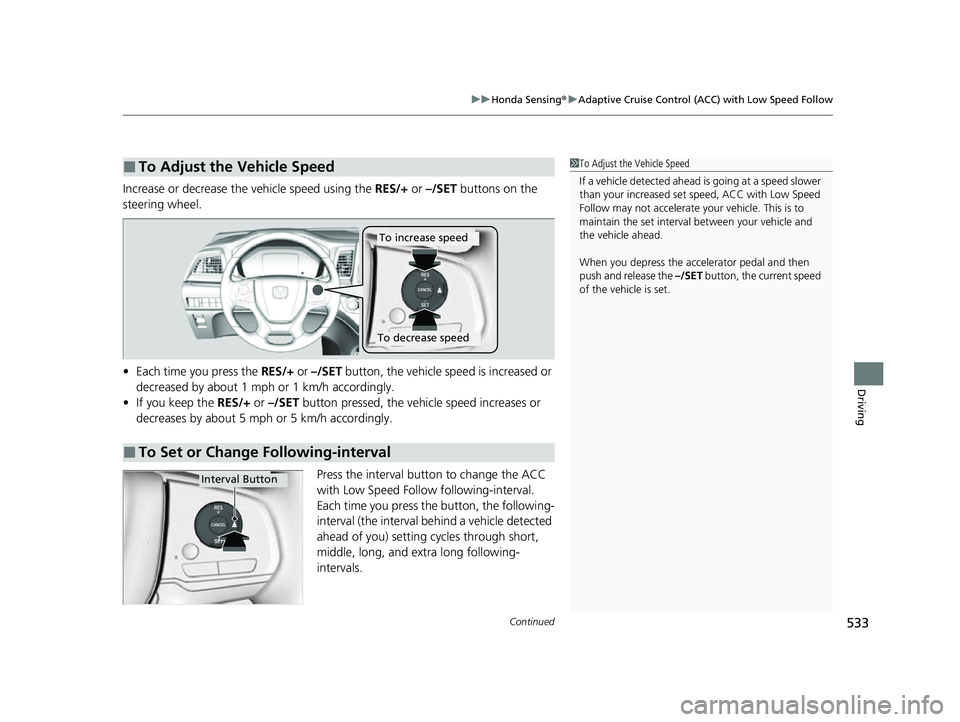
Increase or decrease the vehicle speed using the RES/+ or –/SET buttons on the
steering wheel.
• Each time you press the RES/+ or –/SET button, the vehicle speed is increased or
decreased by about 1 mph or 1 km/h accordingly.
• If you keep the RES/+ or –/SET button pressed, the vehi cle speed increases or
decreases by about 5 mph or 5 km/h accordingly.
Press the interval button to change the ACC
with Low Speed Follow following-interval.
Each time you press th e button, the following-
interval (the interval behind a vehicle detected
ahead of you) setting cycles through short,
middle, long, and extra long following-
intervals.
■To Adjust the Vehicle Speed1 To Adjust the Vehicle Speed
If a vehicle detected ahead is going at a speed slower
than your increased set speed, ACC with Low Speed
Follow may not accelerate y our vehicle. This is to
maintain the set interval between your vehicle and
the vehicle ahead.
When you depress the accelerator pedal and then
push and release the –/SET button, the current speed
of the vehicle is set.
■To Set or Change Following-interval
To increase speed
To decrease speed
Interval Button
23 US ODYSSEY-31THR6500.book 533 ページ 2022年1月24日 月曜日 午前11時35分
Page 540 of 707

uuHonda Sensing ®u Adaptive Cruise Control (ACC) with Low Speed Follow
538
Driving
Take your foot off the pedal and press the –/SET button when you reach the desired
speed.
The moment you release the –/SET button, the set speed is fixed, and cruise control
begins. The indicator (green) comes on.
When you use cruise control, Straight Driving Assist (a feature of the Electric Power
Steering system) is activated.
By enabling the steering system to automatically compensate for natural steering pull,
Straight Driving Assist makes it easier for you to keep your vehicle in a straight line.
Each time you press the RES/+ or –/SET button, the vehicle sp eed is increased or
decreased by about 1 mph (1 km/h).
If you keep the RES/+ or –/SET button pressed, the vehicle speed increases or
decreases until you release it. This speed is then set.
To cancel cruise control, do any of the following:
• Press the CANCEL button.
u The indicator (green) on the driver information interface change to the
indicator (white.)
• Press the button.
u indicator (green) goes off.
• Depress the brake pedal.
u The indicator (green) on the driver information interface change to the
indicator (white.)
■To Set the Vehicle Speed
■To Adjust the Vehicle Speed
■To Cancel1 To Cancel
Resuming the prior set speed:
After cruise control has be en canceled, you can still
resume the prior set speed by pressing the RES/+
button while driving at a speed of at least 25 mph (40
km/h) or more.
You cannot set or resume in the following situations:
•When vehicle speed is less than 25 mph (40 km/h)
•When the button is turned off.
At vehicle speeds of 22 m ph (35 km/h) or less, cruise
control canceled automatically.
23 US ODYSSEY-31THR6500.book 538 ページ 2022年1月24日 月曜日 午前11時35分
Page 544 of 707
542
uuHonda Sensing ®u Lane Keeping Assist System (LKAS)
Driving
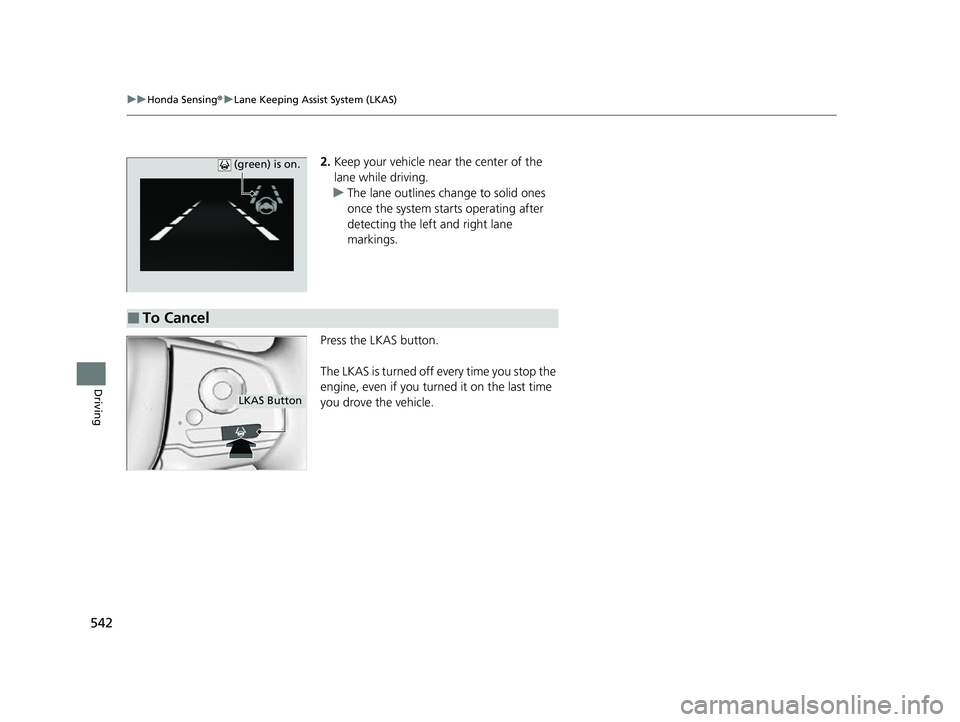
2. Keep your vehicle near the center of the
lane while driving.
u The lane outlines change to solid ones
once the system starts operating after
detecting the left and right lane
markings.
Press the LKAS button.
The LKAS is turned off every time you stop the
engine, even if you turned it on the last time
you drove the vehicle. (green) is on.
■To Cancel
LKAS Button
23 US ODYSSEY-31THR6500.book 542 ページ 2022年1月24日 月曜日 午前11時35分
Page 552 of 707
uuHonda Sensing ®u Road Departure Mitigation (RDM) System
550
Driving
When you turn the RDM on and off, do the
following.
1. Press the safety support switch.
2. Press the / button to select symbol,
then press ENTER.
u A tick appears in the box and the color of
the symbol changes green when the
system is on. The tick disappears and the
color of the symbol changes gray
when the system is off.
The RDM is in the previously selected on or off
setting each time you start the power system.
■RDM On and Off1 RDM On and Off
When you have selected Warning Only from the
customized options using the audio/information
screen, the system does not operate the steering
wheel and braking. 2 Customized Features P. 413
Safety Support Switch
/ Button34
34
23 US ODYSSEY-31THR6500.book 550 ページ 2022年1月24日 月曜日 午前11時35分
Page 583 of 707
581
uuMulti-View Rear Camera uAbout Your Multi-View Rear Camera
Driving
You can view three different camera modes on the rearview display.
Select the appropriate icon to switch the mode.
: Wide view mode
: Normal view mode
: Top down view mode
• If the last used viewing mode was Wide view mode or Normal view mode, the
same view mode will be activated the ne xt time you put the transmission into
(R.
• If Top down view mode was last used before you set the power mode to OFF,
Wide View mode is selected next time you set the power mode to ON and put the
transmission into
(R.
• If Top down view mode was last used more than 10 seconds after you put the
transmission out of
(R, Wide View mode is selected the next time you put the
transmission into
(R.
1 About Your Multi-View Rear Camera
You can change the Last Used , Normal View and
Wide View settings.
2 Customized Features P. 413
23 US ODYSSEY-31THR6500.book 581 ページ 2022年1月24日 月曜日 午前11時35分
Page 593 of 707
591
Maintenance
Maintenance MinderTM
If the engine oil life is less than 15%, you will see the Maintenance Minder messages
appear on the driver information interfac e every time you set the power mode to
ON. The messages notify you when to change the engine oil, or when to bring your
vehicle to a dealer for indicated maintenance services.
23 US ODYSSEY-31THR6500.book 591 ページ 2022年1月24日 月曜日 午前11時35分
Page 660 of 707
658
uuEngine Does Not Start uEmergency Engine Stop
Handling the Unexpected
Emergency Engine Stop
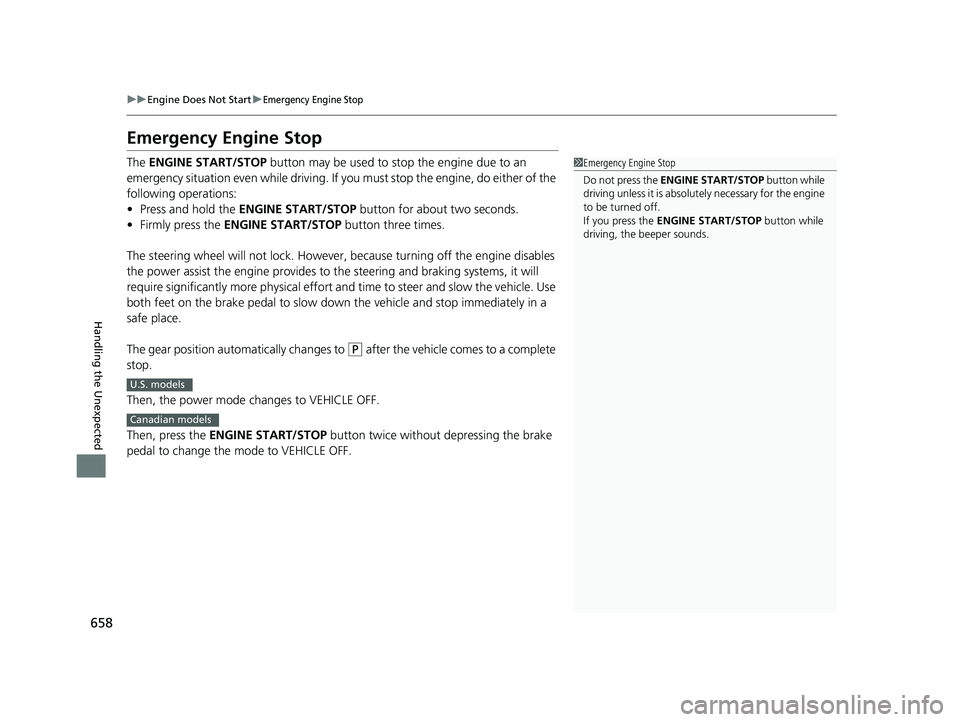
The ENGINE START/STOP button may be used to stop the engine due to an
emergency situation even while driving. If you must stop the engine, do either of the
following operations:
• Press and hold the ENGINE START/STOP button for about two seconds.
• Firmly press the ENGINE START/STOP button three times.
The steering wheel will not lock. However, because turning off the engine disables
the power assist the engine provides to the steering and braking systems, it will
require significantly more physical effort an d time to steer and slow the vehicle. Use
both feet on the brake pedal to slow down the vehicle and stop immediately in a
safe place.
The gear position automatically changes to
(P after the vehicle comes to a complete
stop.
Then, the power mode changes to VEHICLE OFF.
Then, press the ENGINE START/STOP button twice without depressing the brake
pedal to change the mode to VEHICLE OFF.
1 Emergency Engine Stop
Do not press the ENGINE START/STOP button while
driving unless it is absolute ly necessary for the engine
to be turned off.
If you press the ENGINE START/STOP button while
driving, the beeper sounds.
U.S. models
Canadian models
23 US ODYSSEY-31THR6500.book 658 ページ 2022年1月24日 月曜日 午前11時35分