Page 549 of 719
uuHonda Sensing ®u Traffic Jam Assist
548
Driving
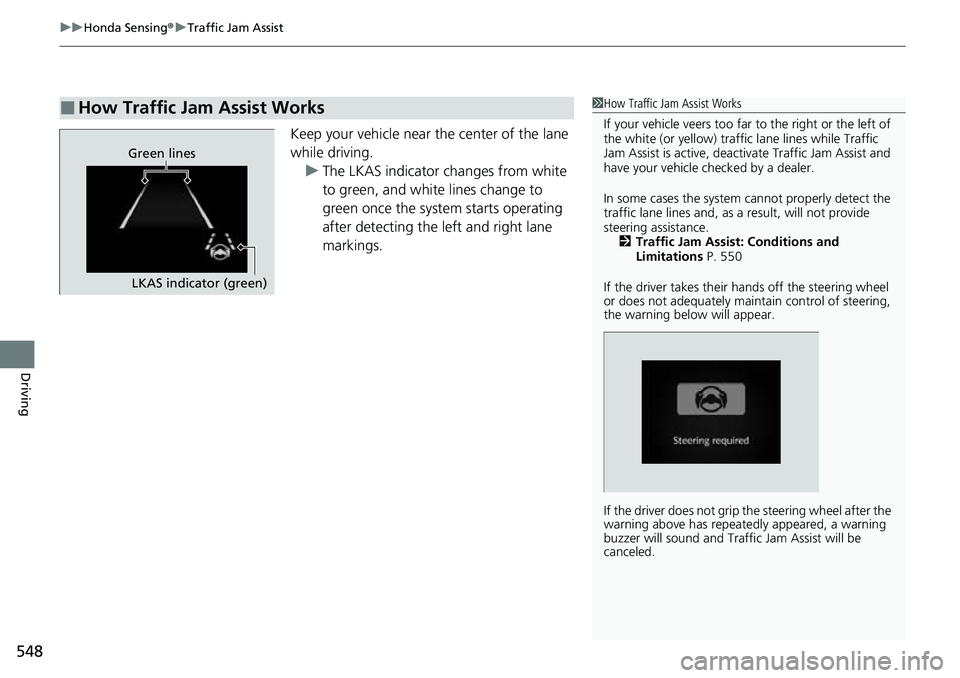
Keep your vehicle near the center of the lane
while driving.
u The LKAS indicator changes from white
to green, and white lines change to
green once the system starts operating
after detecting the left and right lane
markings.
■How Traffic Jam Assist Works1How Traffic Jam Assist Works
If your vehicle veers too far to the right or the left of
the white (or yellow) traffic lane lines while Traffic
Jam Assist is active, deactivate Traffic Jam Assist and
have your vehicle ch ecked by a dealer.
In some cases the system cannot properly detect the
traffic lane lines and, as a result, will not provide
steering assistance. 2 Traffic Jam Assist: Conditions and
Limitations P. 550
If the driver takes their hands off the steering wheel
or does not adequately main tain control of steering,
the warning below will appear.
If the driver does not grip the steering wheel after the
warning above has repeatedly appeared, a warning
buzzer will sound and Traffi c Jam Assist will be
canceled.
Green lines
LKAS indicator (green)
Page 550 of 719
Continued549
uuHonda Sensing ®u Traffic Jam Assist
Driving
Press the LKAS button to ca ncel Traffic Jam Assist.
■Traffic Jam Assist may be au tomatically suspended when:
The system is automatically temporarily canceled under the fo llowing circumstances.
• The system fails to detect lane lines.
• The steering wheel is turned sharply.
• You fail to steer the vehicle.
• You are driving through a sharp curve.
• The brake pedal is depressed.
Once these conditions no longer exist, Traffic Jam Assist automatically resumes.
■Traffic Jam Assist may be au tomatically canceled when:
The traffic lane lines will disappear from the screen, the beeper may sound, and
Traffic Jam Assist will be canceled under the following circumstances:
• The temperature of the camera is too high.
• The camera behind the rearview mirror, or the area around the camera, including
the windshield, is dirty.
*1 : Models with 7-in. Color Touchscreen
*2 : Models with 9-in. Color Touchscreen
■Canceling Traffic Jam Assist
1Traffic Jam Assist may be au tomatically suspended when:
You are traveling over 45 mph (72 km/h).
u When the speed of the vehicle reaches 45 mph
(72 km/h), Traffic Jam Assist is deactivated. Once
the speed of the vehicle drops to under 40 mph
(64 km/h), Traffic Jam As sist is reactivated.
You can change the setting for the Traffic Jam Assist.
Traffic Jam Assist suspende d beep on and off can be
changed when you select the Lane keeping assist
suspend beep
*1/Lane Keeping Assist Suspend
Beep*2 on the driver information interface* or audio/
information screen*.
2 Settings* P. 135
2 Customized Features P. 376
* Not available on all models
Page 556 of 719
Continued555
uuHonda Sensing ®u Road Departure Mitigation System
Driving
The system cancels assisting operations wh en you turn the steering wheel to avoid
crossing over detected lane markings or approaching the outer edge of the
pavement (into grass or gravel border) or an oncoming vehicle.
If the system operates several times with out detecting driver response, the system
beeps to alert you.1 Road Departure Mitigation System
There are times when you may not notice the Road
Departure Mitigation system functions due to your
operation of the vehicle, or road surface conditions.
You can change the settin gs for the Road Departure
Mitigation system.
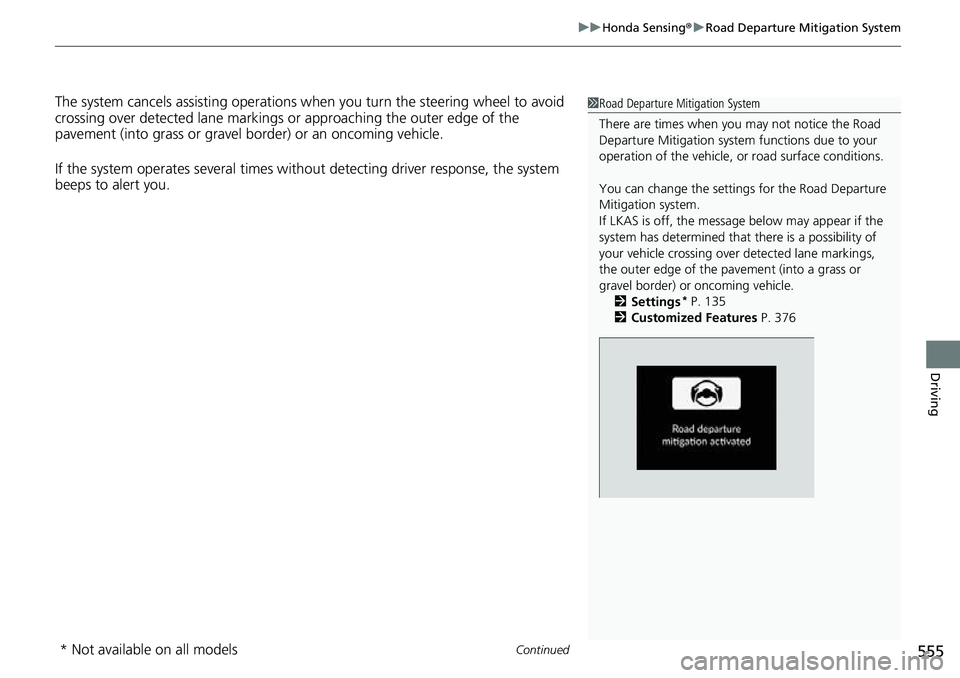
If LKAS is off, the message below may appear if the
system has determined that there is a possibility of
your vehicle crossing over detected lane markings,
the outer edge of the pa vement (into a grass or
gravel border) or oncoming vehicle.
2 Settings
* P. 135
2 Customized Features P. 376
* Not available on all models
Page 565 of 719

uuHonda Sensing ®u Traffic Sign Recognition System
564
Driving
The Traffic Sign Recognition system may incorrectly recognize, be slow to identify,
or fail to recognize the traffi c sign in the following cases.
■Environmental conditions
• Driving into low sunlight (e.g., at dawn or dusk).
• Strong light is reflected onto the roadway.
• Driving at night, in dark areas such as long tunnels.
• Driving in bad weather (rain, fog, snow, etc.).
• Sudden changes between light and dark, such as the entrance or exit of a tunnel
or the shadows of trees, buildings, etc.
• Water is sprayed by or snow blown from a vehicle ahead.
■Roadway conditions
• Your vehicle is strongly shaken on uneven road surfaces.
■Vehicle conditions
• When lighting is weak due to dirt covering the headlight lenses, or there is poor
visibility in a dark place due to th e headlights being improperly adjusted.
• The front of the camera is covered by dirt, fog, rain, mud, wet snow, seals,
accessories, stickers, or film on the windshield.
• There is residue on the windshie ld from the windshield wipers.
• An abnormal tire or wheel condition (incorre ct sizes, varied sizes or construction,
improperly inflated, etc.).
• The vehicle is tilted due to heavy lo ad in the cargo area or rear seats.
• The suspension has been modified.
• Tire chains are installed.
• Driving at night or in a dark place (e .g., a tunnel) with the headlights off.
• The vehicle is towing a trailer.
■Traffic Sign Recognition System Conditions and Limitations1Traffic Sign Recognition System Conditions and Limitations
When the traffic sign recognition system
malfunctions, appears on the gauge. If this
message does not disappear, have your vehicle
checked by a dealer.
Page 595 of 719

uuMulti-View Rear Camera uAbout Your Multi-View Rear Camera
594
Driving
You can view three different camera modes on the audio/information screen.
Touch the appropriate icon to switch the mode.
• If you were last using Wide view mode or Normal view mode, the same view
mode will be activated the next time you put the transmission into
(R.
• If you were using Top down view mode be fore you turned the power system off,
Wide view mode will be activated the ne xt time you set the power mode to ON
and put the transmission into
(R.
• If you were using Top down view mode and 10 seconds elapsed after you took
the transmission out of
(R, Wide view mode will be activated the next time you
put the transmission into
(R.
• If you were using Top down view mode and put the transmission back into
(R
within 10 seconds after you took it out of
(R, Top down view mode will be
activated.
1 About Your Multi-View Rear Camera
You can change the Fixed Guideline and Dynamic
Guideline settings. 2 Customized Features P. 368, 376
Fixed Guideline
ON: Guidelines appear when you put the
transmission into
( R.
OFF: Guidelines do not appear.
Dynamic Guideline
ON: Guidelines move according to the steering
wheel direction.
OFF: Guidelines do not move.
Bumper
Wide view mode
Normal view mode Top down view mode
Bumper
Bumper
Page 671 of 719

670
uuPower System Won’t StartuEmergency Power System Off
Handling the Unexpected
Emergency Power System Off
The POWER button may be used to turn the pow er system off due to an emergency
situation even while driving. If you must turn the power system off, do either of the
following operations:
• Press and hold the POWER button for about two seconds.
• Firmly press the POWER button three times.
The steering wheel will not lock. However, because turning off the power system
disables the power assist the power syst em provides to the steering and braking
systems, it will require significantly more physical effort and time to steer and slow
the vehicle. Use both feet on the brake pe dal to slow down the vehicle and stop
immediately in a safe place.
The power mode is in ACCESSORY wh en the power system is stopped.
To change the mode to VEHICLE OFF, put the transmission into
(P after the vehicle
comes to a complete stop.
1 Emergency Power System Off
Do not press the POWER button while driving unless
it is absolutely necessary for the power system to be
turned off.
If you press the POWER button while driving, the
beeper sounds.
Page 696 of 719
695
uuSpecifications u
Information
■
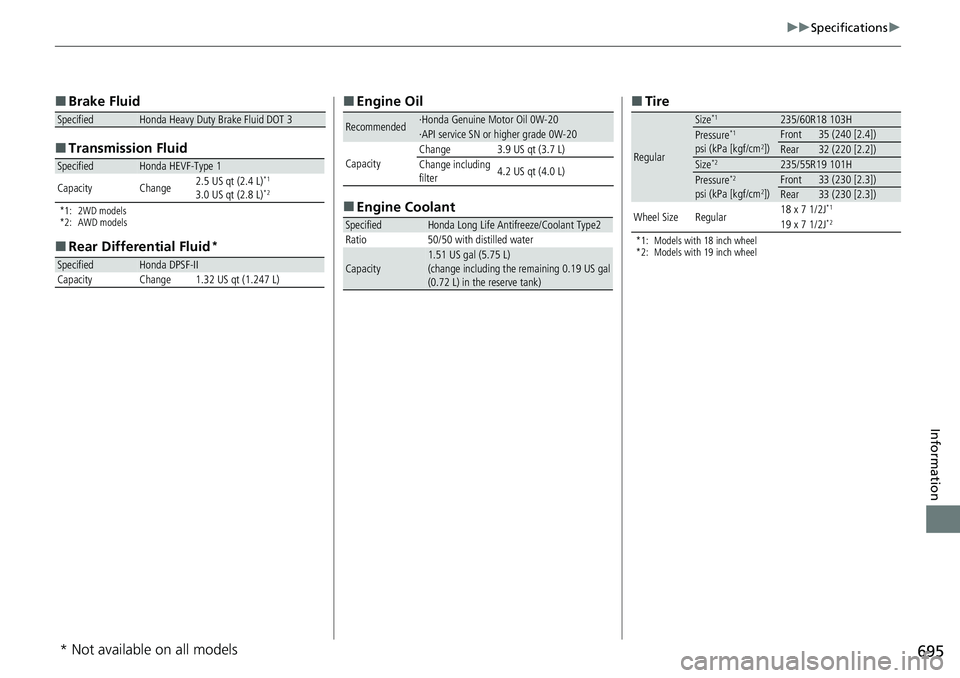
Brake Fluid
■ Transmissi on Fluid
*1: 2WD models
*2: AWD models
■
Rear Differential Fluid*
SpecifiedHonda Heavy Duty Brake Fluid DOT 3
SpecifiedHonda HEVF-Type 1
Capacity Change 2.5 US qt (2.4 L)*1
3.0 US qt (2.8 L)*2
SpecifiedHonda DPSF-II
Capacity Change 1.32 US qt (1.247 L)
■ Engine Oil
■ Engine Coolant
Recommended·Honda Genuine Motor Oil 0W-20·API service SN or higher grade 0W-20
CapacityChange3.9 US qt (3.7 L)
Change including
filter 4.2 US qt (4.0 L)
SpecifiedHonda Long Life Antifreeze/Coolant Type2
Ratio 50/50 with distilled water
Capacity1.51 US gal (5.75 L)
(change including the remaining 0.19 US gal
(0.72 L) in the reserve tank)
■ Tire
*1: Models with 18 inch wheel
*2: Models with 19 inch wheel
Regular
Size*1235/60R18 103HPressure*1
psi (kPa [kgf/cm2])Front35 (240 [2.4])Rear32 (220 [2.2])Size*2235/55R19 101HPressure*2
psi (kPa [kgf/cm2])Front33 (230 [2.3])Rear33 (230 [2.3])
Wheel SizeRegular18 x 7 1/2J*1
19 x 7 1/2J*2
* Not available on all models