Page 37 of 840
35
Quick Reference Guide
Adaptive Cruise Control
(ACC) with Low Speed
Follow
* (P578)
Helps maintain a constant vehicle speed and
a set following-interval behind a vehicle
detected ahead of yours and, if the detected
vehicle comes to a stop, can decelerate and
stop your vehicle, without you having to
keep your foot on the brake or the
accelerator.
Adaptive Cruise Control
(ACC)
* (P598)
Helps maintain a constant vehicle speed and
a set following-interval behind a vehicle
detected ahead of yours, without you
having to keep your foot on the brake or
the accelerator.
Lane Keeping Assist
System (LKAS)
(P618)
Provides steering input to help keep the
vehicle in the middle of a detected lane and
provides tactile and visual alerts if the
vehicle is detected drifting out of its lane.
Traffic Jam Assist* (P630)
The Traffic Jam Assist system uses a camera
mounted to the upper portion of the
windshield to detect and monitor left and
right white (or yellow) traffic lane lines.
Based on inputs from the camera, the
system can apply steering torque to keep
your vehicle in the center of the detected
lane.
Road Departure
Mitigation System
(P 639)
Alerts and helps assist you when the system
detects a possibility of your vehicle crossing
over detected lane markings, or
approaching the outer edge of the
pavement (into grass or gravel border) or a
detected oncoming vehicle.
Traffic Sign Recognition
System
(P647)
Reminds you of road sign information, such
as the current speed limit your vehicle has
just passed through, showing it on the
gauge.
* Not available on all models
23 CIVIC HATCHBACK TYPE R-31T406100_03.book 35 ページ 2022年6月23日 木曜日 午後9時28分
Page 117 of 840
115
uuIndicators u
Continued
Instrument Panel
IndicatorNameOn/BlinkingExplanation
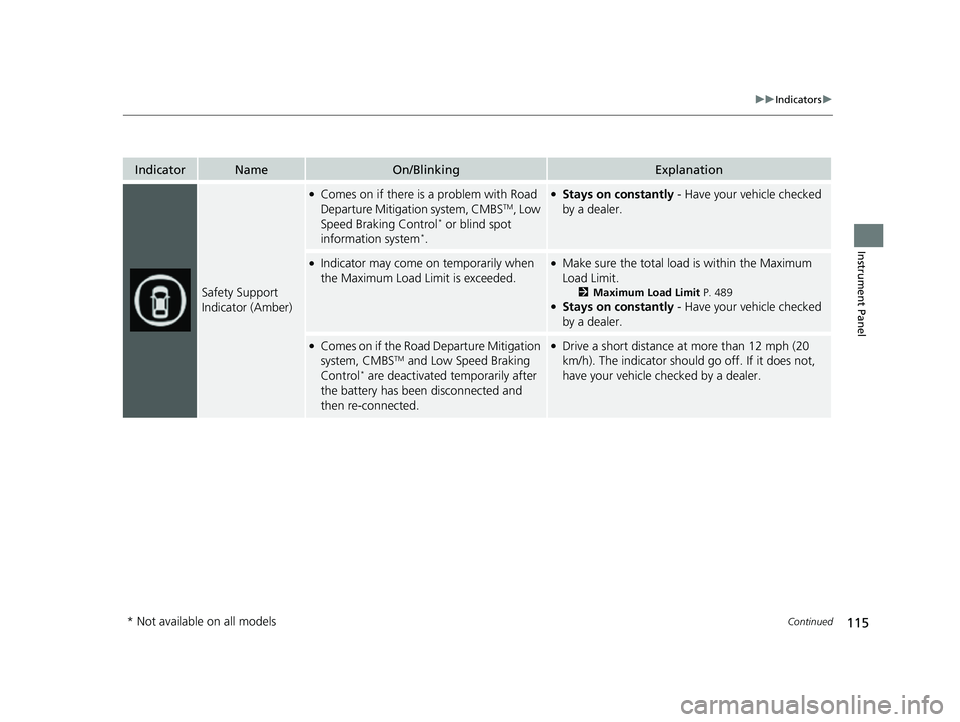
Safety Support
Indicator (Amber)
●Comes on if there is a problem with Road
Departure Mitigati on system, CMBSTM, Low
Speed Braking Control* or blind spot
information system*.
●Stays on constantly - Have your vehicle checked
by a dealer.
●Indicator may come on temporarily when
the Maximum Load Limit is exceeded.●Make sure the total load is within the Maximum
Load Limit.
2 Maximum Load Limit P. 489●Stays on constantly - Have your vehicle checked
by a dealer.
●Comes on if the Road Departure Mitigation
system, CMBSTM and Low Speed Braking
Control* are deactivated temporarily after
the battery has been disconnected and
then re-connected.
●Drive a short distance at more than 12 mph (20
km/h). The indicator should go off. If it does not,
have your vehicle checked by a dealer.
* Not available on all models
23 CIVIC HATCHBACK TYPE R-31T406100_03.book 115 ページ 2022年6月23日 木曜日 午後9時28分
Page 118 of 840
116
uuIndicators u
Instrument Panel
IndicatorNameOn/BlinkingExplanation
Safety Support
Indicator (Amber)
●Comes on when the Road Departure
Mitigation system and/or CMBSTM shuts
itself off.
●Stays on - The temperature inside the camera is
too high.
Use the climate control sy stem to cool down the
camera.
The system activates when the temperature inside
the camera cools down.
2 Front Wide View Camera P. 653
●Stays on - The area around the camera is blocked
by dirt, mud, etc. Stop your vehicle in a safe place
and wipe the debris off with a soft cloth.
●Have your vehicle checked by a dealer if the
indicator and message are still displayed even after
you have cleaned the area around the camera.
2 Front Wide View Camera P. 653●It may come on when the ambient conditions are
dark, such as when driving in a tunnel, or at night,
dawn, or dusk.
23 CIVIC HATCHBACK TYPE R-31T406100_03.book 116 ページ 2022年6月23日 木曜日 午後9時28分
Page 119 of 840
117
uuIndicators u
Instrument Panel
IndicatorNameOn/BlinkingExplanation
Safety Support
Indicator (Amber)
●Comes on when mud, snow, or ice
accumulates in the vicinity of the sonar
sensor.
●Remove the obstacle in the vicinity of the sonar
sensor.
2Low Speed Braking Control* P. 567, 573
●Comes on when mud, snow, or ice
accumulates in the vicinity of the blind spot
information system sensor.
●Comes on when the temperature of the
blind spot information system sensor is
high.
●Comes on while driving - Something may be
interfering with th e blind spot information system
sensor. Check the vicinity of the blind spot
information system sensor and remove any
obstacles.
●The system will return to normal when the
temperature cools down.
2 Blind Spot Information System* P. 547
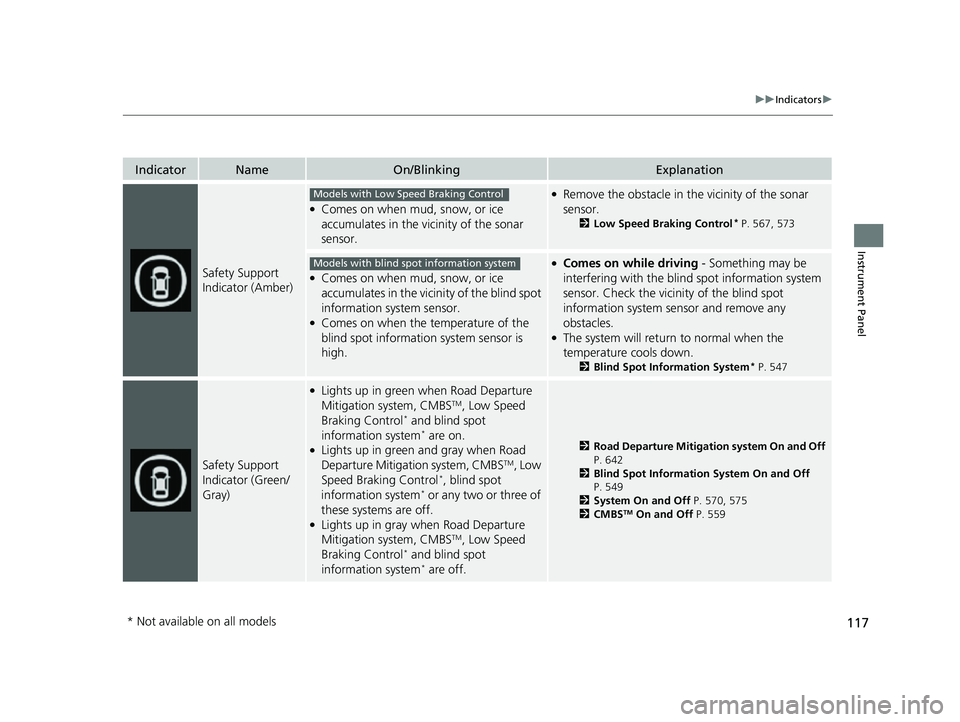
Safety Support
Indicator (Green/
Gray)
●Lights up in green when Road Departure
Mitigation system, CMBSTM, Low Speed
Braking Control* and blind spot
information system* are on.●Lights up in green and gray when Road
Departure Mitigation system, CMBSTM, Low
Speed Braking Control*, blind spot
information system* or any two or three of
these systems are off.
●Lights up in gray when Road Departure
Mitigation system, CMBSTM, Low Speed
Braking Control* and blind spot
information system* are off.
2 Road Departure Mitigation system On and Off
P. 642
2 Blind Spot Information System On and Off
P. 549
2 System On and Off P. 570, 575
2 CMBS
TM On and Off P. 559
Models with Low Speed Braking Control
Models with blind spot information system
* Not available on all models
23 CIVIC HATCHBACK TYPE R-31T406100_03.book 117 ページ 2022年6月23日 木曜日 午後9時28分
Page 136 of 840
uuGauges and Driver Information Interface uDriver Information Interface (A-type Meter)
134
Instrument Panel
Occurs, under specified conditions, when seat belts are latched or unlatched.
2Seat Belt Reminder P. 50
Shows the remaining oil life and Maintenance MinderTM.
2Maintenance MinderTM P. 695
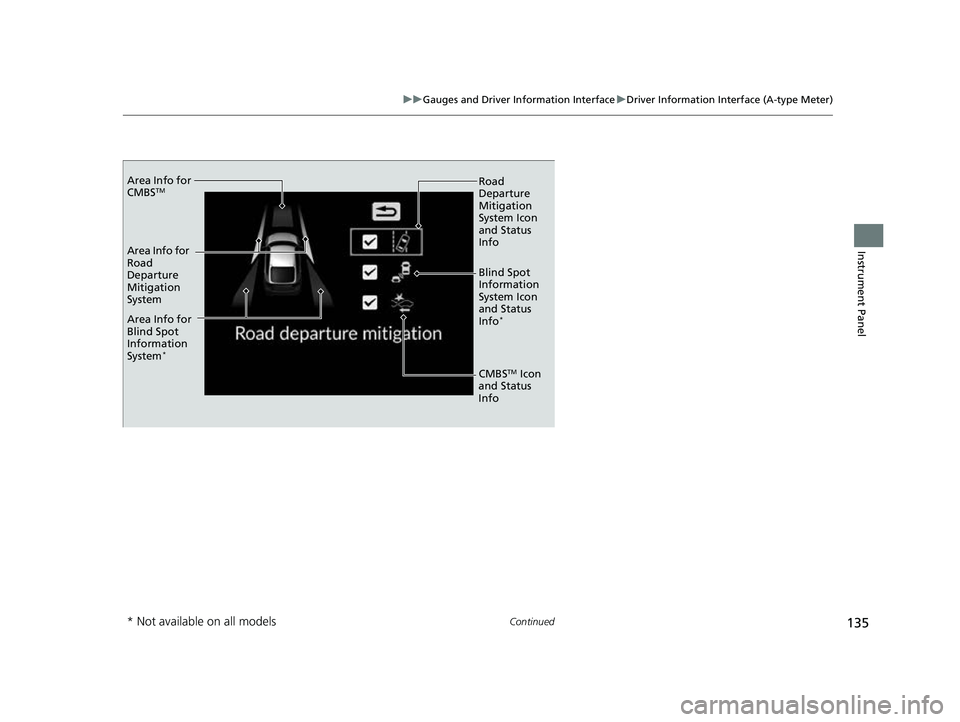
Indicates the status of the Road Departure Mitigation system, CMBSTM, and blind
spot information system* such as On, Off, or Failure, by color and letters.
The following colors indica te the status of any of the above mentioned systems:
• Green: The system is on.
• Gray: The system is off.
• Amber: There is a probl em with the system.
■Seat Belts
■Maintenance
■Safety Support1Safety Support
If a system is indicated by the color amber, have your
vehicle checked by a dealer immediately.
To turn on or off each system, first rotate the left
selector wheel to switch displays. From the next
display you can select which system to turn on or off. 2 Road Departure Mitigation system On and
Off P. 642
2 Blind Spot Information System On and Off
P. 549
2 CMBS
TM On and Off P. 559
You can also confirm the st atus of each function by
the color of the safe ty support indicator.
2 Safety Support Indicator (Amber) P. 115
2 Safety Support Indicator (Green/Gray)
P. 117
* Not available on all models
23 CIVIC HATCHBACK TYPE R-31T406100_03.book 134 ページ 2022年6月23日 木曜日 午後9時28分
Page 137 of 840
135
uuGauges and Driver Information Interface uDriver Information Interface (A-type Meter)
Continued
Instrument Panel
Area Info for
CMBSTM
Area Info for
Road
Departure
Mitigation
System
Area Info for
Blind Spot
Information
System
*
Road
Departure
Mitigation
System Icon
and Status
Info
Blind Spot
Information
System Icon
and Status
Info
*
CMBSTM Icon
and Status
Info
* Not available on all models
23 CIVIC HATCHBACK TYPE R-31T406100_03.book 135 ページ 2022年6月23日 木曜日 午後9時28分
Page 141 of 840
139
uuGauges and Driver Information Interface uDriver Information Interface (A-type Meter)
Continued
Instrument Panel
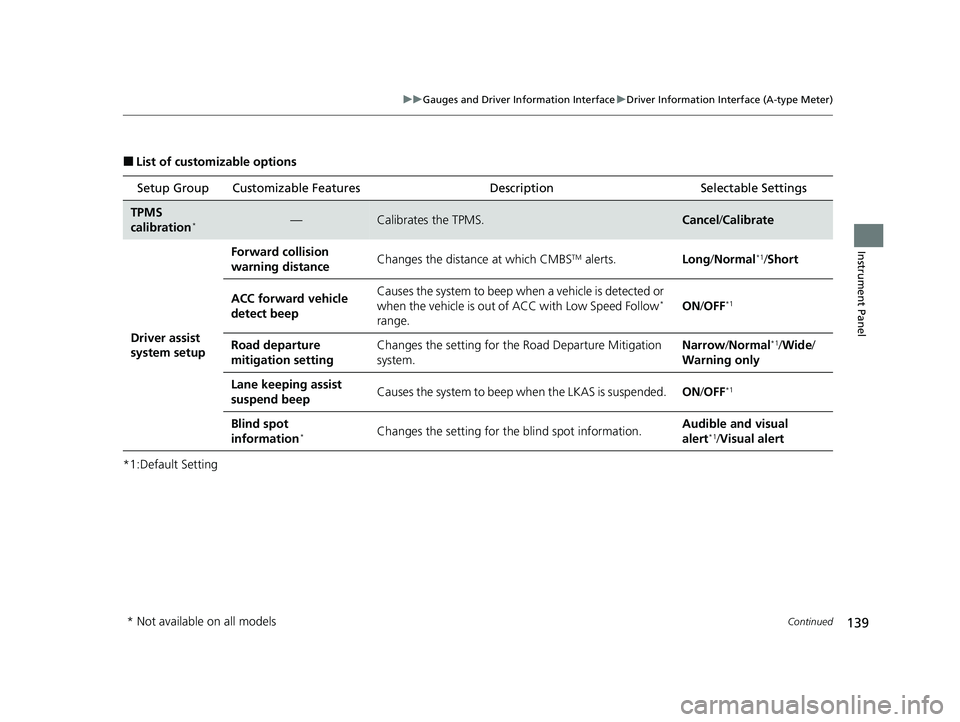
■List of customizable options
*1:Default Setting Setup Group Customizable Features
Description Selectable Settings
TPMS
calibration*—Calibrates the TPMS.Cancel/Calibrate
Driver assist
system setup
Forward collision
warning distanceChanges the distance at which CMBSTM alerts.Long /Normal*1/Short
ACC forward vehicle
detect beepCauses the system to beep wh en a vehicle is detected or
when the vehicle is out of ACC with Low Speed Follow*
range.ON /OFF*1
Road departure
mitigation settingChanges the setting for th e Road Departure Mitigation
system.Narrow /Normal*1/Wide /
Warning only
Lane keeping assist
suspend beepCauses the system to beep when the LKAS is suspended.ON/OFF*1
Blind spot
information*Changes the setting for th e blind spot information.Audible and visual
alert*1/Visual alert
* Not available on all models
23 CIVIC HATCHBACK TYPE R-31T406100_03.book 139 ページ 2022年6月23日 木曜日 午後9時28分
Page 169 of 840
Continued167
uuGauges and Driver Information Interface uDriver Information Interface Right Side Area (B-type-Meter)
Instrument Panel
Indicates the status of the Road Departure Mitigation system, CMBSTM, Low Speed
Braking Control* and blind spot information system such as On, Off, or Failure, by
color and letters.
The following colors indicate the status of any of the above mentioned systems:
• Green: The system is on.
• Gray: The system is off.
• Amber: There is a problem with the system.
■Safety Support1Safety Support
If a system is indicated by the color amber, have your
vehicle checked by a dealer immediately.
To turn on or off each system, first press the right
selector wheel to switch displays. From the next
display you can select which system to turn on or off. 2 Road Departure Mitigation system On and
Off P. 642
2 Blind Spot Information System On and Off
P. 549
2 System On and Off P. 570, 575
2 CMBS
TM On and Off P. 559
You can also confirm the st atus of each function by
the color of the safe ty support indicator.
2 Safety Support Indicator (Amber) P. 115
2 Safety Support Indicator (Green/Gray)
P. 117
Even when the Low Speed Braking Control icon is
green, if the parking sensor is turned off for the rear
only, the brake assist will not operate when reversing.
2 Turning off All Rear Sensors P. 676
Models with Low Speed Braking Control
* Not available on all models
23 CIVIC HATCHBACK TYPE R-31T406100_03.book 167 ページ 2022年6月23日 木曜日 午後9時28分