Page 408 of 840
406
uuCustomized Features u
Features
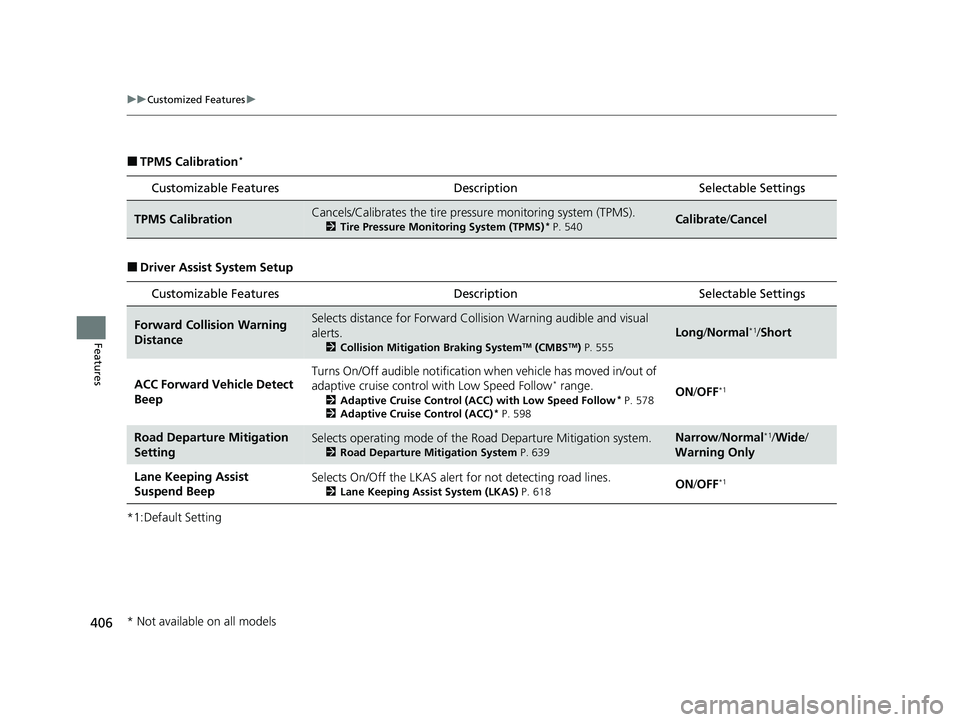
■TPMS Calibration*
■Driver Assist System Setup
*1:Default Setting
Customizable Features DescriptionSelectable Settings
TPMS CalibrationCancels/Calibrates the tire pressure monitoring system (TPMS).
2Tire Pressure Monitoring System (TPMS)* P. 540Calibrate /Cancel
Customizable Features DescriptionSelectable Settings
Forward Collision Warning
DistanceSelects distance for Forward Collision Warning audible and visual
alerts.
2 Collision Mitigation Braking SystemTM (CMBSTM) P. 555
Long/ Normal*1/Short
ACC Forward Vehicle Detect
Beep
Turns On/Off audible notification when vehicle has moved in/out of
adaptive cruise contro l with Low Speed Follow* range.
2Adaptive Cruise Control (ACC) with Low Speed Follow* P. 578
2 Adaptive Cruise Control (ACC)* P. 598
ON /OFF*1
Road Departure Mitigation
SettingSelects operating mode of the Ro ad Departure Mitigation system.
2Road Departure Mitigation System P. 639
Narrow/Normal*1/Wide /
Warning Only
Lane Keeping Assist
Suspend BeepSelects On/Off the LKAS alert for not detecting road lines.
2Lane Keeping Assist System (LKAS) P. 618ON /OFF*1
* Not available on all models
23 CIVIC HATCHBACK TYPE R-31T406100_03.book 406 ページ 2022年6月23日 木曜日 午後9時28分
Page 409 of 840
407
uuCustomized Features u
Continued
Features
*1:Default Setting
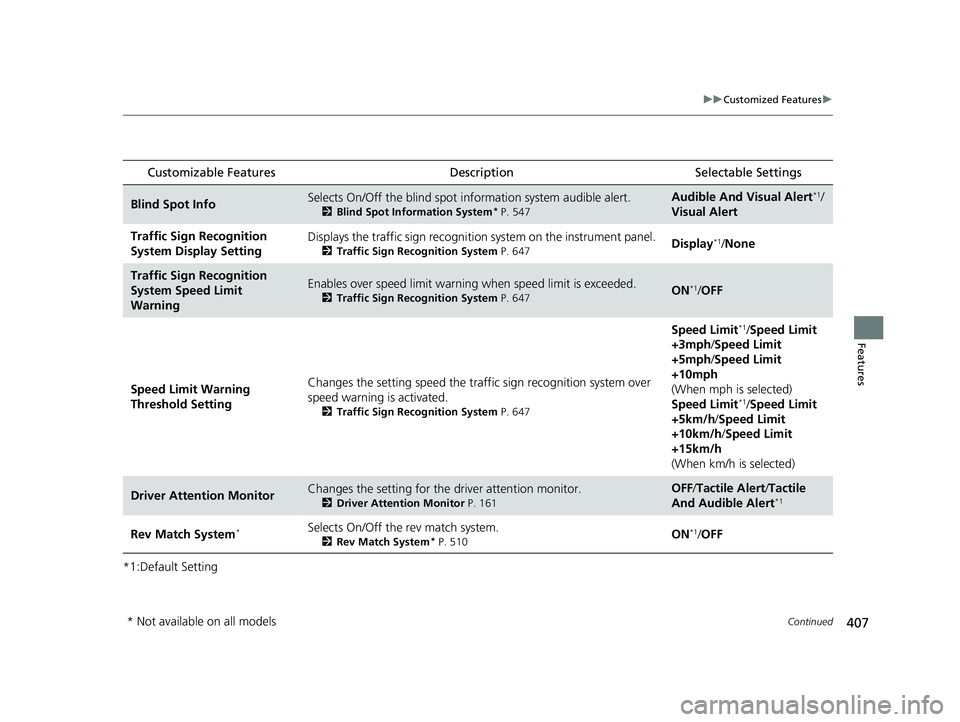
Customizable Features Description Selectable Settings
Blind Spot InfoSelects On/Off the blind spot information system audible alert.
2Blind Spot Information System* P. 547
Audible And Visual Alert*1/
Visual Alert
Traffic Sign Recognition
System Display SettingDisplays the traffic sign recognition system on the instrument panel.
2Traffic Sign Recognition System P. 647Display*1/None
Traffic Sign Recognition
System Speed Limit
WarningEnables over speed limit warning when speed limit is exceeded.
2Traffic Sign Recognition System P. 647ON*1/OFF
Speed Limit Warning
Threshold Setting Changes the setting speed the traffi
c sign recognition system over
speed warning is activated.
2 Traffic Sign Recognition System P. 647
Speed Limit*1/Speed Limit
+3mph /Speed Limit
+5mph /Speed Limit
+10mph
(When mph is selected)
Speed Limit
*1/ Speed Limit
+5km/h /Speed Limit
+10km/h /Speed Limit
+15km/h
(When km/h is selected)
Driver Attention MonitorChanges the setting for the driver attention monitor.
2Driver Attention Monitor P. 161
OFF/Tactile Alert/ Tactile
And Audible Alert*1
Rev Match System*Selects On/Off the rev match system.
2Rev Match System* P. 510ON*1/OFF
* Not available on all models
23 CIVIC HATCHBACK TYPE R-31T406100_03.book 407 ページ 2022年6月23日 木曜日 午後9時28分
Page 410 of 840

408
uuCustomized Features u
Features
■Meter Setup
Customizable Features Description Selectable Settings
Adjust Outside Temp.
DisplaySelects to adjust outside temperature reading by a few degrees.2Outside Temperature P. 120
-5°F ~ ±0°F*1 ~ +5°F (U.S.)
-3°C ~ ±0°C*1 ~ +3°C (Canada)
Gear Position Display*Turns the gear position display feature on and off.
2Gear Position Indicator* P. 102ON*1/OFF
“Trip A” Reset TimingSelects the timing to reset Trip A. 2 Range/Fuel/Odometer*/Trip Meter P. 157
2 Speed/Time/Odometer*/Trip Meter P. 159
When Fully Refueled /IGN OFF /
Manually Reset*1
“Trip B” Reset Timing
Selects the timing to reset Trip B.
2 Range/Fuel/Odometer*/Trip Meter P. 157
2 Speed/Time/Odometer*/Trip Meter P. 159
When Fully Refueled /IGN OFF /
Manually Reset*1
Adjust Alarm VolumeChanges volume level of all system warnings, door opening
warning and indicator.High /Mid*1/Low
Rev Indicator*Turns the rev indicators on and off.
2 Rev Indicators* P. 123ON*1/OFF
Fuel Efficiency Backlight*Turns the ambient meter feature on and off.ON*1/OFF
Turn By Turn Auto DisplayTurns on/off the pop-up warning in the turn-by-turn navigation
in the driver information interface.
2 Turn-by-Turn Directions P. 160ON*1/OFF
Speed/Distance UnitsSelects the trip computer units.
2 Speed/Distance Units P. 169
km/h · km/mph · miles*1
(U.S.)
km/h · km
*1/ mph · miles
(Canada)
* Not available on all models
23 CIVIC HATCHBACK TYPE R-31T406100_03.book 408 ページ 2022年6月23日 木曜日 午後9時28分
Page 491 of 840
489
uuBefore Driving uMaximum Load Limit
Continued
Driving
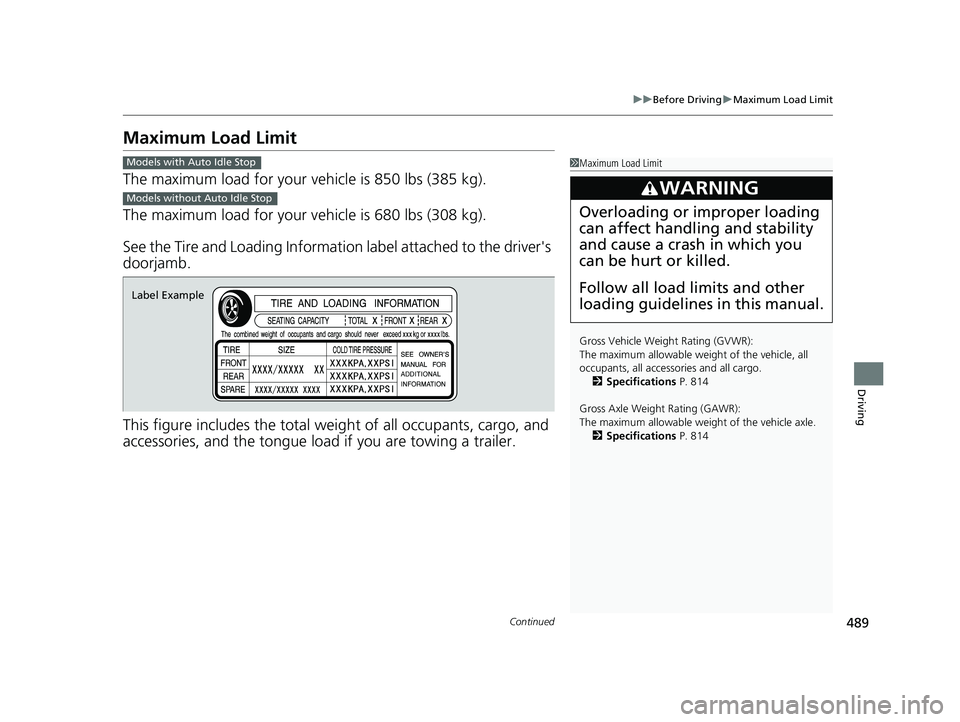
Maximum Load Limit
The maximum load for your ve hicle is 850 lbs (385 kg).
The maximum load for your ve hicle is 680 lbs (308 kg).
See the Tire and Loading Information label attached to the driver's
doorjamb.
This figure includes the total weig ht of all occupants, cargo, and
accessories, and the tongue load if you are towing a trailer.
1 Maximum Load Limit
Gross Vehicle Weight Rating (GVWR):
The maximum allowable weight of the vehicle, all
occupants, all accesso ries and all cargo.
2 Specifications P. 814
Gross Axle Weight Rating (GAWR):
The maximum allowable weight of the vehicle axle. 2 Specifications P. 814
3WARNING
Overloading or improper loading
can affect handling and stability
and cause a crash in which you
can be hurt or killed.
Follow all load limits and other
loading guidelines in this manual.
Models with Auto Idle Stop
Models without Auto Idle Stop
Label Example
23 CIVIC HATCHBACK TYPE R-31T406100_03.book 489 ページ 2022年6月23日 木曜日 午後9時28分
Page 497 of 840
Continued495
uuWhen Driving uStarting the Engine
Driving
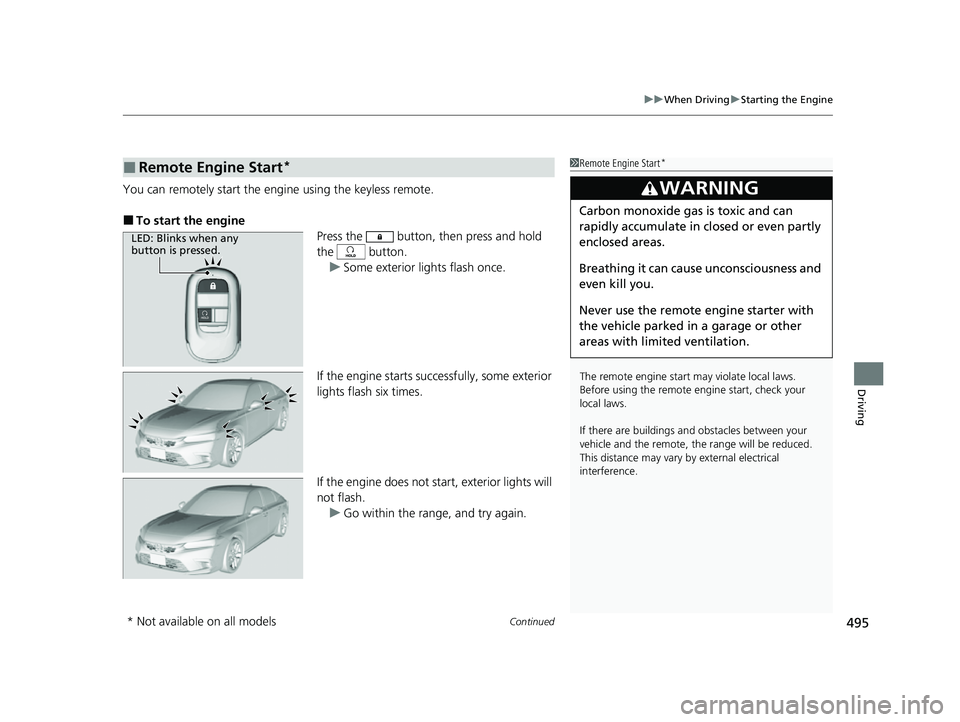
You can remotely start the e ngine using the keyless remote.
■To start the engine
Press the button, then press and hold
the button. u Some exterior lights flash once.
If the engine starts successfully, some exterior
lights flash six times.
If the engine does not start, exterior lights will
not flash. u Go within the range, and try again.
■Remote Engine Start*1Remote Engine Start*
The remote engine start may violate local laws.
Before using the remote e ngine start, check your
local laws.
If there are buildings an d obstacles between your
vehicle and the remote, th e range will be reduced.
This distance may vary by external electrical
interference.
3WARNING
Carbon monoxide ga s is toxic and can
rapidly accumulate in closed or even partly
enclosed areas.
Breathing it can cause unconsciousness and
even kill you.
Never use the remote engine starter with
the vehicle parked in a garage or other
areas with limited ventilation.
LED: Blinks when any
button is pressed.
* Not available on all models
23 CIVIC HATCHBACK TYPE R-31T406100_03.book 495 ページ 2022年6月23日 木曜日 午後9時28分
Page 560 of 840
558
uuHonda Sensing ®u Collision Mitigation Braking SystemTM (CMBSTM)
Driving
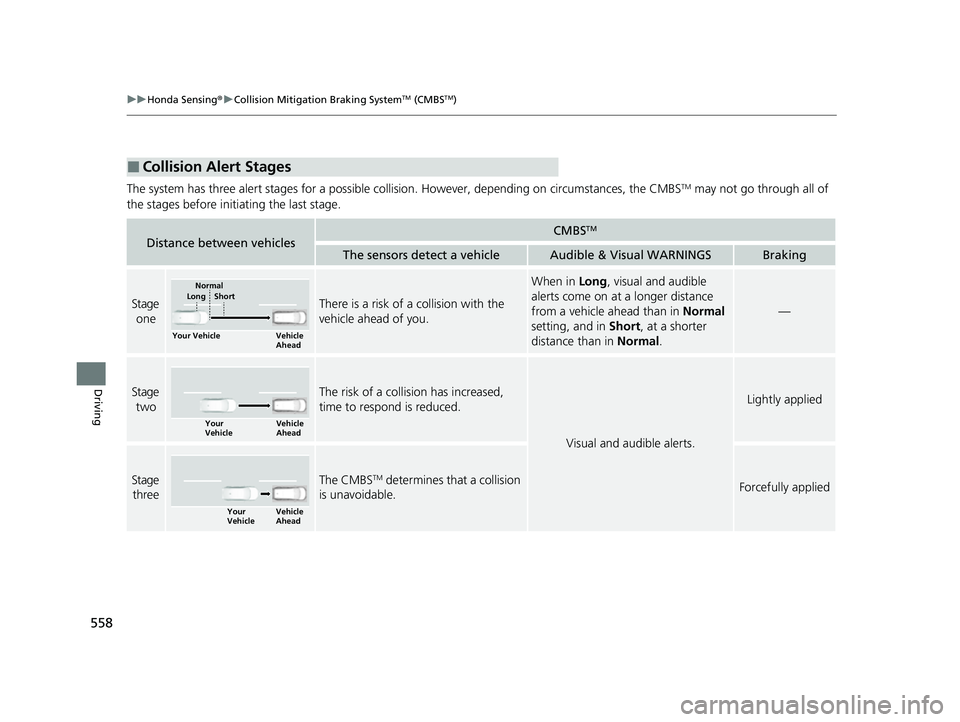
The system has three alert stages for a possible collision. However, depending on circumstances, the CMBSTM may not go through all of
the stages before initiating the last stage.
■Collision Alert Stages
Distance between vehiclesCMBSTM
The sensors detect a vehicleAudible & Visual WARNINGSBraking
Stage oneThere is a risk of a collision with the
vehicle ahead of you.
When in Long, visual and audible
alerts come on at a longer distance
from a vehicle ahead than in Normal
setting, and in Short, at a shorter
distance than in Normal.
—
Stage
twoThe risk of a collision has increased,
time to respond is reduced.
Visual and audible alerts.
Lightly applied
Stage three The CMBSTM determines that a collision
is unavoidable.Forcefully applied
Your Vehicle Vehicle
Ahead
Normal
Short
Long
Your
Vehicle Vehicle
Ahead
Your
VehicleVehicle
Ahead
23 CIVIC HATCHBACK TYPE R-31T406100_03.book 558 ページ 2022年6月23日 木曜日 午後9時28分
Page 562 of 840
uuHonda Sensing ®u Collision Mitigation Braking SystemTM (CMBSTM)
560
Driving
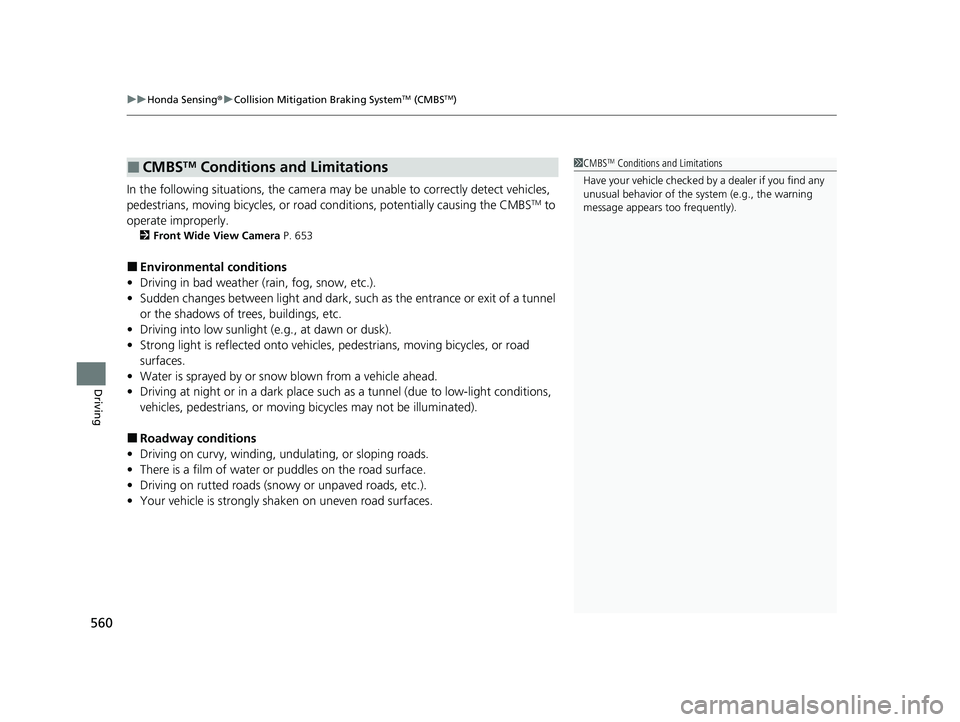
In the following situations, the camera may be unable to correctly detect vehicles,
pedestrians, moving bicycles, or road conditions, potentially causing the CMBSTM to
operate improperly.
2 Front Wide View Camera P. 653
■Environmental conditions
• Driving in bad weather (rain, fog, snow, etc.).
• Sudden changes between light and dark, such as the entrance or exit of a tunnel
or the shadows of trees, buildings, etc.
• Driving into low sunlight (e.g., at dawn or dusk).
• Strong light is reflected onto vehicles, pedestrians, moving bicycles, or road
surfaces.
• Water is sprayed by or snow blown from a vehicle ahead.
• Driving at night or in a dark place such as a tunnel (due to low-light conditions,
vehicles, pedestrians, or moving bicycles may not be illuminated).
■Roadway conditions
• Driving on curvy, winding, undulating, or sloping roads.
• There is a film of water or puddles on the road surface.
• Driving on rutted roads (snowy or unpaved roads, etc.).
• Your vehicle is strongly shaken on uneven road surfaces.
■CMBSTM Conditions and Limitations1CMBSTM Conditions and Limitations
Have your vehicle checked by a dealer if you find any
unusual behavior of the system (e.g., the warning
message appears too frequently).
23 CIVIC HATCHBACK TYPE R-31T406100_03.book 560 ページ 2022年6月23日 木曜日 午後9時28分
Page 569 of 840
567
uuHonda Sensing ®u Low Speed Braking Control*
Continued
Driving
Low Speed Braking Control*
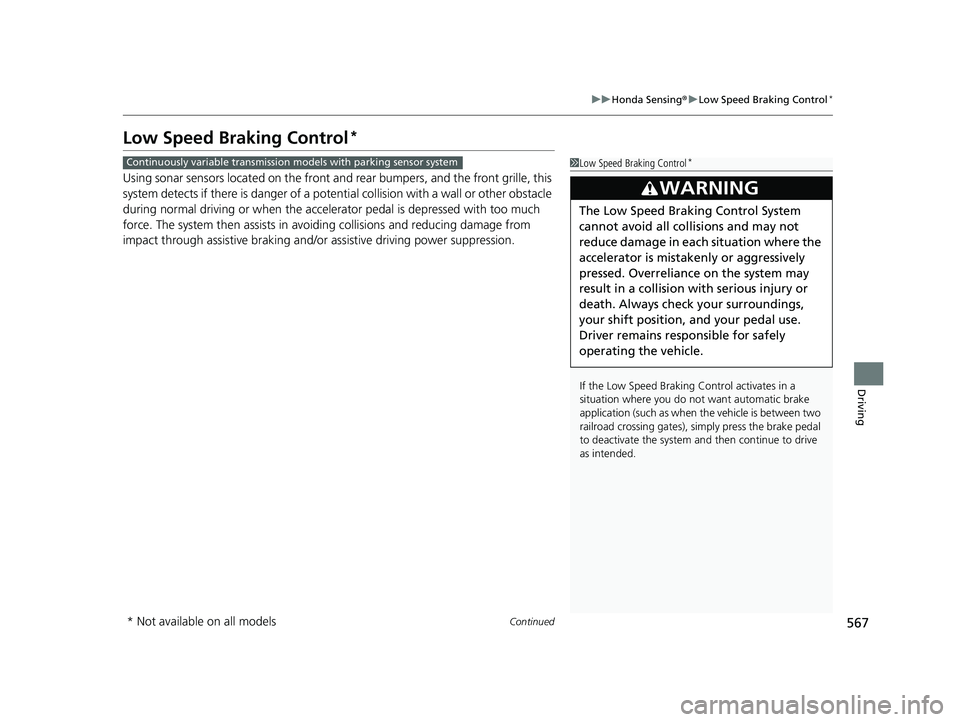
Using sonar sensors located on the front an d rear bumpers, and the front grille, this
system detects if there is danger of a poten tial collision with a wall or other obstacle
during normal driving or when the accelerator pedal is depres sed with too much
force. The system then assists in avoiding collisions and reducing damage from
impact through assistive braking and/or assistive driving power suppression.
1Low Speed Braking Control*
If the Low Speed Braking Control activates in a
situation where you do not want automatic brake
application (such as when the vehicle is between two
railroad crossing gates), si mply press the brake pedal
to deactivate the system and then continue to drive
as intended.
3WARNING
The Low Speed Braking Control System
cannot avoid all collisions and may not
reduce damage in each situation where the
accelerator is mistaken ly or aggressively
pressed. Overreliance on the system may
result in a collision with serious injury or
death. Always check your surroundings,
your shift position, and your pedal use.
Driver remains responsible for safely
operating the vehicle.
Continuously variable transmission models with parking sensor system
* Not available on all models
23 CIVIC HATCHBACK TYPE R-31T406100_03.book 567 ページ 2022年6月23日 木曜日 午後9時28分