Page 326 of 840
uuAudio System Basic Operation uPlaying SiriusXM ® Radio
324
Features
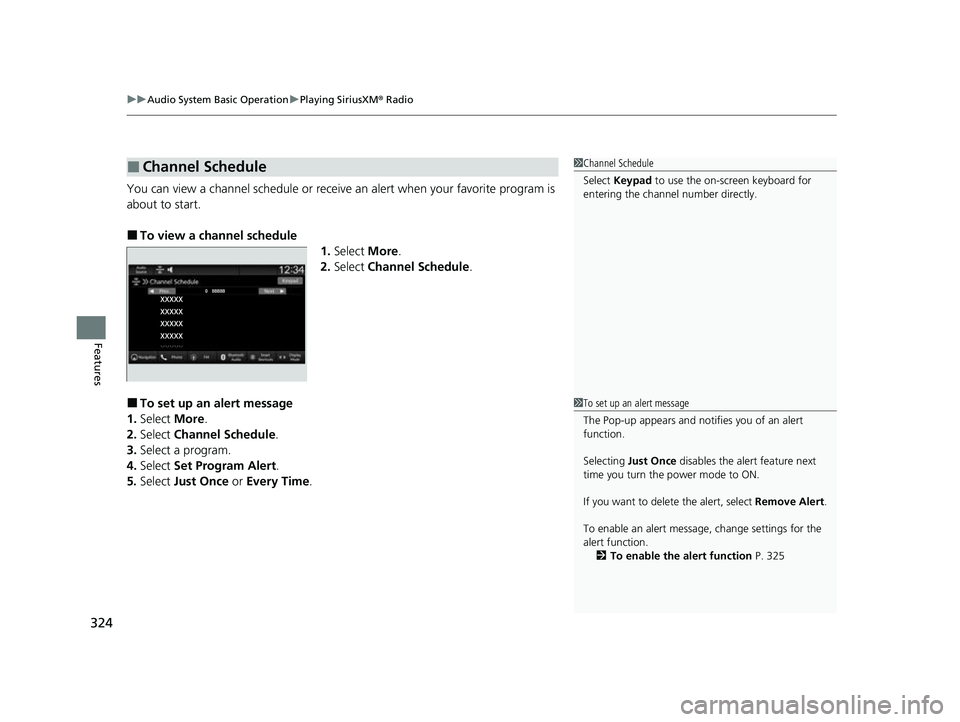
You can view a channel schedule or receive an alert when your favorite program is
about to start.
■To view a channel schedule
1.Select More.
2. Select Channel Schedule .
■To set up an alert message
1. Select More.
2. Select Channel Schedule .
3. Select a program.
4. Select Set Program Alert .
5. Select Just Once or Every Time .
■Channel Schedule1Channel Schedule
Select Keypad to use the on-screen keyboard for
entering the channel number directly.
1To set up an alert message
The Pop-up appears and not ifies you of an alert
function.
Selecting Just Once disables the alert feature next
time you turn the power mode to ON.
If you want to delete the alert, select Remove Alert.
To enable an alert message, change settings for the
alert function. 2 To enable the alert function P. 325
23 CIVIC HATCHBACK TYPE R-31T406100_03.book 324 ページ 2022年6月23日 木曜日 午後9時28分
Page 327 of 840
325
uuAudio System Basic Operation uPlaying SiriusXM ® Radio
Continued
Features
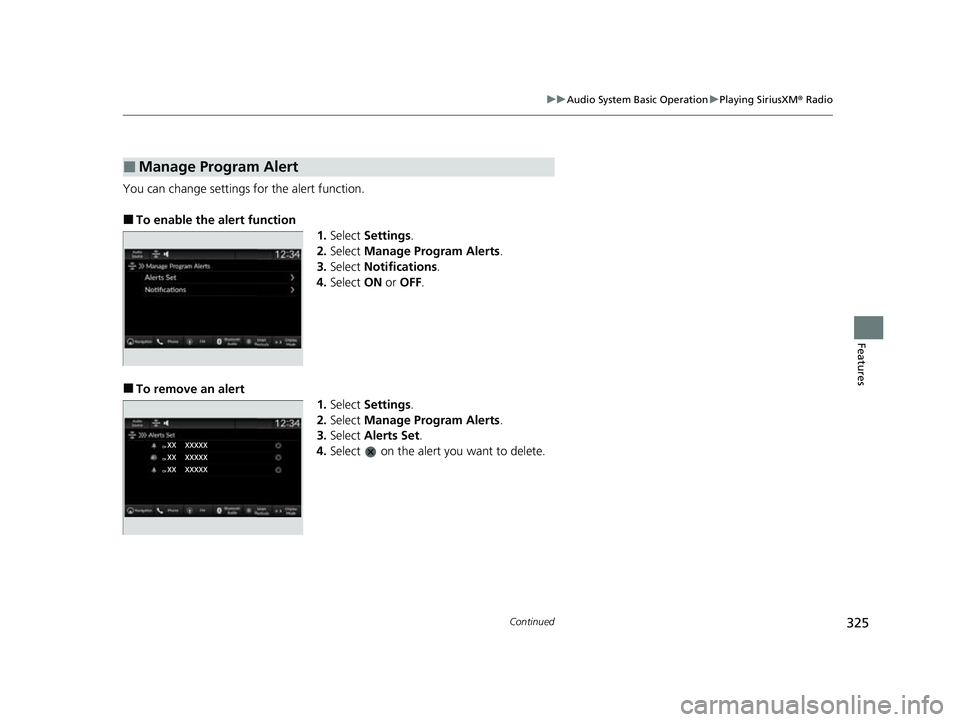
You can change settings for the alert function.
■To enable the alert function
1.Select Settings .
2. Select Manage Program Alerts .
3. Select Notifications .
4. Select ON or OFF .
■To remove an alert
1.Select Settings .
2. Select Manage Program Alerts .
3. Select Alerts Set .
4. Select on the alert you want to delete.
■Manage Program Alert
23 CIVIC HATCHBACK TYPE R-31T406100_03.book 325 ページ 2022年6月23日 木曜日 午後9時28分
Page 328 of 840
uuAudio System Basic Operation uPlaying SiriusXM ® Radio
326
Features
Sample each channel on the sele cted mode for 10 seconds.
1. Select More.
2. Select Scan.
You can change a scan mode by the following procedure.
1. Select Settings .
2. Select Scan Mode .
3. Select Channel or Preset.
To turn off scan, select Stop.
■Scan1Scan
The “Scan Songs in Preset s” function is based on
TuneScan
TM technology of SiriusXM ®.
The “Featured Channels ” function is based on
Featured Favorites
TM technology of SiriusXM ®.
TuneScan
TM and Featured FavoritesTM are registered
trademarks of SiriusXM ® Radio, Inc.
23 CIVIC HATCHBACK TYPE R-31T406100_03.book 326 ページ 2022年6月23日 木曜日 午後9時28分
Page 329 of 840
327
uuAudio System Basic Operation uPlaying SiriusXM ® Radio
Features
Change the SiriusXM ® settings.
1. Select Settings .
2. Select an option.
• TuneMix: Turns multiple channel mix preset on and off.
• Tune Mode: Choose whether to group by category or channel number when
changing channels.
2 To Change the Tune Mode P. 318
•Scan Mode: Select the scan mode from all channels or presets.
2Scan P. 326
•Tune Start: Start the currently playing song at the beginning when you switch to
a music channel preset.
2 Tune Start: P. 318
•Sports Notifications Setup: Set to receive sports alerts such as scores from your
favorite teams.
2 Live Sports Alert P. 322
•Traffic & Weather Now Setup: Set to receive traffic and weather information.
2 Traffic and Weather Information P. 323
•Manage Program Alerts: Change settings for the alert function.
2Manage Program Alert P. 325
■SiriusXM® Settings
23 CIVIC HATCHBACK TYPE R-31T406100_03.book 327 ページ 2022年6月23日 木曜日 午後9時28分
Page 345 of 840
343
uuAudio System Basic Operation uSmart Shortcuts
Features
• Radio Suggestions: When selected, the corresponding radio app (FM, AM, or
SiriusXM ®) will open and it will start playing the station.
u From radio apps you can receive:
- FM, AM, SiriusXM ®: Most frequently listened stations you may like to play
next.
- FM, SiriusXM ®: Genre-based suggestions.
u Considerations:
- FM suggestions will appear only when they are within range, according to
your vehicle's tuner signal.
- SiriusXM ® suggestions will be available as long as there is an active account in
the vehicle.
23 CIVIC HATCHBACK TYPE R-31T406100_03.book 343 ページ 2022年6月23日 木曜日 午後9時28分
Page 363 of 840
361
Features
General Information on the Audio System
SiriusXM® Radio Service*
1.You need your radio ID ready before registering for subscription. To see the ID on
the screen, select Channel 0.
2. Have your radio ID ready, and either call or visit the SiriusXM® website to
subscribe.
Switch to the SiriusXM ® mode by using the audio remote controls on the steering
wheel, or through the audio/information sc reen, and stay in this mode for about 30
minutes until the service is activated. Make su re your vehicle is in an open area with
good reception.
Channel **** is not subscribed. Call SiriusXM to subscribe.
*1
You are not subscribed to the channel selected.
Subscription Updated:
SiriusXM ® radio is receiving informat ion update from the network.
Channel Not Available:
No such channel exists, or the artist or title information is unavailable.
No Signal:
The signal is too weak in the current location.
Check Tuner:
There is a problem with the SiriusXM ® tuner. Contact a dealer.
Antenna Disconnected, Antenna Shorted:
There is a problem with the SiriusXM ® antenna. Contact a dealer.
*1 : ****part is variable characters, and will change depending upon the channel selected.
■Subscribing to SiriusXM® Radio
■Receiving SiriusXM ® Radio
■SiriusXM ® Radio Display Messages
1 Subscribing to SiriusXM ® Radio
Contact Information for SiriusXM ® Radio:
•U.S.: SiriusXM ® Radio at www.siriusxm.com/
subscribenow , or 1-866-635-2349
•Canada: SiriusXM ® Canada at www.siriusxm.ca/
subscribe-now , or 1-877-209-0079
1Receiving SiriusXM ® Radio
The SiriusXM ® satellites are in orbit over the equator;
therefore, objects south of the vehicle may cause
satellite rece ption interruptions. Sa tellite signals are
more likely to be blocked by tall buildings and
mountains the farther north you travel from the
equator.
You may experience rece ption problems under the
following circumstances:
•In a location with an obstruction to the south of
your vehicle.
•In tunnels
•On the lower level of a multi-tiered road
•Large items carried on the roof rack
* Not available on all models
23 CIVIC HATCHBACK TYPE R-31T406100_03.book 361 ページ 2022年6月23日 木曜日 午後9時28分
Page 495 of 840
493Continued
Driving
When Driving
Starting the Engine
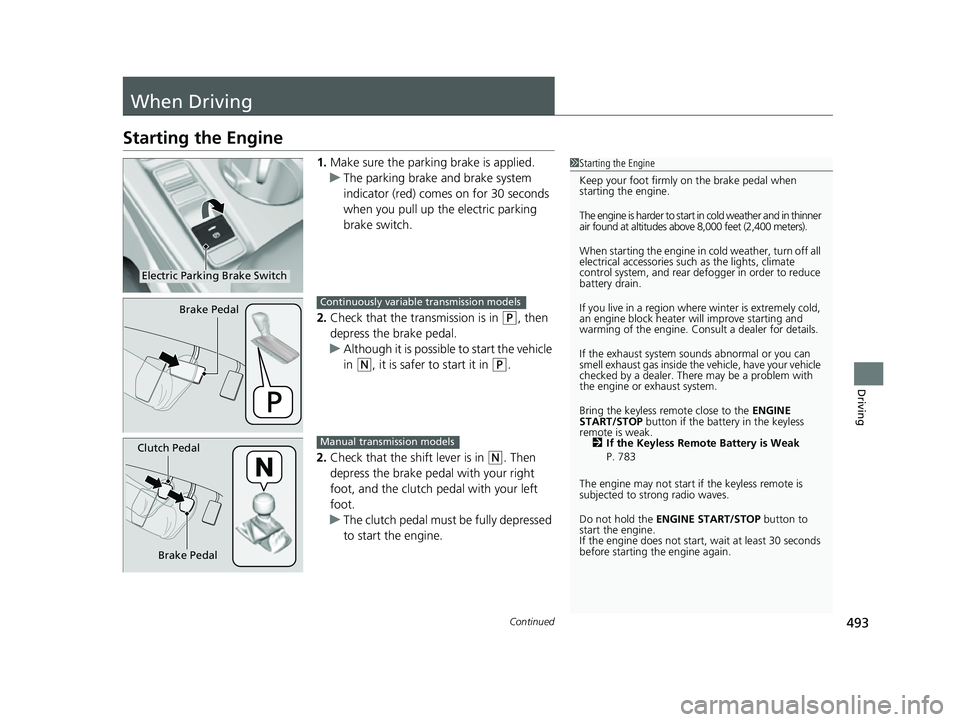
1.Make sure the parkin g brake is applied.
u The parking brake and brake system
indicator (red) comes on for 30 seconds
when you pull up the electric parking
brake switch.
2. Check that the transmission is in
(P, then
depress the brake pedal.
u Although it is possible to start the vehicle
in
(N, it is safer to start it in (P.
2. Check that the shift lever is in
(N. Then
depress the brake pedal with your right
foot, and the clutch pedal with your left
foot.
u The clutch pedal must be fully depressed
to start the engine.
1Starting the Engine
Keep your foot firmly on the brake pedal when
starting the engine.
The engine is harder to start in cold weather and in thinner
air found at altitudes above 8,000 feet (2,400 meters).
When starting the engine in cold weather, turn off all
electrical accessories such as the lights, climate
control system, and rear de fogger in order to reduce
battery drain.
If you live in a region where winter is extremely cold,
an engine block heater will improve starting and
warming of the engine. Cons ult a dealer for details.
If the exhaust system sounds abnormal or you can
smell exhaust gas inside the vehicle, have your vehicle
checked by a dealer. There may be a problem with
the engine or exhaust system.
Bring the keyless remote close to the ENGINE
START/STOP button if the batte ry in the keyless
remote is weak. 2 If the Keyless Remote Battery is Weak
P. 783
The engine may not start if the keyless remote is
subjected to strong radio waves.
Do not hold the ENGINE START/STOP button to
start the engine.
If the engine does not start, wait at least 30 seconds
before starting the engine again.
Electric Parking Brake Switch
Brake PedalContinuously variable transmission models
Brake Pedal
Clutch PedalManual transmission models
23 CIVIC HATCHBACK TYPE R-31T406100_03.book 493 ページ 2022年6月23日 木曜日 午後9時28分
Page 552 of 840
550
uuWhen Driving uBlind Spot Information System*
Driving
The blind spot information system alert indicator may not come on under the
following conditions:
• There is a large speed difference betwee n your vehicle and the vehicle in the
adjacent lane.
• A vehicle is parked in a side lane.
• An object not detected by the radar sensors approaches or passes your vehicle.
• The vehicle driving in the adjacent lane is a motorcycle or other small vehicle.
The blind spot information system may not operate correctly under the following
conditions:
• Making a turn at an intersection.
• Objects (guard rails, poles, trees, etc.) are detected.
• An object that does not reflect radio wave s well or a motorcycle, is in the alert
zone.
• Driving on a curved road.
• A vehicle is moving from a far lane to the adjacent lane.
• The system picks up signal interference such as other radar sensors from another
vehicle or strong radio wave transmitted from a facility nearby.
• The rear bumper or the area around the radar sensors is covered by dirt, mud,
snow, ice, etc.
• The rear bumper or the area around the radar sensors has been damaged or
deformed.
• In bad weather (heavy rain, snow, and fog).
• Making a short turn or driving on a bumpy road that slightly tilts the vehicle.
• An object such as a bicycle rack is attached to the rear of the vehicle.
■Blind Spot Information System Conditions and Limitations
23 CIVIC HATCHBACK TYPE R-31T406100_03.book 550 ページ 2022年6月23日 木曜日 午後9時28分