2023 HONDA CIVIC lights
[x] Cancel search: lightsPage 181 of 840
179
uuLocking and Unlocking the Doors uLocking/Unlocking the Doors from the Outside
Continued
Controls
Locking/Unlocking the Doors from the Outside
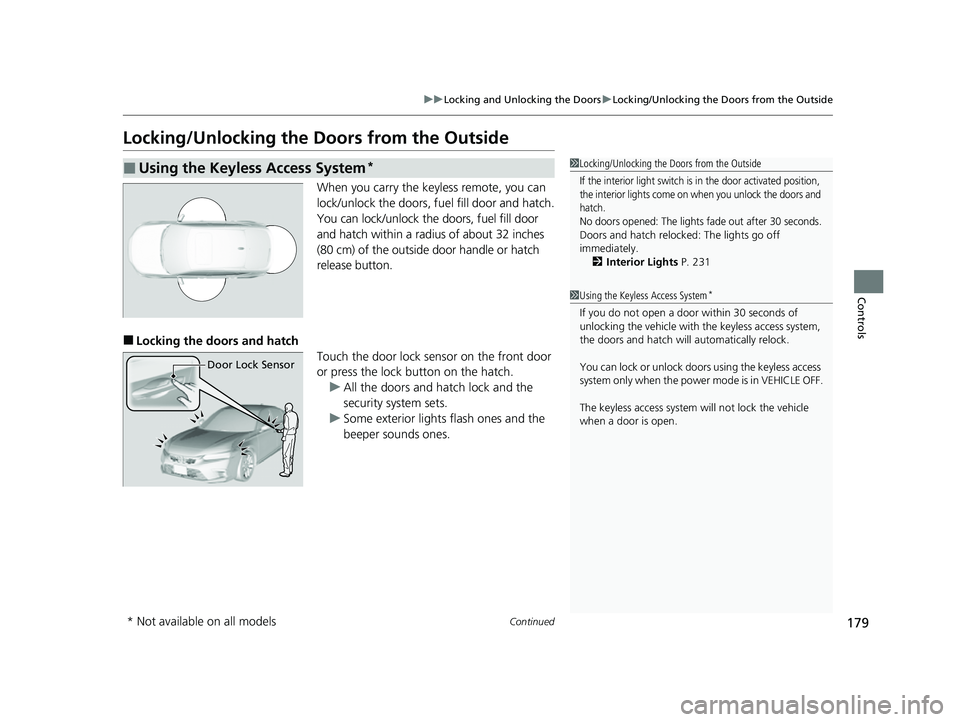
When you carry the keyless remote, you can
lock/unlock the doors, fuel fill door and hatch.
You can lock/unlock the doors, fuel fill door
and hatch within a radius of about 32 inches
(80 cm) of the outside door handle or hatch
release button.
■Locking the doors and hatch
Touch the door lock sensor on the front door
or press the lock button on the hatch.u All the doors and hatch lock and the
security system sets.
u Some exterior lights flash ones and the
beeper sounds ones.
■Using the Keyless Access System*1 Locking/Unlocking the Doors from the Outside
If the interior light switch is in the door activated position,
the interior lights come on when you unlock the doors and
hatch.
No doors opened: The lights fade out after 30 seconds.
Doors and hatch reloc ked: The lights go off
immediately.
2 Interior Lights P. 231
1Using the Keyless Access System*
If you do not open a door within 30 seconds of
unlocking the vehicle with the keyless access system,
the doors and hatch will automatically relock.
You can lock or unlock doors using the keyless access
system only when the power mode is in VEHICLE OFF.
The keyless access system will not lock the vehicle
when a door is open.
Door Lock Sensor
* Not available on all models
23 CIVIC HATCHBACK TYPE R-31T406100_03.book 179 ページ 2022年6月23日 木曜日 午後9時28分
Page 183 of 840
Continued181
uuLocking and Unlocking the Doors uLocking/Unlocking the Doors from the Outside
Controls
■Unlocking the doors and hatch
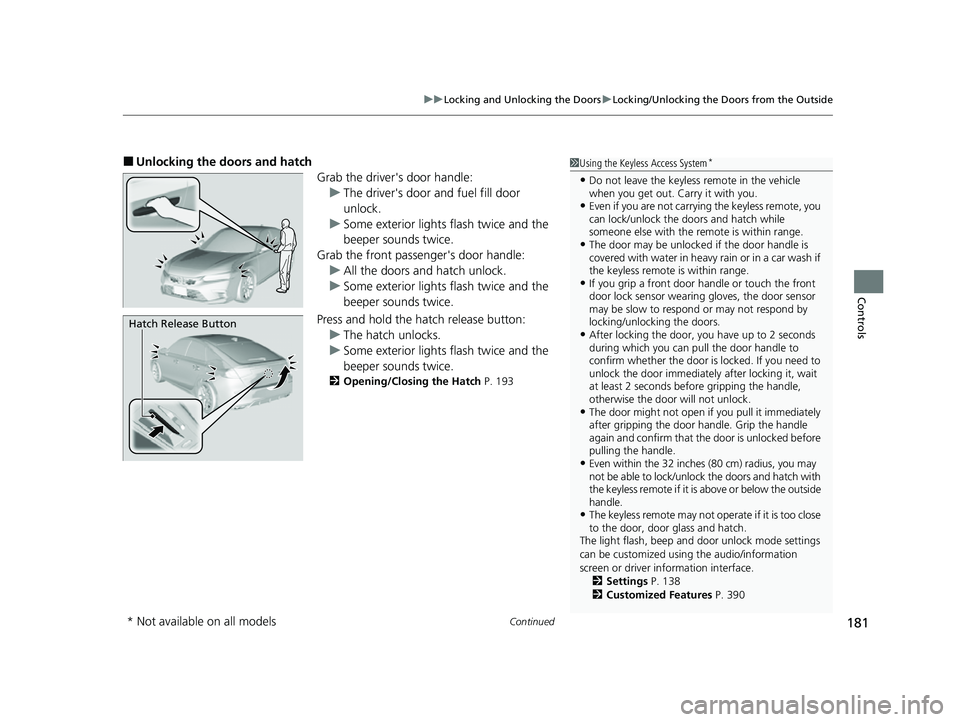
Grab the driver's door handle:u The driver's door and fuel fill door
unlock.
u Some exterior lights flash twice and the
beeper sounds twice.
Grab the front passenger's door handle: u All the doors and hatch unlock.
u Some exterior lights flash twice and the
beeper sounds twice.
Press and hold the hatch release button:
u The hatch unlocks.
u Some exterior lights flash twice and the
beeper sounds twice.
2 Opening/Closing the Hatch P. 193
1Using the Keyless Access System*
•Do not leave the keyless remote in the vehicle
when you get out. Carry it with you.
•Even if you are not carrying the keyless remote, you
can lock/unlock the do ors and hatch while
someone else with the remote is within range.
•The door may be unlocked if the door handle is
covered with water in heavy rain or in a car wash if
the keyless remote is within range.
•If you grip a front door handle or touch the front
door lock sensor wearing gloves, the door sensor
may be slow to respon d or may not respond by
locking/unlocking the doors.
•After locking the door, you have up to 2 seconds
during which you can pull the door handle to
confirm whether the door is locked. If you need to
unlock the door immediately after locking it, wait
at least 2 seconds befo re gripping the handle,
otherwise the door will not unlock.
•The door might not open if you pull it immediately
after gripping the door handle. Grip the handle
again and confirm that th e door is unlocked before
pulling the handle.
•Even within the 32 inches (80 cm) radius, you may
not be able to lock/unlock the doors and hatch with
the keyless remote if it is above or below the outside
handle.
•The keyless remote may not operate if it is too close
to the door, door glass and hatch.
The light flash, beep and door unlock mode settings
can be customized using the audio/information
screen or driver information interface. 2 Settings P. 138
2 Customized Features P. 390
Hatch Release Button
* Not available on all models
23 CIVIC HATCHBACK TYPE R-31T406100_03.book 181 ページ 2022年6月23日 木曜日 午後9時28分
Page 184 of 840
uuLocking and Unlocking the Doors uLocking/Unlocking the Doors from the Outside
182
Controls
■Locking the doors and hatch (Walk
away auto lock ®)
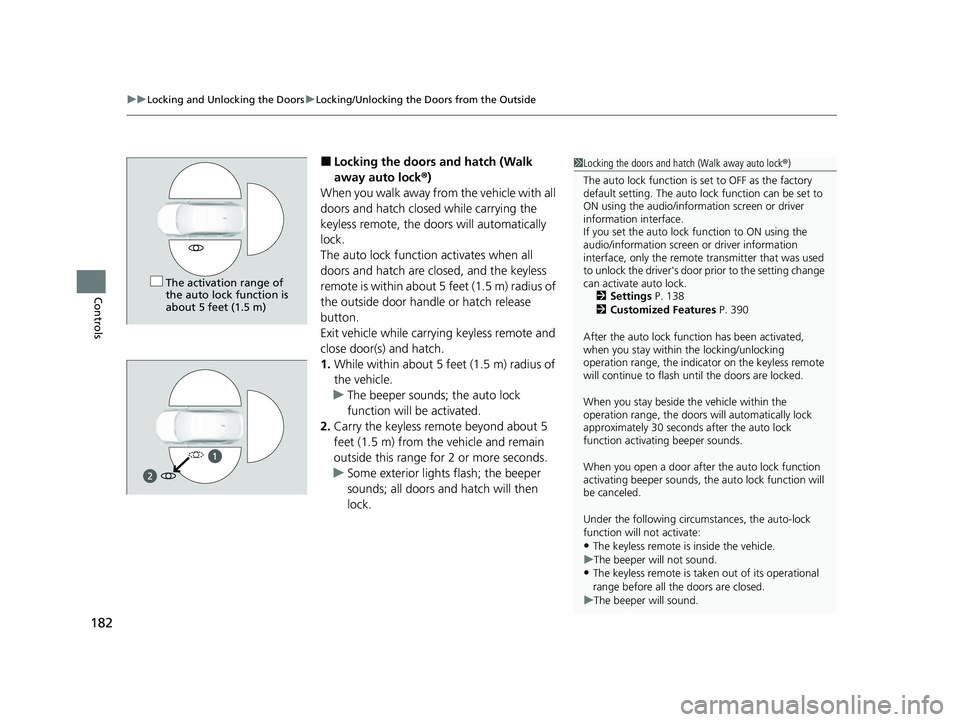
When you walk away from the vehicle with all
doors and hatch closed while carrying the
keyless remote, the doors will automatically
lock.
The auto lock function activates when all
doors and hatch are cl osed, and the keyless
remote is within about 5 feet (1.5 m) radius of
the outside door handle or hatch release
button.
Exit vehicle while carry ing keyless remote and
close door(s) and hatch.
1. While within about 5 feet (1.5 m) radius of
the vehicle.
u The beeper sounds; the auto lock
function will be activated.
2. Carry the keyless remote beyond about 5
feet (1.5 m) from the vehicle and remain
outside this range fo r 2 or more seconds.
u Some exterior lights flash; the beeper
sounds; all doors and hatch will then
lock.1Locking the doors and hatch (Walk away auto lock ®)
The auto lock function is set to OFF as the factory
default setting. The auto lo ck function can be set to
ON using the audio/inform ation screen or driver
information interface.
If you set the auto lock function to ON using the
audio/information screen or driver information
interface, only the remote transmitter that was used
to unlock the driver's door prior to the setting change
can activate auto lock.
2 Settings P. 138
2 Customized Features P. 390
After the auto lock function has been activated,
when you stay within the locking/unlocking
operation range, the indicato r on the keyless remote
will continue to flash until the doors are locked.
When you stay beside the vehicle within the
operation range, the doors wi ll automatically lock
approximately 30 seconds after the auto lock
function activating beeper sounds.
When you open a door after the auto lock function
activating beeper sounds, the auto lock function will
be canceled.
Under the following circumstances, the auto-lock
function will not activate:
•The keyless remote is inside the vehicle.
u The beeper will not sound.
•The keyless remote is taken out of its operational
range before all the doors are closed.
u The beeper will sound.
The activation range of
the auto lock function is
about 5 feet (1.5 m)
23 CIVIC HATCHBACK TYPE R-31T406100_03.book 182 ページ 2022年6月23日 木曜日 午後9時28分
Page 186 of 840
uuLocking and Unlocking the Doors uLocking/Unlocking the Doors from the Outside
184
Controls
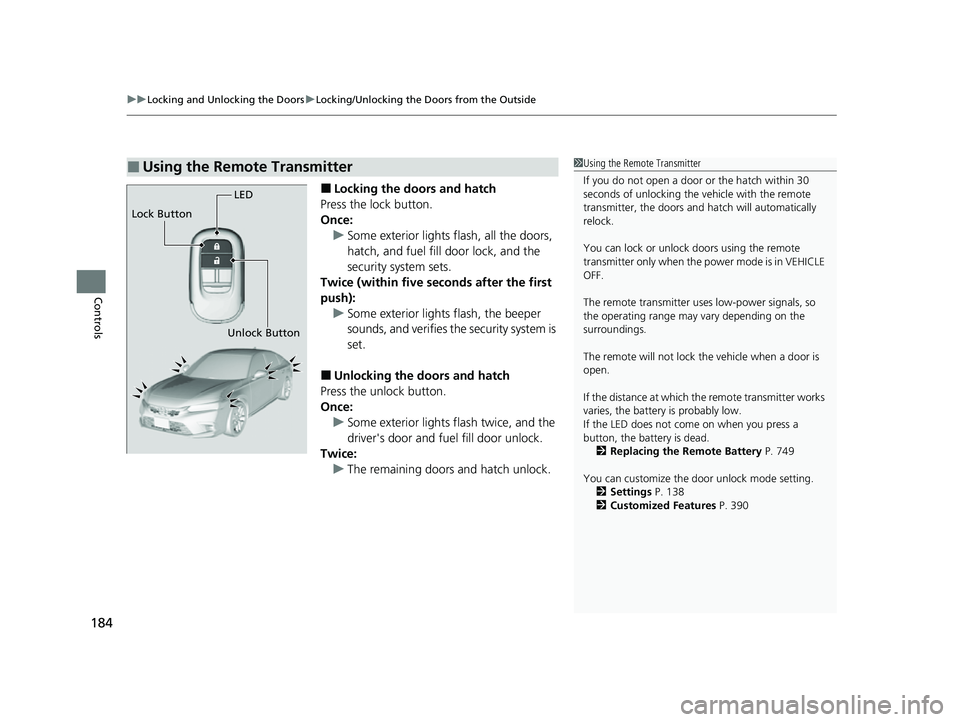
■Locking the doors and hatch
Press the lock button.
Once: u Some exterior lights flash, all the doors,
hatch, and fuel fill door lock, and the
security system sets.
Twice (within five se conds after the first
push): u Some exterior lights flash, the beeper
sounds, and verifies the security system is
set.
■Unlocking the doors and hatch
Press the unlock button.
Once: u Some exterior lights flash twice, and the
driver's door and fuel fill door unlock.
Twice: u The remaining doors and hatch unlock.
■Using the Remote Transmitter1Using the Remote Transmitter
If you do not open a door or the hatch within 30
seconds of unlocking the vehicle with the remote
transmitter, the doors and hatch will automatically
relock.
You can lock or unlock doors using the remote
transmitter only when the power mode is in VEHICLE
OFF.
The remote transmitter us es low-power signals, so
the operating range may vary depending on the
surroundings.
The remote will not lock th e vehicle when a door is
open.
If the distance at which the remote transmitter works
varies, the batter y is probably low.
If the LED does not come on when you press a
button, the battery is dead. 2 Replacing the Remote Battery P. 749
You can customize the door unlock mode setting. 2 Settings P. 138
2 Customized Features P. 390
LED
Unlock Button
Lock Button
23 CIVIC HATCHBACK TYPE R-31T406100_03.book 184 ページ 2022年6月23日 木曜日 午後9時28分
Page 189 of 840
187
uuLocking and Unlocking the Doors uLocking/Unlocking the Doors from the Outside
Controls
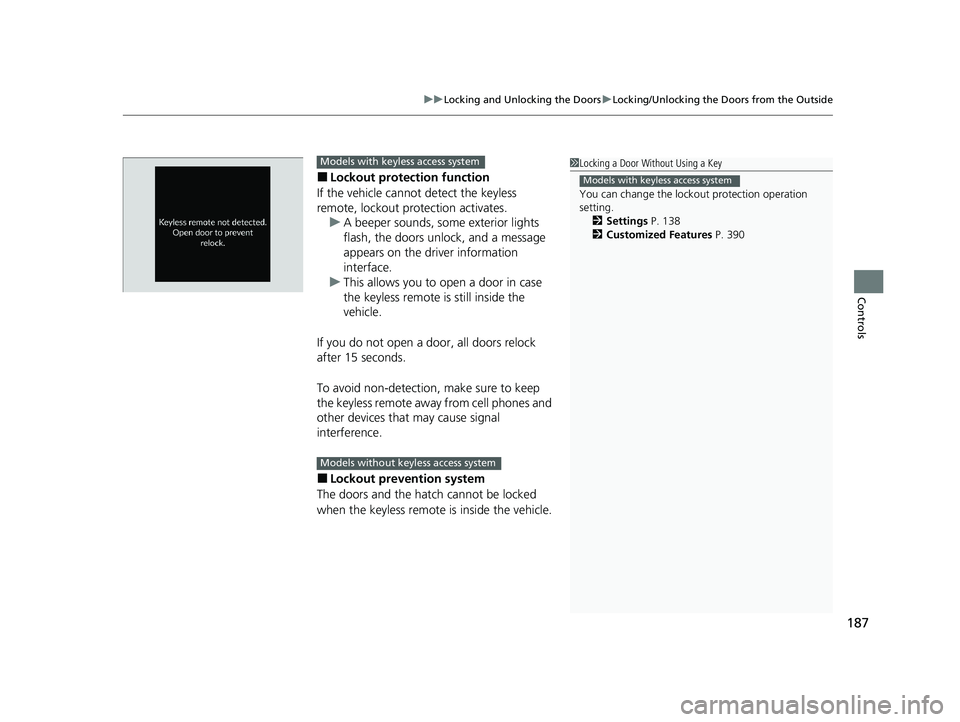
■Lockout protection function
If the vehicle cannot detect the keyless
remote, lockout prot ection activates.
u A beeper sounds, some exterior lights
flash, the doors unlock, and a message
appears on the dr iver information
interface.
u This allows you to open a door in case
the keyless remote is still inside the
vehicle.
If you do not open a door, all doors relock
after 15 seconds.
To avoid non-detection, make sure to keep
the keyless remote away from cell phones and
other devices that may cause signal
interference.
■Lockout prevention system
The doors and the hatch cannot be locked
when the keyless remote is inside the vehicle.
1 Locking a Door Without Using a Key
You can change the lockout protection operation
setting.
2 Settings P. 138
2 Customized Features P. 390
Models with keyless access system
Models with keyless access system
Models without keyless access system
23 CIVIC HATCHBACK TYPE R-31T406100_03.book 187 ページ 2022年6月23日 木曜日 午後9時28分
Page 195 of 840
193
uuHatch uOpening/Closing the Hatch
Continued
Controls
Opening/Closing the Hatch
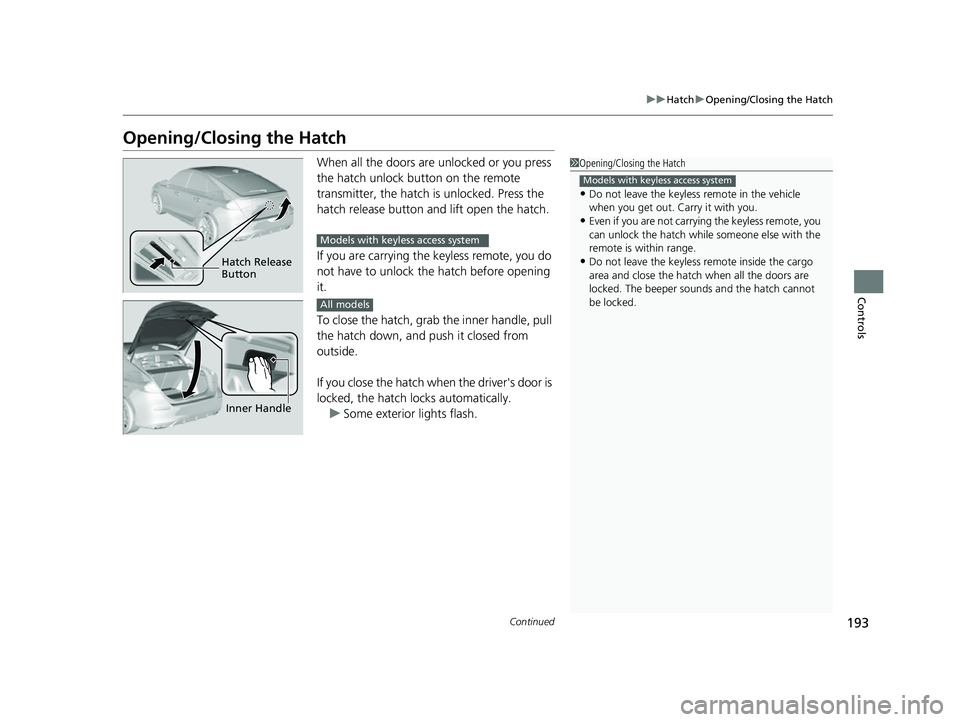
When all the doors are unlocked or you press
the hatch unlock button on the remote
transmitter, the hatch is unlocked. Press the
hatch release button and lift open the hatch.
If you are carrying the keyless remote, you do
not have to unlock the hatch before opening
it.
To close the hatch, grab the inner handle, pull
the hatch down, and push it closed from
outside.
If you close the hatch when the driver's door is
locked, the hatch locks automatically.
u Some exterior lights flash.1Opening/Closing the Hatch
•Do not leave the keyless remote in the vehicle
when you get out. Carry it with you.
•Even if you are not carrying the keyless remote, you
can unlock the hatch while someone else with the
remote is within range.
•Do not leave the keyless re mote inside the cargo
area and close the hatch when all the doors are
locked. The beeper sounds and the hatch cannot
be locked.
Models with keyless access system
Hatch Release
Button
Models with keyless access system
Inner Handle
All models
23 CIVIC HATCHBACK TYPE R-31T406100_03.book 193 ページ 2022年6月23日 木曜日 午後9時28分
Page 198 of 840
uuSecurity System uSecurity System Alarm
196
Controls
■When the security sy stem alarm activates
The horn sounds intermittently, and some exterior lights flash.
■To deactivate the security system alarm
Unlock the vehicle using the key, remote transmitter or keyless access system*, or
power mode is in ON. The system, along with the horn and flashing lights, is
deactivated.
■Setting the security system alarm
The security system alarm automatically sets when the following conditions have
been met:
• The power mode is set to VEHICLE OFF.
• The hood is closed.
• All doors and hatch are locked from outs ide with the remote transmitter, or
keyless access system
*.
■When the security system alarm sets
The security system alarm indicator in the instrument panel blinks and the blinking
interval changes after about 15 seconds.
■To cancel the security system alarm
The security system alarm is canceled when the vehicle is unlocked using the remote
transmitter or keyless access system
*, or when the power mode is set to ON. The
security system alarm indicator goes off at the same time.
1 Security System Alarm
Do not set the security system alarm when someone
is in the vehicle or a window is open. The system can
accidentally activate when:
•Unlocking the door with the lock tab.•Opening the hood with the hood release.
•Taking the transmission out of ( P.
If the battery goes dead after you have set the
security system alarm, the security alarm may go off
once the battery is re charged or replaced.
If this occurs, deactivate the security system alarm by
unlocking a door using the remote transmitter or
keyless access system
*.
Continuously variable transmission models
* Not available on all models
23 CIVIC HATCHBACK TYPE R-31T406100_03.book 196 ページ 2022年6月23日 木曜日 午後9時28分
Page 199 of 840
197
uuSecurity System uSecurity System Alarm
Controls
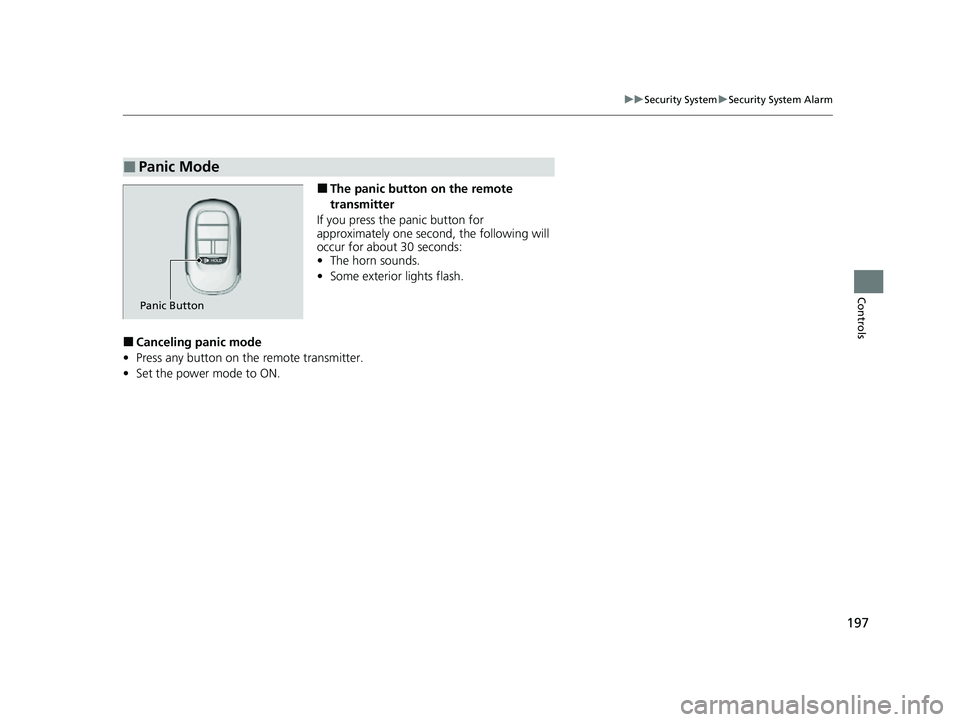
■The panic button on the remote
transmitter
If you press the panic button for
approximately one second, the following will
occur for about 30 seconds:
• The horn sounds.
• Some exterior lights flash.
■Canceling panic mode
• Press any button on the remote transmitter.
• Set the power mode to ON.
■Panic Mode
Panic Button
23 CIVIC HATCHBACK TYPE R-31T406100_03.book 197 ページ 2022年6月23日 木曜日 午後9時28分