Page 106 of 840
104
uuIndicators u
Instrument Panel
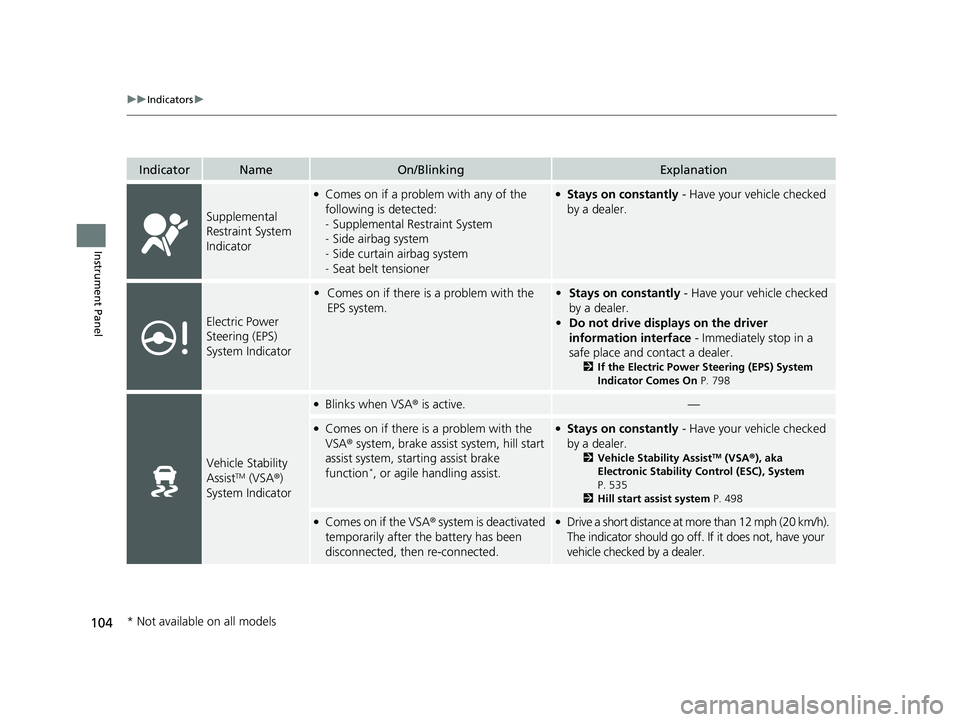
IndicatorNameOn/BlinkingExplanation
Supplemental
Restraint System
Indicator
●Comes on if a problem with any of the
following is detected:
-Supplemental Restraint System
- Side airbag system
- Side curtain airbag system
- Seat belt tensioner●Stays on constantly - Have your vehicle checked
by a dealer.
Electric Power
Steering (EPS)
System Indicator
• Comes on if there is a problem with the
EPS system.•Stays on constantly - Have your vehicle checked
by a dealer.
• Do not drive displays on the driver
information interface - Immediately stop in a
safe place and contact a dealer.
2 If the Electric Power Steering (EPS) System
Indicator Comes On P. 798
Vehicle Stability
AssistTM (VSA®)
System Indicator
●Blinks when VSA ® is active.—
●Comes on if there is a problem with the
VSA ® system, brake assist system, hill start
assist system, starting assist brake
function
*, or agile handling assist.
●Stays on constantly - Have your vehicle checked
by a dealer.
2 Vehicle Stability AssistTM (VSA® ), aka
Electronic Stability Control (ESC), System
P. 535
2 Hill start assist system P. 498
●Comes on if the VSA® system is deactivated
temporarily after the battery has been
disconnected, then re-connected.●Drive a short distance at more than 12 mph (20 km/h).
The indicator should go off. If it does not, have your
vehicle checked by a dealer.
* Not available on all models
23 CIVIC HATCHBACK TYPE R-31T406100_03.book 104 ページ 2022年6月23日 木曜日 午後9時28分
Page 112 of 840
110
uuIndicators u
Instrument Panel
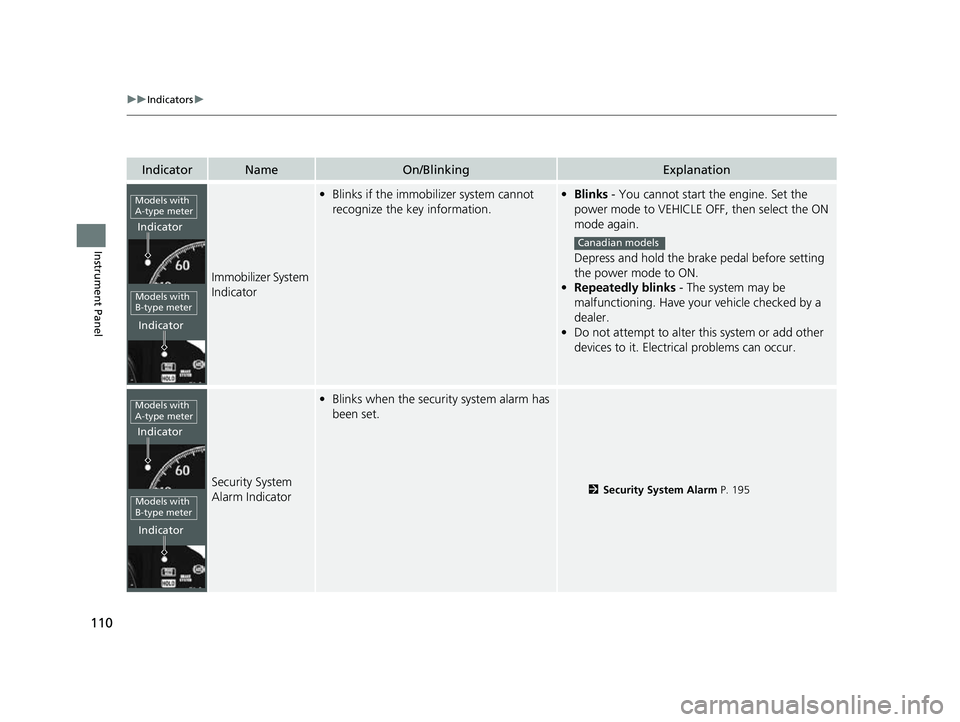
IndicatorNameOn/BlinkingExplanation
Immobilizer System
Indicator
•Blinks if the immobilizer system cannot
recognize the key information.•Blinks - You cannot start the engine. Set the
power mode to VEHICLE OFF, then select the ON
mode again.
Depress and hold the brake pedal before setting
the power mode to ON.
• Repeatedly blinks - The system may be
malfunctioning. Have your vehicle checked by a
dealer.
• Do not attempt to alter this system or add other
devices to it. Electrical problems can occur.
Security System
Alarm Indicator
•Blinks when the security system alarm has
been set.
2 Security System Alarm P. 195
Models with
A-type meter
Indicator
Indicator
Models with
B-type meter
Canadian models
Models with
A-type meter
Indicator
Indicator
Models with
B-type meter
23 CIVIC HATCHBACK TYPE R-31T406100_03.book 110 ページ 2022年6月23日 木曜日 午後9時28分
Page 114 of 840
112
uuIndicators u
Instrument Panel
IndicatorNameOn/BlinkingExplanation
Auto Idle Stop
Suspend Indicator*
●Comes on while Auto Idle Stop is
temporarily suspended in the following
situations.
—
-Brake pedal is not fully pressed●Depress the brake pedal firmly.
-The transmission is in a position other than
(D
2Auto Idle Stop P. 514, 520-System charging is prioritized
-Climate control system is prioritized
-Engine coolant temperature is not in
operating range
-SPORT mode* is selected.2Auto Idle Stop P. 514, 520
2 Drive Mode Switch* P. 525, 529
-The battery temperature is too low.
- Auto Idle Stop does not activate for some
reason.
2 Auto Idle Stop P. 514, 520
—
●If you press and hold the Auto Idle Stop OFF
button, you can select whether to display the status
messages or not.
Continuously variable transmission models
Continuously variable transmission models
* Not available on all models
23 CIVIC HATCHBACK TYPE R-31T406100_03.book 112 ページ 2022年6月23日 木曜日 午後9時28分
Page 126 of 840
uuGauges and Driver Information Interface uGauges
124
Instrument Panel
When using the +R gauge, the following vehicle information can be displayed.
2 Honda LogR* P. 414
•Water Temp.
• Oil Temp.
• Oil Pressure
• Ext. Air Temp.
• Intake Air Temp.
• Boost Pressure
• Steering Angle
• Accel. Ped. Pos.
• Brake Pressure
• Clutch Ped. Pos.
• Yaw Rate
• Atmos. Pressure
■Vehicle Information
Models without Auto Idle Stop
1Vehicle Information
Up to 6 items can be selected and displayed at once.
2 Honda LogR
* P. 414
You can set a limit for Water Temp. and Oil Temp. .
When the limit is reached, the display will turn
amber. 2 Honda LogR
* P. 414
When the ACC or LKAS are turned on, vehicle
information is not displayed.
* Not available on all models
23 CIVIC HATCHBACK TYPE R-31T406100_03.book 124 ページ 2022年6月23日 木曜日 午後9時28分
Page 138 of 840
uuGauges and Driver Information Interface uDriver Information Interface (A-type Meter)
136
Instrument Panel
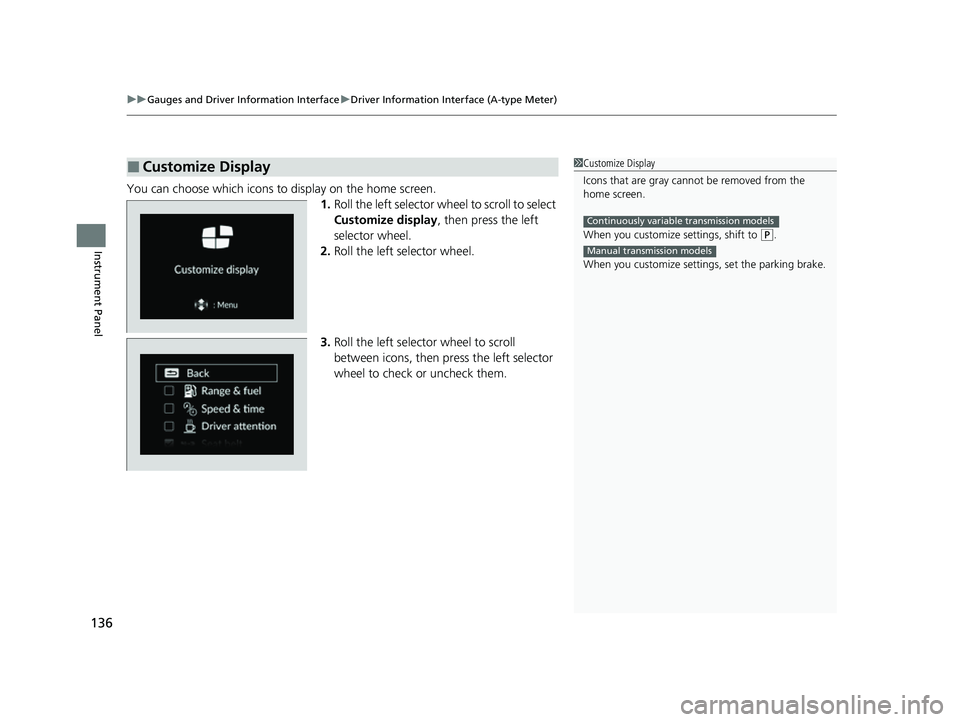
You can choose which icons to display on the home screen.
1.Roll the left selector wheel to scroll to select
Customize display , then press the left
selector wheel.
2. Roll the left selector wheel.
3. Roll the left selector wheel to scroll
between icons, then press the left selector
wheel to check or uncheck them.
■Customize Display1Customize Display
Icons that are gray cannot be removed from the
home screen.
When you customize settings, shift to
(P.
When you customize setti ngs, set the parking brake.
Continuously variable transmission models
Manual transmission models
23 CIVIC HATCHBACK TYPE R-31T406100_03.book 136 ページ 2022年6月23日 木曜日 午後9時28分
Page 140 of 840
uuGauges and Driver Information Interface uDriver Information Interface (A-type Meter)
138
Instrument Panel
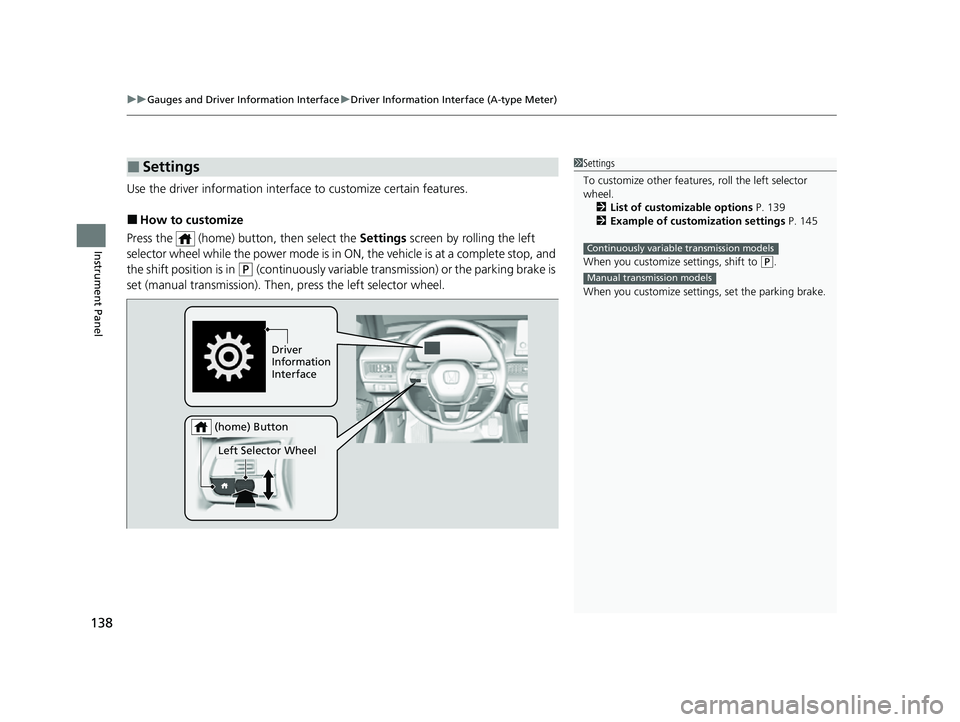
Use the driver information interfac e to customize certain features.
■How to customize
Press the (home) button, then select the Settings screen by rolling the left
selector wheel while the power mode is in ON, the vehicle is at a complete stop, and
the shift position is in
(P (continuously variable transmission) or the parking brake is
set (manual transmission). Then, press the left selector wheel.
■Settings1Settings
To customize other features , roll the left selector
wheel.
2 List of customizable options P. 139
2 Example of customization settings P. 145
When you customize settings, shift to
( P.
When you customize setti ngs, set the parking brake.
Continuously variable transmission models
Manual transmission models
Driver
Information
Interface
Left Selector Wheel
(home) Button
23 CIVIC HATCHBACK TYPE R-31T406100_03.book 138 ページ 2022年6月23日 木曜日 午後9時28分
Page 153 of 840
Continued151
uuGauges and Driver Information Interface uDriver Information Interface Left Side Area (B-type-Meter)
Instrument Panel
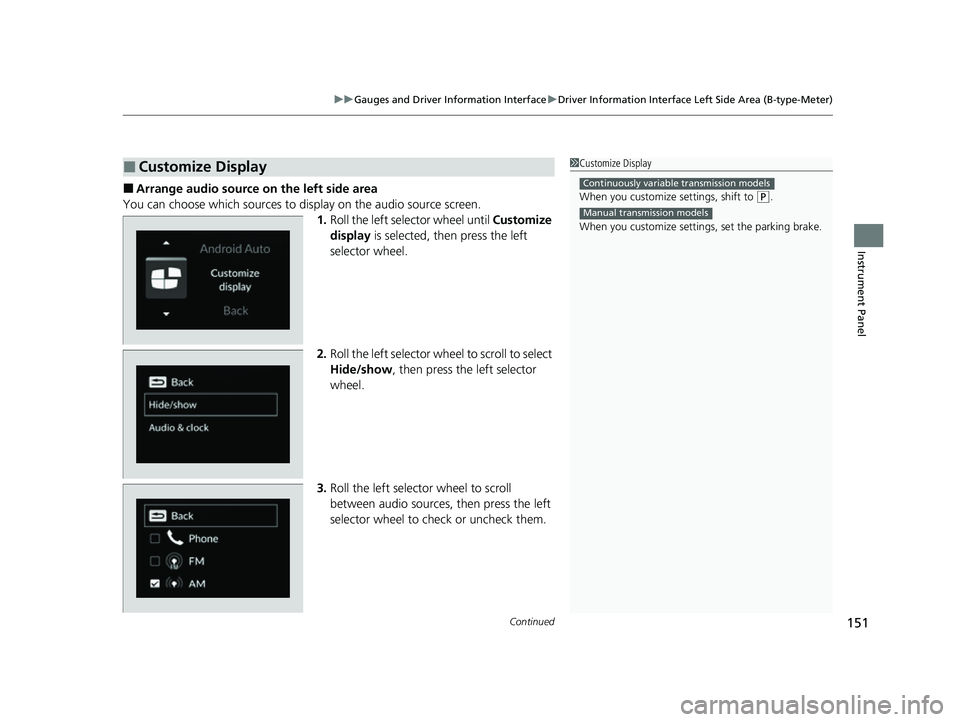
■Arrange audio source on the left side area
You can choose which sources to display on the audio source screen. 1.Roll the left selector wheel until Customize
display is selected, then press the left
selector wheel.
2. Roll the left selector wheel to scroll to select
Hide/show , then press the left selector
wheel.
3. Roll the left selector wheel to scroll
between audio sources, then press the left
selector wheel to check or uncheck them.
■Customize Display1Customize Display
When you customize settings, shift to
(P.
When you customize setti ngs, set the parking brake.
Continuously variable transmission models
Manual transmission models
23 CIVIC HATCHBACK TYPE R-31T406100_03.book 151 ページ 2022年6月23日 木曜日 午後9時28分
Page 166 of 840
164
uuGauges and Driver Information Interface uDriver Information Interface Right Side Area (B-type-Meter)
Instrument Panel
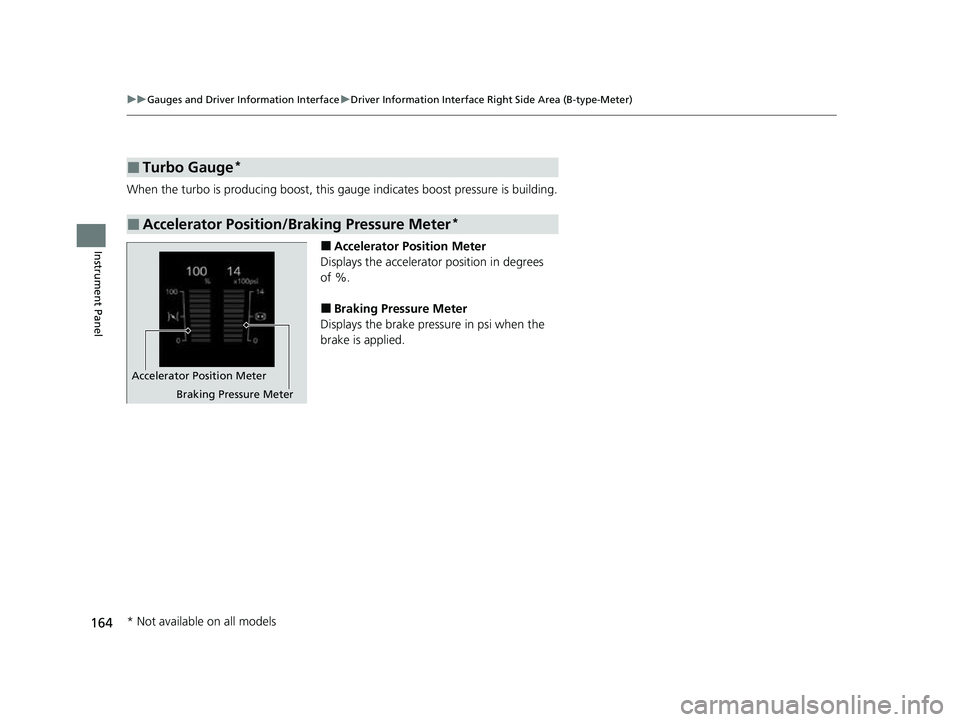
When the turbo is producing boost, this gauge indicates boost pressure is building.
■Accelerator Position Meter
Displays the accelerator position in degrees
of %.
■Braking Pressure Meter
Displays the brake pressure in psi when the
brake is applied.
■Turbo Gauge*
■Accelerator Position/Braking Pressure Meter*
Accelerator Position Meter
Braking Pressure Meter
* Not available on all models
23 CIVIC HATCHBACK TYPE R-31T406100_03.book 164 ページ 2022年6月23日 木曜日 午後9時28分