2023 GMC CANYON display
[x] Cancel search: displayPage 356 of 371

GMC Canyon/Canyon Denali Owner Manual (GMNA-Localizing-U.S./Canada/
Mexico-16510661) - 2023 - CRC - 11/29/22
Connected Services 355
Connected Services
Connected Services
Navigation . . . . . . . . . . . . . . . . . . . . . . . . . . . . . 355
Connections . . . . . . . . . . . . . . . . . . . . . . . . . . . 355
Diagnostics . . . . . . . . . . . . . . . . . . . . . . . . . . . . 357
Connected Services
Navigation
Navigation requires a specific OnStar or
connected service plan.
Press
Qto receive Turn-by-Turn directions
or have them sent to the vehicle’s
navigation screen, if equipped. A destination
transfer from OnStar will show the detail
view of the destination when it is
transferred from OnStar to the Navigation
application. See www.onstar.com for a
coverage map. Services vary by model. Map
coverage is available in the United States
and Canada.
Turn-by-Turn Navigation
1. PressQto connect to an Advisor.
2. Request directions to be downloaded to the vehicle.
3. Follow the voice-guided commands.
Using Voice Commands During a
Planned Route
Functionality of the Voice Command button,
if equipped, may vary by vehicle and region.
For some vehicles, press
=to open the
OnStar app on the infotainment display. Send Destination to Vehicle
Directions can be sent to the vehicle’s
navigation screen, if equipped.
Press
Q, then ask the Advisor to download
directions to the vehicle’s navigation system,
if equipped. After the call ends, the
navigation screen will provide prompts to
begin driving directions. Routes that are sent
to the navigation screen can only be
canceled through the navigation system.
See www.onstar.com (U.S.) or www.onstar.ca
(Canada).
Connections
The following services help with staying
connected.
For coverage maps, see www.onstar.com
(U.S.) or www.onstar.ca (Canada).
Ensuring Security
.Change the default passwords for the
Wi-Fi hotspot and myGMC mobile
application. Make these passwords
different from each other and use a
combination of letters and numbers to
increase the security.
Page 357 of 371

GMC Canyon/Canyon Denali Owner Manual (GMNA-Localizing-U.S./Canada/
Mexico-16510661) - 2023 - CRC - 11/29/22
356 Connected Services
.Change the default name of the SSID
(Service Set Identifier). This is your
network’s name that is visible to other
wireless devices. Choose a unique name
and avoid family names or vehicle
descriptions.
Wi-Fi Hotspot (If Equipped)
The vehicle may have a built-in Wi-Fi
hotspot that provides access to the Internet
and web content at 4G LTE speed. Up to
seven mobile devices can be connected.
A data plan is required. Use the in-vehicle
controls only when it is safe to do so. 1. To retrieve Wi-Fi hotspot information, press
=to open the OnStar app on the
infotainment display, then select Wi-Fi
Hotspot. On some vehicles, touch Wi-Fi
or Wi-Fi Settings on the screen.
2. The Wi-Fi settings will display the Wi-Fi hotspot name (SSID), password, and on
some vehicles, the connection type (no
Internet connection, 3G, 4G, 4G LTE), and
signal quality (poor, good, excellent). The
LTE icon shows connection to Wi-Fi. It is
possible that the icon may not illuminate
even though the vehicle has an active
connection. 3. To change the SSID or password, press
Qor call 1-888-4ONSTAR to connect
with an Advisor. On some vehicles, the
SSID and password can be changed in
the Wi-Fi Hotspot menu.
After initial set-up, your vehicle’s Wi-Fi
hotspot will connect automatically to your
mobile devices. Manage data usage by
turning Wi-Fi on or off on your mobile
device, using the myGMC mobile app, or by
contacting an OnStar Advisor. On some
vehicles, Wi-Fi can also be managed from
the Wi-Fi Hotspot menu.
MyGMC Mobile App (If Available)
Download the myGMC mobile app to
compatible Apple and Android smartphones.
GMC users can access the following services
from a smartphone:
.Remotely start/stop the vehicle,
if factory-equipped.
.Lock/unlock doors, if equipped with
automatic locks.
.Activate the horn and lamps.
.Check the vehicle’s fuel level, oil life,
or tire pressure, if factory-equipped with
the Tire Pressure Monitor System.
.Send destinations to the vehicle.
.Locate the vehicle on a map
(U.S. market only).
.Turn the vehicle's Wi-Fi hotspot on/off,
manage settings, and monitor data
consumption, if equipped.
.Locate a dealer and schedule service.
.Request Roadside Assistance.
.Set a parking reminder with pin drop,
take a photo, make a note, and set a
timer.
.Connect with GMC on social media.
Features are subject to change. For myGMC
mobile app information and compatibility,
see www.gmc.com.
An active OnStar or connected service plan
may be required. A compatible device,
factory-installed remote start, and power
locks are required. Data rates apply. See
www.onstar.com for details and system
limitations.
Remote Services
Contact an OnStar Advisor to unlock the
doors or sound the horn and flash the
lamps.
Page 363 of 371
GMC Canyon/Canyon Denali Owner Manual (GMNA-Localizing-U.S./Cana-
da/Mexico-16510661) - 2023 - CRC - 11/29/22
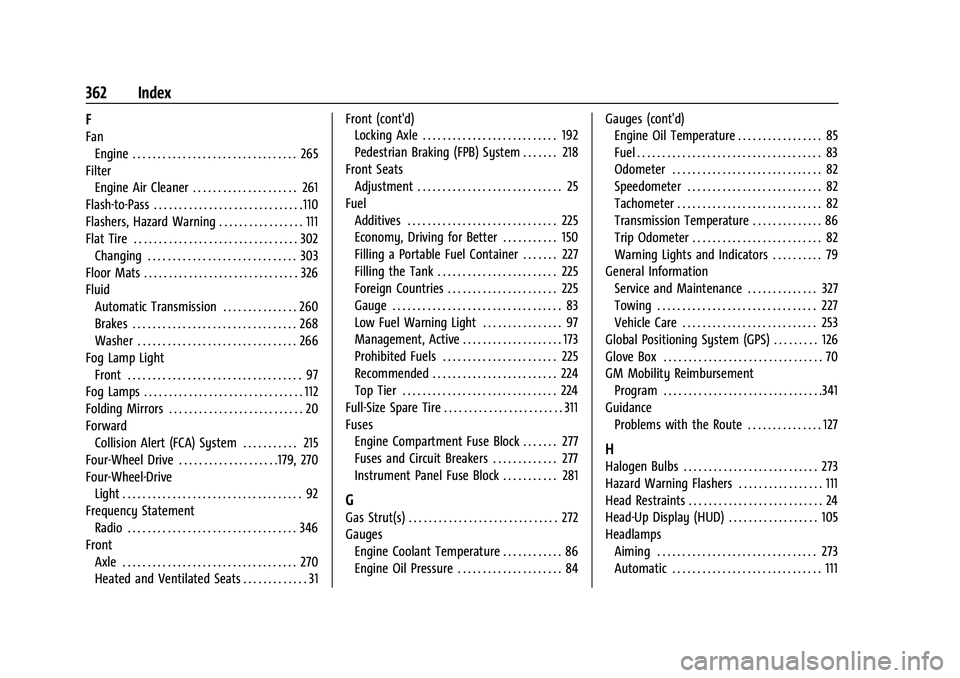
362 Index
F
FanEngine . . . . . . . . . . . . . . . . . . . . . . . . . . . . . . . . . 265
Filter Engine Air Cleaner . . . . . . . . . . . . . . . . . . . . . 261
Flash-to-Pass . . . . . . . . . . . . . . . . . . . . . . . . . . . . . .110
Flashers, Hazard Warning . . . . . . . . . . . . . . . . . 111
Flat Tire . . . . . . . . . . . . . . . . . . . . . . . . . . . . . . . . . 302 Changing . . . . . . . . . . . . . . . . . . . . . . . . . . . . . . 303
Floor Mats . . . . . . . . . . . . . . . . . . . . . . . . . . . . . . . 326
Fluid
Automatic Transmission . . . . . . . . . . . . . . . 260
Brakes . . . . . . . . . . . . . . . . . . . . . . . . . . . . . . . . . 268
Washer . . . . . . . . . . . . . . . . . . . . . . . . . . . . . . . . 266
Fog Lamp Light Front . . . . . . . . . . . . . . . . . . . . . . . . . . . . . . . . . . . 97
Fog Lamps . . . . . . . . . . . . . . . . . . . . . . . . . . . . . . . . 112
Folding Mirrors . . . . . . . . . . . . . . . . . . . . . . . . . . . 20
Forward Collision Alert (FCA) System . . . . . . . . . . . 215
Four-Wheel Drive . . . . . . . . . . . . . . . . . . . .179, 270
Four-Wheel-Drive Light . . . . . . . . . . . . . . . . . . . . . . . . . . . . . . . . . . . . 92
Frequency Statement
Radio . . . . . . . . . . . . . . . . . . . . . . . . . . . . . . . . . . 346
Front Axle . . . . . . . . . . . . . . . . . . . . . . . . . . . . . . . . . . . 270
Heated and Ventilated Seats . . . . . . . . . . . . . 31 Front (cont'd)
Locking Axle . . . . . . . . . . . . . . . . . . . . . . . . . . . 192
Pedestrian Braking (FPB) System . . . . . . . 218
Front Seats Adjustment . . . . . . . . . . . . . . . . . . . . . . . . . . . . . 25
Fuel Additives . . . . . . . . . . . . . . . . . . . . . . . . . . . . . . 225
Economy, Driving for Better . . . . . . . . . . . 150
Filling a Portable Fuel Container . . . . . . . 227
Filling the Tank . . . . . . . . . . . . . . . . . . . . . . . . 225
Foreign Countries . . . . . . . . . . . . . . . . . . . . . . 225
Gauge . . . . . . . . . . . . . . . . . . . . . . . . . . . . . . . . . . 83
Low Fuel Warning Light . . . . . . . . . . . . . . . . 97
Management, Active . . . . . . . . . . . . . . . . . . . . 173
Prohibited Fuels . . . . . . . . . . . . . . . . . . . . . . . 225
Recommended . . . . . . . . . . . . . . . . . . . . . . . . . 224
Top Tier . . . . . . . . . . . . . . . . . . . . . . . . . . . . . . . 224
Full-Size Spare Tire . . . . . . . . . . . . . . . . . . . . . . . . 311
Fuses Engine Compartment Fuse Block . . . . . . . 277
Fuses and Circuit Breakers . . . . . . . . . . . . . 277
Instrument Panel Fuse Block . . . . . . . . . . . 281
G
Gas Strut(s) . . . . . . . . . . . . . . . . . . . . . . . . . . . . . . 272
GaugesEngine Coolant Temperature . . . . . . . . . . . . 86
Engine Oil Pressure . . . . . . . . . . . . . . . . . . . . . 84 Gauges (cont'd)
Engine Oil Temperature . . . . . . . . . . . . . . . . . 85
Fuel . . . . . . . . . . . . . . . . . . . . . . . . . . . . . . . . . . . . . 83
Odometer . . . . . . . . . . . . . . . . . . . . . . . . . . . . . . 82
Speedometer . . . . . . . . . . . . . . . . . . . . . . . . . . . 82
Tachometer . . . . . . . . . . . . . . . . . . . . . . . . . . . . . 82
Transmission Temperature . . . . . . . . . . . . . . 86
Trip Odometer . . . . . . . . . . . . . . . . . . . . . . . . . . 82
Warning Lights and Indicators . . . . . . . . . . 79
General Information Service and Maintenance . . . . . . . . . . . . . . 327
Towing . . . . . . . . . . . . . . . . . . . . . . . . . . . . . . . . 227
Vehicle Care . . . . . . . . . . . . . . . . . . . . . . . . . . . 253
Global Positioning System (GPS) . . . . . . . . . 126
Glove Box . . . . . . . . . . . . . . . . . . . . . . . . . . . . . . . . 70
GM Mobility Reimbursement Program . . . . . . . . . . . . . . . . . . . . . . . . . . . . . . . .341
Guidance Problems with the Route . . . . . . . . . . . . . . . 127
H
Halogen Bulbs . . . . . . . . . . . . . . . . . . . . . . . . . . . 273
Hazard Warning Flashers . . . . . . . . . . . . . . . . . 111
Head Restraints . . . . . . . . . . . . . . . . . . . . . . . . . . . 24
Head-Up Display (HUD) . . . . . . . . . . . . . . . . . . 105
HeadlampsAiming . . . . . . . . . . . . . . . . . . . . . . . . . . . . . . . . 273
Automatic . . . . . . . . . . . . . . . . . . . . . . . . . . . . . . 111