2023 FORD SUPER DUTY tow bar
[x] Cancel search: tow barPage 363 of 738
CONNECTING A TRAILER
PRECAUTIONS
Do not tow a trailer until you drive yourvehicle at least 1,000 mi (1,600 km).
Consult your local motor vehicle laws fortowing a trailer.
See the instructions included with towingaccessories for the proper installation andadjustment specifications.
Service your vehicle more frequently if youtow a trailer. See Normal ScheduledMaintenance (page 600).
If you use a rental trailer, follow theinstructions the rental agency gives you.
When attaching the trailer wiring connectorto your vehicle, only use a proper fittingconnector that works with the vehicle andtrailer functions.
Account for the trailer coupler weight aspart of your vehicle load when calculatingthe total vehicle weight.
Do not exceed the load limits. SeeCalculating the Load Limit (page 353).
HITCHES
INSTALLING A HITCH
WARNING: You must use theheavy-duty drawbar pin supplied withyour vehicle when using the heavy-dutyhitch. Failure to follow this instructioncould result in the loss of control of yourvehicle, personal injury or death.
WARNING: You must use thedrawbar pin supplied with your vehicleor a pin that is designed to meet themaximum rating of your hitch. Failure tofollow this instruction could cause thetrailer to disconnect resulting in the lossof control of your vehicle, personal injuryor death.
Do not use a hitch that either clamps ontothe bumper or attaches to the axle.Distribute the load in your trailer so that10-15% for conventional towing or 15-25%for fifth wheel towing of the total weightof the trailer is on the tongue. Do notexceed the tongue load rating indicatedon the conventional hitch receiver.
Note:On pickup trucks, the trailer hitchprovided on the vehicle enhances crashprotection for the fuel system. Do notremove.
Hitch Components
The following components are required.Some are provided in certain vehicles.
•A trailer hitch with a 3 inch receiver anda 5/8 inch hitch pin. Check thestamped rating number on the pin todetermine the 21,200 lb (9,616 kg) or24,200 lb (10,976 kg) hitch pincapacity.
•A hitch pin sleeve stored in the glovecompartment to use when mountingthe 3 inch drawbar with the 3/4 inchpinhole.
•A cotter pin to help keep the hitch pinin place.
•A trailer hitch with a 3 inch receiver anda 5/8 inch hitch pin. Check thestamped rating number on the pin todetermine the 30,000 lb (13,607 kg)hitch pin capacity.
359
2023 Super Duty (TFH) Canada/United States of America, enUSA, Edition date: 202211, DOMConnecting a Trailer
Page 364 of 738
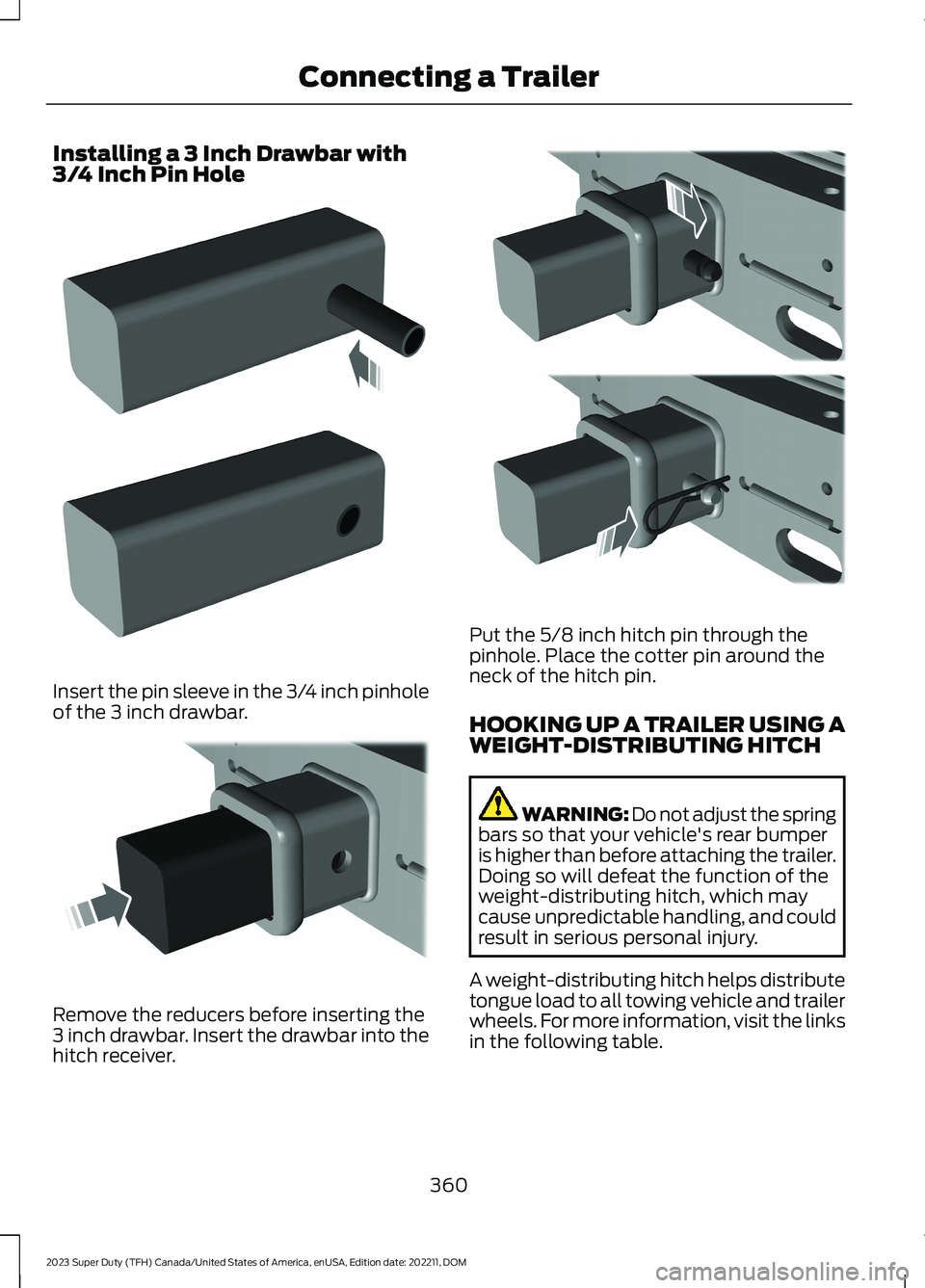
Installing a 3 Inch Drawbar with3/4 Inch Pin Hole
Insert the pin sleeve in the 3/4 inch pinholeof the 3 inch drawbar.
Remove the reducers before inserting the3 inch drawbar. Insert the drawbar into thehitch receiver.
Put the 5/8 inch hitch pin through thepinhole. Place the cotter pin around theneck of the hitch pin.
HOOKING UP A TRAILER USING AWEIGHT-DISTRIBUTING HITCH
WARNING: Do not adjust the springbars so that your vehicle's rear bumperis higher than before attaching the trailer.Doing so will defeat the function of theweight-distributing hitch, which maycause unpredictable handling, and couldresult in serious personal injury.
A weight-distributing hitch helps distributetongue load to all towing vehicle and trailerwheels. For more information, visit the linksin the following table.
360
2023 Super Duty (TFH) Canada/United States of America, enUSA, Edition date: 202211, DOMConnecting a TrailerE247903 E247902 E247909
Page 373 of 738
WHAT IS THE MAXIMUM LOADEDTRAILER WEIGHT
The maximum loaded trailerweight is the highest possibleweight of a fully loaded trailer thevehicle can tow.
CALCULATING THE MAXIMUMLOADED TRAILER WEIGHT FORYOUR VEHICLE
1.Start with the gross combinedweight rating for your vehiclemodel and axle ratio.
2.Subtract all of the followingthat apply to your vehicle:
•Vehicle curb weight.
•Hitch hardware weight, forexample a draw bar, ball, locksor weight distributing hardware.
•Driver weight.
•Passenger weight.
•Payload, cargo and luggageweight.
•Aftermarket equipment weight.
This equals the maximum loadedtrailer weight for this combination.
Note:The trailer tongue load isconsidered part of the payload foryour vehicle. Reduce the totalpayload by the final trailer tongueweight.
Note:Consult an authorized dealerto determine the maximum trailerweight allowed for your vehicle ifyou are not sure.
369
2023 Super Duty (TFH) Canada/United States of America, enUSA, Edition date: 202211, DOMTowing a Trailer
Page 422 of 738
SNOW PLOWING
PRECAUTIONS
WARNING: Modifying or addingequipment to the front of your vehiclecould affect the performance of theairbag system, increasing the risk ofinjury. This includes the hood, bumpersystem, frame, front body structure, towhooks, hood pins, push bar andsnowplows.
WARNING: Do not attempt toservice, repair, or modify thesupplementary restraint system orassociated components. Failure tofollow this instruction could result inpersonal injury or death.
WARNING: All occupants of yourvehicle, including the driver, shouldalways properly wear their seatbelts,even when an airbag supplementalrestraint system is provided. Failure toproperly wear your seatbelt couldseriously increase the risk of injury ordeath.
WARNING: Do not spin the wheelsat over 34 mph (55 km/h). The tires mayfail and injure a passenger or bystander.
Note:Look for an alterer’s label on yourvehicle from the snowplow installercertifying that the installation meets allapplicable Federal Motor Vehicle SafetyStandards (FMVSS).
Note:Federal and some local regulationsrequire additional exterior lamps forsnowplow-equipped vehicles. Contact anauthorized dealer for additional information.
Note:Do not remove or defeat the trippingmechanisms designed into the snowremoval equipment by its manufacturer.Doing so could cause damage to yourvehicle and the snow removal equipmentas well as possible airbag deployment.
OPERATING YOUR VEHICLE
WITH A SNOWPLOW
Weight limits and guidelines for selectingand installing the snowplow are in the FordTruck Body Builders Layout Book. Foradditional information, visitwww.fordbbas.com.
A typical snowplow installation affects thefollowing:
•Front gross axle weight rating. SeeWhat Is the Gross Axle WeightRating (page 352).
•Gross vehicle weight rating. See WhatIs the Gross Vehicle Weight Rating(page 352).
•Braking and steering.
•Front wheel toe. See the FordWorkshop Manual.
•Headlight aim. See Adjusting theHeadlamps (page 460).
•Tire air pressure. See Information onthe Tire Sidewall (page 479).
Note:Do not exceed the front gross axleweight rating or gross vehicle weight rating.
Note:Your vehicle may require rear ballastweight for proper braking and steering.
Your vehicle has a driver and passengerairbag supplemental restraint system. Thesupplemental restraint system activatesin certain frontal and offset frontalcollisions when the vehicle sustainssufficient longitudinal deceleration.
418
2023 Super Duty (TFH) Canada/United States of America, enUSA, Edition date: 202211, DOMSnow Plowing - Vehicles With: Snow Plow Mode (If Equipped)
Page 568 of 738
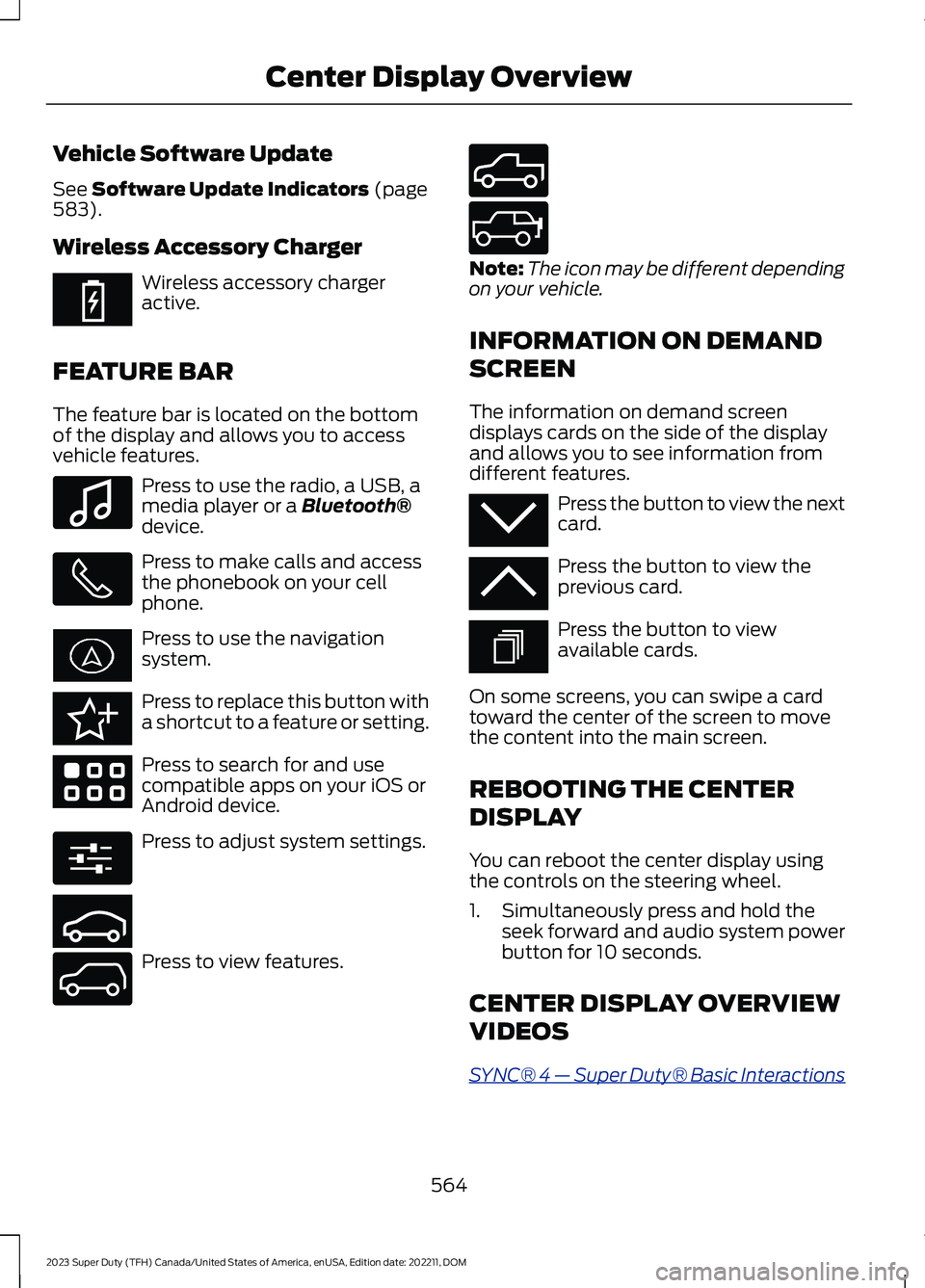
Vehicle Software Update
See Software Update Indicators (page583).
Wireless Accessory Charger
Wireless accessory chargeractive.
FEATURE BAR
The feature bar is located on the bottomof the display and allows you to accessvehicle features.
Press to use the radio, a USB, amedia player or a Bluetooth®device.
Press to make calls and accessthe phonebook on your cellphone.
Press to use the navigationsystem.
Press to replace this button witha shortcut to a feature or setting.
Press to search for and usecompatible apps on your iOS orAndroid device.
Press to adjust system settings.
Press to view features.
Note:The icon may be different dependingon your vehicle.
INFORMATION ON DEMAND
SCREEN
The information on demand screendisplays cards on the side of the displayand allows you to see information fromdifferent features.
Press the button to view the nextcard.
Press the button to view theprevious card.
Press the button to viewavailable cards.
On some screens, you can swipe a cardtoward the center of the screen to movethe content into the main screen.
REBOOTING THE CENTER
DISPLAY
You can reboot the center display usingthe controls on the steering wheel.
1.Simultaneously press and hold theseek forward and audio system powerbutton for 10 seconds.
CENTER DISPLAY OVERVIEW
VIDEOS
SYNC® 4 — Super Duty® Basic Interactions
564
2023 Super Duty (TFH) Canada/United States of America, enUSA, Edition date: 202211, DOMCenter Display OverviewE353214 E100027 E358432 E353220 E280315 E353210 E335299 E335300 E347104 E353212 E353211 E353209
Page 583 of 738
CONNECTED NAVIGATION (IF
EQUIPPED)
Your vehicle may be equipped withconnected navigation. Depending on yourversion, you are given a 90 day or 3 yeartrial. After the trial period, you need to signup to continue the experience. Foradditional information, visit ford.com/connectedservices.
Note:If you do not sign up or renew yoursubscription, you can still use navigationthrough a connected device.
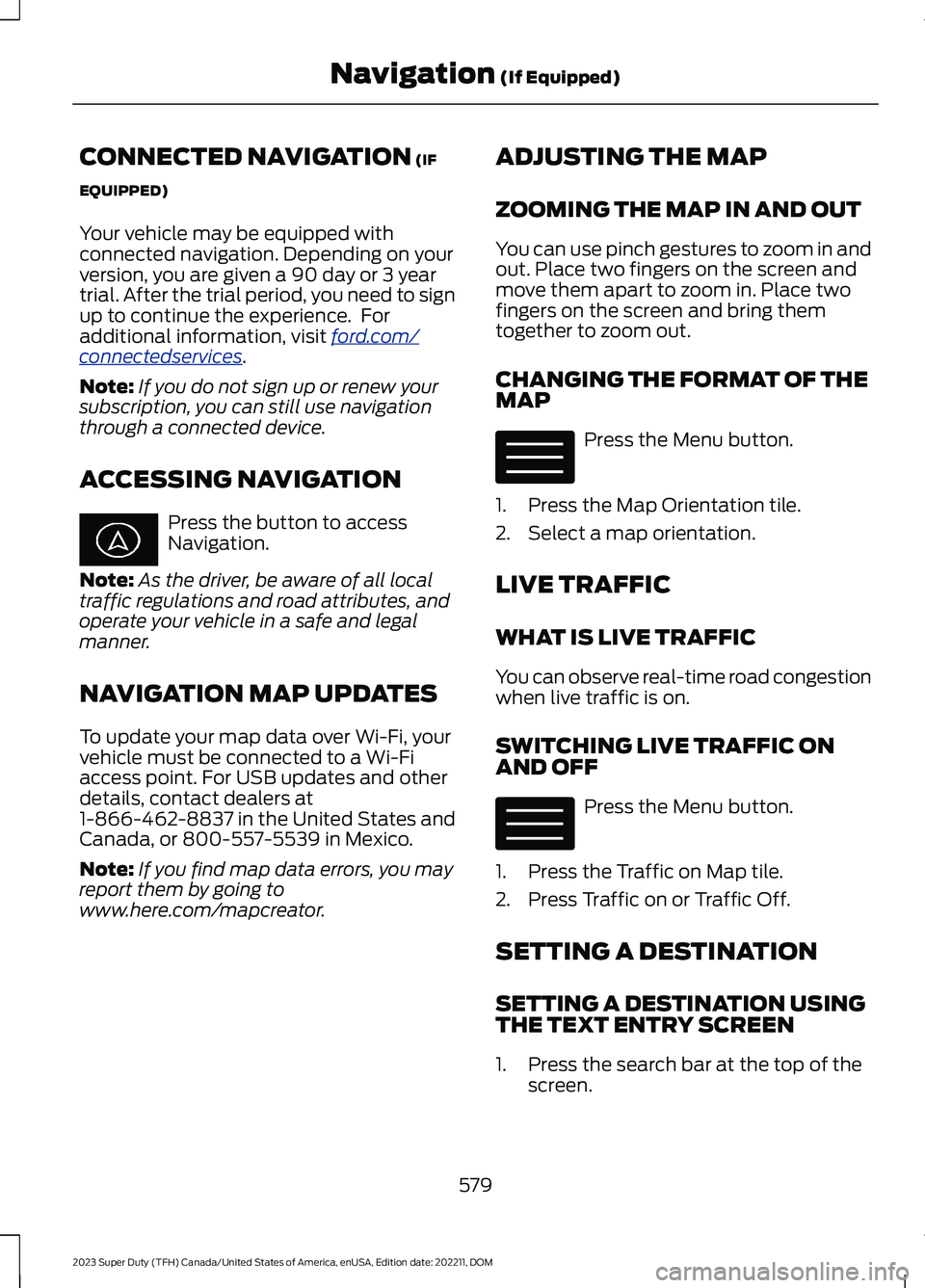
ACCESSING NAVIGATION
Press the button to accessNavigation.
Note:As the driver, be aware of all localtraffic regulations and road attributes, andoperate your vehicle in a safe and legalmanner.
NAVIGATION MAP UPDATES
To update your map data over Wi-Fi, yourvehicle must be connected to a Wi-Fiaccess point. For USB updates and otherdetails, contact dealers at1-866-462-8837 in the United States andCanada, or 800-557-5539 in Mexico.
Note:If you find map data errors, you mayreport them by going towww.here.com/mapcreator.
ADJUSTING THE MAP
ZOOMING THE MAP IN AND OUT
You can use pinch gestures to zoom in andout. Place two fingers on the screen andmove them apart to zoom in. Place twofingers on the screen and bring themtogether to zoom out.
CHANGING THE FORMAT OF THEMAP
Press the Menu button.
1.Press the Map Orientation tile.
2.Select a map orientation.
LIVE TRAFFIC
WHAT IS LIVE TRAFFIC
You can observe real-time road congestionwhen live traffic is on.
SWITCHING LIVE TRAFFIC ONAND OFF
Press the Menu button.
1.Press the Traffic on Map tile.
2.Press Traffic on or Traffic Off.
SETTING A DESTINATION
SETTING A DESTINATION USINGTHE TEXT ENTRY SCREEN
1.Press the search bar at the top of thescreen.
579
2023 Super Duty (TFH) Canada/United States of America, enUSA, Edition date: 202211, DOMNavigation (If Equipped) E328845 E328845
Page 585 of 738
REPEATING AN INSTRUCTION
Press the turn indicator to hear the lastvoice instruction.
CANCELING ROUTE GUIDANCE
Press the button to cancel routeguidance to the selectedlocation.
TRAILER TOWING
NAVIGATION
The system calculates the best route fortrailer towing by avoiding dangerous roadconditions based on the dimensions of yourtrailer.
Switching Trailer TowingNavigation On and Off
1.Press the Navigation button on thefeature bar.
2.Press the Menu button.
3.Press Trailer Routing.
4.Switch Trailer-optimized Routing onor off.
Entering Trailer Dimensions
1.Press the Navigation button on thefeature bar.
2.Press the Menu button.
3.Press Trailer Routing.
4.Press Towing Menu.
5.Press Add Trailer.
6.Follow the instructions on the screento enter the type and dimensions of thetrailer into the system.
Navigation Alerts
Alerts will appear on the navigation mapwhile driving. An orange alert triangleindicates you should proceed with caution.When not following active guidance to adestination, a red alert triangle may appearand indicates you should avoid the roadand find a detour.
581
2023 Super Duty (TFH) Canada/United States of America, enUSA, Edition date: 202211, DOMNavigation (If Equipped)E280804
Page 719 of 738
Exit Warning - Troubleshooting.............334Exit Warning - InformationMessages.........................................................334Export Unique Options...............................701Extending the Exterior Mirrors..................133Extending the Remote StartDuration........................................................150Exterior Bulbs.................................................461Changing a Front Fog Lamp Bulb...............465Changing a Front Turn Signal LampBulb...................................................................464Changing a Headlamp Bulb..........................463Changing a High Mounted StoplampBulb....................................................................467Changing a License Plate Lamp Bulb........467Changing a Rear Lamp Bulb.........................465Changing a Rear Turn Signal LampBulb...................................................................466Changing a Reversing Lamp Bulb...............467Changing a Stoplamp Bulb...........................466Exterior Bulb Specification Chart.................461Removing a Rear Lamp Assembly..............463Exterior Lamps...............................................118Exterior Lamps On Audible Warning............121How Do Cornering Lamps Work....................119Switching the Cargo Lamps On....................120Switching the Daytime Running Lamps Onand Off................................................................119Switching the Spot Lamps On andOff.......................................................................120Switching Welcome Lighting On andOff.........................................................................121Using the Front Fog Lamps............................120Using the Turn Signal Lamps..........................118Exterior Lighting Control..............................117Exterior Lighting..............................................117Adaptive Front Lighting....................................124Autolamps..............................................................118Automatic High Beam Control.......................122Automatic High Beam Control –Troubleshooting.............................................124Exterior Lamps.....................................................118Exterior Zone Lighting........................................121Headlamps.............................................................117Headlamps – Troubleshooting.......................117Exterior Lighting Videos..............................125Exterior Mirrors...............................................132Exterior Mirrors Videos................................133
Exterior Zone Lighting..................................121Exterior Zone Lighting Settings.....................122Using the Exterior Zone Lighting....................121What Is Exterior Zone Lighting........................121
F
Fail-Safe Cooling.........................................425Driving When Fail-Safe Mode IsActivated..........................................................425Fail-Safe Cooling Indicators..........................426How Does Fail-Safe Cooling Work..............425What Is Fail-Safe Cooling...............................425Fastening and Unfastening theSeatbelts.........................................................51Feature Bar....................................................564Federal Highway AdministrationRegulation....................................................674Filling the Selective Catalytic ReductionSystem Tank...............................................228Filling the Selective Catalytic ReductionSystem Tank in Cold Weather..................228Filling the Selective Catalytic ReductionSystem Tank Using a Fuel StationPump.................................................................229Filling the Selective Catalytic ReductionSystem Tank Using a PortableContainer.........................................................229Flat TireSee: Changing a Flat Tire...............................509Flat TowSee: Recreationally Towing Your Vehicle -4x2......................................................................429See: Recreationally Towing Your Vehicle -4x4......................................................................427Floor Mats........................................................417Folding the Exterior Mirrors - VehiclesWith: Manual Folding Mirrors................132Folding the Exterior Mirrors - VehiclesWith: Power Folding Mirrors...................132Foot PedalsSee: Adjusting the Pedals.................................112Ford Assistant..............................................565Ford Assistant – Frequently AskedQuestions........................................................565Ford Assistant Settings...................................565Using Ford Assistant........................................565Ford Protect..................................................589
715
2023 Super Duty (TFH) Canada/United States of America, enUSA, Edition date: 202211, DOMIndex