2023 FORD SUPER DUTY ad blue
[x] Cancel search: ad bluePage 310 of 738
•The brake pedal is pressed.
•Adaptive cruise control button isswitched off on the steering wheel.
The lane centering system is momentarilysuppressed when either of the followingactions are performed:
•Turn signal indicator is latched ortapped with added steering input.
•You steer the vehicle out of lane.
LANE CENTERING INDICATORS
Illuminates when you switchlane centering on. The color ofthe indicator changes to indicatethe system status.
Gray status indicates the system is on butin standby mode.
Blue status indicates the system is enabledand applying steering assistance to keepthe vehicle in the center of the lane.
Amber status with an audible tone, thatthen changes to gray status, indicates asystem automatic cancellation.
PREDICTIVE SPEED ASSIST (IF
EQUIPPED)
HOW DOES PREDICTIVE SPEEDASSIST WORK
Predictive Speed Assist works withadaptive cruise control and adjusts thevehicle speed to the road geometry and tothe speed limit detected by the speed signrecognition system. As the systemidentifies curves and highway exits, thevehicle speed temporarily decreases aheadof and during the changing road geometry.When passing new speed signs, the setspeed updates. See Predictive SpeedAssist Precautions (page 306).
There are limitations that affect theaccuracy of the speed sign recognitionsystem and its ability to determine thecurrent speed limit. Predictive speed assistand its ability to determine the currentspeed limit shares these limitations. SeeSpeed Sign Recognition (page 348).
Note:The adaptive cruise control gapsetting operates normally when the featureis enabled.
PREDICTIVE SPEED ASSISTPRECAUTIONS
WARNING: You are responsible forcontrolling your vehicle at all times. Thesystem is designed to be an aid and doesnot relieve you of your responsibility todrive with due care and attention. Failureto follow this instruction could result inthe loss of control of your vehicle,personal injury or death.
WARNING: Pay close attention tochanging road conditions. You may needto override the system by pressing thebrake or accelerator pedal if the adjustedspeed becomes higher or lower thannecessary.
WARNING: The system onlyprovides limited braking. Your vehiclemay not always decelerate quicklyenough to avoid a crash without driverintervention. Apply the brakes whennecessary.
WARNING: The system does notactivate the turn signal.
Adaptive cruise control precautions applyto predictive speed assist unless statedotherwise or contradicted by a predictivespeed assist precaution. See AdaptiveCruise Control Precautions (page 296).
306
2023 Super Duty (TFH) Canada/United States of America, enUSA, Edition date: 202211, DOMAdaptive Cruise Control (If Equipped)E297977
Page 312 of 738
PREDICTIVE SPEED ASSISTINDICATORS
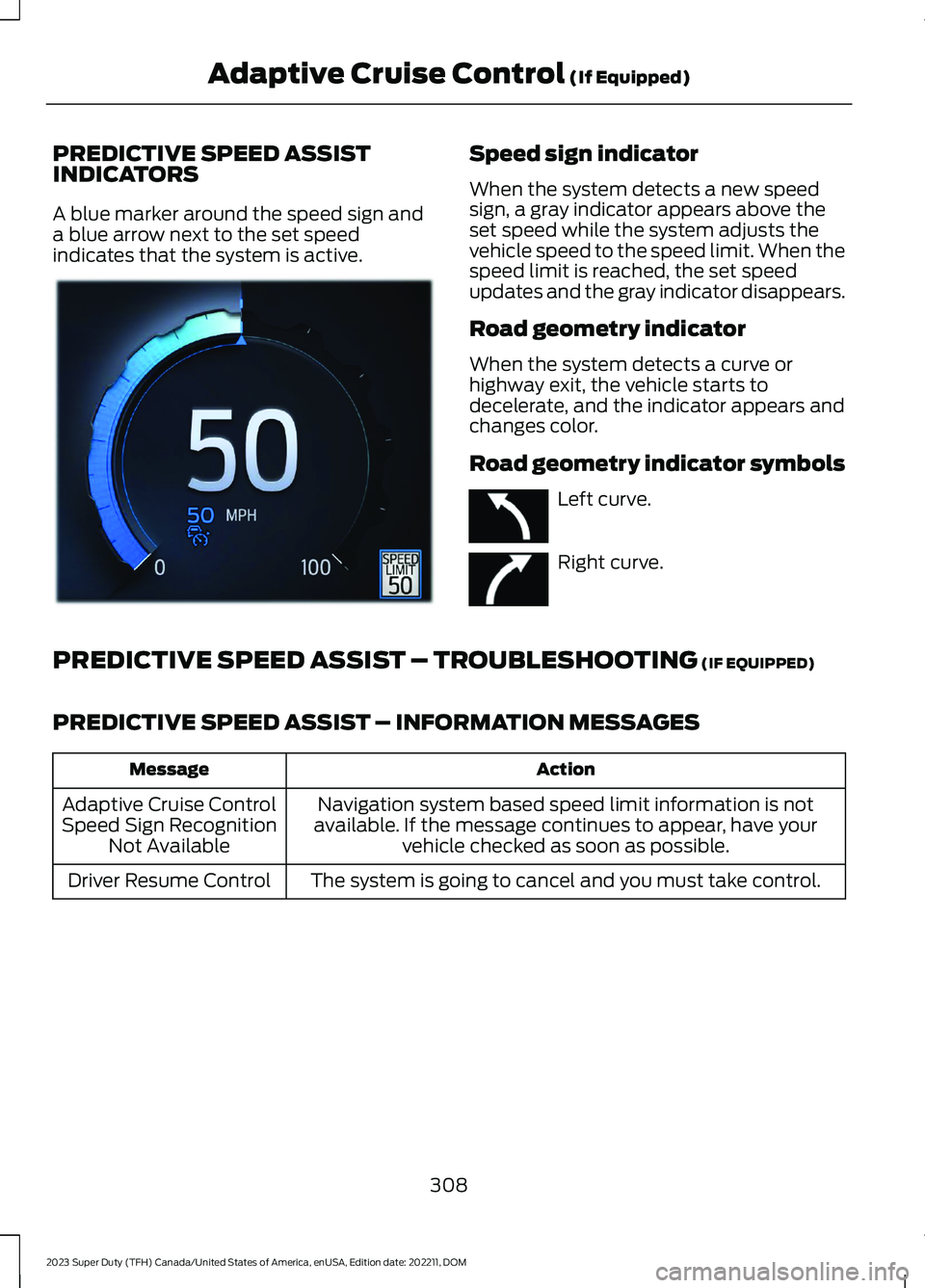
A blue marker around the speed sign anda blue arrow next to the set speedindicates that the system is active.
Speed sign indicator
When the system detects a new speedsign, a gray indicator appears above theset speed while the system adjusts thevehicle speed to the speed limit. When thespeed limit is reached, the set speedupdates and the gray indicator disappears.
Road geometry indicator
When the system detects a curve orhighway exit, the vehicle starts todecelerate, and the indicator appears andchanges color.
Road geometry indicator symbols
Left curve.
Right curve.
PREDICTIVE SPEED ASSIST – TROUBLESHOOTING (IF EQUIPPED)
PREDICTIVE SPEED ASSIST – INFORMATION MESSAGES
ActionMessage
Navigation system based speed limit information is notavailable. If the message continues to appear, have yourvehicle checked as soon as possible.
Adaptive Cruise ControlSpeed Sign RecognitionNot Available
The system is going to cancel and you must take control.Driver Resume Control
308
2023 Super Duty (TFH) Canada/United States of America, enUSA, Edition date: 202211, DOMAdaptive Cruise Control (If Equipped)E385814 E379737 E379738
Page 345 of 738

LOCATING THE PRE-
COLLISION ASSIST SENSORS
Camera.1.
Radar sensor (if equipped).2.
If a message regarding a blocked sensoror camera appears in the informationdisplay, something is obstructing the radarsignals or camera images. The radar sensoris behind the fascia cover in the center ofthe lower grille. With a blocked sensor orcamera, the system may not function, orperformance may reduce. SeePre-Collision Assist – InformationMessages (page 344).
Note:Proper system operation requires aclear view of the road by the camera. Haveany windshield damage in the area of thecamera's field of view repaired.
Note:If something hits the front end of yourvehicle or damage occurs and your vehiclehas a radar sensor, the radar sensing zonecould change. This could cause missed orfalse vehicle detections. Have your vehicleserviced to have the radar checked forproper coverage and operation.
Note:If your vehicle detects excessive heatat the camera or a potential misalignmentcondition, a message could display in theinformation display indicating temporarysensor unavailability. When operationalconditions are correct, the messagedeactivates. For example, when the ambienttemperature around the sensor decreasesor the sensor recalibrates successfully.
DISTANCE INDICATION
WHAT IS DISTANCE INDICATION
Distance indication displays the gapbetween your vehicle and the vehicleahead of you.
Note:The graphic does not display if youswitch on cruise control or adaptive cruisecontrol.
Time GapDistance GapDistance Indic-ator ColorSystem Sensit-ivityVehicle Speed
Greater than 0.9seconds.Greater than82 ft (25 m).Blue.Normal.62 mph(100 km/h).
0.6-0.9seconds.56–82 ft(17–25 m).Yellow.
Less than 0.6seconds.Less than 56 ft(17 m).Red.
341
2023 Super Duty (TFH) Canada/United States of America, enUSA, Edition date: 202211, DOMPre-Collision Assist (If Equipped)E390505
Page 567 of 738
CENTER DISPLAY
PRECAUTIONS
WARNING: Driving while distractedcan result in loss of vehicle control, crashand injury. We strongly recommend thatyou use extreme caution when using anydevice that may take your focus off theroad. Your primary responsibility is thesafe operation of your vehicle. Werecommend against the use of anyhand-held device while driving andencourage the use of voice-operatedsystems when possible. Make sure youare aware of all applicable local lawsthat may affect the use of electronicdevices while driving.
CENTER DISPLAY
LIMITATIONS
Speed-restricted Features
For your safety, features that are notcritical while driving are not available whenthe vehicle is moving at or above 5 mph(8 km/h).
STATUS BAR
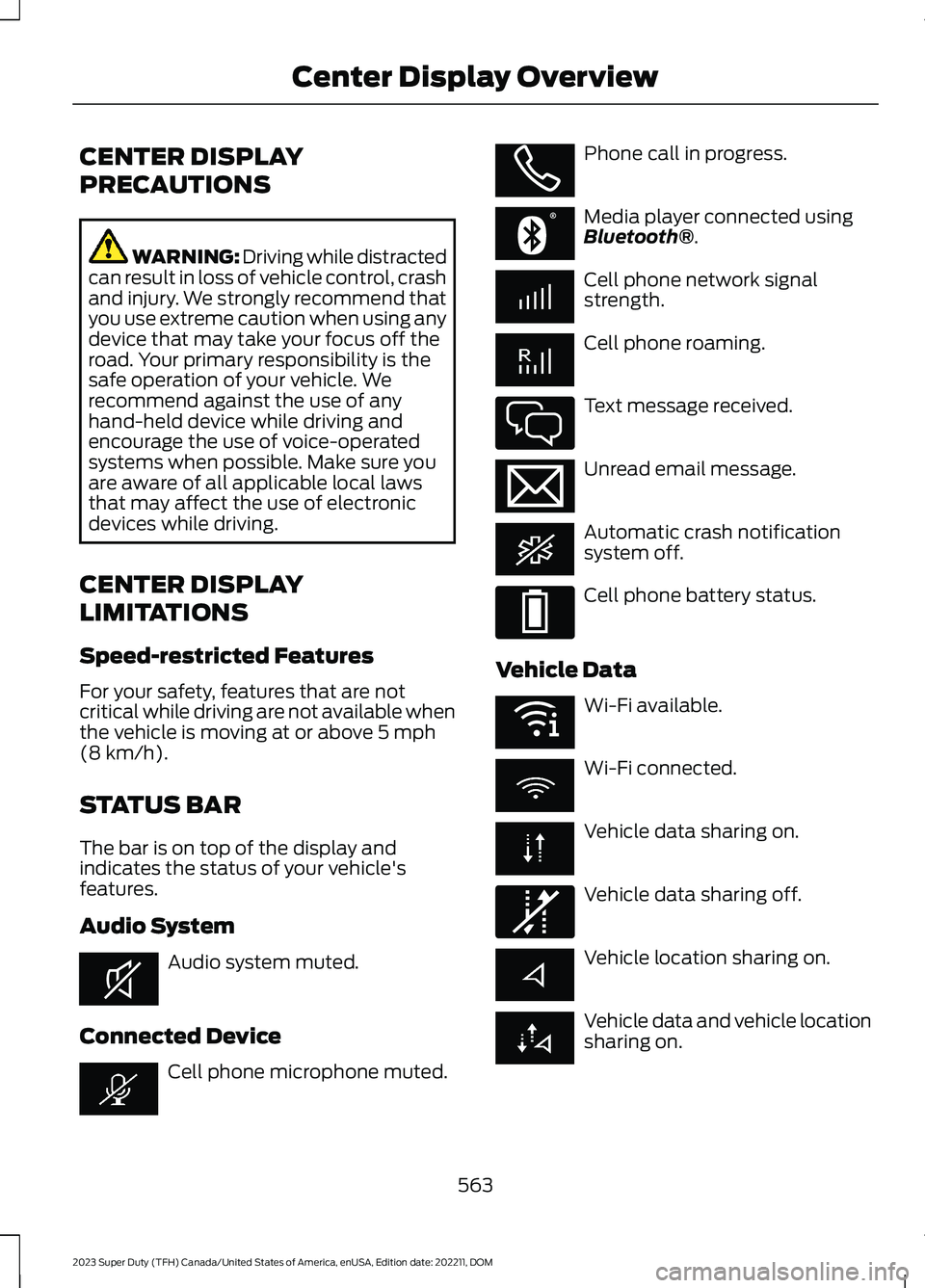
The bar is on top of the display andindicates the status of your vehicle'sfeatures.
Audio System
Audio system muted.
Connected Device
Cell phone microphone muted.
Phone call in progress.
Media player connected usingBluetooth®.
Cell phone network signalstrength.
Cell phone roaming.
Text message received.
Unread email message.
Automatic crash notificationsystem off.
Cell phone battery status.
Vehicle Data
Wi-Fi available.
Wi-Fi connected.
Vehicle data sharing on.
Vehicle data sharing off.
Vehicle location sharing on.
Vehicle data and vehicle locationsharing on.
563
2023 Super Duty (TFH) Canada/United States of America, enUSA, Edition date: 202211, DOMCenter Display OverviewE353221 E353213 E353208 E335295 E353216 E335293 E353219 E335292
Page 568 of 738
Vehicle Software Update
See Software Update Indicators (page583).
Wireless Accessory Charger
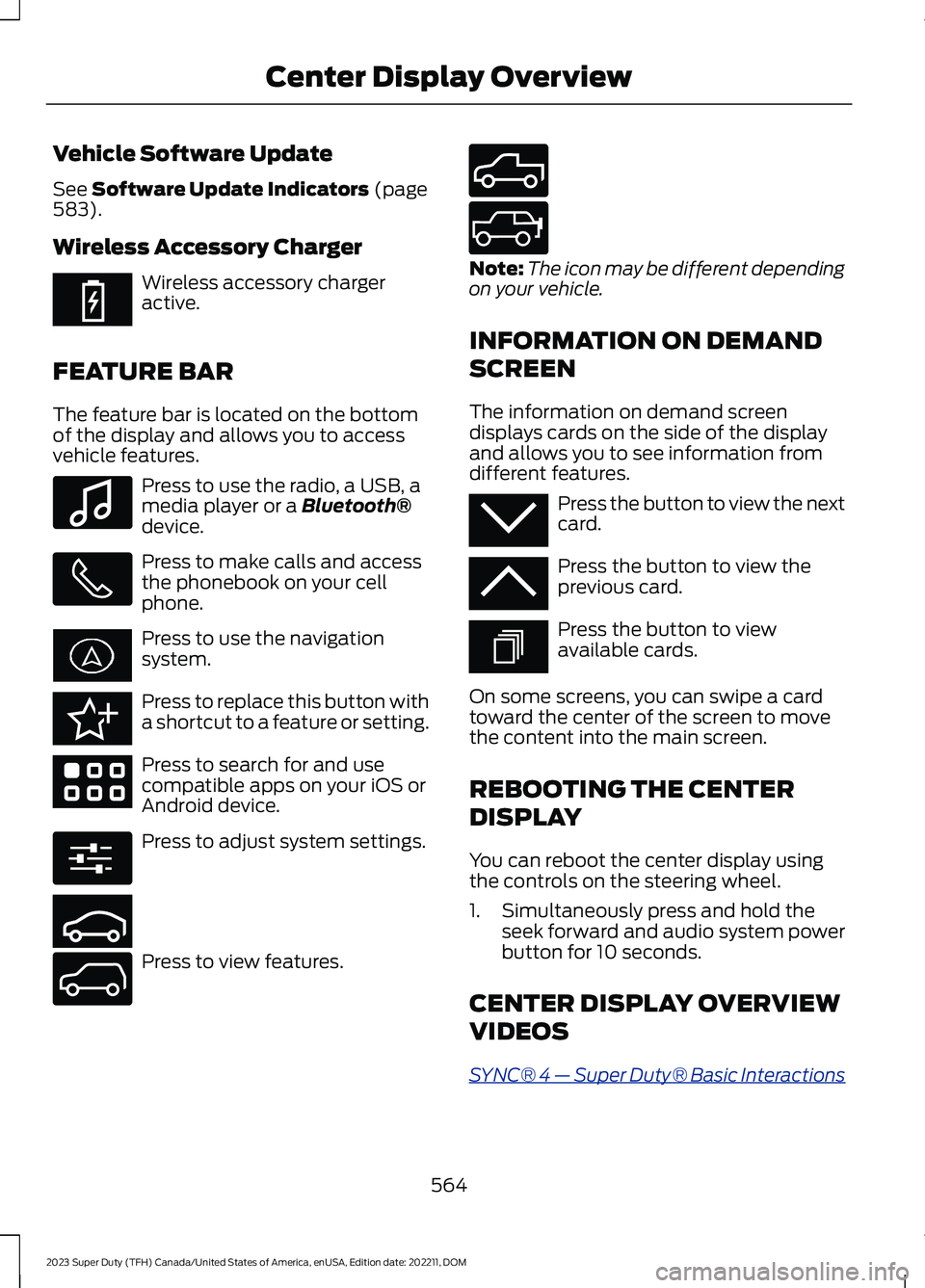
Wireless accessory chargeractive.
FEATURE BAR
The feature bar is located on the bottomof the display and allows you to accessvehicle features.
Press to use the radio, a USB, amedia player or a Bluetooth®device.
Press to make calls and accessthe phonebook on your cellphone.
Press to use the navigationsystem.
Press to replace this button witha shortcut to a feature or setting.
Press to search for and usecompatible apps on your iOS orAndroid device.
Press to adjust system settings.
Press to view features.
Note:The icon may be different dependingon your vehicle.
INFORMATION ON DEMAND
SCREEN
The information on demand screendisplays cards on the side of the displayand allows you to see information fromdifferent features.
Press the button to view the nextcard.
Press the button to view theprevious card.
Press the button to viewavailable cards.
On some screens, you can swipe a cardtoward the center of the screen to movethe content into the main screen.
REBOOTING THE CENTER
DISPLAY
You can reboot the center display usingthe controls on the steering wheel.
1.Simultaneously press and hold theseek forward and audio system powerbutton for 10 seconds.
CENTER DISPLAY OVERVIEW
VIDEOS
SYNC® 4 — Super Duty® Basic Interactions
564
2023 Super Duty (TFH) Canada/United States of America, enUSA, Edition date: 202211, DOMCenter Display OverviewE353214 E100027 E358432 E353220 E280315 E353210 E335299 E335300 E347104 E353212 E353211 E353209
Page 569 of 738
FORD ASSISTANT
USING FORD ASSISTANT
The digital assistant allows you to controlvehicle features using conversationalrequests.
To begin a voice interaction using the wakeword, say the selected wake word, thensay your command.
Press the voice interactionbutton on the steering wheel. Atone sounds before you can sayyour command.
Note:You may need to enable yourvehicle's modem to use certain voicecommands. See Enabling and Disablingthe Modem (page 548).
Note:When you are not driving, additionalcommands are available by using popularchat applications. Use FordPass to setup aconversation with your Ford assistant.
Voice Command Examples
To see examples of what voice commandsyou can use with different features:
Press the button on thetouchscreen.
1.Press Ford Assistant.
2.Press Voice Command Help.
3.Select a feature.
FORD ASSISTANT SETTINGS
To access the settings menu:
Press the button on thetouchscreen.
1.Press Ford Assistant.
From the settings menu you can do thefollowing:
•Switch listen for wake word on or off.
•Set the preferred wake word.
•Switch advance mode on or off.
•Switch phone confirmation on or off.
•Switch the commands list on or off.
•View the commands help menu.
Press the button next to a menuoption for more information.
FORD ASSISTANT – FREQUENTLYASKED QUESTIONS
Why does the system notunderstand what I am saying?
•You are speaking too soon. When usingthe button of the steering wheel, waitfor the tone before you speak.
Why does the system notunderstand the name of a track orartist?
•Bluetooth® does not support voicecommands.Connect your device to aUSB port.
•You are not saying the name exactlyas it appears on your device. Say thename of the track or artist exactly as itappears on your device. Spell out anyabbreviations in the name.
•The system does not recognize somespecial characters contained in thename of a song or artist, for example*, - or +. Rename the files on yourdevice or use the touchscreen to selectand play the track.
565
2023 Super Duty (TFH) Canada/United States of America, enUSA, Edition date: 202211, DOMVoice InteractionE142599 E280315 E280315 E366956
Page 573 of 738
PHONE PRECAUTIONS
WARNING: Driving while distractedcan result in loss of vehicle control, crashand injury. We strongly recommend thatyou use extreme caution when using anydevice that may take your focus off theroad. Your primary responsibility is thesafe operation of your vehicle. Werecommend against the use of anyhand-held device while driving andencourage the use of voice-operatedsystems when possible. Make sure youare aware of all applicable local lawsthat may affect the use of electronicdevices while driving.
CONNECTING YOUR PHONE
Go to the settings menu on your device andswitch Bluetooth® on.
Press the phone option on thefeature bar.
1.Press Add Phone.
Note:A prompt alerts you to search for yourvehicle on your cell phone.
2.Select your vehicle on your cell phone.
Note:A number appears on your cell phoneand on the touchscreen.
3.Confirm the number on your cell phonematches the number on thetouchscreen.
Note:The touchscreen indicates that youhave successfully paired your cell phone.
4.Approve phonebook download requeston your cell phone.
PHONE MENU
This menu becomes available after pairinga phone.
Recent Call List
Display and select an entry from a list ofprevious calls.
Contacts
Display a smart search form to look up yourcontacts. Use the List button toalphabetically sort your contacts.
Favorites
Display the list of favorite contacts thatare set up on your phone.
Messaging
Displays the list of text messages to read,listen to, or respond to.
Email
Displays the list of emails to read, listen to,or respond to.
Phone List
Display the list of paired or connecteddevices that you can select.
Note:Up to 12 devices can be stored.
Do Not Disturb
Reject incoming calls and switch ring tonesand alerts off.
Phone Keypad
Directly dial a number.
569
2023 Super Duty (TFH) Canada/United States of America, enUSA, Edition date: 202211, DOMPhone
Page 577 of 738
SWITCHING TEXT MESSAGE
NOTIFICATION ON AND OFF
iOS
1.Go to the settings menu on your cellphone.
2.Select Bluetooth®.
3.Select the information icon to the rightof your vehicle.
4.Switch text message notification on oroff.
Android
1.Go to the settings menu on your cellphone.
2.Select Bluetooth®.
3.Select the profiles option.
4.Select the phone profile.
5.Switch text message notification on oroff.
573
2023 Super Duty (TFH) Canada/United States of America, enUSA, Edition date: 202211, DOMPhone