2023 FORD BRONCO SPORT brake light
[x] Cancel search: brake lightPage 91 of 516
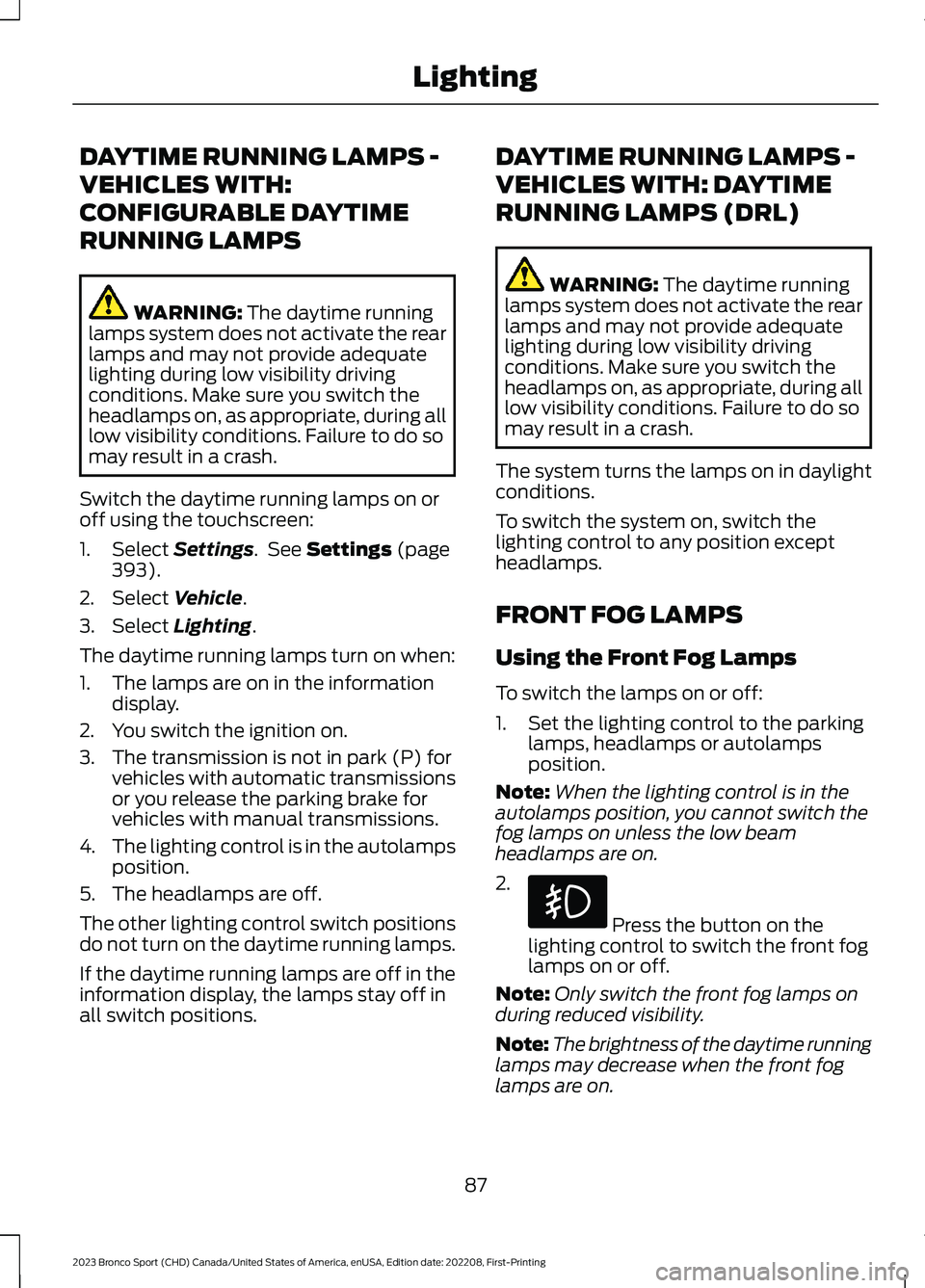
DAYTIME RUNNING LAMPS -
VEHICLES WITH:
CONFIGURABLE DAYTIME
RUNNING LAMPS
WARNING: The daytime runninglamps system does not activate the rearlamps and may not provide adequatelighting during low visibility drivingconditions. Make sure you switch theheadlamps on, as appropriate, during alllow visibility conditions. Failure to do somay result in a crash.
Switch the daytime running lamps on oroff using the touchscreen:
1.Select Settings. See Settings (page393).
2.Select Vehicle.
3.Select Lighting.
The daytime running lamps turn on when:
1.The lamps are on in the informationdisplay.
2.You switch the ignition on.
3.The transmission is not in park (P) forvehicles with automatic transmissionsor you release the parking brake forvehicles with manual transmissions.
4.The lighting control is in the autolampsposition.
5.The headlamps are off.
The other lighting control switch positionsdo not turn on the daytime running lamps.
If the daytime running lamps are off in theinformation display, the lamps stay off inall switch positions.
DAYTIME RUNNING LAMPS -
VEHICLES WITH: DAYTIME
RUNNING LAMPS (DRL)
WARNING: The daytime runninglamps system does not activate the rearlamps and may not provide adequatelighting during low visibility drivingconditions. Make sure you switch theheadlamps on, as appropriate, during alllow visibility conditions. Failure to do somay result in a crash.
The system turns the lamps on in daylightconditions.
To switch the system on, switch thelighting control to any position exceptheadlamps.
FRONT FOG LAMPS
Using the Front Fog Lamps
To switch the lamps on or off:
1.Set the lighting control to the parkinglamps, headlamps or autolampsposition.
Note:When the lighting control is in theautolamps position, you cannot switch thefog lamps on unless the low beamheadlamps are on.
2.
Press the button on thelighting control to switch the front foglamps on or off.
Note:Only switch the front fog lamps onduring reduced visibility.
Note:The brightness of the daytime runninglamps may decrease when the front foglamps are on.
87
2023 Bronco Sport (CHD) Canada/United States of America, enUSA, Edition date: 202208, First-PrintingLighting
Page 104 of 516
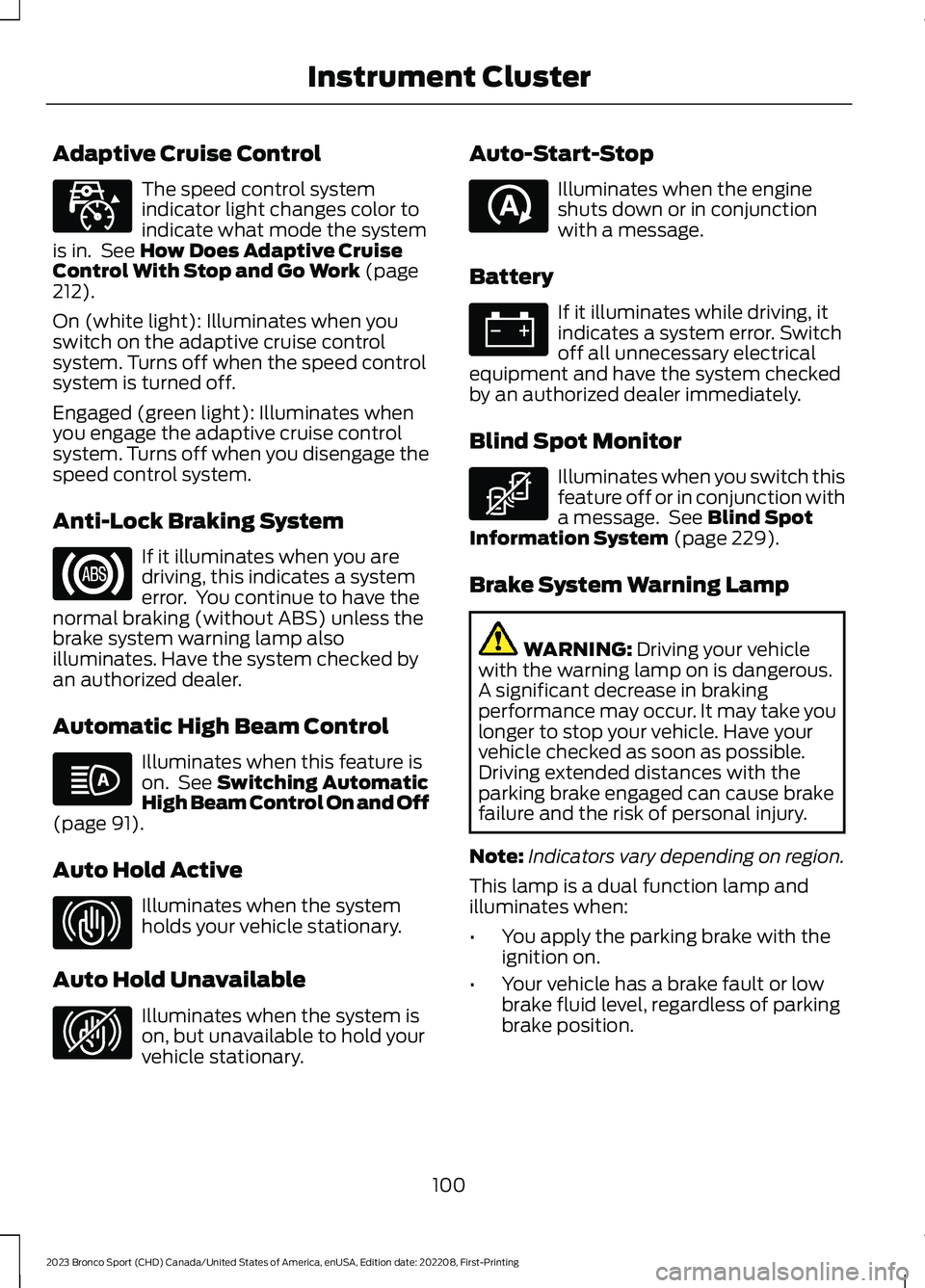
Adaptive Cruise Control
The speed control systemindicator light changes color toindicate what mode the systemis in. See How Does Adaptive CruiseControl With Stop and Go Work (page212).
On (white light): Illuminates when youswitch on the adaptive cruise controlsystem. Turns off when the speed controlsystem is turned off.
Engaged (green light): Illuminates whenyou engage the adaptive cruise controlsystem. Turns off when you disengage thespeed control system.
Anti-Lock Braking System
If it illuminates when you aredriving, this indicates a systemerror. You continue to have thenormal braking (without ABS) unless thebrake system warning lamp alsoilluminates. Have the system checked byan authorized dealer.
Automatic High Beam Control
Illuminates when this feature ison. See Switching AutomaticHigh Beam Control On and Off(page 91).
Auto Hold Active
Illuminates when the systemholds your vehicle stationary.
Auto Hold Unavailable
Illuminates when the system ison, but unavailable to hold yourvehicle stationary.
Auto-Start-Stop
Illuminates when the engineshuts down or in conjunctionwith a message.
Battery
If it illuminates while driving, itindicates a system error. Switchoff all unnecessary electricalequipment and have the system checkedby an authorized dealer immediately.
Blind Spot Monitor
Illuminates when you switch thisfeature off or in conjunction witha message. See Blind SpotInformation System (page 229).
Brake System Warning Lamp
WARNING: Driving your vehiclewith the warning lamp on is dangerous.A significant decrease in brakingperformance may occur. It may take youlonger to stop your vehicle. Have yourvehicle checked as soon as possible.Driving extended distances with theparking brake engaged can cause brakefailure and the risk of personal injury.
Note:Indicators vary depending on region.
This lamp is a dual function lamp andilluminates when:
•You apply the parking brake with theignition on.
•Your vehicle has a brake fault or lowbrake fluid level, regardless of parkingbrake position.
100
2023 Bronco Sport (CHD) Canada/United States of America, enUSA, Edition date: 202208, First-PrintingInstrument ClusterE323440 E67020 E146105 E323448 E323449 E121377 E67021 E323450
Page 126 of 516
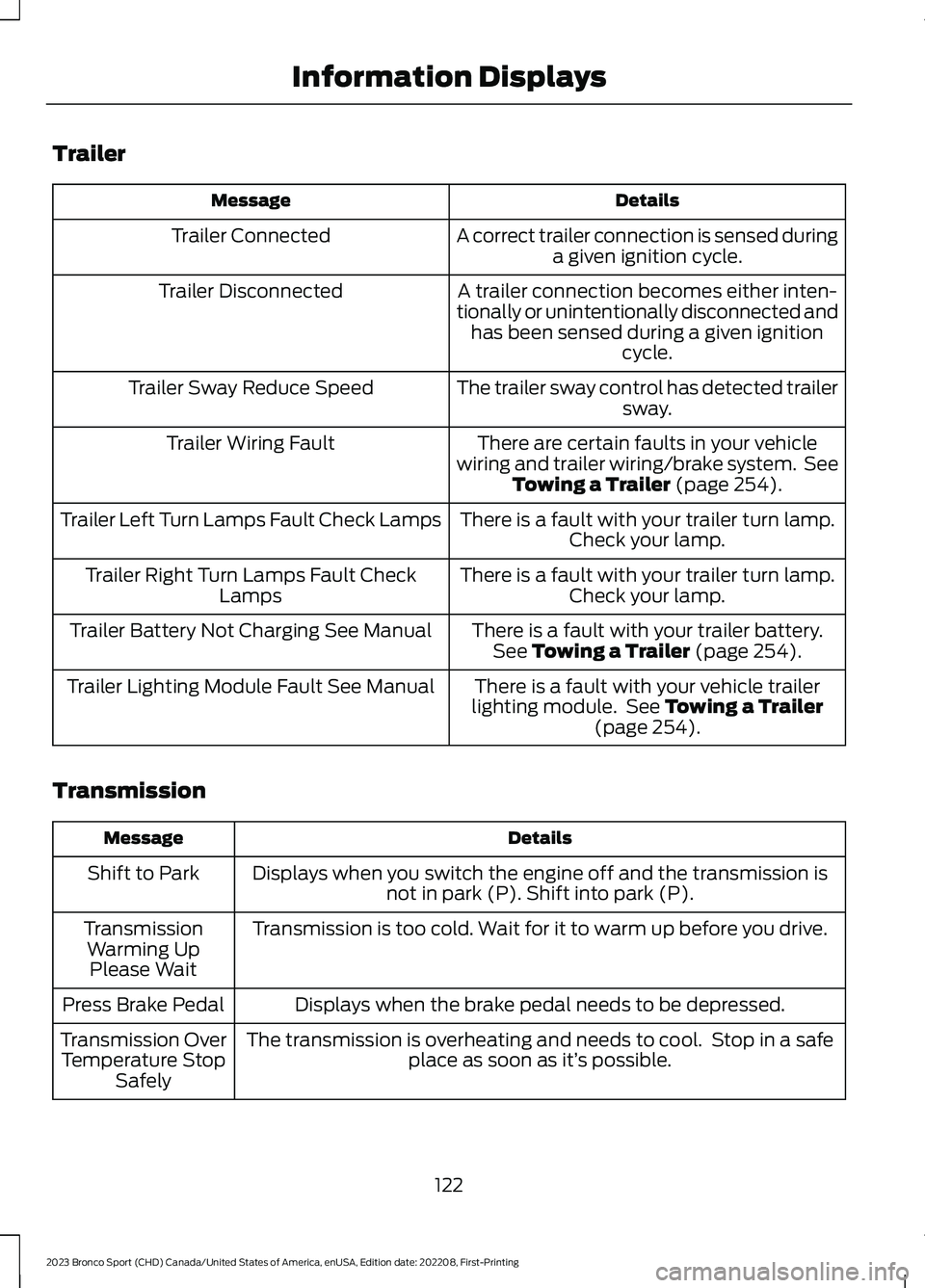
Trailer
DetailsMessage
A correct trailer connection is sensed duringa given ignition cycle.Trailer Connected
A trailer connection becomes either inten-tionally or unintentionally disconnected andhas been sensed during a given ignitioncycle.
Trailer Disconnected
The trailer sway control has detected trailersway.Trailer Sway Reduce Speed
There are certain faults in your vehiclewiring and trailer wiring/brake system. SeeTowing a Trailer (page 254).
Trailer Wiring Fault
There is a fault with your trailer turn lamp.Check your lamp.Trailer Left Turn Lamps Fault Check Lamps
There is a fault with your trailer turn lamp.Check your lamp.Trailer Right Turn Lamps Fault CheckLamps
There is a fault with your trailer battery.See Towing a Trailer (page 254).Trailer Battery Not Charging See Manual
There is a fault with your vehicle trailerlighting module. See Towing a Trailer(page 254).
Trailer Lighting Module Fault See Manual
Transmission
DetailsMessage
Displays when you switch the engine off and the transmission isnot in park (P). Shift into park (P).Shift to Park
Transmission is too cold. Wait for it to warm up before you drive.TransmissionWarming UpPlease Wait
Displays when the brake pedal needs to be depressed.Press Brake Pedal
The transmission is overheating and needs to cool. Stop in a safeplace as soon as it’s possible.Transmission OverTemperature StopSafely
122
2023 Bronco Sport (CHD) Canada/United States of America, enUSA, Edition date: 202208, First-PrintingInformation Displays
Page 174 of 516
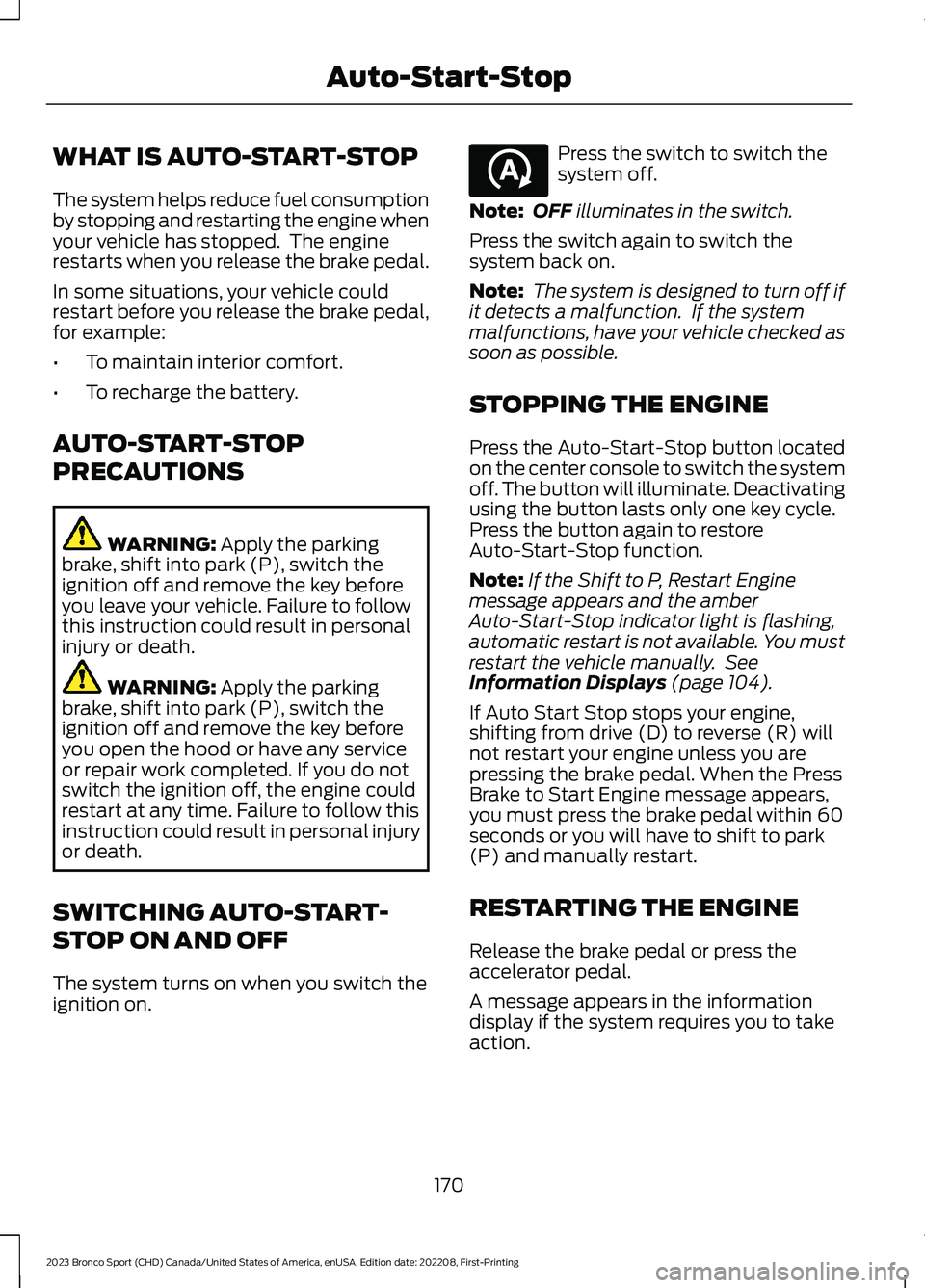
WHAT IS AUTO-START-STOP
The system helps reduce fuel consumptionby stopping and restarting the engine whenyour vehicle has stopped. The enginerestarts when you release the brake pedal.
In some situations, your vehicle couldrestart before you release the brake pedal,for example:
•To maintain interior comfort.
•To recharge the battery.
AUTO-START-STOP
PRECAUTIONS
WARNING: Apply the parkingbrake, shift into park (P), switch theignition off and remove the key beforeyou leave your vehicle. Failure to followthis instruction could result in personalinjury or death.
WARNING: Apply the parkingbrake, shift into park (P), switch theignition off and remove the key beforeyou open the hood or have any serviceor repair work completed. If you do notswitch the ignition off, the engine couldrestart at any time. Failure to follow thisinstruction could result in personal injuryor death.
SWITCHING AUTO-START-
STOP ON AND OFF
The system turns on when you switch theignition on.
Press the switch to switch thesystem off.
Note:OFF illuminates in the switch.
Press the switch again to switch thesystem back on.
Note: The system is designed to turn off ifit detects a malfunction. If the systemmalfunctions, have your vehicle checked assoon as possible.
STOPPING THE ENGINE
Press the Auto-Start-Stop button locatedon the center console to switch the systemoff. The button will illuminate. Deactivatingusing the button lasts only one key cycle.Press the button again to restoreAuto-Start-Stop function.
Note:If the Shift to P, Restart Enginemessage appears and the amberAuto-Start-Stop indicator light is flashing,automatic restart is not available. You mustrestart the vehicle manually. SeeInformation Displays (page 104).
If Auto Start Stop stops your engine,shifting from drive (D) to reverse (R) willnot restart your engine unless you arepressing the brake pedal. When the PressBrake to Start Engine message appears,you must press the brake pedal within 60seconds or you will have to shift to park(P) and manually restart.
RESTARTING THE ENGINE
Release the brake pedal or press theaccelerator pedal.
A message appears in the informationdisplay if the system requires you to takeaction.
170
2023 Bronco Sport (CHD) Canada/United States of America, enUSA, Edition date: 202208, First-PrintingAuto-Start-StopE121377
Page 192 of 516
9.Release the parking brake.
Note:Your vehicle is free to roll.
10.Switch your vehicle off.
Note:Do not tow your vehicle in this mode.
Returning Your Vehicle to NormalMode
1.Press the brake pedal.
2.Shift into park (P).
Information Messages
DetailsMessage
The system detects a fault that requiresservice. Have your vehicle checked as soonas possible.
Transmission Malfunction Service Now
Displays when you shift into neutral (N).Select M To Confirm Stay In Neutral Mode
Displays when you shift into neutral (N).Select L to Confirm Stay in Neutral Mode
Displays to confirm that your vehicle hasentered Stay in Neutral mode.Stay in Neutral Mode Engaged
If Your Vehicle Gets Stuck in Mudor Snow
If your vehicle gets stuck in mud or snow,rock it out by shifting between forward andreverse gears, stopping between shifts ina steady pattern. Press lightly on theaccelerator in each gear.
Note:Do not rock the vehicle if the engineis not at normal operating temperature ordamage to the transmission could occur.
Note:Do not rock the vehicle for more thana minute or damage to the transmission andtires could occur, or the engine couldoverheat.
188
2023 Bronco Sport (CHD) Canada/United States of America, enUSA, Edition date: 202208, First-PrintingTransmission
Page 197 of 516
GENERAL INFORMATION
Note: Occasional brake noise is normal. Ifa metal-to-metal, continuous grinding orcontinuous squeal sound is present, thebrake linings could be worn-out and haveyour vehicle checked. If the vehicle hascontinuous vibration or shudder in thesteering wheel while braking, have yourvehicle checked.
Note: Brake dust may accumulate on thewheels, even under normal drivingconditions. Some dust is inevitable as thebrakes wear and does not contribute tobrake noise. Wet brakes result in reducedbraking efficiency. Gently press the brakepedal a few times when driving from a carwash or standing water to dry the brakes.
See Cleaning the Wheels (page 308).
Brake Over Accelerator
In the event the accelerator pedalbecomes stuck or entrapped, apply steadyand firm pressure to the brake pedal toslow the vehicle and reduce engine power.If you experience this condition, apply thebrakes and bring your vehicle to a safestop. Switch the engine off, move thetransmission to park (P) and apply theparking brake. Inspect the acceleratorpedal and the area around it for any itemsor debris that may be obstructing itsmovement. If none are found and thecondition persists, have your vehicle towedto have your vehicle checked.
Emergency Brake Assist
Emergency brake assist detects when youbrake heavily by measuring the rate atwhich you press the brake pedal. Itprovides maximum braking efficiency aslong as you press the pedal. Emergencybrake assist can reduce stopping distancesin critical situations.
Anti-Lock Brake System
This system helps you maintain steeringcontrol during emergency stops by keepingthe brakes from locking.
If the light does not momentarilyilluminate, continues to flash orremains on when you switch theignition on, the anti-lock brake systemcould be disabled. Have the systemchecked. If the anti-lock brake system isdisabled, normal braking is still effective.
Brake Lamps
See Warning Lamps and Indicators(page 99).
If the light does not momentarilyilluminate, continues to flash orremains on when you switch theignition on or apply the parkingbrake, have the system checked.If the brake warning lampilluminates with the parking brake released,have the system checked immediately.
Note:Indicators vary depending on region.
HINTS ON DRIVING WITH
ANTI-LOCK BRAKES
The anti-lock brake system does noteliminate the risks when:
•You drive too closely to the vehicle infront of you.
•Your vehicle is hydroplaning.
•You take corners too fast.
•The road surface is poor.
Note: If the system activates, the brakepedal could pulse and may travel further.Maintain pressure on the brake pedal. Youmay also hear a noise from the system. Thisis normal.
193
2023 Bronco Sport (CHD) Canada/United States of America, enUSA, Edition date: 202208, First-PrintingBrakesE67020 E270480 E67024
Page 200 of 516
developed sufficient torque to prevent yourvehicle from rolling down the slope. Thisis an advantage when pulling away on aslope, for example from a car park ramp,traffic lights or when reversing uphill intoa parking space.
The system activates on any slope thatcauses your vehicle to roll.
Note:There is no warning light to indicatethe system is either on or off.
Using Hill Start Assist
1.Press the brake pedal to bring yourvehicle to a complete standstill. Keepthe brake pedal pressed and shift intofirst gear when facing uphill or reverse(R) when facing downhill.
2.If the sensors detect that your vehicleis on a slope, the system activatesautomatically.
3.When you remove your foot from thebrake pedal, your vehicle remains onthe slope without rolling away forabout two to three seconds. This holdtime automatically extends if you arein the process of driving off.
4.Drive off in the normal manner. Thesystem releases the brakesautomatically.
Note:When you remove your foot from thebrake pedal and press the pedal again whenthe system is active, you will experiencesignificantly reduced brake pedal travel. Thisis normal.
Switching the System On and Off
When you switch the ignition on, thesystem automatically turns on. You cannotturn the system on or off.
AUTO HOLD
WARNING: The system does notreplace the parking brake. When youleave your vehicle, always apply theparking brake.
WARNING: You must remain inyour vehicle when the system turns on.At all times, you are responsible forcontrolling your vehicle, supervising thesystem and intervening, if required.Failure to take care may result in the lossof control of your vehicle, seriouspersonal injury or death.
WARNING: The system will turnoff if a malfunction is apparent. Failureto take care may result in the loss ofcontrol of your vehicle, serious personalinjury or death.
The system applies the brakes to hold yourvehicle at a standstill after you stop yourvehicle and release the brake pedal. Thiscould be beneficial in certain situations, forexample when waiting on a hill or in traffic.
Switching Auto Hold On and Off
Press the button on your console to accessauto hold on the touchscreen.
Note:You can only switch the system onafter you close the driver door, fasten yourseatbelt and start the engine.
196
2023 Bronco Sport (CHD) Canada/United States of America, enUSA, Edition date: 202208, First-PrintingBrakesE319161
Page 202 of 516
PRINCIPLE OF OPERATION
The traction control system helps avoiddrive wheel spin and loss of traction.
If your vehicle begins to slide, the systemapplies the brakes to individual wheelsand, when needed, reduces engine powerat the same time. If the wheels spin whenaccelerating on slippery or loose surfaces,the system reduces engine power in orderto increase traction.
USING TRACTION CONTROL
WARNING: Operating your vehiclewith the traction control disabled couldlead to an increased risk of loss of vehiclecontrol, vehicle rollover, personal injuryand death.
The system automatically turns on eachtime you switch the ignition on.
If your vehicle is stuck in mud or snow,switching traction control off may bebeneficial as this allows the wheels to spin.
Note:When you switch traction control off,stability control remains fully active.
Switching the System Off
When you switch the system off or on, amessage appears in the informationdisplay showing system status.
You can switch the system off by eitherusing the information display controls orthe switch.
Using the Information DisplayControls
You can switch this feature off or on in theinformation display. See GeneralInformation (page 104).
Using a Switch (If Equipped)
Using the traction control switch on thecenter console to turn this feature off oron.
System Indicator Lights andMessages
The stability and traction controllight:
•Temporarily illuminates on enginestart-up.
•Flashes when a driving conditionactivates either of the systems.
•Illuminates if a problem occurs in eitherof the systems.
The stability and traction controloff light temporarily illuminateson engine start-up and stays onwhen you switch the traction controlsystem off.
198
2023 Bronco Sport (CHD) Canada/United States of America, enUSA, Edition date: 202208, First-PrintingTraction ControlE138639 E130458