2023 FORD BRONCO SPORT wheel
[x] Cancel search: wheelPage 195 of 516
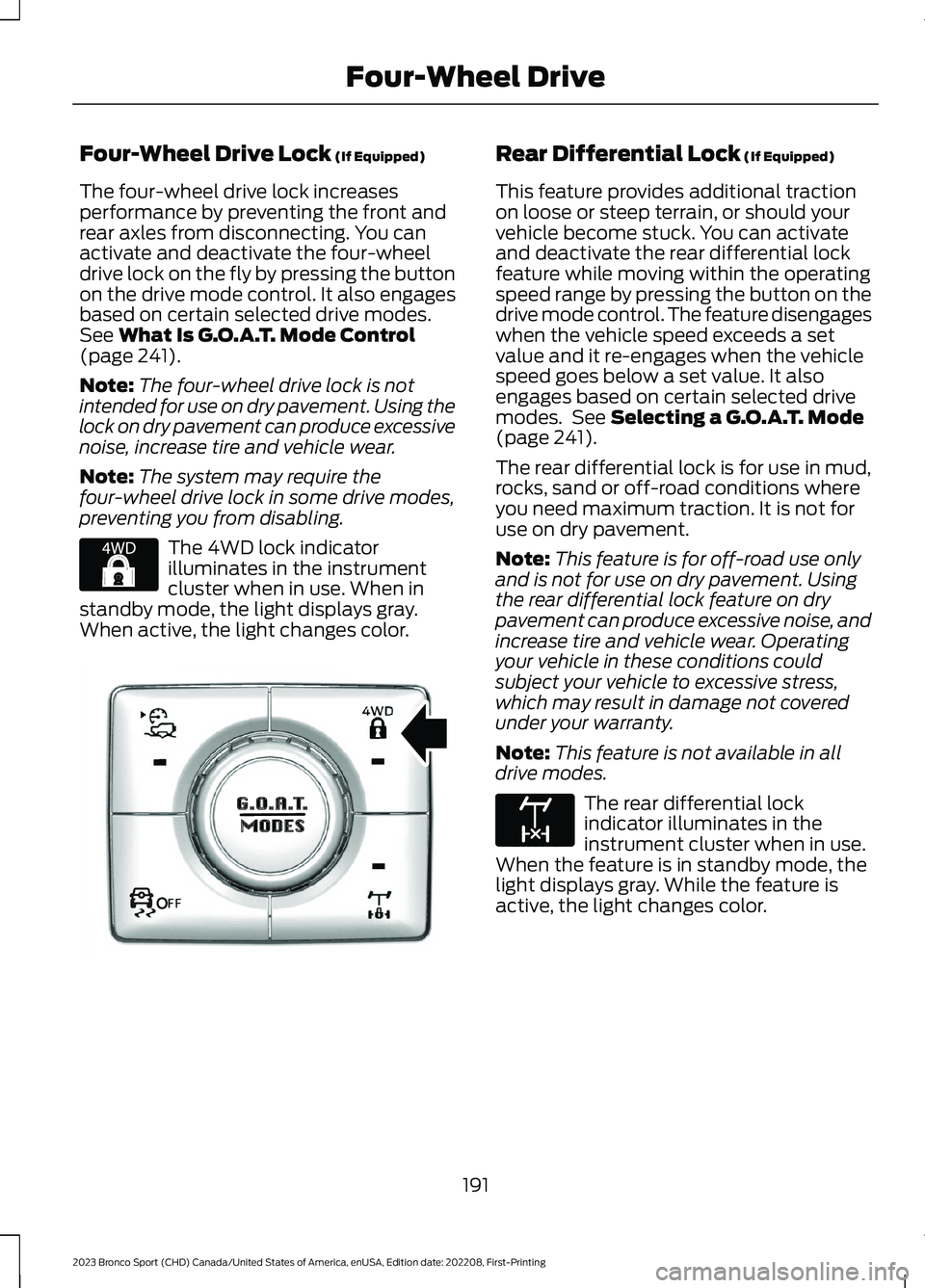
Four-Wheel Drive Lock (If Equipped)
The four-wheel drive lock increasesperformance by preventing the front andrear axles from disconnecting. You canactivate and deactivate the four-wheeldrive lock on the fly by pressing the buttonon the drive mode control. It also engagesbased on certain selected drive modes.See What Is G.O.A.T. Mode Control(page 241).
Note:The four-wheel drive lock is notintended for use on dry pavement. Using thelock on dry pavement can produce excessivenoise, increase tire and vehicle wear.
Note:The system may require thefour-wheel drive lock in some drive modes,preventing you from disabling.
The 4WD lock indicatorilluminates in the instrumentcluster when in use. When instandby mode, the light displays gray.When active, the light changes color.
Rear Differential Lock (If Equipped)
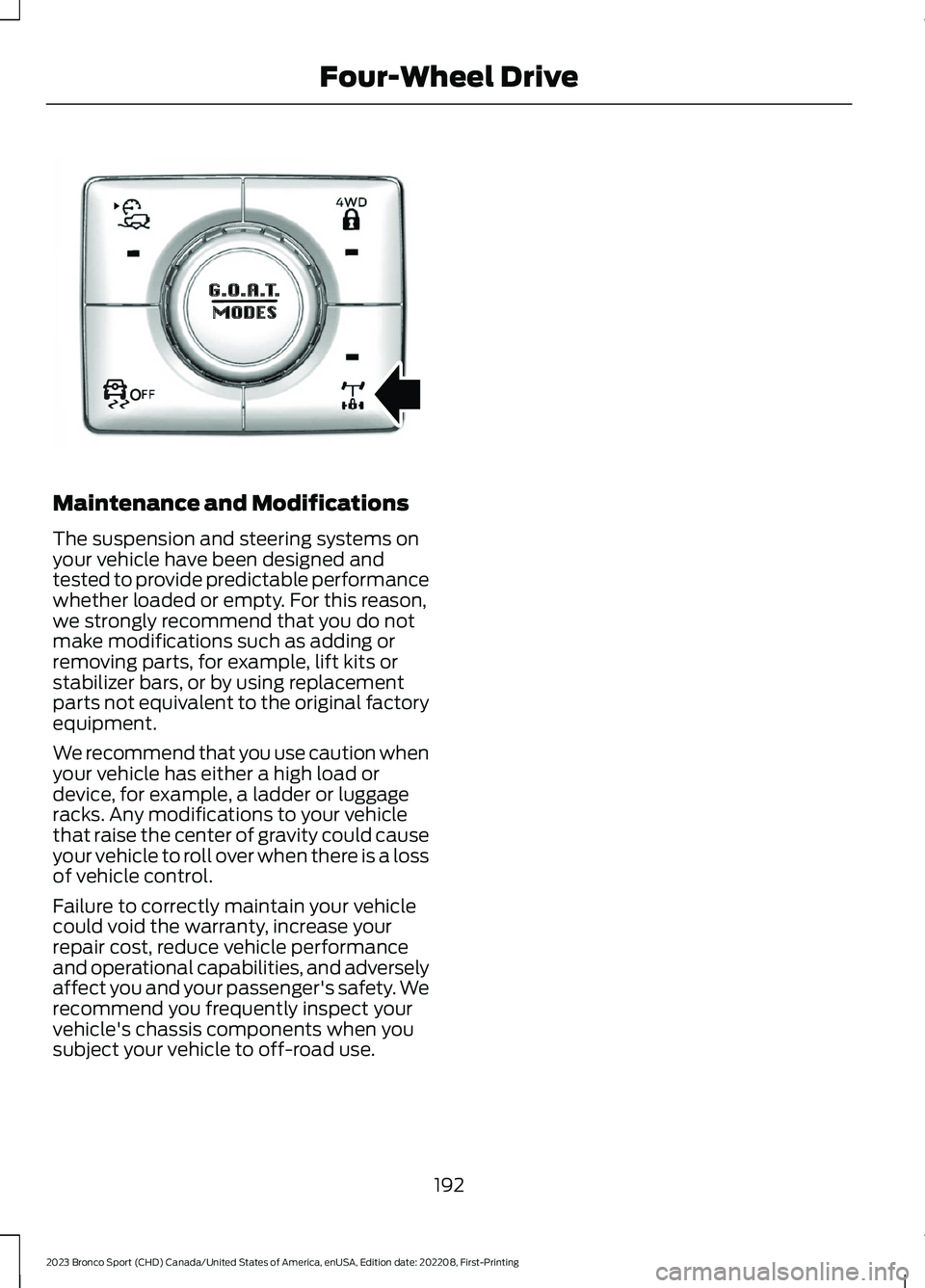
This feature provides additional tractionon loose or steep terrain, or should yourvehicle become stuck. You can activateand deactivate the rear differential lockfeature while moving within the operatingspeed range by pressing the button on thedrive mode control. The feature disengageswhen the vehicle speed exceeds a setvalue and it re-engages when the vehiclespeed goes below a set value. It alsoengages based on certain selected drivemodes. See Selecting a G.O.A.T. Mode(page 241).
The rear differential lock is for use in mud,rocks, sand or off-road conditions whereyou need maximum traction. It is not foruse on dry pavement.
Note:This feature is for off-road use onlyand is not for use on dry pavement. Usingthe rear differential lock feature on drypavement can produce excessive noise, andincrease tire and vehicle wear. Operatingyour vehicle in these conditions couldsubject your vehicle to excessive stress,which may result in damage not coveredunder your warranty.
Note:This feature is not available in alldrive modes.
The rear differential lockindicator illuminates in theinstrument cluster when in use.When the feature is in standby mode, thelight displays gray. While the feature isactive, the light changes color.
191
2023 Bronco Sport (CHD) Canada/United States of America, enUSA, Edition date: 202208, First-PrintingFour-Wheel DriveE327288 OOE351064 E163170
Page 196 of 516
Maintenance and Modifications
The suspension and steering systems onyour vehicle have been designed andtested to provide predictable performancewhether loaded or empty. For this reason,we strongly recommend that you do notmake modifications such as adding orremoving parts, for example, lift kits orstabilizer bars, or by using replacementparts not equivalent to the original factoryequipment.
We recommend that you use caution whenyour vehicle has either a high load ordevice, for example, a ladder or luggageracks. Any modifications to your vehiclethat raise the center of gravity could causeyour vehicle to roll over when there is a lossof vehicle control.
Failure to correctly maintain your vehiclecould void the warranty, increase yourrepair cost, reduce vehicle performanceand operational capabilities, and adverselyaffect you and your passenger's safety. Werecommend you frequently inspect yourvehicle's chassis components when yousubject your vehicle to off-road use.
192
2023 Bronco Sport (CHD) Canada/United States of America, enUSA, Edition date: 202208, First-PrintingFour-Wheel DriveOOE351065
Page 197 of 516
GENERAL INFORMATION
Note: Occasional brake noise is normal. Ifa metal-to-metal, continuous grinding orcontinuous squeal sound is present, thebrake linings could be worn-out and haveyour vehicle checked. If the vehicle hascontinuous vibration or shudder in thesteering wheel while braking, have yourvehicle checked.
Note: Brake dust may accumulate on thewheels, even under normal drivingconditions. Some dust is inevitable as thebrakes wear and does not contribute tobrake noise. Wet brakes result in reducedbraking efficiency. Gently press the brakepedal a few times when driving from a carwash or standing water to dry the brakes.
See Cleaning the Wheels (page 308).
Brake Over Accelerator
In the event the accelerator pedalbecomes stuck or entrapped, apply steadyand firm pressure to the brake pedal toslow the vehicle and reduce engine power.If you experience this condition, apply thebrakes and bring your vehicle to a safestop. Switch the engine off, move thetransmission to park (P) and apply theparking brake. Inspect the acceleratorpedal and the area around it for any itemsor debris that may be obstructing itsmovement. If none are found and thecondition persists, have your vehicle towedto have your vehicle checked.
Emergency Brake Assist
Emergency brake assist detects when youbrake heavily by measuring the rate atwhich you press the brake pedal. Itprovides maximum braking efficiency aslong as you press the pedal. Emergencybrake assist can reduce stopping distancesin critical situations.
Anti-Lock Brake System
This system helps you maintain steeringcontrol during emergency stops by keepingthe brakes from locking.
If the light does not momentarilyilluminate, continues to flash orremains on when you switch theignition on, the anti-lock brake systemcould be disabled. Have the systemchecked. If the anti-lock brake system isdisabled, normal braking is still effective.
Brake Lamps
See Warning Lamps and Indicators(page 99).
If the light does not momentarilyilluminate, continues to flash orremains on when you switch theignition on or apply the parkingbrake, have the system checked.If the brake warning lampilluminates with the parking brake released,have the system checked immediately.
Note:Indicators vary depending on region.
HINTS ON DRIVING WITH
ANTI-LOCK BRAKES
The anti-lock brake system does noteliminate the risks when:
•You drive too closely to the vehicle infront of you.
•Your vehicle is hydroplaning.
•You take corners too fast.
•The road surface is poor.
Note: If the system activates, the brakepedal could pulse and may travel further.Maintain pressure on the brake pedal. Youmay also hear a noise from the system. Thisis normal.
193
2023 Bronco Sport (CHD) Canada/United States of America, enUSA, Edition date: 202208, First-PrintingBrakesE67020 E270480 E67024
Page 198 of 516
ELECTRIC PARKING BRAKE
WARNING: Apply the parking brakeand shift into park (P) before leavingyour vehicle.
WARNING: If you drive extendeddistances with the parking brake applied,you could cause damage to the brakesystem.
WARNING: The electric parkingbrake does not operate if the vehiclebattery has run out of charge.
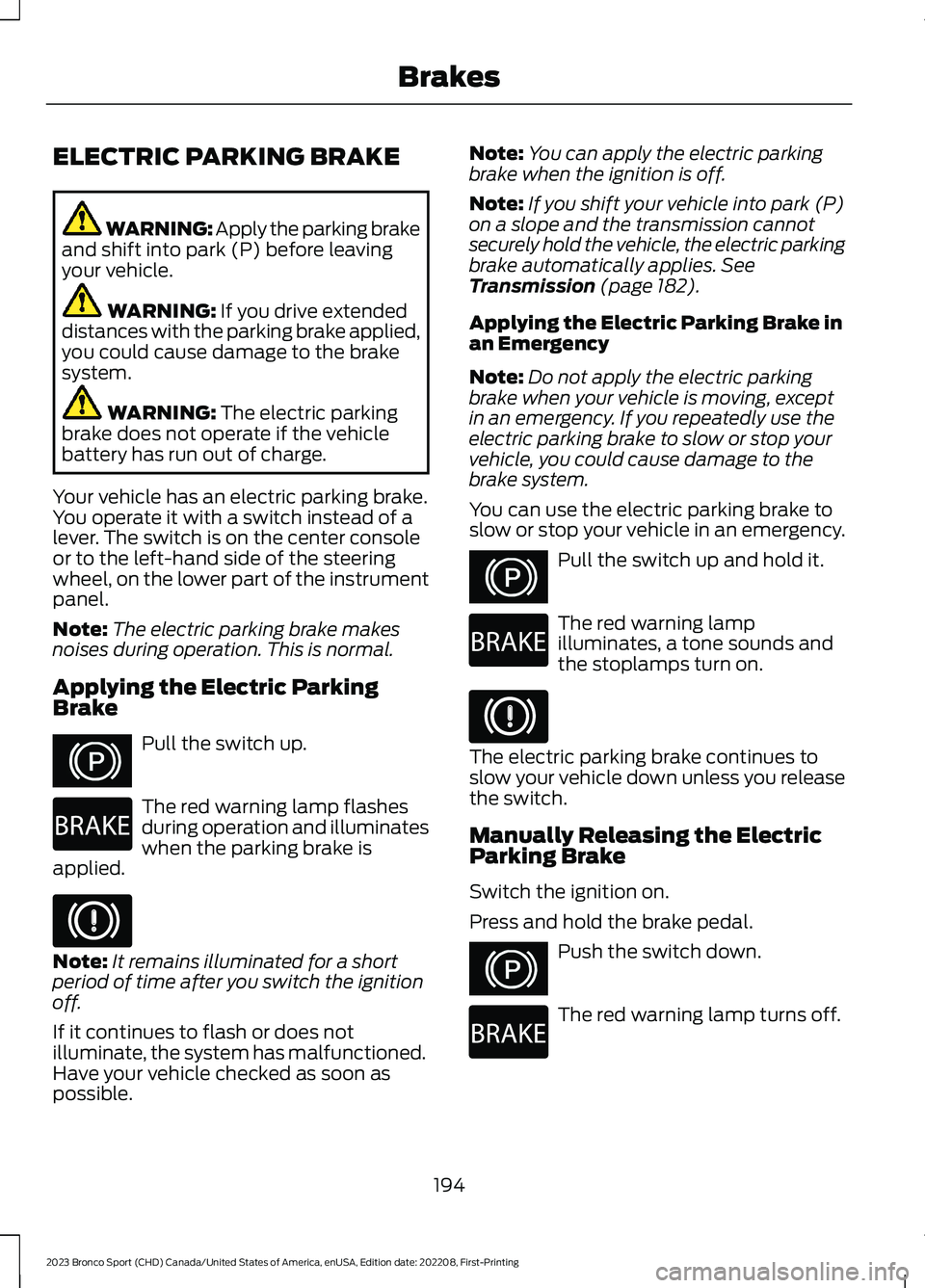
Your vehicle has an electric parking brake.You operate it with a switch instead of alever. The switch is on the center consoleor to the left-hand side of the steeringwheel, on the lower part of the instrumentpanel.
Note:The electric parking brake makesnoises during operation. This is normal.
Applying the Electric ParkingBrake
Pull the switch up.
The red warning lamp flashesduring operation and illuminateswhen the parking brake isapplied.
Note:It remains illuminated for a shortperiod of time after you switch the ignitionoff.
If it continues to flash or does notilluminate, the system has malfunctioned.Have your vehicle checked as soon aspossible.
Note:You can apply the electric parkingbrake when the ignition is off.
Note:If you shift your vehicle into park (P)on a slope and the transmission cannotsecurely hold the vehicle, the electric parkingbrake automatically applies. SeeTransmission (page 182).
Applying the Electric Parking Brake inan Emergency
Note:Do not apply the electric parkingbrake when your vehicle is moving, exceptin an emergency. If you repeatedly use theelectric parking brake to slow or stop yourvehicle, you could cause damage to thebrake system.
You can use the electric parking brake toslow or stop your vehicle in an emergency.
Pull the switch up and hold it.
The red warning lampilluminates, a tone sounds andthe stoplamps turn on.
The electric parking brake continues toslow your vehicle down unless you releasethe switch.
Manually Releasing the ElectricParking Brake
Switch the ignition on.
Press and hold the brake pedal.
Push the switch down.
The red warning lamp turns off.
194
2023 Bronco Sport (CHD) Canada/United States of America, enUSA, Edition date: 202208, First-PrintingBrakesE267156 E270480 E67024 E267156 E270480 E67024 E267156 E270480
Page 202 of 516
PRINCIPLE OF OPERATION
The traction control system helps avoiddrive wheel spin and loss of traction.
If your vehicle begins to slide, the systemapplies the brakes to individual wheelsand, when needed, reduces engine powerat the same time. If the wheels spin whenaccelerating on slippery or loose surfaces,the system reduces engine power in orderto increase traction.
USING TRACTION CONTROL
WARNING: Operating your vehiclewith the traction control disabled couldlead to an increased risk of loss of vehiclecontrol, vehicle rollover, personal injuryand death.
The system automatically turns on eachtime you switch the ignition on.
If your vehicle is stuck in mud or snow,switching traction control off may bebeneficial as this allows the wheels to spin.
Note:When you switch traction control off,stability control remains fully active.
Switching the System Off
When you switch the system off or on, amessage appears in the informationdisplay showing system status.
You can switch the system off by eitherusing the information display controls orthe switch.
Using the Information DisplayControls
You can switch this feature off or on in theinformation display. See GeneralInformation (page 104).
Using a Switch (If Equipped)
Using the traction control switch on thecenter console to turn this feature off oron.
System Indicator Lights andMessages
The stability and traction controllight:
•Temporarily illuminates on enginestart-up.
•Flashes when a driving conditionactivates either of the systems.
•Illuminates if a problem occurs in eitherof the systems.
The stability and traction controloff light temporarily illuminateson engine start-up and stays onwhen you switch the traction controlsystem off.
198
2023 Bronco Sport (CHD) Canada/United States of America, enUSA, Edition date: 202208, First-PrintingTraction ControlE138639 E130458
Page 203 of 516
PRINCIPLE OF OPERATION
WARNING: Vehicle modificationsinvolving braking system, aftermarketroof racks, suspension, steering system,tire construction and wheel and tire sizemay change the handling characteristicsof your vehicle and may adversely affectthe performance of the electronicstability control system. In addition,installing any stereo loudspeakers mayinterfere with and adversely affect theelectronic stability control system. Installany aftermarket stereo loudspeaker asfar as possible from the front centerconsole, the tunnel, and the front seatsin order to minimize the risk of interferingwith the electronic stability controlsensors. Reducing the effectiveness ofthe electronic stability control systemcould lead to an increased risk of loss ofvehicle control, vehicle rollover, personalinjury and death.
WARNING: Remember that evenadvanced technology cannot defy thelaws of physics. It’s always possible tolose control of a vehicle due toinappropriate driver input for theconditions. Aggressive driving on anyroad condition can cause you to losecontrol of your vehicle increasing the riskof personal injury or property damage.Activation of the electronic stabilitycontrol system is an indication that atleast some of the tires have exceededtheir ability to grip the road; this couldreduce the operator’s ability to controlthe vehicle potentially resulting in a lossof vehicle control, vehicle rollover,personal injury and death. If yourelectronic stability control systemactivates, SLOW DOWN.
The system automatically turns on eachtime you switch the ignition on.
If a fault occurs in either the stabilitycontrol or the traction control system, youmay experience the following conditions:
•The stability and traction control lightilluminates steadily.
•The stability control and tractioncontrol systems do not enhance yourvehicle's ability to maintain traction ofthe wheels.
If a driving condition activates either thestability control or the traction controlsystem you may experience the followingconditions:
•The stability and traction control lightflashes.
•Your vehicle slows down.
•Reduced engine power.
•A vibration in the brake pedal.
•The brake pedal is stiffer than usual.
•If the driving condition is severe andyour foot is not on the brake, the brakepedal may move as the system applieshigher brake force.
The stability control system has severalfeatures built into it to help you maintaincontrol of your vehicle:
Electronic Stability Control
The system enhances your vehicle’s abilityto prevent skids or lateral slides byapplying brakes to one or more of thewheels individually and, if necessary,reducing engine power.
Roll Stability Control
The system enhances your vehicle’s abilityto prevent rollovers by detecting yourvehicle’s roll motion and the rate at whichit changes by applying the brakes to oneor more wheels individually.
199
2023 Bronco Sport (CHD) Canada/United States of America, enUSA, Edition date: 202208, First-PrintingStability Control
Page 204 of 516
Traction Control
The system enhances your vehicle’s abilityto maintain traction of the wheels bydetecting and controlling wheel spin. SeeUsing Traction Control (page 198).
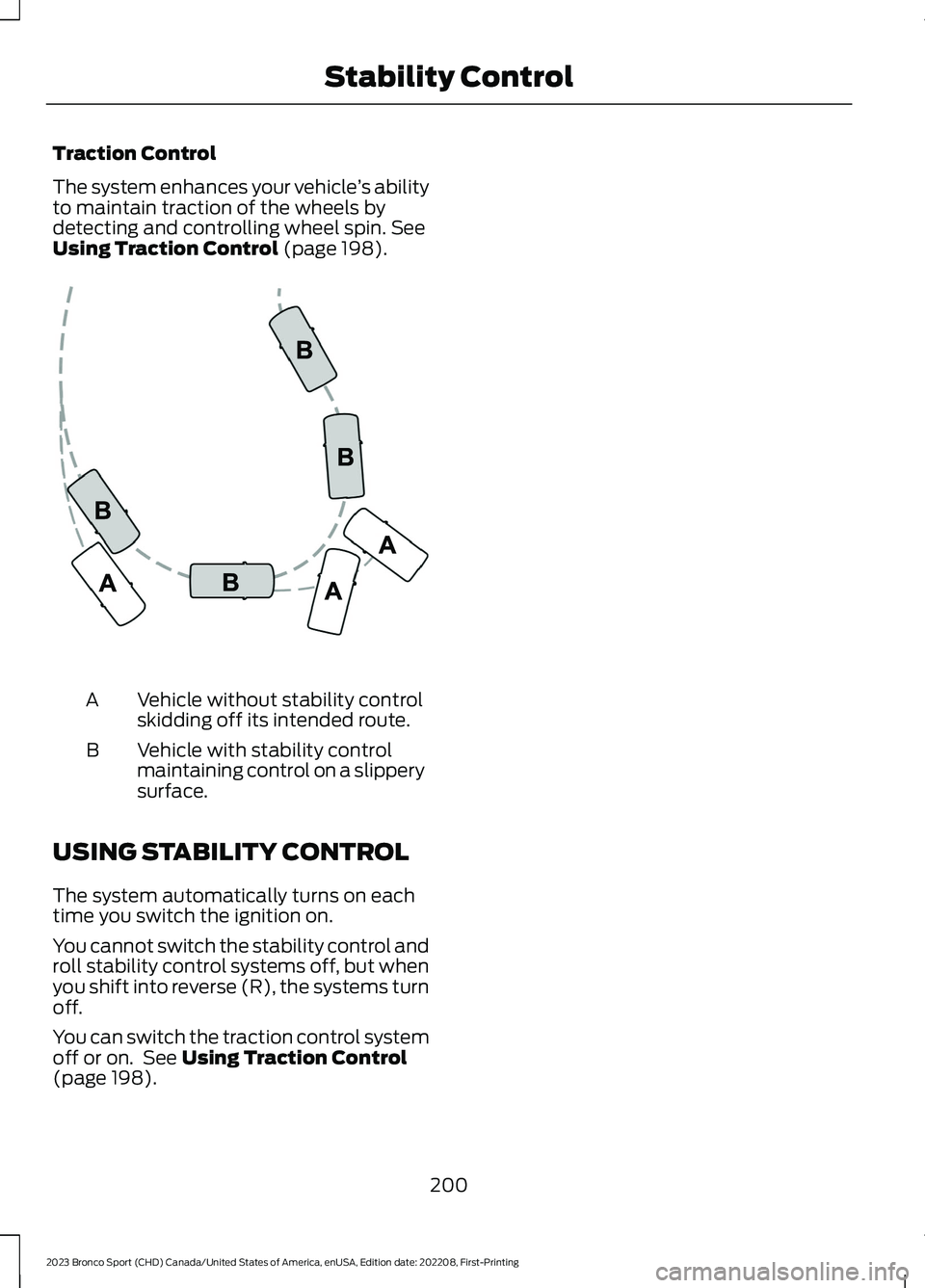
Vehicle without stability controlskidding off its intended route.A
Vehicle with stability controlmaintaining control on a slipperysurface.
B
USING STABILITY CONTROL
The system automatically turns on eachtime you switch the ignition on.
You cannot switch the stability control androll stability control systems off, but whenyou shift into reverse (R), the systems turnoff.
You can switch the traction control systemoff or on. See Using Traction Control(page 198).
200
2023 Bronco Sport (CHD) Canada/United States of America, enUSA, Edition date: 202208, First-PrintingStability ControlE72903
Page 205 of 516
WHAT IS TRAIL CONTROL
WARNING: The system does notcontrol speed in low traction conditionsor extremely steep slopes. The systemis designed to be an aid and does notrelieve you of your responsibility to drivewith due care and attention. Failure tofollow this instruction could result inpersonal injury.
WARNING: The system does notreplace the parking brake. When youleave your vehicle, always apply theparking brake.
Trail control lets you focus on steeringduring low-speed and off-road use bycontrolling your vehicle's acceleration andbraking.
You can use trail control under thefollowing speeds:
•20 mph (32 km/h) in four-wheel driveor four-wheel drive lock.
•5 mph (8 km/h) in reverse (R).
You may hear a noise from the anti-lockbrake system pump motor when you usethe system. This is normal.
SWITCHING TRAIL CONTROL
ON AND OFF
Press the button on the console.
The system switches off if you press thebutton again or exceed 42 mph (68 km/h).
SETTING THE TRAIL CONTROL
SPEED
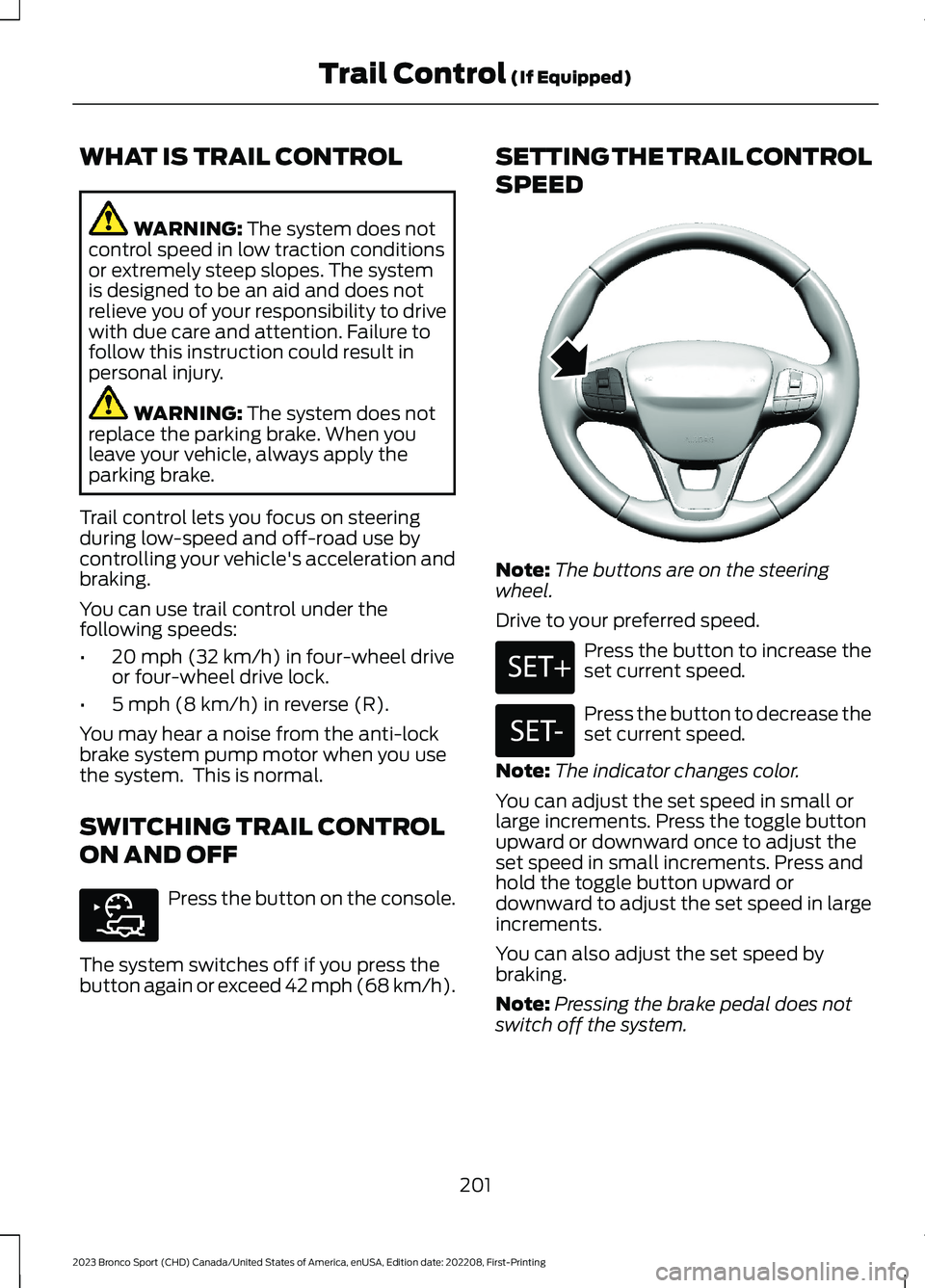
Note:The buttons are on the steeringwheel.
Drive to your preferred speed.
Press the button to increase theset current speed.
Press the button to decrease theset current speed.
Note:The indicator changes color.
You can adjust the set speed in small orlarge increments. Press the toggle buttonupward or downward once to adjust theset speed in small increments. Press andhold the toggle button upward ordownward to adjust the set speed in largeincrements.
You can also adjust the set speed bybraking.
Note:Pressing the brake pedal does notswitch off the system.
201
2023 Bronco Sport (CHD) Canada/United States of America, enUSA, Edition date: 202208, First-PrintingTrail Control (If Equipped)E318506 E318924 E246884 E246885