2023 CITROEN C5 AIRCROSS red control light
[x] Cancel search: red control lightPage 8 of 292

6
As a passenger, if you avoid connecting your
m ultimedia devices (film, music, video game,
etc.), you will contribute towards limiting the
consumption of electrical energy, and so of
fuel.
Disconnect your portable devices before
leaving the vehicle.
Eco- driving
Eco-driving is a range of everyday practices that allow the motorist to optimise their fuel consumption and CO2 emissions.
Optimise the use of your gearbox
With a manual gearbox, move off gently and
c hange up without waiting. While accelerating,
change up early.
With an automatic gearbox, give preference
to automatic mode and avoid pressing the
accelerator pedal heavily or suddenly.
The gear efficiency indicator invites you to
engage the most suitable gear: as soon as the
indication is displayed in the instrument panel,
follow it straight away.
For vehicles fitted with an automatic gearbox,
this indicator appears only in manual mode.
Drive smoothly
Maintain a safe distance between vehicles,
u se engine braking rather than the
brake pedal, and press the accelerator
progressively. These practices contribute
towards a
reduction in fuel consumption and
CO
2 emissions and also help reduce the
b
ackground traffic noise.
If your vehicle has cruise control, make use of
the system at speeds above 25
mph (40 km/h)
when the traffic is flowing well.
Control the use of your electrical
equipment
Before moving off, if the passenger
compartment is too warm, ventilate it by
opening the windows and air vents before
using the air conditioning.
Above 31
mph (50 km/h), close the windows
and leave the air vents open.
Consider using equipment that can help
keep the temperature in the passenger
compartment down (sunroof blind and window
blinds, etc.). Switch off the headlamps and front foglamps
when the ambient light level does not require
their use.
Avoid running the engine before moving off,
particularly in winter; your vehicle will warm up
much faster while driving. Unless it has automatic regulation, switch off
the air conditioning as soon as the desired
temperature has been reached.
Switch off the demisting and defrosting
controls, if these are not automatically
managed.
Switch off the heated seat as soon as
possible.
Eco-driving
Page 30 of 292
28
You must stop the vehicle as soon as it is
safe to do so.
Wait a few minutes before switching off the
engine.
After switching off the ignition, carefully
open the bonnet and check the coolant
level.
For more information on Checking levels ,
refer to the corresponding section.
AdBlue® range indicators
(BlueHDi)
The Diesel BlueHDi engines are equipped with
a
system that associates the SCR (Selective
Catalytic Reduction) emissions control system
and the Diesel particle filter (DPF) for the
treatment of exhaust gases. They cannot
function without AdBlue
® fluid.
The engine starting prevention system
required by regulations is activated
automatically once the AdBlue
® tank is
empty. It is then no longer possible to
start the engine until the minimum level of
AdBlue
® has been topped up.
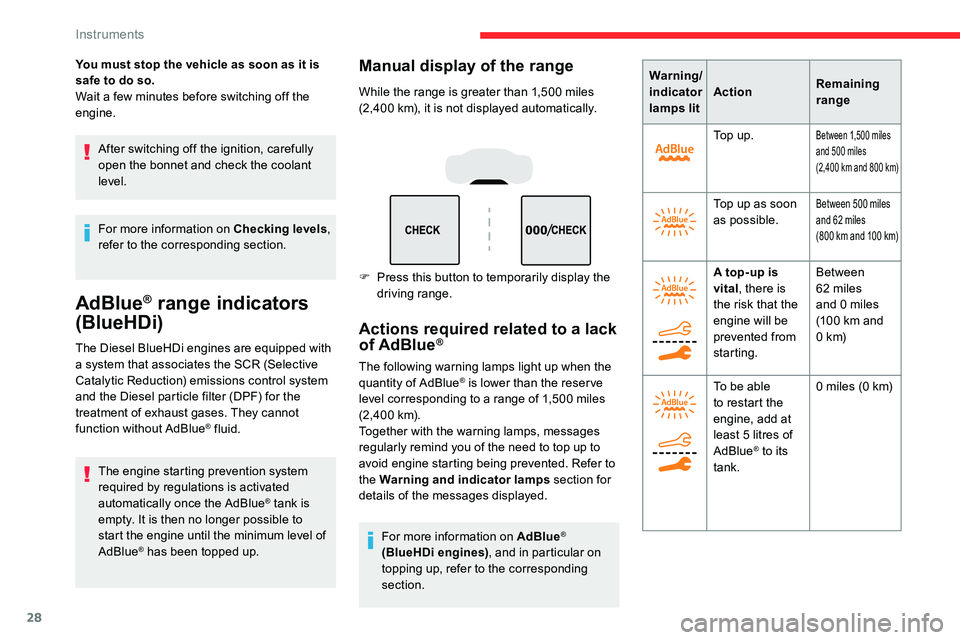
Manual display of the range
While the range is greater than 1,500 miles
( 2,400 km), it is not displayed automatically.
F
P
ress this button to temporarily display the
driving range.
Actions required related to a lack
of AdBlue®
The following warning lamps light up when the
quantity of AdBlue® is lower than the reser ve
level corresponding to a range of 1,500 miles
(2, 4 0 0
k m).
Together with the warning lamps, messages
regularly remind you of the need to top up to
avoid engine starting being prevented. Refer to
the Warning and indicator lamps section for
details of the messages displayed.
For more information on AdBlue
®
(BlueHDi engines) , and in particular on
topping up, refer to the corresponding
section. Warning/
indicator
lamps lit
Action
Remaining
range
To p u p .
Between 1,500 miles
a nd 500 miles
(2,400
km and 800 km)
Top up as soon
as possible.Between 500 miles
a nd 62 miles
(800
km and 100 km)
A top-up is
vital, there is
the risk that the
engine will be
prevented from
starting. Between
62
miles
and 0
miles
(100
km and
0
k m)
To be able
to restart the
engine, add at
least 5
litres of
AdBlue
® to its
tank. 0
miles (0 km)
Instruments
Page 32 of 292

30
Distance recorders
The total and trip distances are displayed for
thirty seconds when the ignition is switched off,
when the driver's door is opened and when the
vehicle is locked or unlocked.When travelling abroad, you may need to
change the units of distance and speed:
The display of distance and speed must
be expressed in the official unit of the
country (km or miles). The change of units
is done via the screen configuration menu,
with the vehicle stationary.
Total distance recorder
It measures the total distance travelled by the
vehicle since its first registration.
Trip distance recorder
It measures the distance travelled since it was
reset by the driver.
Resetting the trip recorder
F
W
ith the ignition on, press the button until
zeros appear.
Lighting dimmer
This system allows the brightness of the
instruments and controls to be adjusted to suit
the ambient light level.
With buttons With CITROËN Connect
Radio
F Press this button to select the
Settings menu.
F
Sel
ect "Brightness ".
F
A
djust the brightness by pressing
the arrows or moving the slider.
The settings are applied immediately.
F
P
ress outside the settings window to exit.
With the lamps on, press button A to increase
the brightness of the instruments and controls You can also switch off the screen:
F
P
ress this button to select the
Settings menu.
F
Sel
ect "Dark ".
The screen goes off completely.
F
P
ress the screen again (anywhere on its
sur face) to activate it.
and the vehicle's ambient lighting or button B
to reduce it.
Release the button when the desired level is
reached.
Instruments
Page 49 of 292

47
It is possible to interrupt the operation of
the tailgate at any point.
Pressing one of these controls again
interrupts the movement that is under way.
Following the interruption of a movement,
pressing one of these controls again
reverses the movement.
" Hands-Free Tailgate Access "
The "Hands-Free Tailgate Access"
function is activated/deactivated in
the Driving/Vehicle menu of the
touch screen.
Ensure that you are steady on your
feet before per forming the quick foot
movement.
Take care not to touch the exhaust system
which may be hot – risk of burns!
Automatic locking using the " Hands-
Free Tailgate Access " function
Memorising an opening
position
To memorise a position, in order to limit the
motorised tailgate opening angle:
F
m
ove the tailgate to the desired position
manually or by pressing the button,
F
p
ress button C or the exterior control B
for more than 3
seconds (memorisation is
confirmed by a
brief audible signal).
Saving is not available until the height of
opening is more than or equal to 1
metre
between the low position and the high
position of the tailgate. To delete
the memorised position:
F
o
pen the tailgate to any position,
F
p
ress button C or the exterior control B
for more than 3 seconds (the deletion is
confirmed by a long audible signal).
Manual operation
The tailgate can be manoeuvred by hand, even
with motorised operation activated.
The tailgate must be stationary.
When opening and closing a
motorised tailgate
manually, there is no assistance from gas
struts. Resistance to opening and closing is
therefore entirely normal.
This function is deactivated by default. Press this button to activate/deactivate
automatic locking of the vehicle when closing
the tailgate using the "Hands-Free Tailgate
Access" function (confirmed by lighting/
extinction of the green indicator lamp).
Repeatedly opening and closing the
motorised tailgate can cause overheating
of its electric motor, after which opening
and closing will not be possible.
Allow at least 10
minutes for the electric
motor to cool down before operating the
tailgate again.
If you are unable to wait, operate it
manually.
2
Access
Page 55 of 292

53
Check the condition of the sunroof seals
regularly (presence of dust or deposits,
dead leaves, etc.).
If using a car wash, check that the sunroof
is correctly closed in advance and keep
the tip of the high-pressure lance at least
30
centimetres from the seals.
Never leave the vehicle with the sunroof
open.
Operation
When opening the sunroof fully, the movable
glass moves to a partially open position, then
slides over the roof. All intermediate positions
are allowed.
Depending on the speed of the vehicle,
the partially open position may vary to
improve the acoustics.
Opening and closing
F To open the sunroof or the blind, use the
part of the button located towards the rear .
F
To close the sunroof or the blind, use the
part of the button located towards the front .
Operation of buttons
F Pressing a button beyond its point of
resistance directly opens or closes the
sunroof fully.
F
P
ressing the button down again stops the
current movement.
F
I
f you hold a button (without going beyond
the point of resistance), the movement of
the sunroof or blind stops when you release
the button.
F
W
hen the sunroof is closed: pressing once
without passing the point of resistance
moves it to a
partially open position.
F
W
hen the sunroof is partially open: pressing
once without passing the point of resistance
opens or closes it fully.
You can close the sunroof and windows,
then the blind, by pressing and holding the
door locking control. The movement stops
when you release the locking control.
Closing of the blind is limited by the
position of the sunroof: the blind cannot go
further than the front of the mobile glass.
During simultaneous movements of the
sunroof and blind, the blind automatically
stops or resumes movement depending on
the position of the sunroof.
Reinitialisation
Following reconnection of the battery or in
the event of a fault or jerky movement of the
sunroof or blind, reinitialisation is required.
F
C
heck that nothing is inter fering with the
sunroof or blind and that the seals are
clean.
F
W
ith the ignition on, fully close the sunroof
and blind.
F
P
ress and hold the front part of button B ,
until the sunroof and blind move slightly,
then hold for a
further 1 second before
releasing.
F
W
ait 2 seconds and then press and hold
the front part of button B . The blind and the
sunroof will open and close, one after the
other. When both are completely closed
again, hold for a
further 2 seconds and
release.
If there is an operating fault, restart the
whole procedure.
2
Access
Page 82 of 292

80
Turn and release the ring:
F o nce for wards to switch on the front
foglamps and then a
second time for the
rear foglamps.
F
o
nce rear wards to switch off the rear
foglamps and then a
second time for the
front foglamps.
If the lighting is switched off automatically
(" AUTO " position) or the dipped beam
headlamps are switched off manually, the
foglamps and sidelamps remain on.
F
T
urn the ring rear wards to switch the
foglamps off; the sidelamps will then switch
of f.
In good or rainy weather, both day and
night, using the front foglamps and the
rear foglamp is prohibited. In these
situations, the power of their beams may
dazzle other drivers. They should only be
used in fog or falling snow.
In these weather conditions, it is your
responsibility to switch on the foglamps
and dipped beam headlamps manually as
the sunshine sensor may detect sufficient
light.
Switch off the foglamps when they are no
longer necessary. Switching off of the lighting when the
ignition is switched off
On switching off the ignition, all of the
lighting turns off immediately, except for
dipped beam if automatic guide-me-home
lighting is activated.
Switching on the lighting after
switching off the ignition
From the AUTO
position, move the main
lighting ring to the desired position or,
from another position, move the ring to the
AUTO position then to a
position.
On opening the driver's door a
temporary
audible signal warns the driver that the
lighting is on.
It will go off automatically after a
period of
time that depends on the state of charge
in battery (entering energy economy
m o d e).Direction indicators
Three flashes
F Press briefly upwards or downwards, without going beyond the point of
resistance; the direction indicators will flash
3
times.
F
L
eft or right: lower or raise the lighting
control stalk, beyond the point of resistance.
Lighting and visibility
Page 87 of 292

85
Cornering lighting
If fitted to the vehicle, this system makes use
of the beam from a front foglamp to illuminate
the inside of a
bend, when the main or dipped
beam headlamps are on and the vehicle speed
is below 25
mph (40 km/h) (urban driving,
winding road, junctions, parking manoeuvres,
e t c .) .
Without cornering lighting With cornering lightingActivation/Deactivation
The cornering lighting can be
activated or deactivated in the
Vehicle/Driving
menu of the touch
screen.
Switching on
This system starts:
- w hen the corresponding direction indicator
is switched on,
or
-
f
rom a certain angle of rotation of the
steering wheel.
Switching off
The system does not operate:
- b elow a certain angle of rotation of the
steering wheel,
-
a
bove 25 mph (40 km/h),
-
w
hen reverse gear is engaged.
Wiper control stalk
Programming
Your vehicle may also include some functions
that can be configured:
-
a
utomatic windscreen wipers,
-
r
ear wiping on engaging reverse gear.
In wintry conditions, remove snow, ice or
frost present on the windscreen, around
the wiper arms and blades and the
windscreen seal, before operating the
wipers.
Do not operate the wipers on a
dry
windscreen. Under extremely hot or cold
conditions, ensure that the wiper blades
are not stuck to the windscreen before
operating the wipers.
4
Lighting and visibility
Page 88 of 292

86
Reverse gear
When reverse gear is engaged, the rear wiper
will come into operation automatically if the
front windscreen wipers are operating.
The system is activated or deactivated via the
vehicle settings menu in the screen.
This function is activated by default.In the event of snow or hard frost or
if a
bicycle carrier is fitted to a towing
device, deactivate the automatic rear
wiper via the vehicle parameters menu.
Front screenwash
F Pull the wiper control stalk towards you and hold.
The screenwash and windscreen wiper operate
for as long as the control stalk is pulled.
Termination of the screenwash is followed by
a
final wiping cycle.
With manual wiping
With AUTO wiping Windscreen wipers
To select the wiping speed: raise or lower the
stalk to the desired position. Fast wiping (heavy rain).
Normal wiping (moderate rain).
Intermittent wiping (proportional to
the speed of the vehicle).
Of f. Single wipe (press down or pull
the stalk briefly towards you, then
release).
or Automatic wiping (press down,
then release).
Single wipe (pull the stalk briefly
towards you).
Rear wiper
To select the rear wiper: turn the ring to place
the desired symbol against the marking.
Of f.
Intermittent wipe.
Wash-wipe.
Turn the ring fully; the rear screen wash, then
the rear wiper automatically operate for a
set
duration.
Lighting and visibility