2023 CHEVROLET SILVERADO 1500 front collision
[x] Cancel search: front collisionPage 286 of 463
Chevrolet Silverado 1500 Owner Manual (GMNA-Localizing-U.S./Canada/
Mexico/Paraguay-16515119) - 2023 - CRC - 6/2/22
Driving and Operating 285
Warning (Continued)
pedestrians, animals, signs, guardrails,
bridges, construction barrels, or other
objects. Be ready to take action and
apply the brakes. SeeDefensive Driving
0 195.
FCA can be disabled. To view available
settings from the infotainment screen, touch
Settings > Vehicle > Collision/Detection
Systems.
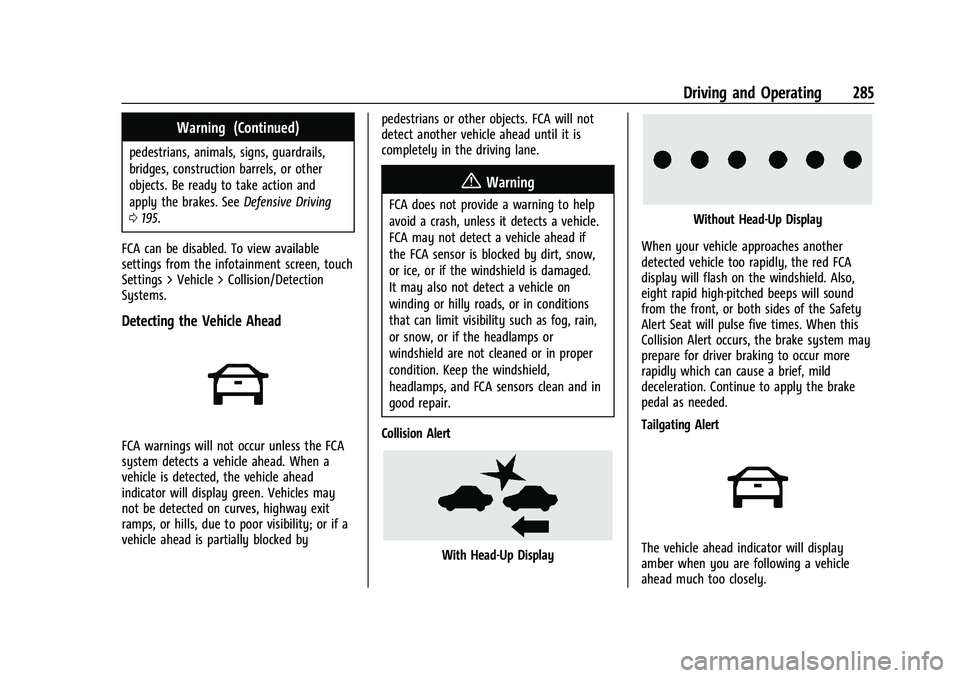
Detecting the Vehicle Ahead
FCA warnings will not occur unless the FCA
system detects a vehicle ahead. When a
vehicle is detected, the vehicle ahead
indicator will display green. Vehicles may
not be detected on curves, highway exit
ramps, or hills, due to poor visibility; or if a
vehicle ahead is partially blocked by pedestrians or other objects. FCA will not
detect another vehicle ahead until it is
completely in the driving lane.
{Warning
FCA does not provide a warning to help
avoid a crash, unless it detects a vehicle.
FCA may not detect a vehicle ahead if
the FCA sensor is blocked by dirt, snow,
or ice, or if the windshield is damaged.
It may also not detect a vehicle on
winding or hilly roads, or in conditions
that can limit visibility such as fog, rain,
or snow, or if the headlamps or
windshield are not cleaned or in proper
condition. Keep the windshield,
headlamps, and FCA sensors clean and in
good repair.
Collision Alert
With Head-Up Display
Without Head-Up Display
When your vehicle approaches another
detected vehicle too rapidly, the red FCA
display will flash on the windshield. Also,
eight rapid high-pitched beeps will sound
from the front, or both sides of the Safety
Alert Seat will pulse five times. When this
Collision Alert occurs, the brake system may
prepare for driver braking to occur more
rapidly which can cause a brief, mild
deceleration. Continue to apply the brake
pedal as needed.
Tailgating Alert
The vehicle ahead indicator will display
amber when you are following a vehicle
ahead much too closely.
Page 287 of 463
Chevrolet Silverado 1500 Owner Manual (GMNA-Localizing-U.S./Canada/
Mexico/Paraguay-16515119) - 2023 - CRC - 6/2/22
286 Driving and Operating
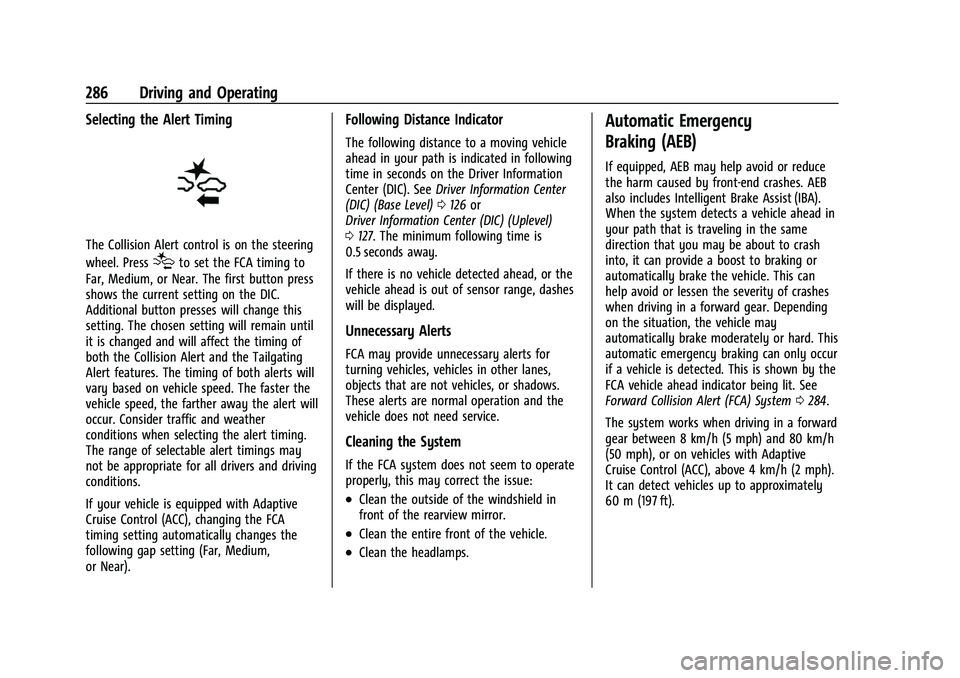
Selecting the Alert Timing
The Collision Alert control is on the steering
wheel. Press
[to set the FCA timing to
Far, Medium, or Near. The first button press
shows the current setting on the DIC.
Additional button presses will change this
setting. The chosen setting will remain until
it is changed and will affect the timing of
both the Collision Alert and the Tailgating
Alert features. The timing of both alerts will
vary based on vehicle speed. The faster the
vehicle speed, the farther away the alert will
occur. Consider traffic and weather
conditions when selecting the alert timing.
The range of selectable alert timings may
not be appropriate for all drivers and driving
conditions.
If your vehicle is equipped with Adaptive
Cruise Control (ACC), changing the FCA
timing setting automatically changes the
following gap setting (Far, Medium,
or Near).
Following Distance Indicator
The following distance to a moving vehicle
ahead in your path is indicated in following
time in seconds on the Driver Information
Center (DIC). See Driver Information Center
(DIC) (Base Level) 0126 or
Driver Information Center (DIC) (Uplevel)
0 127. The minimum following time is
0.5 seconds away.
If there is no vehicle detected ahead, or the
vehicle ahead is out of sensor range, dashes
will be displayed.
Unnecessary Alerts
FCA may provide unnecessary alerts for
turning vehicles, vehicles in other lanes,
objects that are not vehicles, or shadows.
These alerts are normal operation and the
vehicle does not need service.
Cleaning the System
If the FCA system does not seem to operate
properly, this may correct the issue:
.Clean the outside of the windshield in
front of the rearview mirror.
.Clean the entire front of the vehicle.
.Clean the headlamps.
Automatic Emergency
Braking (AEB)
If equipped, AEB may help avoid or reduce
the harm caused by front-end crashes. AEB
also includes Intelligent Brake Assist (IBA).
When the system detects a vehicle ahead in
your path that is traveling in the same
direction that you may be about to crash
into, it can provide a boost to braking or
automatically brake the vehicle. This can
help avoid or lessen the severity of crashes
when driving in a forward gear. Depending
on the situation, the vehicle may
automatically brake moderately or hard. This
automatic emergency braking can only occur
if a vehicle is detected. This is shown by the
FCA vehicle ahead indicator being lit. See
Forward Collision Alert (FCA) System 0284.
The system works when driving in a forward
gear between 8 km/h (5 mph) and 80 km/h
(50 mph), or on vehicles with Adaptive
Cruise Control (ACC), above 4 km/h (2 mph).
It can detect vehicles up to approximately
60 m (197 ft).
Page 288 of 463
Chevrolet Silverado 1500 Owner Manual (GMNA-Localizing-U.S./Canada/
Mexico/Paraguay-16515119) - 2023 - CRC - 6/2/22
Driving and Operating 287
{Warning
AEB is an emergency crash preparation
feature and is not designed to avoid
crashes. Do not rely on AEB to brake the
vehicle. AEB will not brake outside of its
operating speed range and only responds
to detected vehicles.
AEB may not:
.Detect a vehicle ahead on winding or
hilly roads.
.Detect all vehicles, especially vehicles
with a trailer, tractors, muddy
vehicles, etc.
.Detect a vehicle when weather limits
visibility, such as in fog, rain, or snow.
.Detect a vehicle ahead if it is partially
blocked by pedestrians or other
objects.
Complete attention is always required
while driving, and you should be ready to
take action and apply the brakes and/or
steer the vehicle to avoid crashes. AEB may slow the vehicle to a complete
stop to try to avoid a potential crash. If this
happens, AEB may stop the vehicle
momentarily. Firmly press the accelerator to
continue driving.
{Warning
AEB may automatically brake the vehicle
suddenly in situations where it is
unexpected and undesired. It could
respond to a turning vehicle ahead,
guardrails, signs, and other non-moving
objects. To override AEB, firmly press the
accelerator pedal, if it is safe to do so.
Intelligent Brake Assist (IBA)
IBA may activate when the brake pedal is
applied quickly by providing a boost to
braking based on the speed of approach and
distance to a vehicle ahead.
Minor brake pedal pulsations or pedal
movement during this time is normal and
the brake pedal should continue to be
applied as needed. IBA will automatically
disengage only when the brake pedal is
released.
{Warning
IBA may increase vehicle braking in
situations when it may not be necessary.
You could block the flow of traffic. If this
occurs, take your foot off the brake pedal
and then apply the brakes as needed.
AEB and IBA can be disabled. To view
available settings from the infotainment
screen, touch Settings > Vehicle > Collision/
Detection Systems.
{Warning
Using AEB or IBA while towing a trailer
could cause you to lose control of the
vehicle and crash. Turn the system to
Alert or Off when towing a trailer.
A system unavailable message may
display if:
.The front of the vehicle or windshield is
not clean.
.Heavy rain or snow is interfering with
object detection.
.There is a problem with the StabiliTrak/
Electronic Stability Control (ESC) system.
The AEB system does not need service.
Page 289 of 463
Chevrolet Silverado 1500 Owner Manual (GMNA-Localizing-U.S./Canada/
Mexico/Paraguay-16515119) - 2023 - CRC - 6/2/22
288 Driving and Operating
Front Pedestrian Braking (FPB)
System
If equipped, the FPB system may help avoid
or reduce the harm caused by front-end
crashes with pedestrians near the forward
path of the vehicle when driving in a
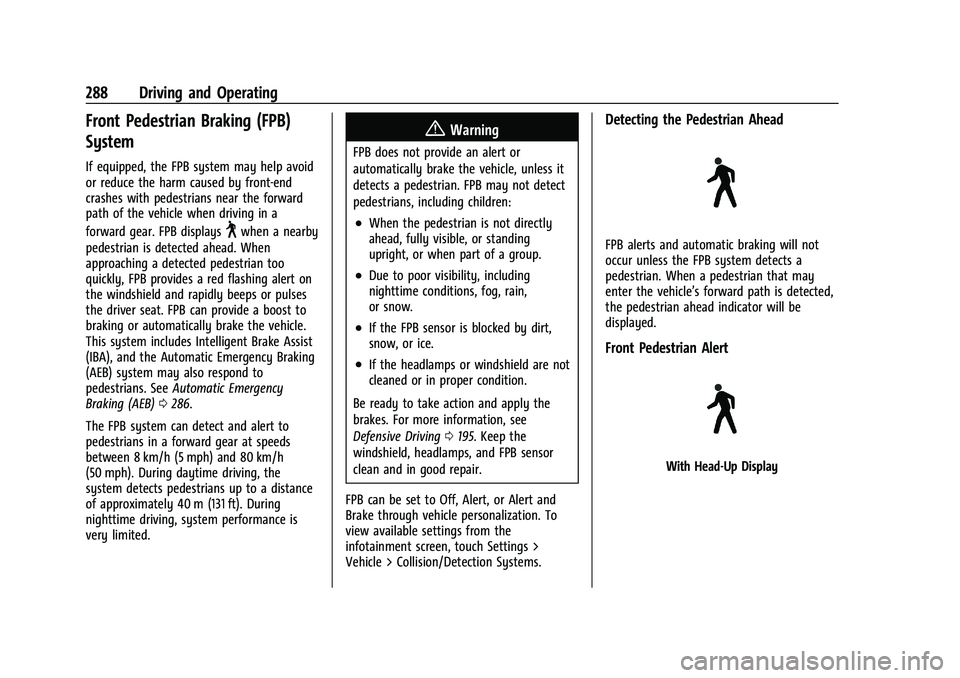
forward gear. FPB displays
~when a nearby
pedestrian is detected ahead. When
approaching a detected pedestrian too
quickly, FPB provides a red flashing alert on
the windshield and rapidly beeps or pulses
the driver seat. FPB can provide a boost to
braking or automatically brake the vehicle.
This system includes Intelligent Brake Assist
(IBA), and the Automatic Emergency Braking
(AEB) system may also respond to
pedestrians. See Automatic Emergency
Braking (AEB) 0286.
The FPB system can detect and alert to
pedestrians in a forward gear at speeds
between 8 km/h (5 mph) and 80 km/h
(50 mph). During daytime driving, the
system detects pedestrians up to a distance
of approximately 40 m (131 ft). During
nighttime driving, system performance is
very limited.
{Warning
FPB does not provide an alert or
automatically brake the vehicle, unless it
detects a pedestrian. FPB may not detect
pedestrians, including children:
.When the pedestrian is not directly
ahead, fully visible, or standing
upright, or when part of a group.
.Due to poor visibility, including
nighttime conditions, fog, rain,
or snow.
.If the FPB sensor is blocked by dirt,
snow, or ice.
.If the headlamps or windshield are not
cleaned or in proper condition.
Be ready to take action and apply the
brakes. For more information, see
Defensive Driving 0195. Keep the
windshield, headlamps, and FPB sensor
clean and in good repair.
FPB can be set to Off, Alert, or Alert and
Brake through vehicle personalization. To
view available settings from the
infotainment screen, touch Settings >
Vehicle > Collision/Detection Systems.
Detecting the Pedestrian Ahead
FPB alerts and automatic braking will not
occur unless the FPB system detects a
pedestrian. When a pedestrian that may
enter the vehicle’s forward path is detected,
the pedestrian ahead indicator will be
displayed.
Front Pedestrian Alert
With Head-Up Display
Page 290 of 463
Chevrolet Silverado 1500 Owner Manual (GMNA-Localizing-U.S./Canada/
Mexico/Paraguay-16515119) - 2023 - CRC - 6/2/22
Driving and Operating 289
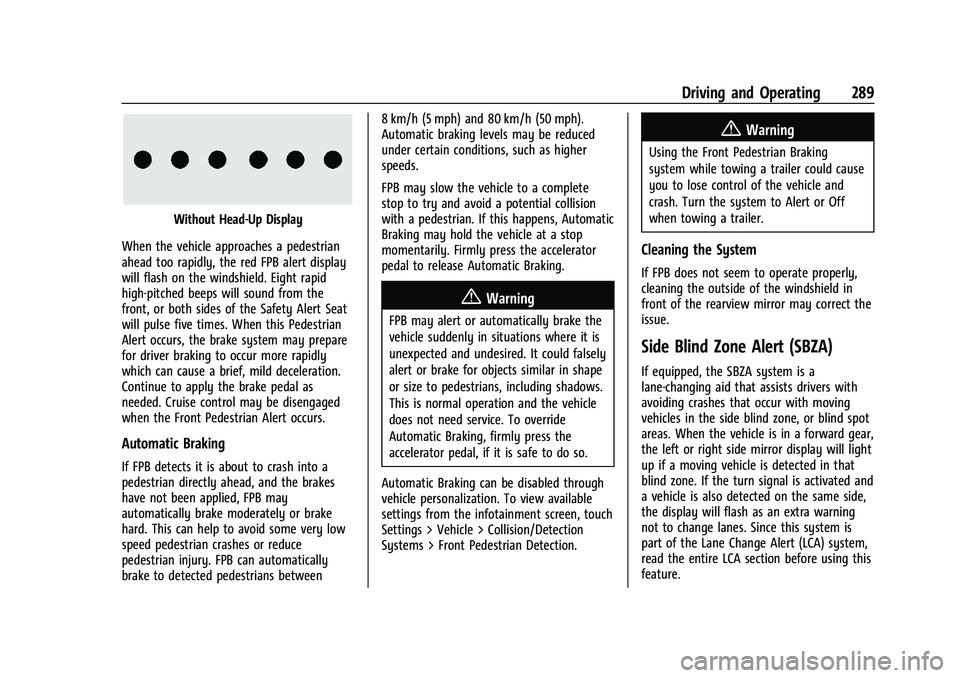
Without Head-Up Display
When the vehicle approaches a pedestrian
ahead too rapidly, the red FPB alert display
will flash on the windshield. Eight rapid
high-pitched beeps will sound from the
front, or both sides of the Safety Alert Seat
will pulse five times. When this Pedestrian
Alert occurs, the brake system may prepare
for driver braking to occur more rapidly
which can cause a brief, mild deceleration.
Continue to apply the brake pedal as
needed. Cruise control may be disengaged
when the Front Pedestrian Alert occurs.
Automatic Braking
If FPB detects it is about to crash into a
pedestrian directly ahead, and the brakes
have not been applied, FPB may
automatically brake moderately or brake
hard. This can help to avoid some very low
speed pedestrian crashes or reduce
pedestrian injury. FPB can automatically
brake to detected pedestrians between 8 km/h (5 mph) and 80 km/h (50 mph).
Automatic braking levels may be reduced
under certain conditions, such as higher
speeds.
FPB may slow the vehicle to a complete
stop to try and avoid a potential collision
with a pedestrian. If this happens, Automatic
Braking may hold the vehicle at a stop
momentarily. Firmly press the accelerator
pedal to release Automatic Braking.
{Warning
FPB may alert or automatically brake the
vehicle suddenly in situations where it is
unexpected and undesired. It could falsely
alert or brake for objects similar in shape
or size to pedestrians, including shadows.
This is normal operation and the vehicle
does not need service. To override
Automatic Braking, firmly press the
accelerator pedal, if it is safe to do so.
Automatic Braking can be disabled through
vehicle personalization. To view available
settings from the infotainment screen, touch
Settings > Vehicle > Collision/Detection
Systems > Front Pedestrian Detection.
{Warning
Using the Front Pedestrian Braking
system while towing a trailer could cause
you to lose control of the vehicle and
crash. Turn the system to Alert or Off
when towing a trailer.
Cleaning the System
If FPB does not seem to operate properly,
cleaning the outside of the windshield in
front of the rearview mirror may correct the
issue.
Side Blind Zone Alert (SBZA)
If equipped, the SBZA system is a
lane-changing aid that assists drivers with
avoiding crashes that occur with moving
vehicles in the side blind zone, or blind spot
areas. When the vehicle is in a forward gear,
the left or right side mirror display will light
up if a moving vehicle is detected in that
blind zone. If the turn signal is activated and
a vehicle is also detected on the same side,
the display will flash as an extra warning
not to change lanes. Since this system is
part of the Lane Change Alert (LCA) system,
read the entire LCA section before using this
feature.
Page 454 of 463
Chevrolet Silverado 1500 Owner Manual (GMNA-Localizing-U.S./Canada/-
Mexico/Paraguay-16515119) - 2023 - CRC - 6/2/22
Index 453
ExteriorCargo Lamps . . . . . . . . . . . . . . . . . . . . . . . . . . . 143
Lamp Controls . . . . . . . . . . . . . . . . . . . . . . . . . . 137
Lamps Off Reminder . . . . . . . . . . . . . . . . . . . 139
Lighting Battery Saver . . . . . . . . . . . . . . . . . 146
F
Fan
Engine . . . . . . . . . . . . . . . . . . . . . . . . . . . . . . . . . 348
Filter Engine Air Cleaner . . . . . . . . . . . . . . . . . . . . . 341
Flash-to-Pass . . . . . . . . . . . . . . . . . . . . . . . . . . . . . 139
Flashers, Hazard Warning . . . . . . . . . . . . . . . . 140
Flat Tire . . . . . . . . . . . . . . . . . . . . . . . . . . . . . . . . . 387
Changing . . . . . . . . . . . . . . . . . . . . . . . . . . . . . . 389
Floor Console Storage . . . . . . . . . . . . . . . . . . . . . . . . . . . . . . . . . 95
Floor Mats . . . . . . . . . . . . . . . . . . . . . . . . . . . . . . . 414
Fluid Automatic Transmission . . . . . . . . . . . . . . . 340
Brakes . . . . . . . . . . . . . . . . . . . . . . . . . . . . . . . . . 350
Washer . . . . . . . . . . . . . . . . . . . . . . . . . . . . . . . . 348
Fog Lamp Light Front . . . . . . . . . . . . . . . . . . . . . . . . . . . . . . . . . . 125
Fog Lamps . . . . . . . . . . . . . . . . . . . . . . . . . . . . . . . . 141
Folding Mirrors . . . . . . . . . . . . . . . . . . . . . . . . . . . .33
Forward Collision Alert (FCA) System . . . . . . . . . . . 284 Four-Wheel Drive . . . . . . . . . . . . . . . . . . . 230, 353
Four-Wheel-Drive
Light . . . . . . . . . . . . . . . . . . . . . . . . . . . . . . . . . . . . 119
Frequency Statement Radio . . . . . . . . . . . . . . . . . . . . . . . . . . . . . . . . . . 438
Front Axle . . . . . . . . . . . . . . . . . . . . . . . . . . . . . . . . . . . 354
Heated and Ventilated Seats . . . . . . . . . . . . 49
Locking Axle . . . . . . . . . . . . . . . . . . . . . . . . . . . 244
Pedestrian Braking (FPB) System . . . . . . . 288
Front Seats
Adjustment . . . . . . . . . . . . . . . . . . . . . . . . . . . . . 44
Fuel Additives . . . . . . . . . . . . . . . . . . . . . . . . . . . . . . 295
Economy, Driving for Better . . . . . . . . . . . 194
Filling a Portable Fuel Container . . . . . . . 298
Filling the Tank . . . . . . . . . . . . . . . . . . . 295, 297
Foreign Countries . . . . . . . . . . . . . . . . . . . . . . 295
Gauge . . . . . . . . . . . . . . . . . . . . . . . . . . . . . . . . . 110
Low Fuel Warning Light . . . . . . . . . . . . . . . 124
Management, Active . . . . . . . . . . . . . . . . . . . 219
Prohibited Fuels . . . . . . . . . . . . . . . . . . . . . . . 295
Recommended . . . . . . . . . . . . . . . . . . . . . . . . . 294
Top Tier . . . . . . . . . . . . . . . . . . . . . . . . . . . . . . . 294
Full-Size Spare Tire . . . . . . . . . . . . . . . . . . . . . . . 399
Fuses
Engine Compartment Fuse Block . . . . . . . 362
Fuses and Circuit Breakers . . . . . . . . . . . . . 361 Fuses (cont'd)
Instrument Panel Fuse Block . . . . . . 365, 367
G
Garage Door Opener . . . . . . . . . . . . . . . . . . . . . .134
Programming . . . . . . . . . . . . . . . . . . . . . . . . . . 134
Gas Strut(s) . . . . . . . . . . . . . . . . . . . . . . . . . . . . . . 356
Gauges Engine Coolant Temperature . . . . . . . . . . . . 112
Engine Oil Pressure . . . . . . . . . . . . . . . . . . . . . 111
Fuel . . . . . . . . . . . . . . . . . . . . . . . . . . . . . . . . . . . . 110
Odometer . . . . . . . . . . . . . . . . . . . . . . . . . . . . . 110
Speedometer . . . . . . . . . . . . . . . . . . . . . . . . . . 110
Tachometer . . . . . . . . . . . . . . . . . . . . . . . . . . . . 110
Transmission Temperature . . . . . . . . . . . . . . 113
Trip Odometer . . . . . . . . . . . . . . . . . . . . . . . . . 110
Voltmeter . . . . . . . . . . . . . . . . . . . . . . . . . . . . . . . 113
Warning Lights and Indicators . . . . . . . . . 105
General Information Service and Maintenance . . . . . . . . . . . . . . 416
Towing . . . . . . . . . . . . . . . . . . . . . . . . . . . . . . . . 298
Vehicle Care . . . . . . . . . . . . . . . . . . . . . . . . . . . 332
Glass Replacement . . . . . . . . . . . . . . . . . . . . . . . 355
Global Positioning System (GPS) . . . . . . . . . . 161
Glove Box . . . . . . . . . . . . . . . . . . . . . . . . . . . . . . . . 93
GM Mobility Reimbursement Program . . . . . . . . . . . . . . . . . . . . . . . . . . . . . . . 433