2023 CHEVROLET CORVETTE center console
[x] Cancel search: center consolePage 198 of 351
Chevrolet Corvette Owner Manual (GMNA-Localizing-U.S./Canada/Mexico-
16287457) - 2023 - CRC - 3/10/22
Driving and Operating 197
Caution
The vehicle is not designed to stay in
N (Neutral) for extended periods of time.
It will automatically shift into P (Park).
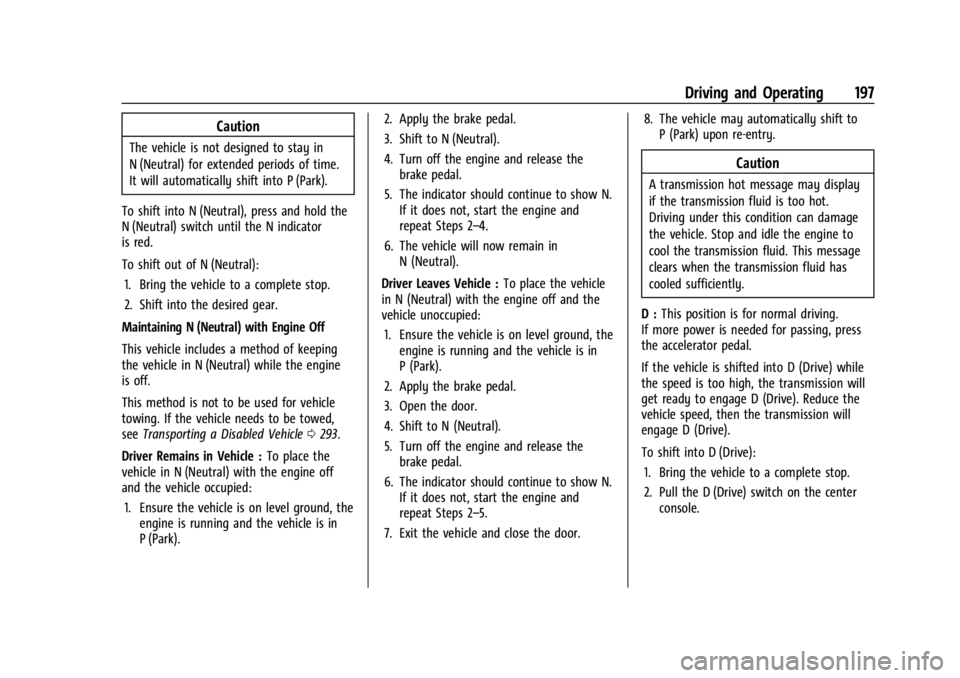
To shift into N (Neutral), press and hold the
N (Neutral) switch until the N indicator
is red.
To shift out of N (Neutral): 1. Bring the vehicle to a complete stop.
2. Shift into the desired gear.
Maintaining N (Neutral) with Engine Off
This vehicle includes a method of keeping
the vehicle in N (Neutral) while the engine
is off.
This method is not to be used for vehicle
towing. If the vehicle needs to be towed,
see Transporting a Disabled Vehicle 0293.
Driver Remains in Vehicle : To place the
vehicle in N (Neutral) with the engine off
and the vehicle occupied:
1. Ensure the vehicle is on level ground, the engine is running and the vehicle is in
P (Park). 2. Apply the brake pedal.
3. Shift to N (Neutral).
4. Turn off the engine and release the
brake pedal.
5. The indicator should continue to show N. If it does not, start the engine and
repeat Steps 2–4.
6. The vehicle will now remain in N (Neutral).
Driver Leaves Vehicle : To place the vehicle
in N (Neutral) with the engine off and the
vehicle unoccupied:
1. Ensure the vehicle is on level ground, the engine is running and the vehicle is in
P (Park).
2. Apply the brake pedal.
3. Open the door.
4. Shift to N (Neutral).
5. Turn off the engine and release the brake pedal.
6. The indicator should continue to show N. If it does not, start the engine and
repeat Steps 2–5.
7. Exit the vehicle and close the door. 8. The vehicle may automatically shift to
P (Park) upon re-entry.Caution
A transmission hot message may display
if the transmission fluid is too hot.
Driving under this condition can damage
the vehicle. Stop and idle the engine to
cool the transmission fluid. This message
clears when the transmission fluid has
cooled sufficiently.
D : This position is for normal driving.
If more power is needed for passing, press
the accelerator pedal.
If the vehicle is shifted into D (Drive) while
the speed is too high, the transmission will
get ready to engage D (Drive). Reduce the
vehicle speed, then the transmission will
engage D (Drive).
To shift into D (Drive):
1. Bring the vehicle to a complete stop.
2. Pull the D (Drive) switch on the center console.
Page 199 of 351
Chevrolet Corvette Owner Manual (GMNA-Localizing-U.S./Canada/Mexico-
16287457) - 2023 - CRC - 3/10/22
198 Driving and Operating
To shift out of D (Drive):1. Bring the vehicle to a complete stop.
2. Shift to the desired gear.
Downshifting the transmission in slippery
road conditions could result in skidding. See
“Skidding” underLoss of Control 0172.
The transmission can be shifted like a
manual transmission using the paddle shift
controls while in D (Drive). See Manual
Mode 0198.
Caution
Spinning the tires or holding the vehicle
in one place on a hill using only the
accelerator pedal may damage the
transmission. The repair will not be
covered by the vehicle warranty. If the
vehicle is stuck, do not spin the tires.
When stopping on a hill, use the brakes
to hold the vehicle in place.
Manual Mode
Manual Paddle Shift
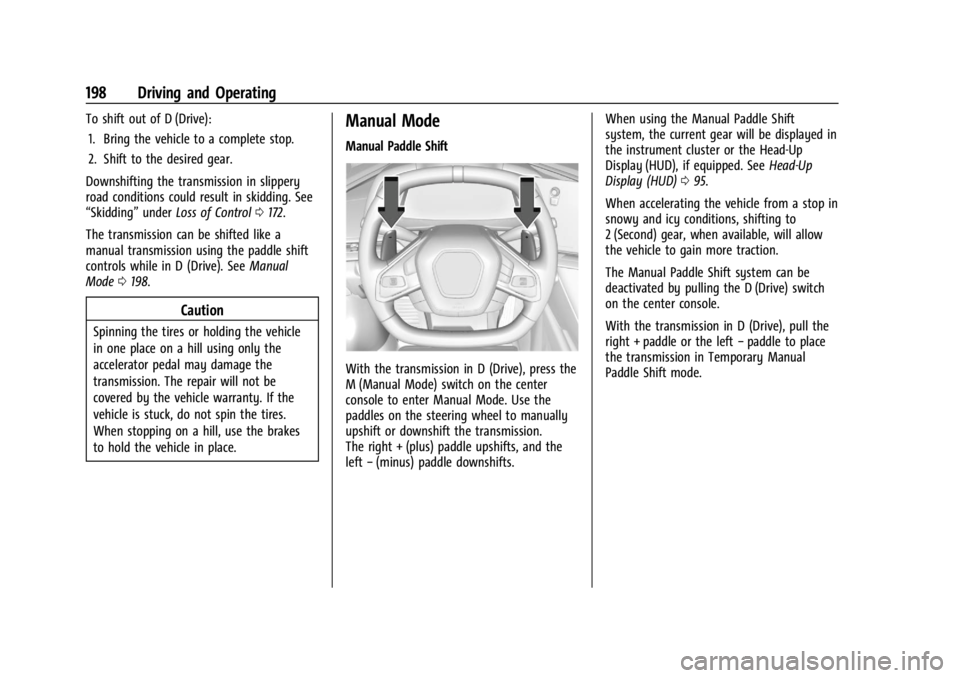
With the transmission in D (Drive), press the
M (Manual Mode) switch on the center
console to enter Manual Mode. Use the
paddles on the steering wheel to manually
upshift or downshift the transmission.
The right + (plus) paddle upshifts, and the
left −(minus) paddle downshifts. When using the Manual Paddle Shift
system, the current gear will be displayed in
the instrument cluster or the Head-Up
Display (HUD), if equipped. See
Head-Up
Display (HUD) 095.
When accelerating the vehicle from a stop in
snowy and icy conditions, shifting to
2 (Second) gear, when available, will allow
the vehicle to gain more traction.
The Manual Paddle Shift system can be
deactivated by pulling the D (Drive) switch
on the center console.
With the transmission in D (Drive), pull the
right + paddle or the left −paddle to place
the transmission in Temporary Manual
Paddle Shift mode.
Page 203 of 351
Chevrolet Corvette Owner Manual (GMNA-Localizing-U.S./Canada/Mexico-
16287457) - 2023 - CRC - 3/10/22
202 Driving and Operating
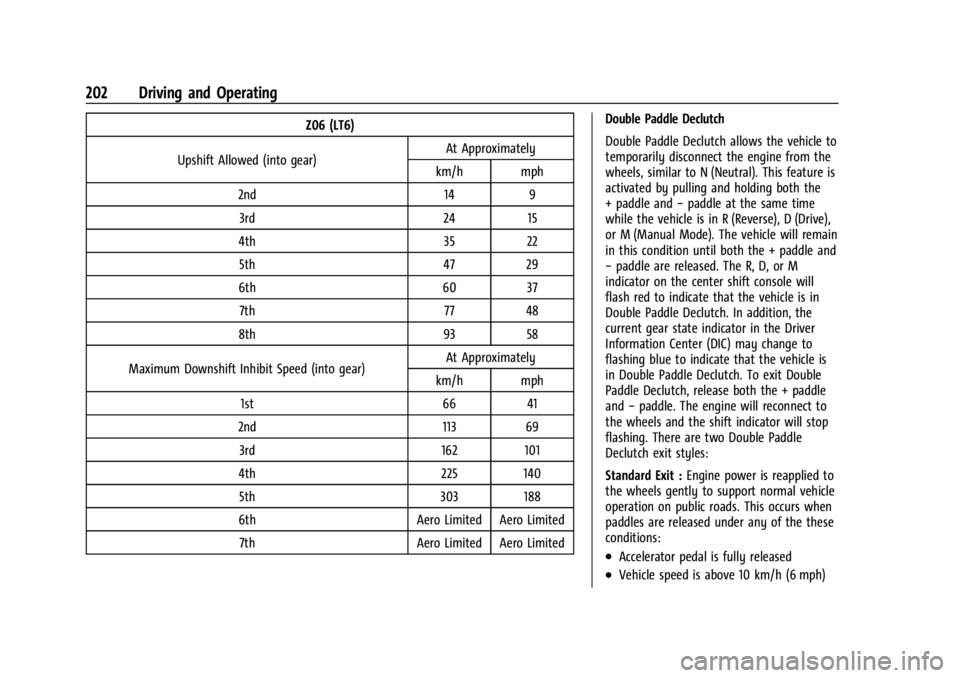
Z06 (LT6)
Upshift Allowed (into gear) At Approximately
km/h mph
2nd 14 9 3rd 24 15
4th 35 22 5th 47 29
6th 60 37 7th 77 48
8th 93 58
Maximum Downshift Inhibit Speed (into gear) At Approximately
km/h mph
1st 66 41
2nd 113 69 3rd 162 101
4th 225 140 5th 303 188
6th Aero Limited Aero Limited 7th Aero Limited Aero Limited Double Paddle Declutch
Double Paddle Declutch allows the vehicle to
temporarily disconnect the engine from the
wheels, similar to N (Neutral). This feature is
activated by pulling and holding both the
+ paddle and
−paddle at the same time
while the vehicle is in R (Reverse), D (Drive),
or M (Manual Mode). The vehicle will remain
in this condition until both the + paddle and
− paddle are released. The R, D, or M
indicator on the center shift console will
flash red to indicate that the vehicle is in
Double Paddle Declutch. In addition, the
current gear state indicator in the Driver
Information Center (DIC) may change to
flashing blue to indicate that the vehicle is
in Double Paddle Declutch. To exit Double
Paddle Declutch, release both the + paddle
and −paddle. The engine will reconnect to
the wheels and the shift indicator will stop
flashing. There are two Double Paddle
Declutch exit styles:
Standard Exit : Engine power is reapplied to
the wheels gently to support normal vehicle
operation on public roads. This occurs when
paddles are released under any of the these
conditions:
.Accelerator pedal is fully released
.Vehicle speed is above 10 km/h (6 mph)
Page 208 of 351
Chevrolet Corvette Owner Manual (GMNA-Localizing-U.S./Canada/Mexico-
16287457) - 2023 - CRC - 3/10/22
Driving and Operating 207
If=comes on and stays on:
1. Stop the vehicle.
2. Turn the engine off and wait 15 seconds.
3. Start the engine.
Drive the vehicle. If
=comes on and
stays on, the vehicle may need more time
to diagnose the problem. If the condition
persists, see your dealer.
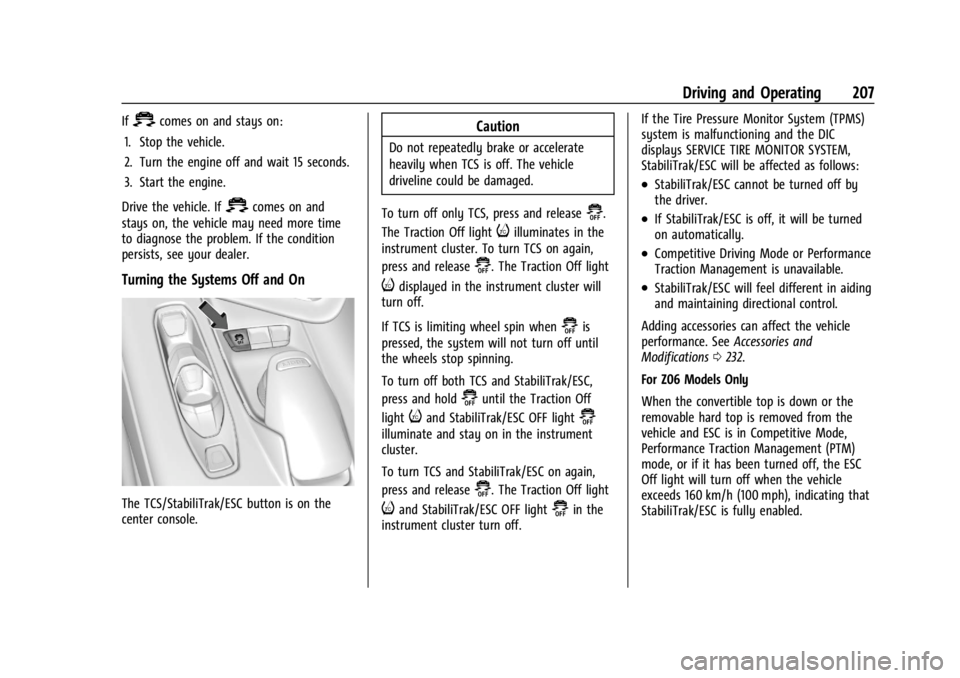
Turning the Systems Off and On
The TCS/StabiliTrak/ESC button is on the
center console.
Caution
Do not repeatedly brake or accelerate
heavily when TCS is off. The vehicle
driveline could be damaged.
To turn off only TCS, press and release
@.
The Traction Off light
iilluminates in the
instrument cluster. To turn TCS on again,
press and release
@. The Traction Off light
idisplayed in the instrument cluster will
turn off.
If TCS is limiting wheel spin when
@is
pressed, the system will not turn off until
the wheels stop spinning.
To turn off both TCS and StabiliTrak/ESC,
press and hold
@until the Traction Off
light
iand StabiliTrak/ESC OFF light@
illuminate and stay on in the instrument
cluster.
To turn TCS and StabiliTrak/ESC on again,
press and release
@. The Traction Off light
iand StabiliTrak/ESC OFF light@in the
instrument cluster turn off. If the Tire Pressure Monitor System (TPMS)
system is malfunctioning and the DIC
displays SERVICE TIRE MONITOR SYSTEM,
StabiliTrak/ESC will be affected as follows:
.StabiliTrak/ESC cannot be turned off by
the driver.
.If StabiliTrak/ESC is off, it will be turned
on automatically.
.Competitive Driving Mode or Performance
Traction Management is unavailable.
.StabiliTrak/ESC will feel different in aiding
and maintaining directional control.
Adding accessories can affect the vehicle
performance. See Accessories and
Modifications 0232.
For Z06 Models Only
When the convertible top is down or the
removable hard top is removed from the
vehicle and ESC is in Competitive Mode,
Performance Traction Management (PTM)
mode, or if it has been turned off, the ESC
Off light will turn off when the vehicle
exceeds 160 km/h (100 mph), indicating that
StabiliTrak/ESC is fully enabled.
Page 209 of 351
Chevrolet Corvette Owner Manual (GMNA-Localizing-U.S./Canada/Mexico-
16287457) - 2023 - CRC - 3/10/22
208 Driving and Operating
Hill Rollback Control
If the vehicle is in gear and inadvertently
rolls backwards, Hill Rollback Control helps
limit the rollback to a very low speed.
A noise may be heard while the vehicle
speed is actively being controlled. A Driver
Information Center (DIC) message displays
when active.
Driver Mode Control
Driver Mode Control (DMC) allows the driver
to adjust the overall driving experience to
better suit preference by selecting different
modes.
Drive mode availability and affected driver
systems are dependent upon vehicle trim
level, region, and optional features. Driver
modes may include: Weather, Tour, Sport,
and Track, along with two customizable
modes: My Mode and Z-Mode.
When each mode is selected, an indicator
will come on in the instrument cluster and
stay on.Mode Activation
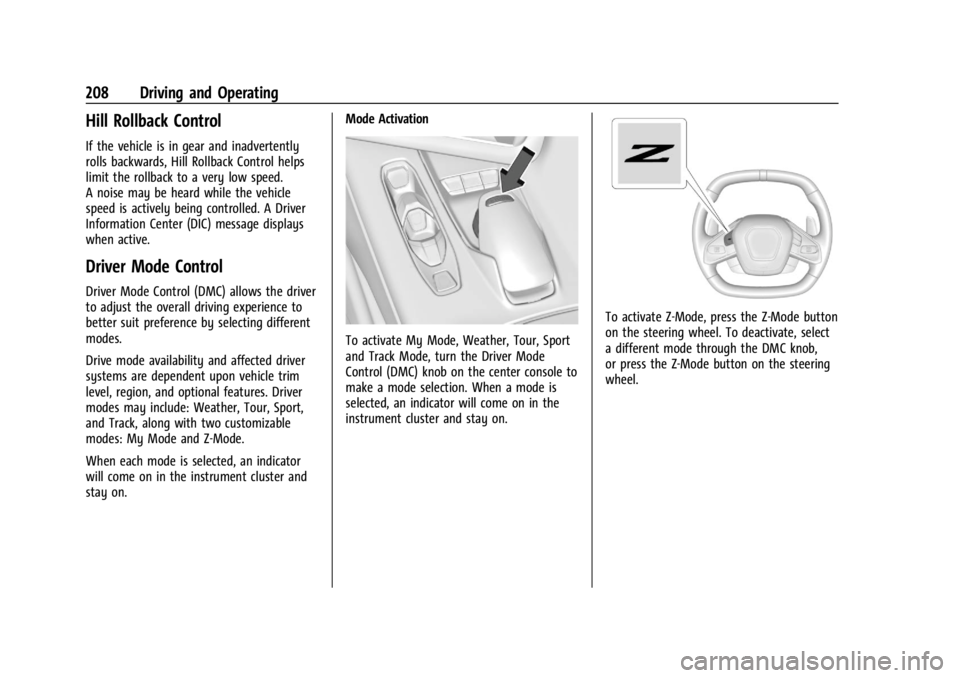
To activate My Mode, Weather, Tour, Sport
and Track Mode, turn the Driver Mode
Control (DMC) knob on the center console to
make a mode selection. When a mode is
selected, an indicator will come on in the
instrument cluster and stay on.
To activate Z-Mode, press the Z-Mode button
on the steering wheel. To deactivate, select
a different mode through the DMC knob,
or press the Z-Mode button on the steering
wheel.
Page 215 of 351
Chevrolet Corvette Owner Manual (GMNA-Localizing-U.S./Canada/Mexico-
16287457) - 2023 - CRC - 3/10/22
214 Driving and Operating
To confirm, and enter PTM, press the
Z-Mode button again. The PTM state can
now be modified using the mode knob or
changing the Z-Mode setting in the center
stack. Both the Z-Mode and PTM indicators
will be displayed.
To cancel, press the center dismiss button
on the steering wheel (Z-Mode remains
active). Selecting PTM states may modify
other Z-Mode customization options.
.Off, Wet, Dry, Sport, Race 1, Race 2
Front Lift System
A two-position lift actuator (one per damper)
with 35 mm (1.5 in) of stroke will
hydraulically raise the front of the vehicle to
provide approximately 50 mm (2 in) of
increased clearance in approximately
three seconds (height and time will vary by
vehicle). The Front Lift System will allow
you to lift the front of the vehicle to enter a
driveway, driving over curbs, speed bumps
or onto ramps or a trailer.
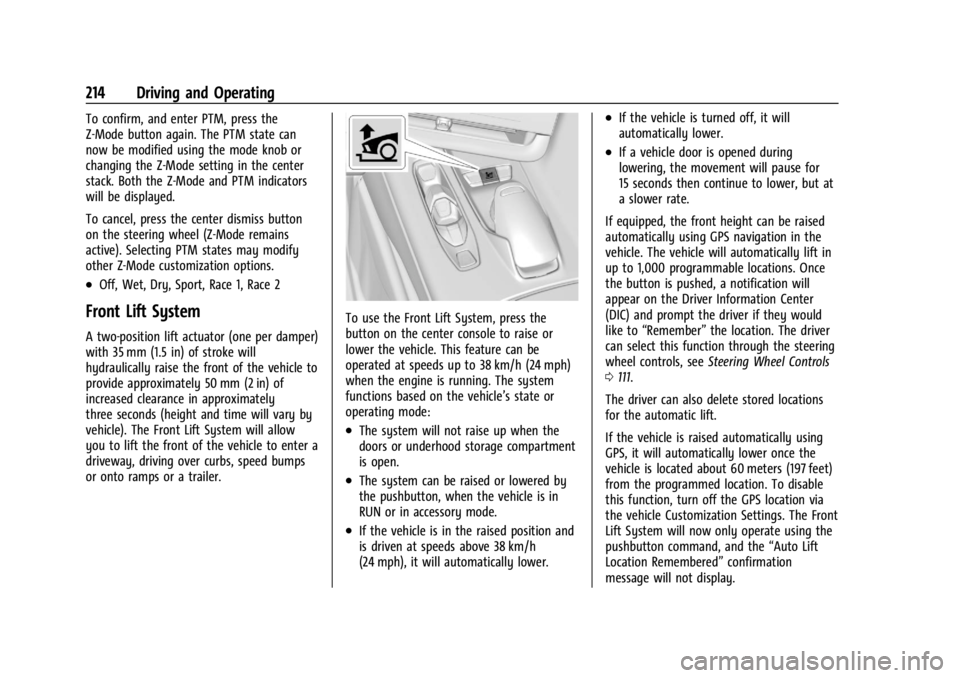
To use the Front Lift System, press the
button on the center console to raise or
lower the vehicle. This feature can be
operated at speeds up to 38 km/h (24 mph)
when the engine is running. The system
functions based on the vehicle’s state or
operating mode:
.The system will not raise up when the
doors or underhood storage compartment
is open.
.The system can be raised or lowered by
the pushbutton, when the vehicle is in
RUN or in accessory mode.
.If the vehicle is in the raised position and
is driven at speeds above 38 km/h
(24 mph), it will automatically lower.
.If the vehicle is turned off, it will
automatically lower.
.If a vehicle door is opened during
lowering, the movement will pause for
15 seconds then continue to lower, but at
a slower rate.
If equipped, the front height can be raised
automatically using GPS navigation in the
vehicle. The vehicle will automatically lift in
up to 1,000 programmable locations. Once
the button is pushed, a notification will
appear on the Driver Information Center
(DIC) and prompt the driver if they would
like to “Remember” the location. The driver
can select this function through the steering
wheel controls, see Steering Wheel Controls
0 111.
The driver can also delete stored locations
for the automatic lift.
If the vehicle is raised automatically using
GPS, it will automatically lower once the
vehicle is located about 60 meters (197 feet)
from the programmed location. To disable
this function, turn off the GPS location via
the vehicle Customization Settings. The Front
Lift System will now only operate using the
pushbutton command, and the “Auto Lift
Location Remembered” confirmation
message will not display.
Page 216 of 351
Chevrolet Corvette Owner Manual (GMNA-Localizing-U.S./Canada/Mexico-
16287457) - 2023 - CRC - 3/10/22
Driving and Operating 215
The Front Lift System can also be used in
accessory mode. Put the vehicle in accessory
mode and press and hold the button on the
center console for 10 consecutive seconds to
automatically raise the vehicle.
The Driver Information Center (DIC) may
display the message“Lift System
Unavailable” if:
.any doors are ajar
.the hood is open
.the vehicle is moving over 38 km/h
(24 mph)
.too many lift requests within a short
period
The Front Lift System should not be used to
service the vehicle. Do not place anything or
body parts under the vehicle while lifted.
See Recommended Fluids and Lubricants
0 310.
Competitive Driving Mode
If equipped, Competitive Driving Mode,
Performance Traction Management (PTM),
and Launch Control are systems designed to
allow increased performance while
accelerating and/or cornering. This is
accomplished by regulating and optimizing
the engine, brakes, and suspension performance. These modes are for use at a
closed course race track and are not
intended for use on public roads. They will
not compensate for driver inexperience or
lack of familiarity with a race track. Drivers
who prefer to allow the system to have
more control of the engine, brakes, and
suspension are advised to turn on the
normal traction control and StabiliTrak/
Electronic Stability Control (ESC) systems on.
Competitive Driving Mode
Competitive Driving Mode allows full engine
power while StabiliTrak/ESC helps maintain
directional control of the vehicle by selective
brake application. In this mode, the Traction
Control System (TCS) is off and Launch
Control is available.
Adjust your driving style to account for the
available engine power. See
“Launch
Control” later in this section.
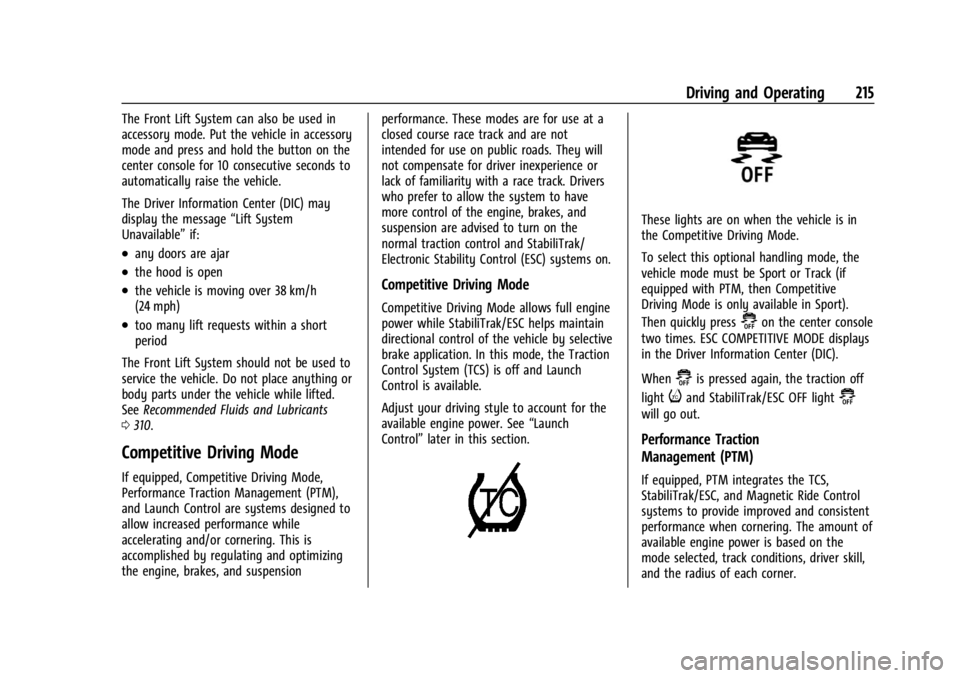
These lights are on when the vehicle is in
the Competitive Driving Mode.
To select this optional handling mode, the
vehicle mode must be Sport or Track (if
equipped with PTM, then Competitive
Driving Mode is only available in Sport).
Then quickly press
@on the center console
two times. ESC COMPETITIVE MODE displays
in the Driver Information Center (DIC).
When
@is pressed again, the traction off
light
iand StabiliTrak/ESC OFF light@
will go out.
Performance Traction
Management (PTM)
If equipped, PTM integrates the TCS,
StabiliTrak/ESC, and Magnetic Ride Control
systems to provide improved and consistent
performance when cornering. The amount of
available engine power is based on the
mode selected, track conditions, driver skill,
and the radius of each corner.
Page 217 of 351
Chevrolet Corvette Owner Manual (GMNA-Localizing-U.S./Canada/Mexico-
16287457) - 2023 - CRC - 3/10/22
216 Driving and Operating
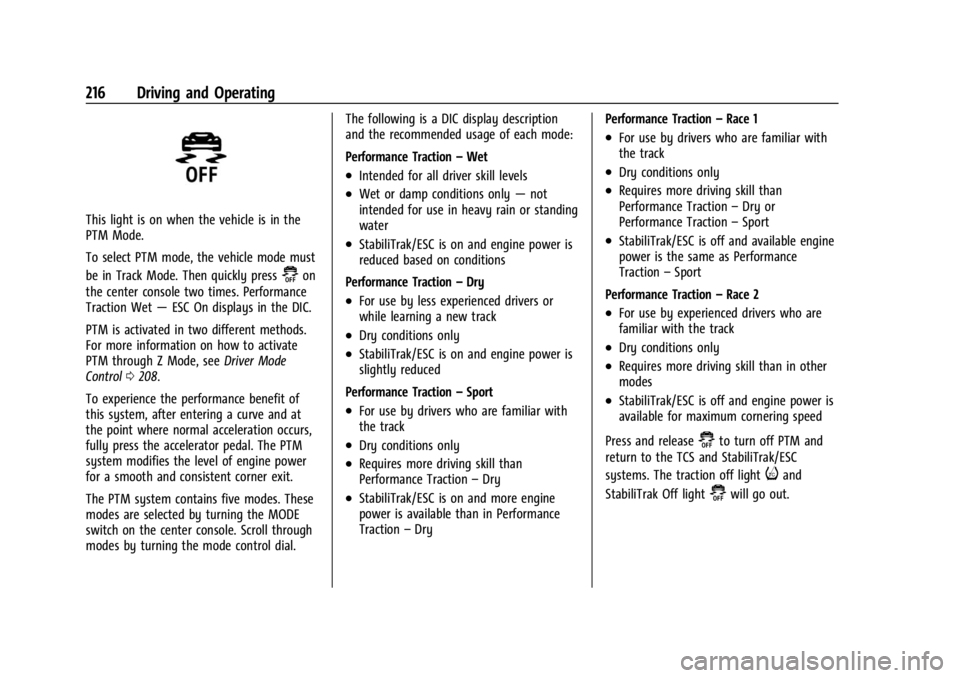
This light is on when the vehicle is in the
PTM Mode.
To select PTM mode, the vehicle mode must
be in Track Mode. Then quickly press
@on
the center console two times. Performance
Traction Wet —ESC On displays in the DIC.
PTM is activated in two different methods.
For more information on how to activate
PTM through Z Mode, see Driver Mode
Control 0208.
To experience the performance benefit of
this system, after entering a curve and at
the point where normal acceleration occurs,
fully press the accelerator pedal. The PTM
system modifies the level of engine power
for a smooth and consistent corner exit.
The PTM system contains five modes. These
modes are selected by turning the MODE
switch on the center console. Scroll through
modes by turning the mode control dial. The following is a DIC display description
and the recommended usage of each mode:
Performance Traction
–Wet
.Intended for all driver skill levels
.Wet or damp conditions only —not
intended for use in heavy rain or standing
water
.StabiliTrak/ESC is on and engine power is
reduced based on conditions
Performance Traction –Dry
.For use by less experienced drivers or
while learning a new track
.Dry conditions only
.StabiliTrak/ESC is on and engine power is
slightly reduced
Performance Traction –Sport
.For use by drivers who are familiar with
the track
.Dry conditions only
.Requires more driving skill than
Performance Traction –Dry
.StabiliTrak/ESC is on and more engine
power is available than in Performance
Traction –Dry Performance Traction
–Race 1
.For use by drivers who are familiar with
the track
.Dry conditions only
.Requires more driving skill than
Performance Traction –Dry or
Performance Traction –Sport
.StabiliTrak/ESC is off and available engine
power is the same as Performance
Traction –Sport
Performance Traction –Race 2
.For use by experienced drivers who are
familiar with the track
.Dry conditions only
.Requires more driving skill than in other
modes
.StabiliTrak/ESC is off and engine power is
available for maximum cornering speed
Press and release
@to turn off PTM and
return to the TCS and StabiliTrak/ESC
systems. The traction off light
iand
StabiliTrak Off light
@will go out.