2023 CHEVROLET BOLT EV key battery
[x] Cancel search: key batteryPage 109 of 308

Chevrolet BOLT EV Owner Manual (GMNA-Localizing-U.S./Canada-
16404388) - 2023 - CRC - 3/7/22
108 Lighting
Entry lighting can be disabled manually by
closing all doors, pressing
Qon the remote
key, or starting the vehicle.
This feature can be changed. On the
infotainment home screen, select the
Settings icon
TVehicleTVehicle Locator
Lights.
Exit Lighting
Some exterior lamps and interior lamps turn
on when the driver door is opened after the
vehicle is turned off.
The exterior and interior lamps remain on
for a set amount of time, then automatically
turn off.
The interior lights turn on when the vehicle
is turned off.
The exterior lamps turn off immediately by
turning the exterior lamp control off.
This feature can be changed. On the
infotainment home screen, select the
Settings icon
TVehicleTExit Lighting.
Battery Power Protection
This feature helps prevent the battery from
being drained if the interior courtesy lamps
or reading lamps are accidentally left on.
If any of these lamps are left on, they
automatically turn off after 10 minutes when
the vehicle is turned off. The lamps will not
come back on again until one of the
following occurs:
.The vehicle is started.
.The doors are closed and then re-opened.
Battery Saver
The vehicle is equipped with electrical power
management (EPM). EPM monitors and
controls the charging system. The message
BATTERY SAVER ACTIVE displays on the
Driver Information Center (DIC) when the
EPM detects the battery may be draining
too quickly, the charge state needs to be
reset, or the Auxiliary Power Module failed.
If safe to do so, when BATTERY SAVER
ACTIVE displays, manually shut off
windshield wipers, communications
equipment, climate controls, etc. to slow the
battery from draining. See Automatic
Climate Control System 0144. If the message still displays, fully charge the
vehicle. Once fully charged, unplug the
vehicle and let the vehicle sit an additional
8.5 hours or greater without being
interrupted to allow the Body Control
Module (BCM) to reset the battery to the
required state of charge.
The following may interrupt the vehicle:
.Charging the vehicle
.Battery Maintenance Mode
.Approach Detection is activated
.The remote key is left in the car or left in
close proximity of the vehicle
.Pressing buttons on the remote key
.Opening the doors or tailgate
To reduce the occurrence of this alert, GM
recommends letting the vehicle sit
uninterrupted for 8.5 hours or greater on a
weekly basis.
If after completing this process the BATTERY
SAVER ACTIVE message remains, see your
dealer for service.
Page 164 of 308
Chevrolet BOLT EV Owner Manual (GMNA-Localizing-U.S./Canada-
16404388) - 2023 - CRC - 3/7/22
Driving and Operating 163
The remote key must be in the vehicle.
Press the brake pedal, then press and
release POWER
O.
If the remote key is not in the vehicle or
something is interfering with the key, a
message displays in the Driver Information
Center (DIC).
If the vehicle will not start due to a low
remote key battery, the vehicle can still be
driven. See Remote Key Operation 07.
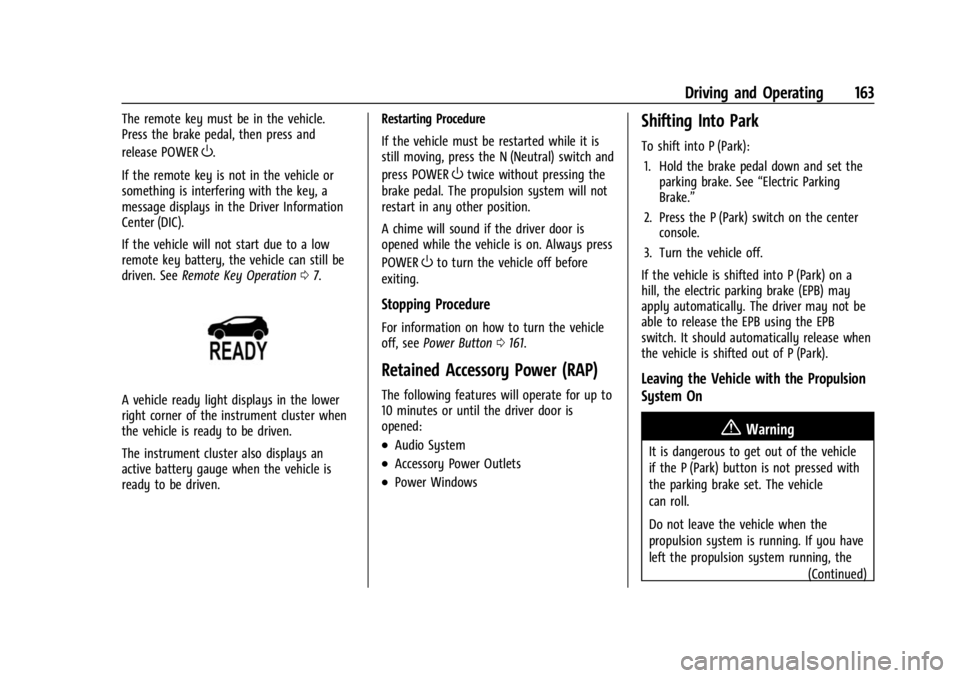
A vehicle ready light displays in the lower
right corner of the instrument cluster when
the vehicle is ready to be driven.
The instrument cluster also displays an
active battery gauge when the vehicle is
ready to be driven. Restarting Procedure
If the vehicle must be restarted while it is
still moving, press the N (Neutral) switch and
press POWER
Otwice without pressing the
brake pedal. The propulsion system will not
restart in any other position.
A chime will sound if the driver door is
opened while the vehicle is on. Always press
POWER
Oto turn the vehicle off before
exiting.
Stopping Procedure
For information on how to turn the vehicle
off, see Power Button 0161.
Retained Accessory Power (RAP)
The following features will operate for up to
10 minutes or until the driver door is
opened:
.Audio System
.Accessory Power Outlets
.Power Windows
Shifting Into Park
To shift into P (Park):
1. Hold the brake pedal down and set the parking brake. See “Electric Parking
Brake.”
2. Press the P (Park) switch on the center console.
3. Turn the vehicle off.
If the vehicle is shifted into P (Park) on a
hill, the electric parking brake (EPB) may
apply automatically. The driver may not be
able to release the EPB using the EPB
switch. It should automatically release when
the vehicle is shifted out of P (Park).
Leaving the Vehicle with the Propulsion
System On
{Warning
It is dangerous to get out of the vehicle
if the P (Park) button is not pressed with
the parking brake set. The vehicle
can roll.
Do not leave the vehicle when the
propulsion system is running. If you have
left the propulsion system running, the (Continued)
Page 165 of 308
Chevrolet BOLT EV Owner Manual (GMNA-Localizing-U.S./Canada-
16404388) - 2023 - CRC - 3/7/22
164 Driving and Operating
Warning (Continued)
vehicle can move suddenly. You or others
could be injured. To be sure the vehicle
will not move, even when you are on
fairly level ground, always set the
parking brake and press the P (Park)
button.
If you have to leave the vehicle with the
propulsion system running, the vehicle must
be in P (Park) with the parking brake set
before leaving the vehicle. After pressing the
P (Park) button, hold down the regular brake
pedal. If you cannot see the P (Park)
indicator in the instrument cluster, the
vehicle has not shifted into P (Park).
Shifting out of Park
This vehicle is equipped with an electric
drive unit. To shift out of P (Park), the
vehicle must be on, the brake pedal must be
applied, and the charge cord must be
unplugged.
Parking the vehicle in extreme cold for
several days without the charge cord
connected may cause the vehicle not to start. The vehicle will need to be plugged in
to allow the high voltage battery to be
warmed sufficiently.
To shift out of P (Park):
1. Apply the brake pedal.
2. Press POWER
Oto start the vehicle.
3. Verify that the vehicle is unplugged and the vehicle ready light is on.
4. Press or pull the desired shift switch on the center console. For N (Neutral) press
and hold the N (Neutral) switch until the
N indicator illuminates red.
The P indicator will turn white and the gear
indicator on the selected shift switch will
turn red when the vehicle is no longer in
P (Park).
If the vehicle cannot shift from P (Park), a
Driver Information Center (DIC) message
may be displayed. Check that the vehicle is
on, the vehicle ready light is on, and the
brake pedal is applied when you are
attempting to shift out of P (Park). If all of
these are met but the vehicle will not shift
out of P (Park), see your dealer for service.
Extended Parking
It is best not to park with the vehicle
running. If the vehicle is left on, be sure it
will not move.
See Shifting Into Park 0163.
If the vehicle is left parked and on with the
remote key outside the vehicle, it will
remain on for up to an hour.
If the vehicle is left parked and on with the
remote key inside the vehicle, it will remain
on for up to two hours.
The timer will reset if the vehicle is taken
out of P (Park) while it is on.
Electric Vehicle Operating
Modes
Driver Selected Operating Modes
Sport Mode
Sport Mode provides more responsive
acceleration than Normal Mode, but can
reduce efficiency. When the SPORT indicator
is not on, the vehicle is in Normal Mode.
Page 214 of 308

Chevrolet BOLT EV Owner Manual (GMNA-Localizing-U.S./Canada-
16404388) - 2023 - CRC - 3/7/22
Vehicle Care 213
General Information
For service and parts needs, visit your
dealer. You will receive genuine GM parts
and GM-trained and supported service
people.
Genuine GM parts have one of these marks:
California Perchlorate Materials
Requirements
Certain types of automotive applications,
such as airbag initiators, seat belt
pretensioners, and lithium batteries
contained in electronic keys, may contain
perchlorate materials. Perchlorate Material–special handling may apply. See
www.dtsc.ca.gov/hazardouswaste/
perchlorate.
Accessories and Modifications
Adding non-dealer accessories or making
modifications to the vehicle can affect
vehicle performance and safety, including
such things as airbags, braking, stability,
ride and handling, emissions systems,
aerodynamics, durability, Driver Assistance
Systems, and electronic systems like antilock
brakes, traction control, and stability control.
These accessories or modifications could
even cause malfunction or damage not
covered by the vehicle warranty.
Damage to suspension components caused
by modifying vehicle height outside of
factory settings will not be covered by the
vehicle warranty.
Damage to vehicle components resulting
from modifications or the installation or use
of non-GM certified parts, including control
module or software modifications, is not
covered under the terms of the vehicle
warranty and may affect remaining
warranty coverage for affected parts.
GM Accessories are designed to complement
and function with other systems on the
vehicle. See your dealer to accessorize the
vehicle using genuine GM Accessories
installed by a dealer technician.
Also, see
Adding Equipment to the
Airbag-Equipped Vehicle 047.
Vehicle Checks
Doing Your Own Service Work
{Warning
Never try to do your own service on high
voltage battery components. You can be
injured and the vehicle can be damaged if
you try to do your own service work.
Service and repair of these high voltage
battery components should only be
performed by a trained dealer technician
with the proper knowledge and tools.
Exposure to high voltage can cause shock,
burns, and even death. The high voltage
components in the vehicle can only be
serviced by technicians with special
training.
(Continued)
Page 222 of 308

Chevrolet BOLT EV Owner Manual (GMNA-Localizing-U.S./Canada-
16404388) - 2023 - CRC - 3/7/22
Vehicle Care 221
Warning (Continued)
structure or anything that can burn.
Ventilate the vehicle by opening a
window or a door.
Contact Customer Assistance as soon as
possible to determine whether an
inspection is needed. SeeCustomer
Assistance Offices 0279.
If the vehicle is in a crash, the sensing
system may shut down the high voltage
system. When this occurs, the high voltage
battery is disconnected and the vehicle will
not start. The SERVICE VEHICLE SOON
message in the Driver Information Center
(DIC) will display. Before the vehicle can
operate again, it must be serviced at your
dealer. If a crash occurs or an airbag(s)
inflates, see “If a Crash Occurs” under
Collision Damage Repair 0283 and
What Will You See after an Airbag Inflates?
0 42 for additional information.
Keep the vehicle plugged in, even when fully
charged, to keep the high voltage battery
temperature ready for the next drive. This is
important when outside temperatures are
extremely hot or cold. Propulsion power may be reduced in
extremely cold temperatures, or if the high
voltage battery is too cold. The message
BATTERY TOO COLD, PLUG IN TO WARM will
display.
A vehicle cover, which can reduce sun
loading on the vehicle and improve high
voltage battery life, is available from your
dealer.
See
Radio Frequency Statement 0286.
Vehicle Storage
The best way to store the vehicle for any
length of time is to plug in the charge cord
and leave it plugged in. The vehicle
monitors and maintains the 12-volt battery
daily. It is okay to leave the vehicle plugged
in for extended periods of time. Once
charged to full, very little energy is required
to maintain the 12-volt battery and high
voltage battery.
If it is not possible to charge the vehicle
with the charge cord left plugged in, be sure
to fully charge the high voltage battery
before storing. The vehicle will stop
maintenance of the 12-volt battery if the
high voltage battery state of charge gets
too low. When storing the vehicle on a long-term
basis:
‐
Keep the high voltage battery state of
charge at 30%.
‐ Attach an AGM/VRLA compatible battery
tender or trickle charger to the 12-volt
battery.
‐ Keep the remote key more than 3 m
(10 ft) away from the vehicle.
12–volt Battery{Warning
Batteries have acid that can burn you and
gas that can explode. You can be badly
hurt if you are not careful. Always wear
eye protection. See Jump Starting - North
America 0256 for tips on working around
a battery without getting hurt.
A trickle charger may be attached to the
12-volt battery terminals or trickle charge
from the underhood remote positive (+) and
negative (–) terminals. See Jump Starting -
North America 0256 for location of these
terminals.
Page 291 of 308

Chevrolet BOLT EV Owner Manual (GMNA-Localizing-U.S./Canada-
16404388) - 2023 - CRC - 3/7/22
290 OnStar
Or
.Give OnStar Turn-by-Turn Navigation voice
commands.
.Obtain and customize the Wi-Fi hotspot
name or SSID and password, if equipped.
Press
Qto connect to an Advisor to:
.Verify account information or update
contact information.
.Get driving directions.
.Receive a Diagnostic check of the vehicle's
key operating systems.
.Receive Roadside Assistance.
.Manage Wi-Fi Settings, if equipped.
Press
>to get a priority connection to an
OnStar Advisor available 24/7 to:
.Get help for an emergency.
.Be a Good Samaritan or respond to an
AMBER Alert.
.Get assistance in severe weather or other
crisis situations and find evacuation
routes.
OnStar Services
Emergency
Emergency Services require an active safety
and security plan. With Automatic Crash
Response, built-in sensors can automatically
alert a specially trained OnStar Advisor who
is immediately connected in to the vehicle
to help.
Press
>for a priority connection to an
OnStar Advisor who can contact emergency
service providers, direct them to your exact
location, and relay important information.
With OnStar Crisis Assist, specially trained
Advisors are available 24 hours a day, 7 days
a week, to provide a central point of
contact, assistance, and information during a
crisis.
With Roadside Assistance, Advisors can
locate a nearby service provider to help with
a flat tire or a battery jump.
Security
If equipped, OnStar provides these services:
.With Stolen Vehicle Assistance, OnStar
Advisors can use GPS to pinpoint the
vehicle and help authorities quickly
recover it.
.With Remote Ignition Block, if equipped,
OnStar can block the vehicle from being
restarted.
.With Stolen Vehicle Slowdown,
if equipped, OnStar can work with law
enforcement to gradually slow the
vehicle down.
Theft Alarm Notification
If equipped, if the doors are locked and the
vehicle alarm sounds, a notification by text,
e-mail, or phone call will be sent. If the
vehicle is stolen, an OnStar Advisor can work
with authorities to recover the vehicle.
OnStar Additional
Information
In-Vehicle Audio Messages
Audio messages may play important
information at the following times:
Page 302 of 308

Chevrolet BOLT EV Owner Manual (GMNA-Localizing-U.S./Canada-
16404388) - 2023 - CRC - 3/7/22
Index 301
Headlamps (cont'd)Bulb Replacement . . . . . . . . . . . . . . . . . . . . . . 225
Daytime Running Lamps (DRL) . . . . . . . . . 105
Flash-to-Pass . . . . . . . . . . . . . . . . . . . . . . . . . . . 105
High-Beam On Light . . . . . . . . . . . . . . . . . . . . 89
High/Low Beam Changer . . . . . . . . . . . . . . 104
Lamps On Reminder . . . . . . . . . . . . . . . . . . . . 89
Heated Front Seats . . . . . . . . . . . . . . . . . . . . . . . . . . . . . 29
Mirrors . . . . . . . . . . . . . . . . . . . . . . . . . . . . . . . . . . 21
Steering Wheel . . . . . . . . . . . . . . . . . . . . . . . . . 73
Heating . . . . . . . . . . . . . . . . . . . . . . . . . . . . . . . . . . 144
High Voltage Battery Gauge . . . . . . . . . . . . . . .81
High Voltage Devices and Wiring . . . . . . . . 227
High-Beam On Light . . . . . . . . . . . . . . . . . . . . . . 89
Hill and Mountain Roads . . . . . . . . . . . . . . . . 156
Hill Start Assist (HSA) . . . . . . . . . . . . . . . . . . . . 170
Hood . . . . . . . . . . . . . . . . . . . . . . . . . . . . . . . . . . . . .214
Horn . . . . . . . . . . . . . . . . . . . . . . . . . . . . . . . . . . . . . . .73
How to Wear Seat Belts Properly . . . . . . . . . .33
HVAC . . . . . . . . . . . . . . . . . . . . . . . . . . . . . . . . . . . . 144
I
Immobilizer . . . . . . . . . . . . . . . . . . . . . . . . . . . . . . . 20
Indicator Pedestrian Ahead . . . . . . . . . . . . . . . . . . . . . . . 87
Vehicle Ahead . . . . . . . . . . . . . . . . . . . . . . . . . . 87 Indicators
Warning Lights and Gauges . . . . . . . . . . . . . 79
Infants and Young Children, Restraints . . . . 50
Information Energy . . . . . . . . . . . . . . . . . . . . . . . . . . . . . . . . . . 97
Publication Ordering . . . . . . . . . . . . . . . . . . . 285
Infotainment
Using the System . . . . . . . . . . . . . . . . . . . . . . . 112
Inspection Multi-Point Vehicle . . . . . . . . . . . . . . . . . . . . 272
Instrument Cluster . . . . . . . . . . . . . . . . . . . . . . . . 79
Instrument Panel Overview . . . . . . . . . . . . . . . . 4
Interior Rearview Mirrors . . . . . . . . . . . . . . . . . .22
Introduction . . . . . . . . . . . . . . . . . . . . . . . . . . . 2, 110
J
Jump
Starting - North America . . . . . . . . . . . . . . . 256
K
Keys . . . . . . . . . . . . . . . . . . . . . . . . . . . . . . . . . . . . . . . 6Remote . . . . . . . . . . . . . . . . . . . . . . . . . . . . . . . . . . 7
Remote Operation . . . . . . . . . . . . . . . . . . . . . . . 7
L
Labeling, Tire Sidewall . . . . . . . . . . . . . . . . . . . 236
LampsCourtesy . . . . . . . . . . . . . . . . . . . . . . . . . . . . . . . 107
Daytime Running (DRL) . . . . . . . . . . . . . . . . 105 Lamps (cont'd)
Dome . . . . . . . . . . . . . . . . . . . . . . . . . . . . . . . . . . 107
Exterior Controls . . . . . . . . . . . . . . . . . . . . . . . 103
Exterior Lamps Off Reminder . . . . . . . . . . 104
Exterior Lighting Battery Saver . . . . . . . . 109
Flash-to-Pass . . . . . . . . . . . . . . . . . . . . . . . . . . . 105
High/Low Beam Changer . . . . . . . . . . . . . . 104
License Plate . . . . . . . . . . . . . . . . . . . . . . . . . . . 226
On Reminder . . . . . . . . . . . . . . . . . . . . . . . . . . . 89
Reading . . . . . . . . . . . . . . . . . . . . . . . . . . . . . . . . 107
Lane Change Alert (LCA) . . . . . . . . . . . . . . . . . . . . . 193
Keep Assist (LKA) . . . . . . . . . . . . . . . . . . . . . . 195
Keep Assist Light . . . . . . . . . . . . . . . . . . . . . . . 86
Lap-Shoulder Belt . . . . . . . . . . . . . . . . . . . . . . . . . .35
LATCH System Replacing Parts after a Crash . . . . . . . . . . . 64
LATCH, Lower Anchors and Tethers for Children . . . . . . . . . . . . . . . . . . . . . . . . . . . . . . . . . .55
LED Lighting . . . . . . . . . . . . . . . . . . . . . . . . . . . . . 225
Liftgate . . . . . . . . . . . . . . . . . . . . . . . . . . . . . . . . . . . .18
Lighting Entry . . . . . . . . . . . . . . . . . . . . . . . . . . . . . . . . . . 107
Exit . . . . . . . . . . . . . . . . . . . . . . . . . . . . . . . . . . . . 108
Illumination Control . . . . . . . . . . . . . . . . . . . 106
LED . . . . . . . . . . . . . . . . . . . . . . . . . . . . . . . . . . . . 225
Lights Airbag Readiness . . . . . . . . . . . . . . . . . . . . . . . 83
Page 305 of 308

Chevrolet BOLT EV Owner Manual (GMNA-Localizing-U.S./Canada-
16404388) - 2023 - CRC - 3/7/22
304 Index
Reimbursement Program, GMMobility . . . . . . . . . . . . . . . . . . . . . . . . . . . . . . . 280
Remote Key . . . . . . . . . . . . . . . . . . . . . . . . . . . . . . . . . . . . . . 7
Key Operation . . . . . . . . . . . . . . . . . . . . . . . . . . . 7
Start . . . . . . . . . . . . . . . . . . . . . . . . . . . . . . . . . . . . 14
Replacement Parts
Airbags . . . . . . . . . . . . . . . . . . . . . . . . . . . . . . . . . 48
Maintenance . . . . . . . . . . . . . . . . . . . . . . . . . . . 274
Replacing Airbag System . . . . . . . . . . . . . . . . . . . . . . . . . . 48
LATCH System Parts After a Crash . . . . . . 64
Seat Belt System Parts after a Crash . . . . 38
Reporting Safety Defects Canadian Government . . . . . . . . . . . . . . . . . 286
General Motors . . . . . . . . . . . . . . . . . . . . . . . . 287
U.S. Government . . . . . . . . . . . . . . . . . . . . . . . 286
Requirements Electrical Battery Charging . . . . . . . . . . . . . 210
Restraints Where to Put . . . . . . . . . . . . . . . . . . . . . . . . . . . 54
Retained Accessory Power (RAP) . . . . . . . . . 163
Roads Driving, Wet . . . . . . . . . . . . . . . . . . . . . . . . . . . 156
Roadside Assistance Program . . . . . . . . . . . . .281
Rotation, Tires . . . . . . . . . . . . . . . . . . . . . . . . . . . 244S
Safety
Locks . . . . . . . . . . . . . . . . . . . . . . . . . . . . . . . . . . . 18
Pedestrian Signal . . . . . . . . . . . . . . . . . . . . . . . 73
Safety Defects Reporting
Canadian Government . . . . . . . . . . . . . . . . . 286
General Motors . . . . . . . . . . . . . . . . . . . . . . . . 287
U.S. Government . . . . . . . . . . . . . . . . . . . . . . . 286
Safety System Check . . . . . . . . . . . . . . . . . . . . . .37
Satellite Radio . . . . . . . . . . . . . . . . . . . . . . . . . . . . 117
Scheduling Appointments . . . . . . . . . . . . . . . . 282
Sealant Kit, Tire . . . . . . . . . . . . . . . . . . . . . . . . . . 250
Seat Belts . . . . . . . . . . . . . . . . . . . . . . . . . . . . . . . . . .32 Care . . . . . . . . . . . . . . . . . . . . . . . . . . . . . . . . . . . . 38
Extender . . . . . . . . . . . . . . . . . . . . . . . . . . . . . . . . 37
How to Wear Seat Belts Properly . . . . . . . 33
Lap-Shoulder Belt . . . . . . . . . . . . . . . . . . . . . . . 35
Reminders . . . . . . . . . . . . . . . . . . . . . . . . . . . . . . 82
Replacing after a Crash . . . . . . . . . . . . . . . . . 38
Use During Pregnancy . . . . . . . . . . . . . . . . . . 37
Seats Adjustment, Front . . . . . . . . . . . . . . . . . . . . . . 27
Head Restraints . . . . . . . . . . . . . . . . . . . . . . . . . 25
Heated Front . . . . . . . . . . . . . . . . . . . . . . . . . . . 29
Lumbar Adjustment, Front . . . . . . . . . . . . . . 29
Power Adjustment, Front . . . . . . . . . . . . . . . 28
Rear . . . . . . . . . . . . . . . . . . . . . . . . . . . . . . . . . . . . . 31
Reclining Seatbacks . . . . . . . . . . . . . . . . . . . . . 28 Securing Child Restraints . . . . . . . . . . . . . . 64, 66
Security
Light . . . . . . . . . . . . . . . . . . . . . . . . . . . . . . . . . . . . 88
OnStar . . . . . . . . . . . . . . . . . . . . . . . . . . . . . . . . . 290
Vehicle . . . . . . . . . . . . . . . . . . . . . . . . . . . . . . . . . 19
Vehicle Alarm . . . . . . . . . . . . . . . . . . . . . . . . . . . 19
Self-Sealing Tires . . . . . . . . . . . . . . . . . . . . . . . . . 235
Service . . . . . . . . . . . . . . . . . . . . . . . . . . . . . . . . . . . 150
Accessories and Modifications . . . . . . . . . 213
Doing Your Own Work . . . . . . . . . . . . . . . . . 213
Electric Parking Brake Light . . . . . . . . . . . . . 85
Maintenance Records . . . . . . . . . . . . . . . . . . 275
Maintenance, General Information . . . . . 270
Parts Identification . . . . . . . . . . . . . . . . . . . . . 276
Scheduling Appointments . . . . . . . . . . . . . . 282
Vehicle Soon Light . . . . . . . . . . . . . . . . . . . . . . 85
Servicing the Airbag . . . . . . . . . . . . . . . . . . . . . . 47
Settings . . . . . . . . . . . . . . . . . . . . . . . . . . . . . . . . . . . 132
Shifting Into Park . . . . . . . . . . . . . . . . . . . . . . . . . . . . . . 163
Out of Park . . . . . . . . . . . . . . . . . . . . . . . . . . . . 164
Side Blind Zone Alert (SBZA) . . . . . . . . . . . . . 193
Signals, Turn and Lane-Change . . . . . . . . . . . 106
Software Updates . . . . . . . . . . . . . . . . . . . . . . . . . 115
Specifications and Capacities . . . . . . . . . . . . . 277
Speedometer . . . . . . . . . . . . . . . . . . . . . . . . . . . . . .81
Sport Mode Light . . . . . . . . . . . . . . . . . . . . . . . . . 86