2023 CADILLAC XT4 fuel
[x] Cancel search: fuelPage 185 of 476

Cadillac XT4 Owner Manual (GMNA-Localizing-U.S./Canada/Mexico-
16412876) - 2023 - CRC - 3/25/22
184 Infotainment System
Recenter Position Icon
Touch the Recenter Position
arrow in the middle of the map
view to reset the map to the
current location.
Last Parked Location
The Last Parked Location is
the last location the vehicle
engine was turned off. That
location is displayed in the first
row of the Recents list.
Touching the last Parked
Location shows the Address
Details view to either save the
address or drive to it. The Last
Parked Location can be
deleted by entering the Edit
display. Once the Last Parked
Location is deleted, it no
longer appears in the Recents
list, unless the vehicle is
started at that location again.
Show POI Icons
To see the POI categories,
touch Options, then touch
Show on Map. Up to eight
categories of icons can be
selected.Smart POI Icons on Map (If
Equipped)
The smart POI icons such as
fuel stations and parking may
appear based on time,
location, driver search
behavior, driving conditions,
and vehicle conditions.
Touch a smart POI icon to
open the corresponding
details:
.Left side: Name and address
of the POI.
.Right side:E+ ETE
(Estimated Time Enroute.)
Smart Fuel Station Icons
Fuel station prices are shown
if available for nearby stations
when the vehicle is low on fuel. Smart Parking Icons
When reaching a densely
populated destination and the
system determines that
parking may be limited, the
system will attempt to display
nearby parking destinations
with pricing information,
if available.
Report an Issue Using POI
Details (If Equipped)
In the POI details page, a POI
issue can be reported if the
data is not accurate or the
address is incorrect. Touch
Report an Issue near the
bottom of the display to
access the issue selection
page. Touch one of the
predefined issues on the
selection page, then touch
Send. The system will send the
information for analysis.
Search
Touch Search on the
infotainment display to open
the search display. It has a
search field entry box, quick
Page 211 of 476

Cadillac XT4 Owner Manual (GMNA-Localizing-U.S./Canada/Mexico-
16412876) - 2023 - CRC - 3/25/22
210 Infotainment System
systems, touch Set Teen
Driver Speed Warning to set
the warning speed.
Set Teen Driver Speed
Warning :Choose the desired
speed warning level. The
speed warning does not limit
the speed of the vehicle.
SiriusXM Explicit Content
Filter : Allows the SiriusXM
Explicit Content Filter to be
turned ON or OFF. When ON,
the teen driver will not be able
to listen to SiriusXM stations
that contain explicit content,
and the Explicit Content Filter
selection in the Audio Settings
will be unavailable for change.
When Teen Driver is Active:
.If equipped, the radio will
mute when the driver seat
belt, and in some vehicles
the front passenger seat
belt, is not buckled. The
audio from any device paired
to the vehicle will also be
muted.
.An object placed on the
front passenger seat, such
as a briefcase, handbag,
grocery bag, laptop, or other
electronic device, could
cause the passenger
sensing system to falsely
sense an unbuckled front
passenger and mute the
radio. If this happens,
remove the object from the
seat. See Passenger
Sensing System 072.
.Some safety systems, such
as Automatic Emergency
Braking, if equipped, cannot
be turned off.
.The gap setting for Adaptive
Cruise Control and alert
timing for Forward Collision
Alert, if equipped, cannot be
changed.
.When trying to change a
safety feature that is not
configurable in Teen Driver,
the feature may be grayed
out or removed from the
infotainment menu, or the
DIC will display a message indicating that Teen Driver is
active and the action is not
available.
.Super Cruise, if equipped, is
not available.
.Enhanced Low Fuel Warning
(if equipped)
–When the
vehicle is low on fuel, the low
fuel light on the instrument
cluster flashes and the DIC
low fuel warning cannot be
dismissed.
.Do not tow a trailer if
equipped with Automatic
Emergency Braking.
Report Card
The vehicle owner must
secure the driver’s consent to
record certain vehicle data
when the vehicle is driven with
a registered Teen Driver key.
There is one Report Card per
vehicle. Data is only recorded
when a registered Teen Driver
key is used to operate the
vehicle.
Page 224 of 476
Cadillac XT4 Owner Manual (GMNA-Localizing-U.S./Canada/Mexico-
16412876) - 2023 - CRC - 3/25/22
Climate Controls 223
To improve fuel efficiency and
to cool the vehicle faster,
recirculation may be
automatically selected in warm
weather.
The recirculation light will not
come on when automatically
controlled. See
@under
“Manual Operation” for more
details.
During hands free calling the
blower level may automatically
reduce. The blower level can
be manually adjusted if
desired.
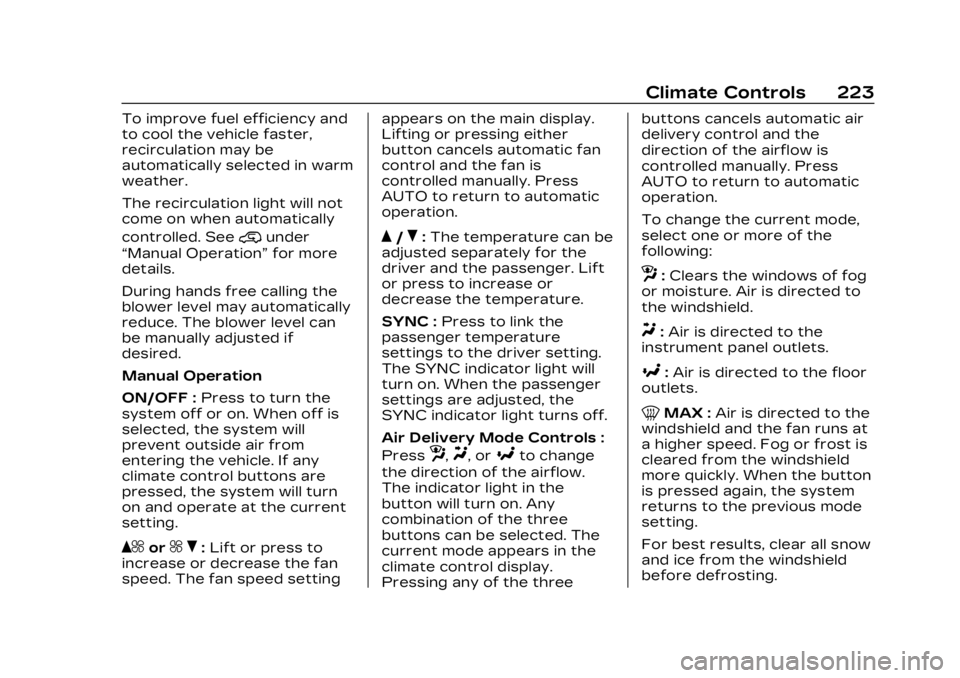
Manual Operation
ON/OFF : Press to turn the
system off or on. When off is
selected, the system will
prevent outside air from
entering the vehicle. If any
climate control buttons are
pressed, the system will turn
on and operate at the current
setting.
Q^or^ R:Lift or press to
increase or decrease the fan
speed. The fan speed setting appears on the main display.
Lifting or pressing either
button cancels automatic fan
control and the fan is
controlled manually. Press
AUTO to return to automatic
operation.
Q/R:
The temperature can be
adjusted separately for the
driver and the passenger. Lift
or press to increase or
decrease the temperature.
SYNC : Press to link the
passenger temperature
settings to the driver setting.
The SYNC indicator light will
turn on. When the passenger
settings are adjusted, the
SYNC indicator light turns off.
Air Delivery Mode Controls :
Press
z,Y, or[to change
the direction of the airflow.
The indicator light in the
button will turn on. Any
combination of the three
buttons can be selected. The
current mode appears in the
climate control display.
Pressing any of the three buttons cancels automatic air
delivery control and the
direction of the airflow is
controlled manually. Press
AUTO to return to automatic
operation.
To change the current mode,
select one or more of the
following:
z:
Clears the windows of fog
or moisture. Air is directed to
the windshield.
Y: Air is directed to the
instrument panel outlets.
[: Air is directed to the floor
outlets.
0MAX : Air is directed to the
windshield and the fan runs at
a higher speed. Fog or frost is
cleared from the windshield
more quickly. When the button
is pressed again, the system
returns to the previous mode
setting.
For best results, clear all snow
and ice from the windshield
before defrosting.
Page 228 of 476

Cadillac XT4 Owner Manual (GMNA-Localizing-U.S./Canada/Mexico-
16412876) - 2023 - CRC - 3/25/22
Driving and Operating 227
Driving and
Operating
Driving Information
Driver Behavior . . . . . . . . . . . . 228
Driving Environment . . . . . . 229
Vehicle Design . . . . . . . . . . . . . . 229
Driving for Better FuelEconomy . . . . . . . . . . . . . . . . . . . 229
Distracted Driving . . . . . . . . . 229
Defensive Driving . . . . . . . . . 230
Impaired Driving . . . . . . . . . . . 230
Control of a Vehicle . . . . . . . 231
Braking . . . . . . . . . . . . . . . . . . . . . . . . 231
Steering . . . . . . . . . . . . . . . . . . . . . . 231
Off-Road Recovery . . . . . . . 232
Loss of Control . . . . . . . . . . . . 233
Off-Road Driving . . . . . . . . . . . 233
Driving on Wet Roads . . . . 238
Hill and Mountain Roads . . . . . . . . . . . . . . . . . . . . . . . 239
Winter Driving . . . . . . . . . . . . . . 239
If the Vehicle Is Stuck . . . . . 241
Vehicle Load Limits . . . . . . . 242
Starting and Operating
New Vehicle Break-In . . . . 246
Ignition Positions . . . . . . . . . . 247
Starting the Engine . . . . . . . 248 Stop/Start System . . . . . . . . 249
Winter Cover . . . . . . . . . . . . . . . . 251
Engine Heater . . . . . . . . . . . . . . 252
Retained Accessory
Power (RAP) . . . . . . . . . . . . . . . 253
Shifting Into Park . . . . . . . . . . 254
Shifting out of Park . . . . . . . 254
Parking over Things That Burn . . . . . . . . . . . . . . . . . . 255
Active Fuel Management . . . . . . . . . . . . . . 255
Extended Parking . . . . . . . . . 255
Engine Exhaust
Engine Exhaust . . . . . . . . . . . . 256
Running the Vehicle While Parked . . . . . . . . . . . . . . 256
Automatic Transmission
Automatic
Transmission . . . . . . . . . . . . . . 257
Manual Mode . . . . . . . . . . . . . . . 262
Drive Systems
All-Wheel Drive . . . . . . . . . . . . . 263
Brakes
Electric Brake Boost . . . . . 264
Antilock Brake System (ABS) . . . . . . . . . . . . . 264
Electric Parking Brake . . . 264
Brake Assist . . . . . . . . . . . . . . . . 266 Hill Start Assist (HSA) . . . . 266
Ride Control Systems
Traction Control/
Electronic Stability
Control . . . . . . . . . . . . . . . . . . . . . . 267
Driver Mode Control . . . . . . 269
Cruise Control
Cruise Control . . . . . . . . . . . . . . 270
Adaptive Cruise Control (Advanced) . . . . . . . . . . . . . . . . . 273
Driver Assistance
Systems
Driver AssistanceSystems . . . . . . . . . . . . . . . . . . . . 284
Assistance Systems for Parking or Backing . . . . . . 286
Rear Vision Camera (RVC) . . . . . . . . . . . . . 286
Surround Vision System . . . . . . . . . . . . . . . . . . . . . . 287
Park Assist . . . . . . . . . . . . . . . . . . 289
Automatic Parking Assist (APA) . . . . . . . . . . . . . . . . 291
Reverse Automatic Braking (RAB) . . . . . . . . . . . . . 294
Rear Pedestrian Alert . . . . 296
Rear Cross Traffic Alert (RCTA) System . . . . . . . . . . . 297
Page 229 of 476

Cadillac XT4 Owner Manual (GMNA-Localizing-U.S./Canada/Mexico-
16412876) - 2023 - CRC - 3/25/22
228 Driving and Operating
Assistance Systems forDriving . . . . . . . . . . . . . . . . . . . . . . . 297
Forward Collision Alert (FCA) System . . . . . . . . . . . . . 297
Automatic Emergency
Braking (AEB) . . . . . . . . . . . . . 300
Front Pedestrian Braking (FPB) System . . . . . . . . . . . . . 302
Side Blind Zone Alert (SBZA) . . . . . . . . . . . . . . . 304
Lane Change Alert (LCA) . . . . . . . . . . . . . . . . . 304
Lane Keep Assist (LKA) . . . . . . . . . . . . . . . 307
Fuel
Top Tier Fuel . . . . . . . . . . . . . . . 309
Recommended Fuel . . . . . . . 310
Prohibited Fuels . . . . . . . . . . . 310
Fuels in ForeignCountries . . . . . . . . . . . . . . . . . . . . 311
Fuel Additives . . . . . . . . . . . . . . . 311
Filling the Tank . . . . . . . . . . . . . . 311
Filling a Portable Fuel Container . . . . . . . . . . . . . . . . . . . 313
Trailer Towing
General TowingInformation . . . . . . . . . . . . . . . . . 313
Driving Characteristics and Towing Tips . . . . . . . . . . 314 Trailer Towing . . . . . . . . . . . . . . 318
Towing Equipment . . . . . . . . 322
Trailer Sway
Control (TSC) . . . . . . . . . . . . . 323
Conversions and Add-Ons
Add-On ElectricalEquipment . . . . . . . . . . . . . . . . . 325
Driving
Information
Driver Behavior
Driving is an important
responsibility. Driver behavior,
the driving environment, and
the vehicle's design all affect
how well a vehicle performs.
Being aware of these factors
can help in understanding how
the vehicle handles and what
can be done to avoid many
types of crashes, including a
rollover crash.
Most serious injuries and
fatalities to unbelted
occupants can be reduced or
prevented by the use of seat
belts. In a rollover crash, an
unbelted person is
significantly more likely to die
than a person wearing a seat
belt. In addition, avoiding
excessive speed, sudden or
abrupt turns, impaired driving,
Page 230 of 476

Cadillac XT4 Owner Manual (GMNA-Localizing-U.S./Canada/Mexico-
16412876) - 2023 - CRC - 3/25/22
Driving and Operating 229
and aggressive driving can
help make trips safer and
avoid the possibility of a crash.
Driving Environment
Be prepared for driving in
inclement weather, at night,
or during other times where
visibility or traction may be
limited, such as on curves,
slippery roads, or hilly terrain.
Unfamiliar surroundings can
also have hidden hazards.
Vehicle Design
Utility vehicles have a
significantly higher rollover
rate than other types of
vehicles. This is because they
have a higher ground
clearance and a narrower
track or shorter wheelbase
than passenger cars, which
makes them more capable for
off-road driving. While these
design characteristics provide
the driver with a better view
of the road, these vehicles do
have a higher center of gravity
than other types of vehicles.A utility vehicle does not
handle the same as a vehicle
with a lower center of gravity,
like a car, in similar situations.
Safe driver behavior and
understanding of the
environment can help avoid a
rollover crash in any type of
vehicle, including utility
vehicles.
Driving for Better
Fuel Economy
Driving habits can affect fuel
mileage. Here are some driving
tips to get the best fuel
economy possible.
.Set the climate controls to
the desired temperature
after the engine is started,
or turn them off when not
required.
.On AWD vehicles, use Tour
Mode when conditions
permit.
.Avoid fast starts and
accelerate smoothly.
.Brake gradually and avoid
abrupt stops.
.Avoid idling the engine for
long periods of time.
.When road and weather
conditions are appropriate,
use cruise control.
.Always follow posted speed
limits or drive more slowly
when conditions require.
.Keep vehicle tires properly
inflated.
.Combine several trips into a
single trip.
.Replace the vehicle's tires
with the same TPC Spec
number molded into the
tire's sidewall near the size.
.Follow recommended
scheduled maintenance.
Distracted Driving
Distraction comes in many
forms and can take your focus
from the task of driving.
Exercise good judgment and
do not let other activities
divert your attention away
from the road. Many local
Page 235 of 476

Cadillac XT4 Owner Manual (GMNA-Localizing-U.S./Canada/Mexico-
16412876) - 2023 - CRC - 3/25/22
234 Driving and Operating
{Warning
When driving off-road,
bouncing and quick changes
in direction can easily throw
you out of position. This
could cause you to lose
control and crash. You and
your passengers should
always wear seat belts.
Before Driving Off-Road
.Have all necessary
maintenance and service
work completed.
.Fuel the vehicle, fill fluid
levels, and check inflation
pressure in all tires, including
the spare, if equipped.
.Read all the information
about AWD vehicles in this
manual.
.Make sure all underbody
shields, if equipped, are
properly attached.
.Know the local laws that
apply to off-road driving.To gain more ground
clearance if needed, it may be
necessary to remove the front
fascia lower air dam. However,
driving without the air dam
reduces fuel economy.
Caution
Operating the vehicle for
extended periods without
the front fascia lower air
dam installed can cause
improper airflow to the
engine. Reattach the front
fascia air dam after off-road
driving.
Loading the Vehicle for
Off-Road Driving
{Warning
.Unsecured cargo on the
load floor can be tossed
about when driving over
rough terrain. You or your
passengers can be struck
by flying objects. Secure
the cargo properly.
(Continued)
Warning (Continued)
.Keep cargo in the cargo
area as far forward and as
low as possible. The
heaviest things should be
on the floor, forward of
the rear axle.
.Heavy loads on the roof
raise the vehicle's center
of gravity, making it more
likely to roll over. You can
be seriously or fatally
injured if the vehicle rolls
over. Put heavy loads
inside the cargo area, not
on the roof.
For more information about
loading the vehicle, see
Vehicle Load Limits 0242.
Environmental Concerns
.Always use established
trails, roads, and areas that
have been set aside for
public off-road recreational
driving and obey all posted
regulations.
Page 239 of 476

Cadillac XT4 Owner Manual (GMNA-Localizing-U.S./Canada/Mexico-
16412876) - 2023 - CRC - 3/25/22
238 Driving and Operating
or under the hood. These
accumulations can be a fire
hazard.
After operation in mud or
sand, have the brake linings
cleaned and checked. These
substances can cause glazing
and uneven braking. Check the
body structure, steering,
suspension, wheels, tires, and
exhaust system for damage
and check the fuel lines and
cooling system for any
leakage.
More frequent maintenance
service is required. See
Maintenance Schedule0425.
Driving on Wet Roads
Rain and wet roads can
reduce vehicle traction and
affect your ability to stop and
accelerate. Always drive
slower in these types of
driving conditions and avoid
driving through large puddles
and deep-standing or flowing
water.
{Warning
Wet brakes can cause
crashes. They might not
work as well in a quick stop
and could cause pulling to
one side. You could lose
control of the vehicle.
After driving through a large
puddle of water or a car/
vehicle wash, lightly apply
the brake pedal until the
brakes work normally.
Flowing or rushing water
creates strong forces.
Driving through flowing
water could cause the
vehicle to be carried away.
If this happens, you and
other vehicle occupants
could drown. Do not ignore
police warnings and be very
cautious about trying to
drive through flowing water.
Hydroplaning
Hydroplaning is dangerous.
Water can build up under the
vehicle's tires so they actually
ride on the water. This can
happen if the road is wet
enough and you are going fast
enough. When the vehicle is
hydroplaning, it has little or no
contact with the road.
There is no hard and fast rule
about hydroplaning. The best
advice is to slow down when
the road is wet.
Other Rainy Weather Tips
Besides slowing down, other
wet weather driving tips
include:
.Allow extra following
distance.
.Pass with caution.
.Keep windshield wiping
equipment in good shape.
.Keep the windshield washer
fluid reservoir filled.
.Have good tires with proper
tread depth. See Tires 0364.