2023 CADILLAC ESCALADE instrument cluster
[x] Cancel search: instrument clusterPage 320 of 461

Cadillac Escalade Owner Manual (GMNA-Localizing-U.S./Canada/Mexico-
16417396) - 2023 - CRC - 5/11/22
318 Driving and Operating
Use only a round, seven-wire connector with
flat blade terminals meeting SAE J2863
specifications for proper electrical
connectivity.
The seven-wire harness contains the
following trailer circuits:
.Yellow/Grey: Left Stop/Turn Signal
.Green/Violet: Right Stop/Turn Signal
.Grey/Brown: Taillamps
.White: Ground
.White/Green: Back-up Lamps
.Red/Green: Battery Feed
.Dark Blue: Trailer Brake
To help charge a remote (non-vehicle)
battery, change drive mode to Tow Haul.
If the trailer is too light for Tow/Haul Mode,
turn on the headlamps to help charge the
battery.
Electric Brake Control Wiring Provisions
These wiring provisions are included with
the vehicle as part of the trailer wiring
package. These provisions are for an electric
brake controller.
The harness should be installed by your
dealer or a qualified service center. Refer to the aftermarket electric trailer brake
controller owner's manual to determine wire
color coding of the electric trailer brake
controller. The wire colors on the brake
controller may be different from the vehicle.
Trailer Lamps
Always check that all trailer lamps are
working at the beginning of each trip, and
periodically on longer trips.
If equipped, the Trailering App will monitor
the right turn/brake circuit, left turn/brake
circuit, running lamp circuit, and reverse
lamp circuits on the trailer. Driver
Information Center (DIC) messages and
Trailering App alerts display if lighting circuit
issues are detected on the trailer.
When trailers cannot be detected, the
trailer-related DIC messages and/or
Trailering App alerts will not be displayed.
Pressing START LIGHT TEST in the Trailering
App automatically activates trailer lamps.
The Trailering App is not a substitute for
manually inspecting your trailer lamps. See
Trailering App
0324.
Trailer Connection and Lamp Messages
When a trailer is properly connected and
working, no trailer connection or lamp
messages appear on the DIC. However; if
the vehicle detects an issue with a trailer
connection or lamp, you may see the
following DIC message(s):
.TRAILER DISCONNECTED CHECK
CONNECTION appears when a connected
trailer is disconnected. It appears
immediately when the vehicle is on,
or upon the next start-up if the trailer
was disconnected while the vehicle was
off. Check the trailer connection as
appropriate.
.CHECK TRAILER XXX LAMP appears when
there is a detected lamp or wiring fault
on the trailer. Check the trailer wiring and
lamps.
Turn Signals When Towing a Trailer
When properly connected, the trailer turn
signals should will illuminate to indicate the
vehicle is turning, changing lanes,
or stopping. When towing a trailer, the
arrows on the instrument cluster will
illuminate even if the trailer is not properly
connected or the bulbs are burned out.
Page 324 of 461

Cadillac Escalade Owner Manual (GMNA-Localizing-U.S./Canada/Mexico-
16417396) - 2023 - CRC - 5/11/22
322 Driving and Operating
2. Turn the vehicle off.
3. Wait 10 seconds, then turn the vehicleback to RUN.
4. If the CHECK TRAILER WIRING message reappears, the electrical fault is on the
vehicle side.
If the CHECK TRAILER WIRING message only
reappears when connecting the trailer wiring
harness to the vehicle, the electrical fault is
on the trailer side.
TRAILER BRAKES DISABLED SERVICE
REQUIRED: This message will display when
there is a problem with the ITBC system.
If this message continues over multiple
restarts, have the vehicle serviced.
If either the CHECK TRAILER WIRING, TRAILER
BRAKES DISABLED SERVICE REQUIRED,
SERVICE TRAILER BRAKES, HOLD LAST KNOWN
GAIN, or REDUCED TRAILER BRAKING
message displays while driving, the ITBC
system may not be fully functional or may
not function at all. When traffic conditions
allow, carefully pull the vehicle over to the
side of the road and turn the vehicle off.
Check the wiring connection to the trailer
and turn the vehicle back on. If either of
these messages continues, either the vehicle
or trailer needs service. A GM dealer may be able to diagnose and
repair problems with the trailer. However,
any diagnosis and repair of the trailer is not
covered under the vehicle warranty. Contact
your trailer dealer for assistance with trailer
repairs and trailer warranty information.
Trailer Sway Control (TSC)
Vehicles with StabiliTrak/Electronic Stability
Control (ESC) have a Trailer Sway Control
(TSC) feature. Trailer sway is unintended
side-to-side motion of a trailer while towing.
If the vehicle is towing a trailer and the TSC
detects that sway is increasing, the vehicle
brakes are selectively applied at each wheel,
to help reduce excessive trailer sway.
If equipped with the Integrated Trailer Brake
Control (ITBC) system, and the trailer has an
electric brake system, StabiliTrak may also
apply the trailer brakes.
If TSC is enabled, the Traction Control
System (TCS)/StabiliTrak warning light will
flash on the instrument cluster. Reduce
vehicle speed by gradually removing your
foot from the accelerator. If trailer sway
continues, StabiliTrak can help slow the
vehicle down. TSC will not function if
StabiliTrak is turned off. See
Traction
Control/Electronic Stability Control 0238.
{Warning
Trailer sway can result in a crash and in
serious injury or death, even if the
vehicle is equipped with TSC.
If the trailer begins to sway, reduce
vehicle speed by gradually removing your
foot from the accelerator. Then pull over
to check the trailer and vehicle to help
correct possible causes, including an
improperly or overloaded trailer,
unrestrained cargo, improper trailer hitch
(Continued)
Page 346 of 461

Cadillac Escalade Owner Manual (GMNA-Localizing-U.S./Canada/Mexico-
16417396) - 2023 - CRC - 5/9/22
344 Vehicle Care
Engine Oil Additives/Engine Oil Flushes
Do not add anything to the oil. The
recommended oils meeting the dexos
specification are all that is needed for good
performance and engine protection.
Engine oil system flushes are not
recommended and could cause engine
damage not covered by the vehicle
warranty.
What to Do with Used Oil
Used engine oil contains certain elements
that can be unhealthy for your skin and
could even cause cancer. Do not let used oil
stay on your skin for very long. Clean your
skin and nails with soap and water, or a
good hand cleaner. Wash or properly
dispose of clothing or rags containing used
engine oil. See the manufacturer's warnings
about the use and disposal of oil products.
Used oil can be a threat to the environment.
If you change your own oil, be sure to drain
all the oil from the filter before disposal.
Never dispose of oil by putting it in the
trash or pouring it on the ground, into
sewers, or into streams or bodies of water.
Recycle it by taking it to a place that
collects used oil.
Engine Oil Life System
When to Change Engine Oil
This vehicle has a computer system that
indicates when to change the engine oil and
filter. This is based on a combination of
factors which include engine revolutions,
engine temperature, and miles driven. Based
on driving conditions, the mileage at which
an oil change is indicated can vary
considerably. For the oil life system to work
properly, the system must be reset every
time the oil is changed.
When the system has calculated that oil life
has been diminished, it indicates that an oil
change is necessary. A CHANGE ENGINE OIL
SOON message comes on. Change the oil as
soon as possible within the next 1 000 km
(600 mi). It is possible that, if driving under
the best conditions, the oil life system
might indicate that an oil change is not
necessary for up to a year. The engine oil
and filter must be changed at least once a
year and at this time the system must be
reset. Your dealer has trained service people
who will perform this work and reset the
system. It is also important to check the oil
regularly over the course of an oil drain
interval and keep it at the proper level.If the system is ever reset accidentally, the
oil must be changed at 5 000 km (3,000 mi)
since the last oil change. Remember to reset
the oil life system whenever the oil is
changed.
How to Reset the Engine Oil Life System
Reset the system whenever the engine oil is
changed so that the system can calculate
the next engine oil change. To reset the
system:
1. Using the vehicle information screen controls on the right side of the
instrument cluster, display OIL LIFE on
the screen. See Vehicle Information 0127
. When remaining oil life is low, the
CHANGE ENGINE OIL SOON message will
appear on the display.
2. Touch RESET on the screen to clear the CHANGE ENGINE OIL SOON message and
reset the oil life at 100%.
Be careful not to reset the oil life display
accidentally at any time other than after
the oil is changed. It cannot be reset
accurately until the next oil change.
Page 352 of 461

Cadillac Escalade Owner Manual (GMNA-Localizing-U.S./Canada/Mexico-
16417396) - 2023 - CRC - 5/9/22
350 Vehicle Care
4. With the coolant surge tank pressure capoff, start the engine and let it run until
the engine coolant temperature gauge
indicates approximately 90 °C (195 °F).
By this time, the coolant level inside the
coolant surge tank may be lower. If the
level is lower, add more of the proper
mixture to the coolant surge tank until
the level reaches the indicated mark.
5. Replace the pressure cap tightly.
6. Verify coolant level after the engine is shut off and the coolant is cold.
If necessary, repeat coolant fill procedure
Steps 1–6.
Caution
If the pressure cap is not tightly installed,
coolant loss and engine damage may
occur. Be sure the cap is properly and
tightly secured.
Engine Overheating
If the vehicle has a diesel engine, see the
Duramax diesel supplement.
Caution
Do not run the engine if there is a leak
in the engine cooling system. This can
cause a loss of all coolant and can
damage the system and vehicle. Have
any leaks fixed right away.
The vehicle has several indicators to warn of
engine overheating.
There is a coolant temperature gauge and
an engine coolant temperature warning light
in the vehicle's instrument cluster. See
Engine Coolant Temperature Gauge 0110
and Engine Coolant Temperature Warning
Light 0119.
In addition, there are ENGINE OVERHEATED
STOP ENGINE, ENGINE OVERHEATED IDLE
ENGINE, and ENGINE POWER IS REDUCED
messages in the Driver Information
Center (DIC).
If the decision is made not to lift the hood
when this warning appears, get service help
right away. See Roadside Assistance Program
0 430.
If the decision is made to lift the hood,
make sure the vehicle is parked on a level
surface. Check to see if the engine cooling fan(s) are
running. If the engine is overheating, the
fans should be running. If they are not, do
not continue to run the engine. Have the
vehicle serviced.
If Steam is Coming from the Engine
Compartment
{Warning
Steam and scalding liquids from a hot
cooling system are under pressure.
Turning the pressure cap, even a little,
can cause them to come out at high
speed and you could be burned. Never
turn the cap when the cooling system,
including the pressure cap, is hot. Wait
for the cooling system and pressure cap
to cool.
If No Steam is Coming from the Engine
Compartment
The ENGINE OVERHEATED STOP ENGINE or
the ENGINE OVERHEATED IDLE ENGINE
message, along with a low coolant
condition, can indicate a serious problem.
Page 379 of 461

Cadillac Escalade Owner Manual (GMNA-Localizing-U.S./Canada/Mexico-
16417396) - 2023 - CRC - 5/9/22
Vehicle Care 377
your vehicle to ensure that the replacement
or alternate tires and wheels allow the
TPMS to continue to function properly.
SeeTire Pressure Monitor Operation 0377.
See Radio Frequency Statement 0435.
Tire Pressure Monitor Operation
This vehicle may have a Tire Pressure
Monitor System (TPMS). The TPMS is
designed to warn the driver when a low tire
pressure condition exists. TPMS sensors are
mounted onto each tire and wheel
assembly, excluding the spare tire and
wheel assembly. The TPMS sensors monitor
the air pressure in the tires and transmit the
tire pressure readings to a receiver located
in the vehicle.
When a low tire pressure condition is
detected, the TPMS illuminates the low tire
pressure warning light located on the
instrument cluster. If the warning light
comes on, stop as soon as possible and inflate the tires to the recommended
pressure shown on the Tire and Loading
Information label. See
Vehicle Load Limits
0 215.
A message to check the pressure in a
specific tire displays in the Driver
Information Center (DIC). The low tire
pressure warning light and the DIC warning
message come on at each ignition cycle
until the tires are inflated to the correct
inflation pressure. If the vehicle has DIC
buttons, tire pressure levels can be viewed.
For additional information and details about
the DIC operation and displays, see Driver
Information Center (DIC) 0124.
The low tire pressure warning light may
come on in cool weather when the vehicle is
first started, and then turn off as the vehicle
is driven. This could be an early indicator
that the air pressure is getting low and
needs to be inflated to the proper pressure.
A Tire and Loading Information label shows
the size of the original equipment tires and
the correct inflation pressure for the tires
when they are cold. See Vehicle Load Limits
0 215, for an example of the Tire and
Loading Information label and its location.
Also see Tire Pressure 0374. The TPMS can warn about a low tire
pressure condition but it does not replace
normal tire maintenance. See
Tire Inspection
0 380, Tire Rotation 0381, and Tires0369.
Caution
Tire sealant materials are not all the
same. A non-approved tire sealant could
damage the TPMS sensors. TPMS sensor
damage caused by using an incorrect tire
sealant is not covered by the vehicle
warranty. Always use only the GM
approved tire sealant available through
your dealer or included in the vehicle.
TPMS Malfunction Light and Message
The TPMS will not function properly if one
or more of the TPMS sensors are missing or
inoperable. When the system detects a
malfunction, the low tire pressure warning
light flashes for about one minute and then
stays on for the remainder of the ignition
cycle. A DIC warning message also displays.
The malfunction light and DIC warning
message come on at each ignition cycle
until the problem is corrected. Some of the
conditions that can cause these to come
on are:
Page 414 of 461

Cadillac Escalade Owner Manual (GMNA-Localizing-U.S./Canada/Mexico-
16417396) - 2023 - CRC - 5/9/22
412 Vehicle Care
3. Start on the outside edge of the soil andgently rub toward the center. Fold the
cleaning cloth to a clean area frequently
to prevent forcing the soil into the
fabric.
4. Continue gently rubbing the soiled area until there is no longer any color
transfer from the soil to the cleaning
cloth.
5. If the soil is not completely removed, use a mild soap solution followed only
by plain water.
If the soil is not completely removed, it may
be necessary to use a commercial upholstery
cleaner or spot lifter. Test a small hidden
area for colorfastness before using a
commercial upholstery cleaner or spot lifter.
If ring formation occurs, clean the entire
fabric or carpet.
After cleaning, use a paper towel to blot
excess moisture.
Cleaning High Gloss Surfaces and Vehicle
Information and Radio Displays
Use a microfiber cloth on high gloss surfaces
or vehicle displays. First, use a soft bristle
brush to remove dirt that can scratch the
surface. Then gently clean by rubbing with a
microfiber cloth. Never use window cleaners or solvents. Periodically hand wash the
microfiber cloth separately, using mild soap.
Do not use bleach or fabric softener. Rinse
thoroughly and air dry before next use.
Caution
Do not attach a device with a suction cup
to the display. This may cause damage
and would not be covered by the vehicle
warranty.
Instrument Panel, Leather, Vinyl, Other
Plastic Surfaces, Low Gloss Paint
Surfaces, and Natural Open Pore Wood
Surfaces
Use a soft bristle brush to remove dust from
knobs and crevices on the instrument
cluster. Use a soft microfiber cloth
dampened with water to remove dust and
loose dirt. For a more thorough cleaning,
use a soft microfiber cloth dampened with a
mild soap and water solution.
Caution
Soaking or saturating leather, especially
perforated leather, as well as other
interior surfaces, may cause permanent
damage. Wipe excess moisture from
(Continued)
Caution (Continued)
these surfaces after cleaning and allow
them to dry naturally. Never use heat,
steam, or spot removers. Do not use
liquids that contain alcohol or solvents on
leather seats. Do not use cleaners that
contain silicone or wax-based products.
Cleaners containing these solvents can
permanently change the appearance and
feel of leather or soft trim, and are not
recommended.
Do not use cleaners that increase gloss,
especially on the instrument panel. Reflected
glare can decrease visibility through the
windshield under certain conditions.
Caution
Use of air fresheners may cause
permanent damage to plastics and
painted surfaces. If an air freshener
comes in contact with any plastic or
painted surface in the vehicle, blot
immediately and clean with a soft cloth
dampened with a mild soap solution.
Damage caused by air fresheners would
not be covered by the vehicle warranty.
Page 451 of 461

Cadillac Escalade Owner Manual (GMNA-Localizing-U.S./Canada/Mexico-
16417396) - 2023 - CRC - 5/9/22
Index 449
Check Engine Light (MalfunctionIndicator) . . . . . . . . . . . . . . . . . . . . . . . . . . . . . . . 114
Child Restraints Infants and Young Children . . . . . . . . . . . . . 75
Lower Anchors and Tethers forChildren . . . . . . . . . . . . . . . . . . . . . . . . . . . . . . . 80
Older Children . . . . . . . . . . . . . . . . . . . . . . . . . . 74
Securing . . . . . . . . . . . . . . . . . . . . . . . . . . . . 87, 89
Systems . . . . . . . . . . . . . . . . . . . . . . . . . . . . . . . . 77
Child Safety Locks . . . . . . . . . . . . . . . . . . . . . . . . .19
Circuit Breakers . . . . . . . . . . . . . . . . . . . . . . . . . . 360
Cleaning Exterior Care . . . . . . . . . . . . . . . . . . . . . . . . . . . 406
Interior Care . . . . . . . . . . . . . . . . . . . . . . . . . . . 410
Climate Control Systems Dual Automatic . . . . . . . . . . . . . . . . . . . . . . . . 197
Rear . . . . . . . . . . . . . . . . . . . . . . . . . . . . . . . . . . . 200
Clock . . . . . . . . . . . . . . . . . . . . . . . . . . . . . . . . . . . . 102
Cluster, Instrument . . . . . . . . . . . . . . . . . . . . . . 107
Collision Damage Repair . . . . . . . . . . . . . . . . . 433
Compartments Storage . . . . . . . . . . . . . . . . . . . . . . . . . . . . . . . . . 92
Compass . . . . . . . . . . . . . . . . . . . . . . . . . . . . . . . . . .101
Connected Services Connections . . . . . . . . . . . . . . . . . . . . . . . . . . . 444
Diagnostics . . . . . . . . . . . . . . . . . . . . . . . . . . . . 446
Navigation . . . . . . . . . . . . . . . . . . . . . . . . . . . . . 444 Connections
Connected Services . . . . . . . . . . . . . . . . . . . . 444
Control Traction and Electronic Stability . . . . . . . 238
Control of a Vehicle . . . . . . . . . . . . . . . . . . . . . 207
Controls Steering Wheel . . . . . . . . . . . . . . . . . . . . . . . . 146
Convenience Net . . . . . . . . . . . . . . . . . . . . . . . . . . 95
Convex Mirrors . . . . . . . . . . . . . . . . . . . . . . . . . . . 30
Coolant Engine Temperature Gauge . . . . . . . . . . . . 110
Engine Temperature Warning Light . . . . . 119
Cooling . . . . . . . . . . . . . . . . . . . . . . . . . . . . . 197, 200
Cooling System . . . . . . . . . . . . . . . . . . . . . . . . . . 347
Cornering Lamps . . . . . . . . . . . . . . . . . . . . . . . . . 140
Courtesy Transportation Program . . . . . . . . 432
Coverage Explanations . . . . . . . . . . . . . . . . . . . . 173
Cruise Control . . . . . . . . . . . . . . . . . . . . . . . . . . . 246 Adaptive . . . . . . . . . . . . . . . . . . . . . . . . . . . . . . . 248
Light . . . . . . . . . . . . . . . . . . . . . . . . . . . . . . . . . . . 123
Super . . . . . . . . . . . . . . . . . . . . . . . . . . . . . . . . . . 258
Cupholders . . . . . . . . . . . . . . . . . . . . . . . . . . . . . . . 92
Customer Assistance Offices . . . . . . . . . . . . . . . . . . . . . . . . . . . . . . . . . 429
Text Telephone (TTY) Users . . . . . . . . . . . . 429
Customer Information Publications Ordering Information . . . . . 435
Customer Satisfaction Procedure . . . . . . . . . 427 Cybersecurity . . . . . . . . . . . . . . . . . . . . . . . . . . . . 436
D
Damage Repair, Collision . . . . . . . . . . . . . . . . . 433
Danger, Warning, and Caution . . . . . . . . . . . . . .2
Dashboard . . . . . . . . . . . . . . . . . . . . . . . . . . . . . . . . . .5
Data Collection
Infotainment System . . . . . . . . . . . . . . . . . . 438
OnStar . . . . . . . . . . . . . . . . . . . . . . . . . . . . . . . . . 437
Data Recorders, Event . . . . . . . . . . . . . . . . . . . 437
Database Coverage Explanations . . . . . . . . . . 173
Daytime Running Lamps (DRL) . . . . . . . . . . . . 137
Defensive Driving . . . . . . . . . . . . . . . . . . . . . . . . 207
Delayed Locking . . . . . . . . . . . . . . . . . . . . . . . . . . .18
Destination . . . . . . . . . . . . . . . . . . . . . . . . . . . . . . 167
Diagnostics Connected Services . . . . . . . . . . . . . . . . . . . . 446
Disabled Vehicle Transporting . . . . . . . . . . . . . . . . . . . . . . . . . . . 401
Distracted Driving . . . . . . . . . . . . . . . . . . . . . . . . 206
Dome Lamps . . . . . . . . . . . . . . . . . . . . . . . . . . . . . . 141
Door Ajar Light . . . . . . . . . . . . . . . . . . . . . . . . . . . . . . 124
Delayed Locking . . . . . . . . . . . . . . . . . . . . . . . . 18
Locks . . . . . . . . . . . . . . . . . . . . . . . . . . . . . . . . . . . . 15
Power Locks . . . . . . . . . . . . . . . . . . . . . . . . . . . . 18
Drive Belt Routing, Engine . . . . . . . . . . . . . . . 426
Page 454 of 461
Cadillac Escalade Owner Manual (GMNA-Localizing-U.S./Canada/Mexico-
16417396) - 2023 - CRC - 5/9/22
452 Index
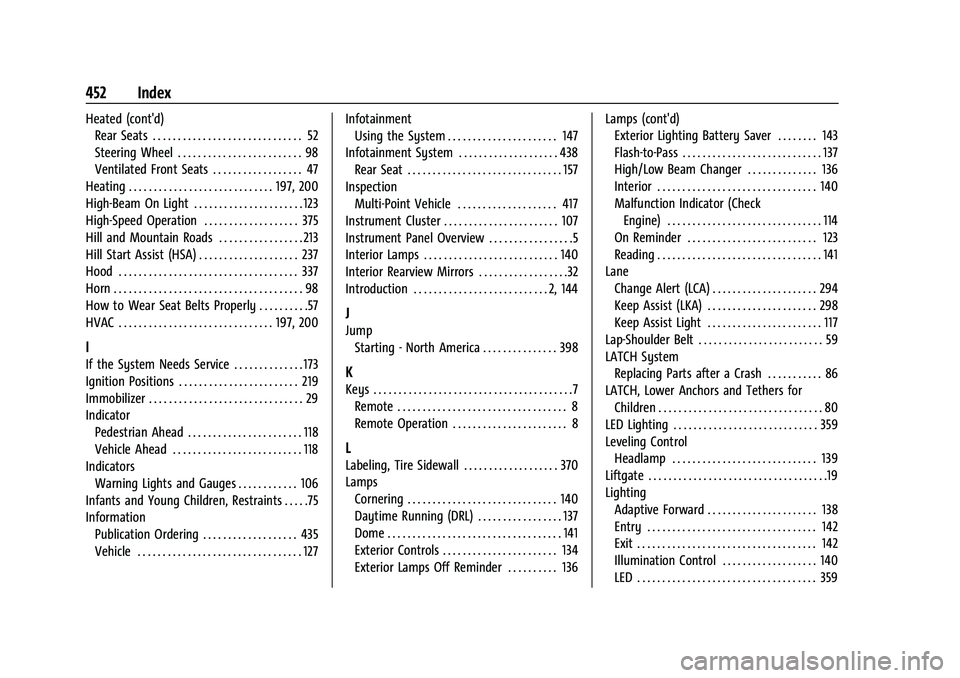
Heated (cont'd)Rear Seats . . . . . . . . . . . . . . . . . . . . . . . . . . . . . . 52
Steering Wheel . . . . . . . . . . . . . . . . . . . . . . . . . 98
Ventilated Front Seats . . . . . . . . . . . . . . . . . . 47
Heating . . . . . . . . . . . . . . . . . . . . . . . . . . . . . 197, 200
High-Beam On Light . . . . . . . . . . . . . . . . . . . . . . 123
High-Speed Operation . . . . . . . . . . . . . . . . . . . 375
Hill and Mountain Roads . . . . . . . . . . . . . . . . . 213
Hill Start Assist (HSA) . . . . . . . . . . . . . . . . . . . . 237
Hood . . . . . . . . . . . . . . . . . . . . . . . . . . . . . . . . . . . . 337
Horn . . . . . . . . . . . . . . . . . . . . . . . . . . . . . . . . . . . . . . 98
How to Wear Seat Belts Properly . . . . . . . . . .57
HVAC . . . . . . . . . . . . . . . . . . . . . . . . . . . . . . . 197, 200
I
If the System Needs Service . . . . . . . . . . . . . . 173
Ignition Positions . . . . . . . . . . . . . . . . . . . . . . . . 219
Immobilizer . . . . . . . . . . . . . . . . . . . . . . . . . . . . . . . 29
Indicator Pedestrian Ahead . . . . . . . . . . . . . . . . . . . . . . . 118
Vehicle Ahead . . . . . . . . . . . . . . . . . . . . . . . . . . 118
Indicators
Warning Lights and Gauges . . . . . . . . . . . . 106
Infants and Young Children, Restraints . . . . .75
Information Publication Ordering . . . . . . . . . . . . . . . . . . . 435
Vehicle . . . . . . . . . . . . . . . . . . . . . . . . . . . . . . . . . 127 Infotainment
Using the System . . . . . . . . . . . . . . . . . . . . . . 147
Infotainment System . . . . . . . . . . . . . . . . . . . . 438 Rear Seat . . . . . . . . . . . . . . . . . . . . . . . . . . . . . . . 157
Inspection Multi-Point Vehicle . . . . . . . . . . . . . . . . . . . . 417
Instrument Cluster . . . . . . . . . . . . . . . . . . . . . . . 107
Instrument Panel Overview . . . . . . . . . . . . . . . . .5
Interior Lamps . . . . . . . . . . . . . . . . . . . . . . . . . . . 140
Interior Rearview Mirrors . . . . . . . . . . . . . . . . . .32
Introduction . . . . . . . . . . . . . . . . . . . . . . . . . . . 2, 144
J
Jump
Starting - North America . . . . . . . . . . . . . . . 398
K
Keys . . . . . . . . . . . . . . . . . . . . . . . . . . . . . . . . . . . . . . . .7Remote . . . . . . . . . . . . . . . . . . . . . . . . . . . . . . . . . . 8
Remote Operation . . . . . . . . . . . . . . . . . . . . . . . 8
L
Labeling, Tire Sidewall . . . . . . . . . . . . . . . . . . . 370
LampsCornering . . . . . . . . . . . . . . . . . . . . . . . . . . . . . . 140
Daytime Running (DRL) . . . . . . . . . . . . . . . . . 137
Dome . . . . . . . . . . . . . . . . . . . . . . . . . . . . . . . . . . . 141
Exterior Controls . . . . . . . . . . . . . . . . . . . . . . . 134
Exterior Lamps Off Reminder . . . . . . . . . . 136 Lamps (cont'd)
Exterior Lighting Battery Saver . . . . . . . . 143
Flash-to-Pass . . . . . . . . . . . . . . . . . . . . . . . . . . . . 137
High/Low Beam Changer . . . . . . . . . . . . . . 136
Interior . . . . . . . . . . . . . . . . . . . . . . . . . . . . . . . . 140
Malfunction Indicator (Check
Engine) . . . . . . . . . . . . . . . . . . . . . . . . . . . . . . . 114
On Reminder . . . . . . . . . . . . . . . . . . . . . . . . . . 123
Reading . . . . . . . . . . . . . . . . . . . . . . . . . . . . . . . . . 141
Lane Change Alert (LCA) . . . . . . . . . . . . . . . . . . . . . 294
Keep Assist (LKA) . . . . . . . . . . . . . . . . . . . . . . 298
Keep Assist Light . . . . . . . . . . . . . . . . . . . . . . . 117
Lap-Shoulder Belt . . . . . . . . . . . . . . . . . . . . . . . . . 59
LATCH System Replacing Parts after a Crash . . . . . . . . . . . 86
LATCH, Lower Anchors and Tethers for Children . . . . . . . . . . . . . . . . . . . . . . . . . . . . . . . . . 80
LED Lighting . . . . . . . . . . . . . . . . . . . . . . . . . . . . . 359
Leveling Control Headlamp . . . . . . . . . . . . . . . . . . . . . . . . . . . . . 139
Liftgate . . . . . . . . . . . . . . . . . . . . . . . . . . . . . . . . . . . .19
Lighting Adaptive Forward . . . . . . . . . . . . . . . . . . . . . . 138
Entry . . . . . . . . . . . . . . . . . . . . . . . . . . . . . . . . . . 142
Exit . . . . . . . . . . . . . . . . . . . . . . . . . . . . . . . . . . . . 142
Illumination Control . . . . . . . . . . . . . . . . . . . 140
LED . . . . . . . . . . . . . . . . . . . . . . . . . . . . . . . . . . . . 359